
10分钟 5步 发布以太坊 ERC20 代币
1.安装 METAMASK
Brings Ethereum to your browser
一个可以浏览器上进行操作的以太坊钱包,推荐 Chrome。
Chrome 插件安装地址:
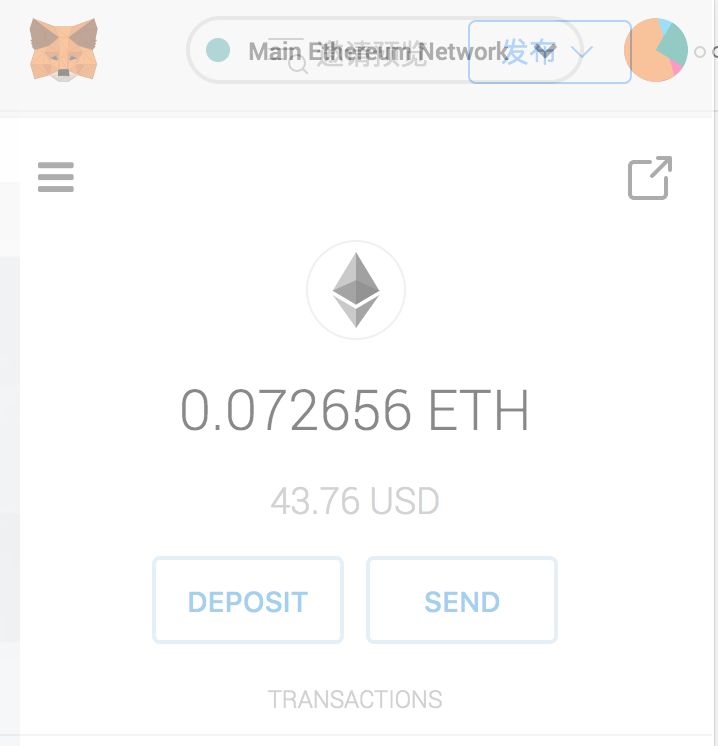
2.在 METAMASK 创建钱包
3.从以太坊官网复制代币代码模板
Create a cryptocurrency contract in Ethereumwww.ethereum.org
https://www.ethereum.org/token
从以太坊官网复制的代码模板
pragma solidity ^0.4.16;

interface tokenRecipient { function receiveApproval(address _from, uint256 _value, address _token, bytes _extraData) external; }

contract TokenERC20 {

    // Public variables of the token

    string public name;

    string public symbol;

    uint8 public decimals = 18;

    // 18 decimals is the strongly suggested default, avoid changing it

    uint256 public totalSupply;

    // This creates an array with all balances

    mapping (address => uint256) public balanceOf;

    mapping (address => mapping (address => uint256)) public allowance;

    // This generates a public event on the blockchain that will notify clients

    event Transfer(address indexed from, address indexed to, uint256 value);

    // This notifies clients about the amount burnt

    event Burn(address indexed from, uint256 value);

    /**

     * Constructor function

     *

     * Initializes contract with initial supply tokens to the creator of the contract

     */

    function TokenERC20(

        uint256 initialSupply,

        string tokenName,

        string tokenSymbol

    ) public {

        totalSupply = initialSupply * 10 ** uint256(decimals);  // Update total supply with the decimal amount

        balanceOf[msg.sender] = totalSupply;                // Give the creator all initial tokens

        name = tokenName;                                   // Set the name for display purposes

        symbol = tokenSymbol;                               // Set the symbol for display purposes

    }

    /**

     * Internal transfer, only can be called by this contract

     */

    function _transfer(address _from, address _to, uint _value) internal {

        // Prevent transfer to 0x0 address. Use burn() instead

        require(_to != 0x0);

        // Check if the sender has enough

        require(balanceOf[_from] >= _value);

        // Check for overflows

        require(balanceOf[_to] + _value >= balanceOf[_to]);

        // Save this for an assertion in the future

        uint previousBalances = balanceOf[_from] + balanceOf[_to];

        // Subtract from the sender

        balanceOf[_from] -= _value;

        // Add the same to the recipient

        balanceOf[_to] += _value;

        emit Transfer(_from, _to, _value);

        // Asserts are used to use static analysis to find bugs in your code. They should never fail

        assert(balanceOf[_from] + balanceOf[_to] == previousBalances);

    }

    /**

     * Transfer tokens

     *

     * Send `_value` tokens to `_to` from your account

     *

     * @param _to The address of the recipient

     * @param _value the amount to send

     */

    function transfer(address _to, uint256 _value) public {

        _transfer(msg.sender, _to, _value);

    }

    /**

     * Transfer tokens from other address

     *

     * Send `_value` tokens to `_to` on behalf of `_from`

     *

     * @param _from The address of the sender

     * @param _to The address of the recipient

     * @param _value the amount to send

     */

    function transferFrom(address _from, address _to, uint256 _value) public returns (bool success) {

        require(_value <= allowance[_from][msg.sender]);     // Check allowance

        allowance[_from][msg.sender] -= _value;

        _transfer(_from, _to, _value);

        return true;

    }

    /**

     * Set allowance for other address

     *

     * Allows `_spender` to spend no more than `_value` tokens on your behalf

     *

     * @param _spender The address authorized to spend

     * @param _value the max amount they can spend

     */

    function approve(address _spender, uint256 _value) public

        returns (bool success) {

        allowance[msg.sender][_spender] = _value;

        return true;

    }

    /**

     * Set allowance for other address and notify

     *

     * Allows `_spender` to spend no more than `_value` tokens on your behalf, and then ping the contract about it

     *

     * @param _spender The address authorized to spend

     * @param _value the max amount they can spend

     * @param _extraData some extra information to send to the approved contract

     */

    function approveAndCall(address _spender, uint256 _value, bytes _extraData)

        public

        returns (bool success) {

        tokenRecipient spender = tokenRecipient(_spender);

        if (approve(_spender, _value)) {

            spender.receiveApproval(msg.sender, _value, this, _extraData);

            return true;

        }

    }

    /**

     * Destroy tokens

     *

     * Remove `_value` tokens from the system irreversibly

     *

     * @param _value the amount of money to burn

     */

    function burn(uint256 _value) public returns (bool success) {

        require(balanceOf[msg.sender] >= _value);   // Check if the sender has enough

        balanceOf[msg.sender] -= _value;            // Subtract from the sender

        totalSupply -= _value;                      // Updates totalSupply

        emit Burn(msg.sender, _value);

        return true;

    }

    /**

     * Destroy tokens from other account

     *

     * Remove `_value` tokens from the system irreversibly on behalf of `_from`.

     *

     * @param _from the address of the sender

     * @param _value the amount of money to burn

     */

    function burnFrom(address _from, uint256 _value) public returns (bool success) {

        require(balanceOf[_from] >= _value);                // Check if the targeted balance is enough

        require(_value <= allowance[_from][msg.sender]);    // Check allowance

        balanceOf[_from] -= _value;                         // Subtract from the targeted balance

        allowance[_from][msg.sender] -= _value;             // Subtract from the sender's allowance

        totalSupply -= _value;                              // Update totalSupply

        emit Burn(_from, _value);

        return true;

    }

}
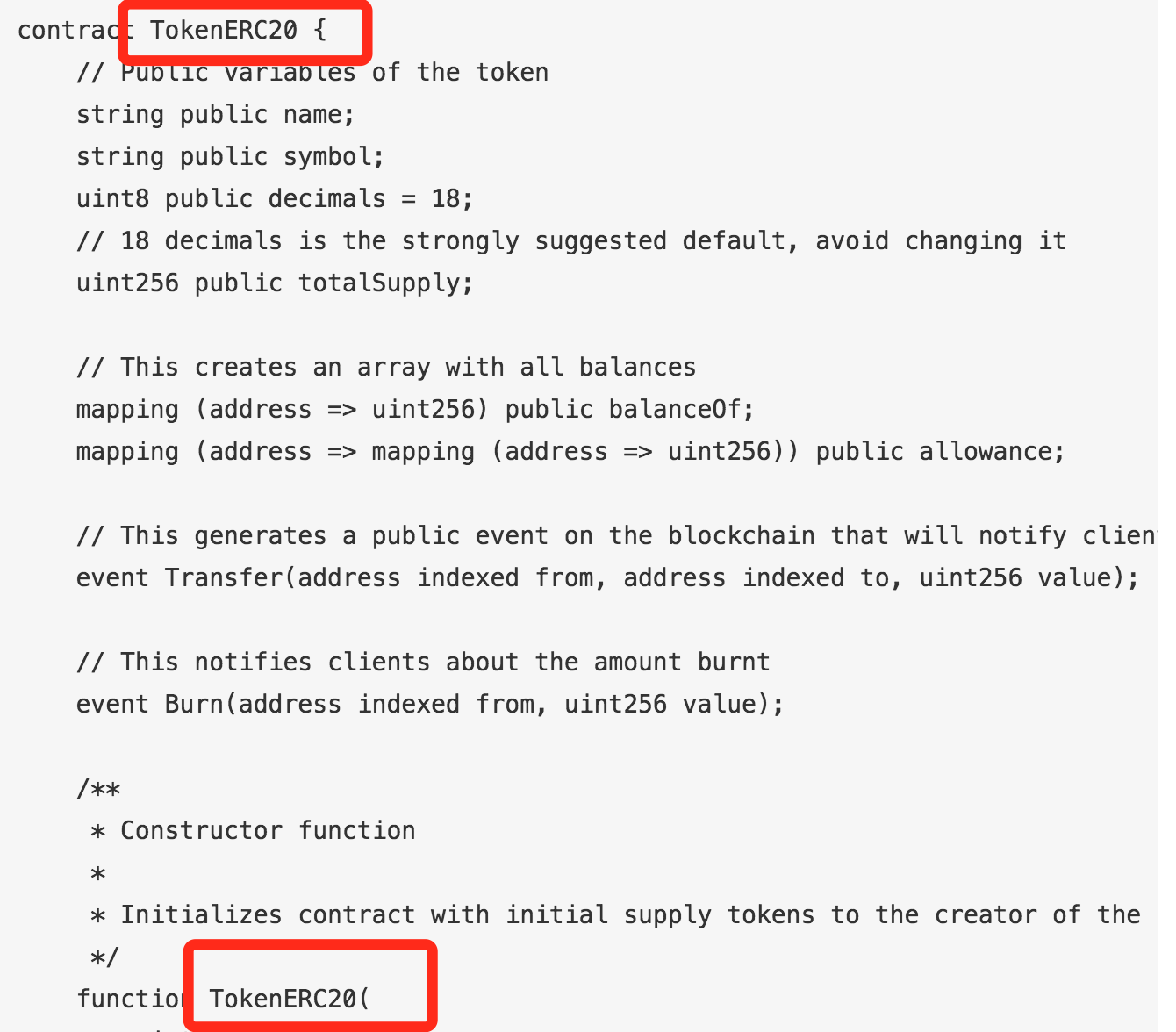
4.修改代币参数
主要是修改名称,如截图所示,修改为你的代币名称。
5.发布到以太坊网络
以太坊在线开发环境,可以自动连接到 METAMASK。
如果你的以太坊账号上已经有余额的话,就可以直接进行部署了。
发布之后可以在 METAMASK 直接看到自己刚发布的代币:
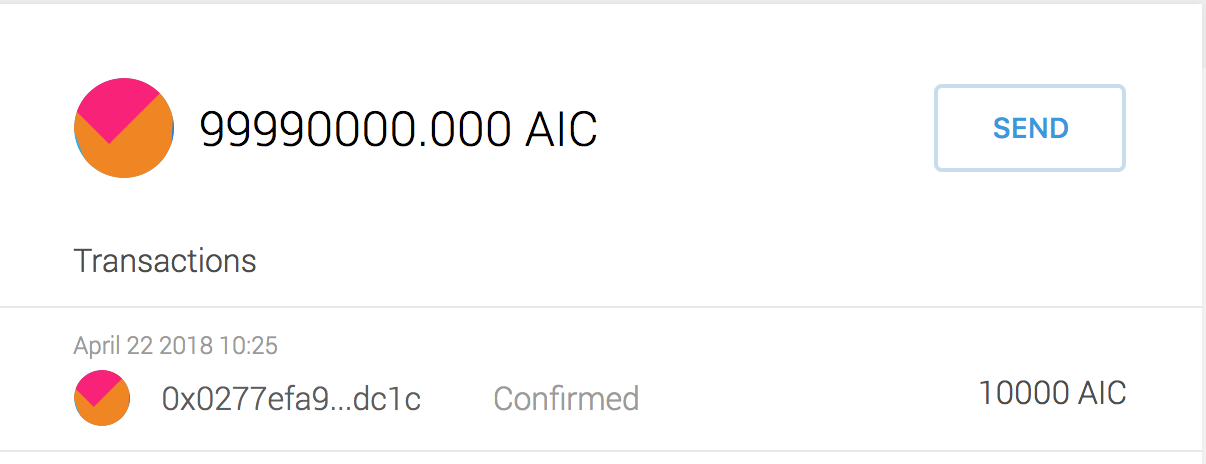
AICoin 是为了促进人工智能社区发展诞生的代币,代币的主要用途是奖励人工智能开发者分享数据和模型。
英文名:AICoin
中文名:人工智能币
简称:AIC
总量:100000000.000AIC
原文链接:http://dappchina.cn/
10分钟 5步 发布以太坊 ERC20 代币的更多相关文章
- 以太坊ERC20代币开发
以太坊ERC20代币开发首先需要对以太坊,代币,ERC20,智能合约等以太坊代币开发中的基本概念有了解.根据我们的示例代码就可以发行自己的以太坊代币. 什么是ERC20 可以把ERC20简单理解成以太 ...
- 一键创建以太坊ERC20代币教程
30秒极速创建以太坊ERC20代币 傻瓜式创建,界面化创建,自动创建代币,简单好用 合约采用新版 5.10 新版合约编译器,合约代码100%安全无任何漏洞 下面是详细的使用和创建教程 1.点击创建ER ...
- 以太坊ERC20代币合约案例
一.ERC20代币合约与web3调用 ERC20代币合约在小白看来觉得很高大上,但其实就是一个代币的定义标准,方便其他dapp统一调用各种代币的方法.如图: 二.ERC20合约标准 [官方链接] co ...
- 通过以太坊发行代币(token)
2017年开始,区块链ICO项目层出不穷,市场热度一波更胜一波,很多ICO都是通过以太坊智能合约发行自己的代币(token),具体怎样才能发行代币呢?本文进行具体详细的介绍. 准备工作 以太坊官网ER ...
- 零门槛,包教会。让你在5分钟内使用以太坊ERC20智能合约发行属于自己的空气币
前言 目前区块链是互联网中最最火的风口,没有之一.我周围的很多朋友也加入了“炒币”行列,但很不幸,几乎都被“割韭菜”了.而经过我的几天研究,发现,如果自己要发行一种空气币,简直太简单了.只需要下面几个 ...
- 以太坊上发行ERC20代币
ERC20 代币生成 环境 虚拟主机: ubuntu 18虚拟机 宿主主机: win10; ip:192.168.0.160 1.部署以太坊 1.1 安装GO 安装go,并编译geth 将下载好的go ...
- 以太坊erc20转账失败的情况和原因
以太坊erc20转账失败的情况和原因 eth转账失败有多种情况,除了手续费过低以外(Out of gas),众筹额度满了(Bad instruction)也会失败链上转账有可能失败,转账失败转账的币退 ...
- erc20代币合约
看这篇文章需要对以太坊,智能合约,代币等概念有基本的了解. 什么是ERC20 可以把ERC20简单理解成以太坊上的一个代币协议,所有基于以太坊开发的代币合约都遵守这个协议.遵守这些协议的代币我们可以认 ...
- ERC20代币(ETH)空投工具-创建代币
代币空投工具地址:http://tool.ethhelp.cn 适用币种: ETH和ERC20代币 使用建议: ERC代币空投,直投,ETH批量转小号 优势介绍: 1.可节省30%手续费 2.转几千地 ...
随机推荐
- CSS <input type="file">样式设置
这是最终想要的效果~~~ 实现很简单,div设置背景图片,<input type="file"/>绝对定位上去再设置opacity:0(透明度为0 ) 直接上代码,希望 ...
- 第一章 IDEA的使用
第一章 IDEA的使用 1.为什么要使用idea 最智能的IDE IDEA相对于eclipse来说最大的优点就是它比eclipse聪明.聪明到什么程度呢?我们先来看几个简单的例子. A.智能提示重 ...
- SecureCRT 7.3注册机激活
SecureCRT是一款很好用的远程登陆管理工具 工具和注册机下载链接:http://pan.baidu.com/s/1jImWiMU 密码:0yox 以管理管运行keygen.exe(一定要以管理员 ...
- Linq 巧用 Max,Sum
IList<, , , , , }; var sum1 = intList.Sum(s => { == ) { return s; } ; }); Console.WriteLine(&q ...
- kubernetes 手绘画,先收藏一下
- Tomcat(1-1)重置Tomcat8.5管理员的用户名和密码
1.访问 http://localhost:8080/,点击 [manager app],提示输入用户名和密码,admin/admin后报错. 2.解决办法:重置Tomcat8.5管理员的用户名和密 ...
- Django之Model进阶的更多操作
Django之Model进阶的更多操作 一.字段 AutoField(Field) - int自增列,必须填入参数 primary_key=True BigAutoField(AutoField) ...
- MySQL8.0 原子DDL
Edit MySQL8.0 原子DDL 简介 MySQL8.0 开始支持原子 DDL(atomic DDL),数据字典的更新,存储引擎操作,写二进制日志结合成了一个事务.在没有原子DDL之前,DROP ...
- Python基础数据类型之集合以及其他和深浅copy
一.基础数据类型汇总补充 list 在循环一个列表时,最好不要删除列表中的元素,这样会使索引发生改变,从而报错(可以从后向前循环删除,这样不会改变未删元素的索引). 错误示范: lis = [,,, ...
- Python入门之PyCharm的快捷键与常用设置和扩展(Mac系统)
1. 快捷键 2 . PyCharm的常用设置和扩展 ------------------------------------------------------------------------- ...