
尚硅谷springboot学习3-helloworld程序
1、环境准备
–jdk1.8:Spring Boot 推荐jdk1.7及以上;java version "1.8.0_112"
–maven3.x:maven 3.3以上版本;Apache Maven 3.3.9
–IntelliJIDEA2017:IntelliJ IDEA 2017.2.2 x64、STS
–SpringBoot 1.5.9.RELEASE:1.5.9;
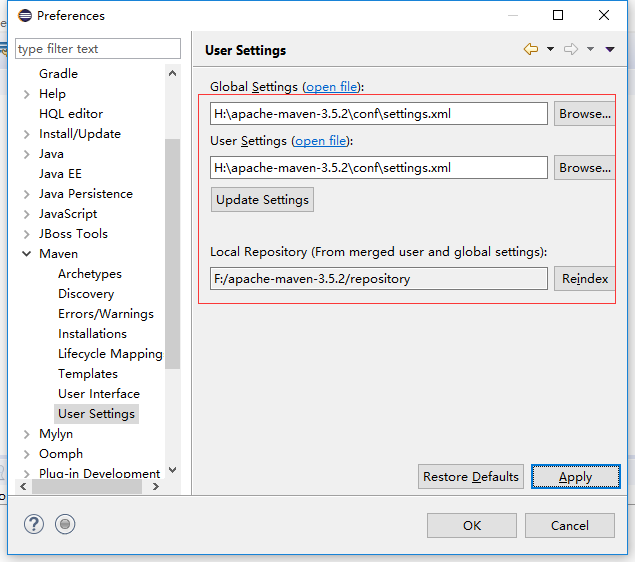
2、MAVEN设置
<profile>

  <id>jdk-1.8</id>

  <activation>

    <activeByDefault>true</activeByDefault>

    <jdk>1.8</jdk>

  </activation>

  <properties>

    <maven.compiler.source>1.8</maven.compiler.source>

    <maven.compiler.target>1.8</maven.compiler.target>
    <maven.compiler.compilerVersion>1.8</maven.compiler.compilerVersion>

  </properties>

</profile
3、创建Spring Boot HelloWorld
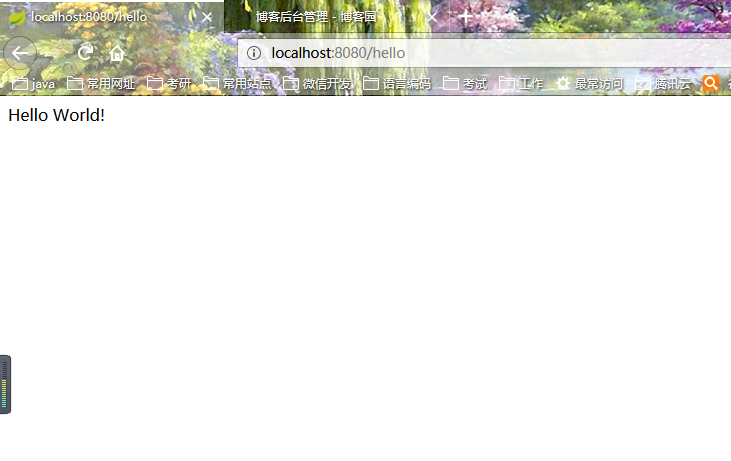
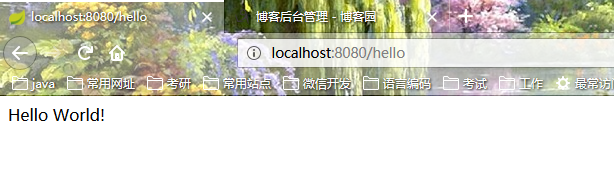
一个功能:浏览器发送hello请求,服务器接受请求并处理,响应Hello World字符串;
1)创建一个maven工程
2)导入spring boot相关的依赖
  <parent>

        <groupId>org.springframework.boot</groupId>

        <artifactId>spring-boot-starter-parent</artifactId>

        <version>1.5.9.RELEASE</version>

    </parent>

    <dependencies>

        <dependency>

            <groupId>org.springframework.boot</groupId>

            <artifactId>spring-boot-starter-web</artifactId>

        </dependency>

    </dependencies>
3)编写一个主程序;启动Spring Boot应用
package com.atguigu;

import org.springframework.boot.SpringApplication;

import org.springframework.boot.autoconfigure.SpringBootApplication;

/**

 *  @SpringBootApplication 来标注一个主程序类,说明这是一个Spring Boot应用

 */

@SpringBootApplication

public class HelloWorldMainApplication {

    public static void main(String[] args) {

        // Spring应用启动起来

        SpringApplication.run(HelloWorldMainApplication.class,args);

    }

}
4)编写相关的Controller、Service
package com.atguigu.controller;

import org.springframework.stereotype.Controller;

import org.springframework.web.bind.annotation.RequestMapping;

import org.springframework.web.bind.annotation.ResponseBody;

@Controller

public class HelloController {

    @ResponseBody

    @RequestMapping("/hello")

    public String hello(){

        return "Hello World!";

    }

}
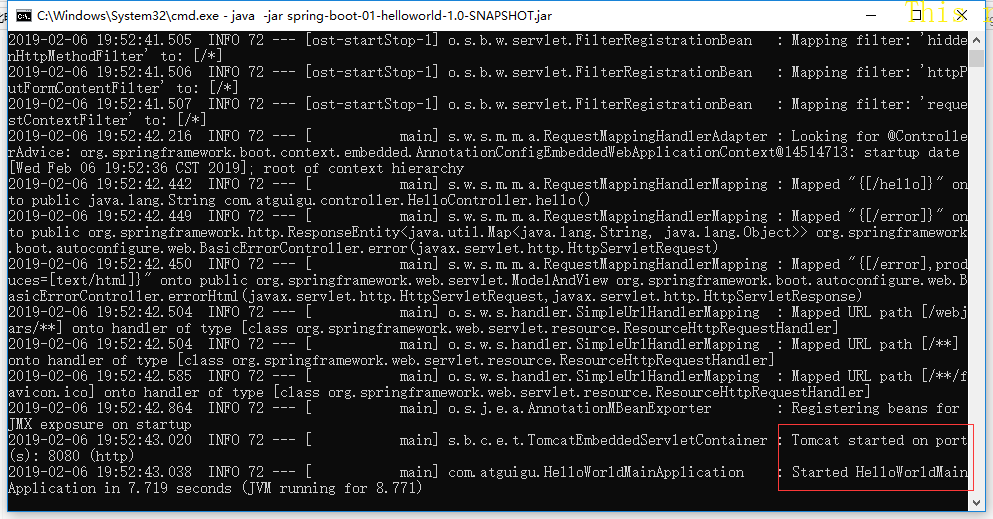
5)运行主程序测试
6)简化部署
<!-- 这个插件,可以将应用打包成一个可执行的jar包;-->

    <build>

        <plugins>

            <plugin>

                <groupId>org.springframework.boot</groupId>

                <artifactId>spring-boot-maven-plugin</artifactId>

            </plugin>

        </plugins>

    </build>
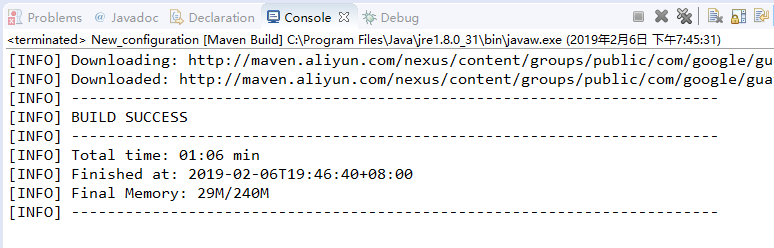
执行maven的package命令
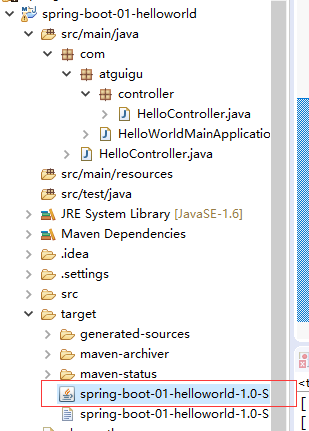
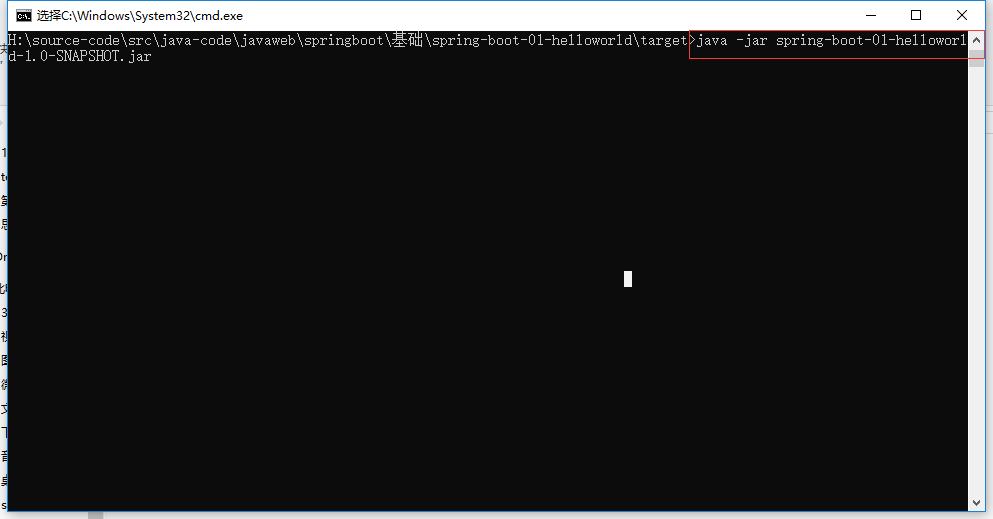
运行jar
尚硅谷springboot学习3-helloworld程序的更多相关文章
- 尚硅谷springboot学习14-自动配置原理
配置文件能配置哪些属性 配置文件能配置的属性参照 自动配置的原理 1).SpringBoot启动的时候加载主配置类,开启了自动配置功能 @EnableAutoConfiguration 2).@Ena ...
- 尚硅谷springboot学习1-简介
以前看过springboot的相关知识,当时偷懒没有做笔记,现在忘得已经差不多了,现在趁着过年有时间,再学习一遍,并做下笔记以备忘. 特性 Spring Boot来简化Spring应用开发,约定大于配 ...
- 尚硅谷springboot学习35-启动原理
先列出几个重要的事件回调机制 配置在META-INF/spring.factories ApplicationContextInitializer SpringApplicationRunListen ...
- 尚硅谷springboot学习34-整合SpringData JPA
SpringData简介
- 尚硅谷springboot学习33-整合mybatis
引入mybatis依赖(还要引入mysql和jdbc依赖) <dependency> <groupId>org.mybatis.spring.boot</groupId& ...
- 尚硅谷springboot学习31-jdbc数据连接
可以使用JdbcTemplate操作数据库,可以在启动的时候自动建表,更新数据表 配置依赖 <dependency> <groupId>org.springframework. ...
- 尚硅谷springboot学习29-docker常用命令和操作
前提是要安装docker,有关docker的安装请参考相关资料,下面来看一下常用的操作命令 1).镜像操作 操作 命令 说明 检索 docker search 关键字 eg:docker search ...
- 尚硅谷springboot学习28-Docker简介
Docker是一个开源的应用容器引擎:是一个轻量级容器技术: Docker支持将软件编译成一个镜像:然后在镜像中各种软件做好配置,将镜像发布出去,其他使用者可以直接使用这个镜像: 运行中的这个镜像称为 ...
- 尚硅谷springboot学习27-使用外置servlet容器
嵌入式Servlet容器:应用打成可执行的jar 优点:简单.便携: 缺点:默认不支持JSP.优化定制比较复杂(使用定制器[ServerProperties.自定义EmbeddedServle ...
随机推荐
- 在UnrealEngine4中使用Google Protobuf
转自:https://blog.csdn.net/or_7r_ccl/article/details/54986393 在UnrealEngine4中使用Google Protobuf ...
- BCGcontrolBar(二) 改变RIBBON字体
在xp系统下 BCGcontrolBar字体会发虚 这时候重新设置下字体就行了 在单文档的MainFram的onCreate中加入 CFont *font=m_wndRibbonBar.GetFont ...
- lock和Monitor(锁对象)
Monitor对象 1.Monitor.Enter(object)方法是获取锁,Monitor.Exit(object)方法是释放锁,这就是Monitor最常用的两个方法,当然在使用过程中为了避免获取 ...
- (转)C#SocketAsyncEventArgs实现高效能多并发TCPSocket通信
原文地址:http://freshflower.iteye.com/blog/2285272.http://freshflower.iteye.com/blog/2285286 一)服务器端 说到So ...
- solr学习(六):使用自定义int/long类型主键
需求分析: 我不想使用solr默认的主键id,我想换成其他的,比如我的文章id为article_id,我想让article_id作为主键. 而且,我的主键是int类型,而solr的主键默认是strin ...
- Codeforces Round #493 (Div. 1)
A. /* 发现每次反转或者消除都会减少一段0 当0只有一段时只能消除 这样判断一下就行 */ #include<cstdio> #include<algorithm> #in ...
- vue实现点击、滑动右侧字母对应各个城市
1.字母组件给父组件传递当前点击的字母值 @click="handleLetterClick" //绑定事件 handleLetterClick (e) { //向上传递参数 th ...
- Python strip lstrip rstrip使用方法(字符串处理空格)
Python strip lstrip rstrip使用方法(字符串处理空格) strip是trim掉字符串两边的空格.lstrip, trim掉左边的空格rstrip, trim掉右边的空格 s ...
- [python] 初学python,打卡签到
自学python第一周,学了变量和简单的条件判断. 附上猜数游戏代码 #Author:shijt trueAge=40 count=0 while count<3: guessAge=int(i ...
- 【Selenium-WebDriver自学】Selenium-IDE工具特点(二)
==================================================================================================== ...