
python3.4 data type
#coding=utf-8

#Python 3.4  https://docs.python.org/3.4/library/

#IDE:Eclipse +PyDev  Window10

import atexit

import os

import sys

import time

import winsound

import code

import codecs

import math

import csv

import base64

import re

import smtplib

from email.mime.text import MIMEText

from email.mime.multipart import MIMEMultipart

from email.header import Header

from email.mime.image import MIMEImage

from email.mime.base import MIMEBase

from email.utils import COMMASPACE, formatdate

import email

import os.path

import mimetypes

import configparser

import string

import nltk

import simhash

import uuid

import socket

import functools

import fnmatch

import time

import datetime

import calendar

import psycopg2

from datetime import timedelta

import random

import unicodedata

from decimal import *

import MailSender #自定义类

import choices #自定义类

from jump import long

print("涂聚文,geovindu")  #中文显示必需文件编码格式utf-8

#获取本机电脑名

myname = socket.getfqdn(socket.gethostname(  ));

#获取本机ip

myaddr = socket.gethostbyname(myname);

print(myname);

print(myaddr);

#Data Types

print ("hello word 你好,世界");

print (sys.platform);

print (2 ** 100);

#输入

try: userimput = input("输入的内容: ") #PyDev

except NameError: pass

print("你好:"+userimput);

print(type(userimput));#类型

nowTime=time.localtime();

nowDate=datetime.datetime(nowTime[0],nowTime[1],nowTime[2]);

datasd=["Acme",50,99.8,"2012-12-21",(2015,12,20)];

productname,productshares,productprice,productdate,productdate2=datasd;

print("产品名称:"+productname);

print("产品数量:"+str(productshares));

print("产品价格:"+str(productprice));

print("产品日期:"+productdate); #datetime.datetime.strptime

date1=datetime.datetime(2015,12,20);

print(type(nowTime)); #time.struct_time

print(type(nowDate)); #atetime.datetime

print(type(productdate2)); #tuple

print(type(productdate)); #str

print(date1);

print(time.strftime("%Y-%m-%d %H:%M:%S",nowTime)); #%Y-%m-%d %H:%M:%S %f

print(nowDate);

#print("time %" % nowDate);

print(time.strptime(productdate,"%Y-%m-%d")); ##字符串转换成time类型 %Y-%m-%d %H:%M:%S

date2=time.strptime(productdate,"%Y-%m-%d");

print(nowDate.strftime("%Y-%m-%d")); ##time类型转换成字符串类型 %y-%m-%d %I:%M:%S %p

print(date2);

print(type(date2));

d = timedelta(microseconds=-1);

print(d.days, d.seconds, d.microseconds); # -1 86399 999999

year = timedelta(days=365);

another_year = timedelta(weeks=40, days=84, hours=23,minutes=50, seconds=600);  # adds up to 365 days

print(year.total_seconds()); #31536000.0

print(year == another_year);

dt = datetime.datetime.strptime("21/11/06 16:30", "%d/%m/%y %H:%M");

tt = dt.timetuple();

'''

2006    # year

11      # month

21      # day

16      # hour

30      # minute

0       # second

1       # weekday (0 = Monday)

325     # number of days since 1st January

-1      # dst - method tzinfo.dst() returned None

'''

for it in tt:

    print (it);

ic = dt.isocalendar();

'''

2006    # ISO year

47      # ISO week

2       # ISO weekday

'''

for ff in ic:

    print(ff);

print(calendar.setfirstweekday(calendar.SUNDAY)); #None

#https://docs.python.org/3/library/index.html

d = Decimal(15.6);

print(d+80);

ra=random.randrange(0,12001,5); # Even integer from 0 to 1200 inclusive 从0至12000,5位数的随机数 11435

print(ra);

mood = choices.PDist([('happy', 0.3), ('neutral', 0.6), ('sad', 0.1)]) #随机选取字符串

print(mood());

rstr=random.choice(["geovindu","du","涂聚文","geovi"]); #随机选取字符串

print(rstr);

deck = 'ace two three four'.split();

random.shuffle(deck);  # Shuffle a list 洗牌

print(deck);

du=int(2);

print(du*20);

du=long(200);

print(du/20);

du=float(2500.25);

print(du-200);
#BitArray 布尔型数组所有的对象类型

#Cubes OLAP 在线分析处理应用程序框架

#Disco 分布式计算所用的mapreduce实现

#Gdata Google数据协议实现

#Hspy   Python HDF5文件格式实现

#HDF5  快速I/O 操作所用文件格式  https://pypi.python.org/pypi/h5py

#IPython 交互式开发环境(IDE)

#lxml   用Python处理XML和HTML

#matplotlib

#MPI4Py   消息解析接口(MPI)的并行计算实现

#MPICH2   另一个MPI实现

#numexpr  优化的数值表达式执行

#Pandas 高效处理时间序列数据

#PyTables 使用HDF5的层次化数据库  http://www.pytables.org/   pip install tables   http://www.pytables.org/usersguide/installation.html

#

#SciPy   科学函数集合

#Scikit-Learn 机器学习算法

#Spyder Python IDE,具有语法检查,调试和检查功能

#statsmodels 统计模型

#SymPy 符号计算和数学

#Theano 数学表达式编译器

#dateutil

#pyparsing

#libpng

#pytz

#freetype

#cycler

#pyqt

#pygtk

#wxpython

#ffmpeg/avconv or mencoder

#ImageMagick

#Pillow

#pkg-config

#agg

#import pyautogui  #PyAutoGUI https://pypi.python.org/pypi/PyAutoGUI

#使用双连词生成随机文本

sent=['In','the','beginning','god','created','the','heaven','and','the','earth','.'];

mt=nltk.bigrams(sent);

for mts in mt:

    print(mts);
http://www.h5py.org/
http://hdf5.net/
http://www.pytables.org/usersguide/installation.html
Anaconda is the leading open data science platform powered by Python
https://www.continuum.io/downloads#windows
Microsoft Windows [版本 10.0.14393]
(c) 2016 Microsoft Corporation。保留所有权利。
C:\Users\geovindu>conda install scikit-learn
Fetching package metadata .........
Solving package specifications: ..........
Package plan for installation in environment C:\Program Files\Anaconda3:
The following packages will be downloaded:
package | build
---------------------------|-----------------
conda-env-2.6.0 | 0 498 B
mkl-2017.0.1 | 0 128.8 MB
numpy-1.11.3 | py35_0 3.4 MB
requests-2.12.4 | py35_0 791 KB
numexpr-2.6.1 | np111py35_2 123 KB
scipy-0.18.1 | np111py35_1 11.6 MB
scikit-learn-0.18.1 | np111py35_1 4.5 MB
pyopenssl-16.2.0 | py35_0 70 KB
conda-4.3.4 | py35_0 534 KB
------------------------------------------------------------
Total: 149.8 MB
The following NEW packages will be INSTALLED:
conda-env: 2.6.0-0 (copy)
The following packages will be UPDATED:
conda: 4.2.9-py35_0 --> 4.3.4-py35_0 (copy)
mkl: 11.3.3-1 --> 2017.0.1-0 (copy)
numexpr: 2.6.1-np111py35_0 --> 2.6.1-np111py35_2 (copy)
numpy: 1.11.1-py35_1 --> 1.11.3-py35_0 (copy)
pyopenssl: 16.0.0-py35_0 --> 16.2.0-py35_0 (copy)
requests: 2.11.1-py35_0 --> 2.12.4-py35_0 (copy)
scikit-learn: 0.17.1-np111py35_1 --> 0.18.1-np111py35_1 (copy)
scipy: 0.18.1-np111py35_0 --> 0.18.1-np111py35_1 (copy)
CondaIOError: IO error: Missing write permissions in: C:\Program Files\Anaconda3
#
# You don't appear to have the necessary permissions to install packages
# into the install area 'C:\Program Files\Anaconda3'.
# However you can clone this environment into your home directory and
# then make changes to it.
# This may be done using the command:
#
# $ conda create -n my_root --clone=C:\Program Files\Anaconda3
C:\Users\geovindu>cd..
C:\Users>cd..
C:\>cd C:\Program Files\Anaconda3
C:\Program Files\Anaconda3>conda install scikit-learn
Fetching package metadata .........
Solving package specifications: ..........
Package plan for installation in environment C:\Program Files\Anaconda3:
The following packages will be downloaded:
package | build
---------------------------|-----------------
conda-env-2.6.0 | 0 498 B
mkl-2017.0.1 | 0 128.8 MB
numpy-1.11.3 | py35_0 3.4 MB
requests-2.12.4 | py35_0 791 KB
numexpr-2.6.1 | np111py35_2 123 KB
scipy-0.18.1 | np111py35_1 11.6 MB
scikit-learn-0.18.1 | np111py35_1 4.5 MB
pyopenssl-16.2.0 | py35_0 70 KB
conda-4.3.4 | py35_0 534 KB
------------------------------------------------------------
Total: 149.8 MB
The following NEW packages will be INSTALLED:
conda-env: 2.6.0-0 (copy)
The following packages will be UPDATED:
conda: 4.2.9-py35_0 --> 4.3.4-py35_0 (copy)
mkl: 11.3.3-1 --> 2017.0.1-0 (copy)
numexpr: 2.6.1-np111py35_0 --> 2.6.1-np111py35_2 (copy)
numpy: 1.11.1-py35_1 --> 1.11.3-py35_0 (copy)
pyopenssl: 16.0.0-py35_0 --> 16.2.0-py35_0 (copy)
requests: 2.11.1-py35_0 --> 2.12.4-py35_0 (copy)
scikit-learn: 0.17.1-np111py35_1 --> 0.18.1-np111py35_1 (copy)
scipy: 0.18.1-np111py35_0 --> 0.18.1-np111py35_1 (copy)
CondaIOError: IO error: Missing write permissions in: C:\Program Files\Anaconda3
#
# You don't appear to have the necessary permissions to install packages
# into the install area 'C:\Program Files\Anaconda3'.
# However you can clone this environment into your home directory and
# then make changes to it.
# This may be done using the command:
#
# $ conda create -n my_root --clone=C:\Program Files\Anaconda3
C:\Program Files\Anaconda3>conda install matplotlib
Fetching package metadata .........
Solving package specifications: ..........
Package plan for installation in environment C:\Program Files\Anaconda3:
The following packages will be downloaded:
package | build
---------------------------|-----------------
conda-env-2.6.0 | 0 498 B
requests-2.12.4 | py35_0 791 KB
matplotlib-1.5.3 | np111py35_1 6.2 MB
pyopenssl-16.2.0 | py35_0 70 KB
conda-4.3.4 | py35_0 534 KB
------------------------------------------------------------
Total: 7.6 MB
The following NEW packages will be INSTALLED:
conda-env: 2.6.0-0 (copy)
The following packages will be UPDATED:
conda: 4.2.9-py35_0 --> 4.3.4-py35_0 (copy)
matplotlib: 1.5.3-np111py35_0 --> 1.5.3-np111py35_1 (copy)
pyopenssl: 16.0.0-py35_0 --> 16.2.0-py35_0 (copy)
requests: 2.11.1-py35_0 --> 2.12.4-py35_0 (copy)
CondaIOError: IO error: Missing write permissions in: C:\Program Files\Anaconda3
#
# You don't appear to have the necessary permissions to install packages
# into the install area 'C:\Program Files\Anaconda3'.
# However you can clone this environment into your home directory and
# then make changes to it.
# This may be done using the command:
#
# $ conda create -n my_root --clone=C:\Program Files\Anaconda3
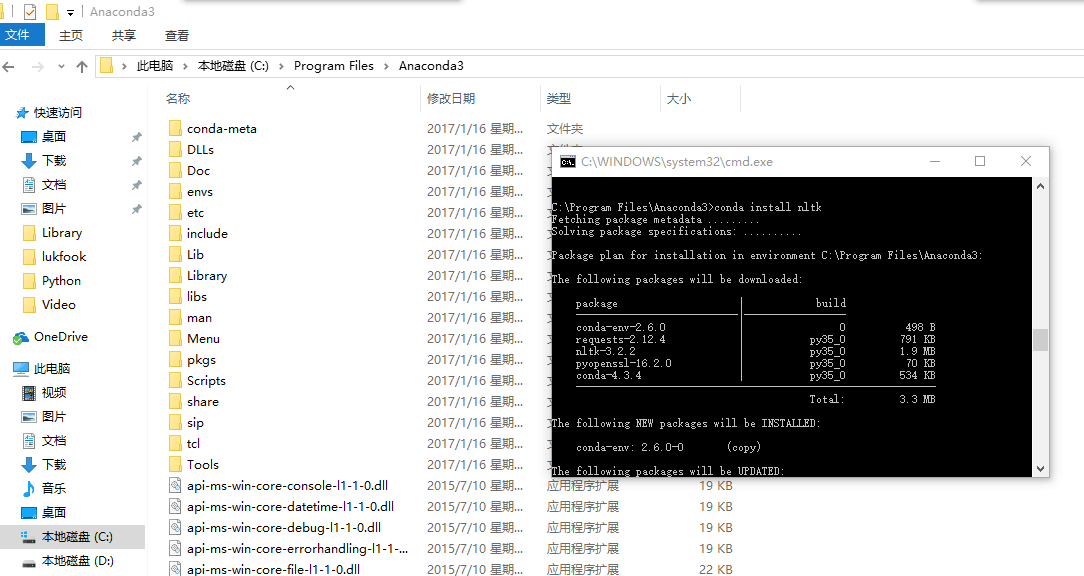
C:\Program Files\Anaconda3>conda install nltk
Fetching package metadata .........
Solving package specifications: ..........
Package plan for installation in environment C:\Program Files\Anaconda3:
The following packages will be downloaded:
package | build
---------------------------|-----------------
conda-env-2.6.0 | 0 498 B
requests-2.12.4 | py35_0 791 KB
nltk-3.2.2 | py35_0 1.9 MB
pyopenssl-16.2.0 | py35_0 70 KB
conda-4.3.4 | py35_0 534 KB
------------------------------------------------------------
Total: 3.3 MB
The following NEW packages will be INSTALLED:
conda-env: 2.6.0-0 (copy)
The following packages will be UPDATED:
conda: 4.2.9-py35_0 --> 4.3.4-py35_0 (copy)
nltk: 3.2.1-py35_0 --> 3.2.2-py35_0 (copy)
pyopenssl: 16.0.0-py35_0 --> 16.2.0-py35_0 (copy)
requests: 2.11.1-py35_0 --> 2.12.4-py35_0 (copy)
CondaIOError: IO error: Missing write permissions in: C:\Program Files\Anaconda3
#
# You don't appear to have the necessary permissions to install packages
# into the install area 'C:\Program Files\Anaconda3'.
# However you can clone this environment into your home directory and
# then make changes to it.
# This may be done using the command:
#
# $ conda create -n my_root --clone=C:\Program Files\Anaconda3
C:\Program Files\Anaconda3>
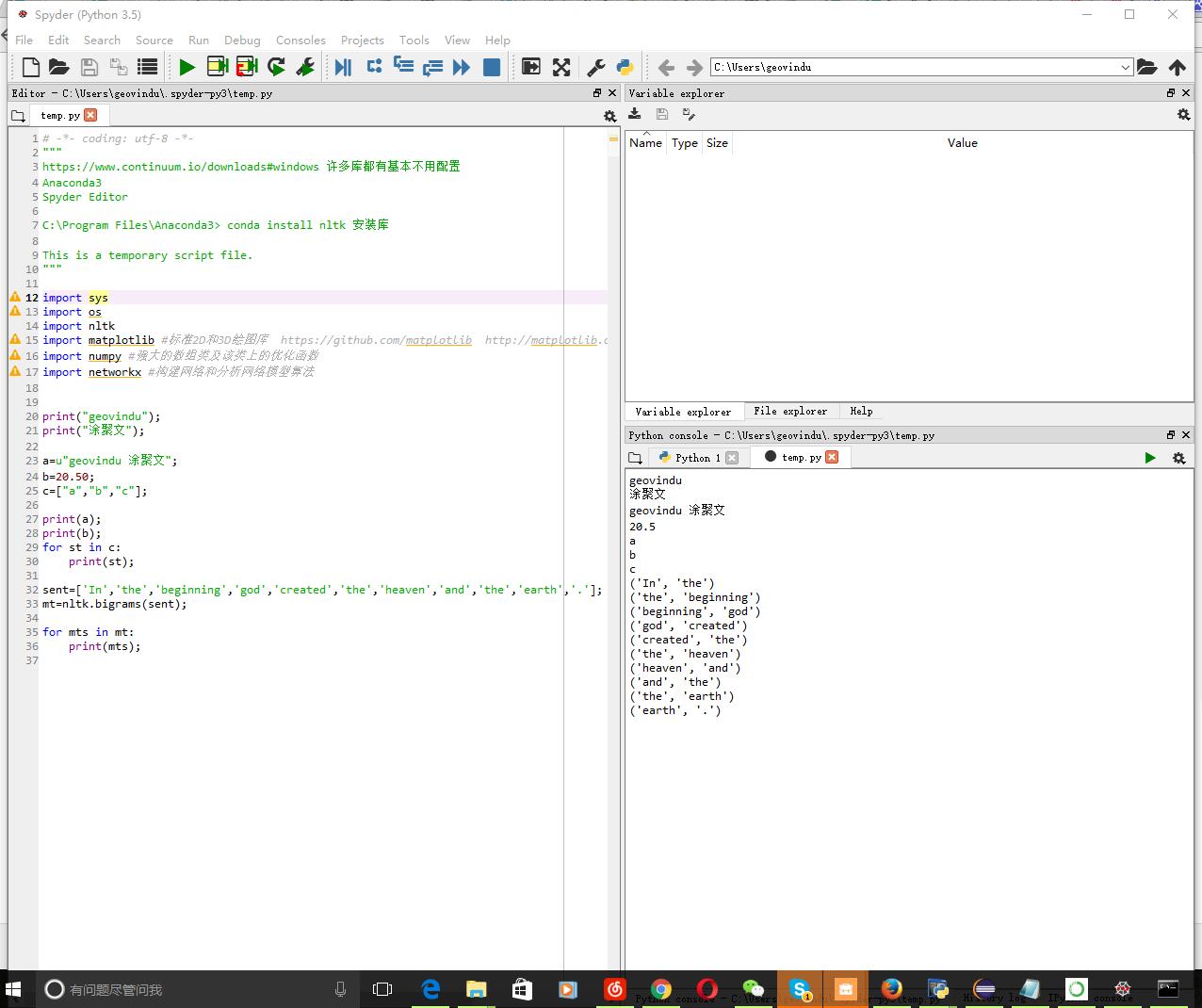
# -*- coding: utf-8 -*-

"""

https://www.continuum.io/downloads#windows 许多库都有基本不用配置

Anaconda3

Spyder Editor

Python 3.5

C:\Program Files\Anaconda3>

This is a temporary script file.

"""

import sys

import os

import nltk

import matplotlib #标准2D和3D绘图库  https://github.com/matplotlib  http://matplotlib.org/users/installing.html

import numpy #强大的数组类及该类上的优化函数

import networkx #构建网络和分析网络模型算法

print("geovindu");

print("涂聚文");

a=u"geovindu 涂聚文";

b=20.50;

c=["a","b","c"];

print(a);

print(b);

for st in c:

    print(st);

sent=['In','the','beginning','god','created','the','heaven','and','the','earth','.'];

mt=nltk.bigrams(sent);

for mts in mt:

    print(mts);
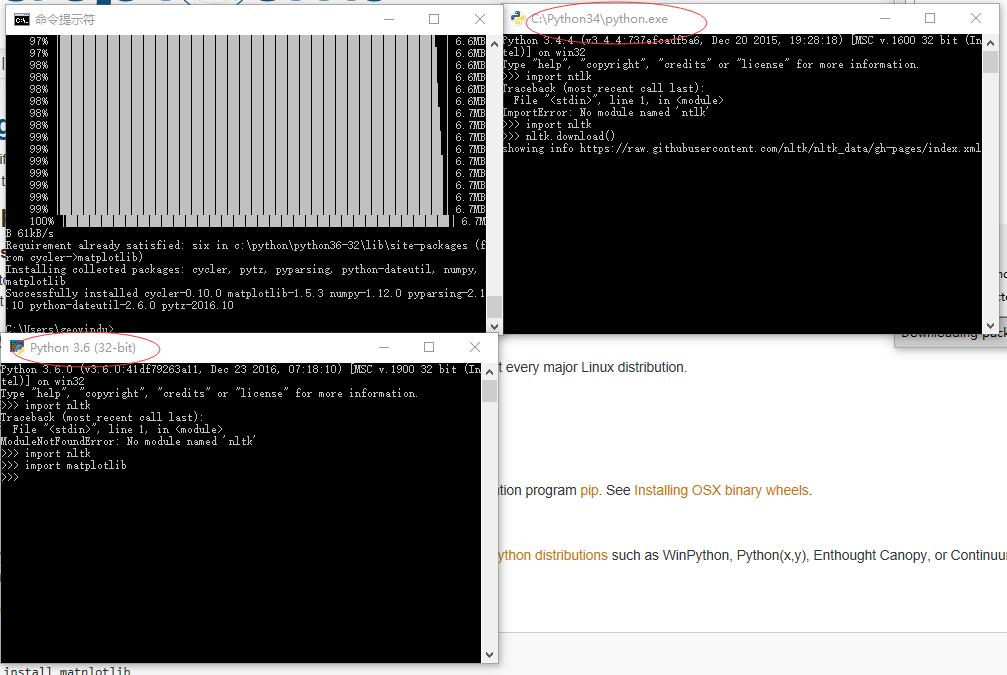
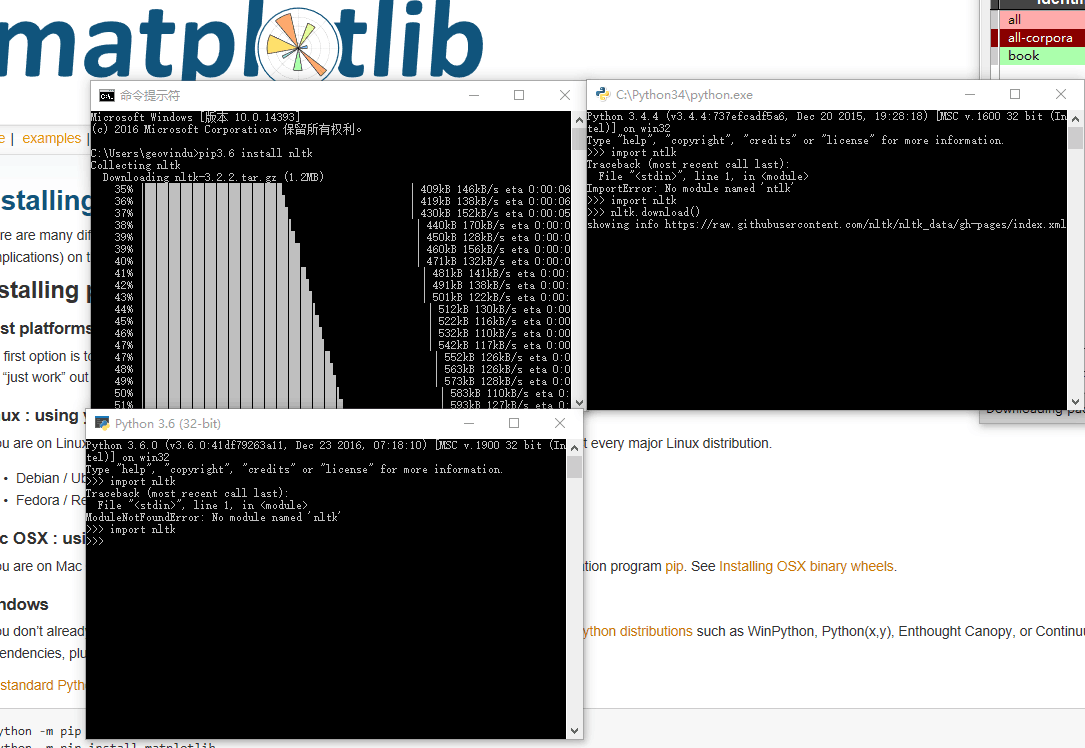
使用下方法配置开发IDE,减少配置的时间:
1.使用Anaconda 和 Pycharm搭建Python IDE 在Pycharm File->settings->Project **->Project Interpreter->选择Anaconda 自带的python
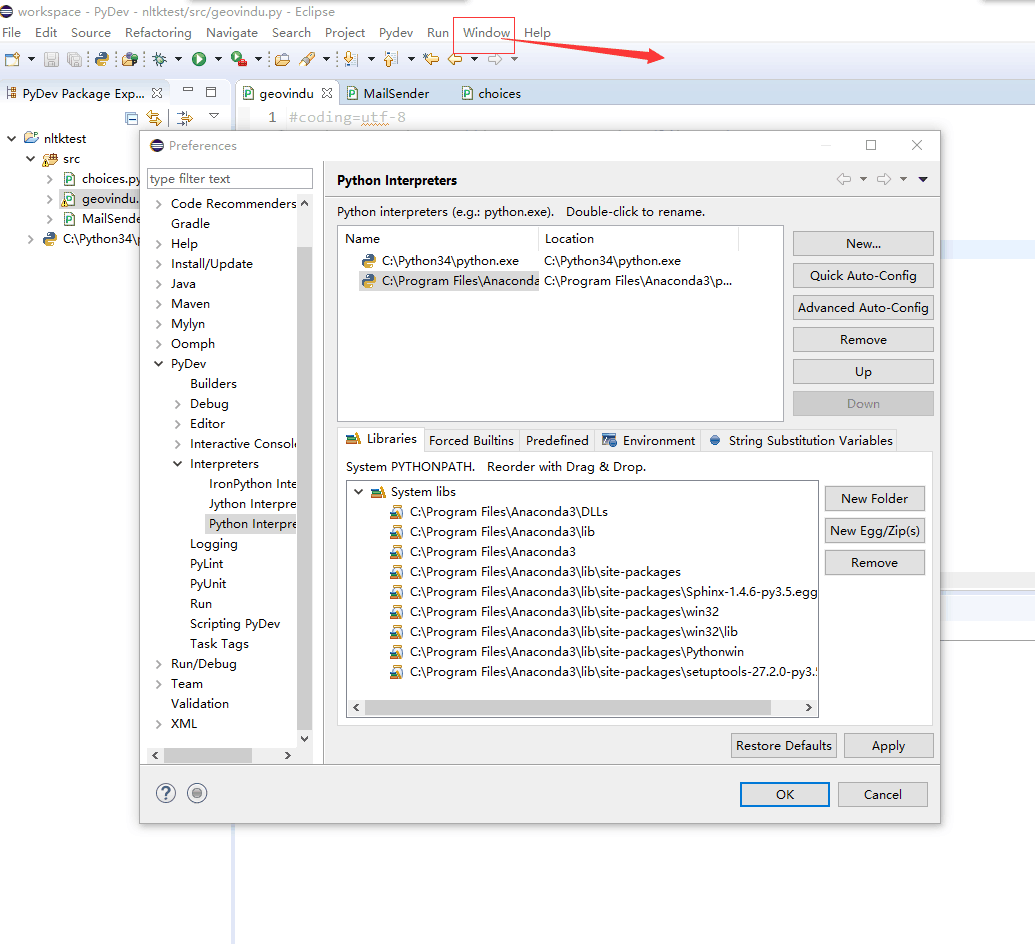
2.使用Anaconda 和 Eclipse Java+Pydev搭建Python IDE 在windows->Preferences > Pydev > Interpreter – Python-选择Anaconda 自带的python
python3.4 data type的更多相关文章
- PHP 笔记一(systax/variables/echo/print/Data Type)
PHP stands for "Hypertext Preprocessor" ,it is a server scripting language. What Can PHP D ...
- JAVA 1.2(原生数据类型 Primitive Data Type)
1. Java的数据类型分为2类 >> 原生数据类型(primitive data type) >> 引用数据类型(reference data type) 3. 常量和变量 ...
- salesforce 零基础开发入门学习(四)多表关联下的SOQL以及表字段Data type详解
建立好的数据表在数据库中查看有很多方式,本人目前采用以下两种方式查看数据表. 1.采用schema Builder查看表结构以及多表之间的关联关系,可以登录后点击setup在左侧搜索框输入schema ...
- The conversion of a varchar data type to a datetime data type resulted in an out-of-range value
刚刚有在程序中,传递一个空值至MS SQL Server数据库,这个值的数据类型为DATETIME执行时,它却发生了如标题提示的异常:The conversion of a varchar data ...
- XML Data Type Methods(一)
XML Data Type Methods(一) /*XML Data Type Methods: 1.The query('XQuery') method retrieves(vt.检索,重新得到) ...
- include pointers as a primitive data type
Computer Science An Overview _J. Glenn Brookshear _11th Edition Many modern programming languages in ...
- Extended Data Type Properties [AX 2012]
Extended Data Type Properties [AX 2012] This topic has not yet been rated - Rate this topic Updated: ...
- org.hibernate.id.IdentifierGenerationException: Unknown integral data type for ids : java.lang.String
org.hibernate.id.IdentifierGenerationException: Unknown integral data type for ids : java.lang.Strin ...
- Linux C double linked for any data type
/************************************************************************** * Linux C double linked ...
随机推荐
- GDI+ 摘要: 保存图像文件
要保存图像文件,必须先获得图像的编码格式信息.可是GDI+没有直接提供这个函数:GetEncoderClsid(const WCHAR* format, CLSID* pClsid) 因此须要我们自己 ...
- 安装Windows2003操作系统 - 初学者系列 - 学习者系列文章
Windows 2003是一款经典的服务器操作系统.以前笔者工作的时候就是用的这款操作系统来进行编程的.下面就对该操作系统的安装进行介绍(部分步骤参见XP的安装http://www.cnblogs.c ...
- HDU 4812 D Tree 树分区+逆+hash新位置
意甲冠军: 特定n点树 K 以下n号码是正确的点 以下n-1行给出了树的侧. 问: 所以,如果有在正确的道路点图的路径 % mod = K 如果输出路径的两端存在. 多条路径则输出字典序最小的一条. ...
- sugarcrm关于邮件设置几个不好理解的地方
陈沙克日志 把我的过程记录下来,以免以后忘了 2008-06-11 12:32 sugarcrm关于邮件设置几个不好理解的地方 最近看sugarcrm的使用,别的基本使用,没有什么问题,几天就 ...
- 【转】怎么导出jar包
如何导出jar包 右键工程->Export->Java->JAR file->Next-> Next 选中工程和工程中你要打包的内容,如果是Android的项目,需要把M ...
- wcf契约版本处理与异常处理(随记)
-----------版本控制策略:必须支持向后兼容:----就是当服务端发生改变,但客户端未更新会不会发生错误: 一旦契约发布,若要契约发生变化,如何不影响客户端使用: ----wsdl:契约: 服 ...
- 基于Jquery 简单实用的弹出提示框
基于Jquery 简单实用的弹出提示框 引言: 原生的 alert 样子看起来很粗暴,网上也有一大堆相关的插件,但是基本上都是大而全,仅仅几句话可以实现的东西,可能要引入好几十k的文件,所以话了点时间 ...
- mac在线恢复教程
上个周,我本来想升级一下Xcode,可是我的系统是10.8de,xcode5.0.1 最低支持10.8.4 所以就想升级一下我的mac的系统,可是因为我的appstore 是从别人的电脑上考过来的,要 ...
- django 创建一个通用视图
创建一个通用视图 抽取出我们代码中共性的东西是一个很好的编程习惯. 比如,像以下的两个Python函数: def say_hello(person_name): print 'Hello, ...
- ”Metro UI之磁贴(二)
也来“玩”Metro UI之磁贴(二) 继昨天的“也来“玩”Metro UI之磁贴(一)”之后,还不过瘾,今天继续“玩”吧——今天把单选的功能加进来,还有磁贴的内容,还加了发光效果(CSS3,IE9+ ...