
SSH + Google Authenticator 安全加固
1. SSH连接
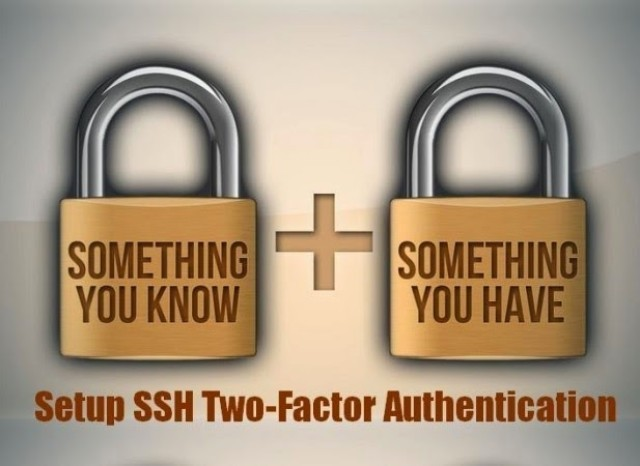
Secure Shell(安全外壳协议,简称SSH)是一种加密的网络传输协议,可在不安全的网络中为网络服务提供安全的传输环境。SSH通过在网络中创建安全隧道来实现SSH客户端与服务器之间的连接。虽然任何网络服务都可以通过SSH实现安全传输,SSH最常见的用途是远程登录系统,人们通常利用SSH来传输命令行界面和远程执行命令。使用频率最高的场合类Unix系统,但是Windows操作系统也能有限度地使用SSH。
SSH本身是一个非常安全的认证连接方式。不过由于人过等方面的原因,难免会造成密码的泄露。针对这种问题我们不妨给SSH再加一把锁。当然,增加这层锁的方式有很多种。例如:knockd、S/KEY、OPIE/OPTW、Two-factor authentication等。
2. Google Authenticator

Google身份验证器是一款基于时间与哈希的一次性密码算法的两步验证软件令牌,此软件用于Google的认证服务。此项服务所使用的算法已列于 RFC 6238 和 RFC 4226 中。
Google身份验证器给予用户一个六位到八位的一次性密码用于进行登录Google或其他站点时的附加验证。其同样可以给第三方应用生成口令,例如密码管家程序或网络硬盘。先前版本的Google身份验证器开放源代码,但之后的版本以专有软件的形式公开。
3.Linux 中安装
3.1 系统环境说明
[root@clsn.io /root] clsn.io Blog WebSite

#cat  /etc/redhat-release

CentOS release 6.8 (Final)

[root@clsn.io /root] clsn.io Blog WebSite

#uname -a

Linux clsn.io 4.10.5-1.el6.elrepo.x86_64 #1 SMP Wed Mar 22 14:55:33 EDT 2017 x86_64 x86_64 x86_64 GNU/Linux

[root@clsn.io /root] clsn.io Blog WebSite

#sestatus

SELinux status:                 disabled
3.2 安装 Google Authenticator
3.2.1 安装依赖包
yum -y install wget gcc make pam-devel libpng-devel
3.2.2 Google Authenticator PAM插件安装
# 可在google的github下载

wget  https://github.com/google/google-authenticator/archive/1.02.tar.gz

tar xf 1.02.tar.gz

cd google-authenticator-1.02/libpam/

./bootstrap.sh

./configure

make && make install
安装完成后会在 /usr/local/lib/security/pam_google_authenticator.so生成一个 库文件,
系统还会多在/usr/local/bin目录生成一个google-authenticator可执行文件,通过运行该命令进行配置。
3.2.3 复制so文件
# cp /usr/local/lib/security/pam_google_authenticator.so /lib64/security/
4. 配置 SSH + Google Authenticator
4.1 初始配置 Google Authenticator
[root@clsn.io /lib64/security] clsn.io Blog WebSite

#google-authenticator

Do you want authentication tokens to be time-based (y/n) n

# 是否基于时间的认证,为了防止不同跨时区的问题,这里选择n

https://www.google.com/chart?chs=200x200&chld=M|0&cht=qr&chl=otpauth://hotp/root@clsn.io%3Fsecret%3*****%26issuer%3Dclsn.io

# s生成的二维码

Your new secret key is: ****

Your verification code is 5****0

Your emergency scratch codes are:

  40****84

  19****95

  60****78

  83****92

  31****58

# 这5个码用于在取不到或错的验证码有错时,用于应急用的。不过每个只能用一次,不能重复使用。

Do you want me to update your "/root/.google_authenticator" file? (y/n) y

By default, three tokens are valid at any one time.  This accounts for

generated-but-not-used tokens and failed login attempts. In order to

decrease the likelihood of synchronization problems, this window can be

increased from its default size of 3 to 17. Do you want to do so (y/n) y

If the computer that you are logging into isn't hardened against brute-force

login attempts, you can enable rate-limiting for the authentication module.

By default, this limits attackers to no more than 3 login attempts every 30s.

Do you want to enable rate-limiting (y/n) y
4.2 SSH调用及客户端配置
添加pam认证,在第一行添加
# vim  /etc/pam.d/sshd

auth       required     pam_google_authenticator.so

------------------------------------------------------------------

#cat  /etc/pam.d/sshd

#%PAM-1.0

auth	   required	pam_sepermit.so

auth       required     pam_google_authenticator.so

auth       include      password-auth

account    required     pam_nologin.so

account    include      password-auth

password   include      password-auth

# pam_selinux.so close should be the first session rule

session    required     pam_selinux.so close

session    required     pam_loginuid.so

# pam_selinux.so open should only be followed by sessions to be executed in the user context

session    required     pam_selinux.so open env_params

session    required     pam_namespace.so

session    optional     pam_keyinit.so force revoke

session    include      password-auth
修改sshd配置
# vim /etc/ssh/sshd_config

ChallengeResponseAuthentication no

#把上面配置改成
重启 sshd 服务
# service sshd restart
5. 客户端使用
5.1 Android客户端
(版本5.00,更新日期 2017年9月27日)
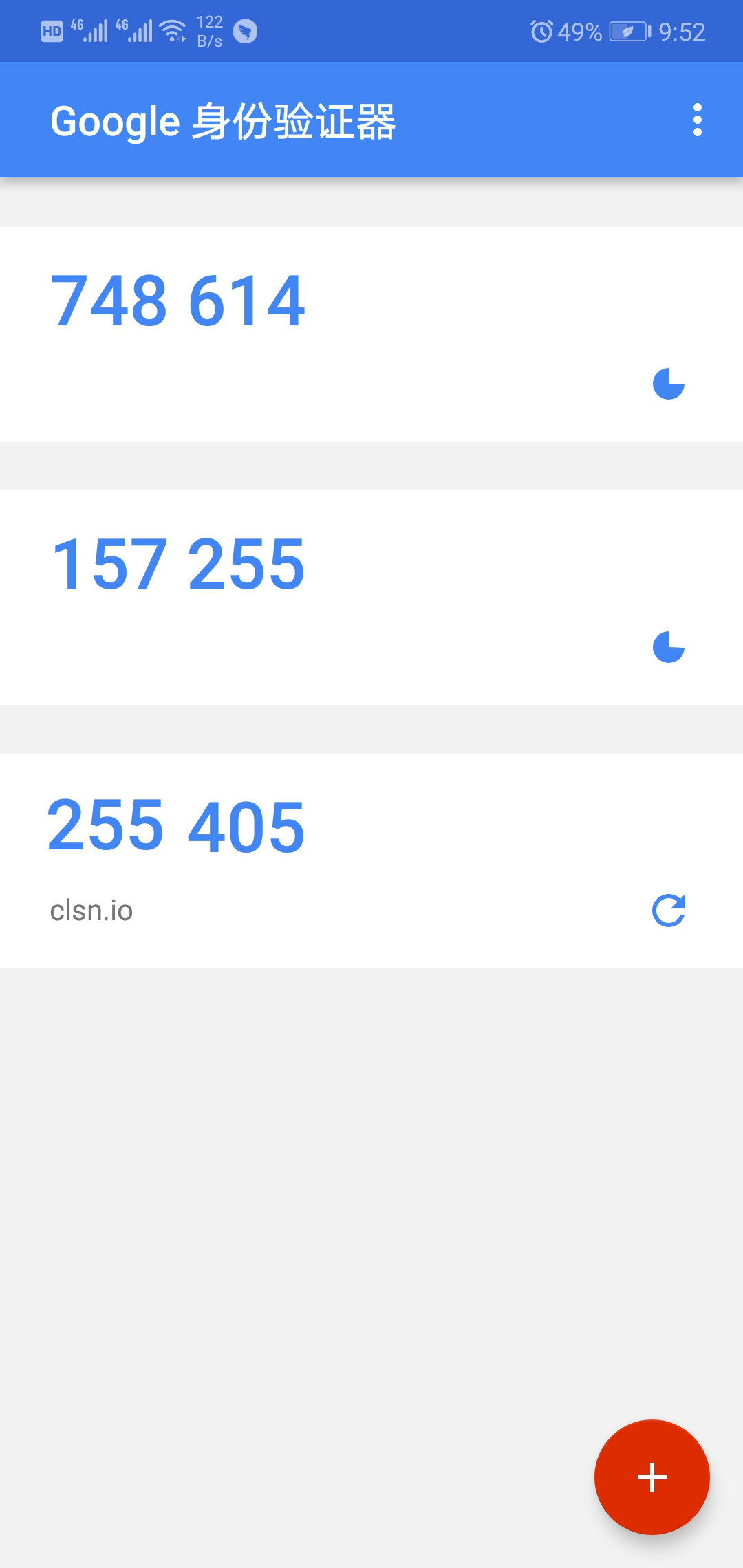
下载地址:https://play.google.com/store/apps/details?id=com.google.android.apps.authenticator2&hl=zh
CLSN镜像地址 https://clsn.io/files/google/com.google.android.apps.authenticator.apk
6.2 浏览器客户端
获取30秒一次的动态码的客户端是浏览器(仅支持chrome、firefox)、Android设备、苹果IOS设备、Blackberry、WP手持设备。各自程序的下载地址为:
chrome google-authenticator插件
firefox google-authenticator插件
6.3 Python 客户端
import hmac, base64, struct, hashlib, time

def calGoogleCode(secretKey):

    input = int(time.time())//30

    key = base64.b32decode(secretKey)

    msg = struct.pack(">Q", input)

    googleCode = hmac.new(key, msg, hashlib.sha1).digest()

    o = ord(googleCode[19]) & 15

    googleCode = str((struct.unpack(">I", googleCode[o:o+4])[0] & 0x7fffffff) % 1000000)

    if len(googleCode) == 5:

        googleCode = '0' + googleCode

    return googleCode

secretKey = '***这里填秘钥***'

print calGoogleCode(secretKey)
6. 参考文献
http://www.361way.com/google-authenticator-ssh/2186.html
http://netsecurity.51cto.com/art/201305/392443.htm
https://blog.csdn.net/bwlab/article/details/51321746
https://github.com/google/google-authenticator/wiki
https://blog.csdn.net/RBPicsdn/article/details/81155054
SSH + Google Authenticator 安全加固的更多相关文章
- 【Linux】使用Google Authenticator 实现ssh登录双因素认证
一般来说,使用ssh远程登录服务器,只需要输入账号和密码,显然这种方式不是很安全.为了安全着想,可以使用GoogleAuthenticator(谷歌身份验证器),以便在账号和密码之间再增加一个验证码, ...
- Linux下部署SSH登录时的二次身份验证环境记录(利用Google Authenticator)
一般来说,使用ssh远程登录服务器,只需要输入账号和密码,显然这种方式不是很安全.为了安全着想,可以使用GoogleAuthenticator(谷歌身份验证器),以便在账号和密码之间再增加一个验证码, ...
- ssh密码登录+ Google Authenticator 实现双向认证
通常我们直接通过ssh输入密码连接服务器,但这样很容易出现暴力破解情况,所以我们可以结合google的动态认证+ssh密码,这样能够大大的提升登陆的安全. 简单来说,就是当用户通过ssh登陆系统时,先 ...
- Linux下使用Google Authenticator配置SSH登录动态验证码
1.一般ssh登录服务器,只需要输入账号和密码.2.本教程的目的:在账号和密码之间再增加一个验证码,只有输入正确的验证码之后,再输入密码才能登录.这样就增强了ssh登录的安全性.3.账号.验证码.密码 ...
- Linux 之 利用Google Authenticator实现用户双因素认证
一.介绍:什么是双因素认证 双因素身份认证就是通过你所知道再加上你所能拥有的这二个要素组合到一起才能发挥作用的身份认证系统.双因素认证是一种采用时间同步技术的系统,采用了基于时间.事件和密钥三变量而产 ...
- Google Authenticator(谷歌身份验证器)
<!DOCTYPE html>Google Authenticator(谷歌身份验证器) ] Google Authenticator(谷歌身份验证器) Google Authentica ...
- Google Authenticator
Google Authenticator 现在越来越多的网站采用两步验证,实现方式可能有所区别,一般来说是 1+? (1 即 普通的用户名和密码, ?可能是实物如U盾.手机短信验证码或其他).?的重点 ...
- 谷歌验证 (Google Authenticator) 的实现原理是什么?
著作权归作者所有.商业转载请联系作者获得授权,非商业转载请注明出处.作者:徐小花链接:http://www.zhihu.com/question/20462696/answer/18731073来源: ...
- How to Make LastPass Even More Secure with Google Authenticator
Google Authenticator LastPass supports Google Authenticator, which is officially available as an app ...
随机推荐
- TopCoder SRM500 Div1 1000 其他
原文链接https://www.cnblogs.com/zhouzhendong/p/SRM500-1000.html SRM500 Div1 1000 设 \(v_1,v_2,\cdots ,v_9 ...
- Vijos1983 NOIP2015Day2T3 运输计划 transport LCA
题目链接Vijos 题目链接UOJ 该博客在博客园的链接 转载一个大佬的题解: 点击这里->大佬题解 下面谈谈我的感悟: 当然写代码也是写的很艰辛: 我力劝C++的同胞们,这题卡常数,Dfs党会 ...
- liunx系统虚拟机下安装tomcat9以及访问tomcat案例
在liunx系统虚拟机下安装tomcat9 首先下载好压缩包 liunx系统环境的安装包 将其解压到虚拟机自己创建的目录下 解压命令 tar -zxvf 文件名 解压好如图所示 然后修改配置文 ...
- 008 pandas介绍
一:介绍 1.官网 http://pandas.pydata.org/ 2.说明 Python Data Analysis Library 或 pandas 是基于NumPy 的一种工具,该工具是为了 ...
- python基础篇_001_初识Python
一.Python环境 windows环境安装Python步骤 .下载安装包:https://www.python.org/downloads/windows/ .安装:默认安装路径:C:\pytho ...
- Python库: PrettyTable 模块
一,PrettyTable简介 PrettyTable是python中的一个第三方库,可用来生成美观的ASCII格式的表格: 二,PrettyTable安装 使用PIP即可十分方便的安装PrettyT ...
- 我与Vuex的第一次邂逅
new Vue({ // state data () { return { count: 0 } }, // view template: ` <div>{{ count }}</d ...
- Java代码混淆工具ProGuard
目录 Java代码混淆工具ProGuard 简介 描述 作用的环境 功能 工作原理 下载 使用时注意事项 版本问题 JDK位数问题 Java的字节码验证问题 关于使用类似于Hibernate的对象关系 ...
- Windows下MySQL绿色版安装配置与使用
Mysql-5.7.11-winx64操作步骤: 一.安装MySQL数据库 1.下载. 下载地址: http://downloads.mysql.com/archives/get/file/mysql ...
- python urllib 库
urllib模块中的方法 1.urllib.urlopen(url[,data[,proxies]]) 打开一个url的方法,返回一个文件对象,然后可以进行类似文件对象的操作.本例试着打开google ...