
python 爬虫 循环分页
import os
from time import sleep

import faker
import requests
from lxml import etree

fake = faker.Faker()

base_url = "http://angelimg.spbeen.com"

def get_next_link(url):
    content = downloadHtml(url)
    html = etree.HTML(content)
    next_url = html.xpath("//a[@class='ch next']/@href")
    if next_url:
        return base_url + next_url[0]
    else:
        return False

def downloadHtml(ur):
    user_agent = fake.user_agent()
    headers = {'User-Agent': user_agent,"Referer":"http://angelimg.spbeen.com/"}
    response = requests.get(url, headers=headers,timeout=20)
    if response.status_code != 200:
        return None
    else:
        return response.text

def getImgUrl(content):
    html  = etree.HTML(content)
    img_url = html.xpath('//*[@id="content"]/a/img/@src')
    title = html.xpath(".//div['@class=article']/h2/text()")

    return img_url[0],title[0]

def saveImg(title,img_url):
    if img_url is not None and title is not None:

        title = title.split('【')[0]
        file_path = 'isssss/{}/'.format(title)
        if not os.path.exists(file_path):
            os.makedirs(file_path)
        file_name = img_url.split('/')[-1]

        with open(file_path+file_name+".jpg",'wb') as f:
            user_agent = fake.user_agent()
            headers = {'User-Agent': user_agent,"Referer":"http://angelimg.spbeen.com/"}
            content = requests.get(img_url, headers=headers,timeout=20)
            #request_view(content)
            f.write(content.content)
            print("save img "+ img_url)
            f.close()

def request_view(response):
    import webbrowser
    request_url = response.url
    base_url = '<head><base href="%s">' %(request_url)
    base_url = base_url.encode()
    content = response.content.replace(b"<head>",base_url)
    tem_html = open('tmp.html','wb')
    tem_html.write(content)
    tem_html.close()
    webbrowser.open_new_tab('tmp.html')

def optimizeContent(res):
    res = res.replace('b\'', '')
    res = res.replace('\\n', '')
    res = res.replace('\'', '')
    res = res.replace('style', 'nouse')
    res = res.replace('\.', '')
    return res

def crawl_img(url):
    content = downloadHtml(url)
    if content is not None:
        res = getImgUrl(content)
        title = res[1]
        img_url = res[0]
        title = optimizeContent(title)
        title = title.replace('.', '')
        print(title)
        saveImg(title,img_url)
        return True
    else:
        return None
if __name__ == "__main__":
    try:

        root_url = "http://angelimg.spbeen.com/ang/{}"

        for i in range(37,10000):
            url = root_url.format(i)
            try:
                while url:
                    res = crawl_img(url)
                    if res is None:
                        print(url + ' 无数据')
                        next = i + 1
                        url = root_url.format(next)
                        break
                    else:
                        url = get_next_link(url)
                        print("爬取页面:" + url)
                i = i + 1
            except Exception as e:
                print(str(e))
    except Exception as e:
        print(str(e))
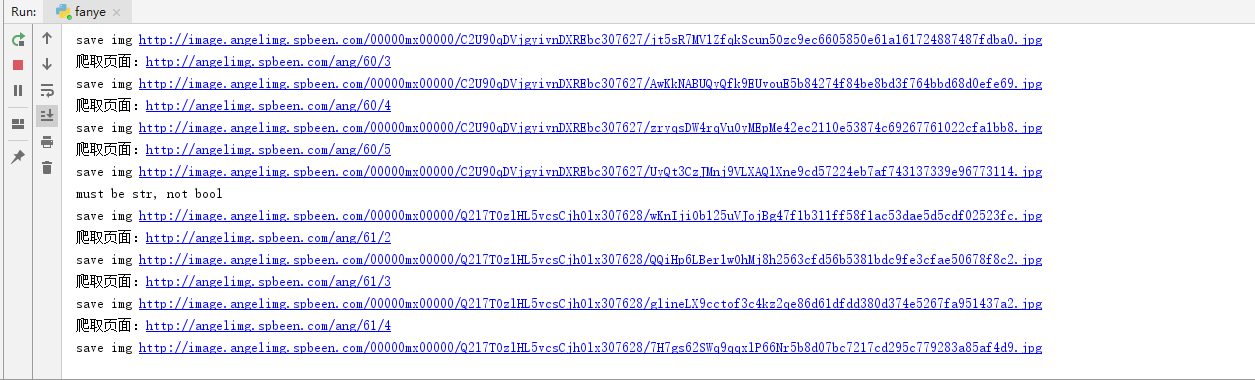
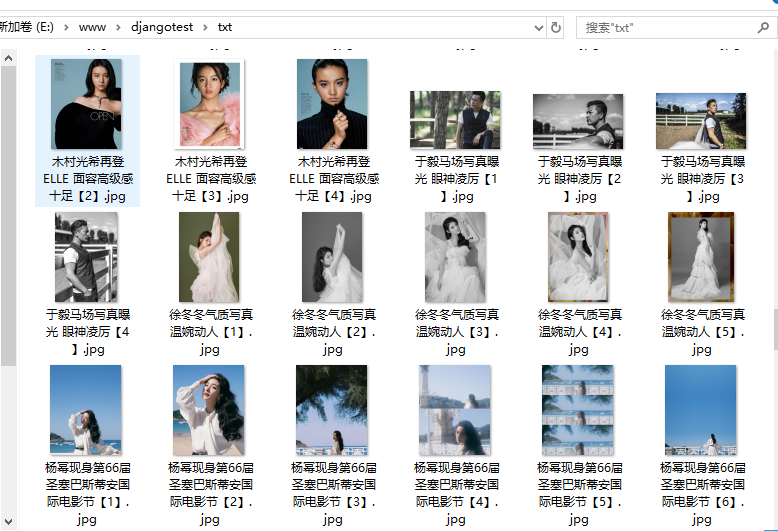
结果
python 爬虫 循环分页的更多相关文章
- python爬虫循环导入MySql数据库
1.开发环境 操作系统:win10 Python 版本:Python 3.5.2 MySQL:5.5.53 2.用到的模块 没有的话使用pip进行安装:pip install xxx ...
- Python爬虫:如何爬取分页数据?
上一篇文章<Python爬虫:爬取人人都是产品经理的数据>中说了爬取单页数据的方法,这篇文章详细解释如何爬取多页数据. 爬取对象: 有融网理财项目列表页[履约中]状态下的前10页数据,地址 ...
- Python爬虫入门教程 2-100 妹子图网站爬取
妹子图网站爬取---前言 从今天开始就要撸起袖子,直接写Python爬虫了,学习语言最好的办法就是有目的的进行,所以,接下来我将用10+篇的博客,写爬图片这一件事情.希望可以做好. 为了写好爬虫,我们 ...
- Python爬虫(四)——豆瓣数据模型训练与检测
前文参考: Python爬虫(一)——豆瓣下图书信息 Python爬虫(二)——豆瓣图书决策树构建 Python爬虫(三)——对豆瓣图书各模块评论数与评分图形化分析 数据的构建 在这张表中我们可以发现 ...
- Python 爬虫实战(二):使用 requests-html
Python 爬虫实战(一):使用 requests 和 BeautifulSoup,我们使用了 requests 做网络请求,拿到网页数据再用 BeautifulSoup 解析,就在前不久,requ ...
- python 爬虫(转,我使用的python3)
原文地址:http://blog.csdn.net/pi9nc/article/details/9734437 [Python]网络爬虫(一):抓取网页的含义和URL基本构成 分类: 爬虫 Pyt ...
- 史诗级干货-python爬虫之增加CSDN访问量
史诗级干货-python爬虫之增加CSDN访问量 搜索微信公众号:'AI-ming3526'或者'计算机视觉这件小事' 获取更多算法.机器学习干货 csdn:https://blog.csdn.net ...
- 教你分分钟学会用python爬虫框架Scrapy爬取心目中的女神
本博文将带领你从入门到精通爬虫框架Scrapy,最终具备爬取任何网页的数据的能力.本文以校花网为例进行爬取,校花网:http://www.xiaohuar.com/,让你体验爬取校花的成就感. Scr ...
- Python爬虫入门
Python爬虫简介(来源于维基百科): 网络爬虫始于一张被称作种子的统一资源地址(URLs)列表.当网络爬虫访问这些统一资源定位器时,它们会甄别出页面上所有的超链接,并将它们写入一张"待访列表",即 ...
随机推荐
- 【python】itchat登录微信获取好友签名并生成词云
在知乎上看到一篇关于如何使用itchat统计微信好友男女比例并使用plt生成柱状图以及获取微信好友签名并生成词云的文章https://zhuanlan.zhihu.com/p/36361397,感觉挺 ...
- C指针那点事儿
指针: 用来存放变量地址的变量,就成为"指针变量". 定义: 一般形式:类名标识符 *指针变量名; int *p; float *q; "*"是说明符,用来说明 ...
- 《方法总结》C路的方法发现
C语言方法荟萃 定义一个最大值和最小值:#define max(x,y) ( x>y?x:y ) #define min(x,y) ( x<y?x:y ) &&: 说得 ...
- elasticsearch 索引清理脚本及常用命令
elastic索引日志清理不及时,很容易产生磁盘紧张,官网给出curl -k -XDELETE可以清理不需要的索引日志. 清理脚本 #!/bin/bash #Author: 648403020@qq. ...
- 数据库分表分区后的ID生成之雪花生成
转自https://www.cnblogs.com/jajian/p/11101213.html 传统的单体架构的时候,我们基本是单库然后业务单表的结构.每个业务表的ID一般我们都是从1增,通过AUT ...
- Map遍历法则
/** * 如果既要遍历key又要value,那么建议这种方式,应为如果先获取keySet然后再执行map.get(key),map内部会执行两次遍历. * 一次是在获取keySet的时候,一次是在遍 ...
- 求第k小的数
题目链接:第k个数 题意:求n个数中第k小的数 题解: //由快速排序算法演变而来的快速选择算法 #include<iostream> using namespace std; const ...
- 关于bat/cmd中转义符的使用
今天笔者在cmd中准备使用echo 输出<https://www.cnblogs.com/5201351> 发现直接就报错:命令语法不正确. 然后就想到可能是<和>在cmd中有 ...
- Docker镜像发布到阿里云
登录阿里云Docker Registry $ sudo docker login --username=xxx@xxx.com registry.cn-hangzhou.aliyuncs.com 从R ...
- Pycharm默认输入状态是insert状态,选中文字无法直接输入替换或删除
最近在学习Python,使用pycharm的时候,我的光标处于加粗状态,也就是编程软件经常出现的insert插入编辑模式,我就点击了一下insert按键,退出了这个模式,但是我每次打开都是会处于这种模 ...