
Prometheus+AlertManager实现邮件报警
AlertManager下载
https://prometheus.io/download/
解压
添加配置文件test.yml,配置收发邮件邮箱
参考配置:

global:

  smtp_smarthost: 'smtp.163.com:25'  #163服务器

  smtp_from: 'XXX@163.com'        #发邮件的邮箱

  smtp_auth_username: 'XXX@163.com'  #发邮件的邮箱用户名,也就是你的邮箱

  smtp_auth_password: 'XXX'        #发邮件的邮箱密码

route:

  group_by: ['alertname']

  repeat_interval: 1h

  receiver: live-monitoring

receivers:

- name: 'live-monitoring'

  email_configs:

  - to: 'czh1226@qq.com'        #收邮件的邮箱
更多配置参考alertmanager包中的simple.yml
添加报警规则
prometheus targets 监控报警参考配置(node_down.yml):
节点内存使用率监控报警参考配置(memory_over.yml)
groups:

- name: example

  rules:

  - alert: NodeMemoryUsage

    expr: (node_memory_MemTotal_bytes - (node_memory_MemFree_bytes+node_memory_Buffers_bytes+node_memory_Cached_bytes )) / node_memory_MemTotal_bytes * 100 > 80

    for: 1m

    labels:

      user: caizh

    annotations:

      summary: "{{$labels.instance}}: High Memory usage detected"

      description: "{{$labels.instance}}: Memory usage is above 80% (current value is:{{ $value }})"
当然,想要监控节点内存需要提前配置好node_exporter
修改prometheus配置文件prometheus.yml,开启报警功能,添加报警规则配置文件
# Alertmanager configuration

alerting:

  alertmanagers:

  - static_configs:

    - targets: ["localhost:9093"]

      # - alertmanager:9093

# Load rules once and periodically evaluate them according to the global 'evaluation_interval'.

rule_files:

  - "node_down.yml"

  - "memory_over.yml"
配置完成!
启动alertmanager
./alertmanager --config.file test.yml
启动prometheus(默认会调用prometheus.yml)
./prometheus
http://localhost:9090/alerts
看配置与报警规则是否添加成功
成功则如下图:

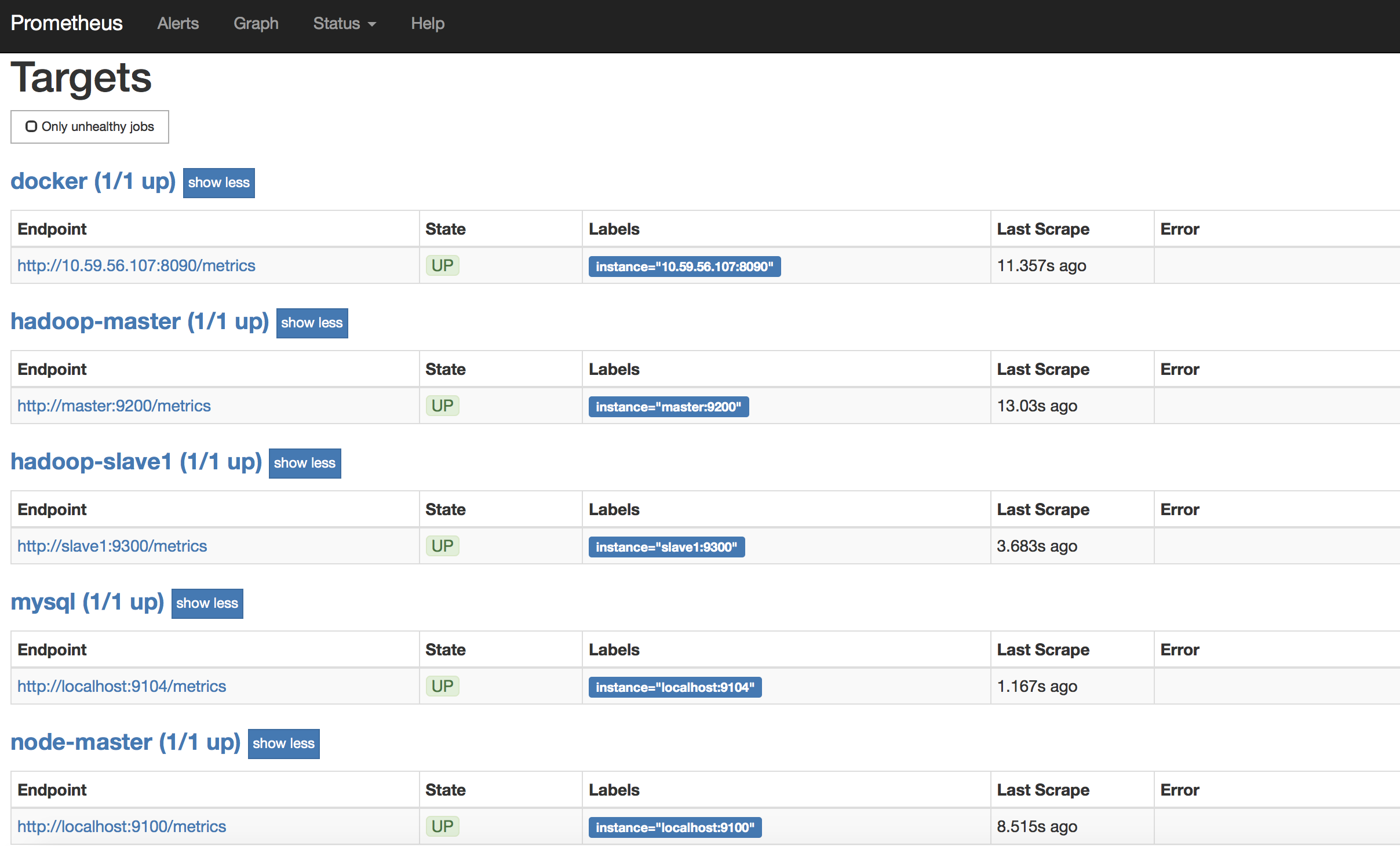
我的Prometheus Targets如下:
尝试kill一个测试是否可以用邮件报警
例如在slave1节点上:
hadoop-daemon.sh stop datanode
InstanceDown会变成(1 active),并处在PENDING状态
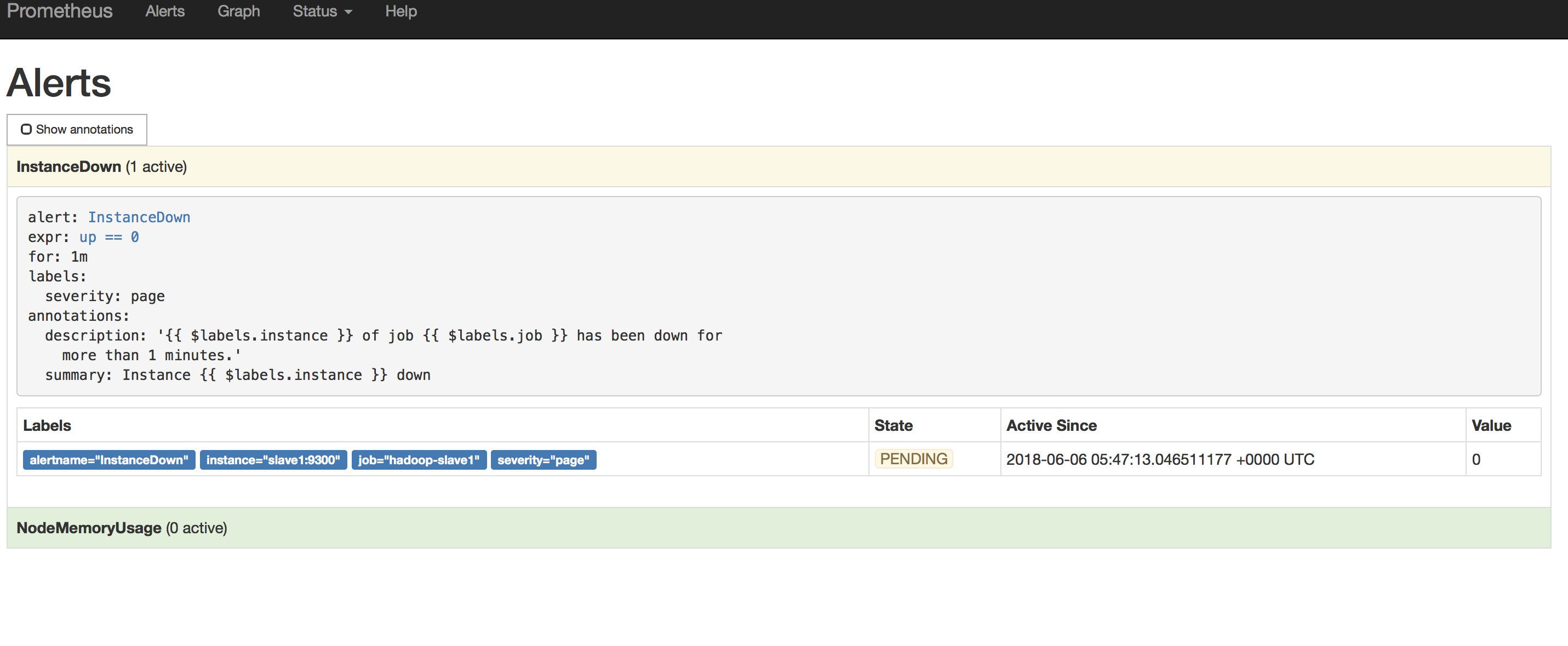
1min后变FIRING状态

耐心等待几分钟,会收到报警邮件:

邮件可能会有延时,耐心等一会~
想测试内存使用率可以多开点占内存的服务,或者把报警规则中内存占用超过80%报警调小一些
Over~
Prometheus+AlertManager实现邮件报警的更多相关文章
- Prometheus(四):Prometheus+Alertmanager 配置邮件报警
此处默认已安装Prometheus服务,服务地址:192.168.56.200 一.安装Alertmanager 此处采用源码编译的方式安装.首先下载alertmanager的软件包,下载地址:ht ...
- 【集群监控】Prometheus+AlertManager实现邮件报警
AlertManager下载 https://prometheus.io/download/ 解压 添加配置文件test.yml,配置收发邮件邮箱 Prometheus下载配置参考我的另一篇: htt ...
- prometheus + grafana + node_exporter + alertmanager 的安装部署与邮件报警 (一)
大家一定要先看详细的理论教程,再开始搭建,这样报错后才容易找到突破口 参考文档 https://www.cnblogs.com/afterdawn/p/9020129.html https://www ...
- Prometheus + AlertManager 邮件报警
安装 wget https://github.com/prometheus/alertmanager/releases/download/v0.13.0/alertmanager-0.13.0.lin ...
- [k8s]prometheus+alertmanager二进制安装实现简单邮件告警
本次任务是用alertmanaer发一个报警邮件 本次环境采用二进制普罗组件 本次准备监控一个节点的内存,当使用率大于2%时候(测试),发邮件报警. k8s集群使用普罗官方文档 环境准备 下载二进制h ...
- 2.Prometheus邮件报警配置
1.安装配置 Alertmanager wget https://github.com/prometheus/alertmanager/releases/download/v0.20.0/alertm ...
- Prometheus 监控报警系统 AlertManager 之邮件告警
转载自:https://cloud.tencent.com/developer/article/1486483 文章目录1.Prometheus & AlertManager 介绍2.环境.软 ...
- Prometheus(五):Prometheus+Alertmanager 配置企业微信报警
此处默认已安装Prometheus服务,服务地址:192.168.56.200 一.设置企业微信 1.1.企业微信注册(已有企业微信账号请跳过) 企业微信注册地址:https://work.weix ...
- 验证Prometheus alertmanager邮件发送
新环境上配置alertmanager时出现了“Client was not authenticated to send anonymous mail during MAIL FROM”错误,但老环境上 ...
随机推荐
- mysql分页查询按某类型置顶 按某类型置尾 再按优先级排序
近段时间接到一个新需求: 第一优先级:未满的标的顺位高于已满标的顺位.第二优先级:新手标的顺位高于其他标的的顺位. 第三优先级:标的剩余可投金额少的顺位高于标的剩余可投金额多的. 我是直接通过sql语 ...
- 【python练习题】程序9
#题目:暂停一秒输出. import time for i in range(5): print (i) time.sleep(1)
- Root test & Ratio test
几何级数(Geometric Series/Geometric Progression) Root test与Ratio test都依赖于几何级数求和理论,因此这里先讨论该理论. 在数学上,几何级数, ...
- Qt QLineEdit
//lineEdit显示文字 QLineEdit *lineEdit = new QLineEdit(widget); lineEdit->setObjectName(QString()); l ...
- 使用Google ZXing生成和解析二维码
pom.xml <?xml version="1.0" encoding="UTF-8"?> <project xmlns="htt ...
- docker --环境变量制作模板
比如你现在有配置文件:decoder.conf decoder.conf里面有两个配置项写的是: THREAD_NUM:24 GPU_ID:0 现在你希望通过某个统一的配置来修改这些配置项,以免在部署 ...
- BZOJ4482[Jsoi2015]套娃——贪心+set
题目描述 [故事背景] 刚从俄罗斯旅游回来的JYY买了很多很多好看的套娃作为纪念品!比如右 图就是一套他最喜欢的套娃J.JYY由于太过激动,把所有的套娃全 部都打开了.而由于很多套娃长得过于相像,JY ...
- BZOJ4712洪水——动态DP+树链剖分+线段树
题目描述 小A走到一个山脚下,准备给自己造一个小屋.这时候,小A的朋友(op,又叫管理员)打开了创造模式,然后飞到 山顶放了格水.于是小A面前出现了一个瀑布.作为平民的小A只好老实巴交地爬山堵水.那么 ...
- OpenCv的CV2一些函数总结
- 【Sichuan 2017D】Dynamic Graph
题意 300个点的无环图,开始都是白色,每次改变某个节点的颜色(黑/白),问有多少对白点之间存在只有白点的路径. 题解 类似floyd,求出两点之间的路径条数.然后白到黑就删去对应路径,黑到白就增加对 ...