
SpringBoot文件上传
先建工程
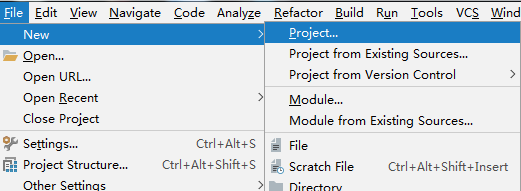
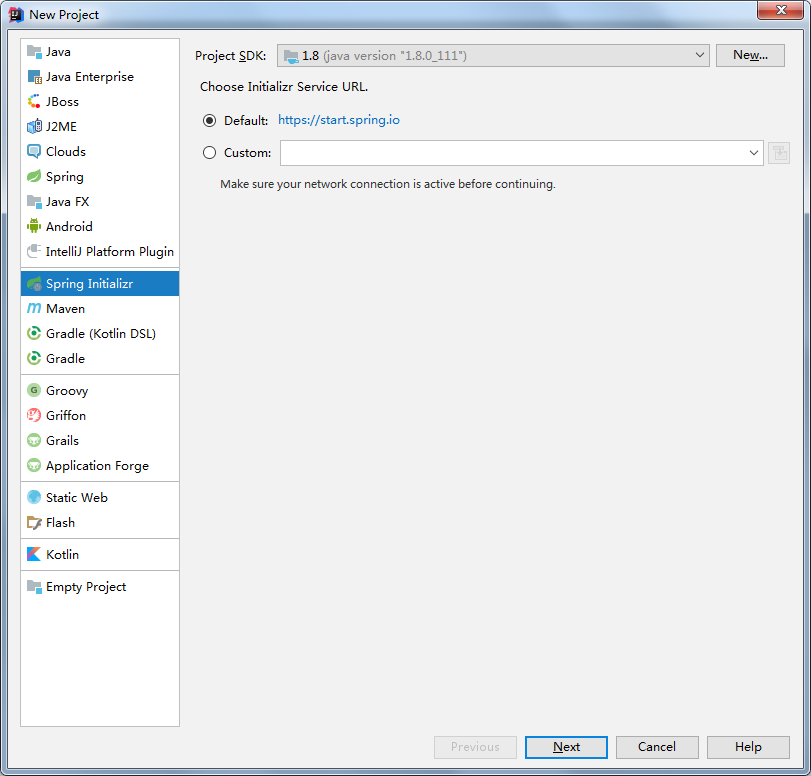

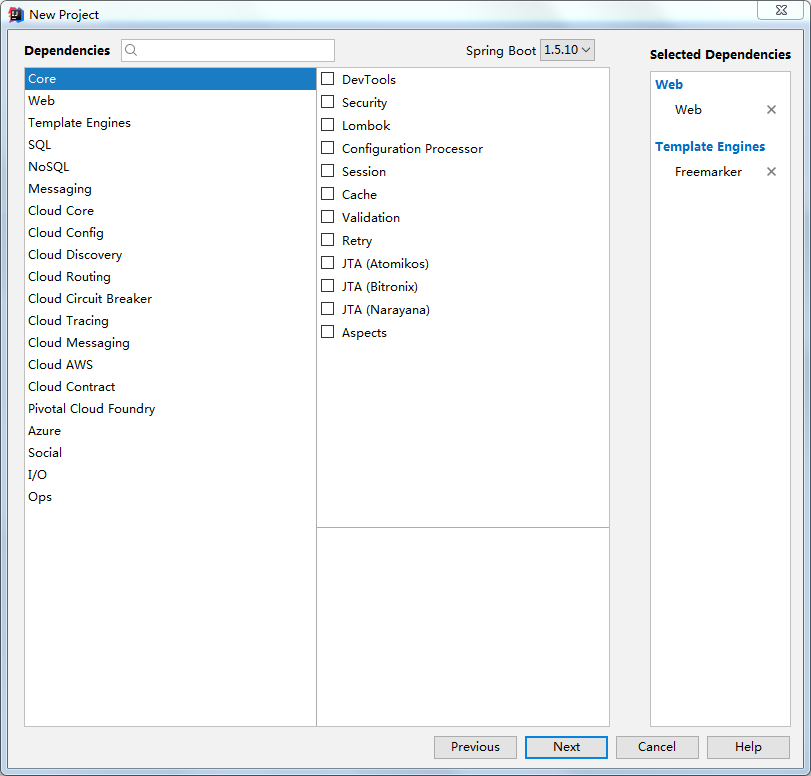
只勾选web和freemarker模板
最后

先看一下最终目录结构
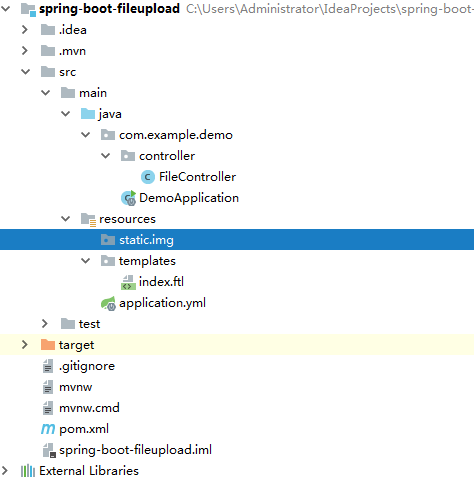
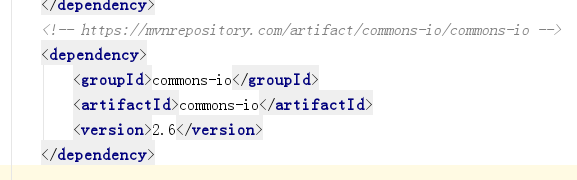
先修改pom文件,加入common-io依赖
然后修改Application.yml文件
spring:

  freemarker:

    templateLoaderPath: classpath:/templates/

    content-type: text/html

    charset: UTF-8

    suffix: .ftl
然后新建一个controller
package com.example.demo.controller;

import org.apache.commons.io.FileUtils;

import org.springframework.web.bind.annotation.RequestMapping;

import org.springframework.web.bind.annotation.RequestParam;

import org.springframework.web.bind.annotation.RestController;

import org.springframework.web.multipart.MultipartFile;

import org.springframework.web.servlet.ModelAndView;

import javax.servlet.http.HttpServletRequest;

import java.io.File;

import java.io.IOException;

@RestController

public class FileController {

    @RequestMapping("/index")

    public ModelAndView index(){

        ModelAndView mv = new ModelAndView("index");

        return mv;

    }

    @RequestMapping("/upload")

    public String upload(HttpServletRequest request, @RequestParam("myFile")MultipartFile file) throws IOException {

        if (file.isEmpty()) return "No File";

        String name = file.getOriginalFilename();

        System.out.println("FileName:" + name);

        String fileType = name.substring(name.lastIndexOf("."));

        System.out.println("FileType:" + fileType);

        String size = FileUtils.byteCountToDisplaySize(file.getSize());

        System.out.println("FileSize:" + size);

        String path = request.getSession().getServletContext().getRealPath("/static/img/");

        File desFile = new File(path+name);

        FileUtils.copyInputStreamToFile(file.getInputStream(), desFile);

        String info = desFile.getAbsolutePath();

        return info;

    }

}
最后新建一个页面
<!DOCTYPE html>

<html lang="en">

<head>

    <meta charset="UTF-8">

    <title>$Title$</title>

</head>

<body>

    <form method="post" action="/upload" enctype="multipart/form-data">

        <input type="file" name="myFile">

        <input type="submit" value="Upload">

    </form>

</body>

</html>
PS:这里没有启动类的事,因为启动类的上层没有任何代码(官方建议启动类放在根目录)
启动应用
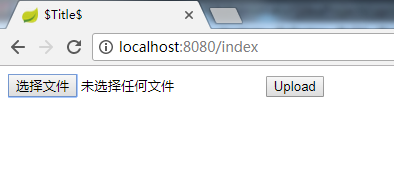
..

..返回结果

..查看控制台
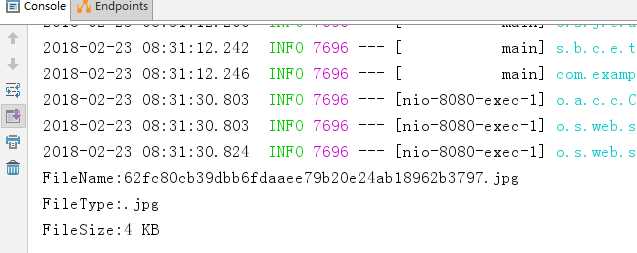
..找到本地文件
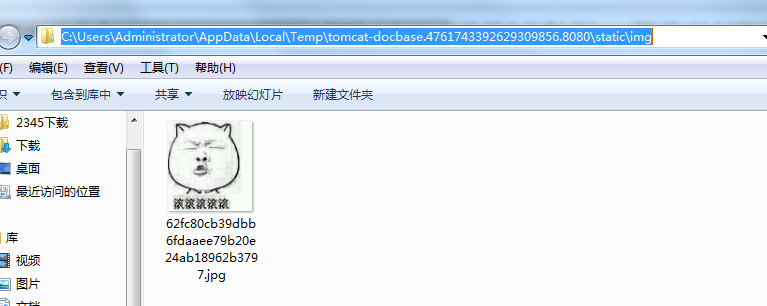
..看看可不可以访问
SpringBoot文件上传的更多相关文章
- 补习系列(11)-springboot 文件上传原理
目录 一.文件上传原理 二.springboot 文件机制 临时文件 定制配置 三.示例代码 A. 单文件上传 B. 多文件上传 C. 文件上传异常 D. Bean 配置 四.文件下载 小结 一.文件 ...
- 【SpringBoot】07.SpringBoot文件上传
SpringBoot文件上传 1.编写html文件在classpath下的static中 <!DOCTYPE html> <html> <head> <met ...
- SpringBoot 文件上传临时文件路径问题
年后放假回来,一向运行OK的项目突然图片上传不了了,后台报错日志如下: java.io.IOException: The temporary upload location [/tmp/tomcat. ...
- springboot文件上传下载简单使用
springboot的文件上传比较简单 一.使用默认的Resolver:StandardServletMultipartResolver controller package com.mydemo.w ...
- springboot 文件上传大小配置
转自:https://blog.csdn.net/shi0299/article/details/69525848 springboot上传文件大小的配置有两种,一种是设置在配置文件里只有两行代码,一 ...
- SpringBoot文件上传下载
项目中经常会有上传和下载的需求,这篇文章简述一下springboot项目中实现简单的上传和下载. 新建springboot项目,前台页面使用的thymeleaf模板,其余的没有特别的配置,pom代码如 ...
- Springboot 文件上传(带进度条)
1. 相关依赖 pom.xml <project xmlns="http://maven.apache.org/POM/4.0.0" xmlns:xsi="http ...
- SpringBoot 文件上传、下载、设置大小
本文使用SpringBoot的版本为2.0.3.RELEASE 1.上传单个文件 ①html对应的提交表单 <form action="uploadFile" method= ...
- SpringBoot文件上传异常之提示The temporary upload location xxx is not valid
原文: 一灰灰Blog之Spring系列教程文件上传异常原理分析 SpringBoot搭建的应用,一直工作得好好的,突然发现上传文件失败,提示org.springframework.web.multi ...
- SpringBoot学习6:springboot文件上传
1.编写页面uploadFile.html <!DOCTYPE html> <html lang="en"> <head> <meta c ...
随机推荐
- shit vue & shit iview
shit vue & shit iview <Switch> !== <i-switch> https://www.iviewui.com/components/swi ...
- RestTemplate proxy 设置方式
RestTemplate restTemplate = new RestTemplate(new SimpleClientHttpRequestFactory() {{ setProxy(new ja ...
- JS--bom对象:borswer object model浏览器对象模型
bom对象:borswer object model浏览器对象模型 navigator获取客户机的信息(浏览器的信息) navigator.appName;获得浏览器的名称 window:窗口对象 a ...
- 我对领域驱动设计(DDD)的学习成果
领域驱动设计之领域模型 2004年Eric Evans发表Domain-Driven Design – Tackling Complexity in the Heart of Software (领域 ...
- draknet网络配置参数
https://blog.csdn.net/hrsstudy/article/details/65447947?utm_source=itdadao&utm_medium=referral [ ...
- U68464 滑稽树上滑稽果(guo)
U68464 滑稽树上滑稽果(guo) 题目描述 小小迪有 n 个约会对象,每个对象有一个约会时长 p[i],小小迪 想尽可能多的去完成他的约会(假设小小迪可以瞬移),每个对象还有 一个忍耐时间 q[ ...
- MySql 主从同步 (库名不同)
主库:192.168.1.250 从库:192.168.1.199 主库 my.ini # For advice on how to change settings please see # htt ...
- Semi-prime H-numbers POJ - 3292 打表(算复杂度)
题意:参考https://blog.csdn.net/lyy289065406/article/details/6648537 一个H-number是所有的模四余一的数. 如果一个H-number是H ...
- HDU4624 Endless Spin 【最大最小反演】【期望DP】
题目分析: 题目是求$E(MAX_{i=1}^n(ai))$, 它等于$E(\sum_{s \subset S}{(-1)^{|s|-1}*min(s))} = \sum_{s \subset S}{ ...
- mysql索引技巧
索引 索引是对数据表一列或多列的值进行排序的一种结构,用于加速基于索引字段的数据排序以及优化查询的执行速度,避免全表扫描.索引是直接影响数据库性能的数据库模式对象,因此十分重要.在定义主键和唯一键约束 ...