
react-native中的setNativeProps
如果你通过React.createClass方法自定义了一个组件,直接给它设置样式 prop 是不会生效的,你得把样式 props 层层向下传递给子组件
,直到子组件是一个能够直接定义样式的原生组件。同理,我们也需要把setNativeProps传递给由原生组件封装的子组件。
具体要做的就是在我们的自定义组件中再封装一个setNativeProps方法,其内容为对合适的子组件调用真正的setNativeProps方法,并传递要设置的参数。
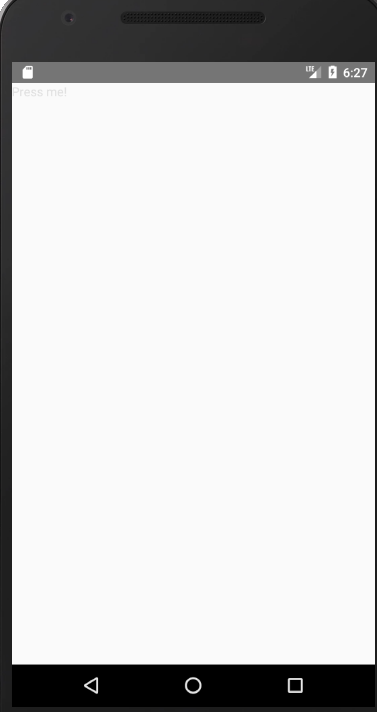
import React from 'react';

import { Text, TouchableOpacity, View } from 'react-native';

class MyButton extends React.Component {

  setNativeProps = (nativeProps) => {

    this._root.setNativeProps(nativeProps);

  }

  render() {

    return (

      <View ref={component => this._root = component} {...this.props}>

        <Text>{this.props.label}</Text>

      </View>

    )

  }

}

export default class App extends React.Component {

  render() {

    return (

      <TouchableOpacity>

        <MyButton label="Press me!" />

      </TouchableOpacity>

    )

  }

}
setNativeProps to clear TextInput value
先看效果图
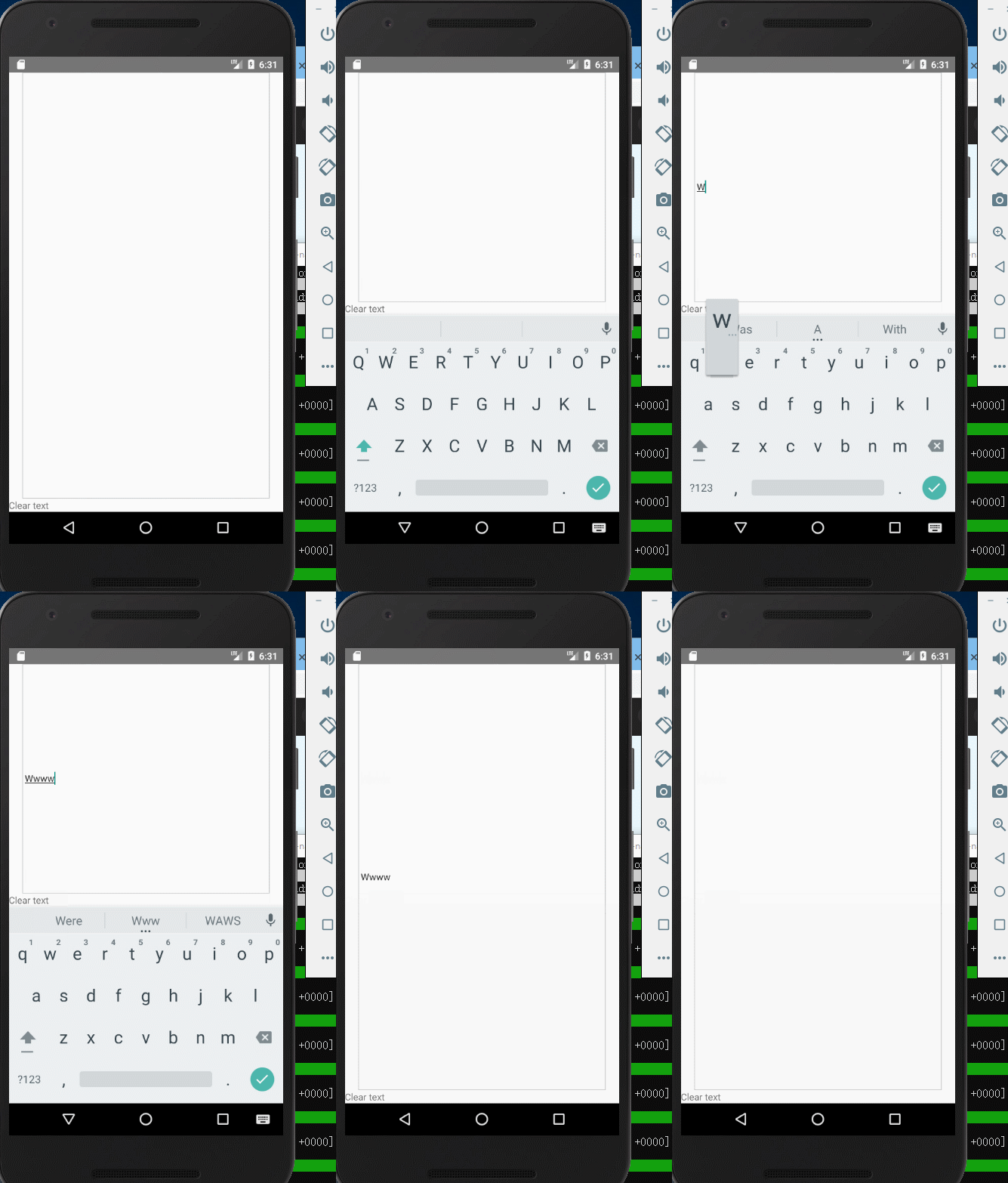
import React from 'react';

import { TextInput, Text, TouchableOpacity, View } from 'react-native';

export default class App extends React.Component {

  clearText = () => {

    this._textInput.setNativeProps({text: ''});

  }

  render() {

    return (

      <View style={{flex: 1}}>

        <TextInput

          ref={component => this._textInput = component}

          style={{height: 50, flex: 1, marginHorizontal: 20, borderWidth: 1, borderColor: '#ccc'}}

        />

        <TouchableOpacity onPress={this.clearText}>

          <Text>Clear text</Text>

        </TouchableOpacity>

      </View>

    );

  }

}
demo自:https://reactnative.cn/docs/direct-manipulation/
react-native中的setNativeProps的更多相关文章
- React Native 中 CSS 的使用
首先声明,此文原作者为黎 跃春 React Native中CSS 内联样式 对象样式 使用Stylesheet.Create 样式拼接 导出样式对象 下面的代码是index.ios.js中的代码: / ...
- react native中的欢迎页(解决首加载白屏)
参照网页: http://blog.csdn.net/fengyuzhengfan/article/details/52712829 首先是在原生中写一些方法,然后通过react native中js去 ...
- React Native中的网络请求fetch和简单封装
React Native中的网络请求fetch使用方法最为简单,但却可以实现大多数的网络请求,需要了解更多的可以访问: https://segmentfault.com/a/1190000003810 ...
- [转] 「指尖上的魔法」 - 谈谈 React Native 中的手势
http://gold.xitu.io/entry/55fa202960b28497519db23f React-Native是一款由Facebook开发并开源的框架,主要卖点是使用JavaScrip ...
- [转] 在React Native中使用ART
http://bbs.reactnative.cn/topic/306/%E5%9C%A8react-native%E4%B8%AD%E4%BD%BF%E7%94%A8art 前半个月捣腾了一下Rea ...
- react native中使用echarts
开发平台:mac pro node版本:v8.11.2 npm版本:6.4.1 react-native版本:0.57.8 native-echarts版本:^0.5.0 目标平台:android端收 ...
- react native中一次错误排查 Error:Error: Duplicate resources
最近一直在使用react native中,遇到了很多的坑,同时也学习到了一些移动端的开发经验. 今天在做一个打包的测试时,遇到了一个问题,打包过程中报错“Error:Error: Duplicate ...
- 在React Native中,使用fetch网络请求 实现get 和 post
//在React Native中,使用fetch实现网络请求 /* fetch 是一个封装程度更高的网络API, 使用了Promise * Promise 是异步编程的一种解决方案 * Promise ...
- 《React Native 精解与实战》书籍连载「React Native 中的生命周期」
此文是我的出版书籍<React Native 精解与实战>连载分享,此书由机械工业出版社出版,书中详解了 React Native 框架底层原理.React Native 组件布局.组件与 ...
- react native中如何往服务器上传网络图片
let common_url = 'http://192.168.1.1:8080/'; //服务器地址 let token = ''; //用户登陆后返回的token /** * 使用fetch实现 ...
随机推荐
- springboot的几种启动方式
一:IDE 运行Application这个类的main方法 二:在springboot的应用的根目录下运行mvn spring-boot:run 三:使用mvn install 生成jar后运行 先到 ...
- Python魔法方法(magic method)细解几个常用魔法方法(上)
这里只分析几个可能会常用到的魔法方法,像__new__这种不常用的,用来做元类初始化的或者是__init__这种初始化使用的 每个人都会用的就不介绍了. 其实每个魔法方法都是在对内建方法的重写,和做像 ...
- 老男孩python学习自修第十二天【常用模块之生成随机数】
常用函数 import random random.random() 生成0到1之间的小数 random.randint(begin, end) 生成[begin, end]之间的整数 random. ...
- java中的序列化和反序列化
package cn.zhou; import java.io.FileInputStream; import java.io.FileOutputStream; import java.io.Fil ...
- border-color的深入理解
.className{ width:100px;height:100px; border:100px solid; border-color: red green blue orange; } 最终的 ...
- codeforces546C
Soldier and Cards CodeForces - 546C Two bored soldiers are playing card war. Their card deck consist ...
- codeforces259B
Little Elephant and Magic Square CodeForces - 259B Little Elephant loves magic squares very much. A ...
- Ontology
本体网络(Ontology) 新一代分布式信任链网 在开始了解项目之前,让我们先看一段“第一财经”频道关于“本体网络”的介绍: 项目介绍 1摘要 类型 提供不同分布式应用场景的开放基础模块,构建跨链 ...
- hdu-6166(最短路+二进制分组)
题意:给你n个点m条边的有向图,然后再给你k个不同的点,问你这k个点的最小距离: 解题思路:这道题最需要注意的就是k个点一定是不同的,那么有一个结论就是任意两个不同的数字中,在他们的二进制地表示中,一 ...
- poj2100(尺取法)
题意:选取一系列数,使得这些数的平方和等于n: 解题思路:尺取法扫一遍: #include<iostream> #include<algorithm> using namesp ...