
Django中用Jquery实现不刷新页面进行身份验证和计算器功能
1.下载jquery
http://www.jq22.com/jquery-info122
下载解压之后加入工程中的static文件夹中

2.路由分发。
"""Django_demo1 URL Configuration

The `urlpatterns` list routes URLs to views. For more information please see:

    https://docs.djangoproject.com/en/2.1/topics/http/urls/

Examples:

Function views

    1. Add an import:  from my_app import views

    2. Add a URL to urlpatterns:  path('', views.home, name='home')

Class-based views

    1. Add an import:  from other_app.views import Home

    2. Add a URL to urlpatterns:  path('', Home.as_view(), name='home')

Including another URLconf

    1. Import the include() function: from django.urls import include, path

    2. Add a URL to urlpatterns:  path('blog/', include('blog.urls'))

"""

from django.contrib import admin

from django.urls import path

from app01.views import classes, students , teachers

from app01.views import ajax

# from django.urls import re_path

urlpatterns = [

    path('admin/', admin.site.urls),

    path('classes.html/', classes.get_classes),

    path('add_classes', classes.add_classes),

    path('del_classes', classes.del_classes),

    path('edit_classes', classes.edit_classes),

    path('students.html/', students.get_students),

    path('add_students', students.add_students),

    path('del_students', students.del_students),

    path('edit_students', students.edit_students),

    path('teachers.html/', teachers.get_teachers),

    path('cls_add_teachers', classes.cls_add_teachers),

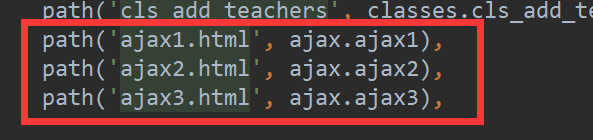
    path('ajax1.html', ajax.ajax1),

    path('ajax2.html', ajax.ajax2),

    path('ajax3.html', ajax.ajax3),

]
3.views文件夹中创建ajax视图函数ajax.py
from django.shortcuts import render, redirect, HttpResponse

def ajax1(request):

    return render(request, 'ajax1.html')

def ajax2(request):

    user = request.GET.get('username')

    pwd = request.GET.get('password')

    import time

    time.sleep(5)

    return HttpResponse('ok')

    # return render(request, 'ajax2.html')

def ajax3(request):

    try:

        v1 = request.POST.get('v1')

        v2 = request.POST.get('v2')

        print(v1, v2)

        answer = int(v1) + int(v2)

    except Exception as e:

        answer = '输入格式错误!'

    return HttpResponse(answer)
4.在模板中添加ajax1.html文件
<!DOCTYPE html>

<html lang="en">

<head>

    <meta charset="UTF-8">

    <title>Title</title>

    <style>

        .btn{

            display: inline-block;

            padding: 5px 15px;

            background-color: darkgoldenrod;

            color: white;

            cursor:pointer;

        }

    </style>

</head>

<body>

    <div>

        <input  placeholder="用户名" type="text" id="username">

        <input placeholder="密码" type="password" id="password">

        <div class="btn" onclick="submitForm()">提交</div>

    </div>

     <div>

        <input  placeholder="v1" type="text" id="v1" name="v1">

        <input placeholder="v2" type="text" id="v2" name="v2">

        <div class="btn" onclick="add_function()">相加等于</div>

        <input placeholder="answer" type="text" id="answer">

    </div>

    <script src="/static/jquery-3.3.1.js"></script>

    <script>

        function submitForm(){

            var u = $('#username').val()

            var p = $('#password').val()

            console.log(u,p)

            $.ajax({

                url:'/ajax2.html',

                type:'GET',

                data:{username:u, password: p},

                success:function (arg){

                    console.log(arg)

                }

            })

        }

        function add_function(){

            var add1 = $('#v1').val()

            var add2 = $('#v2').val()

            console.log(add1,add2)

            $.ajax({

                url:'/ajax3.html',

                type:'POST',

                data:{'v1': add1, 'v2': add2},

                success:function (arg){

                    console.log(arg)

                    $('#answer').val(arg)

                }

            })

        }

    </script>

</body>

</html>
Django中用Jquery实现不刷新页面进行身份验证和计算器功能的更多相关文章
- jQuery实现局部刷新页面数据绑定
今天遇到了一个问题:怎么样才能做到只刷新页面中的Repeater控件中的数据,在不用UploadPannel的情况下? 试了好多方法,无意间在看jquery文件时发现,使用load()方法即可解决此问 ...
- ASP.Net中无刷新执行Session身份验证
在写一个客户的B/S结构应用程序时,突然发现一个技巧,不知道是否是MS的一个BUG,给相关的有研究的朋友原先考虑写一个检查Session的类,Session失效后,必须转向登陆页面,可每一个调用该类的 ...
- Javascript刷新页面的八种方法
/** * Javascript刷新页面的八种方法 * 说明一下,jQuery没有发现刷新页面的方法. */ 1 history.go(0) 2 location.reload() 3 locatio ...
- js 如何刷新页面
Javascript刷新页面的几种方法(未测试):1 history.go(0)2 location.reload()3 location=location4 location.assign(loca ...
- django使用email进行身份验证(转载)
版权所有,转载请注明出处:http://guangboo.org/2013/03/27/authentication-using-email-in-django django自带的验证功能免去了我们的 ...
- jquery mobile页面跳转后,必须重新刷新页面js方可有效
最近在做个项目,用到jquery mobile,很陌生对他,问题一个个的来,那就要一个个解决,找了一天这个问题,放可明白:首先明白jqm里面页面跳转默认都是通过ajax请求的,必须重新刷新页面js方可 ...
- AJAX JQuery 调用后台方法返回值(不刷新页面)
AJAX JQuery 调用后台方法返回值(不刷新页面) (1)无参数返回值(本人亲试返回结果不是预期结果) javascript方法: $(function () { //无 ...
- jQuery实现发送验证码30s倒计时,且刷新页面时有效
在这里讲一讲这个案例的实现思路吧(个人见解)..核心思想:为防止页面刷新时倒计时失效的解决方案是:当每次刷新一次页面时都执行一个函数 即下面讲到的 setStyle() 函数.这个函数会根据当前的 c ...
- 使用jquery结合ajax做下拉刷新页面,上拉加载页面,俗称分页
jquery结合iscroll.js做下拉刷新页面,上拉加载页面 先上代码,里面都有注释这就不一一说明了 <!DOCTYPE html> <html lang="en&qu ...
随机推荐
- select子句排列顺序与聚集函数
selcet 要返回的列或表达式 from 从中检索数据的表 where 行级过滤 group by 分组说明 having 组级过滤 order by 输出排列顺序 ASC正序排 ...
- GCD 使用若干注意事项
这篇文章写的是看完 WWDC 17 - Modernizing GCD Usage 之后的笔记. 一.Parallelism & Concurrency Parallelism 指的是在多个 ...
- iOS --UIScrollView的学习(一)
1.为什么使用UIScrollView 因为移动设备的屏幕大小是极其有限的,因此直接展示在用户眼前的内容也相当有限,当展示的内容较多,超出一个屏幕时,用户可通过滚动手势来查看屏幕以外的内容普通的UIV ...
- 递归实现进制转换(C++版)
上次呢,我们留下了一道题,今天我们来一起看一看: 题目链接:https://www.cnblogs.com/gaozirong/p/10547434.html 这是我写的程序,大家可以对照参考一下(C ...
- python 全栈开发:str(字符串)常用方法操作 、for 有限循环以及if 循环
str(字符串)常用方法操作: 首字母大写: s = 'mylovepython' s1 = s.capitalize() print(s1) 输出: Mylovepython 单行多字符串首字母大写 ...
- ThinkPHP 5.0.x SQL注入分析
前言 前段时间,晴天师傅在朋友圈发了一张ThinkPHP 注入的截图.最近几天忙于找工作的事情,没来得及看.趁着中午赶紧搭起环境分析一波.Think PHP就不介绍了,搞PHP的都应该知道. 环境搭建 ...
- JDK7 AutoCloseable
干嘛的 直接看JDK7的流(运用了AutoCloseable)源码 public abstract class InputStream implements Closeable { //实现Close ...
- (转)Centos7上部署openstack ocata配置详解
原文:http://www.cnblogs.com/yaohong/p/7601470.html 随笔-124 文章-2 评论-82 Centos7上部署openstack ocata配置详解 ...
- (转)基于OpenStack构建企业私有云(1)实验环境准备
原文:https://www.unixhot.com/article/407 https://www.cnblogs.com/kevingrace/p/5707003.html-----完整部署Cen ...
- 【Ubuntu】执行定时任务(cron)
1.打开定时任务配置文件 crontab -e 2.编写定时任务时间 命令和脚本例如: /3 * * * * /soft/config/test.sh 前5个字段为时间,后面的一个为命令 前5个含义为 ...