
【Python】【jupyter-notebook】
1. win7 安装:https://www.cnblogs.com/zlslch/p/6984403.html
1、Jupyter Notebook 和 pip
为了更加方便地写 Python 代码,还需要安装 Jupyter notebook。 利用 pip 安装 Jupyter notebook。
为什么要使用 Jupyter?参考: https://www.zhihu.com/question/37490497
pip: Python 的包管理工具,安装 Python 的同时已经安装好了。
Jupyter notebook: 一个交互式笔记本,支持运行 40 多种编程语言。 利用她来写 Python,代码和运行结果都可以保存下载,十分方便。
2、Jupyter notebook 安装
命令行窗口输入: pip install jupyter
切换到 D:\SoftWare\Python\Python36\Scripts目录下,
当然,若大家是默认安装的话,则在C:\Users\Administrator\AppData\Local\Programs\Python\Python36\Scripts 目录下 。
或者将该目录添加到 path,就不用切换了。
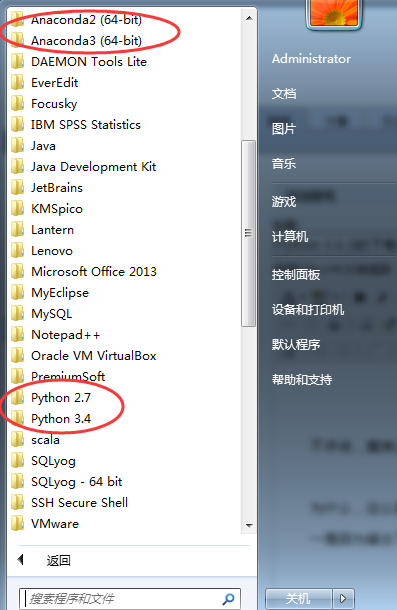
我这里,因为考虑到机器学习深度学习那边,已经安装了Anaconda2和Anaconda3,所以这边的数据分析所用的python3.6.1就不添加到path了。每次去切换到这个目录来,也不麻烦。
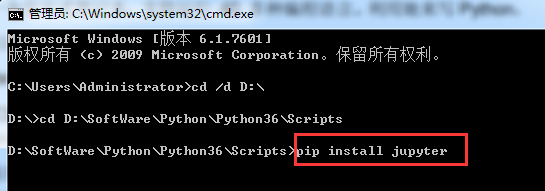

Microsoft Windows [版本 6.1.7601]

版权所有 (c) 2009 Microsoft Corporation。保留所有权利。

C:\Users\Administrator>cd /d D:\

D:\>cd D:\SoftWare\Python\Python36\Scripts

D:\SoftWare\Python\Python36\Scripts>pip install jupyter

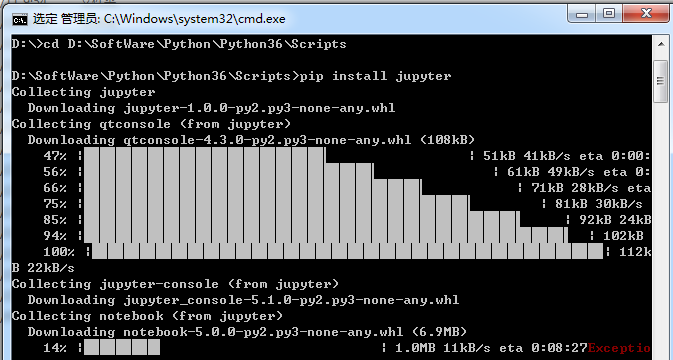
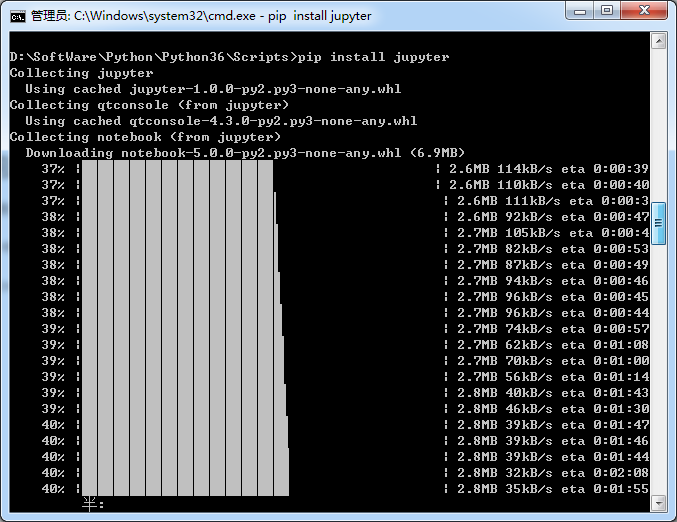

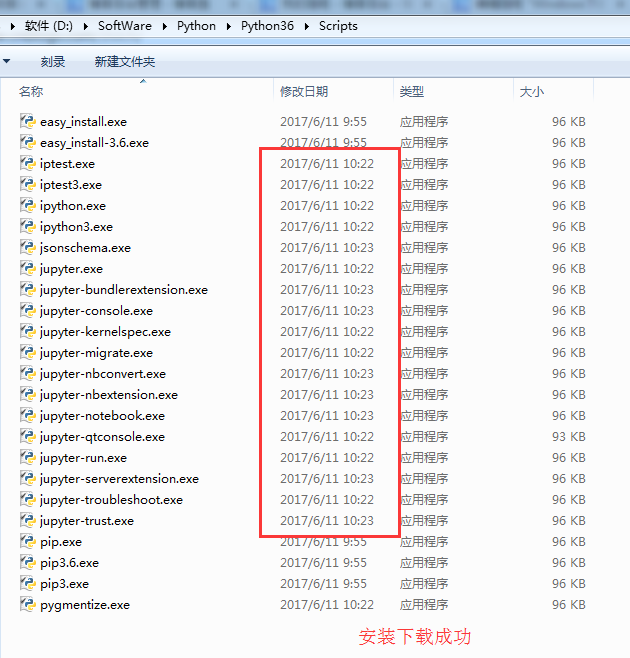
安装成功。
3、 jupyter notebook的启动
命令行窗口输入: jupyter notebook
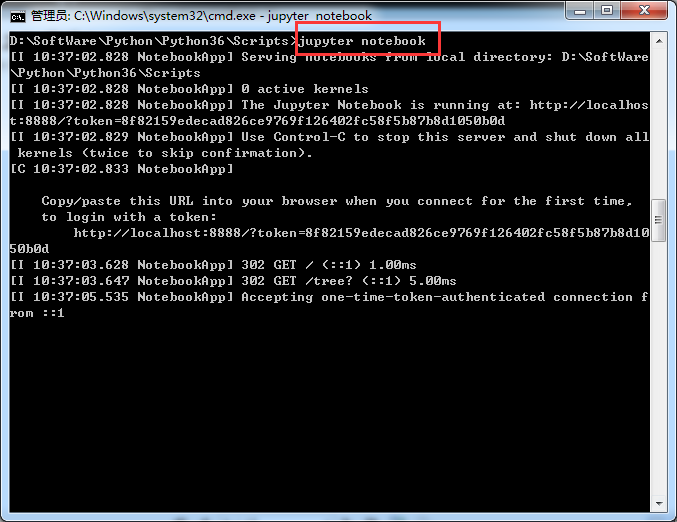
D:\SoftWare\Python\Python36\Scripts>jupyter notebook

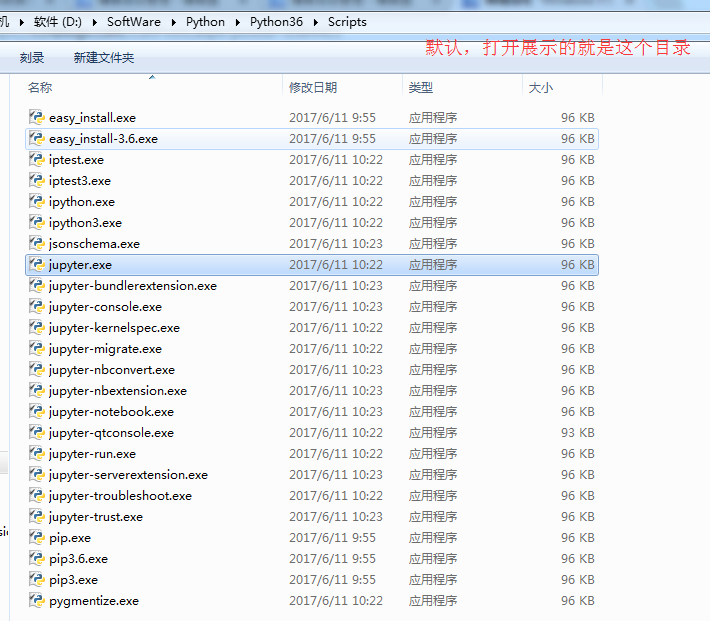
[I 10:37:02.828 NotebookApp] Serving notebooks from local directory: D:\SoftWare

\Python\Python36\Scripts

[I 10:37:02.828 NotebookApp] 0 active kernels

[I 10:37:02.828 NotebookApp] The Jupyter Notebook is running at: http://localhos

t:8888/?token=8f82159edecad826ce9769f126402fc58f5b87b8d1050b0d

[I 10:37:02.829 NotebookApp] Use Control-C to stop this server and shut down all

 kernels (twice to skip confirmation).

[C 10:37:02.833 NotebookApp]

    Copy/paste this URL into your browser when you connect for the first time,

    to login with a token:

        http://localhost:8888/?token=8f82159edecad826ce9769f126402fc58f5b87b8d10

50b0d

[I 10:37:03.628 NotebookApp] 302 GET / (::1) 1.00ms

[I 10:37:03.647 NotebookApp] 302 GET /tree? (::1) 5.00ms

[I 10:37:05.535 NotebookApp] Accepting one-time-token-authenticated connection f

rom ::1
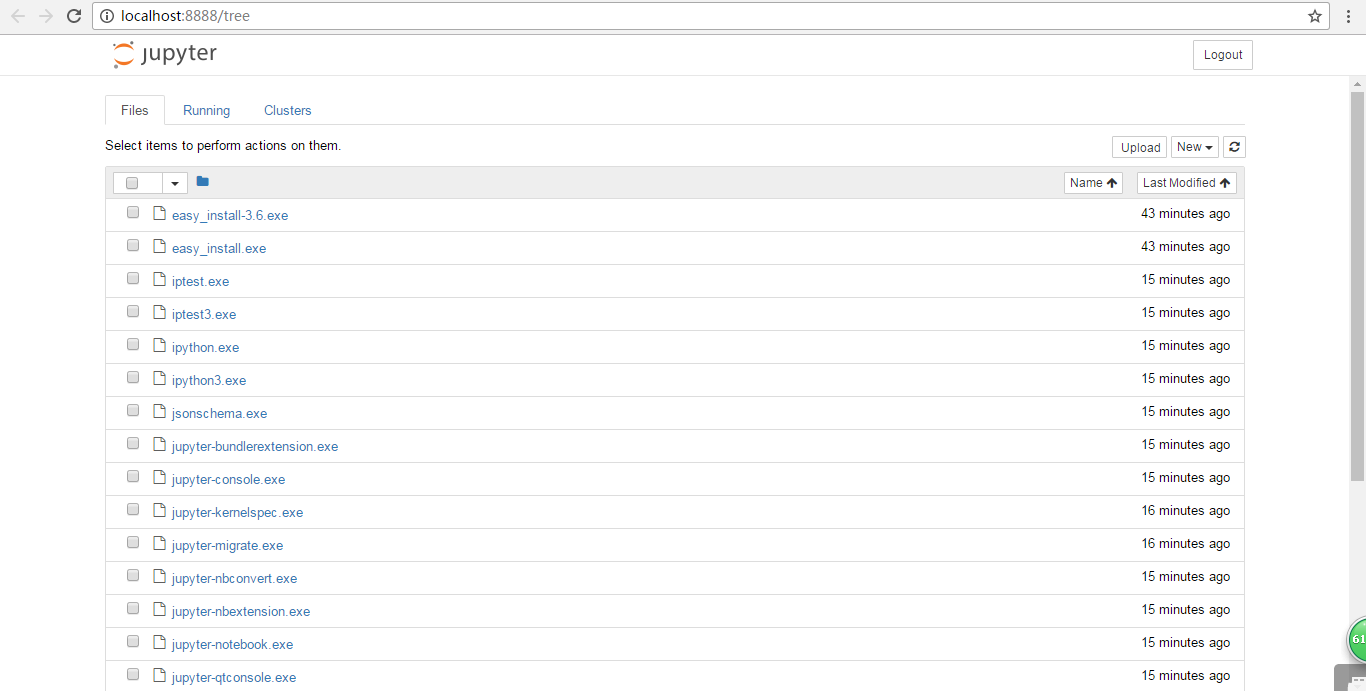
同时,默认浏览器会打开 Jupyter notebook 窗口。 说明 Jupyter notebook 安装成功了。
4、配置 Jupyter notebook
jupyter notebook --generate-config
运行之前
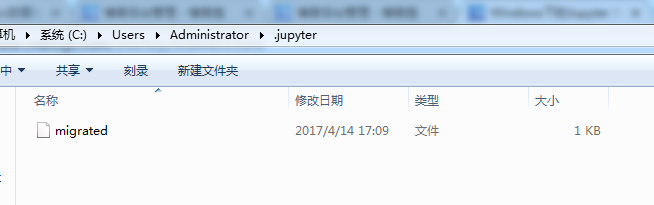
打开“.jupyter”文件夹,可以看到里面有个配置文件。
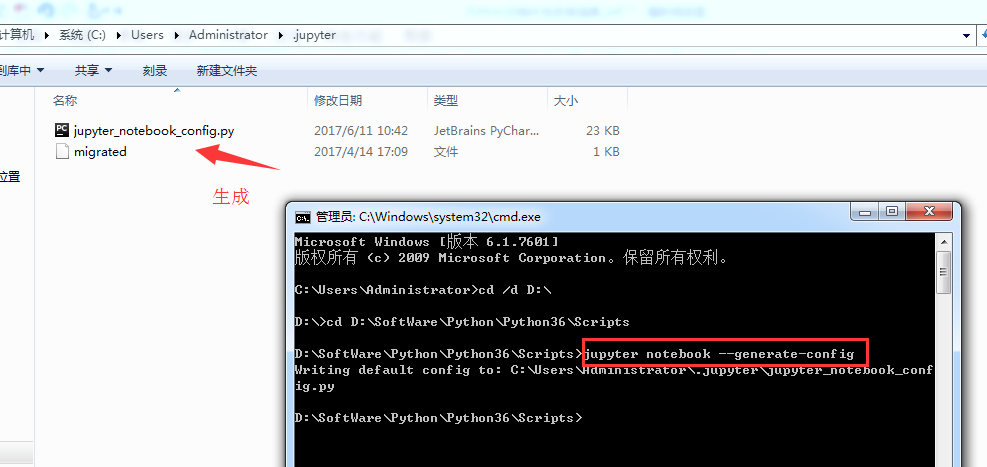
Microsoft Windows [版本 6.1.7601]

版权所有 (c) 2009 Microsoft Corporation。保留所有权利。

C:\Users\Administrator>cd /d D:\

D:\>cd D:\SoftWare\Python\Python36\Scripts

D:\SoftWare\Python\Python36\Scripts>jupyter notebook --generate-config

Writing default config to: C:\Users\Administrator\.jupyter\jupyter_notebook_conf

ig.py

D:\SoftWare\Python\Python36\Scripts>
修改jupyter_notebook_config.py配置文件
打开这个配置文件,找到“c.NotebookApp.notebook_dir=……”,把路径改成自己的工作目录。

比如,这里要变更为
## The directory to use for notebooks and kernels.
c.NotebookApp.notebook_dir = 'D:\Code\jupyter-notebook'
,当然,文件夹 jupyter-notebook 需要自己创建好。

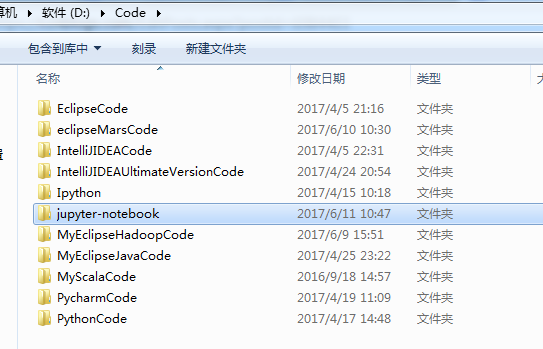
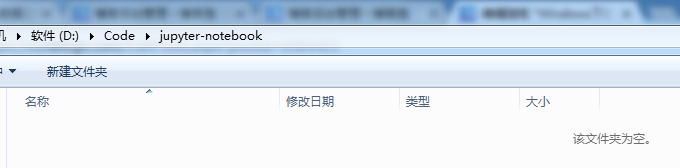
配置文件修改完成后, 以后在 jupyter notebook 中写的代码等都会保存在自己创建的目录中。
jupyter notebook的自定义启动(变了)
配置文件修改成后,就可以启动 jupyter notebook 了,命令行窗口中输入 jupyter notebook,
默认浏览器就会打开一个页面
jupyter notebook的启动
命令行窗口输入: jupyter notebook
以前是
D:\SoftWare\Python\Python36\Scripts>jupyter notebook

[I 10:37:02.828 NotebookApp] Serving notebooks from local directory: D:\SoftWare

\Python\Python36\Scripts

[I 10:37:02.828 NotebookApp] 0 active kernels

[I 10:37:02.828 NotebookApp] The Jupyter Notebook is running at: http://localhos

t:8888/?token=8f82159edecad826ce9769f126402fc58f5b87b8d1050b0d

[I 10:37:02.829 NotebookApp] Use Control-C to stop this server and shut down all

 kernels (twice to skip confirmation).

[C 10:37:02.833 NotebookApp]

    Copy/paste this URL into your browser when you connect for the first time,

    to login with a token:

        http://localhost:8888/?token=8f82159edecad826ce9769f126402fc58f5b87b8d10

50b0d

[I 10:37:03.628 NotebookApp] 302 GET / (::1) 1.00ms

[I 10:37:03.647 NotebookApp] 302 GET /tree? (::1) 5.00ms

[I 10:37:05.535 NotebookApp] Accepting one-time-token-authenticated connection f

rom ::1
现在是
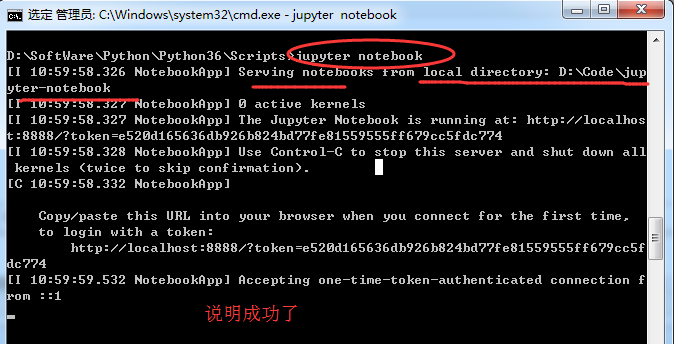
Microsoft Windows [版本 6.1.7601]

版权所有 (c) 2009 Microsoft Corporation。保留所有权利。

C:\Users\Administrator>cd /d D:\

D:\>cd D:\SoftWare\Python\Python36\Scripts


D:\SoftWare\Python\Python36\Scripts>jupyter notebook

[I 10:59:58.326 NotebookApp] Serving notebooks from local directory: D:\Code\jup

yter-notebook

[I 10:59:58.327 NotebookApp] 0 active kernels

[I 10:59:58.327 NotebookApp] The Jupyter Notebook is running at: http://localhos

t:8888/?token=e520d165636db926b824bd77fe81559555ff679cc5fdc774

[I 10:59:58.328 NotebookApp] Use Control-C to stop this server and shut down all

 kernels (twice to skip confirmation).

[C 10:59:58.332 NotebookApp]

    Copy/paste this URL into your browser when you connect for the first time,

    to login with a token:

        http://localhost:8888/?token=e520d165636db926b824bd77fe81559555ff679cc5f

dc774

[I 10:59:59.532 NotebookApp] Accepting one-time-token-authenticated connection f

rom ::1

当然,其实啊,这个玩意非常的简单和方便。关于修改名字、上传等操作,后续关注的我博客。
常见问题及解决方案
如何添加 Path?
计算机-右击-单机“属性”
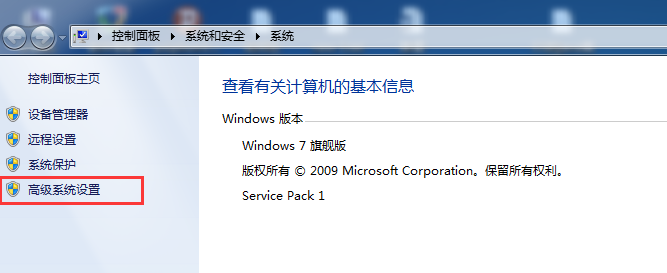
单机“高级系统设置”
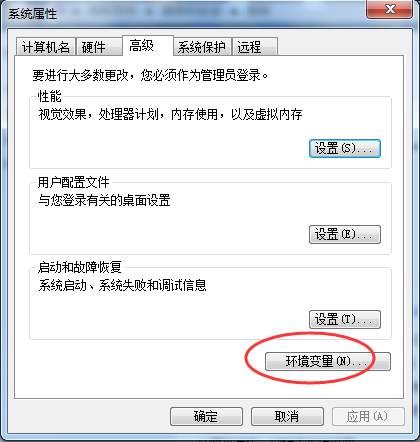
单机“环境变量”
找到系统变量 path,编辑
在最后加上 2 个路径:
C:\Users\Administrator\AppData\Local\Programs\Python\Python36
C:\Users\Administrator\AppData\Local\Programs\Python\Python36\Scripts
说明:以上默认安装路径,每个电脑上是类似的,找到复制这个路径加到 Path 中即可
我的路径是已经改了,在下面的这篇博客里,可以看到
Windows下的Python 3.6.1的下载与安装(适合32bits和64bits)(图文详解)
这是我自定义的Python 的安装目录 (D:\SoftWare\Python\Python36\Scripts)
jupyter notebook 闪退
解决办法:更换默认浏览器。 ,建议用谷歌浏览器或者火狐浏览器
【Python】【jupyter-notebook】的更多相关文章
- 【python / mxnet / gluoncv / jupyter notebook】变换场景的同一行人多重识别
程序环境为高性能集群:CPU:Intel Xeon Gold 6140 Processor * 2(共36核心)内存:512GB RAMGPU:Tesla P100-PCIE-16GB * 2 数 ...
- 【python / mxnet / gluoncv / jupyter notebook】基于mxnet和gluoncv的图像内容识别
程序环境为高性能集群:CPU:Intel Xeon Gold 6140 Processor * 2(共36核心)内存:512GB RAMGPU:Tesla P100-PCIE-16GB * 2 In ...
- 【python / mxnet / gluoncv / jupyter notebook】基于mxnet和gluoncv的图像分割
程序环境为高性能集群: CPU:Intel Xeon Gold 6140 Processor * 2(共36核心)内存:512GB RAMGPU:Tesla P100-PCIE-16GB * 2 In ...
- 【Python从入门到精通】(九)Python中字符串的各种骚操作你已经烂熟于心了么?
您好,我是码农飞哥,感谢您阅读本文,欢迎一键三连哦. 本文将重点介绍Python字符串的各种常用方法,字符串是实际开发中经常用到的,所有熟练的掌握它的各种用法显得尤为重要. 干货满满,建议收藏,欢迎大 ...
- ❤️【Python从入门到精通】(二十七)更进一步的了解Pillow吧!
您好,我是码农飞哥,感谢您阅读本文,欢迎一键三连哦. 进一步介绍Pillow库的使用,详细了解 干货满满,建议收藏,需要用到时常看看. 小伙伴们如有问题及需要,欢迎踊跃留言哦~ ~ ~. 前言 本文是 ...
- 【Python】和【Jupyter notebook】的正确安装方式?
学了那么久Python,你的Python安装方式正确吗?今天给你看看什么才是Python正确的安装方式,教程放在下面了,喜欢的记得点赞. Python安装 Python解答Q群:660193417## ...
- 【Python五篇慢慢弹】快速上手学python
快速上手学python 作者:白宁超 2016年10月4日19:59:39 摘要:python语言俨然不算新技术,七八年前甚至更早已有很多人研习,只是没有现在流行罢了.之所以当下如此盛行,我想肯定是多 ...
- 【Python五篇慢慢弹】数据结构看python
数据结构看python 作者:白宁超 2016年10月9日14:04:47 摘要:继<快速上手学python>一文之后,笔者又将python官方文档认真学习下.官方给出的pythondoc ...
- 【python自动化第十一篇】
[python自动化第十一篇:] 课程简介 gevent协程 select/poll/epoll/异步IO/事件驱动 RabbitMQ队列 上节课回顾 进程: 进程的诞生时为了处理多任务,资源的隔离, ...
- 【Python学习笔记之二】浅谈Python的yield用法
在上篇[Python学习笔记之一]Python关键字及其总结中我提到了yield,本篇文章我将会重点说明yield的用法 在介绍yield前有必要先说明下Python中的迭代器(iterator)和生 ...
随机推荐
- doc&Alt+/ 快捷键设置&ThreadLocal Fameset与Frame区别
Alt+/不管用原因:新版本中MyEclipse的Alt+/是别的快捷键,Ctrl+Space是提示标签快捷键,而Ctrl+Space与输入法切换冲突不能用.MyEclipse设置Alt+/快捷键 1 ...
- Docker MySQL5.5镜像
定制MySQL的镜像有个很大的难题:mysqld启动之前要初始化数据目录,5.5自带有空账号密码需要初始化. Dockerfile FROM centos # 拷贝需要的安装和MySQL初始脚本 CO ...
- Spring Boot(二十):使用spring-boot-admin对spring-boot服务进行监控
Spring Boot(二十):使用spring-boot-admin对spring-boot服务进行监控 Spring Boot Actuator提供了对单个Spring Boot的监控,信息包含: ...
- mariadb的flashback到底怎么样???防误删可以,但算不上真正的闪回--再看mariadb 10.3的System-Versioned Tables
mariadb 在10.2.4引入闪回特性,支持DML(INSERT, DELETE, UPDATE)操作的闪回,不支持DDL语句,使用闪回,必须设置binlog_row_image=FULL. 其原 ...
- oracle 11g中的自动维护任务管理
因为人员紧缺,最近又忙着去搞性能优化的事情,有时候真的是不想再搞这个事情,只是没办法,我当前的绩效几乎取决于这个项目的最终成绩,所以不管是人的事还是事的事,都得去让他顺利推进. 前段时间发生还有几台服 ...
- openvpn server setup
Set Up an OpenVPN Server client access 内部环境搭建
- libvirt的security
1. libvirt支持SASL authentication and encryption MD5 hashes are considered unsafe and should not be us ...
- oracle_sqlplus命令行乱码问题解决
在linux以及unix中,sqlplus的上下左右.回退无法使用,会出现乱码情况. 而rlwrap这个软件就是用来解决这个的. 首先下载rlwrap包:https://linux.linuxidc. ...
- opencv学习之路(3)、批量读取图片、视频分解、视频合成
一.批量有序读取图片 #include<opencv2/opencv.hpp> using namespace cv; void main() { //批量读取图片(有序) ]; ]; M ...
- CentOS7 彻底关闭 IPV6
查看服务监听的IP中是否有IPv6格式的地址 netstat -tuln 如果有tcp6协议的就是有打开ip6 编辑/etc/default/grub,在GRUB_CMDLINE_LINUX加上的后面 ...