
mint-ui之Loadmore使用
<template>

  <div class="page-loadmore">

    <div class="page-loadmore-wrapper" ref="wrapper" :style="{ height: wrapperHeight + 'px' }">

      <mt-loadmore :top-method="loadTop" @translate-change="translateChange" @top-status-change="handleTopChange" :bottom-method="loadBottom" @bottom-status-change="handleBottomChange" :bottom-all-loaded="allLoaded" ref="loadmore">

        <ul class="page-loadmore-list">

          <li v-for="item in list" class="page-loadmore-listitem">{{ item }}</li>

        </ul>

        <div slot="top" class="mint-loadmore-top">

          <span v-show="topStatus !== 'loading'" :class="{ 'is-rotate': topStatus === 'drop' }">↓</span>

          <span v-show="topStatus === 'loading'">

                <mt-spinner type="snake"></mt-spinner>

            </span>

        </div>

        <div slot="bottom" class="mint-loadmore-bottom">

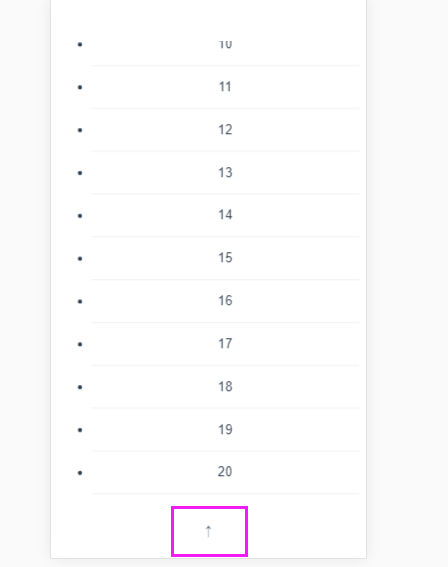
          <span v-show="bottomStatus !== 'loading'" :class="{ 'is-rotate': bottomStatus === 'drop' }">↑</span>

          <span v-show="bottomStatus === 'loading'">

                <mt-spinner type="snake"></mt-spinner>

            </span>

        </div>

      </mt-loadmore>

    </div>

  </div>

</template>

<script>

  export default {

    data() {

      return {

        list: [],

        allLoaded: false,

        bottomStatus: '',

        wrapperHeight: 0,

        topStatus: '',

        //wrapperHeight: 0,

        translate: 0,

        moveTranslate: 0

      };

    },

    methods: {

      handleBottomChange(status) {

        this.bottomStatus = status;

      },

      loadBottom() {

        setTimeout(() => {

          let lastValue = this.list[this.list.length - 1];

          if (lastValue < 100) {

            for (let i = 1; i <= 10; i++) {

              this.list.push(lastValue + i);

            }

          } else {

            this.allLoaded = true;

          }

          this.$refs.loadmore.onBottomLoaded();

        }, 1500);

      },

      handleTopChange(status) {

        this.moveTranslate = 1;

        this.topStatus = status;

      },

      translateChange(translate) {

        const translateNum = +translate;

        this.translate = translateNum.toFixed(2);

        this.moveTranslate = (1 + translateNum / 70).toFixed(2);

      },

      loadTop() {

        setTimeout(() => {

          let firstValue = this.list[0];

          for (let i = 1; i <= 10; i++) {

            this.list.unshift(firstValue - i);

          }

          this.$refs.loadmore.onTopLoaded();

        }, 1500);

      }

    },

    created() {

      for (let i = 1; i <= 20; i++) {

        this.list.push(i);

      }

    },

    mounted() {

      this.wrapperHeight = document.documentElement.clientHeight - this.$refs.wrapper.getBoundingClientRect().top;

    }

  };

</script>

<style>

  .loading-background,

  .mint-loadmore-top span {

    -webkit-transition: .2s linear;

    transition: .2s linear

  }

  .mint-loadmore-top span {

    display: inline-block;

    vertical-align: middle

  }

  .mint-loadmore-top span.is-rotate {

    -webkit-transform: rotate(180deg);

    transform: rotate(180deg)

  }

  .page-loadmore .mint-spinner {

    display: inline-block;

    vertical-align: middle

  }

  .page-loadmore-desc {

    text-align: center;

    color: #666;

    padding-bottom: 5px

  }

  .page-loadmore-desc:last-of-type,

  .page-loadmore-listitem {

    border-bottom: 1px solid #eee

  }

  .page-loadmore-listitem {

    height: 50px;

    line-height: 50px;

    text-align: center

  }

  .page-loadmore-listitem:first-child {

    border-top: 1px solid #eee

  }

  .page-loadmore-wrapper {

    overflow: scroll

  }

  .mint-loadmore-bottom span {

    display: inline-block;

    -webkit-transition: .2s linear;

    transition: .2s linear;

    vertical-align: middle

  }

  .mint-loadmore-bottom span.is-rotate {

    -webkit-transform: rotate(180deg);

    transform: rotate(180deg)

  }

</style>
mint-ui之Loadmore使用的更多相关文章
- Mint UI 之loadmore组件的坑:内部元素头部被遮挡了一部分
前端经常会遇到数据分页加载的需求,mint-ui组件为大家提供了loadmore组件 但是我在使用的时候,遇到了一个问题:写好布局和样式以及逻辑之后,我的mt-loadmore标签的头部总是不顶在父元 ...
- vue mint ui 手册文档对于墙的恐惧
http://www.cnblogs.com/smallteeth/p/6901610.html npm 安装 推荐使用 npm 的方式安装,它能更好地和 webpack 打包工具配合使用. npm ...
- vue mint ui 手册文档
npm 安装 推荐使用 npm 的方式安装,它能更好地和 webpack 打包工具配合使用. npm i mint-ui -S CDN 目前可以通过 unpkg.com/mint-ui 获取到最新版本 ...
- vue mint UI
vue 与mint UI 结合开发手机app html5页面 api 文档 http://mint-ui.github.io/#!/zh-cn
- 基于VUE.JS的移动端框架Mint UI
Mint UI GitHub:github.com/ElemeFE/mint 项目主页:mint-ui.github.io/# Demo:elemefe.github.io/mint- 文档:mint ...
- Mint UI文档
Mint UI文档:http://elemefe.github.io/mint-ui/#/ 一.Mint UI的安装和基本用法. 1.NPM :npm i mint-ui -S 建议使用npm进行安装 ...
- 新建一个基于vue.js+Mint UI的项目
上篇文章里面讲到如何新建一个基于vue,js的项目(详细文章请戳用Vue创建一个新的项目). 该项目如果需要组件等都需要自己去写,今天就学习一下如何新建一个基于vue.js+Mint UI的项目,直接 ...
- iView webapp / Mint UI / MUI [前端UI]
前端UI iView webapp一套高质量的 微信小程序 UI 组件库 https://weapp.iviewui.com/?from=iview Mint UI 基于 Vue.js 的移动端组件库 ...
- Mint UI 使用指南
上来直接在webpack里将Mint UI引入项目,发现各种问题.饿了么组件库文档太坑了,好多地方写错,有些该说明的地方没说,比如例子里单文件.vue组件里用的类post-css处理器,我一直使用SA ...
- Mint UI Example的运行
Mint -UI是新推出的移动端UI框架 官网 不过官网上的文档例子不是很全面. 建议下载他们提供的example来学习. 1.examplle源码下载地址 2.打开项目,我这里使用webstorm, ...
随机推荐
- leetcode 198打家劫舍
讲解视频见刘宇波leetcode动态规划第三个视频 记忆化搜索代码: #include <bits/stdc++.h> using namespace std; class Solutio ...
- Python基础(三)Mysql数据库安装及使用
在python下使用mysql需要: 1.安装mysql 2.安装python pymysql包(pymysql包支持py3 跟mysqldb用法差不多) 一.安装mysql mysql下载地址:h ...
- mysqladmin -u root password
ERROR : Error appeared during Puppet run: 192.77.108.242_mysql.ppError: mysqladmin -u root password ...
- django-pagination 样式修改
默认 django-pagination 样式: 使用bootstrap后样式: (有些瑕疵,下面来完善一下) 修改后: 效果还不错吧.那么讲下如何修改. 首先找到其源码: (路径:site-pac ...
- JavaScript(六):错误处理机制
1.Error()构造函数 javascript解析或执行语句时,一旦发生错误,js引擎会将其抛出! JavaScript原生提供了Error()构造函数,所有抛出的错误都是这个构造函数的实例(即对象 ...
- web前端名词
HTML: HyperText Markup Language 超文本标记语言 XHTML:Extensible HyperText Markup Language 可扩展性超文本标记语 ...
- sublime text3配置及相关小技巧
1.下载&安装: 官方地址:http://www.sublimetext.com/,sublime text3又更新了,支持不依赖插件进行侧边栏颜色的更改,同时自带的皮肤颜色也有四种,十分方便 ...
- Block 循环引用(中)
不会造成循环引用的block 大部分GCD方法 dispatch_async(dispatch_get_main_queue(), ^{ [self doSomething]; }); 因为self并 ...
- redis相关问题
什么是Redis?Redis 是一个使用 C 语言写成的,开源的 key-value 数据库..和Memcached类似,它支持存储的value类型相对更多,包括string(字符串).list(链表 ...
- 20165316 2017-2018-2《Java程序设计》课程总结
20165316 2017-2018-2<Java程序设计>课程总结 一.每周作业链接汇总 1. 预备作业一:我期望的师生关系 20165316 我期望的师生关系 摘要: 典型老师 师生关 ...