
android-基础编程-Dialog
Dialog是一种常见的控件。
设置对话框一般步骤如下:
1.实例化dialog
由于AlertDialog的构造函数的关系,不能直接实例化,需要利用Builder来实例化,如
AlertDialog.Builder customizeDialog =new AlertDialog.Builder(this);
2.设置对话框
设置除了指基本设置如title,messages,icon外,还指设置对话框的按钮,单选框,列表,复选框,view等。
customizeDialog.setTitle("我是一个自定义Dialog");
customizeDialog.setView(dialogView);
customizeDialog.setPositiveButton("确定",new DialogInterface.OnClickListener() {}
3.show
显示对话框。
常见的dialog。
a. 正常的dialog
private void showNormalDialog(){

        /* @setIcon 设置对话框图标

         * @setTitle 设置对话框标题

         * @setMessage 设置对话框消息提示

         * setXXX方法返回Dialog对象,因此可以链式设置属性

         */

        final AlertDialog.Builder normalDialog =

                new AlertDialog.Builder(this);

        normalDialog.setIcon(R.drawable.icon);

        normalDialog.setTitle("我是一个普通Dialog");

        normalDialog.setMessage("你要点击哪一个按钮呢?");

        normalDialog.setPositiveButton("确定",

                new DialogInterface.OnClickListener() {

                    @Override

                    public void onClick(DialogInterface dialog, int which) {

                        //...To-do

                    }

                });

        normalDialog.setNegativeButton("关闭",

                new DialogInterface.OnClickListener() {

                    @Override

                    public void onClick(DialogInterface dialog, int which) {

                        //...To-do

                    }

                });

        // 显示

        normalDialog.show();

    }

2.List dialog
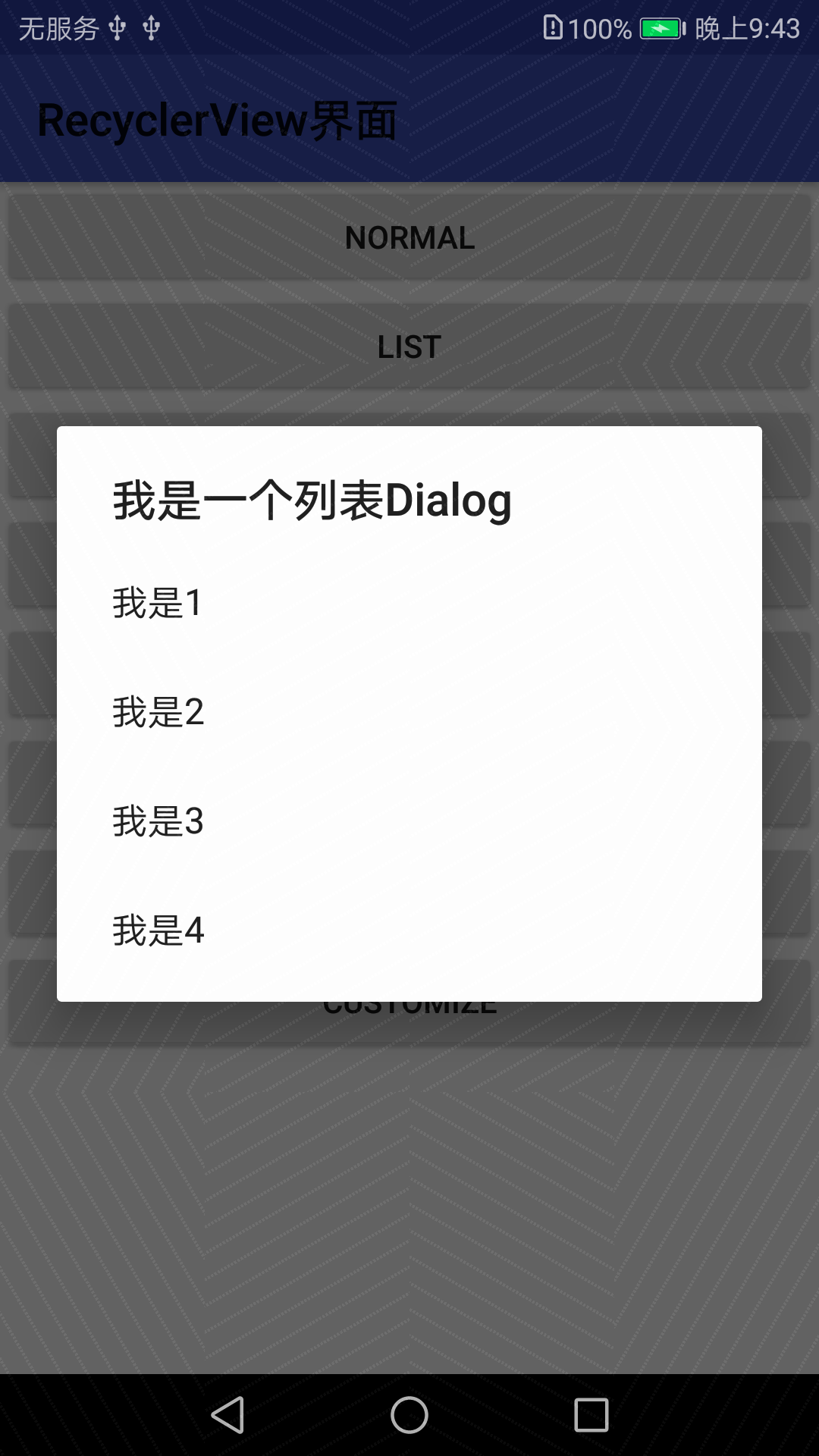
private void showListDialog() {

        final String[] items = { "我是1","我是2","我是3","我是4" };

        AlertDialog.Builder listDialog =

                new AlertDialog.Builder(this);

        listDialog.setTitle("我是一个列表Dialog");

        listDialog.setItems(items, new DialogInterface.OnClickListener() {

            @Override

            public void onClick(DialogInterface dialog, int which) {

                // which 下标从0开始

                // ...To-do

                Toast.makeText(getApplicationContext(),

                        "你点击了" + items[which],

                        Toast.LENGTH_SHORT).show();

            }

        });

        listDialog.show();

    }
3.单选
private void showSingleChoiceDialog(){

        final String[] items = { "我是1","我是2","我是3","我是4" };

        yourChoice = -1;

        AlertDialog.Builder singleChoiceDialog =

                new AlertDialog.Builder(this);

        singleChoiceDialog.setTitle("我是一个单选Dialog");

        // 第二个参数是默认选项,此处设置为0

        singleChoiceDialog.setSingleChoiceItems(items, 0,

                new DialogInterface.OnClickListener() {

                    @Override

                    public void onClick(DialogInterface dialog, int which) {

                        yourChoice = which;

                    }

                });

        singleChoiceDialog.setPositiveButton("确定",

                new DialogInterface.OnClickListener() {

                    @Override

                    public void onClick(DialogInterface dialog, int which) {

                        if (yourChoice != -1) {

                            Toast.makeText(getApplicationContext(),

                                    "你选择了" + items[yourChoice],

                                    Toast.LENGTH_SHORT).show();

                        }

                    }

                });

        singleChoiceDialog.show();

    }

4.多选
ArrayList<Integer> yourChoices = new ArrayList<>();

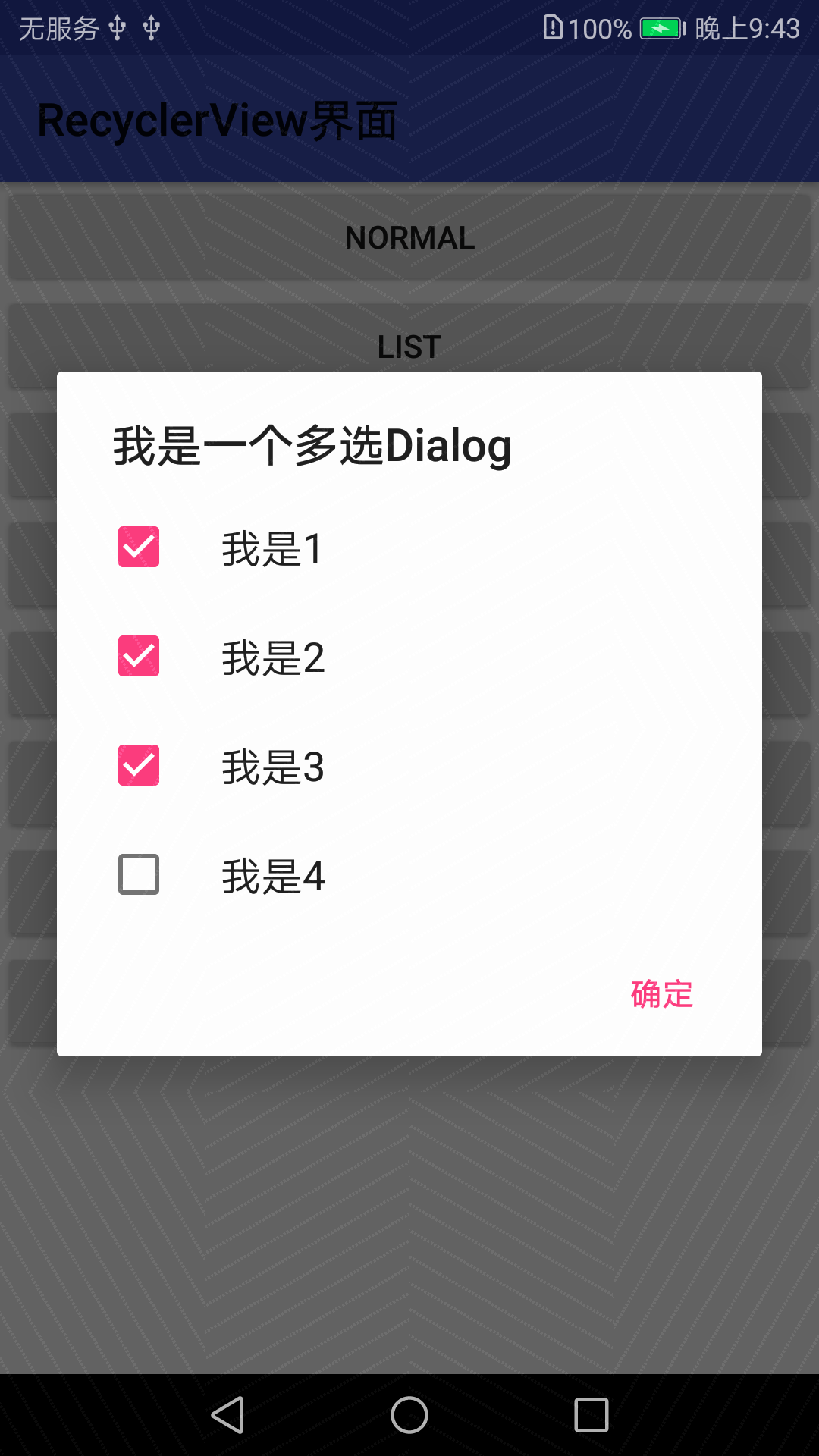
    private void showMultiChoiceDialog() {

        final String[] items = { "我是1","我是2","我是3","我是4" };

        // 设置默认选中的选项,全为false默认均未选中

        final boolean initChoiceSets[]={false,false,false,false};

        yourChoices.clear();

        AlertDialog.Builder multiChoiceDialog =

                new AlertDialog.Builder(this);

        multiChoiceDialog.setTitle("我是一个多选Dialog");

        multiChoiceDialog.setMultiChoiceItems(items, initChoiceSets,

                new DialogInterface.OnMultiChoiceClickListener() {

                    @Override

                    public void onClick(DialogInterface dialog, int which,

                                        boolean isChecked) {

                        if (isChecked) {

                            yourChoices.add(which);

                        } else {

                            yourChoices.remove(which);

                        }

                    }

                });

        multiChoiceDialog.setPositiveButton("确定",

                new DialogInterface.OnClickListener() {

                    @Override

                    public void onClick(DialogInterface dialog, int which) {

                        int size = yourChoices.size();

                        String str = "";

                        for (int i = 0; i < size; i++) {

                            str += items[yourChoices.get(i)] + " ";

                        }

                        Toast.makeText(getApplicationContext(),

                                "你选中了" + str,

                                Toast.LENGTH_SHORT).show();

                    }

                });

        multiChoiceDialog.show();

    }
5.等待中
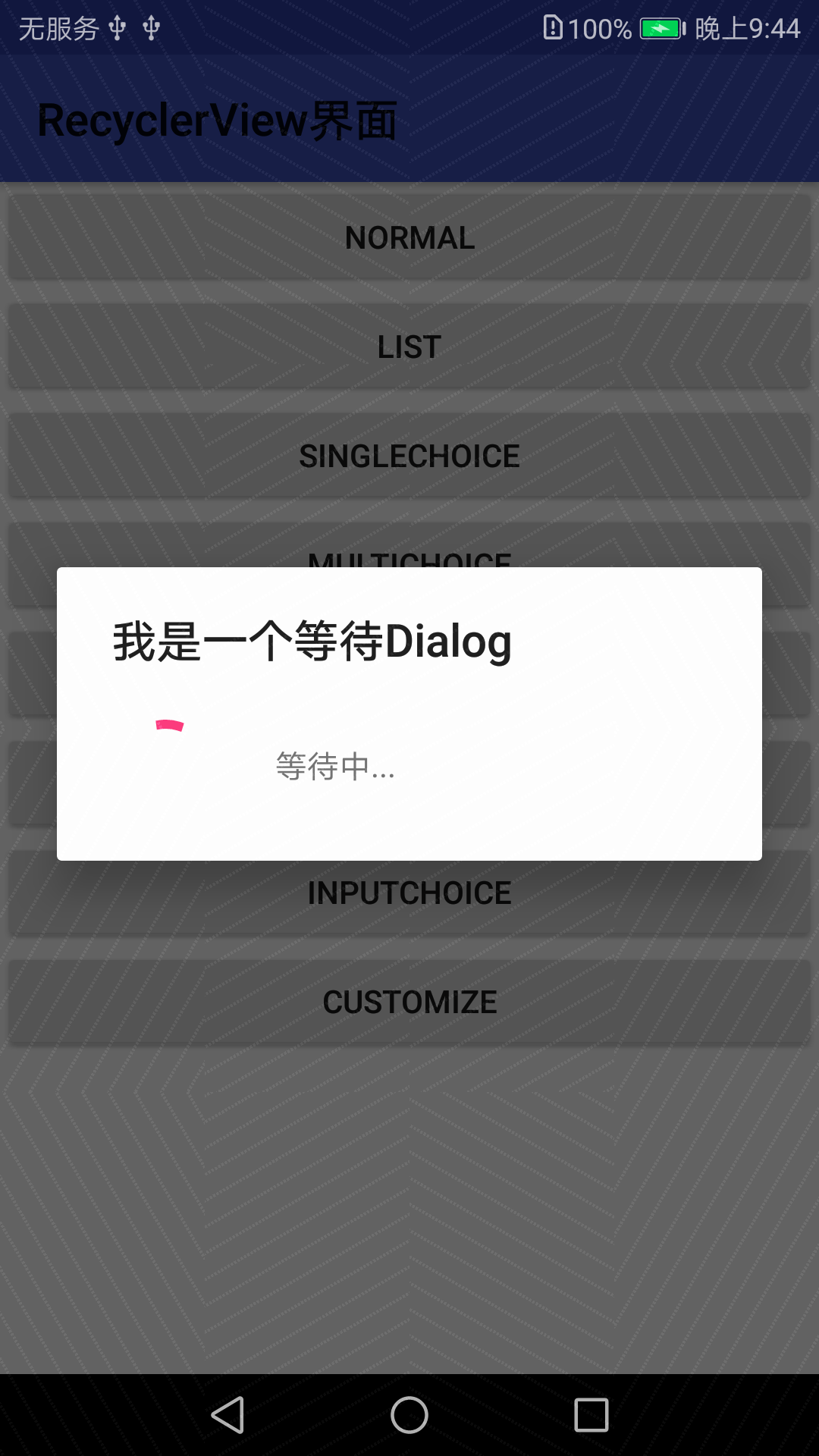
private void showWaitingDialog() {

    /* 等待Dialog具有屏蔽其他控件的交互能力

     * @setCancelable 为使屏幕不可点击,设置为不可取消(false)

     * 下载等事件完成后,主动调用函数关闭该Dialog

     */

        ProgressDialog waitingDialog=

                new ProgressDialog(this);

        waitingDialog.setTitle("我是一个等待Dialog");

        waitingDialog.setMessage("等待中...");

        waitingDialog.setIndeterminate(true);

        waitingDialog.setCancelable(false);

        waitingDialog.show();

    }
6.输入
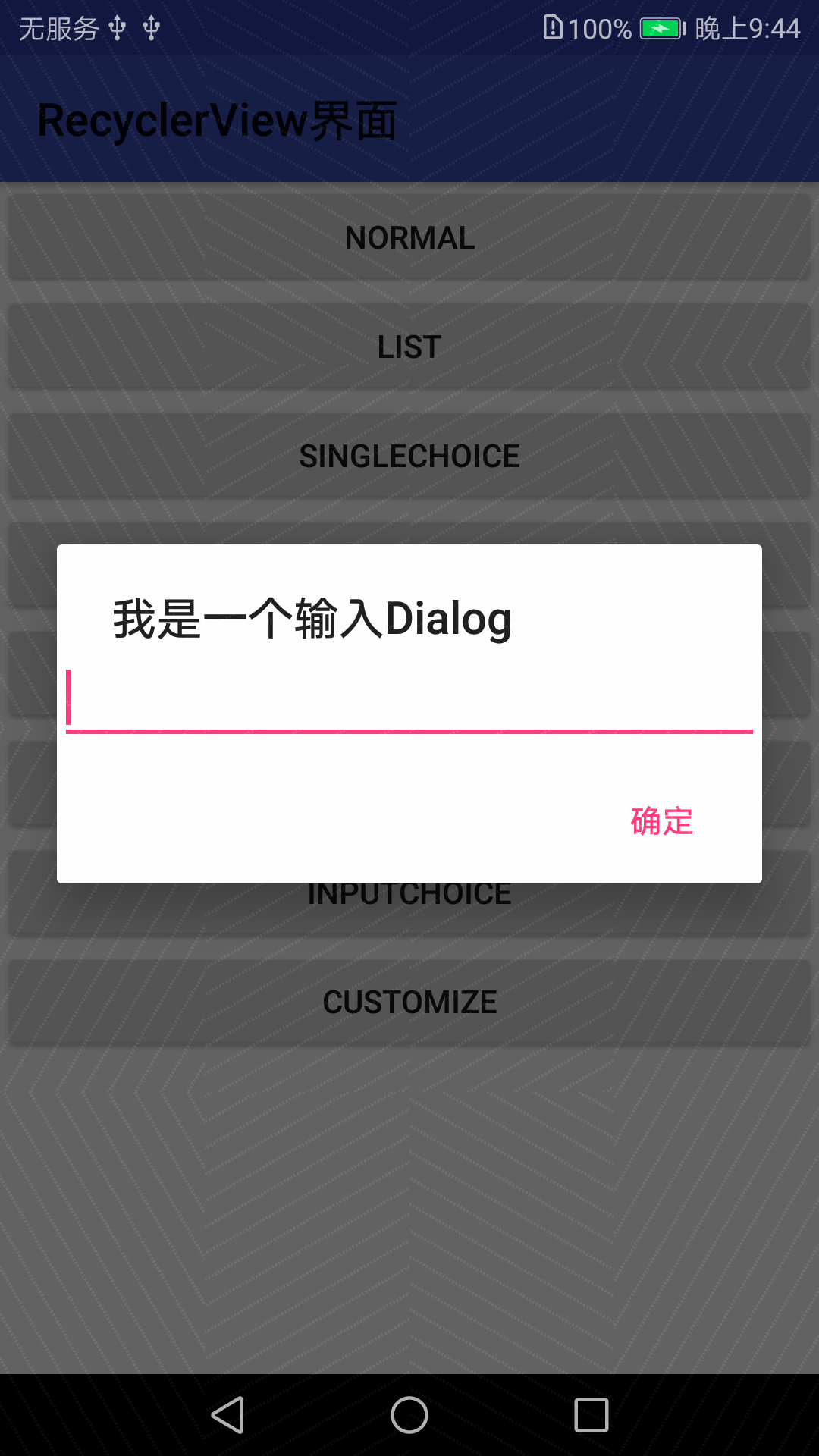
private void showInputDialog() {

    /*@setView 装入一个EditView

     */

        final EditText editText = new EditText(this);

        AlertDialog.Builder inputDialog =

                new AlertDialog.Builder(this);

        inputDialog.setTitle("我是一个输入Dialog").setView(editText);

        inputDialog.setPositiveButton("确定",

                new DialogInterface.OnClickListener() {

                    @Override

                    public void onClick(DialogInterface dialog, int which) {

                        Toast.makeText(getApplicationContext(),

                                editText.getText().toString(),

                                Toast.LENGTH_SHORT).show();

                    }

                }).show();

    }
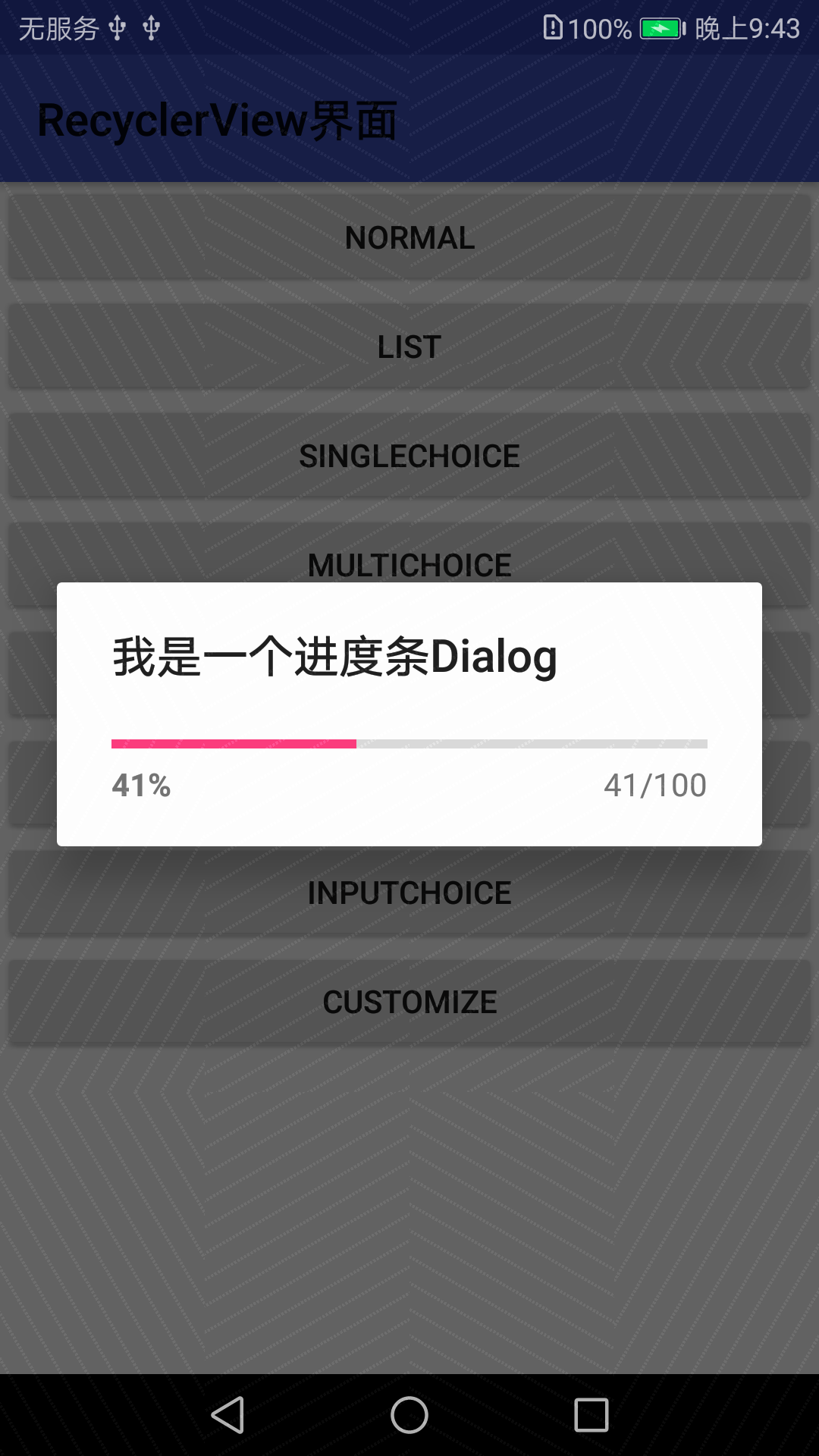
7.进度条
private void showProgressDialog() {

    /* @setProgress 设置初始进度

     * @setProgressStyle 设置样式(水平进度条)

     * @setMax 设置进度最大值

     */

        final int MAX_PROGRESS = 100;

        final ProgressDialog progressDialog =

                new ProgressDialog(this);

        progressDialog.setProgress(0);

        progressDialog.setTitle("我是一个进度条Dialog");

        progressDialog.setProgressStyle(ProgressDialog.STYLE_HORIZONTAL);

        progressDialog.setMax(MAX_PROGRESS);

        progressDialog.show();

    /* 模拟进度增加的过程

     * 新开一个线程,每个100ms,进度增加1

     */

        new Thread(new Runnable() {

            @Override

            public void run() {

                int progress= 0;

                while (progress < MAX_PROGRESS){

                    try {

                        Thread.sleep(100);

                        progress++;

                        progressDialog.setProgress(progress);

                    } catch (InterruptedException e){

                        e.printStackTrace();

                    }

                }

                // 进度达到最大值后,窗口消失

                progressDialog.cancel();

            }

        }).start();

    }
8.自定义
private void showCustomizeDialog() {

    /* @setView 装入自定义View ==> R.layout.dialog_customize

     * 由于dialog_customize.xml只放置了一个EditView,因此和图8一样

     * dialog_customize.xml可自定义更复杂的View

     */

        AlertDialog.Builder customizeDialog =

                new AlertDialog.Builder(this);

        final View dialogView = LayoutInflater.from(this)

                .inflate(R.layout.dialog_customize,null);

        customizeDialog.setTitle("我是一个自定义Dialog");

        customizeDialog.setView(dialogView);

        customizeDialog.setPositiveButton("确定",

                new DialogInterface.OnClickListener() {

                    @Override

                    public void onClick(DialogInterface dialog, int which) {

                        // 获取EditView中的输入内容

                        EditText edit_text =

                                (EditText) dialogView.findViewById(R.id.edit_text);

                        Toast.makeText(getApplicationContext(),

                                edit_text.getText().toString(),

                                Toast.LENGTH_SHORT).show();

                    }

                });

        customizeDialog.show();

    }

android-基础编程-Dialog的更多相关文章
- android: 多线程编程基础
9.1 服务是什么 服务(Service)是 Android 中实现程序后台运行的解决方案,它非常适合用于去执行那 些不需要和用户交互而且还要求长期运行的任务.服务的运行不依赖于任何用户界面,即使 ...
- Android网络编程基础
Android网络编程只TCP通信 TCP 服务器端工作的主要步骤如下.步骤1 调用ServerSocket(int port)创建一个ServerSocket,并绑定到指定端口上.步骤2 调用acc ...
- Android开发面试经——2.常见Android基础笔试题
标签: androidAndroid基础Android面试题Android笔试题 2015-03-12 15:04 3361人阅读 评论(3) 收藏 举报 分类: Android开发(29) 版 ...
- Android采访开发——2.通用Android基础笔试题
注意finddreams博客: http://blog.csdn.net/finddreams/article/details/44219231 正值跳槽的热季.整理一下Android面试中最常考的笔 ...
- Qt on Android 核心编程
Qt on Android 核心编程(最好看的Qt编程书!CSDN博主foruok倾力奉献!) 安晓辉 著 ISBN 978-7-121-24457-5 2015年1月出版 定价:65.00元 4 ...
- Android网络编程系列 一 TCP/IP协议族
在学习和使用Android网路编程时,我们接触的仅仅是上层协议和接口如Apache的httpclient或者Android自带的httpURlconnection等等.对于这些接口的底层实现我们也有必 ...
- Android网络编程系列 一 Socket抽象层
在<Android网络编程>系列文章中,前面已经将Java的通信底层大致的描述了,在我们了解了TCP/IP通信族架构及其原理,接下来我们就开始来了解基于tcp/ip协议层的Socket抽 ...
- Android基础总结(8)——服务
服务(Service)是Android中实现程序后台运行的解决方案,它非常适合用于去执行哪些不需要和用户交互而且还要长期运行的任务.服务的运行不依赖任何用户界面,即使当程序被切换到后台,或者用户打开了 ...
- 【Xamarin开发 Android 系列 4】 Android 基础知识
原文:[Xamarin开发 Android 系列 4] Android 基础知识 什么是Android? Android一词的本义指“机器人”,同时也是Google于2007年11月5日宣布的基于Li ...
- 【Android 应用开发】Android 网络编程 API笔记 - java.net 包 权限 地址 套接字 相关类 简介
Android 网络编程相关的包 : 9 包, 20 接口, 103 类, 6 枚举, 14异常; -- Java包 : java.net 包 (6接口, 34类, 2枚举, 12异常); -- An ...
随机推荐
- jenkins自定义安装目录
jenkins默认会安装到jvm环境变量的user.dir目录下,这样在系统重新安装后容易丢失. 将以下文件保存为start.bat放到jekins.jar同一目录,执行start.bat即可将jek ...
- 页面练习my blog day51
html端: <!DOCTYPE html> <html lang="en"> <head> <meta charset="UT ...
- 利用spring boot构建一个简单的web工程
1.选择Spring InitiaLizr, jdk选择好路径 2.设置项目信息 3.这一步是设置选择使用哪些组件,这里我们只需要选择web 4.设置工程名和路径
- slam14讲证明构成李代数
- 10分钟搭建 App 主流框架
搭建主流框架界面 0.达成效果 我们玩iPhone应用的时候,有没发现大部分的应用都是上图差不多的结构,下面的TabBar控制器可以切换子控制器,上面又有Navigation导航条 我们本文主要是搭建 ...
- qrcode解决方案大全
QRCODE解决方案 1.delphi原生QRCode.pas 2.delphi编写http服务器实现QRcode请求生成图片,http下载 3.delphi编写cgi程序,加载到apache服务器 ...
- go语言练习
// main package main import ( "fmt" "runtime" "sync" ) func main() { f ...
- mysql链接
一 Mysql命令行连接 一般对于刚刚安装好的mysql,如果勾选启用mysql lineclient的话.可以直接通过找到开始---程序--- mysql command line client如下 ...
- android 使用UDP发送数据 DatagramSocket 创建对象为null
DatagramSocket socket=null; try { socket = new DatagramSocket(); //这里创建对象为空 } catch (SocketExceptio ...
- 学习selenium的过程