
js手机端判断滑动还是点击
网上的代码杂七杂八, 我搞个简单明了的!! 你们直接复制粘贴, 手机上 电脑上 可以直接测试!!!
上图:
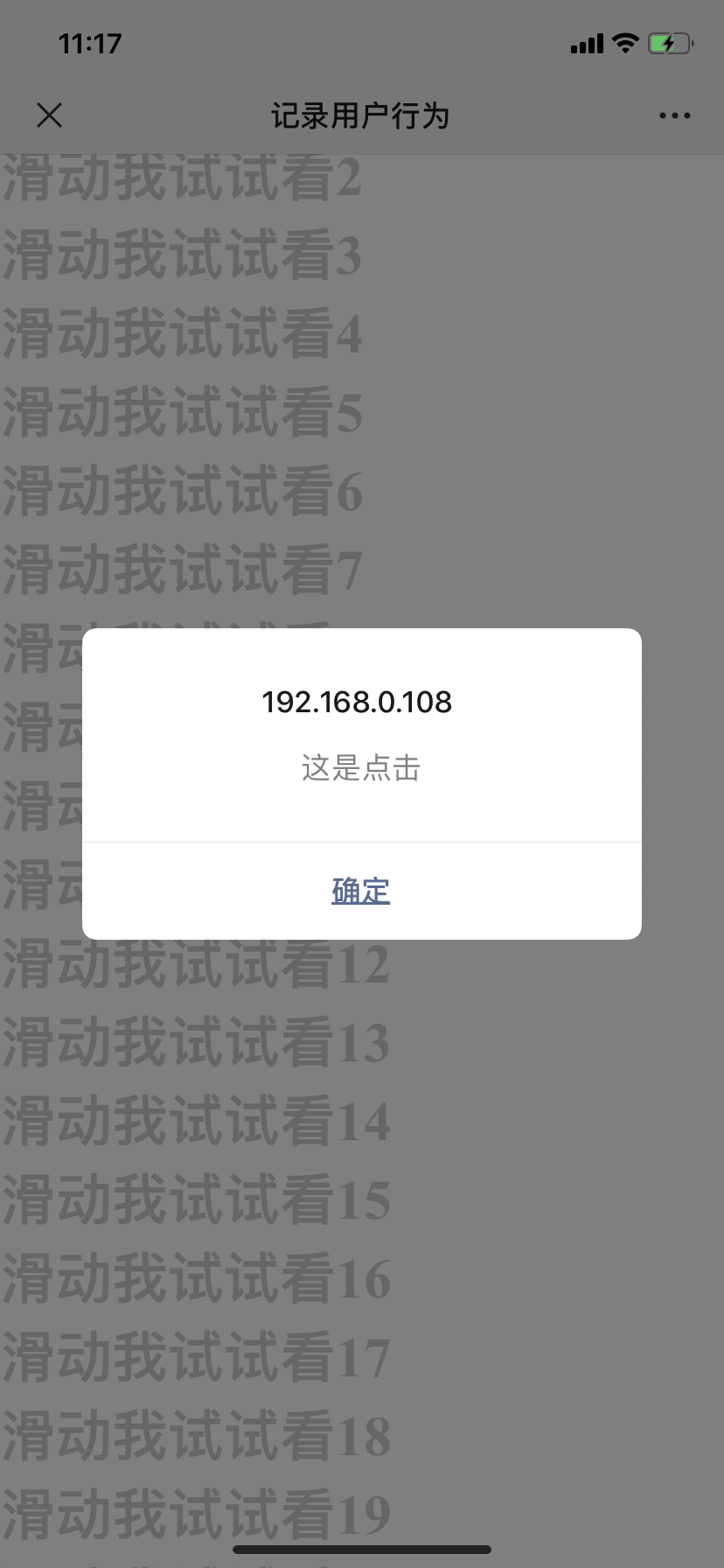
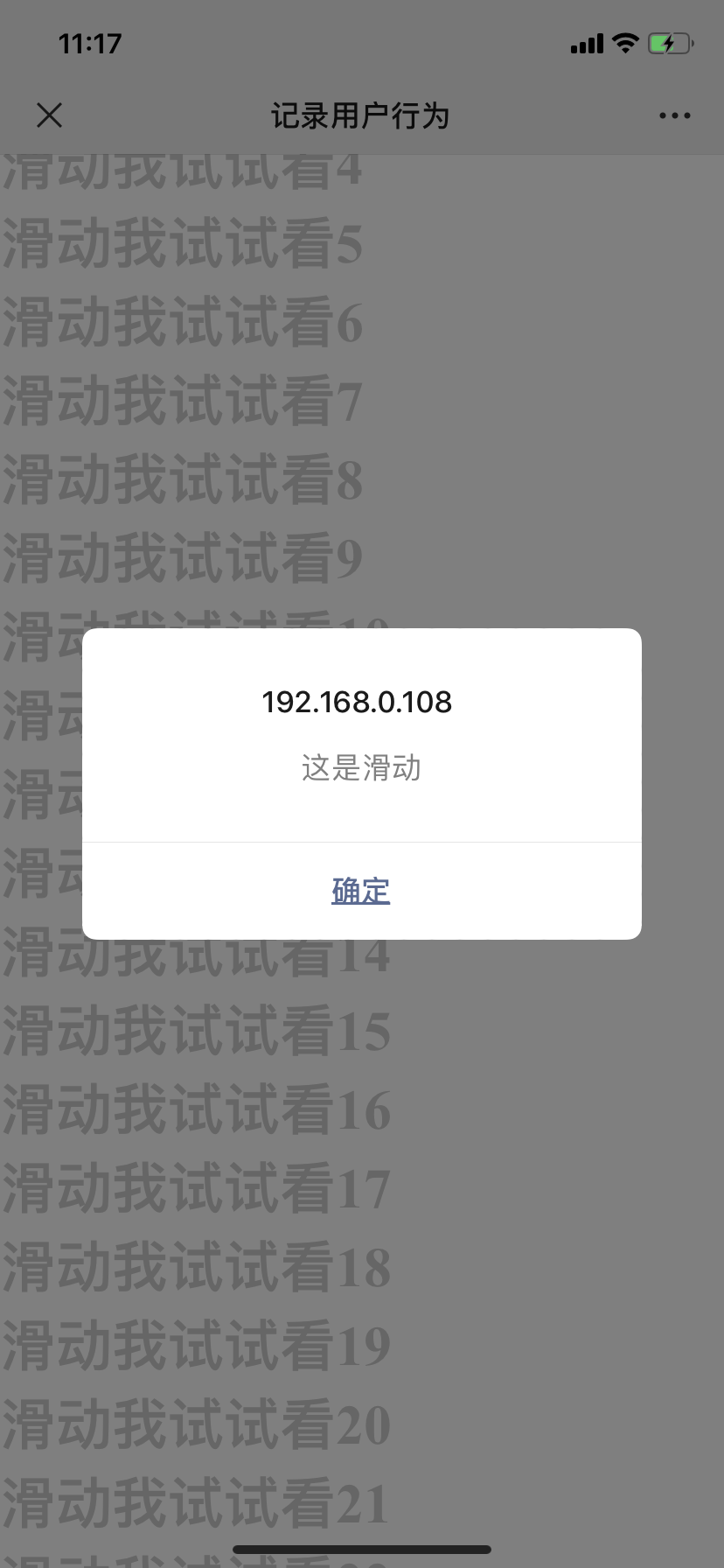
上代码:
<!DOCTYPE html>

<html lang="en">

<head>

    <meta charset="UTF-8">

    <meta http-equiv="X-UA-Compatible" content="IE=edge">

    <meta name="viewport"

        content="width=device-width,initial-scale=1.0,minimum-scale=1.0,maximum-scale=1.0,user-scalable=no">

    <title>记录用户行为</title>

    <style>

        * {

            padding: 0;

            margin: 0;

            color: #ccc;

        }

    </style>

</head>

<body>

    <div id="app">

        <h1 v-for="item in 40">滑动我试试看{{item}}</h1>

    </div>

    <!-- 思路: 区分 点击和滑动, 关键在于 touchmove 事件; 只有滑动,touchmove中才能获取到 坐标值;

             然后通过 touchend中 判断 touchmove是否获取到值,  从而来判断是否是滑动,

             重点:touchend  后 把  touchmove获取到 坐标值  去除; -->

</body>

</html>

<script src="https://cdn.jsdelivr.net/npm/vue/dist/vue.js"></script>

<script>

    new Vue({

        el: '#app',

        data: {

            x: '',//touchStart记录的坐标

            y: '',//touchStart记录的坐标

            touchMove_y: ''//touchMove_y != '' 是滑动     touchMove_y == '' 是点击

        },

        methods: {

            toHot() {

                location.href = './2222.html'

            },

            touchSatrtFunc(evt) {

                try {

                    var touch = evt.touches[0]; //获取第一个触点

                    this.x = Number(touch.pageX); //页面触点X坐标

                    this.y = Number(touch.pageY); //页面触点Y坐标

                } catch (e) {

                    console.log('touchSatrtFunc:' + e.message);

                }

            },

            touchMoveFunc(evt) {

                try {

                    var touch = evt.touches[0];

                    var x = Number(touch.pageX);

                    var y = Number(touch.pageY);

                    console.log(x, y)

                    // 判断是否滑动还是点击,  this.touchMove_y == ''是点击      this.touchMove_y != '' 是滑动

                    this.touchMove_y = y

                } catch (e) {

                    alert('touchMoveFunc:' + e.message);

                }

            },

            touchEndFunc(evt) {

                try {

                    // 判断是否滑动还是点击,  this.touchMove_y == ''是点击      this.touchMove_y != '' 是滑动

                    console.log(this.touchMove_y == '')

                    if (this.touchMove_y == '') {

                        alert('这是点击')

                    } else {

                        alert('这是滑动', this.y, this.x)

                        this.touchMove_y = ''  //记录数据后  修改touchMove_y = ''   重点!!!!!!

                    }

                } catch (e) {

                    console.log('touchSatrtFunc:' + e.message);

                }

            },

            bindEvent() {

                document.addEventListener('touchstart', this.touchSatrtFunc, false);

                document.addEventListener('touchmove', this.touchMoveFunc, false);

                document.addEventListener('touchend', this.touchEndFunc, false);

            }

        },

        mounted() {

            this.bindEvent()

        }

    })

</script>
js手机端判断滑动还是点击的更多相关文章
- touch.js 手机端的操作手势
使用原生的touchstart总是单击.长按有冒泡冲突事件,发现百度在几年开源的touch.js库,放在现在来解决手机端的操作手势,仍然很好用.
- js 手机端触发事事件、javascript手机端/移动端触发事件
处理Touch事件能让你跟踪用户的每一根手指的位置.你可以绑定以下四种Touch事件: touchstart: // 手指放到屏幕上的时候触发 touchmove: // 手指在屏幕上移动的时候触发 ...
- 手机端左右滑动,不用写js(只有页面切换到移动端可以看)
<!DOCTYPE html><html lang="en"><head> <meta charset="UTF-8" ...
- 使用JS进行pc端、手机端判断
<script type="text/javascript"> (function(){ var ua = nav ...
- [js开源组件开发]js手机端浮层控件,并有多种弹出小提示,兼容pc端浏览器
js dialog组件,包含alert和confirm的实现 本组件所有的资源均在github上可以查看源代码 GitHub 本dialog的组件的例子请在这里查看 demo dialog js di ...
- JS 手机端多张图片上传
代码如下 <!DOCTYPE html> <html lang="zh-cn"> <head> <meta charset="u ...
- touch.js——手机端的操作手势
TOUCH.JS手势操作,例如一指拖动.两指旋 基本事件: touchstart //手指刚接触屏幕时触发 touchmove //手指在屏幕上移动时触发 touchend //手指 ...
- 去除手机端触摸滑动事件ontouchmove
window.ontouchmove=function(e){ e.preventDefault && e.preventDefault(); e.returnValue=false; ...
- 【手机端判断】PC_to_M自写
var current_url = window.location.href; var replace_url = [ ['笔试简章','http://beijing.ysedu.com/zt/bjt ...
随机推荐
- Mock平台2-Java Spring Boot框架基础知识
微信搜索[大奇测试开],关注这个坚持分享测试开发干货的家伙. 认识Spring Boot 在N年前的大学时代想要开发一个Web服务使用的还是SSH框架(struts+spring+hibernate) ...
- petite-vue源码剖析-双向绑定`v-model`的工作原理
前言 双向绑定v-model不仅仅是对可编辑HTML元素(select, input, textarea和附带[contenteditable=true])同时附加v-bind和v-on,而且还能利用 ...
- 表格的td行利用css显示...
默认超过指定长度以...显示, 鼠标放到文本上显示全 代码如下 .fh{ max-width:220px; word-wrap:break-word; text-overflow:ellipsis ...
- Dcate Admin 的使用
1:laravel安装框架 composer create-project --prefer-dist laravel/laravel 项目名称 2:配置数据库 DB_CONNECTION=mysql ...
- centos网卡配置修改
centos网卡配置文件一般位于:/etc/sysconfig/network-scripts/ 文件名一般为:ifcfg-eno或者ifcfg-eth0类似的文件,可以先用ip addr 命令或者是 ...
- System x 服务器制作ServerGuide U盘安装Windows Server 2012 R2操作系统
以下内容来源于:联想官方知识库 http://iknow.lenovo.com.cn/detail/dc_154773.html 本例介绍以U盘方式,通过ServerGuide引导在System x ...
- 分布式 PostgreSQL 集群(Citus)官方示例 - 实时仪表盘
Citus 提供对大型数据集的实时查询.我们在 Citus 常见的一项工作负载涉及为事件数据的实时仪表板提供支持. 例如,您可以是帮助其他企业监控其 HTTP 流量的云服务提供商.每次您的一个客户端收 ...
- chap8-fluent python
浅拷贝 VS 深拷贝 # In[] # list 生成一个新的引用对象,只是用alst完成初始化 alst = [1,2,3,4,5] blst=list(alst) alst.append(6) p ...
- Golang 基础之基础语法梳理 (三)
大家好,今天将梳理出的 Go语言基础语法内容,分享给大家. 请多多指教,谢谢. 本次<Go语言基础语法内容>共分为三个章节,本文为第三章节 Golang 基础之基础语法梳理 (一) Gol ...
- 揭秘.NET Core剪裁器背后的技术
十天前,我发布了对.NET Core程序进行瘦身的开源软件Zack.DotNetTrimmer,与.NET Core内置的剪裁器相比,Zack.DotNetTrimmer不仅对程序的剪裁效果更好,而且 ...