
2023-04-15:ffmpeg的filter_audio.c的功能是生成一个正弦波音频,然后通过简单的滤镜链,最后输出数据的MD5校验和。请用go语言改写。
2023-04-15:ffmpeg的filter_audio.c的功能是生成一个正弦波音频,然后通过简单的滤镜链,最后输出数据的MD5校验和。请用go语言改写。
答案2023-04-15:
代码见github/moonfdd/ffmpeg-go库。
以下是通过 Go 语言重新实现 ffmpeg 的 filter_audio.c 功能的步骤:
导入必要的依赖包和定义常量和变量。
初始化 FFmpeg 库文件路径。
创建一个音频滤镜图,并将 abuffer、volume 和 aformat 滤镜连接起来。其中,abuffer 滤镜用于获取输入音频采样,volume 滤镜用于调节音频音量,aformat 滤镜用于设置输出音频格式。
创建输出音频流的 AVCodecContext 上下文,并设置相关属性。
使用 avcodec_find_encoder_by_name 函数查找 PCM S16LE 编码器,然后创建编码器的 AVCodec 上下文。
打开编码器并写入头部信息。
循环读取音频帧,将其发送到音频滤镜图进行处理。
从滤镜图中获取输出音频帧,并将其编码为 PCM S16LE 格式。
计算输出音频帧的 MD5 校验和,并将其打印到标准输出上。
释放资源,结束程序运行。
以上就是使用 Go 语言对 filter_audio.c 文件进行重新实现的步骤。
命令如下:
go run ./examples/internalexamples/filter_audio/main.go 1
go代码如下:
package main

import (

	"fmt"

	"math"

	"os"

	"strconv"

	"unsafe"

	"github.com/moonfdd/ffmpeg-go/ffcommon"

	"github.com/moonfdd/ffmpeg-go/libavfilter"

	"github.com/moonfdd/ffmpeg-go/libavutil"

)

func main0() (ret ffcommon.FInt) {

	var md5 *libavutil.AVMD5

	var graph *libavfilter.AVFilterGraph

	var src, sink *libavfilter.AVFilterContext

	var frame *libavutil.AVFrame

	var errstr [1024]ffcommon.FUint8T

	var duration ffcommon.FFloat

	var err, nb_frames, i ffcommon.FInt

	if len(os.Args) < 2 {

		fmt.Printf("Usage: %s <duration>\n", os.Args[0])

		return 1

	}

	f, err2 := strconv.ParseFloat(os.Args[1], 32)

	if err2 != nil {

		// handle error

		return 1

	}

	duration = float32(f)

	nb_frames = int32(float64(duration) * INPUT_SAMPLERATE / FRAME_SIZE)

	if nb_frames <= 0 {

		fmt.Printf("Invalid duration: %s\n", os.Args[1])

		return 1

	}

	/* Allocate the frame we will be using to store the data. */

	frame = libavutil.AvFrameAlloc()

	if frame == nil {

		fmt.Printf("Error allocating the frame\n")

		return 1

	}

	md5 = libavutil.AvMd5Alloc()

	if md5 == nil {

		fmt.Printf("Error allocating the MD5 context\n")

		return 1

	}

	/* Set up the filtergraph. */

	err = init_filter_graph(&graph, &src, &sink)

	if err < 0 {

		fmt.Printf("Unable to init filter graph:")

		goto fail

	}

	/* the main filtering loop */

	for i = 0; i < nb_frames; i++ {

		// /* get an input frame to be filtered */

		err = get_input(frame, i)

		if err < 0 {

			fmt.Printf("Error generating input frame:")

			goto fail

		}

		/* Send the frame to the input of the filtergraph. */

		err = src.AvBuffersrcAddFrame(frame)

		if err < 0 {

			frame.AvFrameUnref()

			fmt.Printf("Error submitting the frame to the filtergraph:")

			goto fail

		}

		/* Get all the filtered output that is available. */

		err = sink.AvBuffersinkGetFrame(frame)

		for err >= 0 {

			/* now do something with our filtered frame */

			err = process_output(md5, frame)

			if err < 0 {

				fmt.Printf("Error processing the filtered frame:")

				goto fail

			}

			frame.AvFrameUnref()

			err = sink.AvBuffersinkGetFrame(frame)

		}

		if err == -libavutil.EAGAIN {

			/* Need to feed more frames in. */

			continue

		} else if err == libavutil.AVERROR_EOF {

			/* Nothing more to do, finish. */

			break

		} else if err < 0 {

			/* An error occurred. */

			fmt.Printf("Error filtering the data:")

			goto fail

		}

	}

	libavfilter.AvfilterGraphFree(&graph)

	libavutil.AvFrameFree(&frame)

	libavutil.AvFreep(uintptr(unsafe.Pointer(&md5)))

	return 0

fail:

	libavutil.AvStrerror(err, (*byte)(unsafe.Pointer(&errstr)), uint64(len(errstr)))

	fmt.Printf("%s\n", errstr)

	return 1

}

const INPUT_SAMPLERATE = 48000

const INPUT_FORMAT = libavutil.AV_SAMPLE_FMT_FLTP

const INPUT_CHANNEL_LAYOUT = libavutil.AV_CH_LAYOUT_5POINT0

const VOLUME_VAL = 0.90

func init_filter_graph(graph **libavfilter.AVFilterGraph, src **libavfilter.AVFilterContext,

	sink **libavfilter.AVFilterContext) ffcommon.FInt {

	var filter_graph *libavfilter.AVFilterGraph

	var abuffer_ctx *libavfilter.AVFilterContext

	var abuffer *libavfilter.AVFilter

	var volume_ctx *libavfilter.AVFilterContext

	var volume *libavfilter.AVFilter

	var aformat_ctx *libavfilter.AVFilterContext

	var aformat *libavfilter.AVFilter

	var abuffersink_ctx *libavfilter.AVFilterContext

	var abuffersink *libavfilter.AVFilter

	var options_dict *libavutil.AVDictionary

	var options_str string

	var ch_layout [64]ffcommon.FUint8T

	var err ffcommon.FInt

	/* Create a new filtergraph, which will contain all the filters. */

	filter_graph = libavfilter.AvfilterGraphAlloc()

	if filter_graph == nil {

		fmt.Printf("Unable to create filter graph.\n")

		return libavutil.ENOMEM

	}

	/* Create the abuffer filter;

	 * it will be used for feeding the data into the graph. */

	abuffer = libavfilter.AvfilterGetByName("abuffer")

	if abuffer == nil {

		fmt.Printf("Could not find the abuffer filter.\n")

		return libavutil.AVERROR_FILTER_NOT_FOUND

	}

	abuffer_ctx = filter_graph.AvfilterGraphAllocFilter(abuffer, "src")

	if abuffer_ctx == nil {

		fmt.Printf("Could not allocate the abuffer instance.\n")

		return -libavutil.ENOMEM

	}

	/* Set the filter options through the AVOptions API. */

	libavutil.AvGetChannelLayoutString((*byte)(unsafe.Pointer(&ch_layout)), int32(len(ch_layout)), 0, INPUT_CHANNEL_LAYOUT)

	libavutil.AvOptSet(uintptr(unsafe.Pointer(abuffer_ctx)), "channel_layout", ffcommon.StringFromPtr(uintptr(unsafe.Pointer(&ch_layout))), libavutil.AV_OPT_SEARCH_CHILDREN)

	libavutil.AvOptSet(uintptr(unsafe.Pointer(abuffer_ctx)), "sample_fmt", libavutil.AvGetSampleFmtName(INPUT_FORMAT), libavutil.AV_OPT_SEARCH_CHILDREN)

	libavutil.AvOptSetQ(uintptr(unsafe.Pointer(abuffer_ctx)), "time_base", libavutil.AVRational{1, INPUT_SAMPLERATE}, libavutil.AV_OPT_SEARCH_CHILDREN)

	libavutil.AvOptSetInt(uintptr(unsafe.Pointer(abuffer_ctx)), "sample_rate", INPUT_SAMPLERATE, libavutil.AV_OPT_SEARCH_CHILDREN)

	/* Now initialize the filter; we pass NULL options, since we have already

	 * set all the options above. */

	err = abuffer_ctx.AvfilterInitStr("")

	if err < 0 {

		fmt.Printf("Could not initialize the abuffer filter.\n")

		return err

	}

	/* Create volume filter. */

	volume = libavfilter.AvfilterGetByName("volume")

	if volume == nil {

		fmt.Printf("Could not find the volume filter.\n")

		return libavutil.AVERROR_FILTER_NOT_FOUND

	}

	volume_ctx = filter_graph.AvfilterGraphAllocFilter(volume, "volume")

	if volume_ctx == nil {

		fmt.Printf("Could not allocate the volume instance.\n")

		return -libavutil.ENOMEM

	}

	/* A different way of passing the options is as key/value pairs in a

	 * dictionary. */

	libavutil.AvDictSet(&options_dict, "volume", fmt.Sprint(VOLUME_VAL), 0)

	err = volume_ctx.AvfilterInitDict(&options_dict)

	libavutil.AvDictFree(&options_dict)

	if err < 0 {

		fmt.Printf("Could not initialize the volume filter.\n")

		return err

	}

	/* Create the aformat filter;

	 * it ensures that the output is of the format we want. */

	aformat = libavfilter.AvfilterGetByName("aformat")

	if aformat == nil {

		fmt.Printf("Could not find the aformat filter.\n")

		return libavutil.AVERROR_FILTER_NOT_FOUND

	}

	aformat_ctx = filter_graph.AvfilterGraphAllocFilter(aformat, "aformat")

	if aformat_ctx == nil {

		fmt.Printf("Could not allocate the aformat instance.\n")

		return -libavutil.ENOMEM

	}

	/* A third way of passing the options is in a string of the form

	 * key1=value1:key2=value2.... */

	// snprintf(options_str, sizeof(options_str),

	//          "sample_fmts=%s:sample_rates=%d:channel_layouts=0x%"PRIx64,

	//          av_get_sample_fmt_name(AV_SAMPLE_FMT_S16), 44100,

	//          (uint64_t)AV_CH_LAYOUT_STEREO);

	options_str = fmt.Sprintf("sample_fmts=%s:sample_rates=%d:channel_layouts=0x%x",

		libavutil.AvGetSampleFmtName(libavutil.AV_SAMPLE_FMT_S16), 44100,

		libavutil.AV_CH_LAYOUT_STEREO)

	fmt.Println(options_str)

	err = aformat_ctx.AvfilterInitStr(options_str)

	if err < 0 {

		libavutil.AvLog(uintptr(0), libavutil.AV_LOG_ERROR, "Could not initialize the aformat filter.\n")

		return err

	}

	/* Finally create the abuffersink filter;

	 * it will be used to get the filtered data out of the graph. */

	abuffersink = libavfilter.AvfilterGetByName("abuffersink")

	if abuffersink == nil {

		fmt.Printf("Could not find the abuffersink filter.\n")

		return libavutil.AVERROR_FILTER_NOT_FOUND

	}

	abuffersink_ctx = filter_graph.AvfilterGraphAllocFilter(abuffersink, "sink")

	if abuffersink_ctx == nil {

		fmt.Printf("Could not allocate the abuffersink instance.\n")

		return -libavutil.ENOMEM

	}

	/* This filter takes no options. */

	err = abuffersink_ctx.AvfilterInitStr("")

	if err < 0 {

		fmt.Printf("Could not initialize the abuffersink instance.\n")

		return err

	}

	/* Connect the filters;

	 * in this simple case the filters just form a linear chain. */

	err = abuffer_ctx.AvfilterLink(0, volume_ctx, 0)

	if err >= 0 {

		err = volume_ctx.AvfilterLink(0, aformat_ctx, 0)

	}

	if err >= 0 {

		err = aformat_ctx.AvfilterLink(0, abuffersink_ctx, 0)

	}

	if err < 0 {

		fmt.Printf("Error connecting filters\n")

		return err

	}

	/* Configure the graph. */

	err = filter_graph.AvfilterGraphConfig(uintptr(0))

	if err < 0 {

		libavutil.AvLog(uintptr(0), libavutil.AV_LOG_ERROR, "Error configuring the filter graph\n")

		return err

	}

	*graph = filter_graph

	*src = abuffer_ctx

	*sink = abuffersink_ctx

	return 0

}

/* Do something useful with the filtered data: this simple

 * example just prints the MD5 checksum of each plane to stdout. */

func process_output(md5 *libavutil.AVMD5, frame *libavutil.AVFrame) ffcommon.FInt {

	planar := libavutil.AvSampleFmtIsPlanar(libavutil.AVSampleFormat(frame.Format))

	channels := libavutil.AvGetChannelLayoutNbChannels(frame.ChannelLayout)

	planes := channels

	if planar == 0 {

		planes = 1

	}

	bps := libavutil.AvGetBytesPerSample(libavutil.AVSampleFormat(frame.Format))

	plane_size := bps * frame.NbSamples

	if planar == 0 {

		plane_size = plane_size * channels

	}

	var i, j ffcommon.FInt

	for i = 0; i < planes; i++ {

		var checksum [16]ffcommon.FUint8T

		md5.AvMd5Init()

		ptr := *(*uintptr)(unsafe.Pointer(uintptr(unsafe.Pointer(frame.ExtendedData)) + uintptr(i*8)))

		libavutil.AvMd5Sum((*byte)(unsafe.Pointer(&checksum)), (*byte)(unsafe.Pointer(ptr)), plane_size)

		fmt.Printf("plane %d: 0x", i)

		for j = 0; j < int32(len(checksum)); j++ {

			fmt.Printf("%02X", checksum[j])

		}

		fmt.Printf("\n")

	}

	fmt.Printf("\n")

	return 0

}

const FRAME_SIZE = 1024

/* Construct a frame of audio data to be filtered;

 * this simple example just synthesizes a sine wave. */

func get_input(frame *libavutil.AVFrame, frame_num ffcommon.FInt) ffcommon.FInt {

	var err, i, j ffcommon.FInt

	// #define FRAME_SIZE 1024

	/* Set up the frame properties and allocate the buffer for the data. */

	frame.SampleRate = INPUT_SAMPLERATE

	frame.Format = INPUT_FORMAT

	frame.ChannelLayout = INPUT_CHANNEL_LAYOUT

	frame.NbSamples = FRAME_SIZE

	frame.Pts = int64(frame_num) * FRAME_SIZE

	err = frame.AvFrameGetBuffer(0)

	if err < 0 {

		return err

	}

	/* Fill the data for each channel. */

	for i = 0; i < 5; i++ {

		// float *data = (float*)frame->extended_data[i];

		ptr := *(*uintptr)(unsafe.Pointer(uintptr(unsafe.Pointer(frame.ExtendedData)) + uintptr(i*8)))

		data := (*ffcommon.FFloat)(unsafe.Pointer(ptr))

		for j = 0; j < frame.NbSamples; j++ {

			*(*ffcommon.FFloat)(unsafe.Pointer(uintptr(unsafe.Pointer(data)) + uintptr(4*j))) = float32(math.Sin(2 * libavutil.M_PI * (float64(frame_num + j)) * float64((i+1)/FRAME_SIZE)))

		}

	}

	return 0

}

func main() {

	// go run ./examples/internalexamples/filter_audio/main.go 1

	os.Setenv("Path", os.Getenv("Path")+";./lib")

	ffcommon.SetAvutilPath("./lib/avutil-56.dll")

	ffcommon.SetAvcodecPath("./lib/avcodec-58.dll")

	ffcommon.SetAvdevicePath("./lib/avdevice-58.dll")

	ffcommon.SetAvfilterPath("./lib/avfilter-7.dll")

	ffcommon.SetAvformatPath("./lib/avformat-58.dll")

	ffcommon.SetAvpostprocPath("./lib/postproc-55.dll")

	ffcommon.SetAvswresamplePath("./lib/swresample-3.dll")

	ffcommon.SetAvswscalePath("./lib/swscale-5.dll")

	genDir := "./out"

	_, err := os.Stat(genDir)

	if err != nil {

		if os.IsNotExist(err) {

			os.Mkdir(genDir, 0777) //  Everyone can read write and execute

		}

	}

	main0()

}
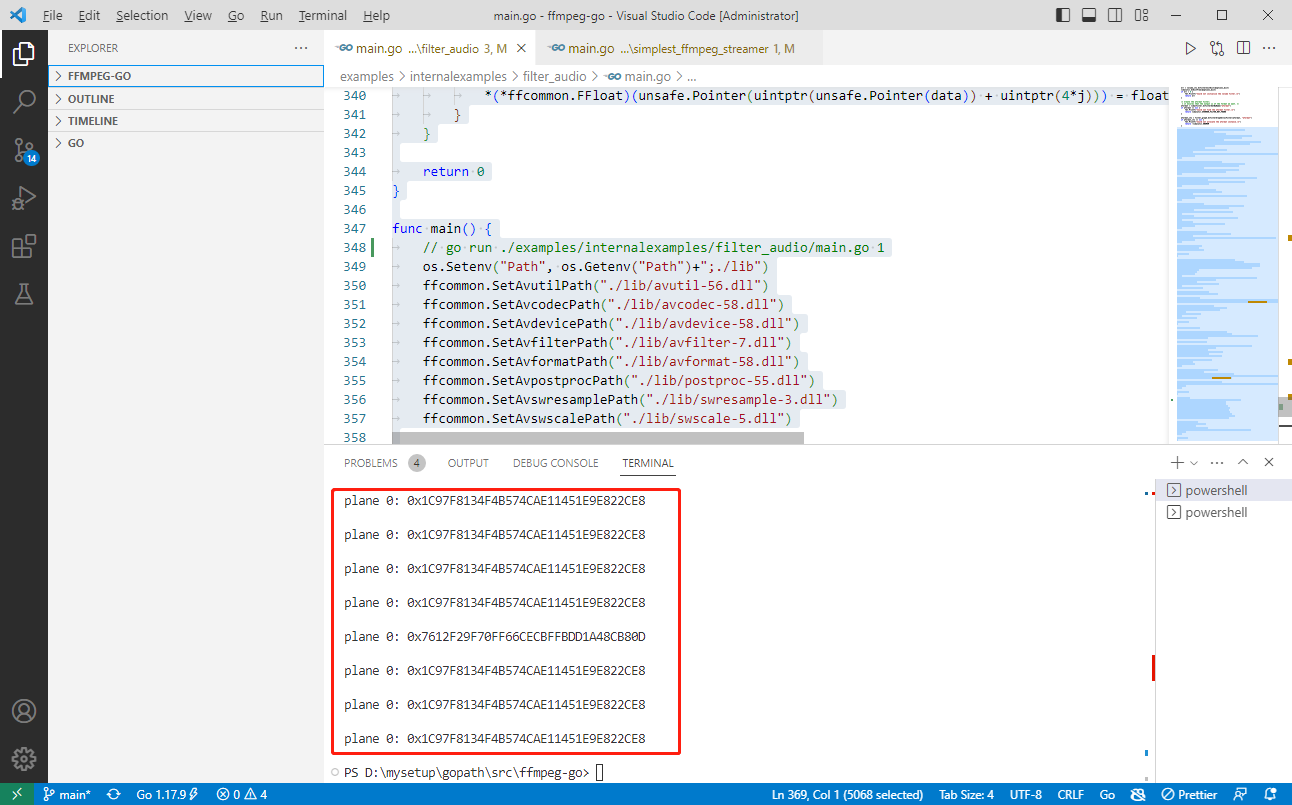
运行结果如下:
2023-04-15:ffmpeg的filter_audio.c的功能是生成一个正弦波音频,然后通过简单的滤镜链,最后输出数据的MD5校验和。请用go语言改写。的更多相关文章
- ubuntu12.04&15.04 安装lamp(12.04为主)
ubuntu 12.04&15.04下安装lamp环境 注意:如果是ubuntu15.04下,apache2.4.10的话,直接在/etc/apache2/apache2.conf文件的后边直 ...
- 新手学习FFmpeg - 通过API完成filter-complex功能
本篇尝试通过API实现Filter Graph功能. 源码请参看 https://andy-zhangtao.github.io/ffmpeg-examples/ FFmpeg提供了很多实用且强大的滤 ...
- 工作记录--使用FFmpeg将一个视频文件中音频合成到另一个视频中
由于工作需要,临时被老大吩咐去研究一个FFmpeg工具,通过linux命令行去将一个视频中的音频提取出来并合成到另一个视频中,最终的效果是要保证2个视频中的音频都在一个视频中播放. 但是本人对FFmp ...
- ffmpeg实现视频文件合并/截取预览视频/抽取音频/crop(裁剪)(ffmpeg4.2.2)
一,ffmpeg的安装 请参见: https://www.cnblogs.com/architectforest/p/12807683.html 说明:刘宏缔的架构森林是一个专注架构的博客,地址:ht ...
- (转)Ubuntu10.04编译FFmpeg
刚开始安装折腾了好久,很多软件包都找不到,可能是跟软件源有关,所以先说一下我的软件源: 软件源是用的中国默认的官方源http://cn.archive.ubuntu.com/ubuntu/ 一.安装编 ...
- 在 Ubuntu 14.04/15.04 上配置 Node JS v4.0.0
大家好,Node.JS 4.0 发布了,这个流行的服务器端 JS 平台合并了 Node.js 和 io.js 的代码,4.0 版就是这两个项目结合的产物——现在合并为一个代码库.这次最主要的变化是 N ...
- ubuntu 14.04/15.10 安装基于eclipse的android app开发环境
一开始是装了ubuntu15.10,不知道是我的x200机器太old还是iso镜像有问题,总是各种莫名的引导不起来.有时候刚刚装好的干净系统,只install了一个vim和openssh,重启,然后就 ...
- LeetCode 周赛 342(2023/04/23)容斥原理、计数排序、滑动窗口、子数组 GCB
本文已收录到 AndroidFamily,技术和职场问题,请关注公众号 [彭旭锐] 提问. 大家好,我是小彭. 前天刚举办 2023 年力扣杯个人 SOLO 赛,昨天周赛就出了一场 Easy - Ea ...
- RTP、RTCP协议学习-2015.04.15
最近做视频编解码部分,传输采用RTP协议.对学习做个记录 1.简介 实时传输协议(Real-time Transport Protocol或简写RTP)是一个网络传输协议,它是由IETF的多媒体传输工 ...
- FAQ-Ubuntu12.04 15.04禁止移动介质自动播放
网上有有很多关于Ubuntu10.04关闭移动介质自动播放的方法,包括在文件管理器里面设置或者使用gconf-editor,但是从12.04开始这两种方法都不再好用了,关于移动介质的处理方法被移到了S ...
随机推荐
- P5192 有源汇上下界最大流总结
之前听学长讲解时,只听了大体思路就跑路了,没有听到具体细节.后面在考虑出度多的点具体向虚拟源点连边还是虚拟汇点连边时,只凭直觉直接向源点连边,然后就一直WA,直到后来中午听同学讲解才反应过来,白白浪费 ...
- python内置函数open()
open()函数 介绍 open()函数用于打开文件并创建文件对象. open()函数的语法格式: file = open(filename, mode='r', buffering=-1, enco ...
- RPA现阶段的问题
RPA(Robotic Process Automation)全称机器人流程自动化,作为"自动化为先"时代的翘楚和先驱,被广泛地用来代替人类自动执行任务,越来越多的领域.企业和人开 ...
- LGV算法 CodeForces 348D + 牛客多校 A Monotonic Matrix
定理(Lindström–Gessel–Viennot lemma)很简单: 学的时候忘了大的行列式怎么算的了.. 然后就可以写题了: 第一道:CodeForces-348D(链接https://vj ...
- vRealize Operations Manager 安全补丁修复
vRealize Operations Manager 安全补丁修复 背景:记录一次安全同事在检测中发现 vRealize Operations Manager 存在安全漏洞,需要整改修复,于是到VM ...
- Python3.10 的开发环境的搭建
安装 下载 Python3.10 或者其他版本:Download Python | Python.org 如果 Windows 操作系统下载,默认是下载 64 位操作系统的 exe 安装包:pytho ...
- MyBatisPlus 实战字典
MyBatis-Plus(简称 MP)是一个 MyBatis 的增强工具包,只做增强不做改变,为简化开发工作.提高生产效率而生. 一.Service CRUD 接口 [说明]:[1]通用 Servic ...
- 2.Web开发基础
Web开发基础 目录 Web开发基础 1.网络基础 2.OSI模型 应用层: 表示层: 会话: 传输层: 网络层: 数据链路层: 物理层: 3.通信子网:(数据通信) 4.资源子网:(数据处理) 5. ...
- js面试题学习整理
1. 异步操作有哪些? 回调函数,事件监听,promise,ajax,async,setTimeout,Generator 2. Promise是什么? Promise是异步编程的一种解决方案. 从语 ...
- 记一次 .NET 某传感器采集系统 线程爆高分析
一:背景 1. 讲故事 前段时间有位朋友微信找到我,说他的程序使用 hsl 库之后,采集 plc 时内存溢出,让我帮忙看一下怎么回事,哈哈,貌似是分析之旅中的第二次和 hsl 打交道,既然找到我,那就 ...