
vue 使用 echart ,自定义样式案例
1、vue 安装 echart 库
npm install echarts --save
2、vue代码
引入
let echarts = require("echarts/lib/echarts");

require("echarts/lib/chart/line");

// 以下的组件按需引入

require("echarts/lib/component/tooltip"); // tooltip组件

require("echarts/lib/component/title"); //  title组件

require("echarts/lib/component/legend"); // legend组件
html 代码
<div id="myChart" style="width: 725px;height: 300px"></div>
js代码
 mounted(){

    this.drawLine();

  },

  methods: {

    drawLine(){

      // 基于准备好的dom,初始化echarts实例

      let myChart = echarts.init(document.getElementById('myChart'));

      // 绘制图表

      myChart.setOption({

        title: {

          text: '',

          subtext: ''

        },

        tooltip: {

          trigger: 'axis'

        },

        color:['#78d528','#fa7371'],

        legend: {

          data:[

            {

              name:"舒张压",

              textStyle: {

                color:'#78d528'

              }

            },{

              name: "收缩压",

              textStyle: {

                color:'#fa7371'

              }

            }

          ]

        },

        toolbox: {

          show: true,

          feature: {

            dataZoom: {

              yAxisIndex: 'none'

            },

            dataView: {readOnly: false},

            magicType: {type: ['line', 'bar']},

            restore: {},

            saveAsImage: {}

          }

        },

        xAxis:  {

          type: 'category',

          boundaryGap: false,

          data: [

            '07:00',

            '08:00',

            '09:00',

            '10:00',

            '11:00',

            '12:00',

            '13:00',

            '14:00',

            '15:00',

            '16:00',

            '17:00',

            ]

        },

        yAxis: {

          type: 'value',

            splitLine: {

              show: true,

              lineStyle:{

                type:'dashed'

              }

              },

          axisLabel: {

            formatter: '{value}'

          }

        },

        series: [

          {

            name:'舒张压',

            type:'line',

            stack: '总量',

            lineStyle:{

              normal:{

                color:'#78d528'

              }

            },

            data:[

              120,

              132,

              101,

              134,

              12,

              45,

              56,

              34,

              76,

              134,

              90,

              230,

              210

            ]

          },

          {

            name:'收缩压',

            type:'line',

            lineStyle:{

              normal:{

                color:'#fa7371'

              }

            },

            stack: '总量',

            data:[

              55,

              32,

              11,

              32,

              12,

              45,

              56,

              34,

              76,

              134,

              90,

              43,

              54

            ]

          },

        ]

      });

    },
}
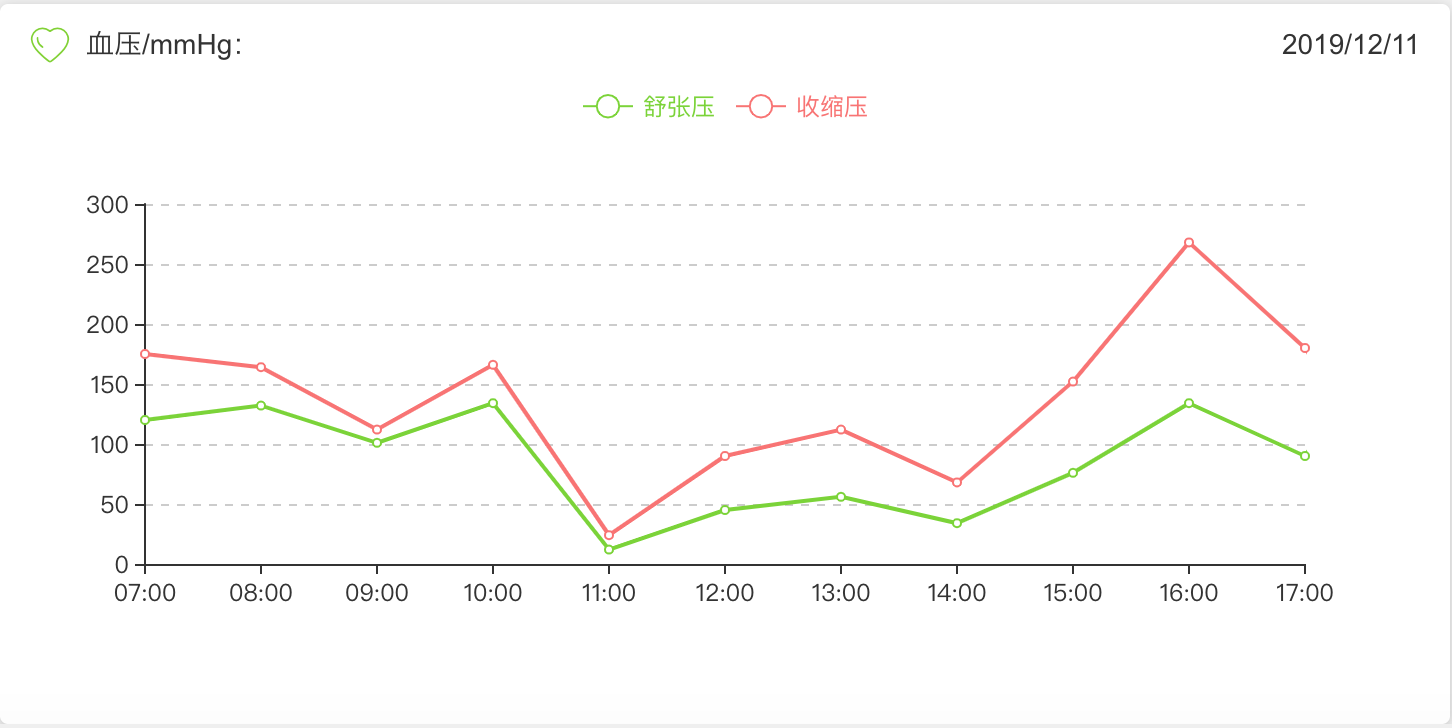
整体效果:
3、重点来了-定义样式
虚线:
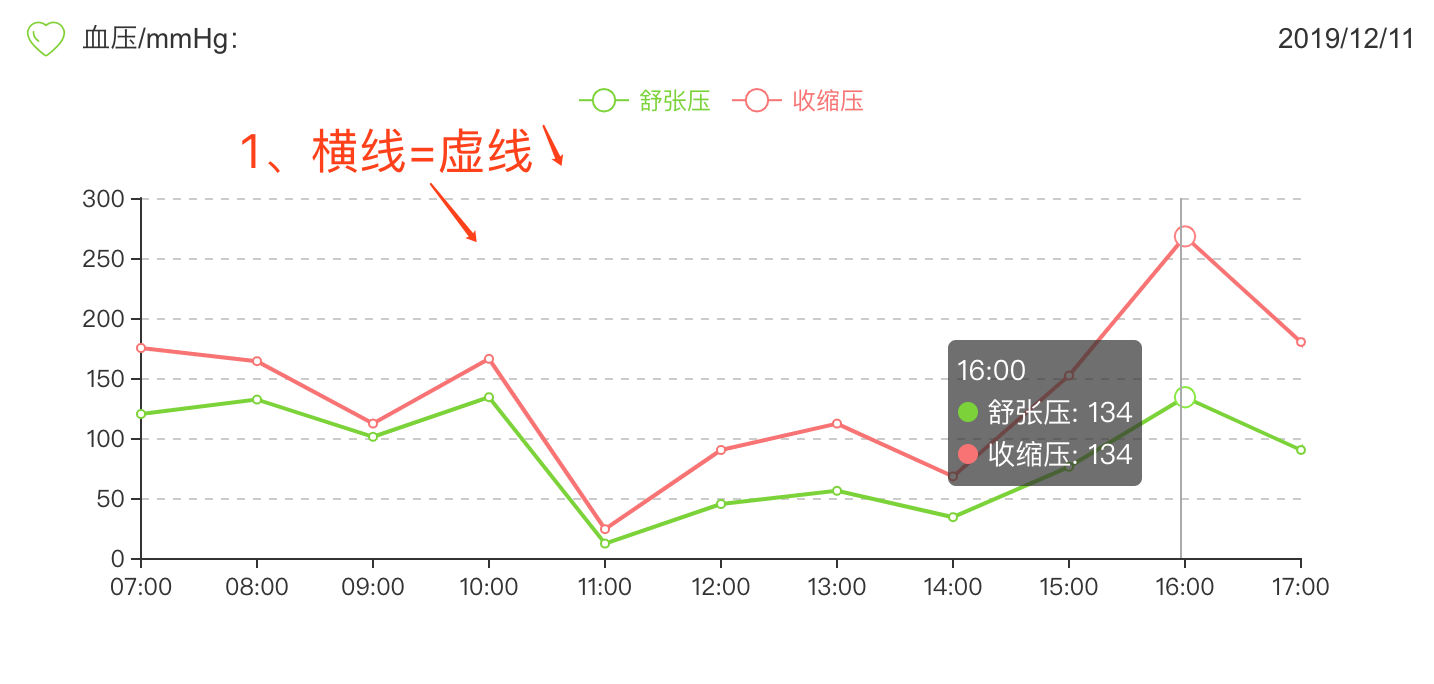
yAxis: {

          type: 'value',

      /********定义样式开始********/

            splitLine: {

              show: true,

              lineStyle:{

                type:'dashed' //定义样式=虚线

              }

              },

    /********结束********/

          axisLabel: {

            formatter: '{value}'

          }

        },
4、改变legend的样式
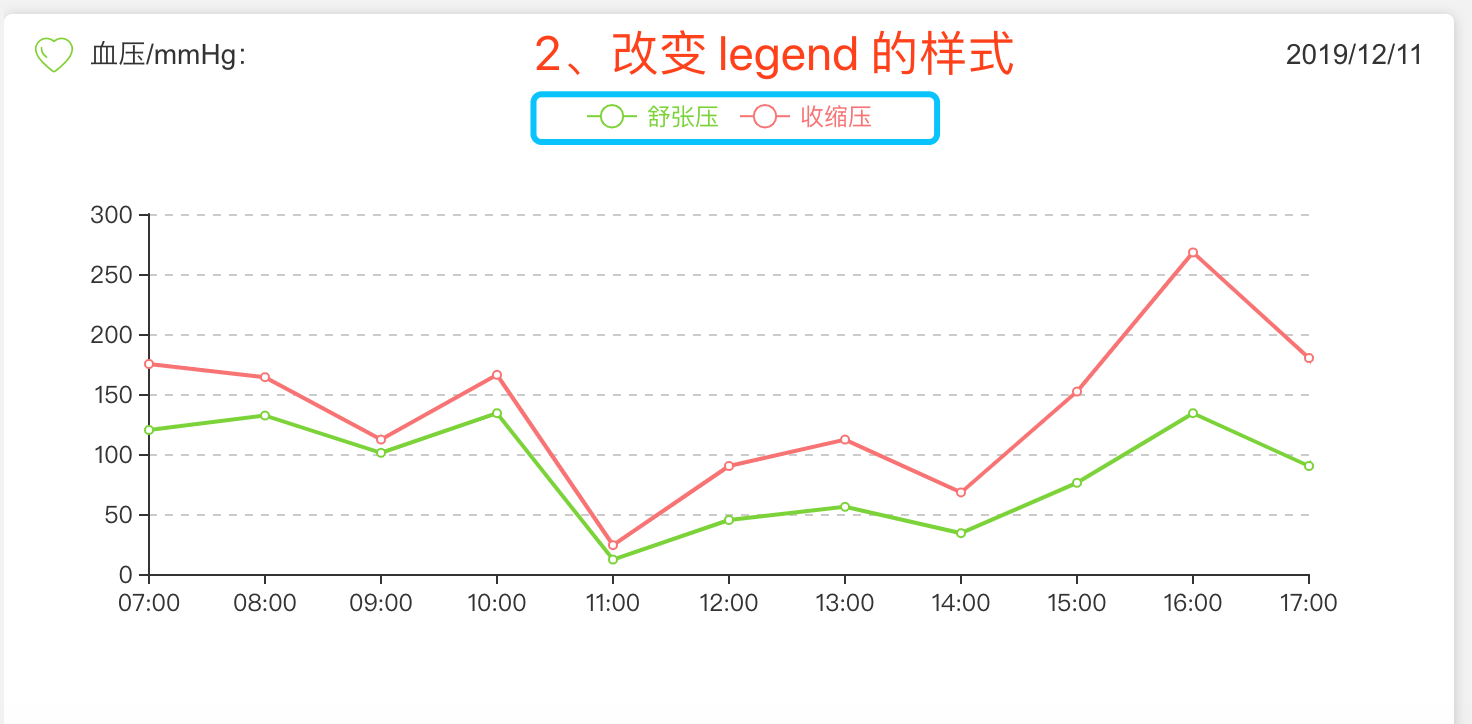
代码:
 color:['#78d528','#fa7371'], //分别定义第一个legend和第二个legend的icon颜色

         legend: {

           data:[

             {

               name:"舒张压",

               textStyle: {

                 color:'#78d528' //定义 legend 的字体颜色

               }

             },{

               name: "收缩压",

               textStyle: {

                 color:'#fa7371' //定义 legend 的字体颜色

               }

             }

           ]

         },
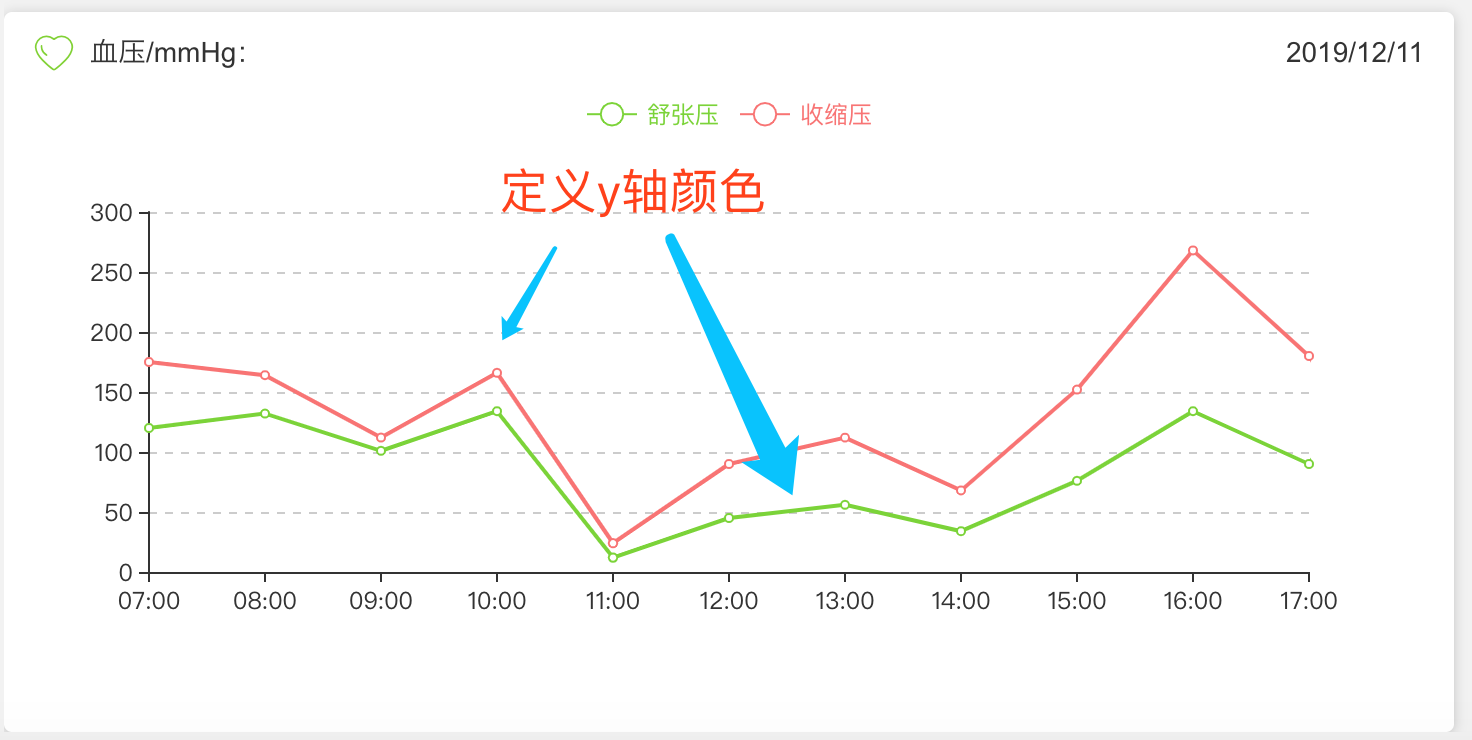
5、定义x轴线条的颜色
series: [

          {

            name:'舒张压',

            type:'line',

            stack: '总量',

            lineStyle:{

              normal:{

                color:'#78d528' //线条颜色

              }

            },
//数据

            data:[

              120,

              132,

              101,

              134,

              12,

              45,

              56,

              34,

              76,

              134,

              90,

              230,

              210

            ]

          },

          {

            name:'收缩压',

            type:'line',

            lineStyle:{

              normal:{

                color:'#fa7371'//线条颜色

              }

            },

            stack: '总量',
//数据

            data:[

              55,

              32,

              11,

              32,

              12,

              45,

              56,

              34,

              76,

              134,

              90,

              43,

              54

            ]

          },
vue 使用 echart ,自定义样式案例的更多相关文章
- Vue.directive全局自定义指令案例
今天正好这个知识点有点淡忘了,就随笔一下吧: Vue.directive(参数1,参数2) 参数1:指令名称,如"drag" 参数2:指令要实现的回调函数,其中回调函数中也有两个参 ...
- vue 微信二维码扫码登录,附加 自定义样式
大概流程: 先安装 微信 的登录, 然后 局部引入,局部注册,方法调用,存 token,跳转路由 npm 安装 npm install vue-wxlogin --save-dev 微信安装 微信 ...
- windows phone (12) 小试自定义样式
原文:windows phone (12) 小试自定义样式 样式在BS开发中经常用到,在wp中系统也提供了解决办法,就是对设置的样式的一种资源共享,首先是共享资源的位置,它是在App类中,之前我们已经 ...
- vue组件、自定义指令、路由
1.vue组件 组件(Component)是 Vue.js 最强大的功能之一.组件可以扩展 HTML 元素,封装可重用的代码.组件系统让我们可以用独立可复用的小组件来构建大型应用,几乎任意类型的应用的 ...
- 一步步开发自己的博客 .NET版 剧终篇(6、响应式布局 和 自定义样式)
前言 这次开发的博客主要功能或特点: 第一:可以兼容各终端,特别是手机端. 第二:到时会用到大量html5,炫啊. 第三:导入博客园的精华文章,并做分类.(不要封我) 第四:做 ...
- Ueditor上传图片后自定义样式类名
Ueditor是百度的一个富文本插件,如果使用者会前端语言的话,那适用性就很好,特别是现在移动端纵横的情况.但往往使用者并不懂编程,要让他们使用前端语言的话是不可能的,这就需要我们在开发时就定义好整个 ...
- Android RatingBar 自定义样式
Android RatingBar 自定义样式 1.先定义Style: <style name="RadingStyle" parent="@android:sty ...
- WPF CheckBox 自定义样式
WPF 自定义样式.CheckBox <Style x:Key="EmptyCheckBox" TargetType="CheckBox"> < ...
- Dialog详解(包括进度条、PopupWindow、自定义view、自定义样式的对话框)
Dialog详解(包括进度条.PopupWindow.自定义view.自定义样式的对话框) Android中提供了多种对话框,在实际应用中我们可能会需要修改这些已有的对话框.本实例就是从实际出发, ...
随机推荐
- 在函数作用域嵌套下使用this
var myObj = { specialFunction: function () { console.log("specialFunction."); ...
- Go 接口使用
本文来自:CSDN博客 感谢作者:fengfengdiandia 查看原文:go 接口 Go 语言不是一种 “传统” 的面向对象编程语言:它里面没有类和继承的概念. 但是 Go 语言里有非常灵活的接口 ...
- Cryptography -- 密码学
Introduction to Cryptography Cryptography enables you to store sensitive information or transmit it ...
- Array+DP leetcode-11.装更多的水
11. Container With Most Water 题面 Given n non-negative integers a1, a2, ..., an , where each represen ...
- css多行超出时,超出高度,显示省略号
.layout display: -webkit-box; -webkit-box-orient: vertical; -webkit-line-clamp: 2; overflow: hidden;
- Postman --> YApi
初始 Postman,才知其如此强大,慢慢接触学习吧~ “Modern software is built on APIs,Postman helps you develop APIs faster” ...
- C++——数组形参退化为指针
数组做形参退化为指针 如果数组作为函数参数,则数组形参会退化为指针,以下代码在编译器看来是等价的 ]); ]); void fun3(int a[]); void fun4(int *a); #inc ...
- Django drf:视图层封装、ViewSetMixin、路由配置、解析器、响应器
一.视图层封装 二.ViewSetMixin 三.路由配置 四.解析器 五.响应器 一.视图层封装 1.基本视图 写一个出版社的增删改查resfull接口 路由: url(r'^publish/$', ...
- IIS 自动化发布工具实现-Manager【二】
思路: 1.首先是要获取项目的差异文件列表,实现方式是通过cmd 执行git 命令. git pull 拉取最新代码 git log 查看git签入记录 ,使用参数 --pretty=for ...
- LINQ图解教程
LINQ 什么是LINQLINQ提供程序 匿名类型 方法语法和查询语法查询变量查询表达式的结构 from子句join子句什么是联结查询主体中的from…let…where片段 from子句let子句w ...