
vue 用户登录 路由拦截 vuex cookie
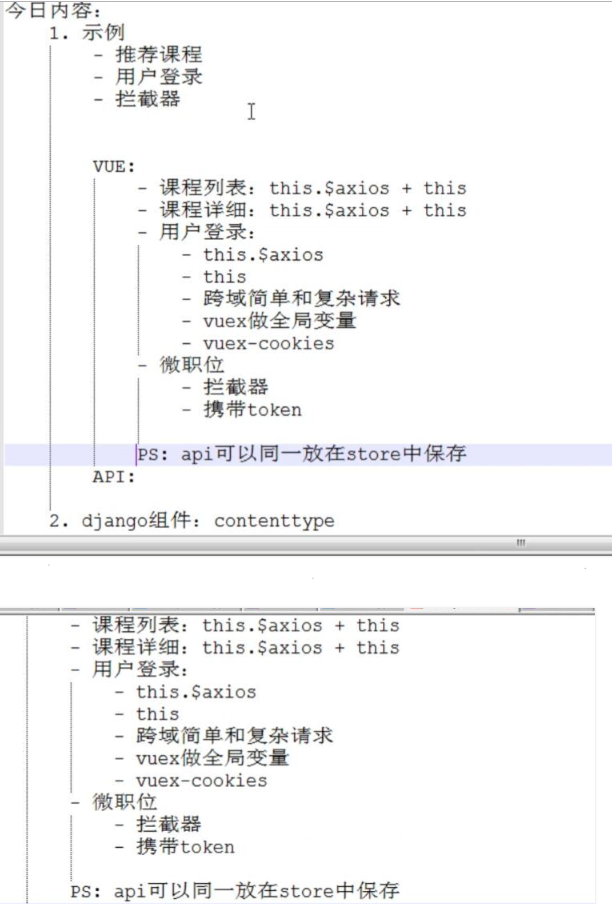
功能:
// 页面跳转后发送ajax请求给后端 请求详细信息
//点击课程推荐跳转到推荐课程详细
// 页面刚加载立即执行函数 = mounted
<template>

  <div>

    <img :src="detail.img" />

    <h1>{{ detail.title }}</h1>

    <h3>{{detail.slogon }}</h3>

    <h5>{{ detail.level }}</h5>

    <p>{{ detail.why }}</p>

    <div>

      <ul v-for="item in detail.chapter">

        <li>{{ item.title }}</li>

      </ul>

    </div>

    <br/>

    推荐课程:

    <div>

      <ul v-for="item in detail.recommends">

        <!-- 这个方式有问题 -->

        <!-- <li><router-link :to="{name:'index',query:{id:item.id}}">{{ item.title }}</router-link></li> -->

        <li @click="changeDetail(item.id)">{{ item.title }}</li>

      </ul>

    </div>

  </div>

</template>

<script>

export default {

  name: "CourseDetail",

  data() {

    return {

      index: "CourseDetail",

      detail: {

        course: null,

        img: null,

        level: null,

        slogon: null,

        title: null,

        why: null,

        chapter: [],

        recommends: []

      }

    };

  },

  // created:在模板渲染成html前调用

  mounted() {

    var id = this.$route.query.id;

    this.getRouterData(id);

  },

  methods: {

    getRouterData(nid) {

      // 发送ajax请求给后端 请求详细信息

      var _this = this;

      this.$axios

        .request({

          url: this.$store.state.apiList.coursedetail+nid+'/',

          methods: "GET"

        })

        .then(function(ret) {

          // ajax请求发送成功后,获取的响应内容

          // ret.data=

          if (ret.data.code === 1000) {

            _this.detail = ret.data.data;

          }

        })

        .catch(function(ret) {

          // ajax请求发送失败后,获取的响应内容

        });

    },

    //点击课程推荐跳转到推荐课程详细

    changeDetail(id){

      // 我需要重新调用getRouterData 向后端请求数据,不然不然会显示为空

      this.getRouterData(id)

      this.$router.push({name:'CourseDetail',query:{id:id}})

    }

  }

};

</script>

<style scoped>

</style>
功能(2)
// 登录
//使用$store
// router.beforeEach 全局页面阻拦钩子
// router.beforeEach 局部认证钩子
// cookie 设置
// router.beforeEach 全局页面认证钩子
import Vue from 'vue'

import App from './App'

import router from './router'

// 导入store组件

import store from './store/store'

// 导入axios用于发送数据给后端

import axios from 'axios'

//在vue的全局变量中设置了 $axios = axios

// 以后每个组件使用时: this.$axios

Vue.prototype.$axios = axios

Vue.config.productionTip = false

/* eslint-disable no-new */

new Vue({

  el: '#app',

  router,

  store,

  components: { App },

  template: '<App/>'

})

// 这是一个全局路由限制钩子 一般用来做一些进入页面前的限制

router.beforeEach(function(to, from, next){

  // to    表示即将要进入的路由对象

  //from   表示即将要离开的路由对象

  //next   是继续跳转或中断的方法

 // 如果路由meta.requireAuth参数 为ture 我需要检查下他的token值有才能让他访问

  if (to.meta.requireAuth) {

//     // 要去的url只有登录成功后才能访问

    if (store.state.token){

//       // /我就往下走

      next()

    }else{

      next(

         // 页面跳转 传了个值 一个路径 ,to.fullPath = 你当前要点击要跳转的路径

         next({name: 'Login',query: {backUrl: to.fullPath}})

      )

    }

// 如果 路由中 没有定义要 校验限制进入,就直接进入

  }else{

    next()

  }

})
cookie 设置
import Vue from 'vue'

import Vuex from 'Vuex'

import Cookie from 'vue-cookies'

Vue.use(Vuex)

// 组件中通过 this.$store.state.username 调用

const state = {

    // Cookie里面有值的话我就在cookie里面取值,没有我就自动注销

        username: Cookie.get('username'),

        token: Cookie.get('token'),

        apiList: {

            course: "http://127.0.0.1:8000/api/v1/course/",

            coursedetail:`http://127.0.0.1:8000/api/v1/coursedetail/` ,

            auth:'http://127.0.0.1:8000/api/v1/auth/',

        },

    }

const mutations = {

    // 组件中通过this.$store.commit(参数)调用

    //设置kookie

    saveToken(state, userToken) {

        // userToken 传过来的是一个对象,我可以通过点取值

        state.username = userToken.username;

        state.token = userToken.token;

        Cookie.set('username', userToken.username, "20min")

        Cookie.set('token', userToken.token, "20min")

    },

    // 清除 cookie

    clearToken: function (state) {

        state.username = null

        state.token = null

        Cookie.remove('username')

        Cookie.remove('token')

    }

}

export default new Vuex.Store({

    state,

    mutations,

})
功能(3)
// 登录 (登录后我就直接 跳转到他之前点击的页面)
<template>

    <div>

        <h1>登录页面</h1>

        <div>账号

            <input type="text" placeholder="请输入用户名" v-model="username">

        </div>

        <div>

            密码

            <input type="password" placeholder="请输入密码" v-model="password">

        </div>

        <div>

            <input type="button" value="登录" @click="doLogin">

        </div>

    </div>

</template>

<script>

export default {

    name:'Login',

    data(){

        return{

            username:'',

            password:'',

        }

    },

    methods:{

        doLogin:function(){

            var _this = this

            this.$axios.request({

                url:this.$store.state.apiList.auth,

                method:'POST',

                data:{

                    user:this.username,

                    pwd:this.password

                },

                headers:{

                    'Content-Type':'application/json'

                }

            }).then(function(arg){

                // 拿到后端的状态码进行判断

                if(arg.data.code === 1000){

                    // 把token 放到state中共享

                    // _this.$store.state.token = arg.data.token

                    //  _this.$store.state.username = _this.username

                    // saveToken 是一个参数,第二个参数我传了一个对象进去

                    _this.$store.commit('saveToken',{'token':arg.data.token,'username':_this.username})

                    //这个是我点击后发现没有登录 跳转过来的页面$route.query.backUrl是有值的

                    //登录后我就直接 跳转到他之前点击的页面

                    var url = _this.$route.query.backUrl

                    if(url){

                        _this.$router.push({path:url})

                    // 如果是直接登录的话 我就跳转到主页面

                    }else{

                        _this.$route.push({path:'/'})

                    }

                }else{

                    alert(arg.data.error)

                }

            }).catch(function(arg){

                console.log(发生错误)

            })

        }

    }

}

</script>>

<style scoped>

</style>
// (局部限制) 你必须带token 才能访问我
    mounted(){

        if(!this.$store.state.token){

            this.$router.push({name:'login'})

        }

    }
路由中的设置
import Vue from 'vue'

import Router from 'vue-router'

// 引入路由页面

import Homepag from '@/components/Homepag'

import Course from '@/components/Course'

import CourseDetail from '@/components/CourseDetail'

import Login from '@/components/Login'

import FeatureLeesion from '@/components/FeatureLeesion'

//引入elment快速搭建

import ElementUI from 'element-ui';

import 'element-ui/lib/theme-chalk/index.css';

//使用elment组件

Vue.use(ElementUI);

Vue.use(Router);

export default new Router({

  routes: [

    {

      path: '/',

      name: 'Homepag',

      component: Homepag,

      meta:{

        requireAuth:true

      }

    },

    {

      path: '/course',

      name: 'Course',

      component: Course,

      meta:{

        requireAuth:true

      }

    },

    {

      path: '/coursedetail/:id',

      name: 'CourseDetail',

      component: CourseDetail,

      meta:{

        requireAuth:true

      }

    },

    {

      path: '/login',

      name: 'Login',

      component: Login,

      meta:{

        requireAuth:false

      }

    },

    {

      path: '/featureleesion',

      name: 'FeatureLeesion',

      component: FeatureLeesion,

      meta:{

        requireAuth:true

      }

    },

  ]

})
vue 用户登录 路由拦截 vuex cookie的更多相关文章
- vue实现登录路由拦截
第一步 在router.js里面 把需要判断是否登录的路由添加meta对象属性 在meta对象里面自定义一个属性值 第二步 : 在router.js里面 与const router = new Rou ...
- 初学node.js-nodejs中实现用户登录路由
经过前面几次的学习,已经可以做下小功能,今天要实现的事用户登录路由. 一.users_model.js 功能:定义用户对象模型 var mongoose=require('mongoose'), S ...
- taotao用户登录springMVC拦截器的实现
在springMVC中写拦截器,只需要两步: 一.写 java 拦截器类,实现 interceptor 拦截器接口. 二.在 springMVC 的xml配置文件中,配置我们创建的拦截器对象及其拦截目 ...
- 关于django用户登录认证中的cookie和session
最近弄django的时候在用户登录这一块遇到了困难,网上的资料也都不完整或者存在缺陷. 写这篇文章的主要目的是对一些刚学django的新手朋友提供一些帮助.前提是你对django中的session和c ...
- 初识ABP vNext(4):vue用户登录&菜单权限
Tips:本篇已加入系列文章阅读目录,可点击查看更多相关文章. 目录 前言 开始 登录 菜单权限 运行测试 最后 前言 上一篇已经创建好了前后端项目,本篇开始编码部分. 开始 几乎所有的系统都绕不开登 ...
- vue用户登录状态判断
之前项目中用来判断是否登录我写了多种方案,但是最终只有一个方案是比较好的,这篇博客就是分享该方案; 先说基本要求: 项目中的登录状态是依据服务器里的状态来作为判断依据; 每一个需要登录后才能操作的接口 ...
- 关于用户登录状态存session,cookie还是数据库或者memcache的优劣
session中保存登陆状态: 优:整个应用可以从session中获取用户信息,并且查询时很方便.在session中保存用户信息是不可缺少的(web应用中) 缺:session中不宜保存大量信息,会增 ...
- 「Vue」登陆-路由拦截器
1.main.js设置拦截器 router.beforeEach(function (to,from,next) { if (to.meta.requireAuth) { if (store.stat ...
- 用户登录之asp.net cookie的写入、读取与操作
页面前面: <div id="login" runat="server"> <span class="log_title" ...
随机推荐
- SpringCloud服务注册与发现中心-Eureka
1.服务注册与发现的好处: 假设没有这个东西,那么如果存在a,b,c三个同样的服务: 而现在有一个u服务需要用到a或b或c提供的接口,那么u里面肯定是需要配置这三个服务的地址,然后调用的时候还有问题就 ...
- MySQL面试 - 读写分离
MySQL面试 - 读写分离 面试题 你们有没有做 MySQL 读写分离?如何实现 MySQL 的读写分离?MySQL 主从复制原理的是啥?如何解决 MySQL 主从同步的延时问题? 面试官心理分析 ...
- 实现不同分辨率、不同浏览器下高度自适应、iframe高度自适应
html: <!DOCTYPE html> <html> <head> <meta charset="UTF-8"> <tit ...
- Word 域代码使用方法
插入域「Crtl+F9」 更新域「F9」 切换域代码「Alt+F9」 批量删除域 打开 Word 文档,全选,按下「Alt+F9」键,将 Word 中所有的域结果切换为域代码的形式. 调出" ...
- FireDAC 如何按整型(Byte)读取 MySQL TinyInt(1) 类型字段?
最近使用 MySQL 发现 FireDAC 中查询 TinyInt(1) 字段结果是 Boolean 类型,这并不是我想要的结果,而TinyInt(1)的范围是-128-127之间,如何按整型读取呢? ...
- echarts饼状图位置设置
series: { name: "流量占比分布", type: "pie", radius: ["40%", "60%" ...
- PB笔记之调用数据窗口时的过滤条件添加方式
在PB查询数据窗口的数据时 通常可以有两种方式 一是在数据窗口事先写好查询条件,然后用retrieve()函数通过参数传递给数据窗口 这种方式适合查询条件较为简单,条件数较少的数据窗口 二是使用Set ...
- Qt:用 __thread 关键字让每个线程有自己的全局变量
版权声明:本文为博主原创文章,遵循 CC 4.0 BY-SA 版权协议,转载请附上原文出处链接和本声明.本文链接:https://blog.csdn.net/wsj18808050/article/d ...
- Codeforces Round #557 (Div. 1)
A.直接做. #include<vector> #include<cstdio> #include<cstring> #include<iostream> ...
- IDEA/WebStorm使用笔记
1.使用powershell作为默认终端 #改变powershell策略 Set-ExecutionPolicy Unrestricted -Scope CurrentUser 找到系统的powers ...