
Unity3D学习笔记(二十二):ScrollView和事件接口
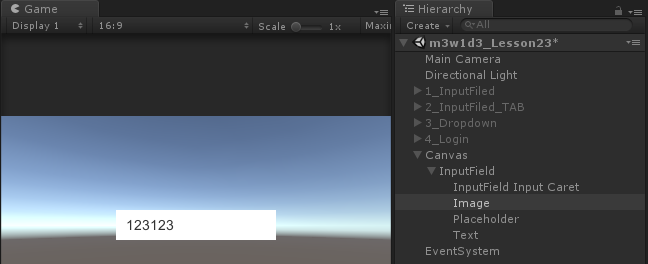
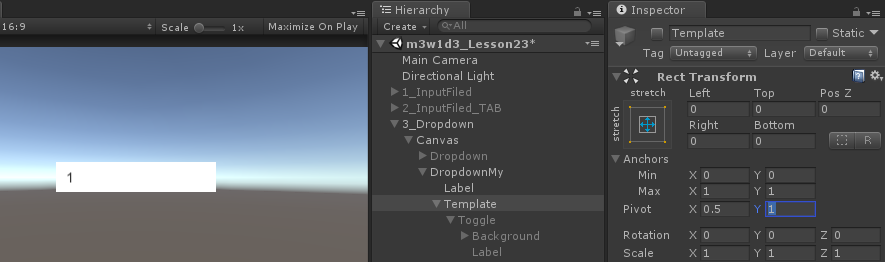
自制的滑动框,选项怎么对齐,把Template的Pivot.y改为1

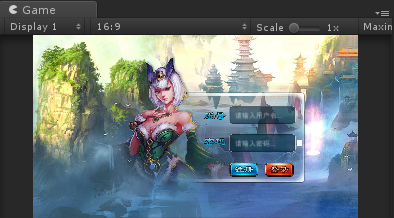
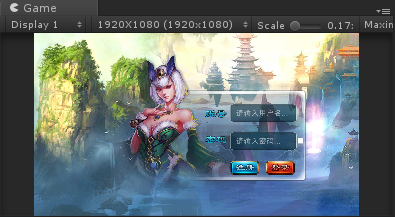
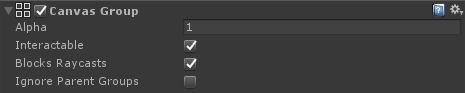
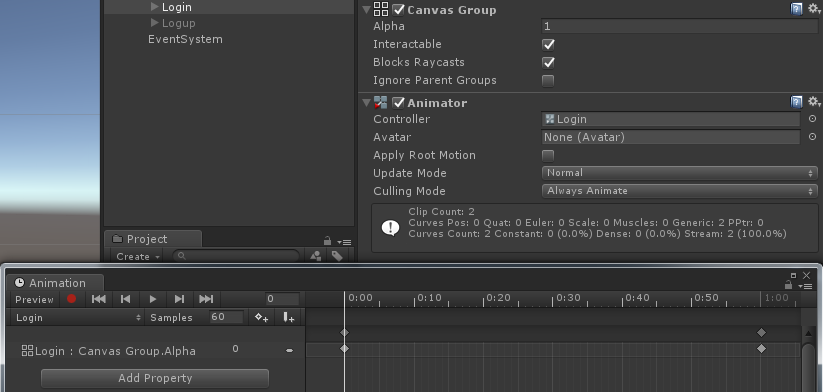
登录界面的淡入淡出效果
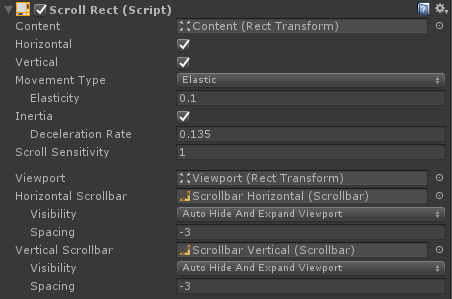
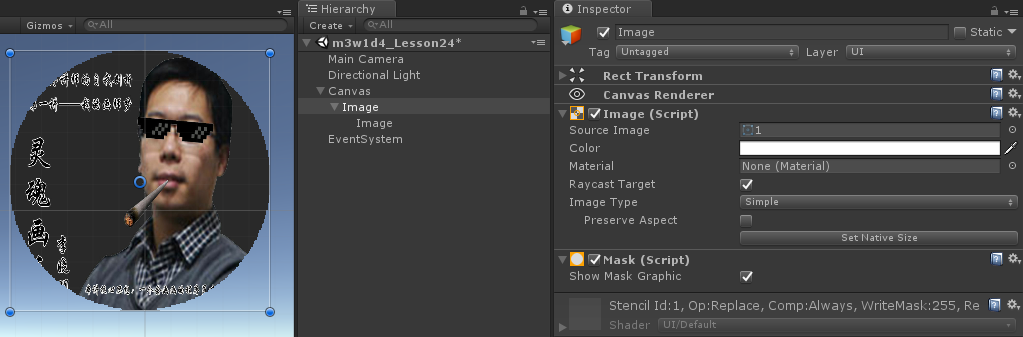
Viewport里的遮罩
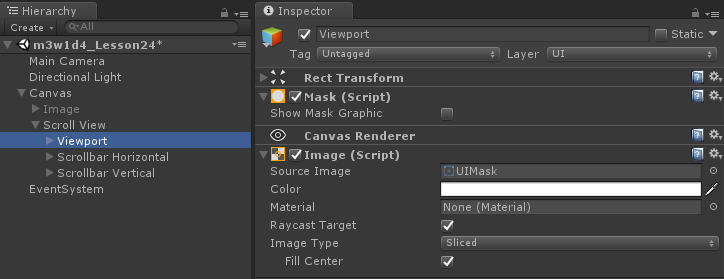
自制拖动框

综合练习-拖动框
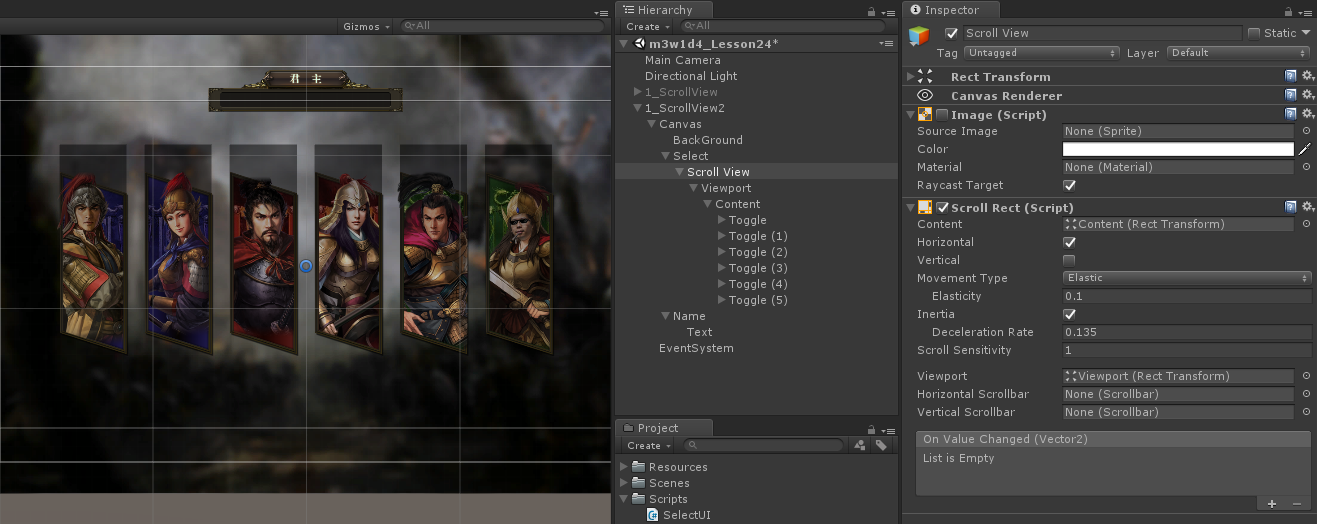


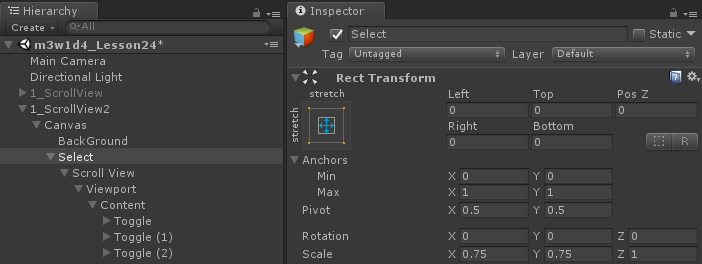

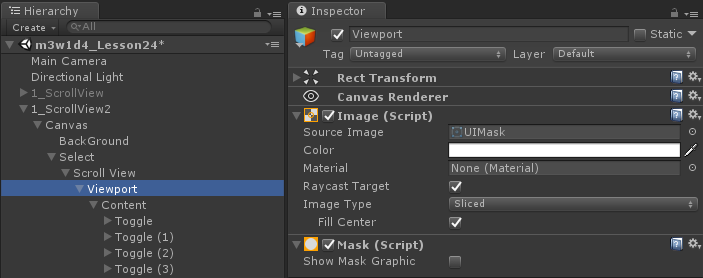
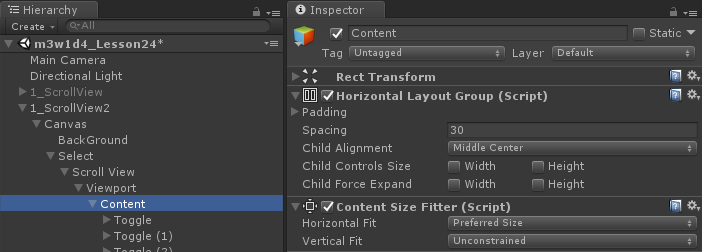
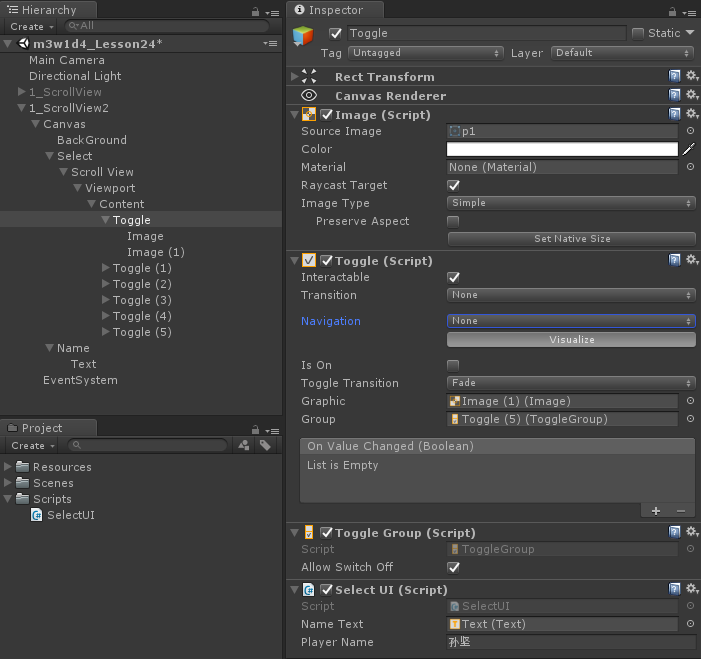
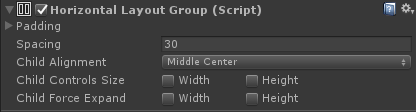
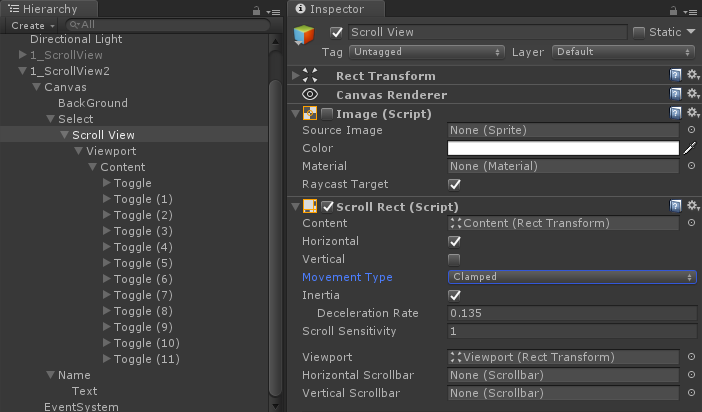
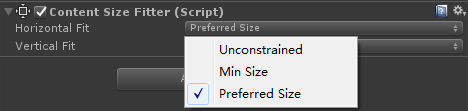
名称显示

代码操作
using System.Collections;

using System.Collections.Generic;

using UnityEngine;

using UnityEngine.UI;

public class SelectUI : MonoBehaviour {

    public Text nameText;

    public string playerName;

    private Toggle toggle;

    // Use this for initialization

    void Start () {

        toggle = GetComponent<Toggle>();

        toggle.onValueChanged.AddListener(OnValueChanged);

    }

       // Update is called once per frame

       void Update () {

       }

    void OnValueChanged(bool isOn)

    {

        Debug.Log("OnValueChanged");

        nameText.text = isOn ? playerName : "";

    }

}
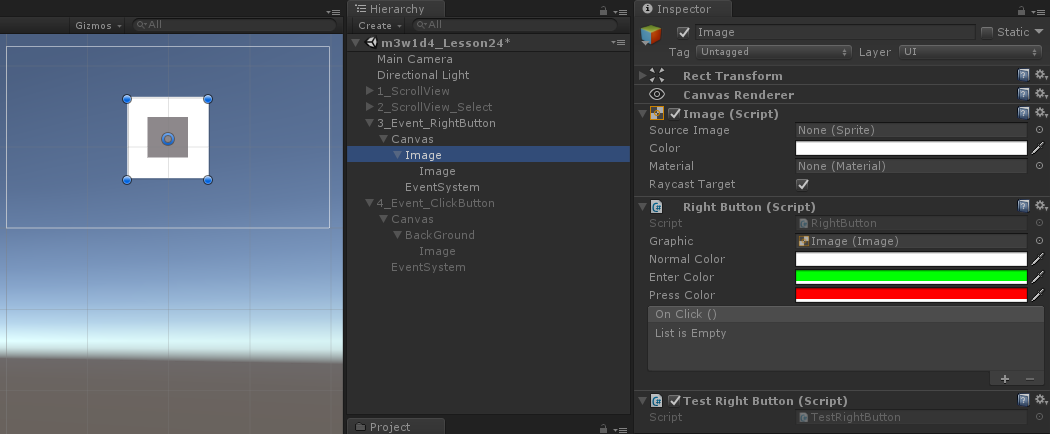
代码操作
using System;

using System.Collections;

using System.Collections.Generic;

using UnityEngine;

using UnityEngine.Events;

using UnityEngine.EventSystems;

using UnityEngine.UI;

public class RightButton : MonoBehaviour,

    IPointerEnterHandler,

    IPointerExitHandler,

    IPointerDownHandler,

    IPointerUpHandler,

    IPointerClickHandler

{

    public Graphic graphic;//改变颜色的图像

    public Color normalColor = Color.white;

    public Color enterColor = Color.white;//当鼠标进入时按钮的颜色

    public Color pressColor = Color.white;//当鼠标按下时按钮的颜色

    //onClick存储所有的在点击的时候执行的方法

    public RightButtonEvent onClick = new RightButtonEvent();

    private bool isExit = true;//鼠标是否离开图片区域

    private void Awake()

    {

        if (graphic == null)

        {

            graphic = GetComponent<Graphic>();

        }

    }

    public void OnPointerEnter(PointerEventData eventData)

    {

        //当鼠标进入时改变颜色

        graphic.color = enterColor;

        isExit = false;

    }

    public void OnPointerExit(PointerEventData eventData)

    {

        graphic.color = normalColor;

        isExit = true;

    }

    public void OnPointerDown(PointerEventData eventData)

    {

        //只有按下鼠标右键才有效果

        if (eventData.button == PointerEventData.InputButton.Right)

        {

            graphic.color = pressColor;

        }

    }

    public void OnPointerUp(PointerEventData eventData)

    {

        if (eventData.button == PointerEventData.InputButton.Right)

        {

            //判断鼠标是否在图片内部

            if (isExit)

            {

                graphic.color = normalColor;

            }

            else

            {

                graphic.color = enterColor;

            }

        }

    }

    public void OnPointerClick(PointerEventData eventData)

    {

        if (eventData.button == PointerEventData.InputButton.Right)

        {

            onClick.Invoke();

        }

    }

    [System.Serializable]//这个类是可序列化的

    public class RightButtonEvent : UnityEvent

    {

    }

}
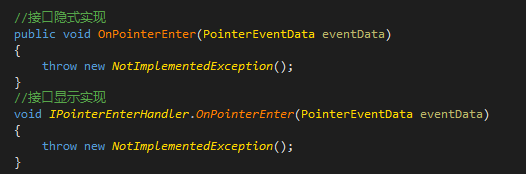
默认不区分鼠标左键右键和中键,可通过枚举类型,判断鼠标按键

给事件添加方法
using System;

using System.Collections;

using System.Collections.Generic;

using UnityEngine;

using UnityEngine.EventSystems;

public class RightButtonTest : MonoBehaviour

{

    private RightButton rightButton;

       // Use this for initialization

       void Start () {

        rightButton = GetComponent<RightButton>();

        rightButton.onClick.AddListener(Click);

    }

       // Update is called once per frame

       void Update () {

       }

    public void Click()

    {

        Debug.Log("点击了右键按钮");

    }

}
鼠标点击,跟随移动
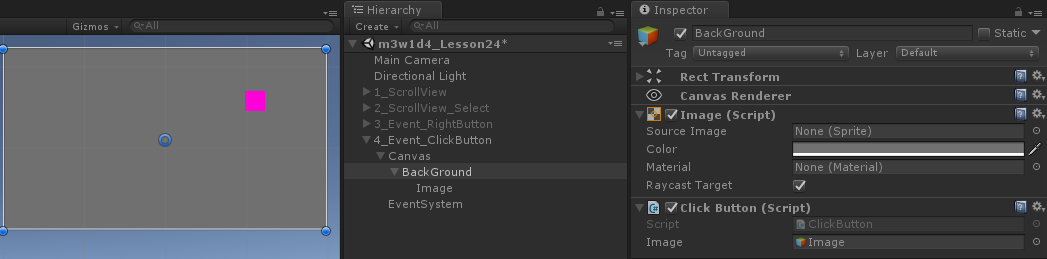
using System;

using System.Collections;

using System.Collections.Generic;

using UnityEngine;

using UnityEngine.Events;

using UnityEngine.EventSystems;

using UnityEngine.UI;

public class ClickButton : MonoBehaviour, IPointerClickHandler {

    public GameObject image;

    public void OnPointerClick(PointerEventData eventData)

    {

        //转换坐标的API

        //转换出来的是局部坐标,localPosition

        //第一个参数:想要以哪个坐标系为参考(一般情况下都是父物体坐标系)

        //第二个参数:屏幕坐标(鼠标所在的屏幕坐标)

        //第三个参数:相机

        //第四个参数:转换成功之后的局部坐标

        //返回值

        Vector2 outPos;

        bool isSuccess = RectTransformUtility.ScreenPointToLocalPointInRectangle(

            image.transform.parent as RectTransform,

            eventData.position,

            Camera.main,//eventData.pressEventCamera,

            out outPos

            );

        if (isSuccess)

        {

            image.transform.localPosition = outPos;

        }

    }

    // Use this for initialization

    void Start () {

       }

       // Update is called once per frame

       void Update () {

       }

}
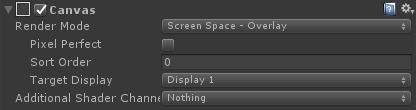
Overlay模式 ,代码可以填写null
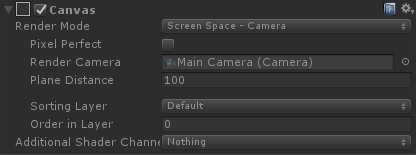
Camera模式,可以填渲染摄像机
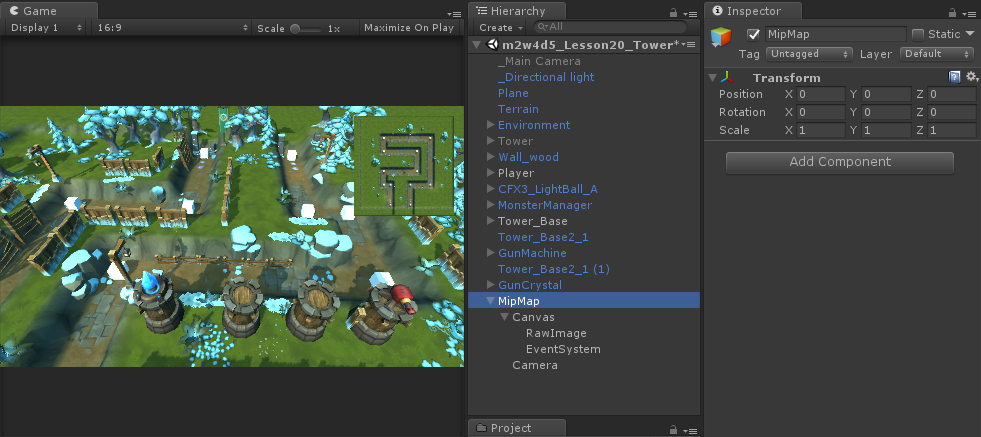
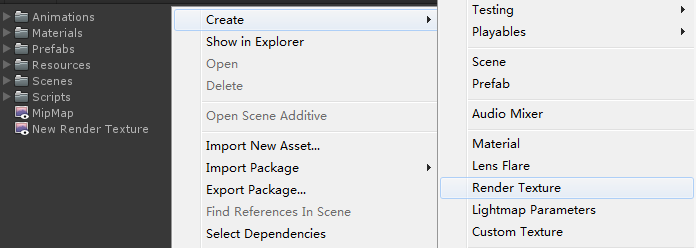
添加Render Texture
画布设置

相机设置

标签设置
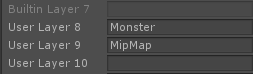
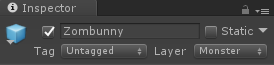
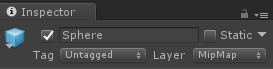
相机遮罩设置

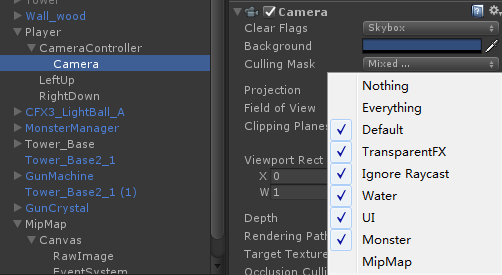
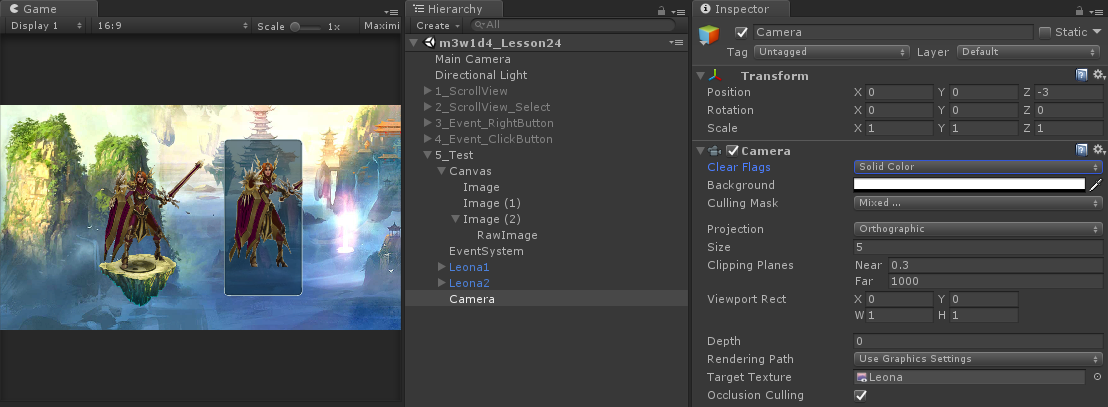
角色旋转代码逻辑
using System;

using System.Collections;

using System.Collections.Generic;

using UnityEngine;

using UnityEngine.EventSystems;

public class LeonaRotate : MonoBehaviour, IPointerEnterHandler, IPointerExitHandler

{

    public GameObject obj;

    bool isInImage = false;

    public void OnPointerEnter(PointerEventData eventData)

    {

        isInImage = true;

    }

    public void OnPointerExit(PointerEventData eventData)

    {

        isInImage = false;

    }

    // Update is called once per frame

    void Update()

    {

        if (isInImage && Input.GetMouseButton())

        {

            float offsetX = Input.GetAxis("Mouse X");

            obj.transform.rotation *= Quaternion.Euler(, -offsetX * 60f, );

        }

        else

        {

            obj.transform.rotation = Quaternion.Slerp(obj.transform.rotation, Quaternion.Euler(, , ), 0.1f);

        }

    }

}
Unity3D学习笔记(二十二):ScrollView和事件接口的更多相关文章
- Unity3D学习笔记(十二):2D模式和异步资源加载
2D模式和3D模式区别:背景纯色,摄像机2D,没有深度轴 精灵图片设置 Normal map,法线贴图,更有立体感 Sprite (2D and UI),2D精灵贴图,有两种用途 1.当做UI贴图 2 ...
- VSTO 学习笔记(十二)自定义公式与Ribbon
原文:VSTO 学习笔记(十二)自定义公式与Ribbon 这几天工作中在开发一个Excel插件,包含自定义公式,根据条件从数据库中查询结果.这次我们来做一个简单的测试,达到类似的目的. 即在Excel ...
- 汇编入门学习笔记 (十二)—— int指令、port
疯狂的暑假学习之 汇编入门学习笔记 (十二)-- int指令.port 參考: <汇编语言> 王爽 第13.14章 一.int指令 1. int指令引发的中断 int n指令,相当于引 ...
- Binder学习笔记(十二)—— binder_transaction(...)都干了什么?
binder_open(...)都干了什么? 在回答binder_transaction(...)之前,还有一些基础设施要去探究,比如binder_open(...),binder_mmap(...) ...
- java之jvm学习笔记六-十二(实践写自己的安全管理器)(jar包的代码认证和签名) (实践对jar包的代码签名) (策略文件)(策略和保护域) (访问控制器) (访问控制器的栈校验机制) (jvm基本结构)
java之jvm学习笔记六(实践写自己的安全管理器) 安全管理器SecurityManager里设计的内容实在是非常的庞大,它的核心方法就是checkPerssiom这个方法里又调用 AccessCo ...
- Android学习笔记(十二)——实战:制作一个聊天界面
//此系列博文是<第一行Android代码>的学习笔记,如有错漏,欢迎指正! 运用简单的布局知识,我们可以来尝试制作一个聊天界面. 一.制作 Nine-Patch 图片 : Nine-Pa ...
- MySQL数据库学习笔记(十二)----开源工具DbUtils的使用(数据库的增删改查)
[声明] 欢迎转载,但请保留文章原始出处→_→ 生命壹号:http://www.cnblogs.com/smyhvae/ 文章来源:http://www.cnblogs.com/smyhvae/p/4 ...
- 如鹏网学习笔记(十二)HTML5
一.HTML5简介 HTML5是HTML语言第五次修改产生的新的HTML语言版本 改进主要包括: 增加新的HTML标签或者属性.新的CSS样式属性.新的JavaScript API等.同时删除了一些过 ...
- o'Reill的SVG精髓(第二版)学习笔记——第十二章
第十二章 SVG动画 12.1动画基础 SVG的动画特性基于万维网联盟的“同步多媒体集成语言”(SMIL)规范(http://www.w3.org/TR/SMIL3). 在这个动画系统中,我们可以指定 ...
随机推荐
- 【Pyton】【小甲鱼】爬虫
一.什么是爬虫? 可以理解为一只蜘蛛,在不同的网页上爬来爬去,获取我们需要的资源 二.Python如何访问互联网 urllib(一个包)=url(网页地址)+lib() 第一部分:protocol:/ ...
- R-sampe & seq函数学习[转载]
转自:https://blog.csdn.net/u012108367/article/details/69913280 https://blog.csdn.net/qq_33547243/artic ...
- zabbix3.0 centos7 yum 安装与简单配置
参考文档https://www.zabbix.com/documentation/3.0/start zabbix是一个基于WEB界面的提供分布式系统监视以及网络监视功能的企业级的开源解决方案.zab ...
- PostgreSQL远程连接配置
postgresql默认情况下,远程访问不能成功,如果需要允许远程访问,需要修改两个配置文件,说明如下: 1.postgresql.conf 将该文件中的listen_addresses项值设定为“* ...
- linux du df ls
du可以查看文件和文件夹的大小,df主要查看数据库大小,查看分区的的磁盘使用情况,ls可以添加-h参数,方便我们查看文件大小 df可以查看一级文件夹大小.使用比例.档案系统及其挂入点,但对文件却无能为 ...
- python之路 socket、socket server
一.socket socket的英文原义是“孔”或“插座”.作为BSD UNIX的进程通信机制,取后一种意思.通常也 称作"套接字",用于描述IP地址和端口,是一个通信链的句柄,可 ...
- 【转】SQL Server、Oracle、MySQL和Vertica数据库常用函数对比
SQL Server.Oracle.MySQL和Vertica数据库常用函数对比 Vertica数据库是HP公司新收购的用于BI方面的数据库. 1. 绝对值 S:select abs(-1) valu ...
- EXT3.0在IE下Range不兼容解决办法
采用EXT3.0创建一个提示框,IE9下显示异常.经过资料查询,发现添加如下代码即可解决问题. // 这段代码是为了兼容IE if ((typeof Range !== "undefined ...
- java commons.lang3 ArrayUtils使用
java commons.lang3 ArrayUtils使用import org.apache.commons.lang3.ArrayUtils; /** *数组追加数组,不重复 */ public ...
- 安装Hue后的一些功能的问题解决干货总结(博主推荐)
不多说,直接上干货! 我的集群机器情况是 bigdatamaster(192.168.80.10).bigdataslave1(192.168.80.11)和bigdataslave2(192.168 ...