
Spring Boot Admin-应用健康监控后台管理
Spring Boot Admin 用于监控基于 Spring Boot 的应用,它是在 Spring Boot Actuator 的基础上提供简洁的可视化 WEB UI。
1. 什么是Spring Boot Admin?
Spring Boot Admin(下文简称SBA)是一个社区开源项目,用于管理和监控你的Spring Boot应用。应用通过SBA Client注册到SBA Server中,可通过HTTP请求或者Spring Cloud发现(例如Eureka、Consul),UI展示通过Vue在Spring Boot Actuator端点上获取应用监控数据进行管理。
2. 开始使用
2,1 配置好你的SBA Server服务端程序
2.1.1 添加spring-boot-admin-starter-server的Maven依赖到你的pom.xml中:
<dependency>

    <groupId>de.codecentric</groupId>

    <artifactId>spring-boot-admin-starter-server</artifactId>

    <version>2.0.2</version>

</dependency>

<dependency>

    <groupId>de.codecentric</groupId>

    <artifactId>spring-boot-admin-server-ui</artifactId>

    <version>2.0.2</version>

</dependency>

<dependency>

    <groupId>org.springframework.boot</groupId>

    <artifactId>spring-boot-starter-security</artifactId>

</dependency>

<dependency>

    <groupId>org.springframework.boot</groupId>

    <artifactId>spring-boot-starter-web</artifactId>

</dependency>
2.1.2 打开你的Spring Boot启动文件中添加@EnableAdminServer 注解用于激活SBA Server配置:
import de.codecentric.boot.admin.server.config.EnableAdminServer;

import org.springframework.boot.SpringApplication;

import org.springframework.boot.autoconfigure.SpringBootApplication;

@SpringBootApplication


@EnableAdminServer


public class Application {
<span class="hljs-function"><span class="hljs-keyword">public</span> <span class="hljs-keyword">static</span> <span class="hljs-keyword">void</span> <span class="hljs-title">main</span><span class="hljs-params">(String[] args)</span> </span>{

    SpringApplication.run(Application.class, args);

}


}
注意如果你需要将应用以war形式部署,请将启动文件做如下改变:
import de.codecentric.boot.admin.server.config.EnableAdminServer;

import org.springframework.boot.SpringApplication;

import org.springframework.boot.autoconfigure.SpringBootApplication;

import org.springframework.boot.builder.SpringApplicationBuilder;

import org.springframework.boot.web.servlet.support.SpringBootServletInitializer;

@SpringBootApplication


@EnableAdminServer


public class Application extends SpringBootServletInitializer {
<span class="hljs-meta">@Override</span>

<span class="hljs-function"><span class="hljs-keyword">protected</span> SpringApplicationBuilder <span class="hljs-title">configure</span><span class="hljs-params">(SpringApplicationBuilder builder)</span> </span>{

    <span class="hljs-keyword">return</span> builder.sources(Application.class);

}

<span class="hljs-function"><span class="hljs-keyword">public</span> <span class="hljs-keyword">static</span> <span class="hljs-keyword">void</span> <span class="hljs-title">main</span><span class="hljs-params">(String[] args)</span> </span>{

    SpringApplication.run(Application.class, args);

}


}
2.1.3 在你的SBA Server中的 application.yml 中进行相关配置:
spring:

  # 配置SBA Client连接的安全账号密码

  security:

    user:

      name: admin

      password: admin

  boot:

    admin:

      ui:

        # 修改网页显示的tab标题

        title: "应用监控管理"

        # 修改网页的brand的图标和标题

        brand: "<img src='assets/img/icon-spring-boot-admin.svg'><span>应用监控管理</span>"

server:

  port: 7070
2.1.4 进行Spring Security相关配置:
import de.codecentric.boot.admin.server.config.AdminServerProperties;

import org.springframework.security.config.annotation.web.builders.HttpSecurity;

import org.springframework.security.config.annotation.web.configuration.EnableWebSecurity;

import org.springframework.security.config.annotation.web.configuration.WebSecurityConfigurerAdapter;

import org.springframework.security.web.authentication.SavedRequestAwareAuthenticationSuccessHandler;

import org.springframework.security.web.csrf.CookieCsrfTokenRepository;

@EnableWebSecurity


public class SecurityConfig extends WebSecurityConfigurerAdapter {


private final String adminContextPath;
<span class="hljs-function"><span class="hljs-keyword">public</span> <span class="hljs-title">SecurityConfig</span><span class="hljs-params">(AdminServerProperties adminServerProperties)</span> </span>{

    <span class="hljs-keyword">this</span>.adminContextPath = adminServerProperties.getContextPath();

}

<span class="hljs-meta">@Override</span>

<span class="hljs-function"><span class="hljs-keyword">protected</span> <span class="hljs-keyword">void</span> <span class="hljs-title">configure</span><span class="hljs-params">(HttpSecurity http)</span> <span class="hljs-keyword">throws</span> Exception </span>{

    SavedRequestAwareAuthenticationSuccessHandler successHandler = <span class="hljs-keyword">new</span> SavedRequestAwareAuthenticationSuccessHandler();

    successHandler.setTargetUrlParameter(<span class="hljs-string">"redirectTo"</span>);

    successHandler.setDefaultTargetUrl(adminContextPath + <span class="hljs-string">"/"</span>);

    http.authorizeRequests()

            .antMatchers(

                    adminContextPath + <span class="hljs-string">"/assets/**"</span>,

                    adminContextPath + <span class="hljs-string">"/login"</span>

            ).permitAll()

            .anyRequest().authenticated()

            .and()

            .formLogin().loginPage(adminContextPath + <span class="hljs-string">"/login"</span>).successHandler(successHandler).and()

            .logout().logoutUrl(adminContextPath + <span class="hljs-string">"/logout"</span>).and()

            .httpBasic().and()

            .csrf()

            .csrfTokenRepository(CookieCsrfTokenRepository.withHttpOnlyFalse())

            .ignoringAntMatchers(

                    <span class="hljs-string">"/instances"</span>,

                    <span class="hljs-string">"/actuator/**"</span>,

                    adminContextPath + <span class="hljs-string">"/logout"</span>

            );

}


}
2.2 注册你的客户端应用
为了注册你的应用在SBA Server中,你可以使用SBA Client 或者使用Spring Cloud Discovery(例如:Eureka, Consul, ...)。
2.2.1 配置你的Spring Boot Admin客户端
每一个想注册的应用都必须包含SBA Client,同时为了确保Actuator端点的安全,建议添加 spring-boot-starter-security 依赖用于保护端点安全访问。
添加 spring-boot-admin-starter-client 的Maven依赖到你的pom.xml中:
<dependency>

    <groupId>de.codecentric</groupId>

    <artifactId>spring-boot-admin-starter-client</artifactId>

    <version>2.0.2</version>

</dependency>

<!-- 可选择添加下面依赖 -->

<dependency>

    <groupId>org.springframework.boot</groupId>

    <artifactId>spring-boot-starter-security</artifactId>

</dependency>
2.2.2. 在你的SBA Client中的 application.yml 中配置你的SBA Server的服务地址:
spring:

  boot:

    admin:

      client:

        # 这个URL地址是SBA Server的服务地址,你需要将你的应用注册到该地址上

        url: http://localhost:7070

        # 配置连接到监测管理平台的Security安全密码

        username: admin

        password: admin

        instance:

          metadata:

            # 配置发送到SBA Server的SBA Client的端点安全密码

            user.name: ${spring.security.user.name}

            user.password: ${spring.security.user.password}

  security:

    user:

      name: root

      password: root

# 官方文档中有提到, SpringBoot 的 Logging 配置的级别有7个:TRACE , DEBUG , INFO , WARN , ERROR , FATAL , OFF

logging:

  # 设置日志保存的路径,path和file只需要设置一个,指定path则日志名称固定为spring.log

  path: /java-log

  # 打印日志的级别

  level:

    root: info

# 在默认情况下大多数Actuator的端点并没有完全公开,这里我将所有端点都进行公开进行管理

management.endpoints.web.exposure.include: "*"
2.2.3. 如果你添加了 spring-boot-starter-security 依赖,你需要进行如下配置使SBA Server服务端能够访问SBA Client客户端的Actuator端点:
import org.springframework.context.annotation.Configuration;

import org.springframework.security.config.annotation.web.builders.HttpSecurity;

import org.springframework.security.config.annotation.web.configuration.WebSecurityConfigurerAdapter;

@Configuration


public class SecurityConfig extends WebSecurityConfigurerAdapter {
<span class="hljs-meta">@Override</span>

<span class="hljs-function"><span class="hljs-keyword">protected</span> <span class="hljs-keyword">void</span> <span class="hljs-title">configure</span><span class="hljs-params">(HttpSecurity http)</span> <span class="hljs-keyword">throws</span> Exception </span>{

    http.httpBasic().and()

            .authorizeRequests().antMatchers(<span class="hljs-string">"/actuator/**"</span>).authenticated()

            .anyRequest().permitAll();

}


}
3.至此相关配置已经完成,现在让我们启动SBA Server服务端程序,打开浏览器输入http://localhost:7070 访问它。
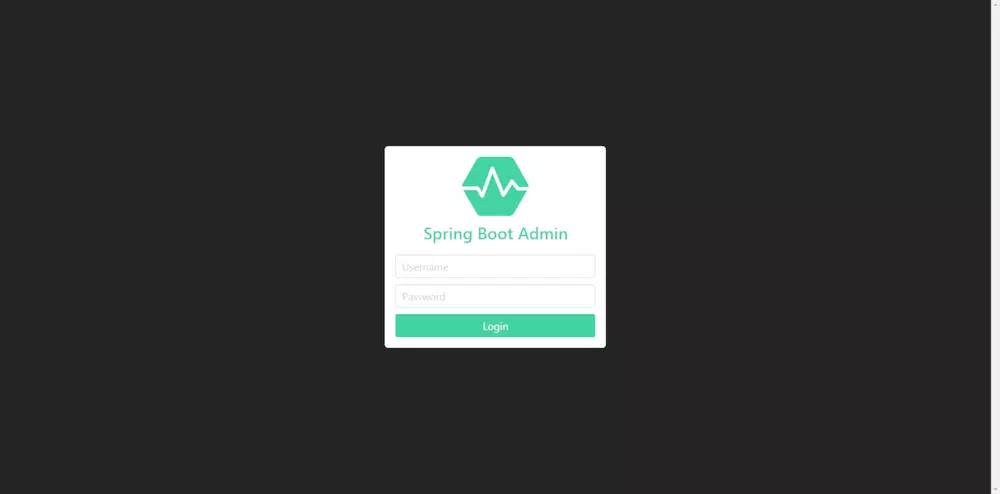
我们可以看到SBA Server跳转到了登录页面提示我们登录,这时候我们输入我们在application.yml中配置的账号密码进行登录:
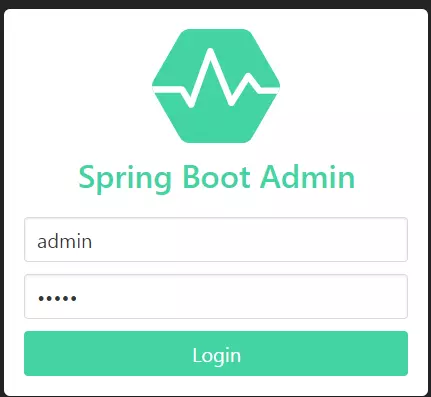
输入用户名和密码后点击Login后跳转到我们的应用监控管理首页:
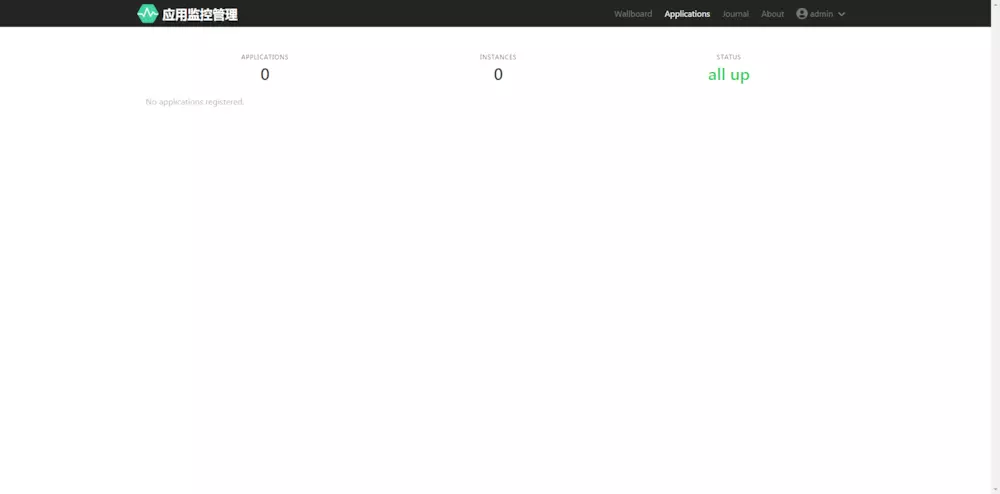
这时我们看到是没有应用注册进来的,页面是数据是空白的,整个页面简洁干净,接下去让我们启动一个SBA Client客户端程序注册进来
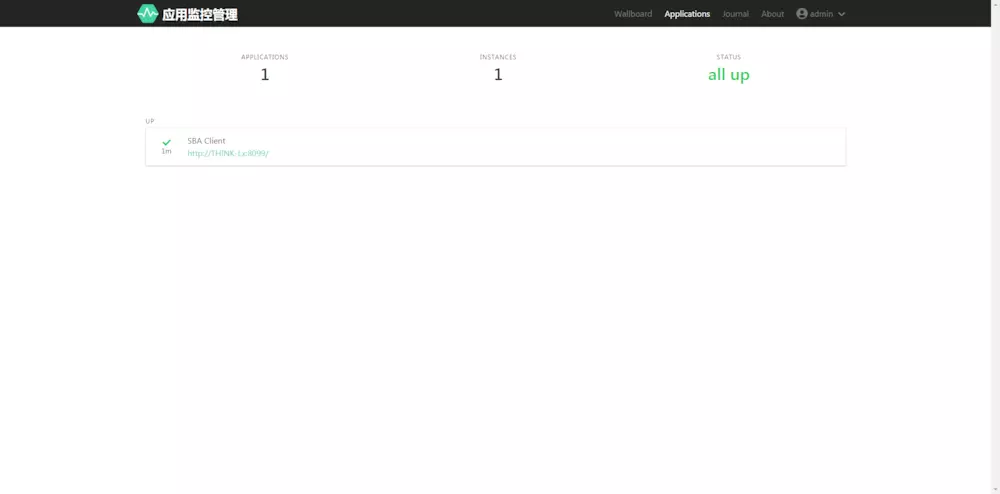
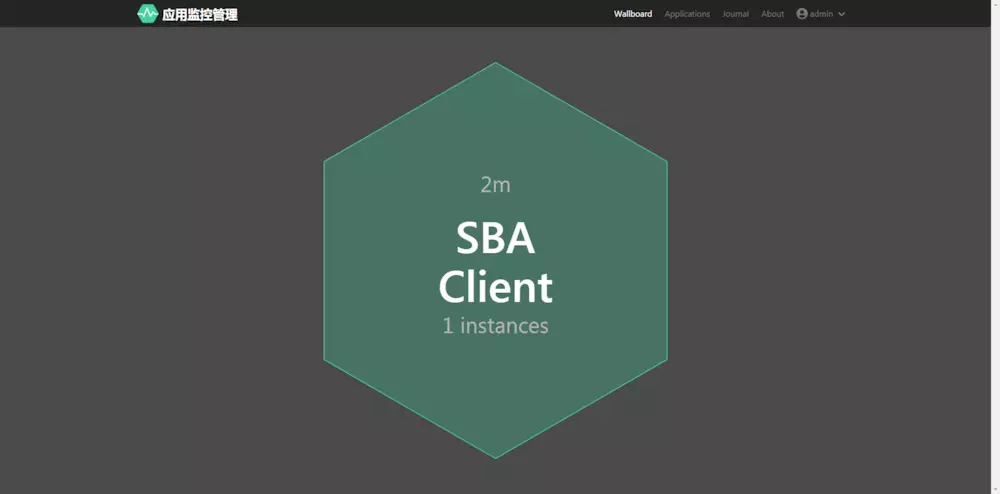
启动一个SBA Client后,可以看到页面上出现了一个客户端程序注册进来了
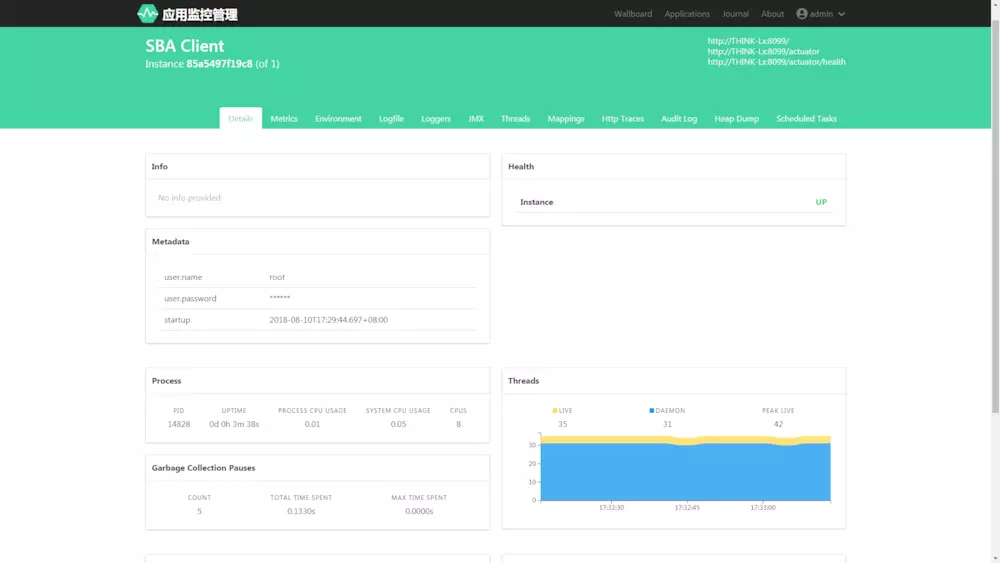
下图是你的应用的基本信息查看,包括线程使用图表,堆内存使用图表,非堆内存使用图表等等
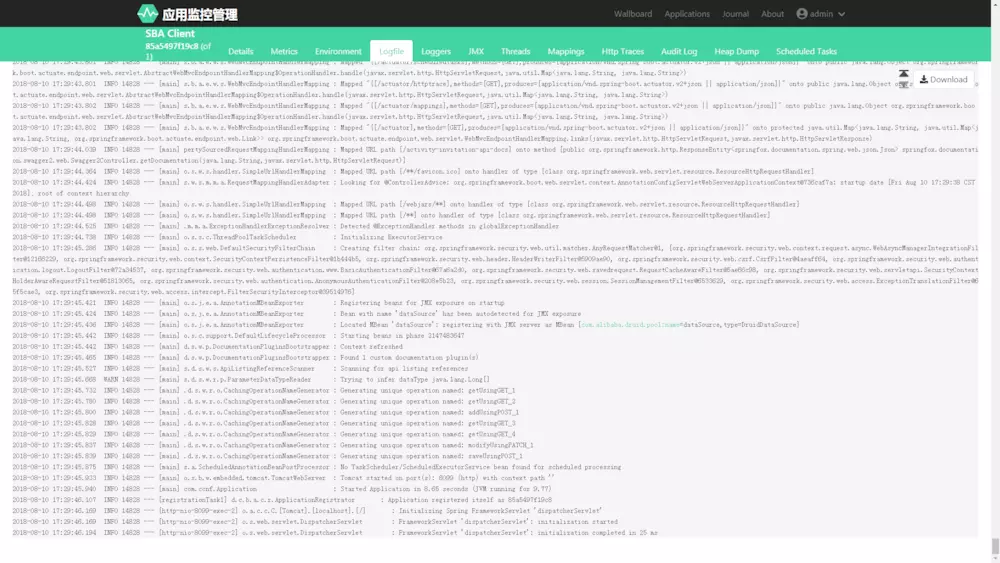
下图是你的应用的日志打印
下图是你的应用的网络URL请求情况监控
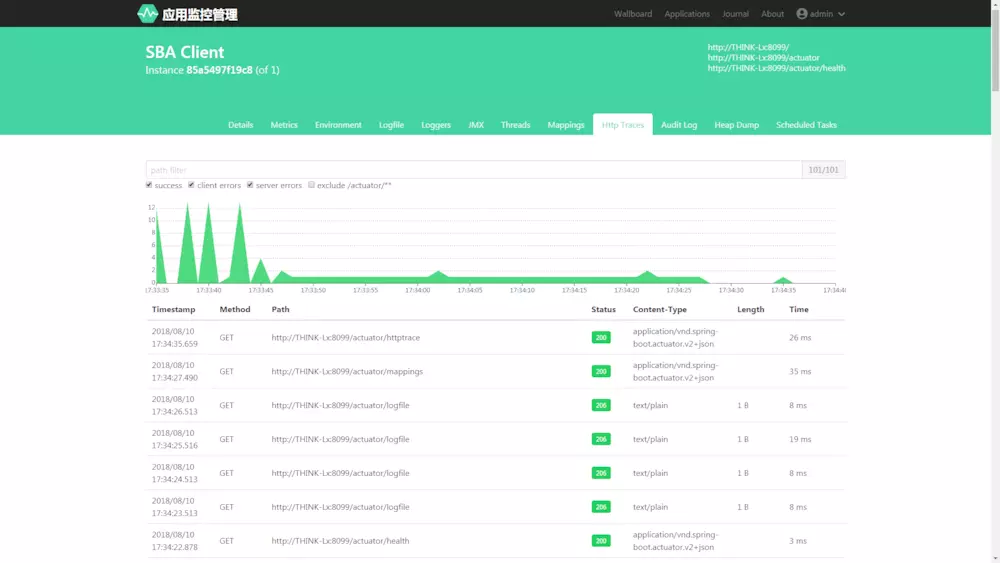
这里就不过多演示了,可以看出这个通过这个监控平台我们可以方便快捷的管理监控我们的应用,再也不用打开Linux命令行查看我们项目运行的情况,怎么样功能是不是很强大。
最后贴上以下官方文档地址
spring-boot-admin 官方文档地址
spring-boot-admin GitHub地址
</div>
Spring Boot Admin-应用健康监控后台管理的更多相关文章
- 【Spring Boot】利用 Spring Boot Admin 进行项目监控管理
利用 Spring Boot Admin 进行项目监控管理 一.Spring Boot Admin 是什么 Spring Boot Admin (SBA) 是一个社区开源项目,用于管理和监视 Spri ...
- Spring Boot应用的健康监控
在之前的系列文章中我们学习了如何进行Spring Boot应用的功能开发,以及如何写单元测试.集成测试等,然而,在实际的软件开发中需要做的不仅如此:还包括对应用程序的监控和管理. 正如飞行员不喜欢盲目 ...
- Spring Boot (27) actuator服务监控与管理
actuaotr是spring boot项目中非常强大的一个功能,有助于对应用程序进行监控和管理,通过restful api请求来监管.审计.收集应用的运行情况,针对微服务而言它是必不可少的一个环节. ...
- SpringCloud微服务实战——搭建企业级开发框架(四十四):【微服务监控告警实现方式一】使用Actuator + Spring Boot Admin实现简单的微服务监控告警系统
业务系统正常运行的稳定性十分重要,作为SpringBoot的四大核心之一,Actuator让你时刻探知SpringBoot服务运行状态信息,是保障系统正常运行必不可少的组件. spring-b ...
- Spring Boot 2.X(十七):应用监控之 Spring Boot Admin 使用及配置
Admin 简介 Spring Boot Admin 是 Spring Boot 应用程序运行状态监控和管理的后台界面.最新UI使用vue.js重写里. Spring Boot Admin 为已注册的 ...
- Springboot 系列(十七)迅速使用 Spring Boot Admin 监控你的 Spring Boot 程序,支持异常邮件通知
1. Spring Boot Admin 是什么 Spring Boot Admin 是由 codecentric 组织开发的开源项目,使用 Spring Boot Admin 可以管理和监控你的 S ...
- Spring Boot Admin的使用
http://www.jianshu.com/p/e20a5f42a395 ******************************* 上一篇文章中了解了Spring Boot提供的监控接口,例如 ...
- Spring Boot Admin,贼好使!
Spring Boot Admin(SBA)是一个开源的社区项目,用于管理和监控 Spring Boot 应用程序.应用程序可以通过 http 的方式,或 Spring Cloud 服务发现机制注册到 ...
- Spring Boot Admin最佳实践
本文不进行Spring Boot Admin入门知识点说明 在Spring Boot Actuator中提供很多像health.metrics等实时监控接口,可以方便我们随时跟踪服务的性能指标.Spr ...
随机推荐
- Java Map 排序
1. 按照key值排序 对于java中Map的排序,有排序Map,比如TreeMap,对于这个Map,首先只能按照键排序,其次再put和remove的时候由于需要排序,性能上会有所牺牲. 这种方案,使 ...
- Directx11教程(50) 输出depth/stencil buffer的内容
原文:Directx11教程(50) 输出depth/stencil buffer的内容 有时候,我们需要查看depth/stencil buffer的内容,比如上一章中,我们要查看sten ...
- iOS将image转90,180,270度的方法
http://blog.sina.com.cn/s/blog_6602ffbc0101ckx3.html 这里要分享的是将image旋转,而不是将imageView旋转,原理就是使用quartz2D来 ...
- python 临时修改模块搜索路径
- 洛谷P1879 玉米田
题目描述 农场主John新买了一块长方形的新牧场,这块牧场被划分成M行N列(1 ≤ M ≤ 12; 1 ≤ N ≤ 12),每一格都是一块正方形的土地.John打算在牧场上的某几格里种上美味的草,供他 ...
- Word画线条5大技巧,简单实用!
[Word画线条5大技巧,简单实用!]1.输入三个“=”,回车,就是一条双直线:2.输入三个“~”,回车,就是一条波浪线:3.输入三个“”回车,就是一条虚线:4.输入三个“-”,回车,就是一条直线:5 ...
- 【Django入坑之路】admin组件
1:settings.py 中的 INSTALLED_APPS # Application definition INSTALLED_APPS = [ 'django.contrib.admin', ...
- 2019.9.19登陆注册猜数字给奖品combo
#注册函数 def register(): registor_count = 0 while registor_count < 3: username_inp = input('user nam ...
- oracle使用profile管理用户口令
概述:profile是口令限制.资源限制的命令集合,当建立数据时,oracle会自动建立名称为default的profile,当建立用户没有指定profile选项,那么oracle就会将default ...
- 《js高级程序设计》6.1.1-6.1.3——数据属性、访问器属性
数据属性:该属性包含了一个数据值的位置,它包含了4个描述行为的特性:1. [[Configurable]]:表示是否能通过delete删除属性从而重新定义属性,能否修改属性的特性,能否把属性修改为访问 ...