
老吕教程--01后端Node.js框架搭建(安装调试KOA2)
今天开始从零搭建后端框架,后端框架基于Koa2,通过Typescript语言编写。
在写后端框架之前,自己也了解过Express,感觉Koa2更加灵活,由于有多年后端研发经验,所以采用Koa2,简单敏捷灵活。
1. 安装Koa2
首先要安装Node.js,这个就不赘述,安装最新版即可。开发IDE使用VisualStudio Code,绝对推荐。
使用vs code打开自己新建的server文件夹,使用控制台命令行,敲入以下命令:
1.1 初始化package.json文件:(根据提示回车)
npm init
1.2 安装Koa2:
npm install koa
1.3 添加index.js文件,尝试第一次运行Koa2,敲入以下代码
const Koa = require('koa');

const app = new Koa();

app.use(async ctx => {

  ctx.body = 'Hello World';

});

app.listen(3000);
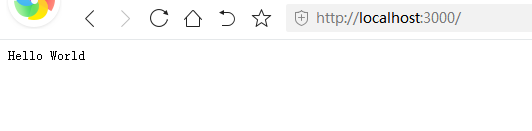
1.4 然后F5运行,打开浏览器,输入localhost:3000,如下图
2. 安装Typescript
由于我个人比较喜欢TS,所以想尝试使用,对后期开发都有好处(前端也用TS,TS流行啊)。
2.1 全局安装TS
npm i typescript -g
2.1 添加TS配置文件:tsconfig.json
tsc --init
执行后,会出现tsconfig.json文件
2.2 打开tsconfig.json,进行配置
{

  "compilerOptions": {

    /* Visit https://aka.ms/tsconfig.json to read more about this file */

    /* Basic Options */

    // "incremental": true,                   /* Enable incremental compilation */

    "target": "es2017",

    /* Specify ECMAScript target version: 'ES3' (default), 'ES5', 'ES2015', 'ES2016', 'ES2017', 'ES2018', 'ES2019', 'ES2020', or 'ESNEXT'. */

    "module": "commonjs",

    /* Specify module code generation: 'none', 'commonjs', 'amd', 'system', 'umd', 'es2015', 'es2020', or 'ESNext'. */

    // "lib": [],                             /* Specify library files to be included in the compilation. */

    "allowJs": true,

    /* Allow javascript files to be compiled. */

    "checkJs": true,

    /* Report errors in .js files. */

    // "jsx": "preserve",                     /* Specify JSX code generation: 'preserve', 'react-native', or 'react'. */

    // "declaration": true,                   /* Generates corresponding '.d.ts' file. */

    // "declarationMap": true,                /* Generates a sourcemap for each corresponding '.d.ts' file. */

    "sourceMap": true,

    /* Generates corresponding '.map' file. */

    "outFile": "./bin",

    /* Concatenate and emit output to single file. */

    // "outDir": "./",                        /* Redirect output structure to the directory. */

    // "rootDir": "./",                       /* Specify the root directory of input files. Use to control the output directory structure with --outDir. */

    // "composite": true,                     /* Enable project compilation */

    // "tsBuildInfoFile": "./",               /* Specify file to store incremental compilation information */

    // "removeComments": true,                /* Do not emit comments to output. */

    // "noEmit": true,                        /* Do not emit outputs. */

    // "importHelpers": true,                 /* Import emit helpers from 'tslib'. */

    // "downlevelIteration": true,            /* Provide full support for iterables in 'for-of', spread, and destructuring when targeting 'ES5' or 'ES3'. */

    // "isolatedModules": true,               /* Transpile each file as a separate module (similar to 'ts.transpileModule'). */

    /* Strict Type-Checking Options */

    "strict": true,

    /* Enable all strict type-checking options. */

    "noImplicitAny": true,

    /* Raise error on expressions and declarations with an implied 'any' type. */

    "strictNullChecks": true,

    /* Enable strict null checks. */

    // "strictFunctionTypes": true,           /* Enable strict checking of function types. */

    // "strictBindCallApply": true,           /* Enable strict 'bind', 'call', and 'apply' methods on functions. */

    "strictPropertyInitialization": true,

    /* Enable strict checking of property initialization in classes. */

    "noImplicitThis": true,

    /* Raise error on 'this' expressions with an implied 'any' type. */

    //"alwaysStrict": true,                  /* Parse in strict mode and emit "use strict" for each source file. */

    /* Additional Checks */

    // "noUnusedLocals": true,                /* Report errors on unused locals. */

    // "noUnusedParameters": true,            /* Report errors on unused parameters. */

    // "noImplicitReturns": true,             /* Report error when not all code paths in function return a value. */

    // "noFallthroughCasesInSwitch": true,    /* Report errors for fallthrough cases in switch statement. */

    // "noUncheckedIndexedAccess": true,      /* Include 'undefined' in index signature results */

    /* Module Resolution Options */

    // "moduleResolution": "node",            /* Specify module resolution strategy: 'node' (Node.js) or 'classic' (TypeScript pre-1.6). */

    // "baseUrl": "./",                       /* Base directory to resolve non-absolute module names. */

    // "paths": {},                           /* A series of entries which re-map imports to lookup locations relative to the 'baseUrl'. */

    // "rootDirs": [],                        /* List of root folders whose combined content represents the structure of the project at runtime. */

    // "typeRoots": [],                       /* List of folders to include type definitions from. */

    // "types": [],                           /* Type declaration files to be included in compilation. */

    // "allowSyntheticDefaultImports": true,  /* Allow default imports from modules with no default export. This does not affect code emit, just typechecking. */

    "esModuleInterop": true,

    /* Enables emit interoperability between CommonJS and ES Modules via creation of namespace objects for all imports. Implies 'allowSyntheticDefaultImports'. */

    // "preserveSymlinks": true,              /* Do not resolve the real path of symlinks. */

    // "allowUmdGlobalAccess": true,          /* Allow accessing UMD globals from modules. */

    /* Source Map Options */

    // "sourceRoot": "",                      /* Specify the location where debugger should locate TypeScript files instead of source locations. */

    // "mapRoot": "",                         /* Specify the location where debugger should locate map files instead of generated locations. */

    // "inlineSourceMap": true,               /* Emit a single file with source maps instead of having a separate file. */

    // "inlineSources": true,                 /* Emit the source alongside the sourcemaps within a single file; requires '--inlineSourceMap' or '--sourceMap' to be set. */

    /* Experimental Options */

    "experimentalDecorators": true,

    /* Enables experimental support for ES7 decorators. */

    "emitDecoratorMetadata": true,

    /* Enables experimental support for emitting type metadata for decorators. */

    /* Advanced Options */

    "skipLibCheck": true,

    /* Skip type checking of declaration files. */

    "forceConsistentCasingInFileNames": true /* Disallow inconsistently-cased references to the same file. */

  },

  "include": [

    "src/**/*.ts",

    "src/*.ts",

    "src/*"

  ],

  "exclude": [

    "node_modules"

  ],

  "watch": true

}
2.3 安装@types/node
npm i @types/node
2.4 修改index.js为index.ts,修改内部代码
const Koa = require('koa');

const app = new Koa();

app.use(async (ctx: any) => {

  ctx.body = 'Hello World';

});

console.log('app server start on port 3000...')

app.listen(3000);
2.5 通过F5直接在vs code中进行调试,Ctrl + Shift + B(windows),创建task.json
{

    // See https://go.microsoft.com/fwlink/?LinkId=733558

    // for the documentation about the tasks.json format

    "version": "2.0.0",

    "tasks": [

        {

            "label": "typescript",

            "type": "typescript",

            "tsconfig": "tsconfig.json",

            "problemMatcher": [

                "$tsc"

            ]

        }

    ]

}
2.6 在vs code 右侧,debug模式,添加配置

2.7 自动生成launch.json文件,修改为:
{

    // Use IntelliSense to learn about possible attributes.

    // Hover to view descriptions of existing attributes.

    // For more information, visit: https://go.microsoft.com/fwlink/?linkid=830387

    "version": "0.2.0",

    "configurations": [

        {

            "type": "node",

            "request": "launch",

            "name": "Launch Program",

            "preLaunchTask": "typescript",

            "protocol":"inspector",

            "program": "${workspaceFolder}/index.ts",

            "outFiles": [

                "${workspaceFolder}/bin/*.js"

            ]

        }

    ]

}
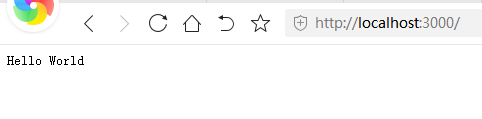
2.8 按F5运行,控制台输出和页面显示如下:

老吕教程--01后端Node.js框架搭建(安装调试KOA2)的更多相关文章
- 老吕教程--02后端KOA2框架自动重启编译服务(nodemon)
上一篇讲完搭建Typescritp版的Koa框架后,F5运行服务端,页面进行正常显示服务. 今天要分享的是,如果要修改服务端代码,如果让编译服务自动重启,免去手动结束服务再重启的过程. 自动重启服务需 ...
- Docker最全教程之使用Node.js搭建团队技术文档站(二十三)
前言 各种编程语言均有其优势和生态,有兴趣的朋友完全可以涉猎多门语言.在平常的工作之中,也可以尝试选择相对适合的编程语言来完成相关的工作. 在团队技术文档站搭建这块,笔者尝试了许多框架,最终还是选择了 ...
- Node.js 框架
Node.js的是一个JavaScript平台,它允许你建立大型的Web应用程序. Node.js的框架平台使用JavaScript作为它的脚本语言来构建可伸缩的应用. 当涉及到Web应用程序的开发 ...
- 不可错过的Node.js框架
前言 Node.js是由Ryan Dahl于2009年创建的.它是一个开源的跨平台运行时环境,用于开发服务器端和网络应用程序,它是基于Google Chrome V8 JavaScript引擎构建的. ...
- 【转】node.js框架比较
我偶然间看到这篇文章,转这个文章并没有什么含义,仅仅是感觉总结的不错,对于新学node的友友们来说希望这篇文章为大家对 Node.js 后端框架选型带来一些帮助,学习不再迷茫,也是让我有个保存,以后参 ...
- Node.js 框架对比之 Express VS Koa
背景 上图是一个典型的采用 Node.js 开发 web 应用的前后端结构,下面介绍一下 Node 服务层在其中的作用以及使用 Node.js 的一些优劣. Node 服务层作用: 请求代理 传统做法 ...
- Fundebug后端Node.js插件更新至0.2.0,支持监控Express慢请求
摘要: 性能问题也是BUG,也需要监控. Fundebug后端Node.js异常监控服务 Fundebug是专业的应用异常监控平台,我们Node.js插件fundebug-nodejs可以提供全方位的 ...
- LoopBack – 开源的,可扩展的 Node.js 框架
LoopBack 是建立在 Express 基础上的开源 Node.js 框架,专门为 Mobile,Web 和其他设备做了优化.LoopBack 能够连接到多个数据源,使用 Node.js 编写业务 ...
- node.js框架express的安装
node.js框架express的安装 首先假定你已经安装了 Node.js,接下来为你的应用创建一个目录,然后进入此目录并将其作为当前工作目录. $ mkdir myapp $ cd myapp 通 ...
随机推荐
- java类,函数传参
1 package 传参练习; 2 //学生姓名组成的数组:指定区间和查找的名字返回此人是否存在(如果存在返回位置否则-1) 3 public class test1 { 4 public stati ...
- mysql 优化数据类型
1.更小的通常更好 选择不会超过范围的最小类型 2.简单就好 例如,整型比字符操作代价更低,因为字符集和校对规则(排序规则)使字符比较比整形比较更复杂. 3.尽量避免null 如果查询中包含可为nul ...
- 树莓派搭建seafile服务器备忘
用户:pi 密码:raspberry 启用root用户https://blog.csdn.net/chenxd1101/article/details/53437925(防止特殊原因pi用户不能登录时 ...
- 因为一个Docker问题,我顺手整理从安装到常用命令操作手册
今天,自己写了一部分业务代码,是常规代码的另外一种方式,不能在公司的服务器上测试,就自己在PC端搭建了一套和公司集群一样的模板,因为公司的业务模块的测试有单独的服务器(这一块还是我很稀罕的),但是,第 ...
- Object.prototype.toString.call()为什么可以用来检测数据类型?
obj.toString()方法是用来干什么的 每一个对象都有一个toString()方法,默认情况下toString()被每一个Object对象继承,如果此方法未被重写,toString()返回&q ...
- Xmind常用的快捷键
1.Xmind常用的快捷键 DEL --删除 TAB--新增下一级主题 ENTER--新建同级主题 Ctrl+I--插入图片 Ctrl+f --查找.替换 空格--当前主题内容编辑 通过概要.格式.联 ...
- numpy 中的堆叠 stack
参考: https://blog.csdn.net/Riverhope/article/details/78922006 vstack,vertical 垂直堆叠 hstack, horizontal ...
- PHash从0到1
背景 在重复图识别领域,对于识别肉眼相同图片,PHash是很有用的,而且算法复杂度很低.它抓住了 " 人眼对于细节信息不是很敏感 " 的特性,利用DCT变换把高频信息去掉,再加上合 ...
- 网络QoS的平衡之道——音视频弱网对抗策略介绍
作者:网易智企云信资深音视频引擎开发工程师 王兴鹤 随着AI和5G的到来,音视频应用将变得越来越广泛,人们对音视频的品质需求也越来越高,视频分辨率已经从高清发展为超高清.VR,视频帧率也已出现60fp ...
- 算法-数位dp
算法-数位dp 前置知识: \(\texttt{dp}\) \(\texttt{Dfs}\) 参考文献 https://www.cnblogs.com/y2823774827y/p/10301145. ...