
在 cell 中获取 textFlied内容的使用
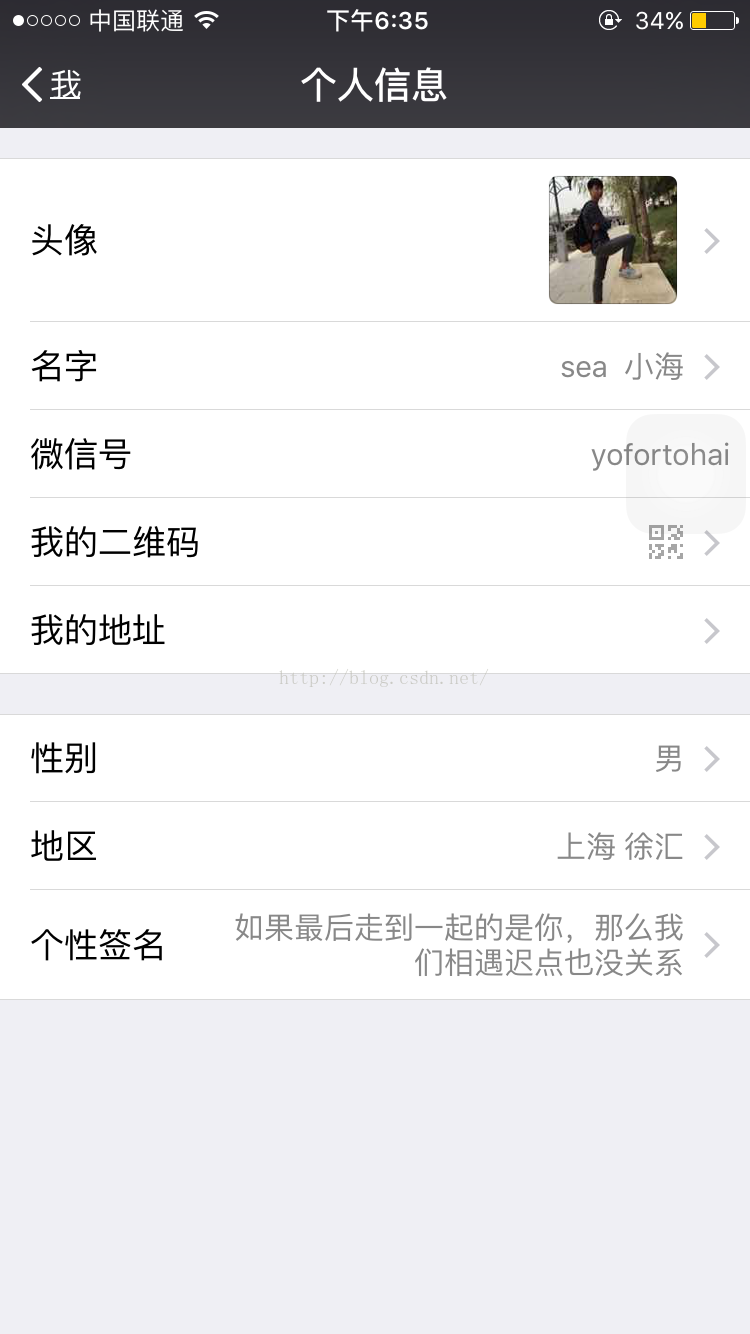
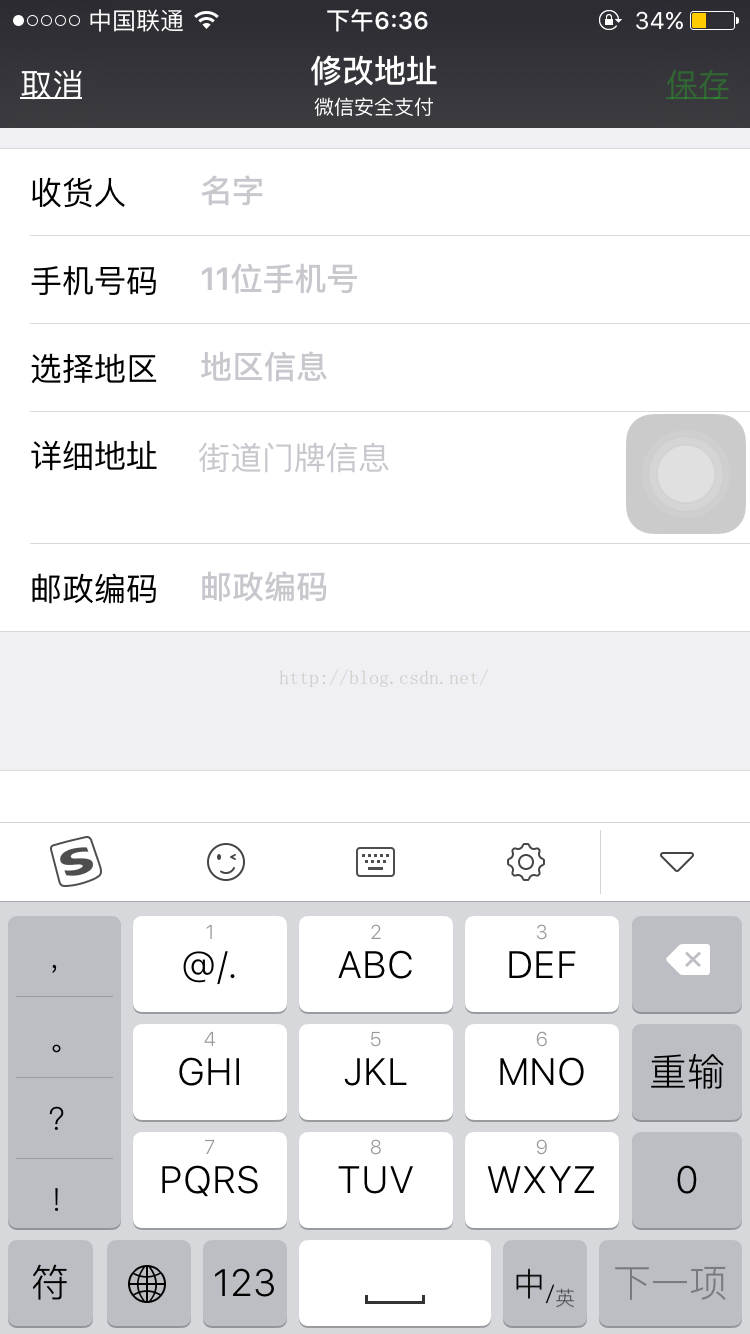
当您读到这里时,建议先下载demo,不懂再参考博客。在iOS项目开发中,容易遇到各种个人信息填写。比如微信中设置个人信息,等。这种方式是进行控制器跳转,代理或者block传值,这种比较容易,符合常规的cell的应用场景。请继续往下看,后面更精彩!!!
#import <UIKit/UIKit.h>

@interface UITextField (IndexPath)

@property (nonatomic,strong)NSIndexPath *indexPath;

@end
#import "UITextField+IndexPath.h"

#import <objc/runtime.h>

@implementation UITextField (IndexPath)

static char indexPathKey;

- (NSIndexPath *)indexPath{// get方法

    return objc_getAssociatedObject(self, &indexPathKey);

}

- (void)setIndexPath:(NSIndexPath *)indexPath{// set方法

    // OBJC_ASSOCIATION_RETAIN_NONATOMIC  这个参数主要看单词的第三个,OC对象是retain或者copy,跟属性一个道理,

    // OBJC_ASSOCIATION_ASSIGN  这是基本数据;类型需要的

    objc_setAssociatedObject(self, &indexPathKey, indexPath,OBJC_ASSOCIATION_RETAIN_NONATOMIC);

}

@end
 . .1HTextViewCell,.h中;自定义cell的写法。。 备注都给打好了??? ⚠️注意::加*号的注释非常重要

#import <UIKit/UIKit.h>

@interface HTextViewCell :UITableViewCell

/// 这里啰嗦两句:1.很多时候自定义cell在设置数据的时候都是模型复制,即.h中暴露一个属性,重写set方法,进行数据传值,

         //     2.就是文中这种方式,数据传递,提供接口。。两者的优劣自己体会。

/// 提供接口,设置cell的数据

/// ****indexPath的作用,是每次把cell的indexPath索引穿进来,绑定到textfield中

- (void)setTitleString:(NSString *)string andDataString:(NSString *)dataString andIndexPath:(NSIndexPath *)indexPath;

@end
3.2. HTextViewCell .m中的文件

#import "HTextViewCell.h"

#import "UITextField+IndexPath.h"

@interface HTextViewCell ()

@property (strong,nonatomic)UITextField *textField;

@property (strong,nonatomic)UILabel *titleLabel;

@end

@implementation HTextViewCell

- (instancetype)initWithStyle:(UITableViewCellStyle)style reuseIdentifier:(NSString *)reuseIdentifier{

    if (self = [superinitWithStyle:stylereuseIdentifier:reuseIdentifier]) {

        [self.contentViewaddSubview:self.textField];

        [self.contentViewaddSubview:self.titleLabel];

    }

    returnself;

}

- (void)setTitleString:(NSString *)string andDataString:(NSString *)dataString andIndexPath:(NSIndexPath *)indexPath{

   self.textField.indexPath = indexPath;// 这里展示每一行的数据的时候,indexPath和textile绑定一起了,这里又解决了疑问

    self.textField.text = dataString;

    self.titleLabel.text = string;

}

- (UITextField *)textField{

    if (!_textField) {

        _textField = [[UITextFieldalloc]initWithFrame:CGRectMake(,,,)];

        _textField.backgroundColor = [UIColorredColor];

    }

    return_textField;

}

- (UILabel *)titleLabel{

    if (!_titleLabel) {

        _titleLabel = [[UILabelalloc]initWithFrame:CGRectMake(,,,)];

    }

    return_titleLabel;

}

@end
. 控制器中的代码,,ViewController.h的控制器。

#import "ViewController.h"

#import "HTextViewCell.h"

#import "UITextField+IndexPath.h"

@interface ViewController ()<UITableViewDelegate,UITableViewDataSource>

@property (nonatomic ,strong)UITableView *tableView;

@property (nonatomic ,strong)NSArray *titleArray;

@property (nonatomic ,strong)NSMutableArray *arrayDataSouce;

@end

@implementation ViewController

- (void)dealloc{

    [[NSNotificationCenterdefaultCenter]removeObserver:self];

}

- (void)viewDidLoad {

    [superviewDidLoad];

    [self.viewaddSubview:self.tableView];

///  **********  注册通知,监听键盘的输入情况

    [[NSNotificationCenterdefaultCenter]addObserver:selfselector:@selector(textFieldDidChanged:)name:UITextFieldTextDidChangeNotificationobject:nil];

}

/// 保存数据的方法;

- (void)textFieldDidChanged:(NSNotification *)noti{

   ///*******这几句代码好好看看哦

    UITextField *textField=noti.object;

    NSIndexPath *indexPath = textField.indexPath;

    [self.arrayDataSoucereplaceObjectAtIndex:indexPath.rowwithObject:textField.text];

}

#pragma marks - UITableViewDataSource

- (NSInteger)tableView:(UITableView *)tableView numberOfRowsInSection:(NSInteger)section{

    returnself.arrayDataSouce.count;

}

- (UITableViewCell *)tableView:(UITableView *)tableView cellForRowAtIndexPath:(NSIndexPath *)indexPath{

    staticNSString *Id =@"HTextViewCell";

    HTextViewCell *cell = [tableViewdequeueReusableCellWithIdentifier:Id];

    if (!cell) {

        cell = [[HTextViewCellalloc]initWithStyle:UITableViewCellStyleDefaultreuseIdentifier:Id];

    }

    [cell setTitleString:self.titleArray[indexPath.row]andDataString:self.arrayDataSouce[indexPath.row]andIndexPath:indexPath];

    return cell;

}

- (void)touchesBegan:(NSSet<UITouch *> *)touches withEvent:(UIEvent *)event{

    [self.viewendEditing:YES];

}

#pragma marks- lazy

- (UITableView *)tableView{

    if (!_tableView) {

        _tableView = [[UITableViewalloc]initWithFrame:CGRectMake(,,self.view.frame.size.width,self.view.frame.size.height)];

        _tableView.delegate =self;

        _tableView.dataSource =self;

    }

    return_tableView;

}

- (NSMutableArray *)arrayDataSouce{

    if (!_arrayDataSouce) {

        _arrayDataSouce = [NSMutableArrayarray];

        [_arrayDataSouceaddObject:@""];

        [_arrayDataSouceaddObject:@""];

        [_arrayDataSouceaddObject:@""];

    }

    return_arrayDataSouce;

}

- (NSArray *)titleArray{

    if (!_titleArray) {

        _titleArray =@[@"姓名:",@"年龄:",@"工作地点:"];

    }

    return_titleArray;

}

@end
五:到这里也句接近尾声了,总结一下就是为UITextField增加一个属性,用来和控制器中方法中的indexPath对应

- (UITableViewCell *)tableView:(UITableView *)tableView cellForRowAtIndexPath:(NSIndexPath *)indexPath;

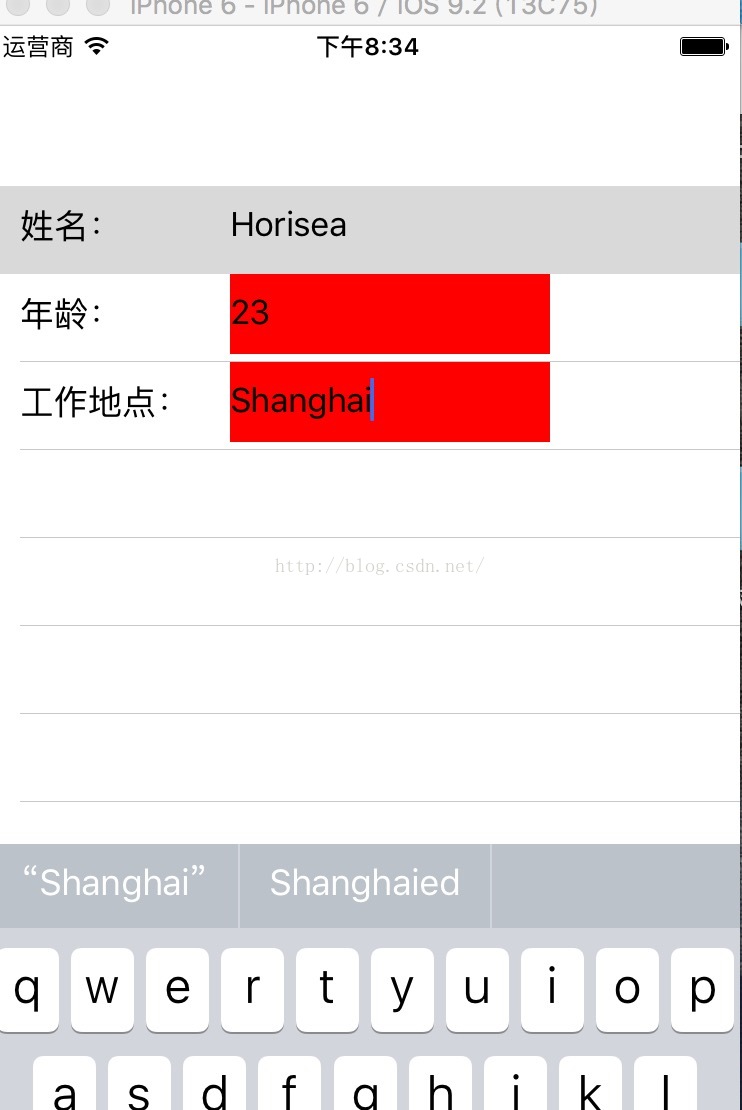
后者就是监听键盘的方法,在获取通知内容,用来保存数据,最后附上一张运行效果图
原文地址http://blog.csdn.net/horisea/article/details/51872619
在 cell 中获取 textFlied内容的使用的更多相关文章
- iOS中获取cell中webview的内容尺寸
最近项目中遇到在cell中获取webView的内容的尺寸的需求 实现的思路其实很简单 就是通过执行js 获取尺寸即可 为了后面用着方便我直接封装了一个HTML的cell 起名就叫 STHTMLBase ...
- 从html字符串中获取div内容---jquery
思考的问题: 怎么在一个网页的div中嵌套另外的网页(不使用inclue,iframe和frame,不使用他们的原因,include只能嵌套静态网页,iframe对网络爬虫影响,frame嵌套网页无法 ...
- PHP中获取某个网页或文件内容的方法
1. 通过file_get_contents()函数$contents = file_get_contents('http://demo.com/index.php');echo $contents; ...
- java中的文件读取和文件写出:如何从一个文件中获取内容以及如何向一个文件中写入内容
import java.io.BufferedReader; import java.io.BufferedWriter; import java.io.File; import java.io.Fi ...
- .net获取select控件中的文本内容
.net获取select控件中的文本内容 2009-11-28 21:19小V古 | 分类:C#/.NET | 浏览1374次 <select id="SecType" st ...
- UITableview 中获取非选中的cell
实现效果如图: 在cell中有一个button,选中cell改变button的选择状态 yes,选中另外一个cell,别的cell中的button选择状态变成false. //获取当前可显示的cell ...
- HtmlParser应用,使用Filter从爬取到的网页中获取需要的内容
htmlparser是一个纯的java写的html解析的库,它不依赖于其它的java库文件,主要用于改造或提取html.它能超高速解析html,而且不会出错.现在htmlparser最新版本为2.0. ...
- JS实现冒泡排序,插入排序和快速排序(从input中获取内容)
以前参加面试的时候,被问到过让用JS实现一个快速排序,当时太年轻,并没有回答上来. 于是,这里便把三种排序都用JS来做了一下.结合html,从input文本框中获取输入进行排序. 关于这几种算法的原理 ...
- 如何获取一个AlertDialog中的EditText中输入的内容
怎么获取一个AlertDialog中的EditText中输入的内容? new AlertDialog.Builder(this) .setTitle("请输入") .set ...
随机推荐
- js 时间格式处理插件 moment
官网: http://momentjs.cn/docs/#/plugins/ 各种API官网上都有详细的例子,这里就不做一一说明. 重点讲两个常用的: 一.获取当前日期 moment().format ...
- javacpp-FFmpeg系列补充:FFmpeg拉流截图实现在线演示demo(视频截图并返回base64图像,支持jpg/png/gif/bmp等多种格式)
javacpp-ffmpeg系列: javacpp-FFmpeg系列之1:视频拉流解码成YUVJ420P,并保存为jpg图片 javacpp-FFmpeg系列之2:通用拉流解码器,支持视频拉流解码并转 ...
- boost库安装和使用
1. 下载最新的boost库:http://www.boost.org/本文使用的是boost_1_66_0.tar.gz, 2. Boost库安装步骤: > 解压下载文件,例如下载文件在~/D ...
- 基于bootsplash的嵌入式linux启动画面定制
来源: ChinaUnix博客 作者: ChinaUnix博客 发布时间:2007-01-01 16:29:00 摘 要:在基于linux的嵌入式仿真平台研发中,利用开源工具bootsplash能够定 ...
- 项目清理和删除svn信息(转)
svn信息是根据文件夹里面的 .svn 文件夹保存相关配置的,删除此文件夹即可去掉svn信息: linux下: find . -type d -name ".svn"|xargs ...
- iview组件select之默认展示label,并传空value做方法入参
要求: 默认查询操作日期在当日的数据:(打开页面时默认选中时间.全部) 后台约定:选定“全部”这个条件,传的值是空"" 综上:使用select选择框的v-model绑定数据,使用: ...
- linux 下jansson安装和使用
1.安装jansson ./configure make make install 2.生成帮助文档 cd doc make html 编译安装doc时提示 spinx-build not a com ...
- 下载win7/win8/win10镜像
关于给电脑换系统,很多人会花钱去电脑店里换,或者是下载Ghost系统.但这些系统都不是微软原版的,制作者已经集成了很多常用软件或垃圾软件进去.我在这给大家介绍的是如何下载正版的Windows系统.这个 ...
- 在多台手机上批量安装apk
1.手机要打开adb调试 2.该程序可以实现台android手机的多个apk批量安装 1.getSeriaoNum.py模块,该模块获取已连接手机的序列号 import os import threa ...
- java.endorsed.dirs的作用
java.endorsed.dirs java.ext.dirs 用于扩展jdk的系统库,那么 -Djava.endorsed.dirs 又有什么神奇的作用呢? java提供了endorsed技术 ...