
一、spring 环境搭建
一、springtoolSuite4下载
1.概述
Spring Tools 4 是适用于您最喜欢的编码环境的下一代 Spring 工具。它主要从头开始重建,为开发基于 Spring 的企业应用程序提供世界一流的支持,无论您喜欢 Eclipse、Visual Studio Code 还是 Theia IDE。
换句话说, Spring Tool Suite是一个定制版的eclipse, 由spring framework官方在javaee版本的eclipse上包装spring插件出来的版本, 其核心还是javaee版本的eclipse。
2.下载
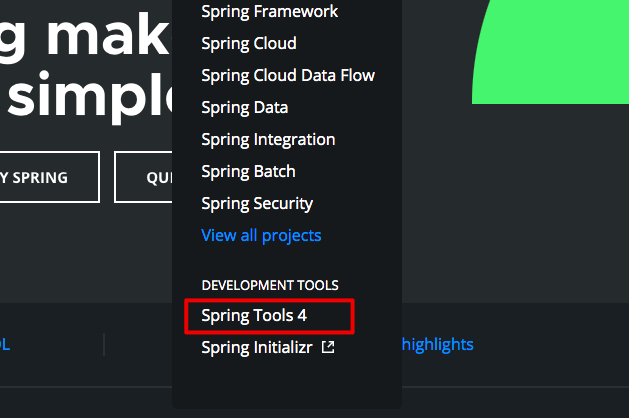
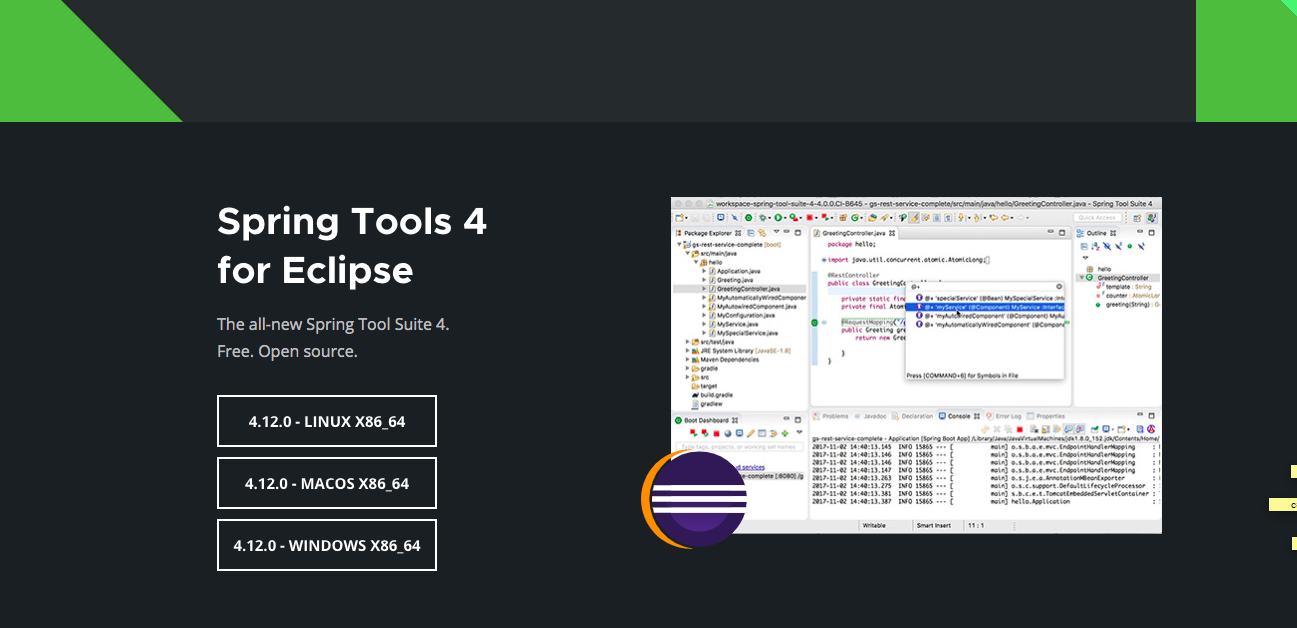
spring官网project中 spring tools4下载,选择相应的版本下载;如果下载下载下来的是jar包,运行一下该jar包即可安装;
二、创建java工程
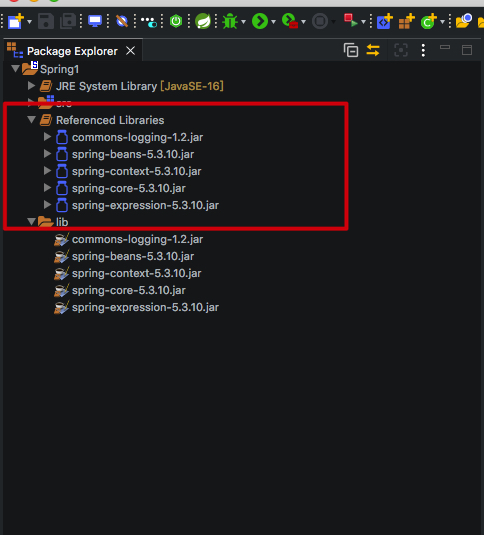
1.在项目根目录下创建lib文件夹并且添加5个jar包;
5个jar包分别是:
- spring-beans
- spring-context
- spring-core
- spring-expression
- commons-logging

三、spring的使用
说明:spring方式,第一步:创建springioc容器;二、从IOC容器中获取bean实例;三、调用方法;
1、创建类HelloWorld
 1 package com.lixm.spring.beans;

 2

 3 public class HelloWorld {

 4

 5     private String name;

 6

 7     public String getName() {

 8         return name;

 9     }

10

11     public void setName(String name) {

12         this.name = name;

13     }

14

15     public void hello() {

16         System.out.println("hello "+name);

17     }

18

19     public HelloWorld() {

20         System.out.println("helloworld's constructor");

21     }

22

23 }
2.使用spring调用方法
步骤一、在src中创建spring的配置文件(spring bean configuration file)applicationContext.xml(命名空间为 beans)

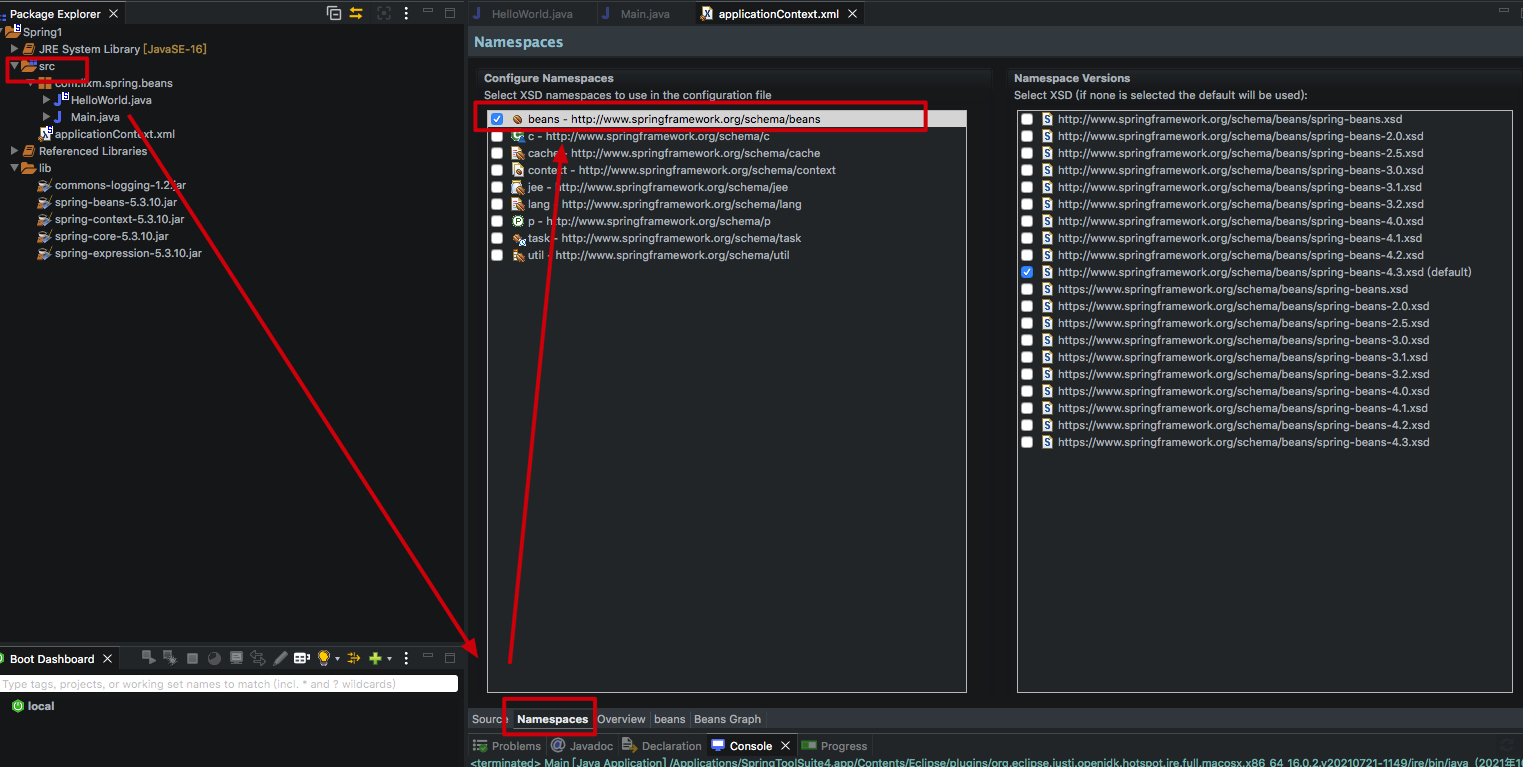
此时如果找不到spring的配置文件(spring bean configuration file)则需要安装其他软件(选择Add-on for spring tools 4)即可;
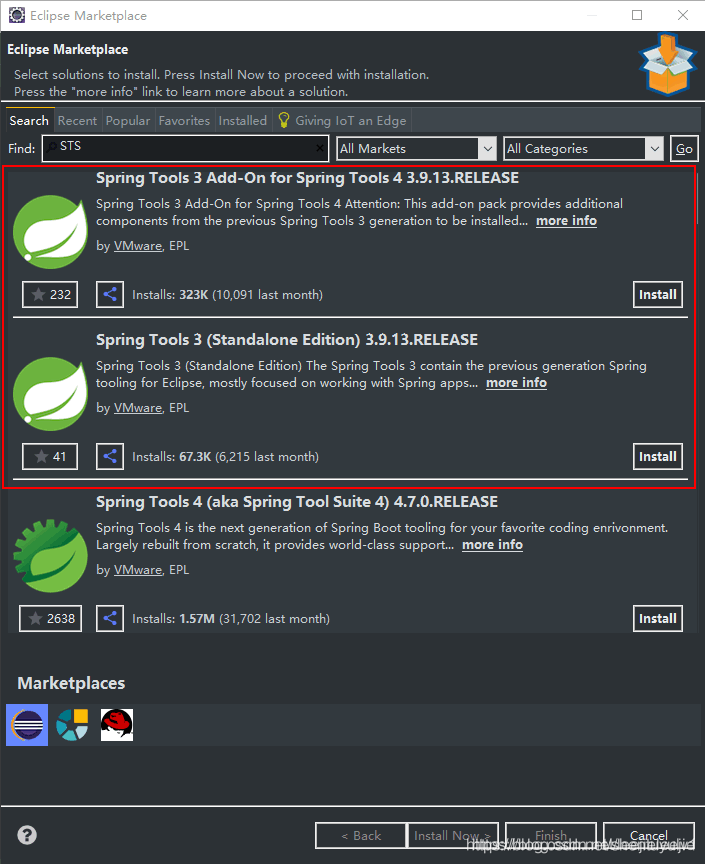
步骤一、xml配置beans
 1 <?xml version="1.0" encoding="UTF-8"?>

 2 <beans xmlns="http://www.springframework.org/schema/beans"

 3     xmlns:xsi="http://www.w3.org/2001/XMLSchema-instance"

 4     xsi:schemaLocation="http://www.springframework.org/schema/beans http://www.springframework.org/schema/beans/spring-beans-4.3.xsd">

 5

 6     <!-- id 用来标识class -->

 7     <bean id="helloWorld2" class="com.lixm.spring.beans.HelloWorld">

 8         <property name="name" value="Spring"></property>  <!-- name 为属性名 此处属性名为name value为属性的值  此处设置属性name的值为Spring-->

 9     </bean>

10 </beans>
步骤三、main的实现方式:
 1 package com.lixm.spring.beans;

 2

 3 import org.springframework.context.ApplicationContext;

 4 import org.springframework.context.ConfigurableApplicationContext;

 5 import org.springframework.context.support.ClassPathXmlApplicationContext;

 6

 7 public class Main {

 8     public static void main(String[] args) {

 9         // 采用spring 方式

10

11         ApplicationContext applicationContext = new ClassPathXmlApplicationContext("applicationContext.xml");

12         HelloWorld helloWorld2 = (HelloWorld) applicationContext.getBean("helloWorld2");

13         helloWorld2.hello();

14         ((ConfigurableApplicationContext) applicationContext).close();

15     }

16

17 }
运行main方法 控制台打印结果是:
helloworld's constructor
hello lixiuming
四、普通调用方式(不使用spring):
 1 package com.lixm.spring.beans;

 2

 3 public class Main {

 4     public static void main(String[] args) {

 5         // 普通方式

 6         // 创建 hellowWorld

 7         HelloWorld helloWorld = new HelloWorld();

 8         // 设置属性

 9         helloWorld.setName("lixiuming");

10         helloWorld.hello();

11

12     }

13

14 }
一、spring 环境搭建的更多相关文章
- Spring环境搭建之:导入jar包、配置文件名称及放置位置
Spring环境搭建之:导入jar包.配置文件名称及放置位置 现在项目开发中spring框架应用的还是比较多的,自己用的还不太熟练,每次用的时候总配置半天,总有些配置弄错,就找个时间总结以下,方便以后 ...
- 【Spring学习笔记-1】Myeclipse下Spring环境搭建
*.hl_mark_KMSmartTagPinkImg{background-color:#ffaaff;}*.hl_mark_KMSmartTagBlueImg{background-color:# ...
- 【Spring环境搭建】在Myeclipse下搭建Spring环境-web开发
<?xml version="1.0" encoding="UTF-8"?> <web-app version="3.0" ...
- Spring之Spring环境搭建
Spring之Spring环境搭建 一.什么是Spring? Spring框架是由于软件开发的复杂性而创建的.Spring使用的是基本的JavaBean来完成以前只可能由EJB完成的事情.然而,Spr ...
- SSH环境搭建之Spring环境搭建篇
SSH环境搭建之Spring环境搭建篇 一.引入Spring所使用的JAR文件 二.在src目录下创建beans.xml(Spring的容器文件) <?xml version="1.0 ...
- Spring环境搭建及简单demo
1. Spring框架简介(以下这段话可用于面试求职) Spring为JavaEE开发提供了一个轻量级的解决方案,主要表现为, IOC(或者叫做DI)的核心机制,提供了bean工厂(Spring容器) ...
- eclipse Spring环境搭建 spring tool suite
1.期初用intellij社区版,发现收费版才能开发Java EE. 2.使用eclipse按照网上的教程,在help->eclipse marketplace中搜索sts安装spring工具套 ...
- 01、Spring环境搭建
环境:SpringSource-Tool-3.9.9.Eclipse4.10.0 首先,我们需要解决的是Spring包的问题,我看了百度.CSDN很多都是直接一上来随便丢个包就可以安装了,搞得我弄了一 ...
- spring环境搭建需要的插件-------Spring Tool Suite™ Downloads
下载地址http://spring.io/tools/sts/all 上面的是集成了eclipse的,所以文件比较大,下面的是单独的插件,下载之后打开eclipse,help->installN ...
随机推荐
- Java基础系列(6)- 注释
注释 平时我们编写代码,在代码量比较少的时候,我们还可以看懂自己写的,但是当项目结构一旦复杂起来,我们就需要用到注释了 注释不会被执行,是给开发人员看的 书写注释是一个非常好的习惯 Java中的注释有 ...
- Jmeter系列(3)- 常用断言之响应断言
断言的作用 确定请求是有效还是无效的 添加断言 面板模块介绍 Apply to 作用:指定断言作用范围 Main sample and sub-sample:作用于主main sample和子sub- ...
- Redis Windows 服务启动异常 错误码1067
https://blog.csdn.net/after_you/article/details/62215163 Redis Windows 服务启动异常 错误码1067 下载了Redis 2.8.2 ...
- Hive On Spark保姆级攻略
声明: 此博客参考了官网的配置方式,并结合笔者在实践网上部分帖子时的踩坑经历整理而成 这里贴上官方配置说明: [官方]: https://cwiki.apache.org//confluence/di ...
- P3175-[HAOI2015]按位或【min-max容斥,FWT】
正题 题目链接:https://www.luogu.com.cn/problem/P3175 题目大意 开始有一个\(n\)位二进制数\(s=0\),每次有\(p_i\)概率选取数字\(i\)让\(s ...
- CF438E-The Child and Binary Tree【生成函数】
正题 题目链接:https://www.luogu.com.cn/problem/CF438E 题目大意 每个节点有\(n\)个权值可以选择,对于\(1\sim m\)中的每个数字\(k\),求权值和 ...
- 关于Postman你必须学会的技能
关于Postman 工欲善其事,必先利其器,在了解了接口测试之后,就要选择一款适用的工具.之所以选择postman是因为它简单.容易上手.能覆盖大多数HTTP接口测试场景,性价比极高. Postman ...
- (一):细说贝叶斯滤波:Bayes filters
认知计算,还要从贝叶斯滤波的基本思想讲起,本文主要是对<Probabilistic Robotics>中贝叶斯滤波器部分的详细讲解. 这一部分,我们先回顾贝叶斯公式的数学基础,然后再来介绍 ...
- 实例:建立图书借阅系统的UML模型
1.需求分析 图书借阅系统的组成 2.具体的功能详细描述: (1)管理员登录系统,进入借书工作状态,等待借书处理. (2)读者找到所需图书,在借书处上刷卡机上刷卡. (3)管理员对借阅证进行资格审查. ...
- 使用CEF(四)— 在QT中集成CEF(1):基本集成
QT作为C++下著名的跨平台软件开发框架,实现了一套代码可以在所有的操作系统.平台和屏幕类型上部署.我们前几篇文章讲解了如何构建一款基于CEF的简单的样例,但这些样例的GUI都是使用的原生的或者是控件 ...