
OpenCV图像修复
在OpenCV的“photo.hpp”中定义了一个inpaint函数,可以用来实现图像的修复和复原功能,inpaint函数的原型如下:
void inpaint( InputArray src, InputArray inpaintMask,

OutputArray dst, double inpaintRadius, int flags );#include <imgproc\imgproc.hpp>
#include <highgui\highgui.hpp>
#include <photo\photo.hpp>
using namespace cv;
//全区域阈值处理+Mask膨胀处理
int main()
{
Mat imageSource = imread("Test.jpg");
if (!imageSource.data)
{
return -1;
}
imshow("原图", imageSource);
Mat imageGray;
//转换为灰度图
cvtColor(imageSource, imageGray, CV_RGB2GRAY, 0);
Mat imageMask = Mat(imageSource.size(), CV_8UC1, Scalar::all(0));
//通过阈值处理生成Mask
threshold(imageGray, imageMask, 240, 255, CV_THRESH_BINARY);
Mat Kernel = getStructuringElement(MORPH_RECT, Size(3, 3));
//对Mask膨胀处理,增加Mask面积
dilate(imageMask, imageMask, Kernel);
//图像修复
inpaint(imageSource, imageMask, imageSource, 5, INPAINT_TELEA);
imshow("Mask", imageMask);
imshow("修复后", imageSource);
waitKey();
}
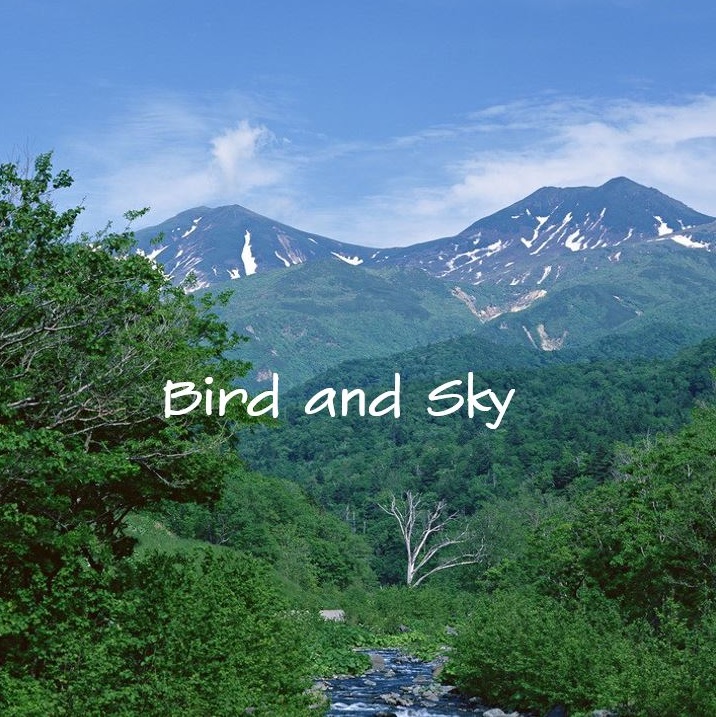
原始图像:
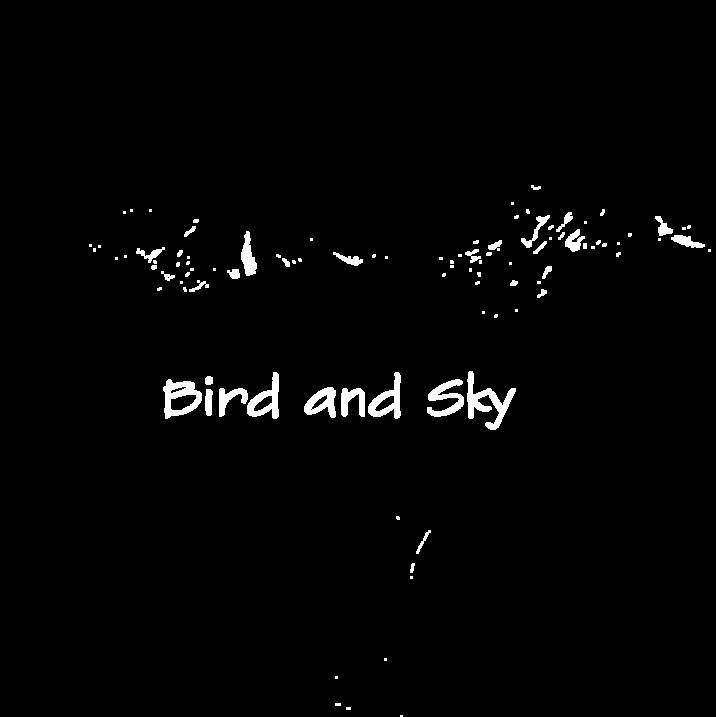
根据阈值处理得到的图像掩码:
图像复原结果:
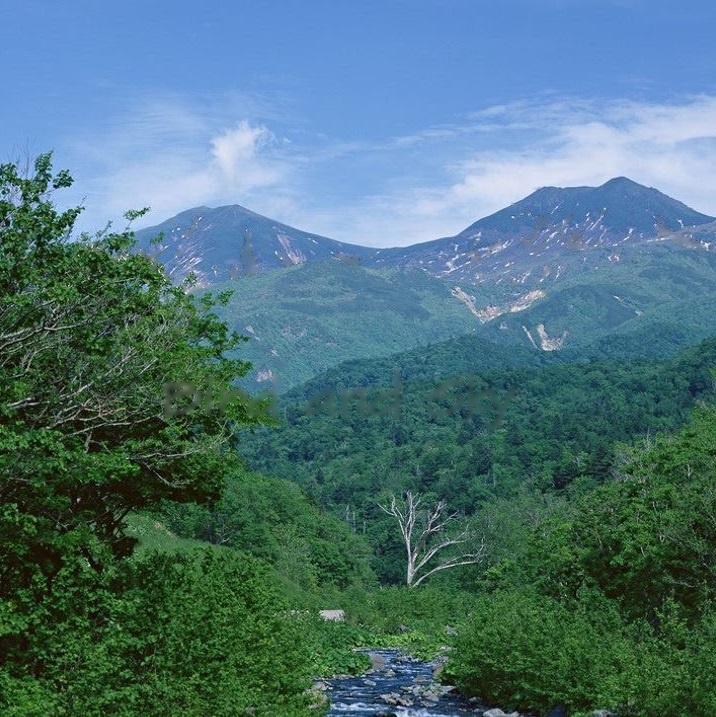
由于是图像全区域做阈值处理获得的掩码,图像上部分区域也被当做掩码对待,导致部分图像受损。
方法二、鼠标框选区域+阈值处理+Mask膨胀处理
#include <imgproc/imgproc.hpp>

#include <highgui/highgui.hpp>

#include <core/core.hpp>

#include <photo/photo.hpp>

using namespace cv;

Point ptL, ptR; //鼠标画出矩形框的起点和终点

Mat imageSource, imageSourceCopy;

Mat ROI; //原图需要修复区域的ROI

//鼠标回调函数

void OnMouse(int event, int x, int y, int flag, void *ustg);

//鼠标圈定区域阈值处理+Mask膨胀处理

int main()

{

	imageSource = imread("Test.jpg");

	if (!imageSource.data)

	{

		return -1;

	}

	imshow("原图", imageSource);

	setMouseCallback("原图", OnMouse);

	waitKey();

}

void OnMouse(int event, int x, int y, int flag, void *ustg)

{

	if (event == CV_EVENT_LBUTTONDOWN)

	{

		ptL = Point(x, y);

		ptR = Point(x, y);

	}

	if (flag == CV_EVENT_FLAG_LBUTTON)

	{

		ptR = Point(x, y);

		imageSourceCopy = imageSource.clone();

		rectangle(imageSourceCopy, ptL, ptR, Scalar(255, 0, 0));

		imshow("原图", imageSourceCopy);

	}

	if (event == CV_EVENT_LBUTTONUP)

	{

		if (ptL != ptR)

		{

			ROI = imageSource(Rect(ptL, ptR));

			imshow("ROI", ROI);

			waitKey();

		}

	}

	//单击鼠标右键开始图像修复

	if (event == CV_EVENT_RBUTTONDOWN)

	{

		imageSourceCopy = ROI.clone();

		Mat imageGray;

		cvtColor(ROI, imageGray, CV_RGB2GRAY); //转换为灰度图

		Mat imageMask = Mat(ROI.size(), CV_8UC1, Scalar::all(0));

		//通过阈值处理生成Mask

		threshold(imageGray, imageMask, 235, 255, CV_THRESH_BINARY);

		Mat Kernel = getStructuringElement(MORPH_RECT, Size(3, 3));

		dilate(imageMask, imageMask, Kernel);  //对Mask膨胀处理

		inpaint(ROI, imageMask, ROI, 9, INPAINT_TELEA);  //图像修复

		imshow("Mask", imageMask);

		imshow("修复后", imageSource);

	}

}
鼠标圈定的ROI:

图像复原结果:
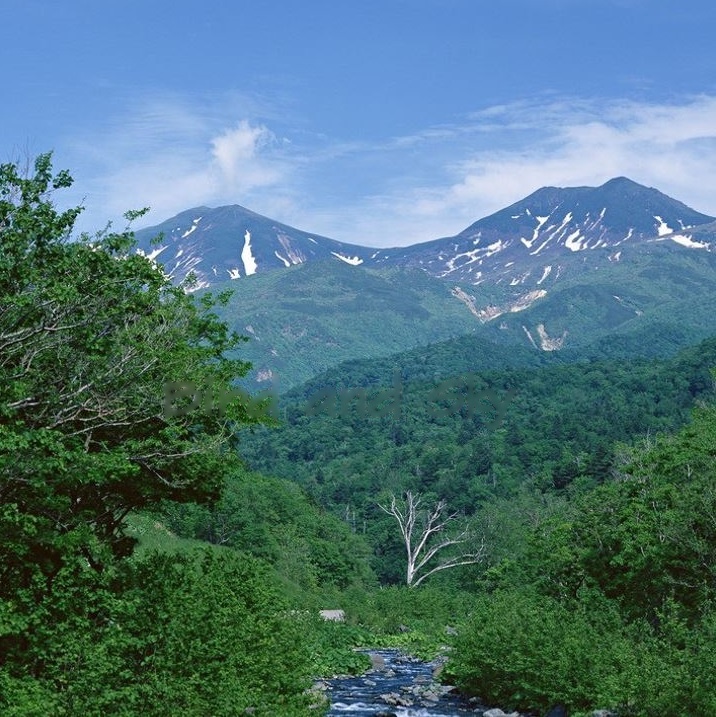
选定区域之外的图像不受修复影响,没有额外的损伤。
方法三、鼠标划定整个区域作为修复对象
这个方法选定一个矩形区域,把整个矩形区域作为要修复的对象,该方法适用于图像结构比较简单,特别是纯色图像,并且选定区域面积占比不大的情况,效果较好。
#include <imgproc/imgproc.hpp>

#include <highgui/highgui.hpp>

#include <core/core.hpp>

#include <photo/photo.hpp>

using namespace cv;

Point ptL, ptR; //鼠标画出矩形框的起点和终点

Mat imageSource, imageSourceCopy;

Mat ROI; //原图需要修复区域的ROI

//鼠标回调函数

void OnMouse(int event, int x, int y, int flag, void *ustg);

//鼠标圈定区域

int main()

{

	imageSource = imread("Test.jpg");

	if (!imageSource.data)

	{

		return -1;

	}

	imshow("原图", imageSource);

	setMouseCallback("原图", OnMouse);

	waitKey();

}

void OnMouse(int event, int x, int y, int flag, void *ustg)

{

	if (event == CV_EVENT_LBUTTONDOWN)

	{

		ptL = Point(x, y);

		ptR = Point(x, y);

	}

	if (flag == CV_EVENT_FLAG_LBUTTON)

	{

		ptR = Point(x, y);

		imageSourceCopy = imageSource.clone();

		rectangle(imageSourceCopy, ptL, ptR, Scalar(255, 0, 0));

		imshow("原图", imageSourceCopy);

	}

	if (event == CV_EVENT_LBUTTONUP)

	{

		if (ptL != ptR)

		{

			ROI = imageSource(Rect(ptL, ptR));

			imshow("ROI", ROI);

			waitKey();

		}

	}

	//单击鼠标右键开始图像修复

	if (event == CV_EVENT_RBUTTONDOWN)

	{

		imageSourceCopy = Mat(imageSource.size(), CV_8UC1, Scalar::all(0));

		Mat imageMask = imageSourceCopy(Rect(ptL, ptR));

		//生成一个跟ROI大小一样的值全为1的区域

		Mat imageMaskCopy = Mat(imageMask.size(), CV_8UC1, Scalar::all(1));

		imageMaskCopy.copyTo(imageMask);

		inpaint(imageSource, imageSourceCopy, imageSource, 9, INPAINT_TELEA);  //图像修复

		imshow("Mask", imageSourceCopy);

		imshow("修复后", imageSource);

	}

}
原始图像:
图像复原结果:
OpenCV图像修复的更多相关文章
- opencv 图像修复函数
void cv::inpaint( const Mat& src, const Mat& mask, Mat& dst, double inpaintRange, int fl ...
- OpenCV探索之路(十):图像修复技术
在实际应用中,我们的图像常常会被噪声腐蚀,这些噪声或是镜头上的灰尘或水滴,或是旧照片的划痕,或者是图像遭到人为的涂画(比如马赛克)或者图像的部分本身已经损坏.如果我们想让这些受到破坏的额图片尽可能恢复 ...
- OpenCV学习2-----使用inpaint函数进行图像修复
安装opencv时,在opencv的安装路径下, sources\samples\cpp\ 路径里面提供了好多经典的例子,很值得学习. 这次的例子是利用inpaint函数进行图像修复. CV_EXP ...
- OpenCV图像金字塔:高斯金字塔、拉普拉斯金字塔与图片尺寸缩放
这篇已经写得很好,真心给作者点个赞.题目都是直接转过来的,直接去看吧. Reference Link : http://blog.csdn.net/poem_qianmo/article/detail ...
- 【OpenCV新手教程之十三】OpenCV图像金字塔:高斯金字塔、拉普拉斯金字塔与图片尺寸缩放
本系列文章由@浅墨_毛星云 出品,转载请注明出处. 文章链接:http://blog.csdn.net/poem_qianmo/article/details/26157633 作者:毛星云(浅墨) ...
- Opencv 图像叠加 添加水印
Opencv 图像叠加 添加水印 C++: void Mat::copyTo(OutputArray m) const C++: void Mat::copyTo(OutputArray m, Inp ...
- opencv图像读取-imread
前言 图像的读取和保存一定要注意imread函数的各个参数及其意义,尽量不要使用默认参数,否则就像数据格式出现错误(here)一样,很难查找错误原因的: re: 1.opencv图像的读取与保存; 完
- 学习 opencv---(12)OpenCV 图像金字塔:高斯金字塔,拉普拉斯金字塔与图片尺寸缩放
在这篇文章里,我们一起学习下 图像金字塔 的一些基本概念,如何使用OpenCV函数pyrUp和pyrDown 对图像进行向上和向下采样,以及了解专门用于缩放图像尺寸的resize函数的用法.此博文一共 ...
- [OpenCV Qt教程] 在Qt图形界面中显示OpenCV图像的OpenGL Widget(第二部分)
本文译自:http://www.robot-home.it/blog/en/software/tutorial-opencv-qt-opengl-widget-per-visualizzare-imm ...
随机推荐
- IL命令初学者要知道的事
在一个中间语言程序中,如果某一行以“.”开始,代表这是一个传输给汇编工具的指令:而不是以“.”开始的行是中间语言的代码.上图中.method是方法定义指令,定义了Main方法,参数在“()”中,IL代 ...
- [Angular] Bind async requests in your Angular template with the async pipe and the "as" keyword
Angular allows us to conveniently use the async pipe to automatically register to RxJS observables a ...
- thinkphp3.2使用join联合查询
$members=$model->table('zhope_card A') ->join('zhope_user U ON A.adduser=U.id',"LEFT" ...
- Bluetooth---初步了解Android 蓝牙4.0
http://developer.android.com/reference/android/bluetooth/package-summary.html android.bluttooth 提供管理 ...
- 【34.88%】【codeforces 569C】Primes or Palindromes?
time limit per test3 seconds memory limit per test256 megabytes inputstandard input outputstandard o ...
- js如何实现动态点击改变单元格颜色?
js如何实现动态点击改变单元格颜色? 一.总结 1.通过table的rows属性,遍历表格所有行,然后通过cells属性,遍历每一行中的单元格. 2.遍历的过程中,动态的为每一个单元格定义单击事件,改 ...
- java--css+js做的树形菜单(完整版)
jsp页面: <%@ page language="java" import="java.util.*" pageEncoding="UTF-8 ...
- 【a901】滑雪
Time Limit: 10 second Memory Limit: 2 MB 问题描述 滑雪是一项非常刺激的运动,为了获得速度,滑雪的区域必须向下倾斜,而且当你滑到坡底,你不得不再次走上坡或者等待 ...
- Opencv均值漂移pyrMeanShiftFiltering彩色图像分割流程剖析
meanShfit均值漂移算法是一种通用的聚类算法,它的基本原理是:对于给定的一定数量样本,任选其中一个样本,以该样本为中心点划定一个圆形区域,求取该圆形区域内样本的质心,即密度最大处的点,再以该点为 ...
- RabbitMQ 延迟队列实现订单支付结果异步阶梯性通知
在第三方支付中,例如支付宝.或者微信,对于订单请求,第三方支付系统采用的是消息同步返回.异步通知+主动补偿查询的补偿机制. 由于互联网通信的不可靠性,例如双方网络.服务器.应用等因素的影响,不管是同步 ...