
PCB Winform中的WebBrowser扩展拖放(拖拽)功能 实现方法
我们在Winform支持网页通常增加WebBrowser控件实现,相当于内嵌浏览器浏览网页使用,
而此WebBrowser默认情况是文件拖入功能是不支持的,
如何才能支持呢。在这里介绍如何实现方法
一.直接上源码吧,
下载后直接用,其实不要了解太深入,会用就行了啦(用之前,网页需有加入JS drop功能)
下载地址 http://pcbren.cn/ShareFiles/WebbrowserDemoDrop.zip
二.实现拖拽是重构WebBrowser浏览器Drag事件,让浏览器支持拖拽功能,以下为部份代码:
public partial class ExtendedWebBrowser : System.Windows.Forms.WebBrowser, MsHtmHstInterop.IDocHostUIHandler, MsHtmHstInterop.IDropTarget, IEInterface.IWebBrowser2
{ public event Events.DragEnterEventHander ExDragEnter;
private Events.DragEnterEventArgs dragEnterEventArgs;
public event Events.DragOverEventHander ExDragOver;
private Events.DragOverEventArgs dragOverEventArgs;
public event Events.DragLeaveEventHander ExDragLeave;
public event Events.DragDropEventHander ExDragDrop;
private Events.DragDropEventArgs dragDropEventArgs;
private bool registerAsDropTarget = true;
private bool registerAsBrowser = true;
private bool slient = true;
MsHtmHstInterop.IDropTarget pDropTarget;//保存原有的拖放对象
private bool isDragToInputBox = false;//判断是否是在向输入框中拖放 public ExtendedWebBrowser()
{
InitializeComponent();
this.AllowWebBrowserDrop = true;
Navigate("about:blank");
MsHtmHstInterop.ICustomDoc idoc = this.Document.DomDocument as MsHtmHstInterop.ICustomDoc;
idoc.SetUIHandler(this as MsHtmHstInterop.IDocHostUIHandler);
dragEnterEventArgs = new Events.DragEnterEventArgs();
dragOverEventArgs = new Events.DragOverEventArgs();
dragDropEventArgs = new Events.DragDropEventArgs();
} #region 获取新窗口Url
AxHost.ConnectionPointCookie cookie;
WebBrowserExtendedEvents events; //This method will be called to give you a chance to create your own event sink
protected override void CreateSink()
{
//MAKE SURE TO CALL THE BASE or the normal events won't fire
base.CreateSink();
events = new WebBrowserExtendedEvents(this);
cookie = new AxHost.ConnectionPointCookie(this.ActiveXInstance, events, typeof(LuckyPang.ControlLibrary.IEInterface.DWebBrowserEvents2));
} protected override void DetachSink()
{
if (null != cookie)
{
cookie.Disconnect();
cookie = null;
}
base.DetachSink();
} //This new event will fire when the page is navigating
public event EventHandler<WebBrowserExtendedNavigatingEventArgs> ExtendedNavigating; protected void OnExtendedNavigating(string url, string frame, out bool cancel)
{
EventHandler<WebBrowserExtendedNavigatingEventArgs> h = ExtendedNavigating;
WebBrowserExtendedNavigatingEventArgs args = new WebBrowserExtendedNavigatingEventArgs(url, frame);
if (null != h)
{
h(this, args);
}
//Pass the cancellation chosen back out to the events
cancel = args.Cancel;
} public event EventHandler<WebBrowserExtendedNewWindowEventArgs> ExtendedNewWindow; protected void OnExtendedNewWindow(string url,out bool cancel)
{
EventHandler<WebBrowserExtendedNewWindowEventArgs> h = ExtendedNewWindow;
WebBrowserExtendedNewWindowEventArgs args = new WebBrowserExtendedNewWindowEventArgs(url);
if (null != h)
{
h(this, args);
}
//Pass the cancellation chosen back out to the events
cancel = args.Cancel;
} public event EventHandler<Events.WebBrowserExtendedWindowClosingEventArgs> ExtendedWindowClosing;
protected void OnExtendWindowClosing(out bool cancel)
{
EventHandler<Events.WebBrowserExtendedWindowClosingEventArgs> h = ExtendedWindowClosing;
Events.WebBrowserExtendedWindowClosingEventArgs args = new Events.WebBrowserExtendedWindowClosingEventArgs();
if (null != h)
{
h(this, args);
}
//Pass the cancellation chosen back out to the events
cancel = args.Cancel;
} //This class will capture events from the WebBrowser
class WebBrowserExtendedEvents : System.Runtime.InteropServices.StandardOleMarshalObject, LuckyPang.ControlLibrary.IEInterface.DWebBrowserEvents2
{
ExtendedWebBrowser _Browser;
private bool m_bPop;
public WebBrowserExtendedEvents(ExtendedWebBrowser browser)
{ _Browser = browser; } //Implement whichever events you wish
public void BeforeNavigate2(object pDisp, ref object URL, ref object flags, ref object targetFrameName, ref object postData, ref object headers, ref bool cancel)
{
_Browser.OnExtendedNavigating((string)URL, (string)targetFrameName, out cancel);
} public void NewWindow3(ref object ppDisp, ref bool Cancel, uint dwFlags, string bstrUrlContext, string bstrUrl)
{
_Browser.OnExtendedNewWindow(bstrUrl, out Cancel);
} #region DWebBrowserEvents2 成员 public void StatusTextChange(string Text)
{
throw new NotImplementedException();
} public void ProgressChange(int Progress, int ProgressMax)
{
throw new NotImplementedException();
} public void CommandStateChange(int Command, bool Enable)
{
throw new NotImplementedException();
} public void DownloadBegin()
{
m_bPop = false;
} public void DownloadComplete()
{
m_bPop = true;
} public void TitleChange(string Text)
{
throw new NotImplementedException();
} public void PropertyChange(string szProperty)
{
throw new NotImplementedException();
} public void NewWindow2(ref object ppDisp, ref bool Cancel)
{
Cancel = m_bPop;
} public void NavigateComplete2(object pDisp, ref object URL)
{
throw new NotImplementedException();
} public void DocumentComplete(object pDisp, ref object URL)
{
throw new NotImplementedException();
} public void OnQuit()
{
throw new NotImplementedException();
} public void OnVisible(bool Visible)
{
throw new NotImplementedException();
} public void OnToolBar(bool ToolBar)
{
throw new NotImplementedException();
} public void OnMenuBar(bool MenuBar)
{
throw new NotImplementedException();
} public void OnStatusBar(bool StatusBar)
{
throw new NotImplementedException();
} public void OnFullScreen(bool FullScreen)
{
throw new NotImplementedException();
} public void OnTheaterMode(bool TheaterMode)
{
throw new NotImplementedException();
} public void WindowSetResizable(bool Resizable)
{
throw new NotImplementedException();
} public void WindowSetLeft(int Left)
{
throw new NotImplementedException();
} public void WindowSetTop(int Top)
{
throw new NotImplementedException();
} public void WindowSetWidth(int Width)
{
throw new NotImplementedException();
} public void WindowSetHeight(int Height)
{
throw new NotImplementedException();
} public void WindowClosing(bool IsChildWindow, ref bool Cancel)
{
_Browser.OnExtendWindowClosing(out Cancel);
} public void ClientToHostWindow(ref int CX, ref int CY)
{
throw new NotImplementedException();
} public void SetSecureLockIcon(int SecureLockIcon)
{
throw new NotImplementedException();
} public void FileDownload(ref bool Cancel)
{
throw new NotImplementedException();
} public void NavigateError(object pDisp, ref object URL, ref object Frame, ref object StatusCode, ref bool Cancel)
{
throw new NotImplementedException();
} public void PrintTemplateInstantiation(object pDisp)
{
throw new NotImplementedException();
} public void PrintTemplateTeardown(object pDisp)
{
throw new NotImplementedException();
} public void UpdatePageStatus(object pDisp, ref object nPage, ref object fDone)
{
throw new NotImplementedException();
} public void PrivacyImpactedStateChange(bool bImpacted)
{
throw new NotImplementedException();
} #endregion
}
#endregion #region IDocHostUIHandler 成员 void MsHtmHstInterop.IDocHostUIHandler.EnableModeless(int fEnable)
{
throw new NotImplementedException();
} void MsHtmHstInterop.IDocHostUIHandler.FilterDataObject(MsHtmHstInterop.IDataObject pDO, out MsHtmHstInterop.IDataObject ppDORet)
{
ppDORet = pDO;
} void MsHtmHstInterop.IDocHostUIHandler.GetDropTarget(MsHtmHstInterop.IDropTarget pDropTarget, out MsHtmHstInterop.IDropTarget ppDropTarget)
{
this.pDropTarget = pDropTarget;//保存默认的对象
ppDropTarget = this as MsHtmHstInterop.IDropTarget ;//把当前对角注册为拖放对象
} void MsHtmHstInterop.IDocHostUIHandler.GetExternal(out object ppDispatch)
{
if (this.ObjectForScripting != null)
{
ppDispatch = this.ObjectForScripting;
}
else
{
ppDispatch = null;
}
} void MsHtmHstInterop.IDocHostUIHandler.GetHostInfo(ref MsHtmHstInterop._DOCHOSTUIINFO pInfo)
{
pInfo.dwFlags = 0x00040000;
} void MsHtmHstInterop.IDocHostUIHandler.GetOptionKeyPath(out string pchKey, uint dw)
{
throw new NotImplementedException();
} void MsHtmHstInterop.IDocHostUIHandler.HideUI()
{
throw new NotImplementedException();
} void MsHtmHstInterop.IDocHostUIHandler.OnDocWindowActivate(int fActivate)
{
throw new NotImplementedException();
} void MsHtmHstInterop.IDocHostUIHandler.OnFrameWindowActivate(int fActivate)
{
throw new NotImplementedException();
} void MsHtmHstInterop.IDocHostUIHandler.ResizeBorder(ref MsHtmHstInterop.tagRECT prcBorder, MsHtmHstInterop.IOleInPlaceUIWindow pUIWindow, int fRameWindow)
{
throw new NotImplementedException();
} void MsHtmHstInterop.IDocHostUIHandler.ShowContextMenu(uint dwID, ref MsHtmHstInterop.tagPOINT ppt, object pcmdtReserved, object pdispReserved)
{
throw new NotImplementedException();
} void MsHtmHstInterop.IDocHostUIHandler.ShowUI(uint dwID, MsHtmHstInterop.IOleInPlaceActiveObject pActiveObject, MsHtmHstInterop.IOleCommandTarget pCommandTarget, MsHtmHstInterop.IOleInPlaceFrame pFrame, MsHtmHstInterop.IOleInPlaceUIWindow pDoc)
{
if (pActiveObject != null)
{
pActiveObject.GetWindow((IntPtr ));
}
} void MsHtmHstInterop.IDocHostUIHandler.TranslateAccelerator(ref MsHtmHstInterop.tagMSG lpmsg, ref Guid pguidCmdGroup, uint nCmdID)
{
throw new NotImplementedException();
} void MsHtmHstInterop.IDocHostUIHandler.TranslateUrl(uint dwTranslate, ref ushort pchURLIn, IntPtr ppchURLOut)
{
throw new NotImplementedException();
} void MsHtmHstInterop.IDocHostUIHandler.UpdateUI()
{
throw new NotImplementedException();
} #endregion #region IDropTarget 成员 public new void DragEnter(MsHtmHstInterop.IDataObject pDataObj, uint grfKeyState, MsHtmHstInterop._POINTL pt, ref uint pdwEffect)
{
pDropTarget.DragEnter(pDataObj, grfKeyState, pt, ref pdwEffect);//调用默认方法
//获取拖动的参数
if (ExDragEnter != null)
{
DataObject dobj = null;
if (pDataObj != null)
{
dobj = new DataObject(pDataObj);//拖动数据
Point p = new Point(pt.x, pt.y);//鼠标在容器上的位置
dragEnterEventArgs.SetParameters(dobj, grfKeyState, p, pdwEffect);
ExDragEnter(this, dragEnterEventArgs);//此处为自定义事件
if (dragEnterEventArgs.handled)//自定义事件的返回值
{
pdwEffect = dragEnterEventArgs.pdwEffect;
}
}
}
} public new void DragLeave()
{
pDropTarget.DragLeave();//调用默认的方法
if (ExDragLeave != null)
{
ExDragLeave(this);//自定义事件
}
} public new void DragOver(uint grfKeyState, MsHtmHstInterop._POINTL pt, ref uint pdwEffect)
{
uint temp = pdwEffect;//保存原有的拖放效果,当调用默认的
//操作时此参数会改变,并根据此来判
//断是否向输入框中拖放 pDropTarget.DragOver(grfKeyState, pt, ref pdwEffect);//调用默认方法
if (pdwEffect > )//如果值变为了零,那么是向输入框中拖放了
{
isDragToInputBox = true;//标记设为true
temp = ;
}
else
{
isDragToInputBox = false;//否则标记设为false
pdwEffect = temp;
}
if (ExDragOver != null)//自定义事件处理
{
Point p = new Point(pt.x, pt.y);
dragOverEventArgs.SetParameters(grfKeyState, p, temp);
if (dragOverEventArgs.handled)
{
pdwEffect = dragOverEventArgs.pdwEffect;
}
}
} public void Drop(MsHtmHstInterop.IDataObject pDataObj, uint grfKeyState, MsHtmHstInterop._POINTL pt, ref uint pdwEffect)
{
if (ExDragDrop != null)//自定义事件处理
{
if (pDataObj != null && !isDragToInputBox )//如果没有向输入框中拖放则触发此事件
//否则按默认处理
{
DataObject dobj = new DataObject(pDataObj);
Point p = new Point(pt.x, pt.y);
dragDropEventArgs.SetParameters(dobj, grfKeyState, p, pdwEffect);
ExDragDrop(this, dragDropEventArgs);
if (dragDropEventArgs.handled)
{
pdwEffect = dragDropEventArgs.pdwEffect;
}
}
}
pDropTarget.Drop(pDataObj, grfKeyState, pt, ref pdwEffect);//调用默认方法
} #endregion #region IWebBrowser2 成员 public bool RegisterAsDropTarget
{
get
{
return registerAsDropTarget;
}
set
{
registerAsDropTarget = value;
}
}
public bool Silent
{
get
{
return slient;
}
set
{
slient = value;
}
} public bool RegisterAsBrowser
{
get
{
return registerAsBrowser;
}
set
{
registerAsBrowser = value;
}
}
#endregion
}
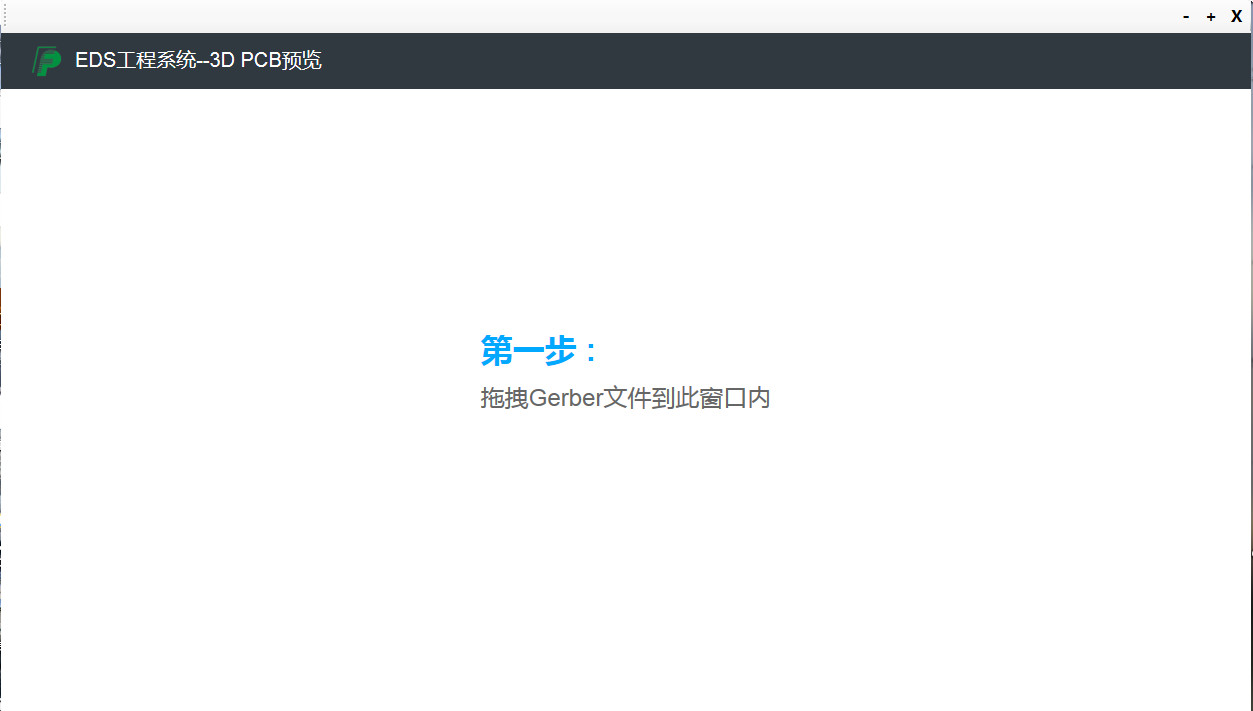
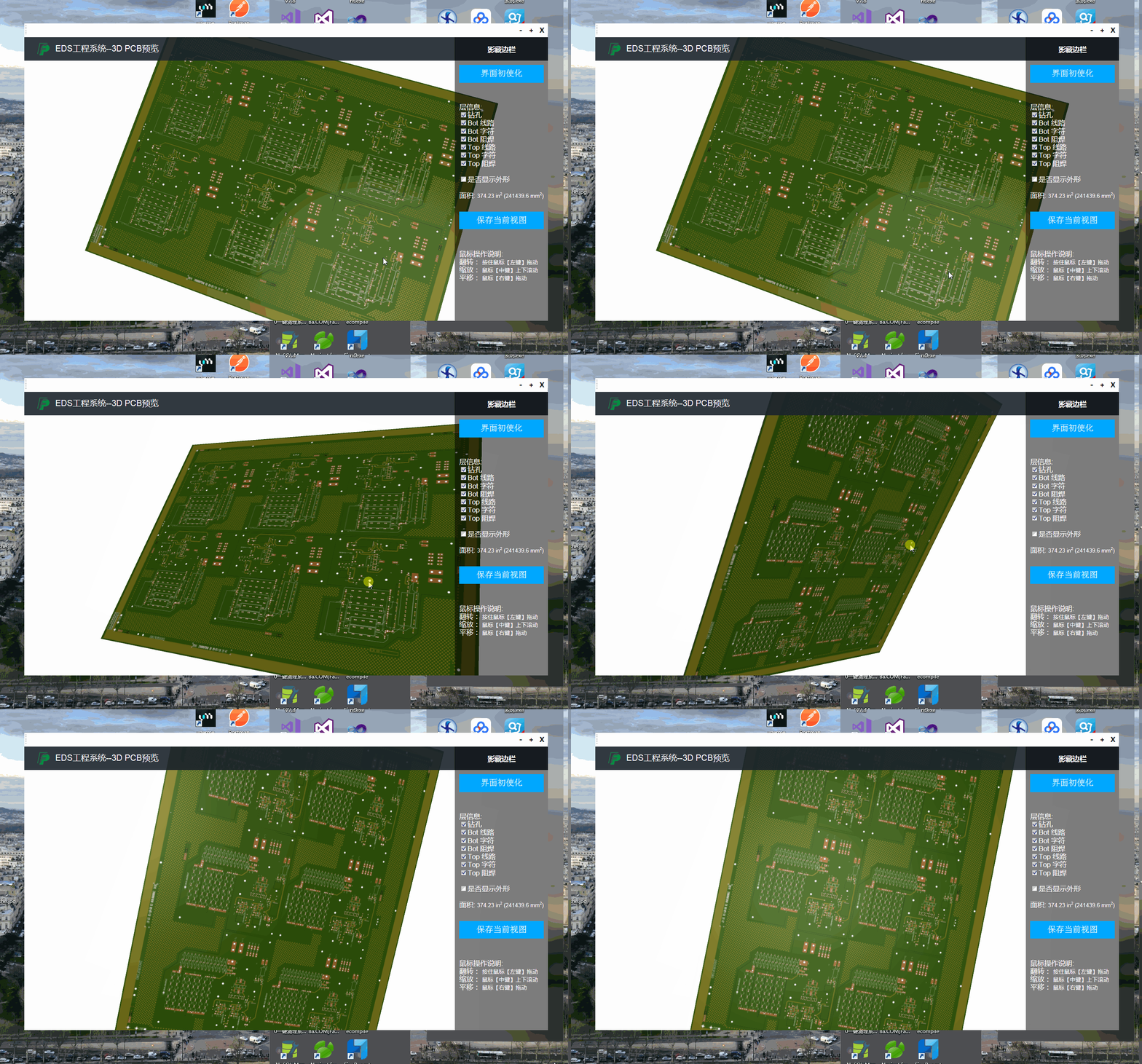
三.拖拽界面展示:
PCB Winform中的WebBrowser扩展拖放(拖拽)功能 实现方法的更多相关文章
- JQuery UI的拖拽功能实现方法小结
JQuery UI提供的API极大简化了拖拽功能的开发.只需要分别在拖拽源(source)和目标(target)上调用draggable和droppable两个函数即可. 拖拽原理 首先要明确几个概念 ...
- Winform中修改WebBrowser控件User-Agent的方法(已经测试成功)
using System; using System.Collections.Generic; using System.Linq; using System.Text; using System.W ...
- WinForm中嵌入WebBrowser,并且支持C#和JS方法的相互调用
纯粹WinForm界面不够友好,实现数据复杂度高的处理有些力不从心,所以看了看api以后决定用html来做. 我的wlw的代码插件不是很好用,大家凑合看吧 类前说明引用和权限 1: [Permissi ...
- WPF中嵌入WinForm中的webbrowser控件
原文:WPF中嵌入WinForm中的webbrowser控件 使用VS2008创建WPF应用程序,需使用webbrowser.从工具箱中添加WPF组件中的webbrowser发现其中有很多属性事件不能 ...
- 给Winform中的TabControl添加更现代的拖拽功能
上周接到一个开发任务,大致是允许APP中的Tab拖动以成为一个独立Tab,脱离之前的TabControl,就是现在Web拖动标签页创建新窗口的功能,现在浏览器必备的功能,应该很简单,然而我司采用的Do ...
- winform中文本框添加拖拽功能
对一个文本框添加拖拽功能: private void txtFolder_DragEnter(object sender, DragEventArgs e) { if (e.Data.GetDataP ...
- html5中的拖拽功能
拖拽元素支持的事件 ondrag 应用于拖拽元素,整个拖拽过程都会调用 ondragstart 应用于拖拽元素,当拖拽开始时调用 ondragleave 应用于拖拽元素,当鼠标离开拖拽元素是调用 on ...
- Atitit。D&D drag&drop拖拽功能c#.net java swing的对比与实现总结
Atitit.D&D drag&drop拖拽功能c#.net java swing的对比与实现总结 1. 实现一个D&D操作一般包括三个步骤: 1 2. .net黑头的拖曳机制 ...
- 使用jQuery Draggable和Droppable实现拖拽功能
上篇博客中已经介绍了web开发中基本拖放原理,现在给出需要完成的功能.最后运行的效果如下图所示: 主要功能需求说明: 1.左侧的元素结构最后会通过Ajax call服务器的数据来生成,能支持多级元素. ...
随机推荐
- 【搜索、bfs】Find The Multiple
Problem Given a positive integer n, write a program to find out a nonzero multiple m of n whose de ...
- cin的返回对象
//有时间回来补坑 //先记上几个有用的博客 https://blog.csdn.net/candj/article/details/4419585https://www.cnblogs.com/gy ...
- 微信小程序 导航 4种页面跳转 详解
1.wx.navigateTo 保留当前页面,跳转到应用内的某个页面,目前页面路径最多只能十层. 参数:url(可携带参数) .success .fail .complete 可用wxml代替: ...
- 【OpenCV, C++】实现向下光栅追踪检测边缘
设计函数如下: 其中 void gratingdetect(Mat &graysrc, Mat &graydst, int high, int low); 参数列表中,第一项是输入的灰 ...
- 泛型约束 ---类型参数上的限制(where T:class,new())
今天遇到的一个问题,找到了解决办法,收藏以后记得看一下!
- 单例模式(C#实现)
这是这段时间学习设计模式的时候的源代码. 单例(单件)模式的五种实现. 通过一个计数器的例子调用验证一下. 把下面的代码直接拷进vs下,运行就可以了.(控制台应用程序) 以后把剩余的设计模式有空儿就粘 ...
- POJ 3270 置换群问题
题目大意是: 每头牛都有一个对应的值a[i],现在给定一个初始的牛的序列,希望通过两两交换,能够使这些牛按值升序排列,每次交换都会耗费一个 a[i]+a[j] 希望耗费最小,求出这个最小耗费 个人觉得 ...
- 【页面传值6种方式】- 【JSP 页面传值方法总结:4种】 - 【跨页面传值的几种简单方式3种】
阅读目录 1. URL 链接后追加参数 2. Form 3. 设置 Cookie 4. 设置 Session JSP 页面间传递参数是项目中经常需要的,这应该算是 web 基本功吧. 试着将各种方式总 ...
- jQuery中事情的动态绑定 (转)
小弟初来乍到,还弄不清楚如何添加链接 这是我转别人的,原文地址:http://blog.csdn.net/zhuyong0722/article/details/8590815#comments ...
- 湖南长沙IOS(xcode swift) 开发交流群
264304701 我创建的 湖南部分的IOS开发人员交流群 请湖南的老乡们加下 在湖南做IOS开发人员的也请加下哈!