
Koa 本地搭建 HTTPS 环境
openssl首先本地需要安装 openssl,用于生成自签名证书。 $ brew install openssl 检查安装: $ openssl version LibreSSL 2.6.5 生成证书执行以下命令生成证书: openssl req -nodes -new -x509 -keyout server.key -out server.cert Generating a 2048 bit RSA private key 执行后会提示输入一些信息,地址,组织等,可以直接回车跳过。但输入时 $ openssl req -nodes -new -x509 -keyout server.key -out server.cert Generating a 2048 bit RSA private key ............+++ ..........+++ writing new private key to 'server.key' ----- You are about to be asked to enter information that will be incorporated into your certificate request. What you are about to enter is what is called a Distinguished Name or a DN. There are quite a few fields but you can leave some blank For some fields there will be a default value, If you enter '.', the field will be left blank. ----- Country Name (2 letter code) []: State or Province Name (full name) []: Locality Name (eg, city) []: Organization Name (eg, company) []: Organizational Unit Name (eg, section) []: Common Name (eg, fully qualified host name) []:localhost 执行后会得到两个文件:
服务端代码server.js const http = require("http");
const https = require("https");
const fs = require("fs");
const Koa = require("koa");
const app = new Koa();
app.use(async ctx => {
ctx.body = "hello https";
});
http.createServer(app.callback()).listen(3000);
const options = {
key: fs.readFileSync("./server.key", "utf8"),
cert: fs.readFileSync("./server.cert", "utf8")
};
https.createServer(options, app.callback()).listen(443);
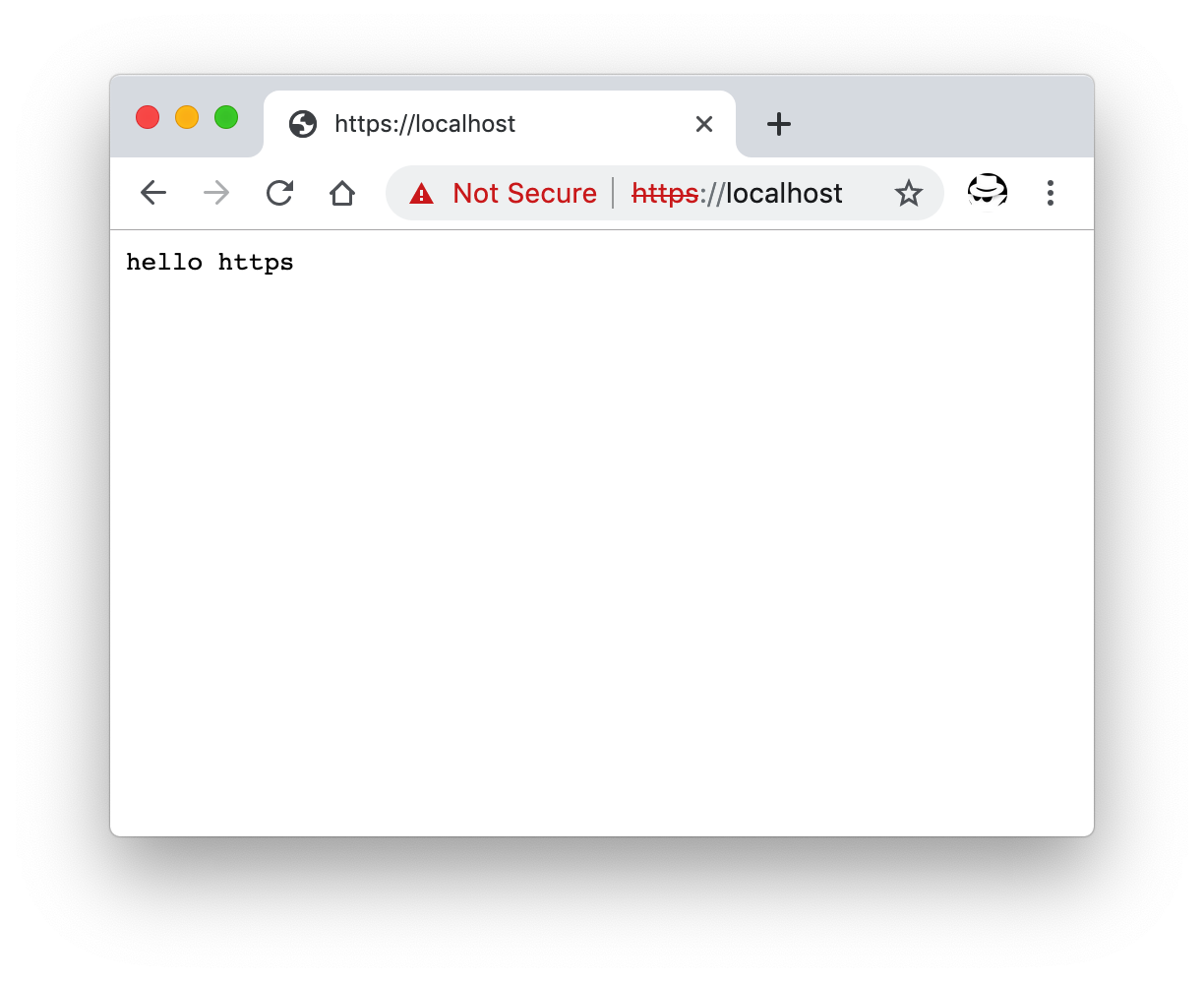
然后访问 localhost。
本地访问 https 的效果 因为是本地自签名证书的原因,并没有三方机构的认证,所以浏览器会有红色的警告。 相关资源 |
Koa 本地搭建 HTTPS 环境的更多相关文章
- 【重学Node.js 第1&2篇】本地搭建Node环境并起RESTful Api服务
本地搭建Node环境并起RESTful Api服务 课程介绍看这里:https://www.cnblogs.com/zhangran/p/11963616.html 项目github地址:https: ...
- 如何在本地搭建DVWA环境
如何在本地搭建DVWA环境 1.工具下载: (1)phpStudy: http://phpstudy.php.cn/download.html (2)DVWA:http://www.dvwa.c ...
- Jekyll本地搭建开发环境以及Github部署流程
转载自: http://www.jianshu.com/p/f37a96f83d51 前言 博客从wordpres迁移到Jekyll上来了,整个过程还是很顺利的.Jekyll是什么?它是一个简单静态博 ...
- windows本地搭建easy-mock环境
起因:由于easy-mock官网很不稳定,所以想搭建自己本地的mock环境 1.首先安装node.js 环境 (提供地址:https://nodejs.org/en/) 2.下载mongoDB 地址( ...
- Windows本地搭建Edusoho环境
Windows搭建Edusoho比Linux还要轻松的多.因为有很多环境集成工具如xampp.wampserver.phpstudy等.基本上安装号wampserver工具,直接将edusoho项目扔 ...
- Mac本地搭建kubernetes环境
前言:之前在windows上面的虚拟机上面手工搭建了kubernetes集群,但是环境被破坏了,最近想要继续学习k8s,手工搭建太费事,所以选择了minikube,完全能够满足个人的需求,其实在Win ...
- 本地搭建php环境
AppServ 是 PHP 网页架站工具组合包,所包含的软件有:Apache[.Apache Monitor.PHP.MySQL.phpMyAdmin等,如果您的本地机器没有安装过php.mysql等 ...
- iOS之在本地搭建IPv6环境测试你的app
IPv6的简介 IPv4 和 IPv6的区别就是 IP 地址前者是 .(dot)分割,后者是以 :(冒号)分割的(更多详细信息自行搜索). PS:在使用 IPv6 的热点时候,记得手机开 飞行模式 哦 ...
- Eclipse+Tomcat搭建https环境
一.首先在本地建立一个keystore文件 用命令:keytool -v -genkey -alias tomcat -keyalg RSA -keystore c:/tomcat.keystore ...
随机推荐
- ViewGroup dispatchTouchEvent方法中 mFirstTouchTarget标志是否为空的含义
在ViewGroup dispatchTouchEvent方法中首次出现mFirstTouchTarget的语句为: if (actionMasked == MotionEvent.ACTION_DO ...
- ruby方法名之命名方式
上一篇博文 ruby传参之引用类型 里边定义了一个方法名 modify_my_object!,这个方法名是以 ! 结尾,在 ruby 的对象里边是用于表达修改本身的意思. 比如 String#gsub ...
- Magicodes.Sms短信库的封装和集成
简介 Magicodes.Sms是心莱团队封装的短信服务库,已提供Abp模块的封装. Nuget 新的包 名称 说明 Nuget Magicodes.Sms.Aliyun 阿里云短信库 Magicod ...
- apache thrift 和 apache jersey 记录
几篇好的入门文档链接: 1. Hello World by Thrift Using Java 2. Thrift 实例 Helloworld 3. Thrift版的Hello World 4. Th ...
- Cookie俩步操作实现n天免登陆
实现这个功能主要思路是:在登录成功的时候去给用户名和密码加上Cookie,将他们的值存在Cookie中,为了下次登录记住用户名和密码,然后在登录界面,获取所有的cookie,然后将值一一遍历出来.和用 ...
- 数据库Oracle组函数和分组函数
组函数: 组函数操作行集,给出每组的结果.组函数不象单行函数,组函数对行的集合进行操作,对每组给出一个结果.这些集合可能是整个表或者是表分成的组. 组函数与单行函数区别: 单行函数对查询到每个结果集做 ...
- [TimLinux] Python Django myblog启动
1. myblog介绍 自己给自己定的一个学习项目,用于: 使用学到的Python Web开发技术,框架django 使用学到的CSS技术,实现前端功能 使用学到的Axure工具,画出前端页面功能草图 ...
- NCPC 2016 Fleecing the Raffle
Description A tremendously exciting raffle is being held, with some tremendously exciting prizes bei ...
- ARTS-S k8s常用命令
本地访问minikube的docker eval $(minikube docker-env) 删除statefulset kubectl delete statefulset web --casca ...
- API接口访问频次限制 / 网站恶意爬虫限制 / 网站恶意访问限制 方案
API接口访问频次限制 / 网站恶意爬虫限制 / 网站恶意访问限制 方案 采用多级拦截,后置拦截的方式体系化解决 1 分层拦截 1.1 第一层 商业web应用防火墙(WAF) 直接用商业服务 传统的F ...