
【配置关系】—Entity Framework实例详解
实体间的关系,简单来说无非就是一对一、一对多、多对多,根据方向性来说又分为双向和单向。Code First在实体关系上有以下约定:
1. 两个实体,如果一个实体包含一个引用属性,另一个实体包含一个集合属性,Code First默认约定它们为一对多关系。
2. 两个实体,如果只有一个实体包含一个导航属性或一个集合属性,Code First也默认约定它们是一对多关系。
3. 两个实体分别包含一个集合属性,Code First默认约定它们为多对多关系。
4. 两个实体分别包含一个引用属性,Code First默认约定它们为一对一关系。
5. 在一对一关系情况下,需要提供给Code First额外的信息,以确定它们的主从关系。
6. 在实体中定义一个外键属性,Code First使用属性是否为空来确定关系是必须还是可选。
一、一对一
在Code First中,一对一关系总是需要配置,因为两个实体都包含有一个引用属性,无法确定它们的主从关系。
配置一对一关系常用的方法:
HasRequired ,HasOptional ,WithOptional ,WithRequiredPrincipal,WithRequiredDependent
下面是用到的类:
1: public class Person
2: {
3: public int PersonId { get; set; }
4: public int SocialSecurityNumber { get; set; }
5: public string FirstName { get; set; }
6: public string LastName { get; set; }
7: public byte[] RowVersion { get; set; }
8: public PersonPhoto Photo { get; set; }
9: }
10:
11: public class PersonPhoto
12: {
13: public int PersonId { get; set; }
14: public byte[] Photo { get; set; }
15: public string Caption { get; set; }
16: public Person PhotoOf { get; set; }
17: }
因为Photo是具体人的,所以PersonPhoto使用PersonId作为主键。
下面是一对一关系配置的几种情况:
1.PersonPhoto必须属于一个Person,但是Person不一定有PersonPhoto,这种关系是1:0..1,此种情况下Person是一定存在的,所以它是主从关系主的一方。
1: HasRequired(t => t.PhotoOf).WithOptional(t => t.Photo);
或
1: HasOptional(t => t.Photo).WithRequired(t => t.PhotoOf);
2.PersonPhoto必须属于一个Person,Person也必须有PersonPhoto,这种关系式1:1,此种情况下,两个都一定存在,要确定主从关系,需要使用WithRequiredPrincipal或WithRequiredDependent。
1: HasRequired(t => t.PhotoOf).WithRequiredDependent(t => t.Photo);
或
1: HasRequired(t => t.Photo).WithRequiredPrincipal(t => t.PhotoOf);
上述两种情况都是真实存在的,不真实存在的就不说了。
下面配置一对一关系贴出Demo:
1: public class Person
2: {
3: public int PersonId { get; set; }
4: public int SocialSecurityNumber { get; set; }
5: public string FirstName { get; set; }
6: public string LastName { get; set; }
7: public byte[] RowVersion { get; set; }
8: public PersonPhoto Photo { get; set; }
9: }
10:
11: public class PersonPhoto
12: {
13: public int PersonId { get; set; }
14: public byte[] Photo { get; set; }
15: public string Caption { get; set; }
16: public Person PhotoOf { get; set; }
17: }
18:
19: //配置Person
20: public class PersonConfiguration : EntityTypeConfiguration<Person>
21: {
22: public PersonConfiguration()
23: {
24: //主键
25: HasKey(t => t.PersonId);
26: //并发检查
27: Property(t => t.SocialSecurityNumber).HasDatabaseGeneratedOption(DatabaseGeneratedOption.None).IsConcurrencyToken();
28: //长度50 不为空
29: Property(t => t.FirstName).IsRequired().HasMaxLength(50);
30: //长度50 不为空
31: Property(t => t.LastName).IsRequired().HasMaxLength(50);
32: //并发检查
33: Property(t => t.RowVersion).IsRowVersion();
34: //HasRequired(t => t.Photo).WithRequiredPrincipal(t => t.PhotoOf);
35: //HasOptional(t => t.Photo).WithRequired(t => t.PhotoOf);
36: }
37: }
38:
39: //配置PersonPhoto
40: public class PersonPhotoConfiguration : EntityTypeConfiguration<PersonPhoto>
41: {
42: public PersonPhotoConfiguration()
43: {
44: //主键
45: HasKey(t => t.PersonId);
46: //长度50
47: Property(t => t.Caption).HasMaxLength(50);
48: //必须从属于Person
49: HasRequired(t => t.PhotoOf).WithRequiredDependent(t => t.Photo);
50: }
51: }
52:
53: public class BreakAwayContext : DbContext
54: {
55: public DbSet<Person> People { get; set; }
56: public DbSet<PersonPhoto> Photos { get; set; }
57:
58: protected override void OnModelCreating(DbModelBuilder modelBuilder)
59: {
60: modelBuilder.Configurations.Add(new PersonConfiguration());
61: modelBuilder.Configurations.Add(new PersonPhotoConfiguration());
62: base.OnModelCreating(modelBuilder);
63: }
64: }
65:
66: public class Initializer : DropCreateDatabaseAlways<BreakAwayContext>
67: {
68: public Initializer()
69: {
70: }
71:
72: //创建数据库时 Seed数据
73: protected override void Seed(BreakAwayContext context)
74: {
75: context.People.Add(new Person()
76: {
77: FirstName = "E",
78: LastName = "F",
79: SocialSecurityNumber = 123456,
80: Photo = new PersonPhoto()
81: {
82: Caption = "这是照片",
83: Photo = new byte[] { }
84: }
85: });
86: context.SaveChanges();
87: }
88: }
测试程序
1: [TestClass]
2: public class UnitTest1
3: {
4: [TestMethod]
5: public void ShouldReturnAPersonWithPhoto()
6: {
7: //Arrange
8: var init = new Initializer();
9: Person person;
10: using (var context = new BreakAwayContext())
11: {
12: init.InitializeDatabase(context);
13: //Act
14: person = context.People.Include(t => t.Photo).FirstOrDefault();
15: }
16: //Assert
17: Assert.IsNotNull(person);
18: Assert.IsNotNull(person.Photo);
19: }
20: }
测试结果:

二、一对多
下面是用到的类:
1: public class Blog
2: {
3: public Blog()
4: {
5: Posts = new List<Post>();
6: }
7:
8: public int Id { get; set; }
9: public DateTime Creationdate { get; set; }
10: public string ShortDescription { get; set; }
11: public string Title { get; set; }
12: public List<Post> Posts { get; set; }
13: }
14:
15: public class Post
16: {
17: public int Id { get; set; }
18: public string Title { get; set; }
19: public string Content { get; set; }
20: public DateTime PostedDate { get; set; }
21:
22: public Nullable<int> BlogId { get; set; }
23: public virtual Blog Blog { get; set; }
24:
25: public int PrimaryAuthorId { get; set; }
26: public virtual Author PrimaryAuthor { get; set; }
27: public Nullable<int> SecondaryAuthorId { get; set; }
28: public virtual Author SecondaryAuthor { get; set; }
29: }
30:
31: public class Author
32: {
33: public int Id { get; set; }
34: public string Name { get; set; }
35: public string Email { get; set; }
36: //个人简历
37: public string Bio { get; set; }
38:
39: public List<Post> PrimaryAuthorFor { get; set; }
40: public List<Post> SecondaryAuthorFor { get; set; }
41: }
配置一对多关系常用的方法有:
HasOptional ,HasRequired ,HasMany
Has方法后面往往跟着With方法
WithOptional ,WithRequired ,WithMany
下面配置一对多的几种情况:
1.Post一定归属于一个Blog,这种关系是1:n。
1: HasMany(x => x.Posts).WithRequired(x =>x.Blog)
或
1: HasRequired(x => x.Blog).WithMany(x => x.Posts)
2.Post可以单独存在,不用归属于Blog,这种关系是0..1:n。
1: HasMany(x => x.Posts).WithOptional(x => x.Blog)
或
1: HasOptional(x => x.Blog).WithMany(x => x.Posts)
设置外键
外键的默认约定:
[Target Type Key Name], [Target Type Name] + [Target Type Key Name], or [Navigation
Property Name] + [Target Type Key Name]
本例中,匹配的是[Target Type Name] + [Target Type Key Name],目标类型是Blog,目标类型主键是Id,加起来就是BlogId。下面使用Fluent API显示设置外键:
1: HasMany(x => x.Posts).WithOptional(x => x.Blog).HasForeignKey(x => x.BlogId)
设置级联删除
1: HasMany(x => x.Posts).WithOptional(x => x.Blog).HasForeignKey(x => x.BlogId).WillCascadeOnDelete();
反转属性
在Post实体中,有两个属性:PrimaryAuthor和SecondaryAuthor,第一作者和第二作者。在Author中有两个集合属性,Code First默认不能确定哪个集合属性和Post中的导航属性相匹配。使用Fluent API配置反转属性,如下:
1: HasRequired(t => t.PrimaryAuthor).WithMany(t => t.PrimaryAuthorFor);
2: HasOptional(t => t.SecondaryAuthor).WithMany(t => t.SecondaryAuthorFor);
下面是配置一对多关系的Demo:
1: public class Blog
2: {
3: public Blog()
4: {
5: Posts = new List<Post>();
6: }
7:
8: public int Id { get; set; }
9: public DateTime Creationdate { get; set; }
10: public string ShortDescription { get; set; }
11: public string Title { get; set; }
12: public List<Post> Posts { get; set; }
13: }
14:
15: public class Post
16: {
17: public int Id { get; set; }
18: public string Title { get; set; }
19: public string Content { get; set; }
20: public DateTime PostedDate { get; set; }
21:
22: //Post可以不归属到Blog独立存在,注意这里的外键属性要设置为可空的
23: public Nullable<int> BlogId { get; set; }
24: public virtual Blog Blog { get; set; }
25:
26: public int PrimaryAuthorId { get; set; }
27: public virtual Author PrimaryAuthor { get; set; }
28: public Nullable<int> SecondaryAuthorId { get; set; }
29: public virtual Author SecondaryAuthor { get; set; }
30: }
31:
32: public class Author
33: {
34: public int Id { get; set; }
35: public string Name { get; set; }
36: public string Email { get; set; }
37: //个人简历
38: public string Bio { get; set; }
39:
40: public List<Post> PrimaryAuthorFor { get; set; }
41: public List<Post> SecondaryAuthorFor { get; set; }
42: }
43:
44: public class BlogConfiguratioin : EntityTypeConfiguration<Blog>
45: {
46: public BlogConfiguratioin()
47: {
48: ToTable("Blogs");
49: HasKey(t => t.Id);
50: Property(t => t.Id).HasDatabaseGeneratedOption(DatabaseGeneratedOption.Identity);
51: Property(t => t.Title).IsRequired().HasMaxLength(250);
52: Property(t => t.Creationdate).HasColumnName("CreationDate").IsRequired();
53: Property(t => t.ShortDescription).HasColumnType("Text").IsMaxLength().IsOptional().HasColumnName("Description");
54: //配置Blog和Post的一对多关系,Blog对Post是可选的,外键BlogId,并设置为级联删除
55: HasMany(t => t.Posts).WithOptional(t => t.Blog).HasForeignKey(t => t.BlogId).WillCascadeOnDelete();
56: }
57: }
58:
59: public class PostConfiguration : EntityTypeConfiguration<Post>
60: {
61: public PostConfiguration()
62: {
63: ToTable("Posts");
64: HasKey(t => t.Id);
65: Property(t => t.Id).HasColumnName("PostId").HasDatabaseGeneratedOption(DatabaseGeneratedOption.Identity);
66: Property(t => t.Content).HasColumnName("Body").IsMaxLength();
67: Property(t => t.PostedDate).HasColumnName("PostedDate");
68: Property(t => t.Title).HasColumnName("Title").IsMaxLength();
69: //配置反转属性,集合属性PrimaryAuthorFor匹配PrimaryAuthor
70: HasRequired(t => t.PrimaryAuthor).WithMany(t => t.PrimaryAuthorFor);
71: //配置反转属性,集合属性SecondaryAuthorFor匹配SecondaryAuthor
72: HasOptional(t => t.SecondaryAuthor).WithMany(t => t.SecondaryAuthorFor);
73: }
74: }
75:
76: public class AuthorConfiguration : EntityTypeConfiguration<Author>
77: {
78: public AuthorConfiguration()
79: {
80: ToTable("Authors");
81: HasKey(t => t.Id).Property(t => t.Id).HasColumnName("AuthorId").HasDatabaseGeneratedOption(DatabaseGeneratedOption.Identity);
82: Property(t => t.Name).IsRequired().HasMaxLength(50);
83: Property(t => t.Email).IsRequired().HasMaxLength(50);
84: Property(t => t.Bio).HasMaxLength(1000);
85: }
86: }
87:
88: public class BreakAwayContext : DbContext
89: {
90: public DbSet<Blog> Blogs { get; set; }
91: public DbSet<Post> Posts { get; set; }
92: public DbSet<Author> Authors { get; set; }
93:
94: protected override void OnModelCreating(DbModelBuilder modelBuilder)
95: {
96: modelBuilder.Configurations.Add(new BlogConfiguratioin());
97: modelBuilder.Configurations.Add(new PostConfiguration());
98: modelBuilder.Configurations.Add(new AuthorConfiguration());
99: base.OnModelCreating(modelBuilder);
100: }
101: }
102:
103: public class Initializer : DropCreateDatabaseAlways<BreakAwayContext>
104: {
105: public Initializer()
106: {
107: }
108:
109: protected override void Seed(BreakAwayContext context)
110: {
111: var primaryAuthor = new Author()
112: {
113: Name = "张三",
114: Email = "zhangsan@126.com",
115: Bio = "张三的简历"
116: };
117: var secondaryAuthor = new Author()
118: {
119: Name = "李四",
120: Email = "lisi@126.com",
121: Bio = "李四的简历"
122: };
123: var blog = new Blog()
124: {
125: Title = "EF",
126: ShortDescription = "关于EF的博客",
127: Creationdate = DateTime.Now
128: };
129: blog.Posts.Add(new Post()
130: {
131: Title = "配置关系",
132: PostedDate = DateTime.Now,
133: Content = "这是Post的内容",
134: PrimaryAuthor = primaryAuthor,
135: SecondaryAuthor = secondaryAuthor
136: });
137: context.Blogs.Add(blog);
138: context.SaveChanges();
139: }
140: }
测试程序:
1: [TestClass]
2: public class OneToManyTest
3: {
4: [TestMethod]
5: public void ShouldReturnBlogWithPosts()
6: {
7: //Arrage
8: Database.SetInitializer(new Initializer());
9: var context = new BreakAwayContext();
10: //Act
11: var blog = context.Blogs.Include(t => t.Posts).FirstOrDefault();
12: //Assert
13: Assert.IsNotNull(blog);
14: Assert.IsNotNull(blog.Posts);
15: Assert.IsNotNull(blog.Posts.FirstOrDefault().PrimaryAuthor);
16: }
17: }
测试结果:

三、多对多
下面是配置多对多关系用到的类,跟一对多差不多,只不过Post和Author的关系变成多对多的了。
1: public class Post
2: {
3: public int Id { get; set; }
4: public string Title { get; set; }
5: public string Content { get; set; }
6: public DateTime PostedDate { get; set; }
7:
8: public virtual List<Author> Authors { get; set; }
9: }
10:
11: public class Author
12: {
13: public int Id { get; set; }
14: public string Name { get; set; }
15: public string Email { get; set; }
16: //个人简历
17: public string Bio { get; set; }
18:
19: public virtual List<Post> Posts { get; set; }
20: }
一篇文章有多个作者,一个作者著有多篇文章。
配置多对多关系使用HasMany和WithMany方法,可以使用Map配置生成关联表的名字。
下面是配置多对多关系的Demo:
1: public class Post
2: {
3: public Post()
4: {
5: Authors = new List<Author>();
6: }
7:
8: public int Id { get; set; }
9: public string Title { get; set; }
10: public string Content { get; set; }
11: public DateTime PostedDate { get; set; }
12:
13: public virtual List<Author> Authors { get; set; }
14: }
15:
16: public class Author
17: {
18: public Author()
19: {
20: Posts = new List<Post>();
21: }
22:
23: public int Id { get; set; }
24: public string Name { get; set; }
25: public string Email { get; set; }
26: //个人简历
27: public string Bio { get; set; }
28:
29: public virtual List<Post> Posts { get; set; }
30: }
31:
32: public class PostConfiguration : EntityTypeConfiguration<Post>
33: {
34: public PostConfiguration()
35: {
36: ToTable("Posts");
37: HasKey(t => t.Id);
38: Property(t => t.Id).HasColumnName("PostId").HasDatabaseGeneratedOption(DatabaseGeneratedOption.Identity);
39: Property(t => t.Content).HasColumnName("Body").IsMaxLength();
40: Property(t => t.PostedDate).HasColumnName("PostedDate");
41: Property(t => t.Title).HasColumnName("Title").IsMaxLength();
42: //配置多对多关系 ToTable 配置生成的关联表名字 MapLeftKey默认表示调用HasMany的实体的主键
43: //本例中如果不使用MapLeftKey默认生成Post_Id
44: HasMany(t => t.Authors).WithMany(t => t.Posts).Map(m =>
45: {
46: m.ToTable("PostAuthor");
47: m.MapLeftKey("PostId");
48: m.MapRightKey("AuthorId");
49: });
50: }
51: }
52:
53: public class AuthorConfiguration : EntityTypeConfiguration<Author>
54: {
55: public AuthorConfiguration()
56: {
57: ToTable("Authors");
58: HasKey(t => t.Id);
59: Property(t => t.Id).HasColumnName("AuthorId").HasDatabaseGeneratedOption(DatabaseGeneratedOption.Identity);
60: Property(t => t.Bio).HasColumnType("Text").IsMaxLength();
61: Property(t => t.Email).HasMaxLength(100).IsRequired();
62: Property(t => t.Name).HasMaxLength(100).IsRequired();
63: }
64: }
65:
66: public class TestContext : DbContext
67: {
68: public DbSet<Post> Posts { get; set; }
69: public DbSet<Author> Authors { get; set; }
70:
71: protected override void OnModelCreating(DbModelBuilder modelBuilder)
72: {
73: modelBuilder.Configurations.Add(new PostConfiguration());
74: modelBuilder.Configurations.Add(new AuthorConfiguration());
75: base.OnModelCreating(modelBuilder);
76: }
77: }
78:
79: public class Initializer : DropCreateDatabaseAlways<TestContext>
80: {
81: protected override void Seed(TestContext context)
82: {
83: var post = new Post()
84: {
85: Title = "Post1",
86: Content = "Content1",
87: PostedDate = DateTime.Now
88: };
89: var author = new Author()
90: {
91: Name = "张三",
92: Email = "zhangsan@126.com",
93: Bio = "张三的简历"
94: };
95: var author1 = new Author()
96: {
97: Name = "李四",
98: Email = "lisi@126.com",
99: Bio = "李四的简历"
100: };
101: var author2 = new Author()
102: {
103: Name = "王五",
104: Email = "wangwu@126.com",
105: Bio = "王五的简历"
106: };
107: post.Authors.Add(author);
108: post.Authors.Add(author1);
109: context.Posts.Add(post);
110: post = new Post()
111: {
112: Title = "Post2",
113: Content = "Content2",
114: PostedDate = DateTime.Now
115: };
116: post.Authors.Add(author);
117: post.Authors.Add(author2);
118: context.Posts.Add(post);
119: context.SaveChanges();
120: }
121: }
测试程序:
1: [TestClass]
2: public class ManyToManyTest
3: {
4: [TestMethod]
5: public void ShouldReturnPostWithAuthors()
6: {
7: //Arrage
8: var init = new Initializer();
9: var context = new ManyToMany.TestContext();
10: init.InitializeDatabase(context);
11: //Act
12: var post = context.Posts.Include(t => t.Authors).FirstOrDefault();
13: //Assert
14: Assert.IsNotNull(post);
15: Assert.AreEqual(2, post.Authors.Count);
16: Assert.AreEqual("李四", post.Authors[1].Name);
17: }
18: }
测试结果:
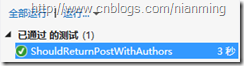
现在关联表中只有两个字段,如下图所示:

如果再加个字段,比如DateAdd,这就需要给关联表定义一个实体。
1: public class PostAuthor
2: {
3: public int PostId { get; set; }
4: public int AuthorId { get; set; }
5:
6: public Post Post { get; set; }
7: public Author Author { get; set; }
8:
9: public DateTime DateAdd { get; set; }
10: }
另外需要在Post和Author实体中加入一个集合属性:
1: public virtual List<PostAuthor> PostAuthors { get; set; }
另外还需要配置PostAuthor实体,具体代码如下面的Demo所示:
1: public class Post
2: {
3: public Post()
4: {
5: PostAuthors = new List<PostAuthor>();
6: }
7:
8: public int Id { get; set; }
9: public string Title { get; set; }
10: public string Content { get; set; }
11: public DateTime PostedDate { get; set; }
12:
13: //public virtual List<Author> Authors { get; set; }
14: public virtual List<PostAuthor> PostAuthors { get; set; }
15: }
16:
17: public class Author
18: {
19: public Author()
20: {
21: PostAuthors = new List<PostAuthor>();
22: }
23:
24: public int Id { get; set; }
25: public string Name { get; set; }
26: public string Email { get; set; }
27: //个人简历
28: public string Bio { get; set; }
29:
30: //public virtual List<Post> Posts { get; set; }
31: public virtual List<PostAuthor> PostAuthors { get; set; }
32: }
33:
34: //关联表的实体
35: public class PostAuthor
36: {
37: public int PostId { get; set; }
38: public int AuthorId { get; set; }
39:
40: public Post Post { get; set; }
41: public Author Author { get; set; }
42:
43: public DateTime? DateAdd { get; set; }
44: }
45:
46: public class PostConfiguration : EntityTypeConfiguration<Post>
47: {
48: public PostConfiguration()
49: {
50: ToTable("Posts");
51: HasKey(t => t.Id);
52: Property(t => t.Id).HasColumnName("PostId").HasDatabaseGeneratedOption(DatabaseGeneratedOption.Identity);
53: Property(t => t.Content).HasColumnName("Body").IsMaxLength();
54: Property(t => t.PostedDate).HasColumnName("PostedDate");
55: Property(t => t.Title).HasColumnName("Title").IsMaxLength();
56: }
57: }
58:
59: public class AuthorConfiguration : EntityTypeConfiguration<Author>
60: {
61: public AuthorConfiguration()
62: {
63: ToTable("Authors");
64: HasKey(t => t.Id);
65: Property(t => t.Id).HasColumnName("AuthorId").HasDatabaseGeneratedOption(DatabaseGeneratedOption.Identity);
66: Property(t => t.Bio).HasColumnType("Text").IsMaxLength();
67: Property(t => t.Email).HasMaxLength(100).IsRequired();
68: Property(t => t.Name).HasMaxLength(100).IsRequired();
69: }
70: }
71:
72: //配置关联表实体
73: public class PostAuthorConfiguration : EntityTypeConfiguration<PostAuthor>
74: {
75: public PostAuthorConfiguration()
76: {
77: ToTable("PostAuthors");
78: //配置组合主键
79: HasKey(t => new { t.PostId, t.AuthorId });
80: Property(t => t.PostId).HasColumnOrder(0);
81: Property(t => t.AuthorId).HasColumnOrder(1);
82: //这里是配置一对多关系
83: HasRequired(t => t.Post).WithMany(t => t.PostAuthors).HasForeignKey(t => t.PostId);
84: HasRequired(t => t.Author).WithMany(t => t.PostAuthors).HasForeignKey(t => t.AuthorId);
85: }
86: }
87:
88: public class TestContext : DbContext
89: {
90: public DbSet<Post> Posts { get; set; }
91: public DbSet<Author> Authors { get; set; }
92: public DbSet<PostAuthor> PostAuthors { get; set; }
93:
94: protected override void OnModelCreating(DbModelBuilder modelBuilder)
95: {
96: modelBuilder.Configurations.Add(new PostConfiguration());
97: modelBuilder.Configurations.Add(new AuthorConfiguration());
98: modelBuilder.Configurations.Add(new PostAuthorConfiguration());
99: base.OnModelCreating(modelBuilder);
100: }
101: }
102:
103: public class Initializer : DropCreateDatabaseAlways<TestContext>
104: {
105: protected override void Seed(TestContext context)
106: {
107: var post = new Post()
108: {
109: Title = "Post1",
110: Content = "Content1",
111: PostedDate = DateTime.Now
112: };
113: post = context.Posts.Add(post);
114: var author = new Author()
115: {
116: Name = "张三",
117: Email = "zhangsan@126.com",
118: Bio = "张三的简历"
119: };
120: var author1 = new Author()
121: {
122: Name = "李四",
123: Email = "lisi@126.com",
124: Bio = "李四的简历"
125: };
126: author = context.Authors.Add(author);
127: author1 = context.Authors.Add(author1);
128: context.SaveChanges();
129: PostAuthor pa1 = new PostAuthor()
130: {
131: PostId = post.Id,
132: AuthorId = author.Id,
133: DateAdd = DateTime.Now
134: };
135: PostAuthor pa2 = new PostAuthor()
136: {
137: PostId = post.Id,
138: AuthorId = author1.Id,
139: DateAdd = DateTime.Now
140: };
141: context.PostAuthors.Add(pa1);
142: context.PostAuthors.Add(pa2);
143: context.SaveChanges();
144: }
145: }
测试程序:
1: [TestMethod]
2: public void ShouldReturnAuthorsWithDateAdd()
3: {
4: //Arrage
5: var init = new Initializer();
6: var context = new ManyToMany.TestContext();
7: init.InitializeDatabase(context);
8: //Act
9: var post = context.Posts.Include(t => t.PostAuthors).FirstOrDefault();
10: //Assert
11: Assert.IsNotNull(post);
12: Assert.AreEqual(2, post.PostAuthors.Count);
13: Assert.IsNotNull(post.PostAuthors[0].DateAdd);
14: }
测试结果:
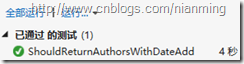
生成的关联表如下图所示:

http://www.cnblogs.com/nianming/archive/2012/11/12/2767089.html
【配置关系】—Entity Framework实例详解的更多相关文章
- Entity Framework实例详解
Entity Framework Code First的默认行为是使用一系列约定将POCO类映射到表.然而,有时候,不能也不想遵循这些约定,那就需要重写它们.重写默认约定有两种方式:Data Anno ...
- 转:【工欲善其事必先利其器】—Entity Framework实例详解
开始本篇文章之前,先说一下Entity Framework 6 Alpha1在NuGet中已可用,原文链接http://blogs.msdn.com/b/adonet/archive/2012/10/ ...
- 【配置属性】—Entity Framework实例详解
Entity Framework Code First的默认行为是使用一系列约定将POCO类映射到表.然而,有时候,不能也不想遵循这些约定,那就需要重写它们.重写默认约定有两种方式:Data Anno ...
- —Entity Framework实例详解
Entity Framework Code First的默认行为是使用一系列约定将POCO类映射到表.然而,有时候,不能也不想遵循这些约定,那就需要重写它们.重写默认约定有两种方式:Data Anno ...
- 【迁移】—Entity Framework实例详解 转
一.Entity Framework 迁移命令(get-help EntityFramework) Enable-Migrations 启用迁移 Add-Migration 为挂起的Model变化添加 ...
- 【迁移】—Entity Framework实例详解
好久没有在博客园更新博客了,如今都换了新公司.前段时间写了关于EF迁移的文档,今天拿出来作为这个系列的一篇吧. 一.Entity Framework 迁移命令(get-help EntityFrame ...
- [转]C#综合揭秘——Entity Framework 并发处理详解
本文转自:http://www.cnblogs.com/leslies2/archive/2012/07/30/2608784.html 引言 在软件开发过程中,并发控制是确保及时纠正由并发操作导致的 ...
- Linq实战 之 Linq to Sql及Entity Framework操作详解
Linq实战 之 Linq to Sql及Entity Framework操作详解 一:linq to db的框架 1. linq to sql 2. linq to ado.net entity f ...
- C#综合揭秘——Entity Framework 并发处理详解
引言 在软件开发过程中,并发控制是确保及时纠正由并发操作导致的错误的一种机制.从 ADO.NET 到 LINQ to SQL 再到如今的 ADO.NET Entity Framework,.NET 都 ...
随机推荐
- Linux之crontab定时任务
****crontab简介**** 简而言之呢,crontab就是一个自定义定时器. ****crontab配置文件**** 其一:/var/spool/cron/ 该目录下存放的是每个用户(包括ro ...
- Luogu【P1901】发射站(单调栈)
题目链接 题目说明比自己矮的塔收不到自己的能量,摆明了就是单调栈呗. 把比自己矮的全都从栈里弹出去,于是碰到第一个比自己高的.让他接受自己发射的能量. 当然由于发射站发射的能量有两个方向,所以正反两遍 ...
- 【bzoj1299】[LLH邀请赛]巧克力棒 博弈+模拟
Description TBL和X用巧克力棒玩游戏.每次一人可以从盒子里取出若干条巧克力棒,或是将一根取出的巧克力棒吃掉正整数长度.TBL先手两人轮流,无法操作的人输. 他们以最佳策略一共进行了10轮 ...
- PHP简单留言板
<?php header("Content-Type:text/html;charset=utf8"); $filename = "message.txt" ...
- 蜥蜴 BZOJ 1066
蜥蜴 [问题描述] 在一个r行c列的网格地图中有一些高度不同的石柱,一些石柱上站着一些蜥蜴,你的任务是让尽量多的蜥蜴逃到边界外. 每行每列中相邻石柱的距离为1,蜥蜴的跳跃距离是d,即蜥蜴可以跳到平面距 ...
- ObjectDataSource配合存储过程(采用数据集)的使用(删除可以解决,但是编辑出错好像它的方法也无法解决
原文发布时间为:2008-08-01 -- 来源于本人的百度文章 [由搬家工具导入] ObjectDataSource是比较有意思的一个东西 通过在网络上遍访各位高手,终于自己有了一些心得体会。现总结 ...
- 在App_Data中创建数据库获取连接串简便方法!
原文发布时间为:2008-07-25 -- 来源于本人的百度文章 [由搬家工具导入] 1、在App_Data右击添加一个SQL数据库2、双击该数据库,在左边添加表,并显示表数据进行添加数据3、把刚刚创 ...
- ftrace 提供的工具函数
内核头文件 include/linux/kernel.h 中描述了 ftrace 提供的工具函数的原型,这些函数包括 trace_printk.tracing_on/tracing_off 等.本文通 ...
- Elasticsearch使用syslog发送Watcher告警事件
https://blog.csdn.net/mvpboss1004/article/details/70158864?locationNum=9&fps=1
- 某考试 T1 sigfib
设 g(x) = f(x) * x ,多项式 A = Σ g(i) * x^i , 多项式 B = Σ f(i) * x^i. 首先,g(x) = g(x-1) + g(x-2) + f(x-1) ...