
15_activity生命周期方法说明
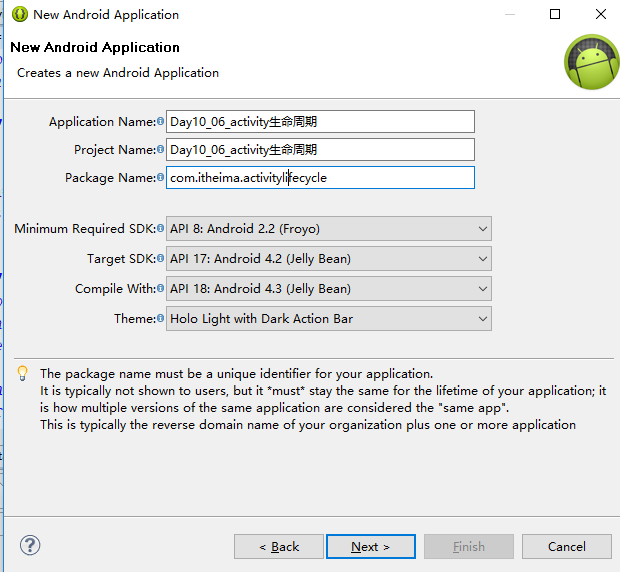
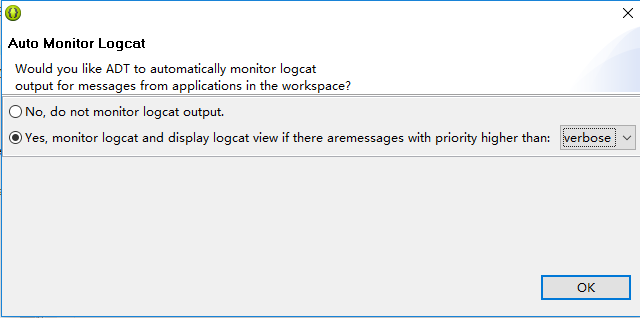

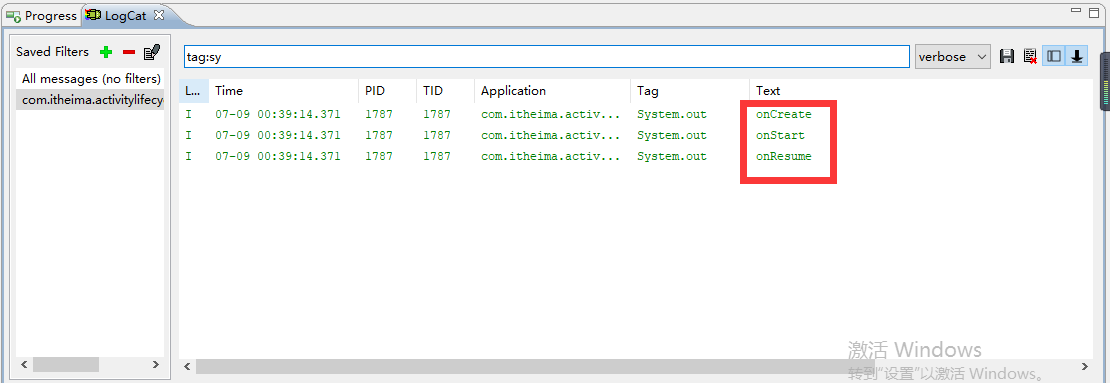
现在是可见并且可以被操作,所以现在是一个前台的Activity。
按一下Home键,它是先onPause然后onStop.

现在它就处于一个Stop停止的状态。停止的状态如果我当前内存够用的情况下,它会依然保留当前的所有信息。

如果按多一次Home键还可以把这个东西重新给调出来。
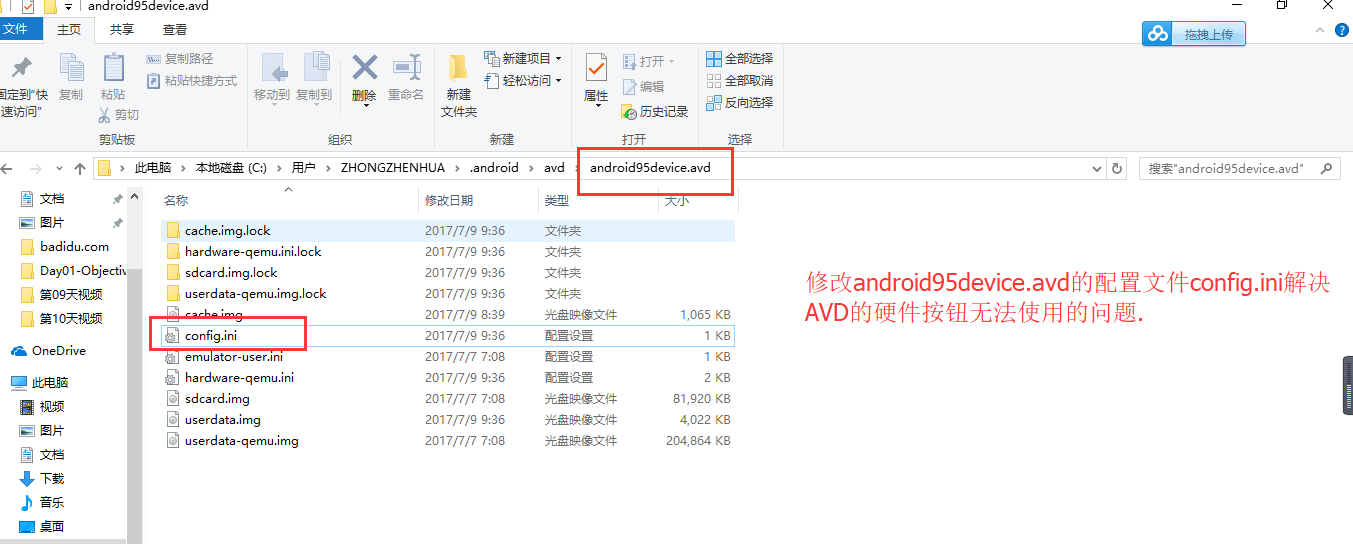


应该不是实体键设置的问题,是操作的问题。按住电脑的home键再点击安卓虚拟设备/模拟器AVD里面的实体键按钮home就可以把当前正在运行的进程调出来。记住电脑的小键盘num lock要打开才可以使用小键盘的home键。
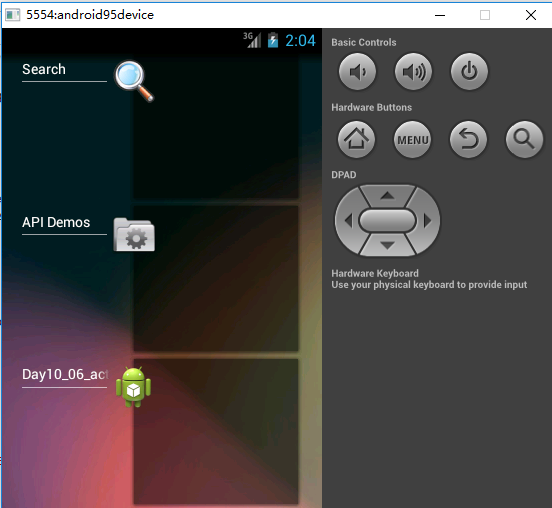
只不过这个时候它是不可见不可被操作。但是所有的状态还会被保存。
重新再把进程调出来运行,这个时候它又处于可见并且可以被操作的状态。这些就是这些生命周期方法。
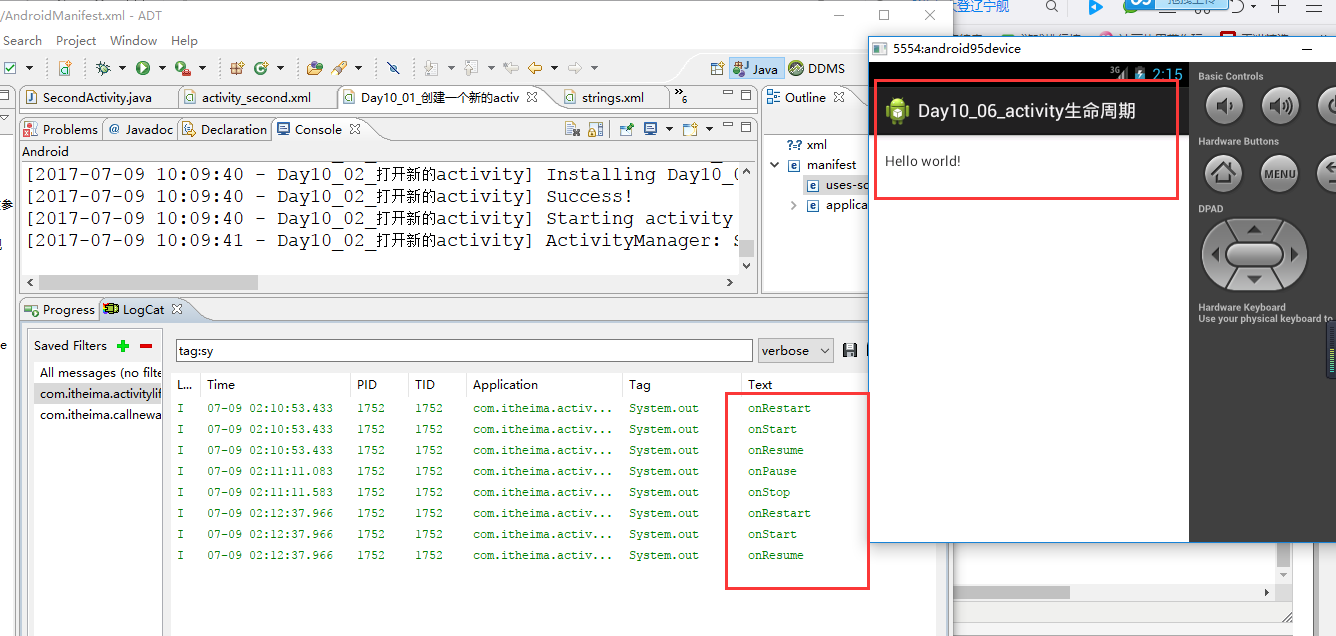
什么时候它会处于onPause?
为了能让它正确打开必须在清单文件里面声明第二个Activity。怎么能让它处于一个暂停的状态,创建一个透明的应用。
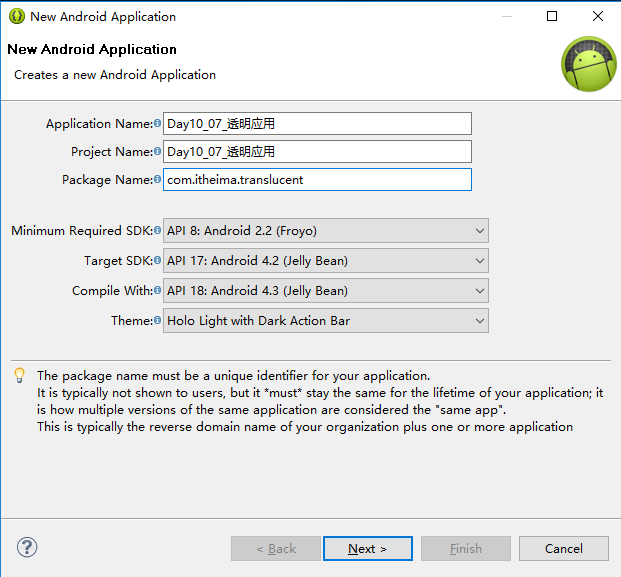
Theme.Translucent.NoTitleBar.Fullscreen
透明主题没有标题栏并且是全屏的。
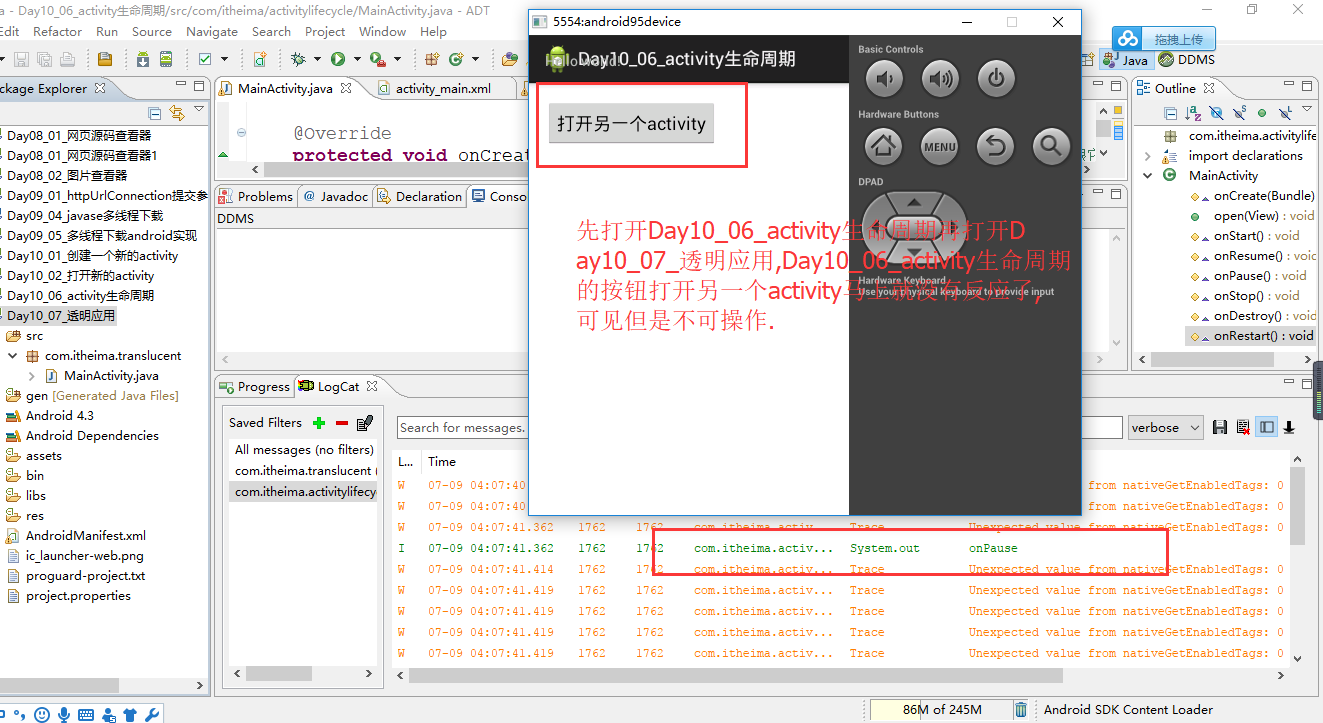
先运行Day10_06_activity生命周期再运行Day10_07_透明应用,Day10_06_activity生命周期这个应用可见但是不可操作,它处于暂停状态onPause了.
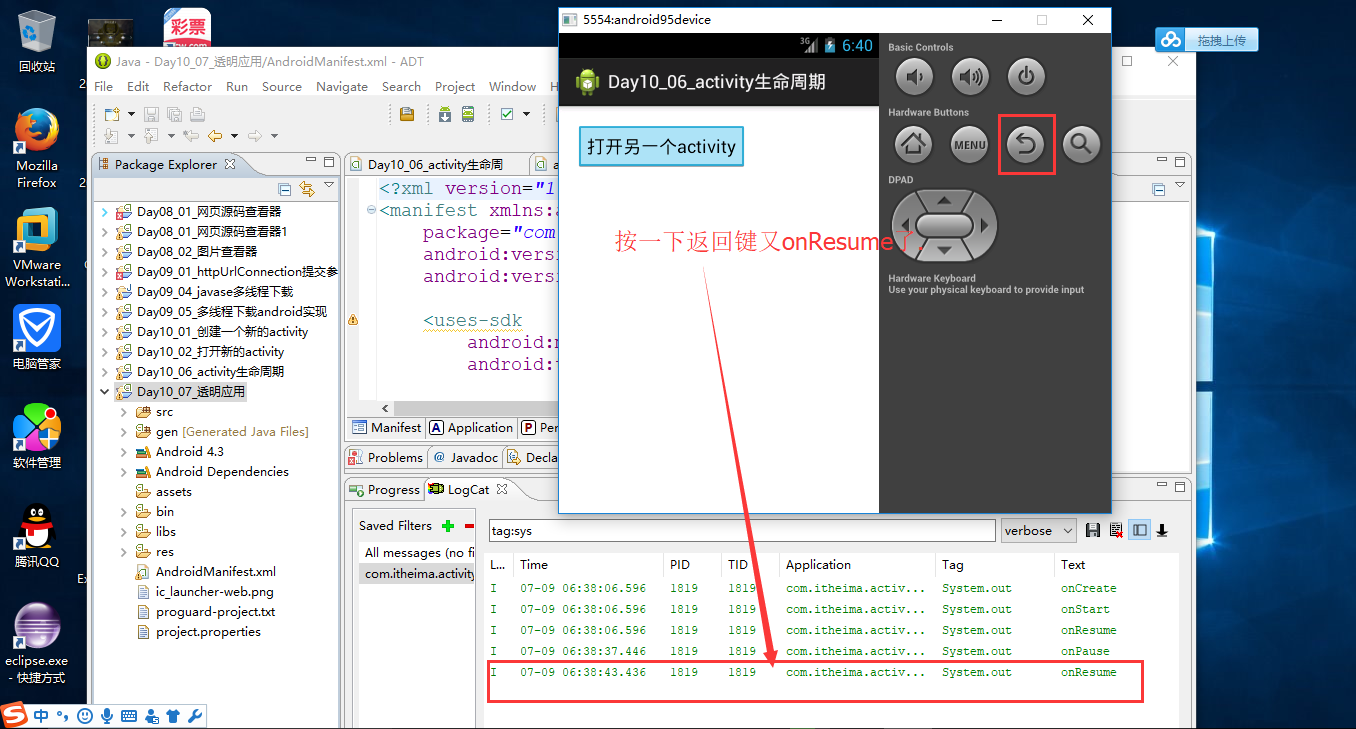
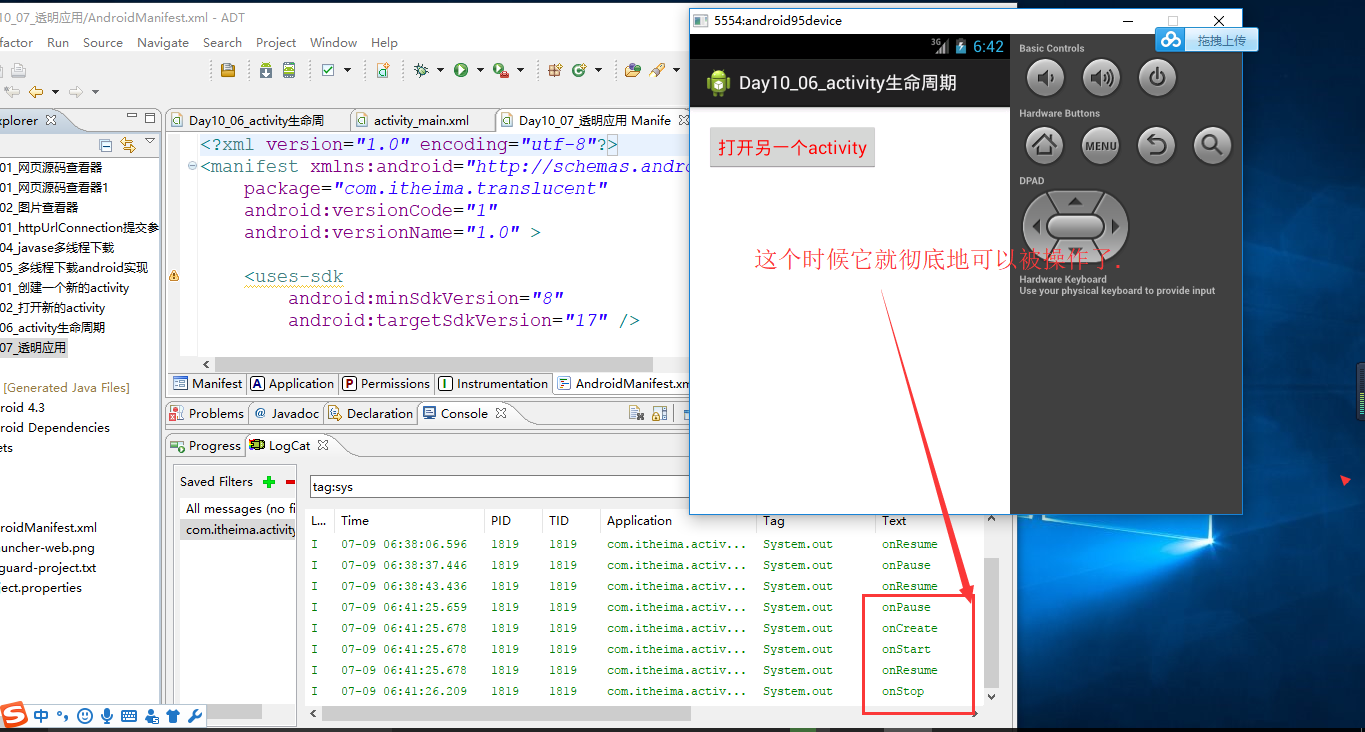
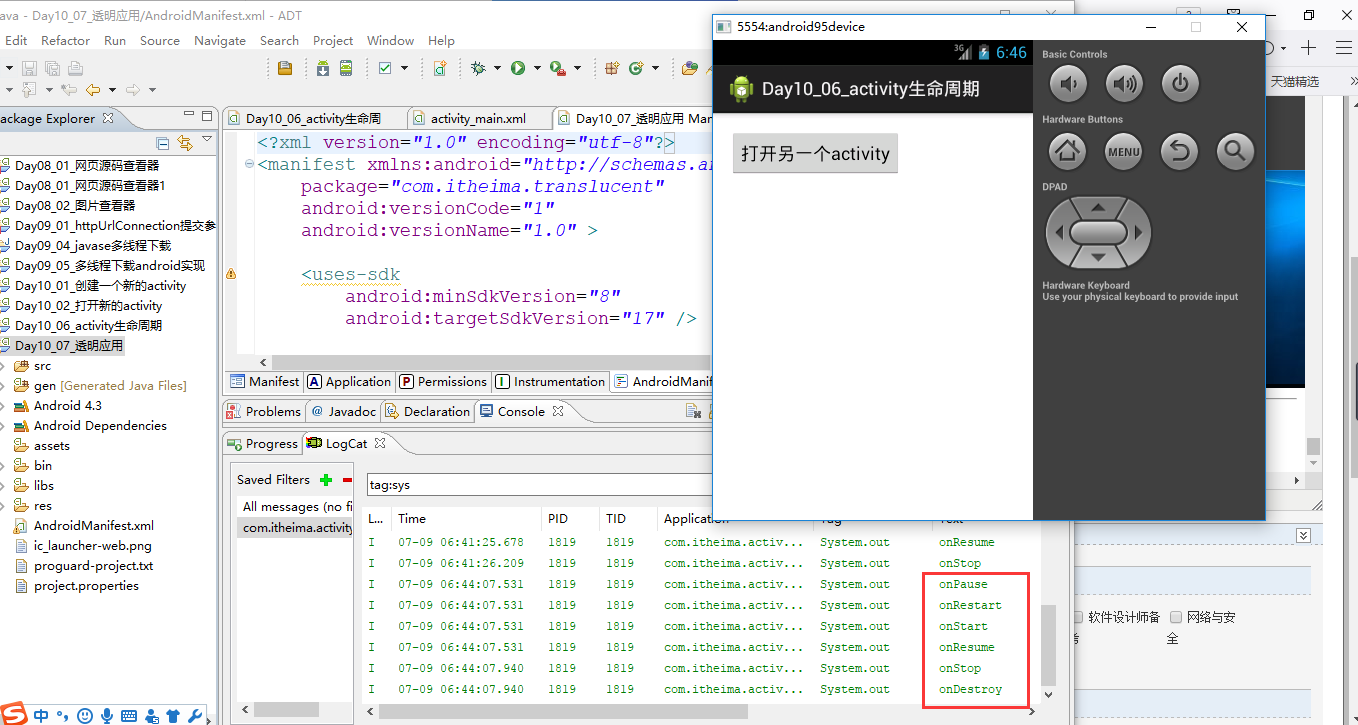
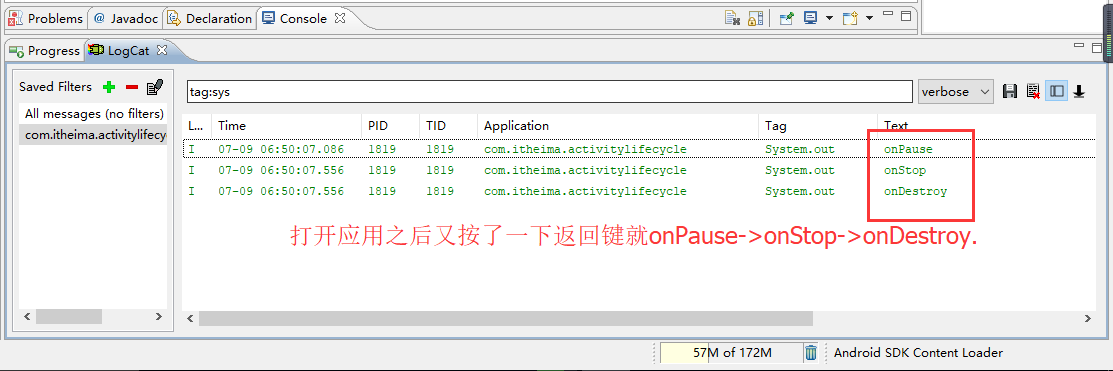
如果开启了应用Day10_06_activity生命周期,然后按一下返回键就onPause->onStop->onDestroy.
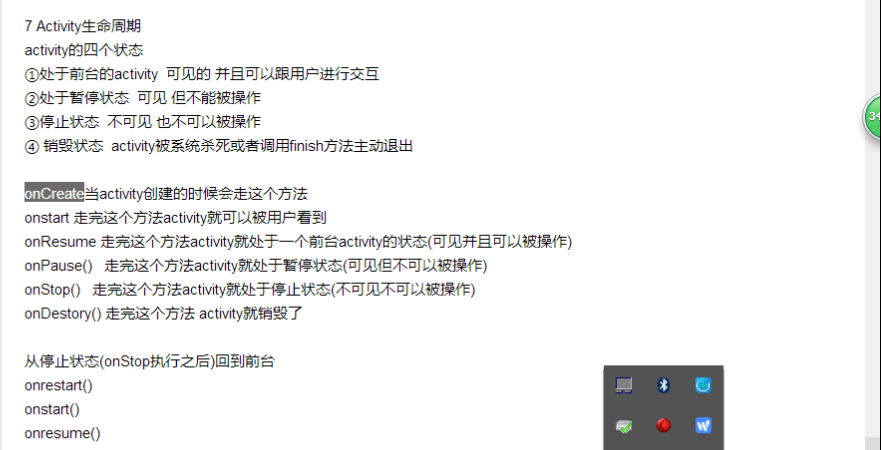
如果是处于前台状态,那么就说明onResume被执行完了。前台状态->暂停状态,要执行onPause().暂停状态->前台状态,要执行onResume().
前台状态->停止状态,要执行onPause()和onStop().
销毁状态,就是onPasue()->onStop()->onDestroy().
从停止状态->前台状态,执行onrestart()->onstart()->onresume().但是没有执行onCreate(),说明Activity还是以前的,并没有创建出一个新的Activity.
Activity生命周期的七个方法必须得牢记在心。
package com.itheima.activitylifecycle;

import android.os.Bundle;

import android.app.Activity;

import android.content.Intent;

import android.view.Menu;

import android.view.View;

public class MainActivity extends Activity {

    @Override

    protected void onCreate(Bundle savedInstanceState) {//onCreate()每一天都在跟它打交道

        super.onCreate(savedInstanceState);

        setContentView(R.layout.activity_main);

        System.out.println("onCreate");

    }

    public void open(View v){

        startActivity(new Intent(this, SecondActivity.class));//显式意图

    }

    @Override

    protected void onStart() {

        // TODO Auto-generated method stub

        super.onStart();

        System.out.println("onStart");

    }

     @Override

    protected void onResume() {

        // TODO Auto-generated method stub

        super.onResume();

        System.out.println("onResume");

    }

    @Override

    protected void onPause() {

        // TODO Auto-generated method stub

        super.onPause();

        System.out.println("onPause");

    }

    @Override

    protected void onStop() {

        // TODO Auto-generated method stub

        super.onStop();

        System.out.println("onStop");

    }

    @Override

    protected void onDestroy() {

        // TODO Auto-generated method stub

        super.onDestroy();

        System.out.println("onDestroy");

    }

    @Override

    protected void onRestart() {

        // TODO Auto-generated method stub

        super.onRestart();

        System.out.println("onRestart");

    }

}
package com.itheima.activitylifecycle;

import android.os.Bundle;

import android.app.Activity;

import android.view.Menu;

public class SecondActivity extends Activity {

    @Override

    protected void onCreate(Bundle savedInstanceState) {//onCreate()每一天都在跟它打交道

        super.onCreate(savedInstanceState);

        setContentView(R.layout.activity_second);

        System.out.println("onCreate");

    }

    @Override

    protected void onStart() {

        // TODO Auto-generated method stub

        super.onStart();

        System.out.println("onStart");

    }

     @Override

    protected void onResume() {

        // TODO Auto-generated method stub

        super.onResume();

        System.out.println("onResume");

    }

    @Override

    protected void onPause() {

        // TODO Auto-generated method stub

        super.onPause();

        System.out.println("onPause");

    }

    @Override

    protected void onStop() {

        // TODO Auto-generated method stub

        super.onStop();

        System.out.println("onStop");

    }

    @Override

    protected void onDestroy() {

        // TODO Auto-generated method stub

        super.onDestroy();

        System.out.println("onDestroy");

    }

    @Override

    protected void onRestart() {

        // TODO Auto-generated method stub

        super.onRestart();

        System.out.println("onRestart");

    }

}
<RelativeLayout xmlns:android="http://schemas.android.com/apk/res/android"

    xmlns:tools="http://schemas.android.com/tools"

    android:layout_width="match_parent"

    android:layout_height="match_parent"

    android:paddingBottom="@dimen/activity_vertical_margin"

    android:paddingLeft="@dimen/activity_horizontal_margin"

    android:paddingRight="@dimen/activity_horizontal_margin"

    android:paddingTop="@dimen/activity_vertical_margin"

    tools:context=".MainActivity" >

    <Button

        android:layout_width="wrap_content"

        android:layout_height="wrap_content"

        android:onClick="open"

        android:text="打开另一个activity" />

</RelativeLayout>
<RelativeLayout xmlns:android="http://schemas.android.com/apk/res/android"

    xmlns:tools="http://schemas.android.com/tools"

    android:layout_width="match_parent"

    android:layout_height="match_parent"

    android:paddingBottom="@dimen/activity_vertical_margin"

    android:paddingLeft="@dimen/activity_horizontal_margin"

    android:paddingRight="@dimen/activity_horizontal_margin"

    android:paddingTop="@dimen/activity_vertical_margin"

    tools:context=".MainActivity" >

    <Button

        android:layout_width="wrap_content"

        android:layout_height="wrap_content"

        android:onClick="open"

        android:textColor="#ff0000"

        android:text="打开另一个activity" />

</RelativeLayout>
package com.itheima.translucent;

import android.os.Bundle;

import android.app.Activity;

import android.view.Menu;

public class MainActivity extends Activity {

    @Override

    protected void onCreate(Bundle savedInstanceState) {

        super.onCreate(savedInstanceState);

        setContentView(R.layout.activity_main);

    }

    @Override

    public boolean onCreateOptionsMenu(Menu menu) {

        // Inflate the menu; this adds items to the action bar if it is present.

        getMenuInflater().inflate(R.menu.main, menu);

        return true;

    }

}
<?xml version="1.0" encoding="utf-8"?>

<manifest xmlns:android="http://schemas.android.com/apk/res/android"

    package="com.itheima.translucent"

    android:versionCode="1"

    android:versionName="1.0" >

    <uses-sdk

        android:minSdkVersion="8"

        android:targetSdkVersion="17" />

    <application

        android:allowBackup="true"

        android:icon="@drawable/ic_launcher"

        android:label="@string/app_name"

        android:theme="@android:style/Theme.Translucent.NoTitleBar.Fullscreen" >

        <activity

            android:name="com.itheima.translucent.MainActivity"

            android:label="@string/app_name" >

            <intent-filter>

                <action android:name="android.intent.action.MAIN" />

                <category android:name="android.intent.category.LAUNCHER" />

            </intent-filter>

        </activity>

    </application>

</manifest>
<RelativeLayout xmlns:android="http://schemas.android.com/apk/res/android"

    xmlns:tools="http://schemas.android.com/tools"

    android:layout_width="match_parent"

    android:layout_height="match_parent"

    android:paddingBottom="@dimen/activity_vertical_margin"

    android:paddingLeft="@dimen/activity_horizontal_margin"

    android:paddingRight="@dimen/activity_horizontal_margin"

    android:paddingTop="@dimen/activity_vertical_margin"

    tools:context=".MainActivity" >

    <TextView

        android:layout_width="wrap_content"

        android:layout_height="wrap_content"

        android:text="@string/hello_world" />

</RelativeLayout>
15_activity生命周期方法说明的更多相关文章
- Spring中Bean的生命周期方法
Bean的生命周期方法 src\dayday\Car.java package dayday;import com.sun.org.apache.xpath.internal.SourceTree;i ...
- Activity的生命周期及各生命周期方法的作用
一.Activity的生命周期中各个方法的作用 onCreate(): 做Activity上所需要数据的初始化工作. onStart(): 显示Activity界面,此时用户对界面可见但不可交互. o ...
- Info.plist和pch文件的作用,UIApplication,iOS程序的启动过程,AppDelegate 方法解释,UIWindow,生命周期方法
Info.plist常见的设置 建立一个工程后,会在Supporting files文件夹下看到一个“工程名-Info.plist”的文件,该文件对工程做一些运行期的配置,非常重要,不能删除 注:在旧 ...
- Android 切横竖屏时走的生命周期方法?222
第一种情况: 不设置Activity的android:configChanges时,切屏会重新调用各个生命周期,切横屏时会执行一次,切竖屏时会执行两次 第二种情况: 设置Activity的androi ...
- 微信小程序开发之详解生命周期方法
生命周期是指一个小程序从创建到销毁的一系列过程 在小程序中 ,通过App()来注册一个小程序 ,通过Page()来注册一个页面 先来看一张小程序项目结构 从上图可以看出,根目录下面有包含了app.js ...
- Fragment与Fragment相互切换之间的生命周期方法
Fragment 1 切换到 Fragment 2时生命周期变化 1.通过 add hide show 方式来切换 Fragment Fragment1 的生命周期变化为:onCreate().onC ...
- Spring(十二):IOC容器中Bean的生命周期方法
IOC容器中Bean的生命周期方法 1)Spring IOC容器可以管理Bean的声明周期,Spring允许在Bean生命周期的特定点执行定制的任务. 2)Spring IOC容器对Bean的生命周期 ...
- 生命周期方法调用,以及在onStop()方法中处理草稿信息
生命周期方法调用顺序 1. 从会话列表界面跳转到信息列表界面. 07-17 17:29:18.718: I/txrjsms(19370): MessageListActivity.onCreate 0 ...
- Android之Activity界面跳转--生命周期方法调用顺序
这本是一个很基础的问题,很惭愧,很久没研究这一块了,已经忘得差不多了.前段时间面试,有面试官问过这个问题.虽然觉得没必要记,要用的时候写个Demo,打个Log就清楚了.但是今天顺手写了个Demo,也就 ...
随机推荐
- Data of Ch5 --Dual rotor
* Results *Conclusion*- little effect of rear rotor on Cp_1- Cp1 is independent of TI** TI effect on ...
- nodejs的express框架创建https服务器
一 openssl创建https私钥和证书 1.下载windows版openssl: http://slproweb.com/products/Win32OpenSSL.html Win64OpenS ...
- 【ZJOI2017 Round1练习&&BZOJ5353】D7T2 guess(费用流)
题意: 思路: ..]of longint; pre:..,..]of longint; inq:..]of boolean; q:..]of longint; n,m,i,j,ans,tot,sou ...
- 莫比乌斯反演套路一--令t=pd--BZOJ2820: YY的GCD
t<=10000组询问:有多少x,y,满足$x\epsilon [1,n],y\epsilon [1,m],(x,y)为质数$.n,m<=1e7. 首先式子列出来,f(i)--1<= ...
- Gym100812 L 扩展欧几里得
L. Knights without Fear and Reproach time limit per test 2.0 s memory limit per test 256 MB input st ...
- 1.spring boot要求最低jdk1.8,平安默认1.6问题,-》安装JDK1.8 2.maven 3.3.3要求最低jdk1.7->安装jdk 1.8
1.spring boot要求最低jdk1.8,平安默认1.6问题,->安装JDK1.82.maven 3.3.3要求最低jdk1.7->安装jdk 1.8
- java读取大文本文件
原文:http://blog.csdn.net/k21325/article/details/53886160 小文件当然可以直接读取所有,然后放到内存中,但是当文件很大的时候,这个方法就行不通了,内 ...
- 玩转iOS开发 - 消息推送
消息推送
- C++ RTTI介绍
一.定义:RTTI:Run Time Type Identification ,执行时类型识别:指程序可以使用基类的指针或引用来检索其所指对象的实际派生类型. 二.使用方式:C++中有两个操作符提供R ...
- powershell 的版本号所引起的载入 FSharp 编译器问题
powershell 的版本号所引起的载入 FSharp 编译器问题 在 64 位的系统下,大部分系统文件都有 64 位和 32 位的版本号:通常在C:\WINDOWS\system32 下的是 64 ...