
android中ImageView讲解
1.看布局文
<RelativeLayout xmlns:android="http://schemas.android.com/apk/res/android"

    xmlns:tools="http://schemas.android.com/tools"

    android:layout_width="match_parent"

    android:layout_height="match_parent"

    android:paddingBottom="@dimen/activity_vertical_margin"

    android:paddingLeft="@dimen/activity_horizontal_margin"

    android:paddingRight="@dimen/activity_horizontal_margin"

    android:paddingTop="@dimen/activity_vertical_margin"

    tools:context=".MainActivity" >

    <ImageView

        android:id="@+id/imageView1"

        android:layout_width="240dp"

        android:layout_height="240dp"

        android:layout_alignParentTop="true"

        android:layout_centerHorizontal="true"

        android:layout_marginTop="17dp"

        android:src="@drawable/xiaomi1" />

    <ImageButton

        android:id="@+id/imageButton1"

        android:layout_width="wrap_content"

        android:layout_height="wrap_content"

        android:layout_alignLeft="@+id/imageView1"

        android:layout_below="@+id/imageView1"

        android:layout_marginLeft="22dp"

        android:padding="0dp"

        android:src="@drawable/ic_launcher" />

    <ImageButton

        android:id="@+id/imageButton2"

        android:layout_width="wrap_content"

        android:layout_height="wrap_content"

        android:layout_alignRight="@+id/imageView1"

        android:layout_alignTop="@+id/imageButton1"

        android:layout_marginRight="17dp"

        android:padding="0dp"

        android:src="@drawable/ic_launcher" />

</RelativeLayout>
2.activity
package com.example.imagebutton;

import android.app.Activity;

import android.os.Bundle;

import android.view.View;

import android.view.View.OnClickListener;

import android.widget.ImageButton;

import android.widget.ImageView;

public class MainActivity extends Activity {

    private ImageView ivwPicture = null;

    private ImageButton ibtnProv = null;

    private ImageButton ibtnNext = null;

    private Integer Images[] = {R.drawable.a,R.drawable.b,R.drawable.c,R.drawable.d,R.drawable.e};

    @Override

    protected void onCreate(Bundle savedInstanceState) {

        super.onCreate(savedInstanceState);

        setContentView(R.layout.activity_main);

        ivwPicture = (ImageView)this.findViewById(R.id.imageView1);

        ibtnProv = (ImageButton)this.findViewById(R.id.imageButton1);

        ibtnNext = (ImageButton)this.findViewById(R.id.imageButton2);

        ibtnProv.setOnClickListener(new ProvOnClickListener());

        ibtnNext.setOnClickListener(new NextOnClickListener());

    }

     private class ProvOnClickListener implements OnClickListener{

        private int i =;

        @Override

        public void onClick(View v) {

            if(i>){

                ivwPicture.setImageResource(Images[--i]);

            }

            else if(i==){

                i=;

                ivwPicture.setImageResource(Images[]);

            }

        }

    }

     private class NextOnClickListener implements OnClickListener{

            private int i =;

            @Override

            public void onClick(View v) {

                if(i<){

                    ivwPicture.setImageResource(Images[i++]);

                }

                else if(i==){

                    i=;

                    ivwPicture.setImageResource(Images[]);

                }

            }

        }

}
3.运行结果
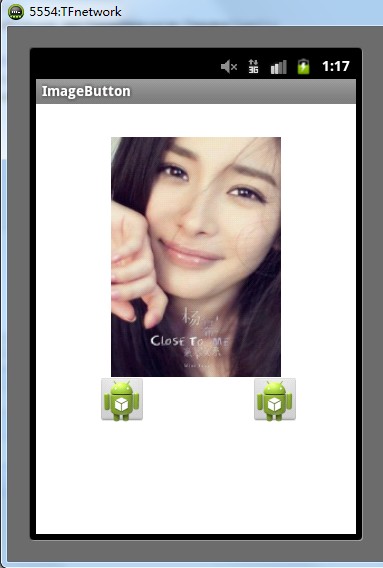
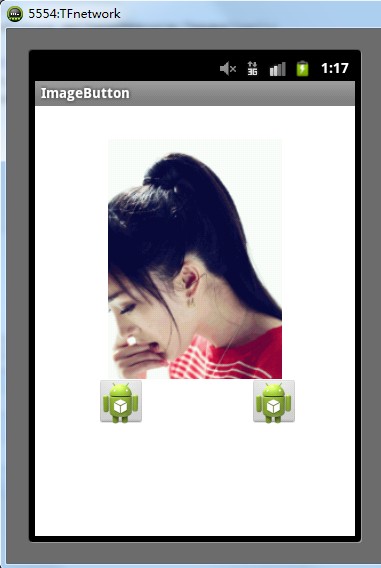
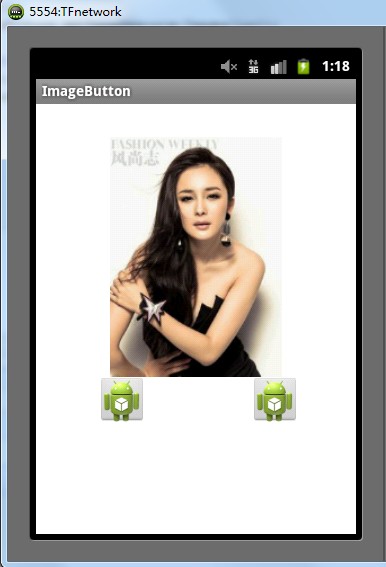
本文适合有android基础的学习者 学习,所以其中没有加太多备注。因为工作很忙故写文章也写的初略。
android中ImageView讲解的更多相关文章
- android中ImageView的ScaleType属性
android中ImageView的ScaleType属性 ScaleType的值分别代表的意义: ImageView是Android中的基础图片显示控件,该控件有个重要的属性是ScaleType,该 ...
- Android中ImageView的属性
资源使用 Android 中支持三种格式的位图文件:.png(首选), .jpg(可接受),.gif(不建议) 为什么首推 PNG 呢? 官网的描述如下: 注:在构建过程中,可通过 aapt 工具自动 ...
- Android中ImageView.ScaleType属性值
1 android:scaleType="center" (1)当图片大于ImageView的宽高:以图片的中心点和ImageView的中心点为基准,按照图片的原大小居中显示,不缩 ...
- android中Imageview的布局和使用
布局: <ImageView android:id="@+id/imt_photo" android:layout_width="fill_parent" ...
- Android 中单位讲解
1. dip(dp): device independent pixels(设备独立像素). dp也就是dip.这个和sp基本类似.如果设置表示长度.高度等属性时可以使用dp 或sp.但如果设置字体, ...
- 怪胎:Android开发ImageView图片无法显示
今天碰到一个非常奇怪的问题: 在Android中ImageView无法显示加载的本地SDCard图片. 具体过程是:先调用本地照相机程序摄像,然后将拍摄的图片加载在ImageView中显示. publ ...
- android 圆角 ImageView
android中Imageview 内的图片圆角的实现方式 此文针对的是 imageview中图片的圆角, 即忽略掉图片的ScaleType, 均对图片采取圆角. 而不是对Imageview本身的圆 ...
- Android开发 - ImageView加载Base64编码的图片
在我们开发应用的过程中,并不是所有情况下都请求图片的URL或者加载本地图片,有时我们需要加载Base64编码的图片.这种情况出现在服务端需要动态生成的图片,比如: 二维码 图形验证码 ... 这些应用 ...
- android中Adapter适配器的讲解
Adapter(适配器的讲解) 适配器就我自己来看,我觉得这是一个非常重要的知识点,Adapter是用来帮助填出数据的中间桥梁,简单点说吧:将各种数据以合适的形式显示在View中给用户看.Adapte ...
随机推荐
- 站在K2角度审视流程--任务的独占与释放
应用场景一:某件事情由A.B两人(或者更多人)完成,任务开始后,两人随时可以处理任务,只需有一人处理完成,此事情即可结束. 应用场景二:某件事情由A.B两人(或者更多人)完成,任务开始后,两人随时可以 ...
- 基于百度定位及天气获取的DEMO
demo基于百度定位APIv4.0版.新浪天气(不用查询城市代码). 需求: 1.button实现触发定位监听和天气捕获 2.两个textview 分别显示详细地址.天气. 界面很简陋,侧重功能实现. ...
- C# TCP实现多个客户端与服务端 数据 与 文件的传输
C#菜鸟做这个东东竟然花了快三天的时间了,真是菜,菜,菜--- 下面是我用C#写的 一个简单的TCP通信,主要的功能有: (1) 多个客户端与服务器间的数据交流 (2)可以实现群发的功能 (3)客户端 ...
- Visual Studio 2013 如何关闭调试而不关闭IIS Express
在VS主面板打开:工具->选项->调试->编辑继续 取消选中[启用"编辑并继续"] 就OK了 (英文版的请对应相应的操作) 不过这是针对所有的调试,如果你想针 ...
- sql server2014各版本对比(连接)
简单的说,sql server 2014为企业版(全功能).BI版.标准版. SQL Server 2014 各个版本支持的功能 http://msdn.microsoft.com/zh-cn/lib ...
- Queryable.GroupBy<TSource, TKey> 方法 (IQueryable<TSource>, Expression<Func<TSource, TKey>>) 转
根据指定的键选择器函数对序列中的元素进行分组. 命名空间: System.Linq程序集: System.Core(在 System.Core.dll 中) 语法 C# C++ F# VB p ...
- LoadImage函数问题
loadimage函数加载图片类型 Value Meaning IMAGE_BITMAP Loads a bitmap. IMAGE_CURSOR Loads a cursor. IMAGE_ICON ...
- Ubuntu 14.10 下CPU实时监控mpstat命令详解
简介 mpstat是Multiprocessor Statistics的缩写,是实时系统监控工具.其报告与CPU的一些统计信息,这些信息存放在/proc/stat文件中.在多CPUs系统里,其不但能查 ...
- JVM值内存垃圾回收监控之jstat
如何判断JVM垃圾回收是否正常?一般的top指令基本上满足不了这样的需求,因为top主要监控的是总体的系统资源,很难定位到java应用程序. Jstat是JDK自带的一个轻量级小工具.全称“Java ...
- SVG 2D入门1 - SVG综述
位图与矢量图 以前,浏览器中显示的图形,例如jpeg.gif等,都是位图,这些图像格式是基于光栅的.在光栅图像中,图像文件定义了图像中每个像素的颜色值.浏览器需要读取这些值并做出相应行动.这种图像的再 ...