
【代码笔记】iOS-带索引的tableView
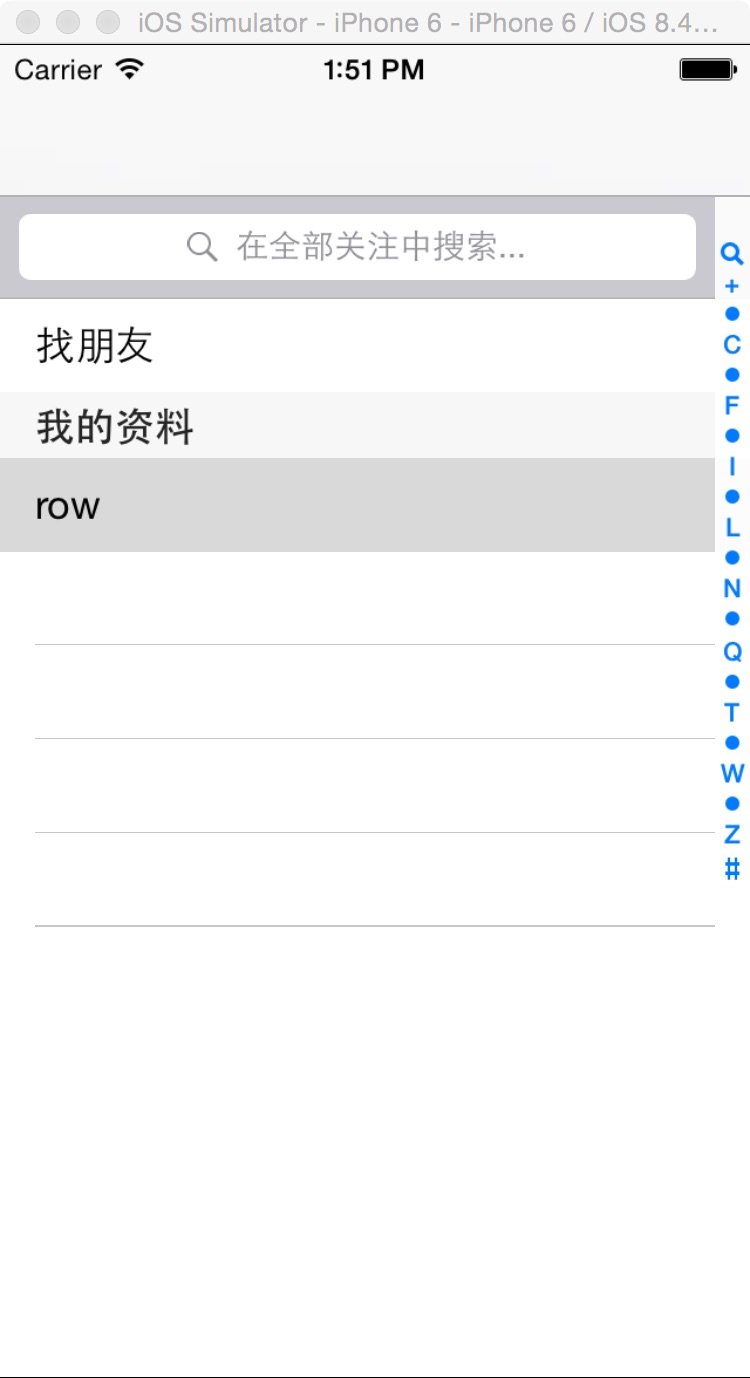
一,效果图。
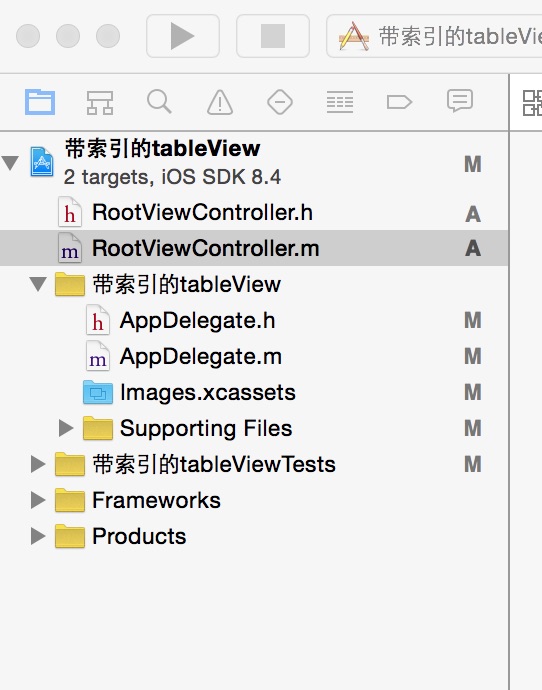
二,工程图。
三,代码。
RootViewController.h

#import <UIKit/UIKit.h>

@interface RootViewController : UIViewController

<UITableViewDelegate,UITableViewDataSource,UISearchDisplayDelegate,UISearchBarDelegate>

{

    UITableView * tableview;

    NSMutableArray * Aarray;

    UISearchBar * searchBar;

    UISearchDisplayController *searchControl;

}

@end
RootViewController.m
#import "RootViewController.h"

@interface RootViewController ()

@end

@implementation RootViewController

- (id)initWithNibName:(NSString *)nibNameOrNil bundle:(NSBundle *)nibBundleOrNil

{

    self = [super initWithNibName:nibNameOrNil bundle:nibBundleOrNil];

    if (self) {

        // Custom initialization

    }

    return self;

}

- (void)viewDidLoad

{

    [super viewDidLoad];

    // Do any additional setup after loading the view.

    //初始化背景图

    [self initBackGroundView];

}

#pragma -mark -functions

-(void)initBackGroundView

{

    Aarray = [[NSMutableArray alloc] initWithObjects:@"+",@"我",@"A",@"B",@"C",@"D",@"E",@"F",@"G",@"H",@"I",@"J",@"K",@"L",@"M",@"N",@"O",@"P",@"Q",@"R",@"S",@"T",@"U",@"V",@"W",@"X",@"Y",@"Z",@"#",nil];

    //tableView

    tableview = [[UITableView alloc] initWithFrame:CGRectMake(0, 0, 320, 460-44-10-10-20) style:UITableViewStylePlain];

    tableview.tag = 101;

    tableview.delegate = self;

    tableview.dataSource = self;

    [self.view addSubview:tableview];

    //searchView

    searchBar = [[UISearchBar alloc] initWithFrame:CGRectMake(0, 0, 320, 44)];

    tableview.tableHeaderView = searchBar;

    searchBar.showsScopeBar = YES;

    searchBar.placeholder = @"在全部关注中搜索...";

    //搜索的时候会有左侧滑动的效果

    searchControl = [[UISearchDisplayController alloc]initWithSearchBar:searchBar contentsController:self];

    searchControl.delegate = self;

    searchControl.searchResultsDataSource = self;

    searchControl.searchResultsDelegate = self;

}

#pragma -mark -searchbar

-(void)searchBar:(UISearchBar *)searchBar selectedScopeButtonIndexDidChange:(NSInteger)selectedScope

{

    ;

}

#pragma -mark -UITableViewDelegate

-(NSInteger)numberOfSectionsInTableView:(UITableView *)tableView

{

    return 2;

}

-(NSInteger)tableView:(UITableView *)tableView numberOfRowsInSection:(NSInteger)section

{

    if (section == 0) {

        return 1;

    }

    return 100;

}

- (CGFloat)tableView:(UITableView *)tableView heightForRowAtIndexPath:(NSIndexPath *)indexPath

{

    return 40.0;

}

-(UITableViewCell *)tableView:(UITableView *)tableView cellForRowAtIndexPath:(NSIndexPath *)indexPath

{

    NSString * strID = @"ID";

    UITableViewCell * cell = [tableview dequeueReusableCellWithIdentifier:strID];

    if (cell == nil) {

        cell = [[UITableViewCell alloc]initWithStyle:UITableViewCellStyleValue1 reuseIdentifier:strID];

    }

    if (indexPath.section == 0 && indexPath.row == 0) {

        cell.textLabel.text = @"找朋友";

    }else if(indexPath.section ==1 && indexPath.row == 0){

        cell.textLabel.text=@"row";

    }

    return cell;

}

-(NSString *)tableView:(UITableView *)tableView titleForHeaderInSection:(NSInteger)section

{

    if (section == 1) {

        return @"我的资料";

    }

    return nil;

}

-(NSArray *)sectionIndexTitlesForTableView:(UITableView *)tableView

{

    return [NSArray arrayWithObjects:UITableViewIndexSearch,@"+",@"A",@"B",@"C",@"D",@"E",@"F",@"G",@"H",@"I",@"J",@"K",@"L",@"M",@"N",@"O",@"P",@"Q",@"R",@"S",@"T",@"U",@"V",@"W",@"X",@"Y",@"Z",@"#", nil];

}

- (void)didReceiveMemoryWarning

{

    [super didReceiveMemoryWarning];

    // Dispose of any resources that can be recreated.

}
【代码笔记】iOS-带索引的tableView的更多相关文章
- 带索引的tableView
带索引的tableView 一,效果图. 二,工程图. 三,代码. RootViewController.h #import <UIKit/UIKit.h> @interface Root ...
- IOS UITableView索引排序功能
UITbableView分组展示信息时,有时在右侧会带索引,右侧的索引一般为分组的首字母,比如城市列表的展示.当点击右侧索引的字母,列表会快速跳到索引对应的分组,方便我们快速查找.下面,就介绍一下索引 ...
- 【hadoop代码笔记】Mapreduce shuffle过程之Map输出过程
一.概要描述 shuffle是MapReduce的一个核心过程,因此没有在前面的MapReduce作业提交的过程中描述,而是单独拿出来比较详细的描述. 根据官方的流程图示如下: 本篇文章中只是想尝试从 ...
- 笔记-iOS 视图控制器转场详解(上)
这是一篇长文,详细讲解了视图控制器转场的方方面面,配有详细的示意图和代码,为了使得文章在微信公众号中易于阅读,seedante 辛苦将大量长篇代码用截图的方式呈现,另外作者也在 Github 上附上了 ...
- IOS开发笔记 IOS如何访问通讯录
IOS开发笔记 IOS如何访问通讯录 其实我是反对这类的需求,你说你读我的隐私,我肯定不愿意的. 幸好ios6.0 以后给了个权限控制.当打开app的时候你可以选择拒绝. 实现方法: [plain] ...
- <Python Text Processing with NLTK 2.0 Cookbook>代码笔记
如下是<Python Text Processing with NLTK 2.0 Cookbook>一书部分章节的代码笔记. Tokenizing text into sentences ...
- jQuery仿3D旋转木马效果插件(带索引按钮)
项目中需要用到旋转木马效果,但是我在网上找的插件,基本都是不带按钮或者只是带前后按钮的,而项目要求的是带索引按钮,也就是说有3张图片轮播,对应的要有3个小按钮,点击按钮,对应的图片位于中间位置.于是就 ...
- [学习笔记] SSD代码笔记 + EifficientNet backbone 练习
SSD代码笔记 + EifficientNet backbone 练习 ssd代码完全ok了,然后用最近性能和速度都非常牛的Eifficient Net做backbone设计了自己的TinySSD网络 ...
- 一行代码调用实现带字段选取+条件判断+排序+分页功能的增强ORM框架
问题:3行代码 PDF.NET是一个开源的数据开发框架,它的特点是简单.轻量.快速,易上手,而且是一个注释完善的国产开发框架,受到不少朋友的欢迎,也在我们公司的项目中多次使用.但是,PDF.NET比起 ...
随机推荐
- HTML5版的String Avoider小游戏
HTML5版的String Avoider小游戏 http://www.newgrounds.com/portal/view/300760 蛮简单也蛮考验耐心,从游戏起始点移动鼠标到终点位置,鼠标移动 ...
- Load Audio or Vedio files
//Load Audio or Vedio files private void btnLoadFile_Click(object sender, EventArgs e) { Startindex ...
- 解决未能加载文件或程序集'WebGrease‘的问题
在多个视图中,如果有使用共用的样式代码,可以把它们移至CSS文件中去.今天Insus.NET就举例一个例子来说明.比如前2篇中<ASP.NET MVC图片管理(上传,预览与显示)>http ...
- Entity Framework 实体框架的形成之旅--基于泛型的仓储模式的实体框架(1)
很久没有写博客了,一些读者也经常问问一些问题,不过最近我确实也很忙,除了处理日常工作外,平常主要的时间也花在了继续研究微软的实体框架(EntityFramework)方面了.这个实体框架加入了很多特性 ...
- [小工具]CSS内嵌样式自动提取器
逐行分析,将内联样式提取出来,并自动编号代替的一个小工具软件 注:style=""(此处必须是标准的双引号!) http://files.cnblogs.com/quejuwen/ ...
- go语言 hello 小结
在编译go语言的时候: 写了一段这样的代码 package main import "fmt" func main() { fmt.Println("Hello, ...
- Firemonkey 图片显示拉伸不变形
Firemonkey 实现简单的图片拉伸不变形,是利用原始图片的 "固定区" 及 "位伸区" 来达到此目的,因此必需要有此结构的图片才适合. 下面以聊天气泡为例 ...
- Firemonkey 控件设定字型属性及颜色
将控件 StyledSettings 的勾取消(如此才能自定样式及字型,如果勾选则依 Style 而定). 设定 TextSettings 里的 Font 属性. 使用代码寫法: CheckBox1. ...
- linux系统下nodejs安装过程随记
首先下载适合的版本.这里我使用的是node v.10.36 先介绍编译安装的详细过程. 下载该版本: wget http://nodejs.org/dist/v0.10.36/node-v0.10.3 ...
- Xdebug文档(一)基本特性
基本属性(参数) xdebug.default_enable 类型: boolean,默认值: 1 这是xdebug的基本设置,默认在调试跟踪时显示错误信息.可以使用xdebug_disable()函 ...