
【代码笔记】iOS-带索引的tableView
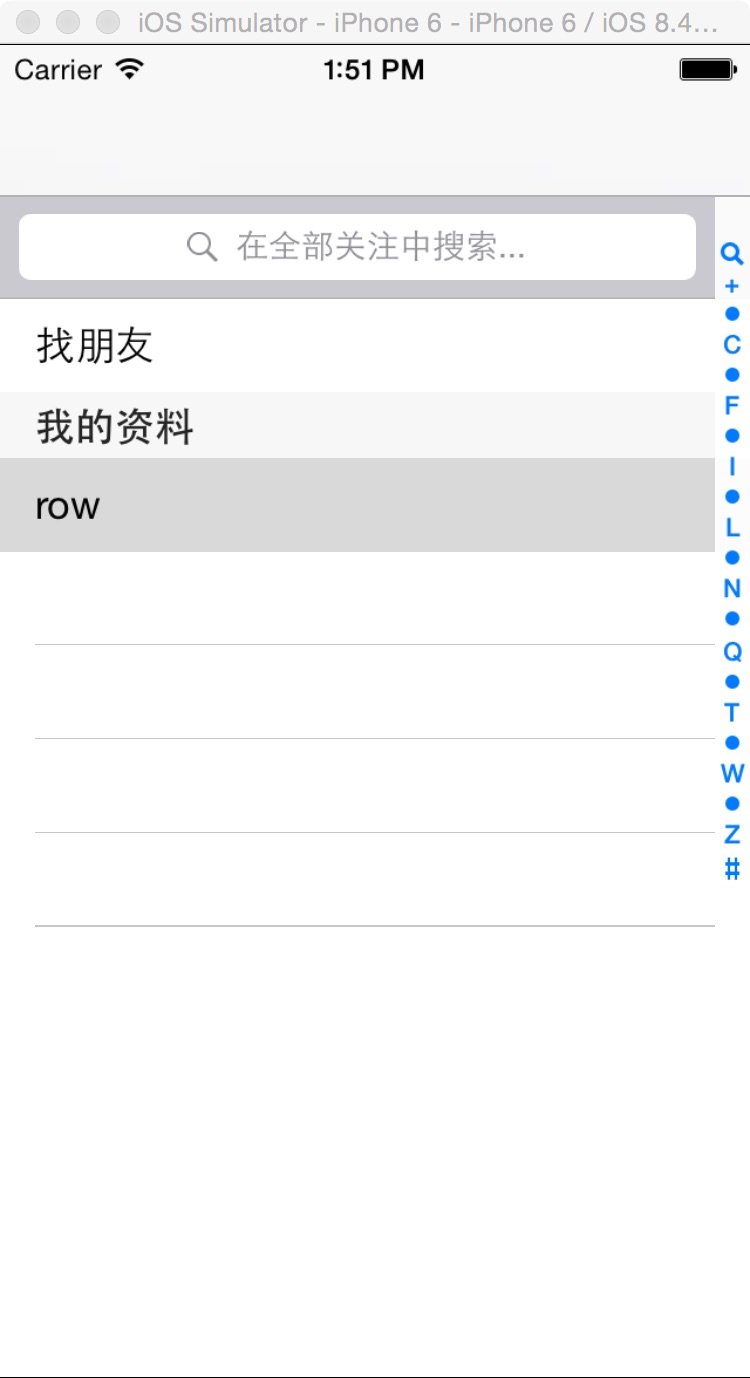
一,效果图。
二,工程图。
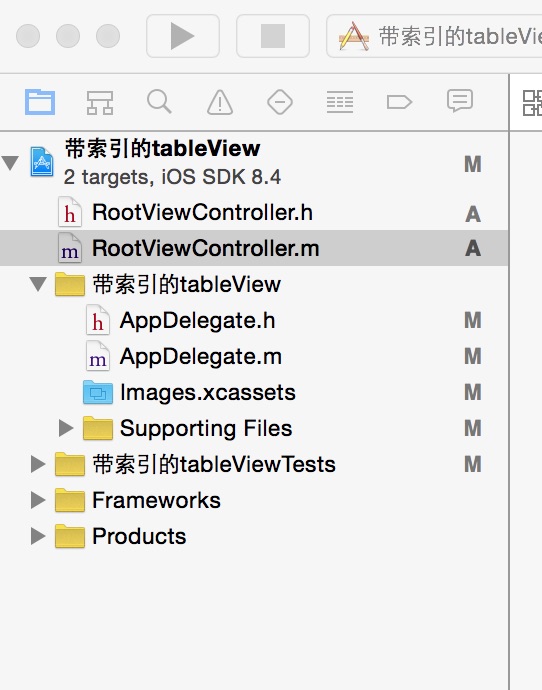
三,代码。
RootViewController.h

#import <UIKit/UIKit.h>

@interface RootViewController : UIViewController

<UITableViewDelegate,UITableViewDataSource,UISearchDisplayDelegate,UISearchBarDelegate>

{

    UITableView * tableview;

    NSMutableArray * Aarray;

    UISearchBar * searchBar;

    UISearchDisplayController *searchControl;

}

@end
RootViewController.m
#import "RootViewController.h"

@interface RootViewController ()

@end

@implementation RootViewController

- (id)initWithNibName:(NSString *)nibNameOrNil bundle:(NSBundle *)nibBundleOrNil

{

    self = [super initWithNibName:nibNameOrNil bundle:nibBundleOrNil];

    if (self) {

        // Custom initialization

    }

    return self;

}

- (void)viewDidLoad

{

    [super viewDidLoad];

    // Do any additional setup after loading the view.

    //初始化背景图

    [self initBackGroundView];

}

#pragma -mark -functions

-(void)initBackGroundView

{

    Aarray = [[NSMutableArray alloc] initWithObjects:@"+",@"我",@"A",@"B",@"C",@"D",@"E",@"F",@"G",@"H",@"I",@"J",@"K",@"L",@"M",@"N",@"O",@"P",@"Q",@"R",@"S",@"T",@"U",@"V",@"W",@"X",@"Y",@"Z",@"#",nil];

    //tableView

    tableview = [[UITableView alloc] initWithFrame:CGRectMake(0, 0, 320, 460-44-10-10-20) style:UITableViewStylePlain];

    tableview.tag = 101;

    tableview.delegate = self;

    tableview.dataSource = self;

    [self.view addSubview:tableview];

    //searchView

    searchBar = [[UISearchBar alloc] initWithFrame:CGRectMake(0, 0, 320, 44)];

    tableview.tableHeaderView = searchBar;

    searchBar.showsScopeBar = YES;

    searchBar.placeholder = @"在全部关注中搜索...";

    //搜索的时候会有左侧滑动的效果

    searchControl = [[UISearchDisplayController alloc]initWithSearchBar:searchBar contentsController:self];

    searchControl.delegate = self;

    searchControl.searchResultsDataSource = self;

    searchControl.searchResultsDelegate = self;

}

#pragma -mark -searchbar

-(void)searchBar:(UISearchBar *)searchBar selectedScopeButtonIndexDidChange:(NSInteger)selectedScope

{

    ;

}

#pragma -mark -UITableViewDelegate

-(NSInteger)numberOfSectionsInTableView:(UITableView *)tableView

{

    return 2;

}

-(NSInteger)tableView:(UITableView *)tableView numberOfRowsInSection:(NSInteger)section

{

    if (section == 0) {

        return 1;

    }

    return 100;

}

- (CGFloat)tableView:(UITableView *)tableView heightForRowAtIndexPath:(NSIndexPath *)indexPath

{

    return 40.0;

}

-(UITableViewCell *)tableView:(UITableView *)tableView cellForRowAtIndexPath:(NSIndexPath *)indexPath

{

    NSString * strID = @"ID";

    UITableViewCell * cell = [tableview dequeueReusableCellWithIdentifier:strID];

    if (cell == nil) {

        cell = [[UITableViewCell alloc]initWithStyle:UITableViewCellStyleValue1 reuseIdentifier:strID];

    }

    if (indexPath.section == 0 && indexPath.row == 0) {

        cell.textLabel.text = @"找朋友";

    }else if(indexPath.section ==1 && indexPath.row == 0){

        cell.textLabel.text=@"row";

    }

    return cell;

}

-(NSString *)tableView:(UITableView *)tableView titleForHeaderInSection:(NSInteger)section

{

    if (section == 1) {

        return @"我的资料";

    }

    return nil;

}

-(NSArray *)sectionIndexTitlesForTableView:(UITableView *)tableView

{

    return [NSArray arrayWithObjects:UITableViewIndexSearch,@"+",@"A",@"B",@"C",@"D",@"E",@"F",@"G",@"H",@"I",@"J",@"K",@"L",@"M",@"N",@"O",@"P",@"Q",@"R",@"S",@"T",@"U",@"V",@"W",@"X",@"Y",@"Z",@"#", nil];

}

- (void)didReceiveMemoryWarning

{

    [super didReceiveMemoryWarning];

    // Dispose of any resources that can be recreated.

}
【代码笔记】iOS-带索引的tableView的更多相关文章
- 带索引的tableView
带索引的tableView 一,效果图. 二,工程图. 三,代码. RootViewController.h #import <UIKit/UIKit.h> @interface Root ...
- IOS UITableView索引排序功能
UITbableView分组展示信息时,有时在右侧会带索引,右侧的索引一般为分组的首字母,比如城市列表的展示.当点击右侧索引的字母,列表会快速跳到索引对应的分组,方便我们快速查找.下面,就介绍一下索引 ...
- 【hadoop代码笔记】Mapreduce shuffle过程之Map输出过程
一.概要描述 shuffle是MapReduce的一个核心过程,因此没有在前面的MapReduce作业提交的过程中描述,而是单独拿出来比较详细的描述. 根据官方的流程图示如下: 本篇文章中只是想尝试从 ...
- 笔记-iOS 视图控制器转场详解(上)
这是一篇长文,详细讲解了视图控制器转场的方方面面,配有详细的示意图和代码,为了使得文章在微信公众号中易于阅读,seedante 辛苦将大量长篇代码用截图的方式呈现,另外作者也在 Github 上附上了 ...
- IOS开发笔记 IOS如何访问通讯录
IOS开发笔记 IOS如何访问通讯录 其实我是反对这类的需求,你说你读我的隐私,我肯定不愿意的. 幸好ios6.0 以后给了个权限控制.当打开app的时候你可以选择拒绝. 实现方法: [plain] ...
- <Python Text Processing with NLTK 2.0 Cookbook>代码笔记
如下是<Python Text Processing with NLTK 2.0 Cookbook>一书部分章节的代码笔记. Tokenizing text into sentences ...
- jQuery仿3D旋转木马效果插件(带索引按钮)
项目中需要用到旋转木马效果,但是我在网上找的插件,基本都是不带按钮或者只是带前后按钮的,而项目要求的是带索引按钮,也就是说有3张图片轮播,对应的要有3个小按钮,点击按钮,对应的图片位于中间位置.于是就 ...
- [学习笔记] SSD代码笔记 + EifficientNet backbone 练习
SSD代码笔记 + EifficientNet backbone 练习 ssd代码完全ok了,然后用最近性能和速度都非常牛的Eifficient Net做backbone设计了自己的TinySSD网络 ...
- 一行代码调用实现带字段选取+条件判断+排序+分页功能的增强ORM框架
问题:3行代码 PDF.NET是一个开源的数据开发框架,它的特点是简单.轻量.快速,易上手,而且是一个注释完善的国产开发框架,受到不少朋友的欢迎,也在我们公司的项目中多次使用.但是,PDF.NET比起 ...
随机推荐
- 使用Uploadify(UploadiFive)多文件上传控件遇到的坑
最近项目中需要实现多文件上传功能,于是结合需求最终选择了Uploadify这一款控件来实现.相比其他控件,Uploadify具有简洁的界面,功能API基本可以解决大多数需求,又是基于jquery的,配 ...
- JAVA - 优雅的记录日志(log4j实战篇)
写在前面 项目开发中,记录错误日志有以下好处: 方便调试 便于发现系统运行过程中的错误 存储业务数据,便于后期分析 在java中,记录日志有很多种方式: 自己实现 自己写类,将日志数据,以io操作方式 ...
- 应用Css美化表单
原来的效果 美化之后的效果 实现代码 <style> .container { margin:0auto; width:620px; } fieldset { padding:18px ...
- iOS 阶段学习第十天笔记(结构体)
iOS学习(C语言)知识点整理 一.数据结构 1)概念:数据结构是指计算机程序中所操作的对象——数据以及数据元素之间的相互关系和运算. 2)结构体必须有struct 关键字修饰. 实例代码: stru ...
- When to close cursors using MySQLdb
http://stackoverflow.com/questions/5669878/when-to-close-cursors-using-mysqldb I'm building a WSGI w ...
- MD5加密操作
MD5加密操作:MD5加密算法原理MD5的全称是Message-Digest Algorithm 5(信息-摘要算法),它的作用是让大容量信息在用数字签名软件签署私人密匙前被"压缩" ...
- rabbitmq启动异常之error,{not_a_dets_file recovery.dets
中午,公司群里面测试人员@笔者说,早上测试服务器异常,MQ起不来,重启os了也起不来,报错,上去看下了早上又因为内存oom被内核killed了,启动了下,确实启动报错,erl vm进程起来了,但是be ...
- 给你推荐10款优秀的 HTML5 动画工具
HTML5 在过去三年快速增长,已经成为 Web 开发人员最喜欢的编程语言之一.强大的编程语言拥有开发更好的网页应用的能力. HTML5 中引入的新技术都非常好,像 Chrome.Firefox.Sa ...
- CSS中!important的作用
提升指定样式规则的应用优先权. IE6及以下浏览器有个比较显式的支持问题存在,!important在同一条规则集里不生效.请看下述代码: 示例代码: div { color: #f00 !import ...
- 我们的动机(Our motivation)
我们的动机(Our motivation) There are many PHP frameworks nowadays, but none of them is like Phalcon (Real ...