
Could not process inbound connection: Client [/rostopic_18439_1555659423249] wants topic , ROS md5sums do not match
报错如下:
[WARN] [WallTime: 1555659671.447721] Could not process inbound connection: Client [/rostopic_18439_1555659423249] wants topic [/bp_update_feedback] to have datatype/md5sum
[bp_hdw_driver/bp_update_feedback/0d0edf749cdde9f3dc5639668f40e90b], but our version has [bp_hdw_driver/bp_update_feedback/b795ea8e2679e6d909cee60dd8872404] Dropping conne
ction.{'message_definition': 'string board_name\nuint8 update_state', 'callerid': '/rostopic_18439_1555659423249', 'tcp_nodelay': '', 'md5sum': '0d0edf749cdde9f3dc5639668
f40e90b', 'topic': '/bp_update_feedback', 'type': 'bp_hdw_driver/bp_update_feedback'}
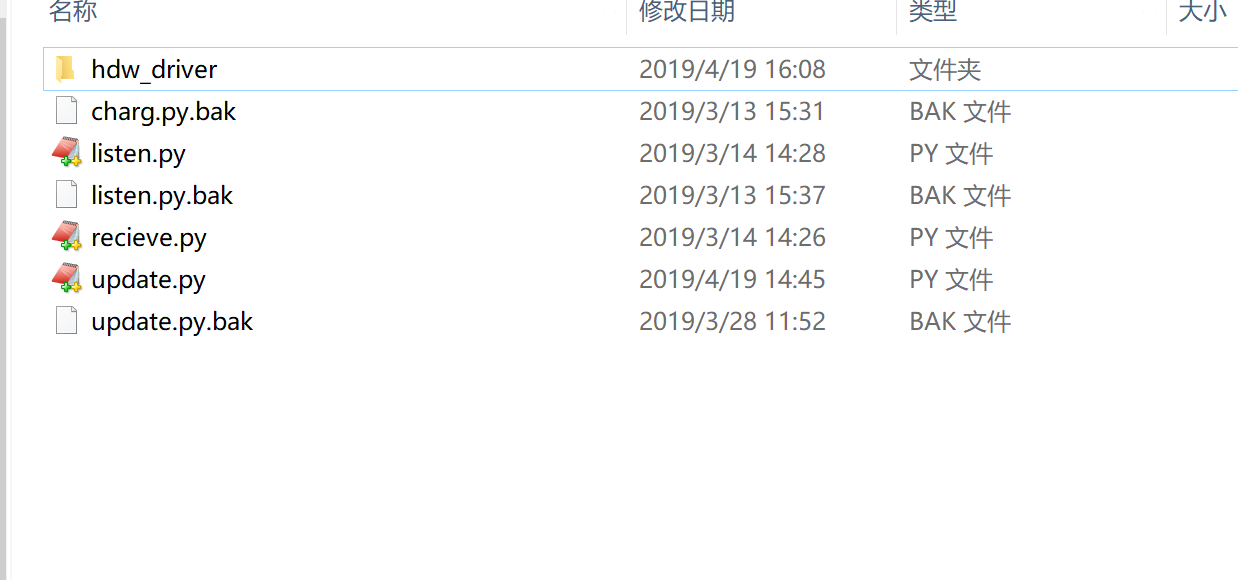
原因: 手动启动的脚本文件引用的topic类型文件,和系统引用的不是同一个,导致MD5值不匹配
脚本文件:
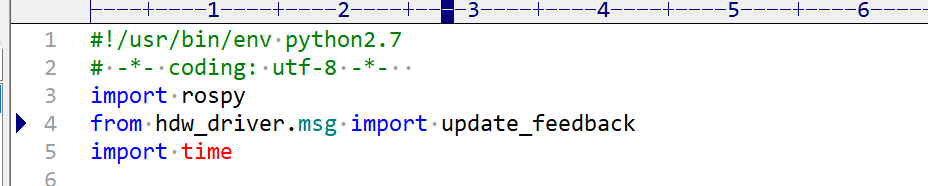
引用的类型
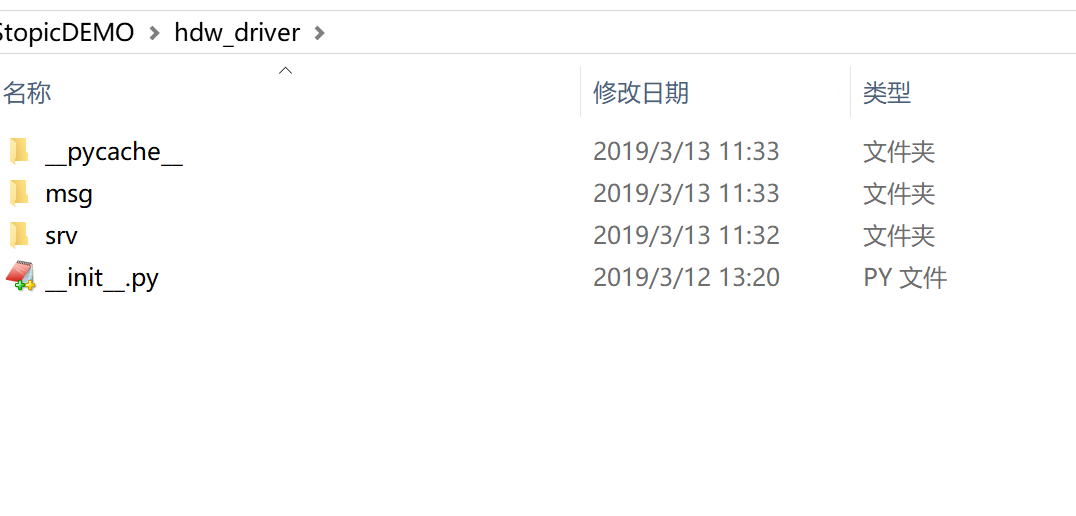
目录结构
参考:
Could not process inbound connection: Client [/rostopic_18439_1555659423249] wants topic , ROS md5sums do not match的更多相关文章
- net/http: request canceled while waiting for connection (Client.Timeout exceeded while awaiting head
使用docker 拉镜像的时候,出现下面的错误: net/http: request canceled while waiting for connection (Client.Timeout exc ...
- Error response from daemon: Get https://registry-1.docker.io/v2/: net/http: request canceled while waiting for connection (Client.Timeout exceeded while awaiting headers)
docker pull nginx 遇到这个问题 Error response from daemon: Get https://registry-1.docker.io/v2/: net/http: ...
- WARNING: inbound connection timed out (ORA-3136)
WARNING: inbound connection timed out (ORA-3136) WARNING: inbound connection timed out (ORA-3136) Ta ...
- docker报错:Get https://registry-1.docker.io/v2/: net/http: request canceled while waiting for connection (Client.Timeout exceeded while awaiting headers)
在github上开到这样一条 于是 这两个选项换着来 具体怎么回事,咱也不知道,咱也不敢问 改完后蹭蹭的
- docker拉取慢(net/http: request canceled while waiting for connection (Client.Timeout exceeded while awaiting head)
systemctl restart docker在docker-hub拉取慢,因为服务器在外网 直接配置阿里云镜像就可以 首先: vim /etc/docker/daemon.json加入下面的那句 ...
- 执行docker run命令时报错Get https://registry-1.docker.io/v2/: net/http: request canceled while waiting for connection (Client.Timeout exceeded while awaiting headers)
一.解决办法: 修改host 二.步骤如下 2.1 安装dig工具 sudo apt-get install dnsutils -y (ubuntu下的安装方法) 2.2 找到registry-1. ...
- What's New In Zeebe: Scaling Zeebe, New Client APIs, Faster Requests, Timestamps, NodeJS Client, and Default Topic is Back!
Written by Daniel Meyer on May 16 2018 in the What's New In Zeebe category. Welcome to the first-eve ...
- ksvcreate: Process(m000) creation failed
一测试服务器数据库(Oracle Database 10g Release 10.2.0.5.0 - 64bit Production)突然访问不了,检查发现数据库处于挂起模式(hang mode), ...
- Connection Management and Security
High Performance My SQL THIRD EDITION Each client connection gets its own thread within the server ...
随机推荐
- mpdf中文开发使用文档附demo实例
官网URL:http://www.mpdf1.com/mpdf/index.php github:https://github.com/mpdf/mpdf 官方开发手册,英文的:http://www. ...
- Parallel.ForEach 多线程 声明失败 "未将对象引用设置到对象的实例"
x using System; using System.Collections.Generic; namespace Parallel.ForEach { class Program { //代码结 ...
- [dpdk][sysfs][pci] 在dpdk程序中操纵PCI设备
〇 需求 在DPDK程序运行时,希望能够实时的操纵PCI 网卡设备的驱动绑定与解绑. 本文的目的是为了调查满足以上需求的,kernel提供的,标准的API都有几种,分别是什么.以确定实施方案. 一 ...
- jenkins使用笔记
jenkins动态在构建的时候给脚本传递参数 1.任务 >General > 参数化构建过程 >选项参数 2.把变量传递给shell脚本 3.构建的时候给参数赋值 4.shell脚 ...
- 这10个Python项目超有趣!
前言: Python可谓是现在很多人正在学或者想学的一个脚本语言了,提到学习自然就少不了拿项目练手,可是一般的项目根本提不起兴趣嘛,这10个项目可是非常有趣的,不信你看看. [Python 图片转字符 ...
- Centos不能上外网解决
检查路由 # route -n Kernel IP routing table Destination Gateway Genmask Flags Metric Ref Use Iface 0.0.0 ...
- Python基础(七) python自带的三个装饰器
说到装饰器,就不得不说python自带的三个装饰器: 1.@property 将某函数,做为属性使用 @property 修饰,就是将方法,变成一个属性来使用. class A(): @prope ...
- C#设计模式(7)——适配器模式(Adapter Pattern)(转)
一.引言 在实际的开发过程中,由于应用环境的变化(例如使用语言的变化),我们需要的实现在新的环境中没有现存对象可以满足,但是其他环境却存在这样现存的对象.那么如果将“将现存的对象”在新的环境中进行调用 ...
- vue2Leaflet使用 Vue2Leaflet-master 的demo
首先下载该demo 地址:https://github.com/KoRiGaN/Vue2Leaflet 下载后可以运行里面的例子,在examples文件夹内,该文件夹本身就是一个完整的项目 然后cmd ...
- Codeforces 799D Field expansion(随机算法)
Field expansion [题目链接]Field expansion [题目类型]随机化算法 &题解: 参考自:http://www.cnblogs.com/Dragon-Light/p ...