
Vue插槽slot理解与初体验 ~
一、插槽的理解
1.官网介绍
Vue 实现了一套内容分发的 API,将 <slot> 元素作为承载分发内容的出口。
2.为什么使用插槽
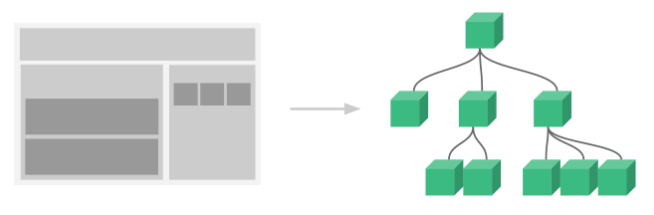
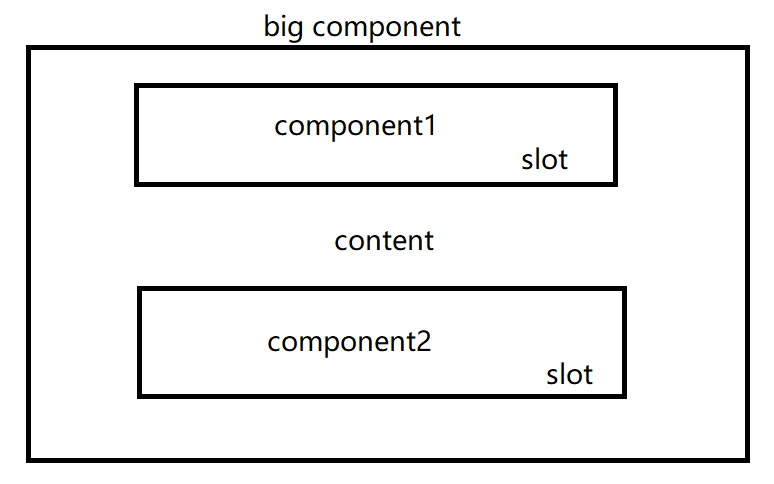
Vue 中有一个重要的概念-组件,可以在开发中将子组件插入到父组件中,因此需要给子组件组件留出位置(这里的组件我的理解是可以理解成sql的一个占位符.),如图slot提供可以插入的位置,我们将component1和component2插入到big component中。
二、使用步骤
1.希望最终得到的页面
<div id="app">

    <div>

        <h3>图书列表</h3>

        <ul>

            <li>红楼梦</li>

        </ul>

    </div>

</div>
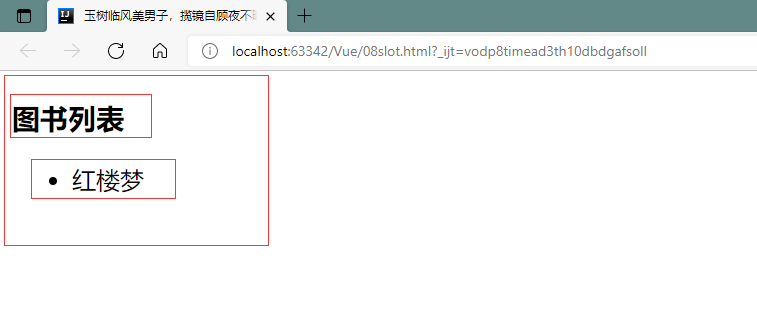
可以将该页面分为三部分来看,将这三部分注册成vue的组件
2.组件注册
<div id="app">

    <book-component></book-component>

</div>

<script src="https://cdn.bootcdn.net/ajax/libs/vue/2.6.9/vue.min.js"></script>

<script>

    //图书组件

    Vue.component('book-component',{

        template: '<div><h3>图书列表</h3><ul><li>红楼梦</li></ul></div>'

    });

    //图书标题组件

    Vue.component('book-component-title',{

        template: '<h3>图书列表</h3>'

    });

    //图书列表组件

    Vue.component('book-component-list',{

        template: '<li>红楼梦</li>'

    });

    let vApp = new Vue({

        el: '#app'

    });

</script>
直接引入注册的组件就能实现列表展示,下面需要把子组件插入到父组件中
3.添加插槽
<div id="app">

    <book-component>

        <book-component-title slot="title"></book-component-title>

        <book-component-list slot="list"></book-component-list>

    </book-component>

</div>

<script src="https://cdn.bootcdn.net/ajax/libs/vue/2.6.9/vue.min.js"></script>

<script>

    //图书组件

    Vue.component('book-component',{

        //<div>

        //    <slot name="title"></slot>

        //    <slot name="list"></slot>

        //</div>

        template: '<div><slot name=\'title\'></slot><ul><slot name=\'list\'></slot></ul></div>'

    });

    //图书标题组件

    Vue.component('book-component-title',{

        template: '<h3>图书列表</h3>'

    });

    //图书列表组件

    Vue.component('book-component-list',{

        template: '<li>红楼梦</li>'

    });

    let vApp = new Vue({

        el: '#app'

    });

</script>
在父组件中加入slot="",父组件slot中name可以随意指定;在子组件中加入<slot> 标签,标签的name必须和父组件对应
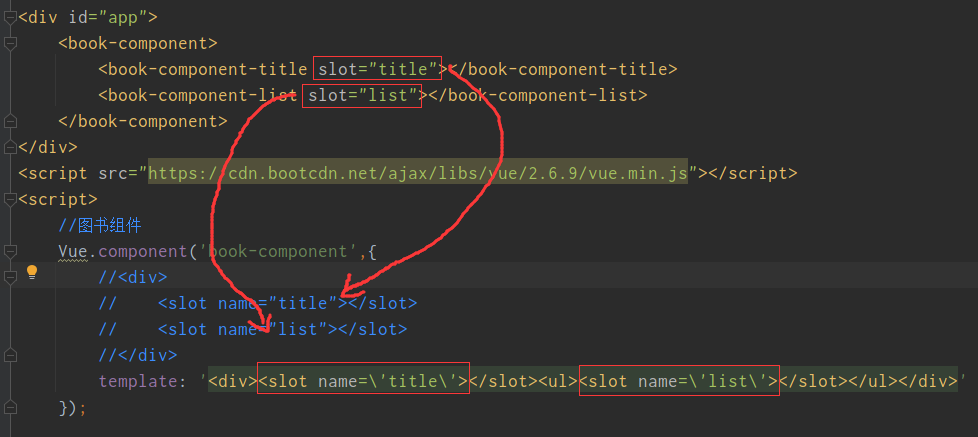
vue3.0后,v-slot:插槽名 取代了slot="插槽名"的写法 可参考:https://www.cnblogs.com/LUA123/p/10812164.html
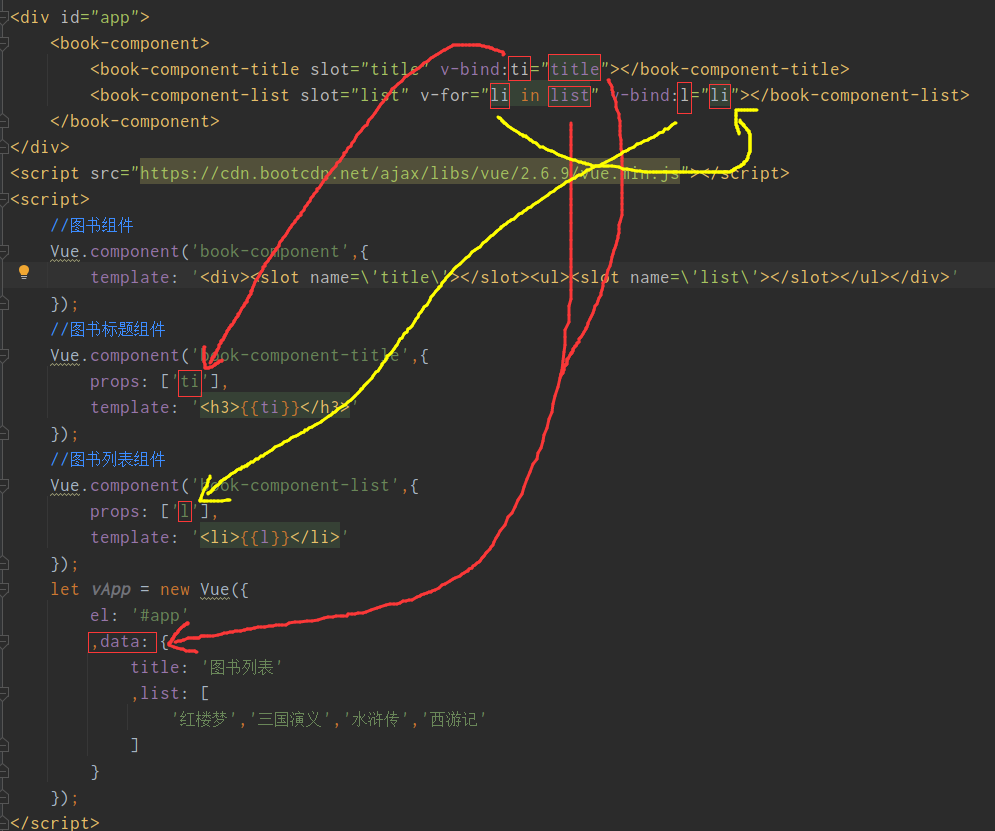
3.绑定数据并传递
<div id="app">

    <book-component>

        <book-component-title slot="title" v-bind:ti="title"></book-component-title>

        <book-component-list slot="list" v-for="li in list" v-bind:l="li"></book-component-list>

    </book-component>

</div>

<script src="https://cdn.bootcdn.net/ajax/libs/vue/2.6.9/vue.min.js"></script>

<script>

    //图书组件

    Vue.component('book-component',{

        template: '<div><slot name=\'title\'></slot><ul><slot name=\'list\'></slot></ul></div>'

    });

    //图书标题组件

    Vue.component('book-component-title',{

        props: ['ti'],

        template: '<h3>{{ti}}</h3>'

    });

    //图书列表组件

    Vue.component('book-component-list',{

        props: ['l'],

        template: '<li>{{l}}</li>'

    });

    let vApp = new Vue({

        el: '#app'

        ,data: {

            title: '图书列表'

            ,list: [

                '红楼梦','三国演义','水浒传','西游记'

            ]

        }

    });

</script>
通过'props'接收参数,参数对应关系不要记错就行。
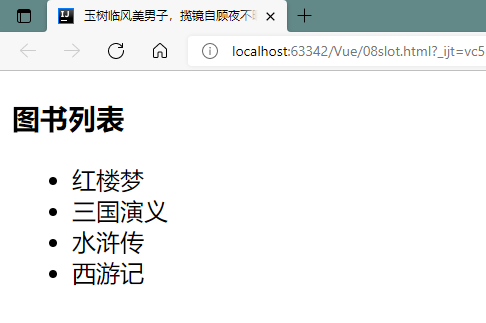
绑定数据之后最终页面
Vue插槽slot理解与初体验 ~的更多相关文章
- vue.js2.0 自定义组件初体验
理解 组件(Component)是 Vue.js 最强大的功能之一.组件可以扩展 HTML 元素,封装可重用的代码.在较高层面上,组件是自定义元素, Vue.js 的编译器为它添加特殊功能.在有些情况 ...
- vue 插槽slot总结 slot看这篇就够了
一直模糊所以梳理一下,看了好多篇园友的文章和官网文档在这整理一下 默认插槽 //slot组件<template> <div class="slots"> s ...
- vue 插槽slot
本文是对官网内容的整理 https://cn.vuejs.org/v2/guide/components.html#编译作用域 在使用组件时,我们常常要像这样组合它们: <app> < ...
- Vue插槽 slot
1. 什么是插槽 插槽slot 是往父组件中插入额外内容,实现组件的复用,一个插槽插入到一个对应的标签中 2. 实例: 一个组件中不允许有两个匿名插槽 </head> <body&g ...
- 三、深入Vue组件——Vue插槽slot、动态组件
一.插槽slot() 1.1简单插槽slot [功能]用于从父组件中,通过子组件写成双标签,向子组件中放入自定的内容 parent.vue [1]首先把child写成双标签样式,把要插入的内容放双标签 ...
- vue插槽slot的理解与使用
一.个人理解及插槽的使用场景 刚开始看教程我的疑惑是为什么要用插槽,它的使用场景是什么,很多解释都是“父组件向子组件传递dom时会用到插槽”,这并不能很好的解决我的疑惑.既然你用了子组件,你为什么要给 ...
- vue 插槽 ------ slot 简单理解
solt 插槽 内容分发 什么是插槽 Vue 实现了一套内容分发的 API,将 `` 元素作为承载分发内容的出口. 插槽显示的位置却由子组件自身决定,槽写在组件模板的什么位置,父组件传过来的模板将来就 ...
- vue中的插槽slot理解
本篇文章参考赛冷思的个人博客 1.函数默认传参 在我们写js函数我们的可能会给他们一个默认的参数,写法是 function show(age,name){ var age = age || 20; v ...
- vue 插槽 slot
<!DOCTYPE html> <html> <head> <meta charset="UTF-8"> <title> ...
随机推荐
- itoa函数递归实现
库函数中有atoi函数,用意是将字符形式输入的数据转换成数字,而库函数有没有提供一个将数字转换成字符的函数呢?答案是有的,而且功能很是强大,那就是sprintf().snprintf()格式化转换函数 ...
- JFrame显示刷新
1 import java.awt.BorderLayout; 2 import java.awt.Font; 3 import java.awt.event.ActionEvent; 4 impor ...
- 解决 conda tensorflow failed to create cublas handle: CUBLAS_STATUS_NOT_INITIALIZED
参考解决方案1:https://stackoverflow.com/questions/38303974/tensorflow-running-error-with-cublas 参考解决方案2:ht ...
- netty系列之:搭建自己的下载文件服务器
目录 简介 文件的content-type 客户端缓存文件 其他HTTP中常用的处理 文件内容展示处理 文件传输进度 总结 简介 上一篇文章我们学习了如何在netty中搭建一个HTTP服务器,讨论了如 ...
- linux centos7 定时执行服务监控脚本
2021-08-25 1. 需求 在服务挂掉之后我们要怎么做才能保证服务在短时间内开启?可以编写脚本监控服务的状态,在服务挂掉后及时将其开启,并定时执行该脚本. 2. 脚本编写 思路:平常我们可以通过 ...
- Djangoda搭建——初步使用
使用pycharm专业版>选择Django项目即可完成搭建 注:本次使用的是python3的虚拟环境,这里注意了这里使用的是python的集成环境Anaconda3,个人感觉比较好用进行pyth ...
- shell循环语句while
格式1: while 条件 do 执行命令 done 格式2: while 条件;do 命令 done 例子: while [ 1 -eq 1 ];do echo "这一步需要先修改/dat ...
- Python__bs4模块
1 - 导入模块 from bs4 import BeautifulSoup 2 - 创建对象 fp = open('./test.html','r',encoding='utf-8') soup = ...
- noip模拟42
A. 卷 发现乘积足以爆 \(long\) \(long\),但是数据随机,可以略忽略精度问题 一个快速降低数的级别的方法是取对数,由于有性质 \(log(x * y)=logx+logy\),合并时 ...
- adb 常用命令大全(2)- 基础命令
adb 基本语法 adb [-d|-e|-s <serialNumber>] <command> 命令行参数 -d:指定当前唯一通过 USB 连接的 Android 设备为命令 ...