
TDSQL数据库考试实操题
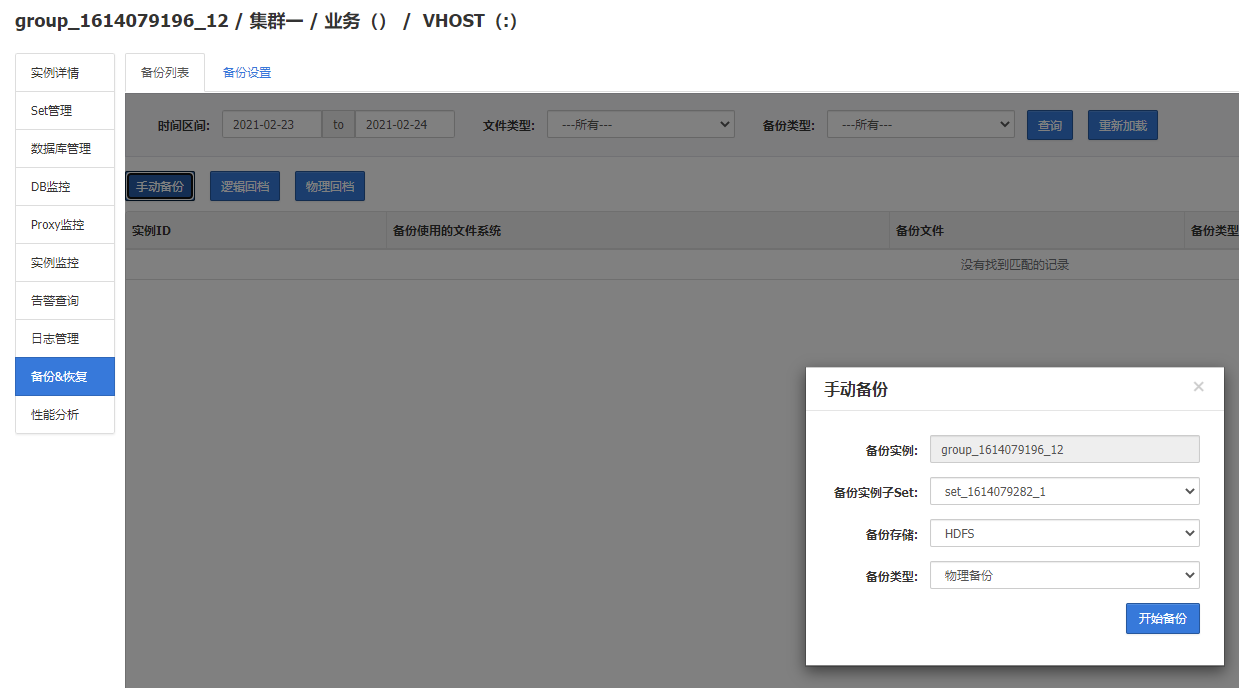
第一题: 演练二 物理备份(5分)
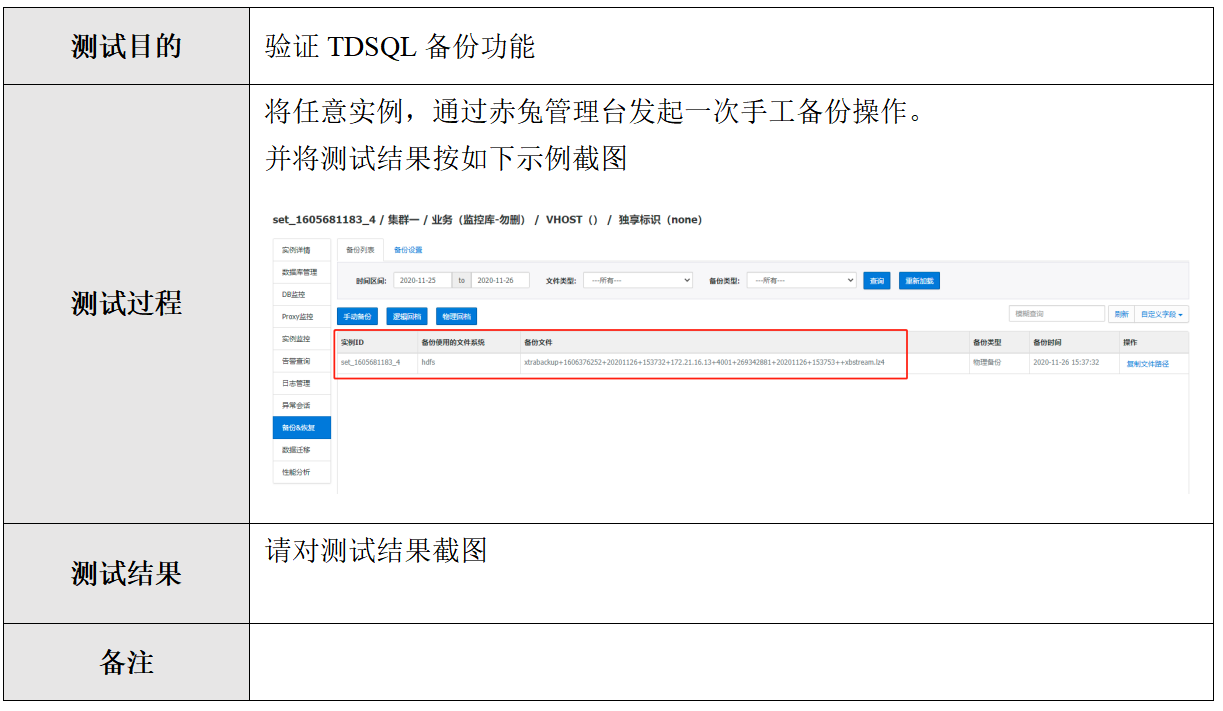
答:


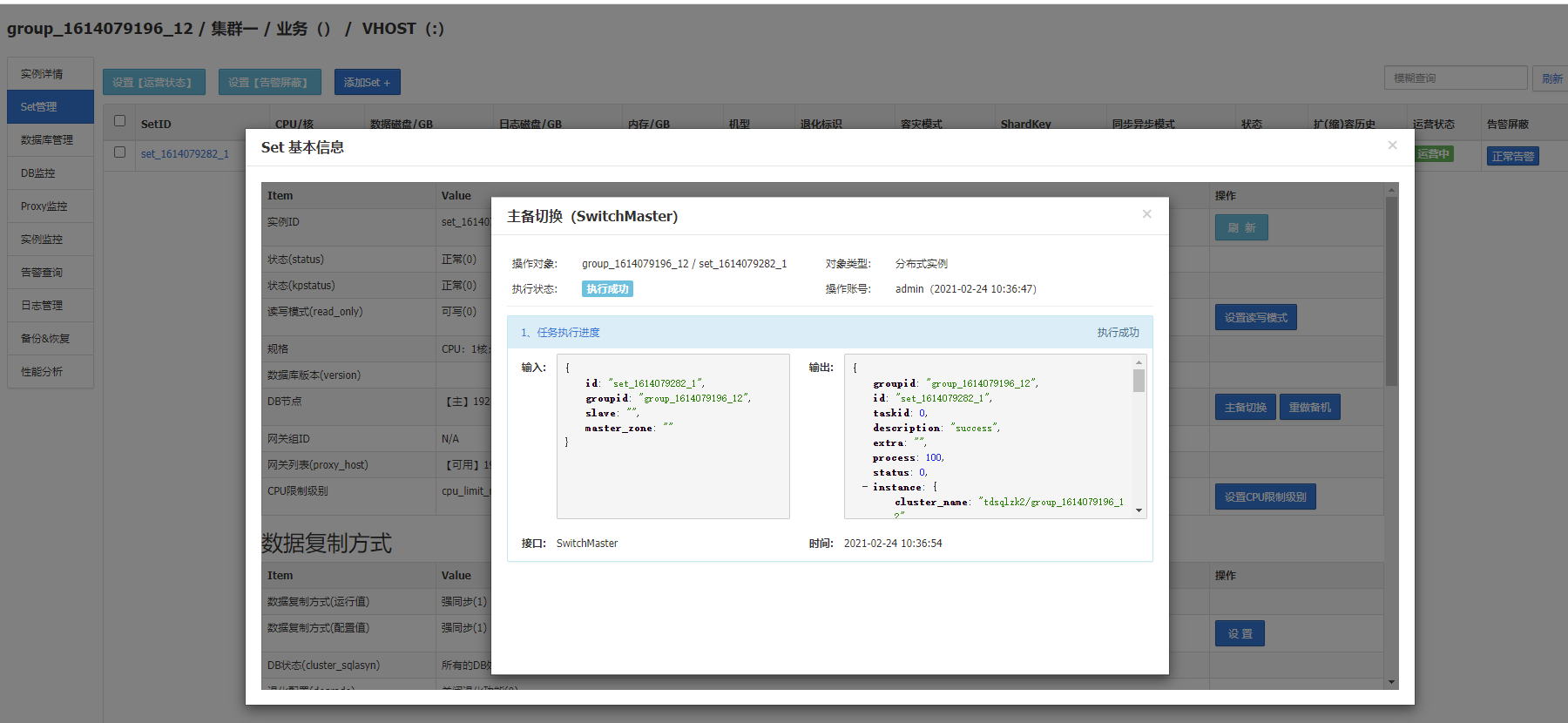
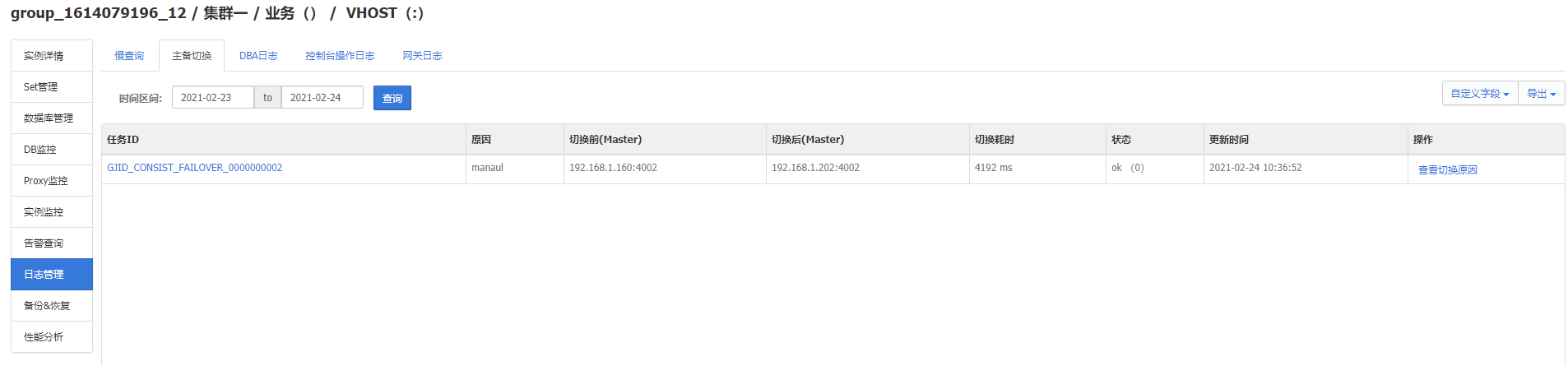
第二题:2. 演练一 请根据给定的演练方案,进行相关演练,并按如下要求提交截图 主备切换(5分)
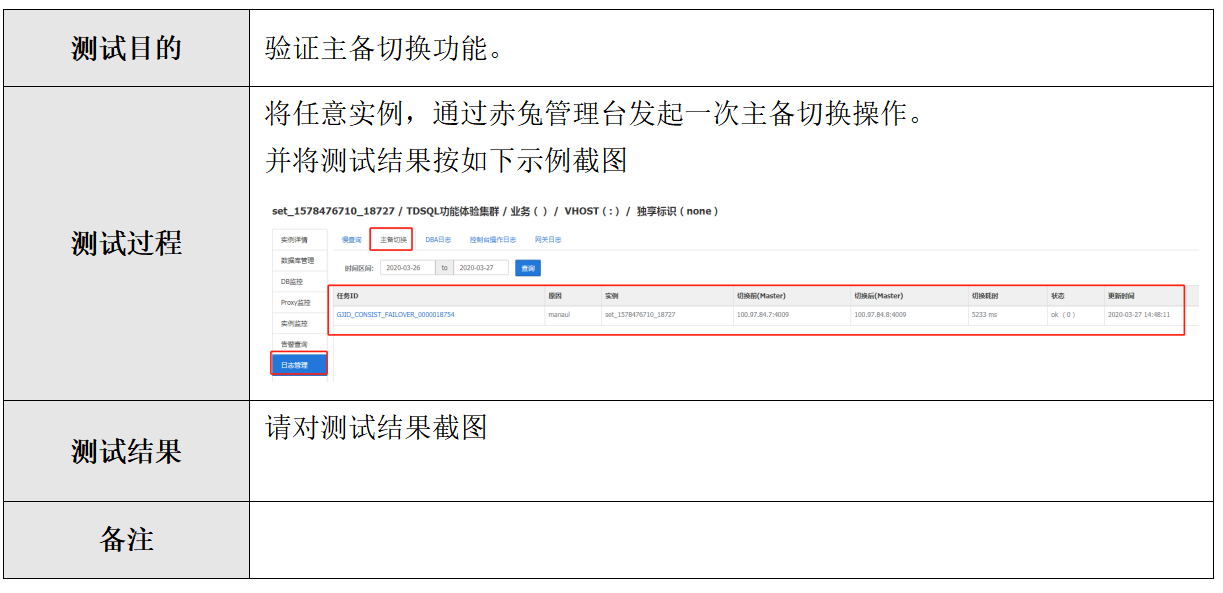
答:
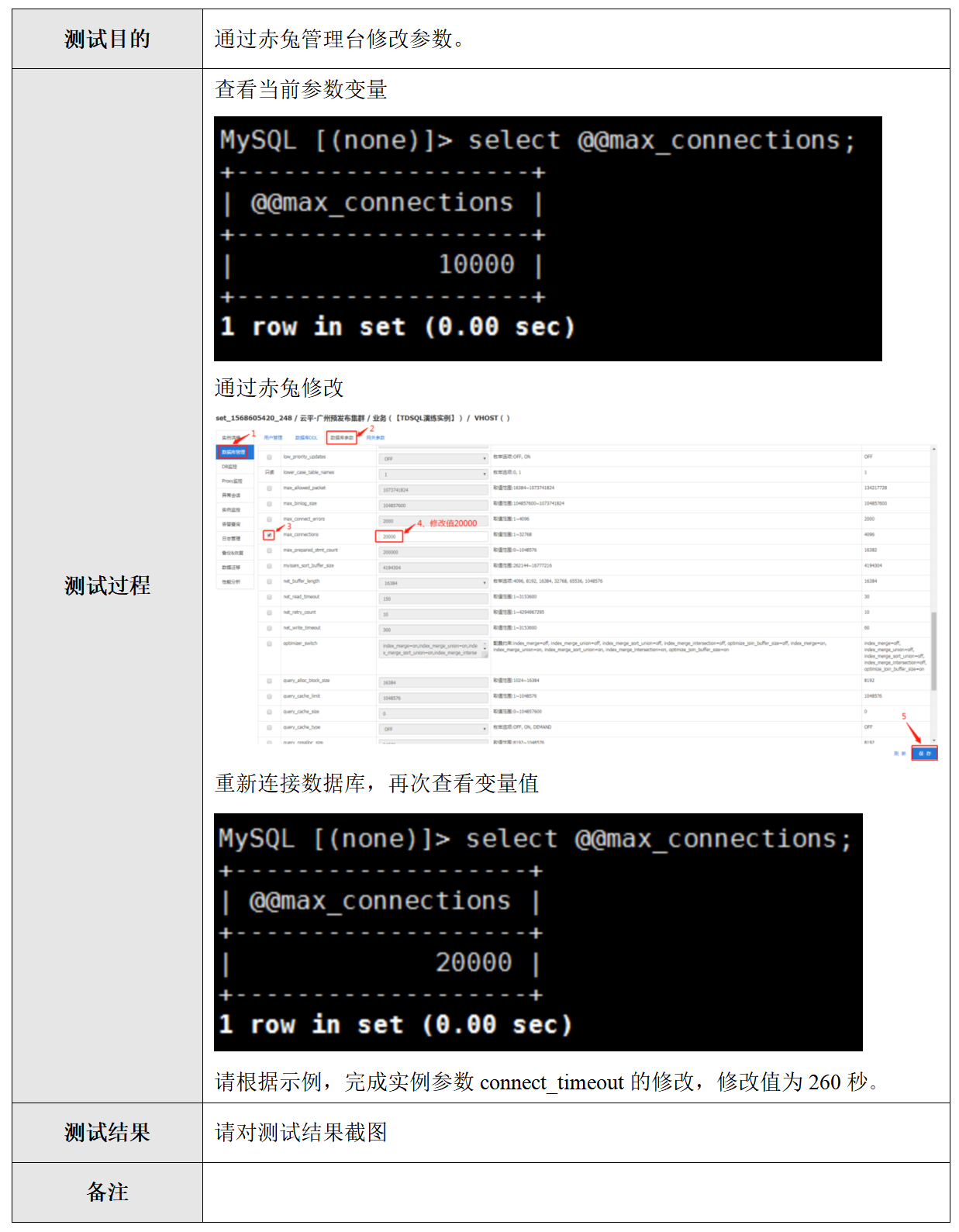
第三题:3. 演练一 请根据给定的演练方案,进行相关演练,并按如下要求提交截图 通过赤兔管理台修改参数(5分)
答题:
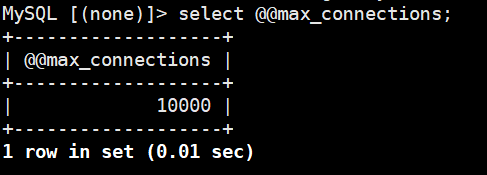
修改前:
修改后:
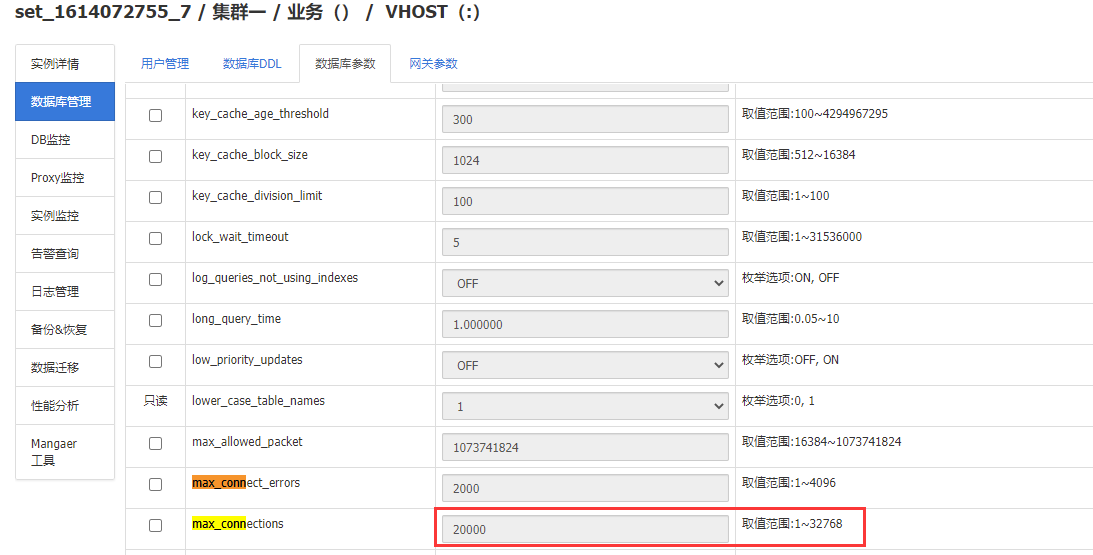
查询:
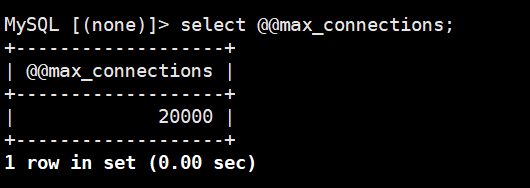
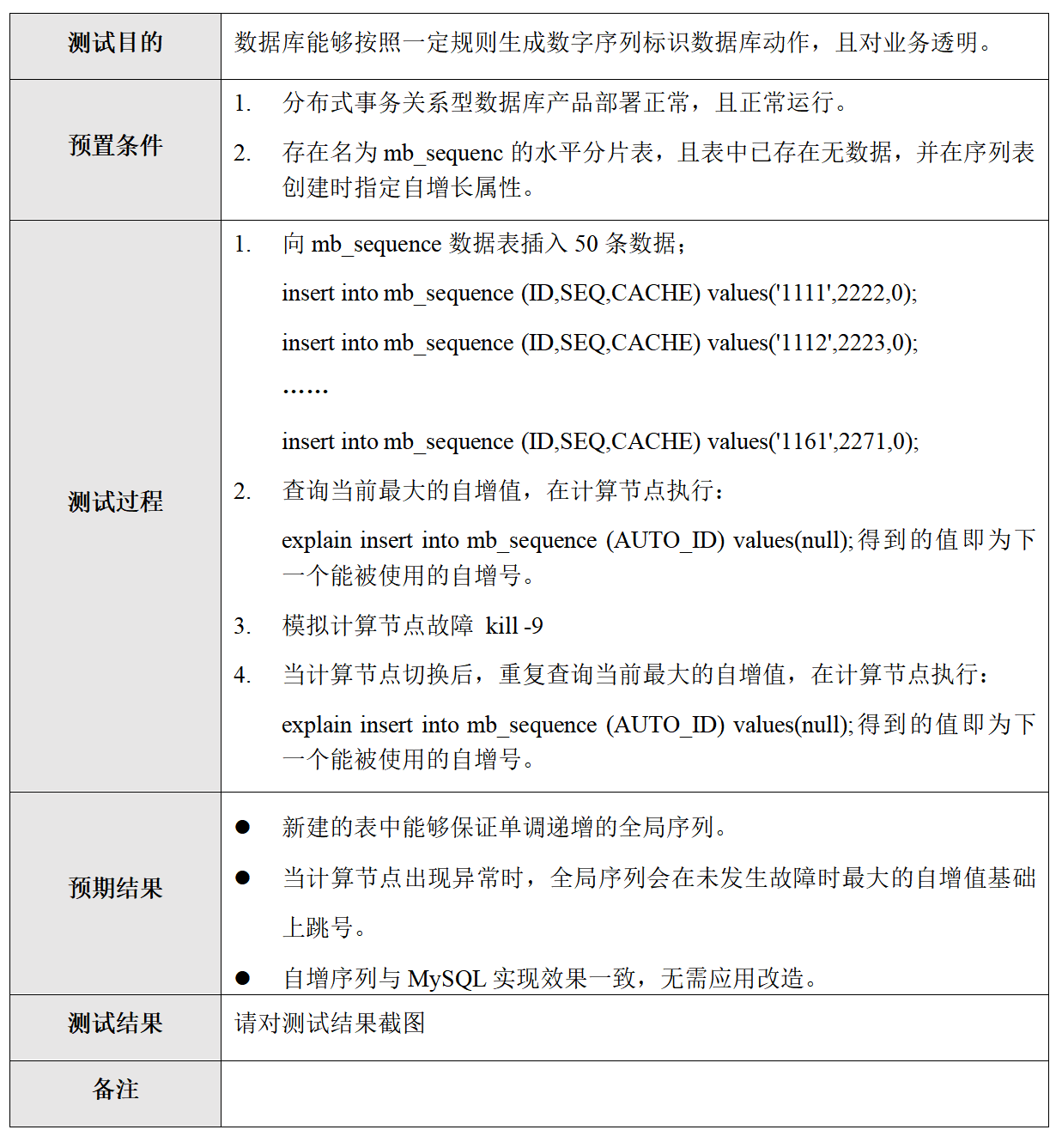
第四题:分布式数据库特性测试:全局唯一序列(5分)
1. web页面进入分布式数据库,创建用户test

group_1614079196_12

【分布式】正常(0)

2. 进入数据库管理页面创建一个用户test222,密码123456

3. 使用新账号连接数据库执行相关操作

mysql -utest22 -h192.168.1.160 -P15002 -p'123456'

4. 登录分布式数据库并执行下面命令

MySQL [(none)]> use test;

Database changed

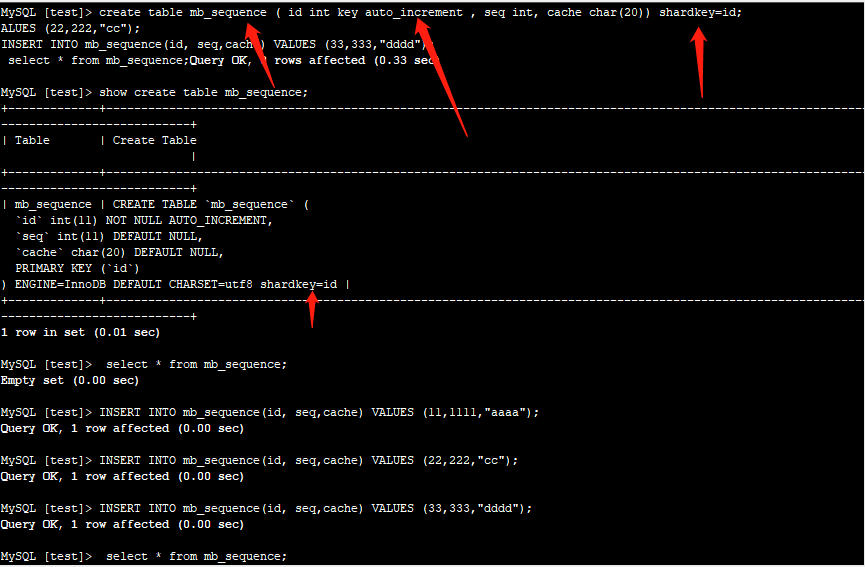
MySQL [test]> create table mb_sequence (id int key auto_increment , seq int, cache char(20)) shardkey=id;

Query OK, 0 rows affected (0.18 sec)

MySQL [test]> show create table mb_sequence;

+-------------+------------------------------------------------------------------------------------+

| Table       | Create Table                                                                       |

+-------------+------------------------------------------------------------------------------------+

| mb_sequence | CREATE TABLE `mb_sequence` (

  `id` int(11) NOT NULL AUTO_INCREMENT,

  `seq` int(11) DEFAULT NULL,

  `cache` char(20) DEFAULT NULL,

  PRIMARY KEY (`id`)

) ENGINE=InnoDB DEFAULT CHARSET=utf8 shardkey=id |

+-------------+------------------------------------------------------------------------------------+

1 row in set (0.01 sec)

#查看创建语句:

MySQL [test]> show create table mb_sequence;

#插入数据:

MySQL [test]> INSERT INTO mb_sequence(ID,SEQ,CACHE) values('1111',2222,0);

Query OK, 1 row affected (0.01 sec)

MySQL [test]> INSERT INTO mb_sequence(ID,SEQ,CACHE) values('1112',2223,0);

Query OK, 1 row affected (0.01 sec)

#查看数据

MySQL [test]> explain insert into mb_sequence(id) values(null);
检查数据库端口
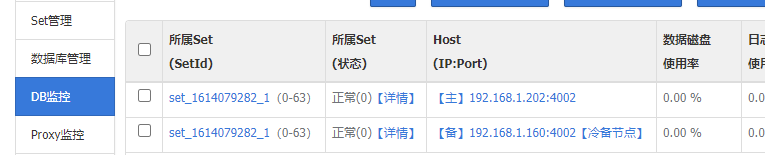
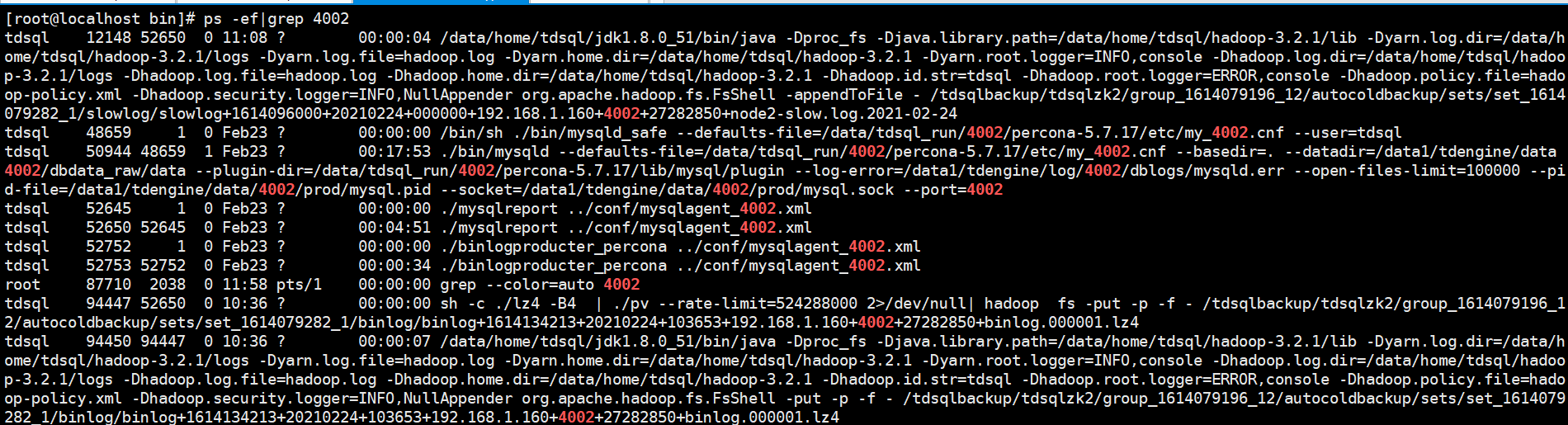
干掉这一台的tdsql看集群是否正常[检查端口过滤然后kill]:
[root@localhost bin]# ps -ef|grep 4002|awk '{print $2}' |xargs kill -9
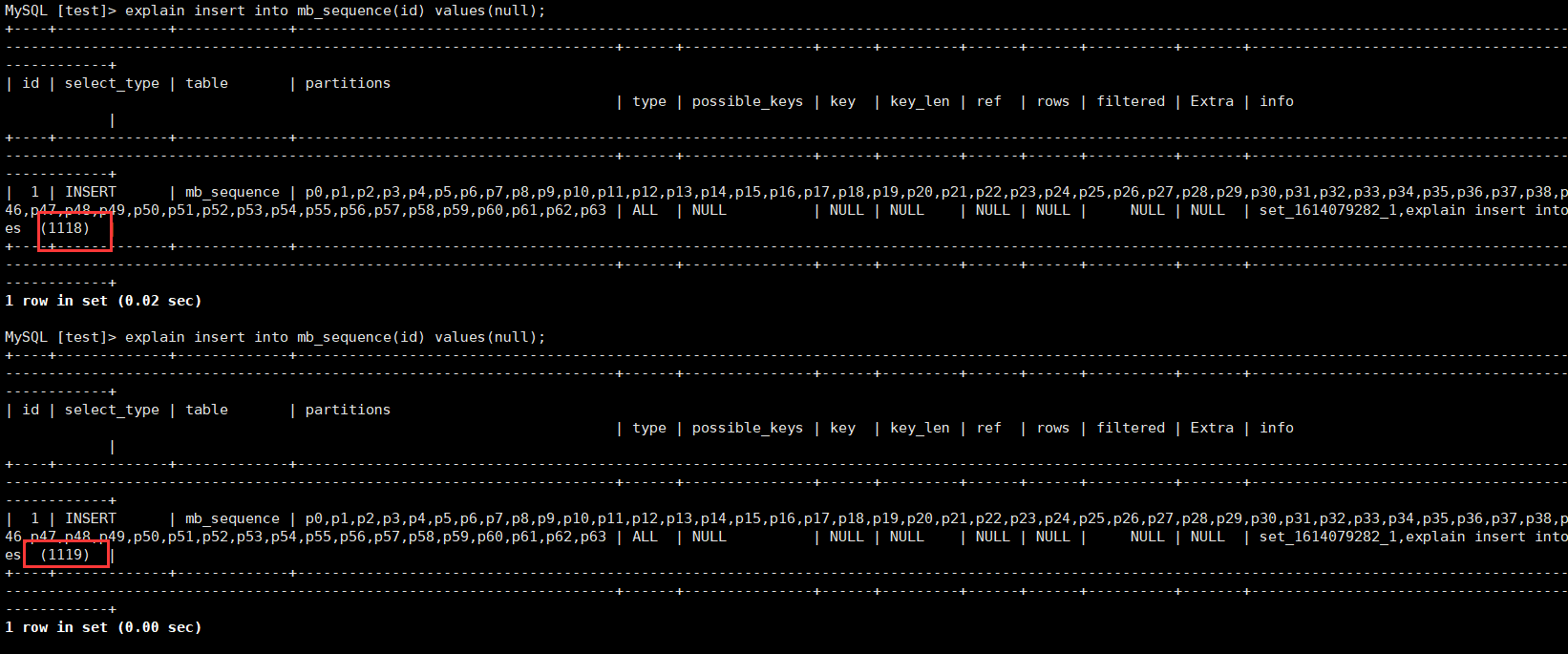
--------------------
- 分布式数据库特性测试:分布式数据库,验证事务提交与回滚(5分)
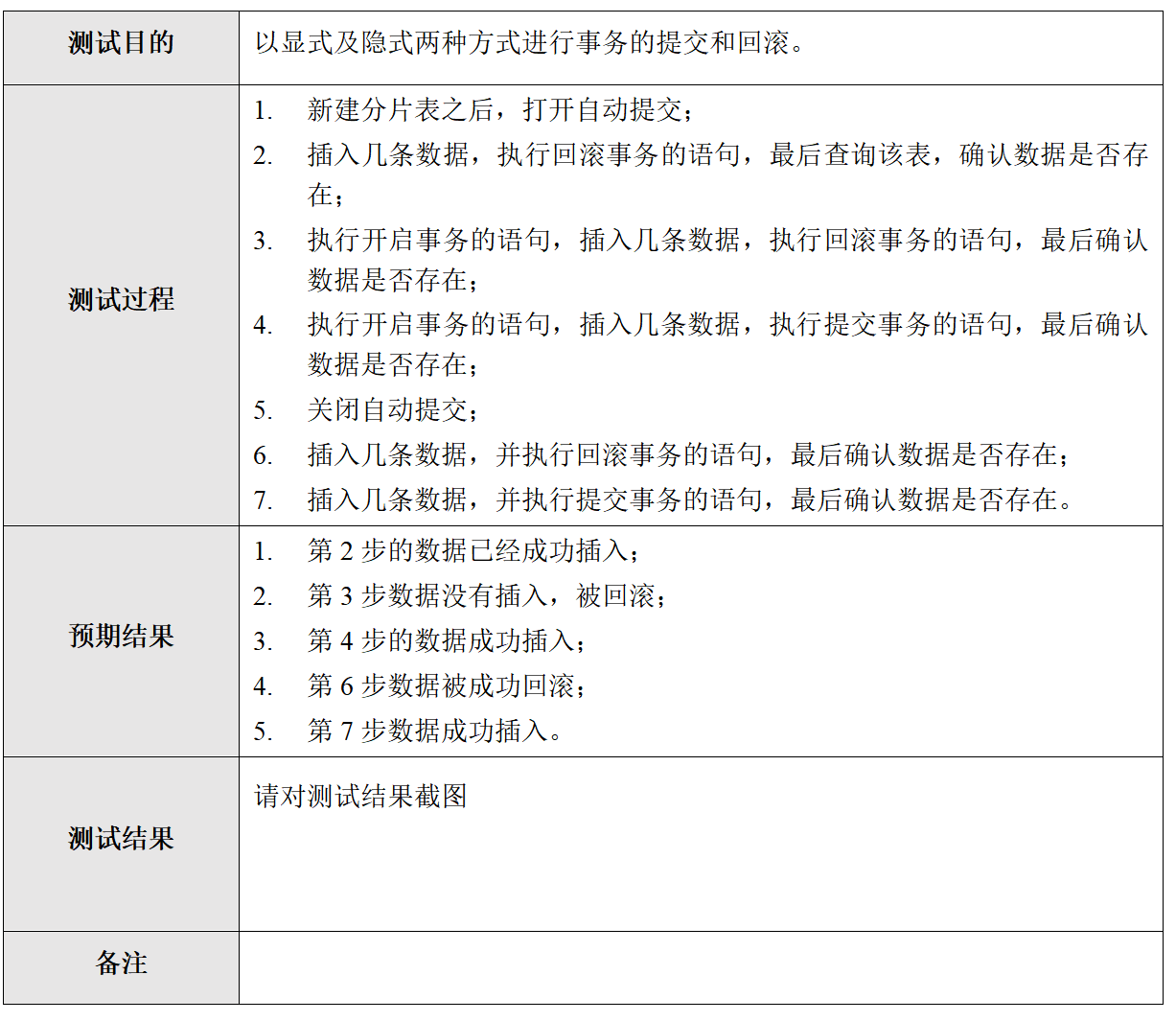
mysql -utest22 -h192.168.1.160 -P15002 -p'123456' -c

show variables like "%log%";

show variables like "%general_log%";

set global general_log_file = '/etc/my.cnf';

- 分布式数据库特性测试:二级分区(5分)
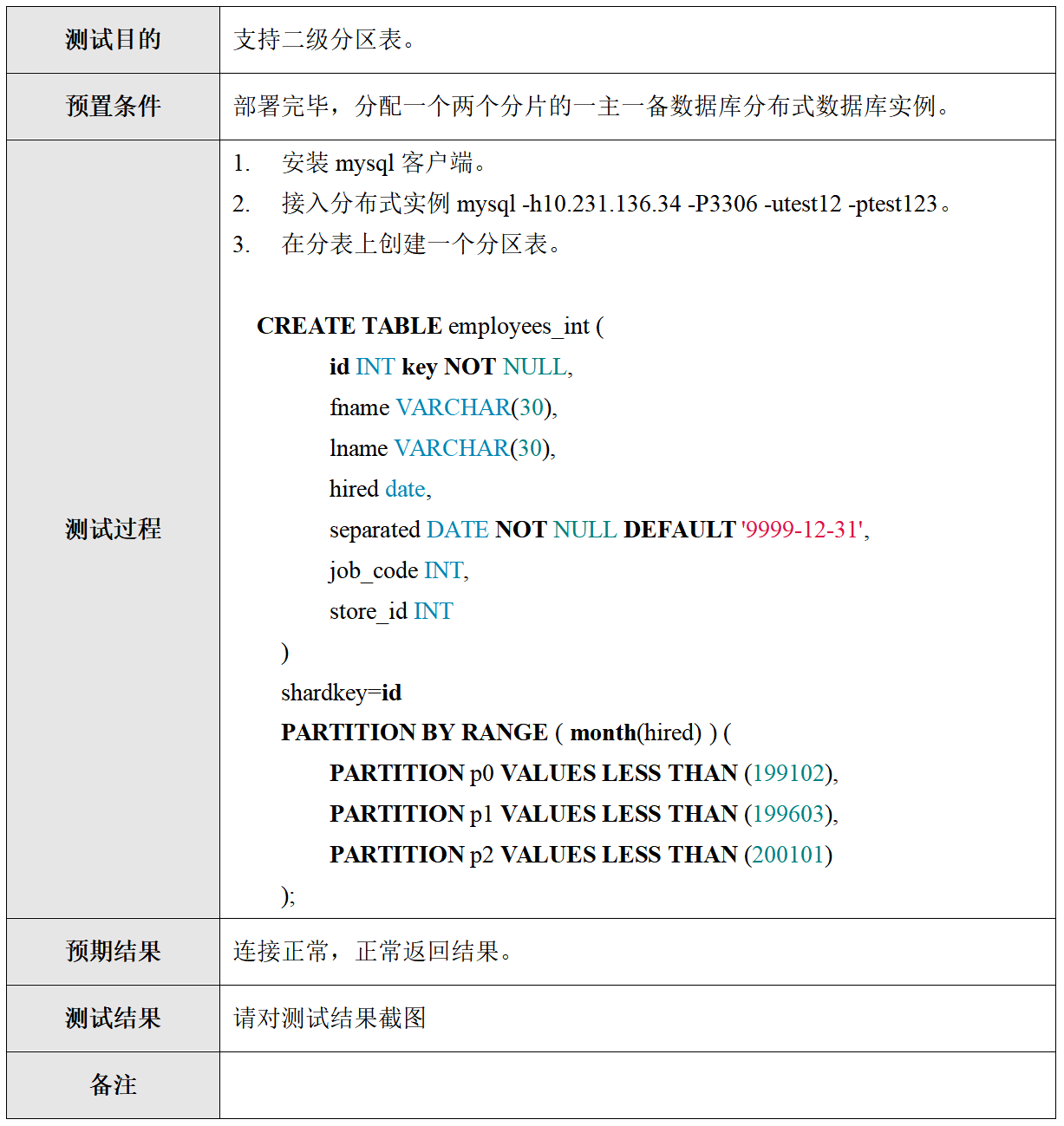
web页面实例管理创建用户test22,然后用以下方式链接数据库:

#连接端口在 实例详情-网关列表中查看

mysql -utest22 -h192.168.1.160 -P15002 -p'123456'

create database test1;

use test1;

create table shard_table(a int key,b int, c char(20)) shardkey=a;

INSERT INTO shard_table(a, b, c)

VALUES

(1, 1, "aaa"),

(2, 1, "ccc"),

(3, 1, "ddd"),

(4, 1, "eee"),

(5, 1, "fff"),

(6, 1, "ggg");

#查询执行结果:

MySQL [test1]> select * from shard_table;

+---+------+------+

| a | b    | c    |

+---+------+------+

| 6 |    1 | ggg  |

| 4 |    1 | eee  |

| 1 |    1 | aaa  |

| 2 |    1 | ccc  |

| 5 |    1 | fff  |

| 3 |    1 | ddd  |

+---+------+------+

6 rows in set (0.00 sec)
- 分布式数据库特性测试:异常场景处理:死锁处理机制(5分)
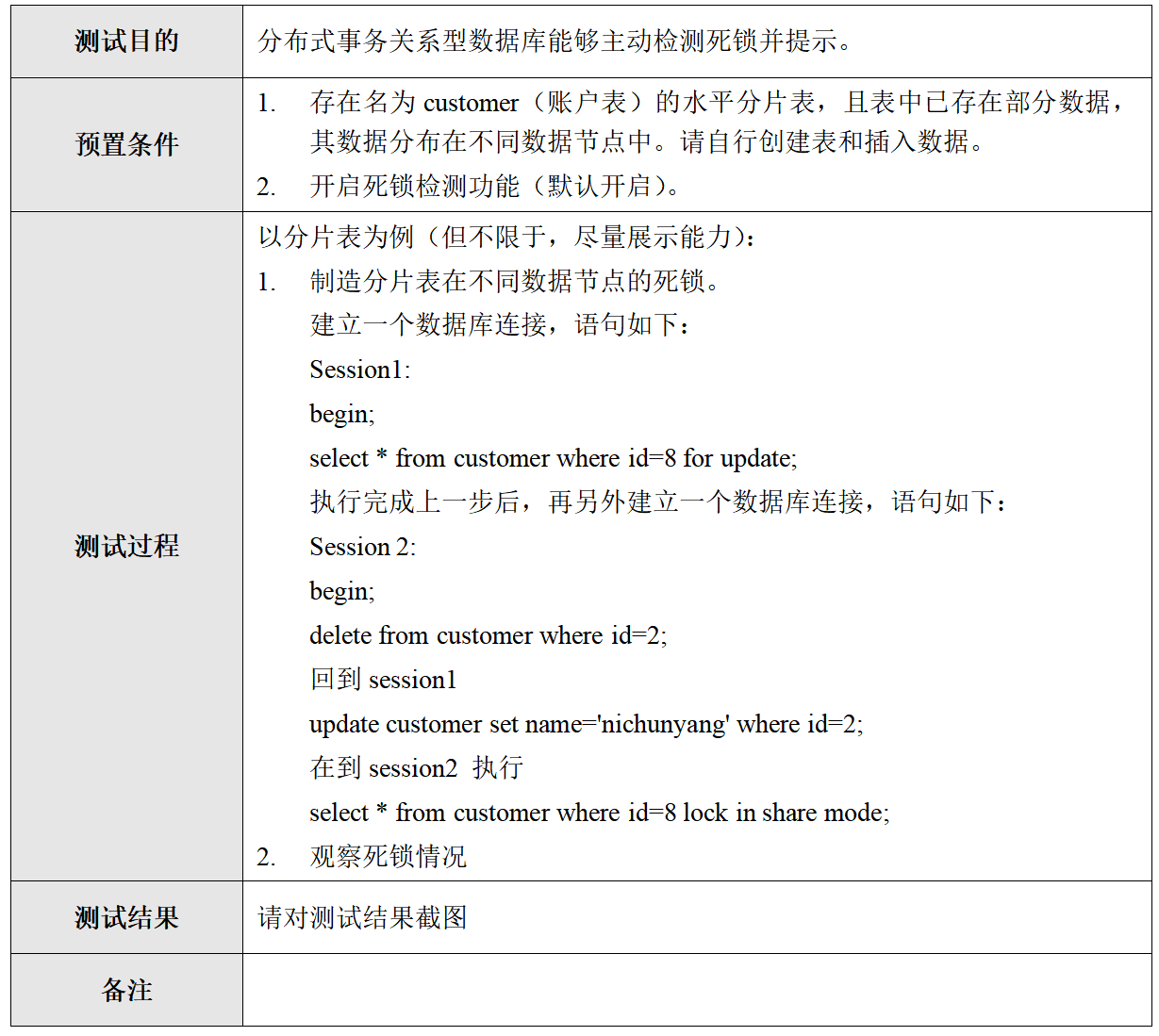
1. 开启事务:

start transaction;

2. 执行语句:

use test1;

create table customer ( id int key ,name char(20)) shardkey=id;

begin;

select * from customer where id=6 for update;

update customer set name='dzyong' where id =5;

select * from customer where id=6 lock in share mode;

MySQL [test1]> select * from customer where id=6 lock in share mode;

+----+------+

| id | name |

+----+------+

|  6 | ggg  |

+----+------+

1 row in set (0.00 sec)
- 分布式数据库特性测试:异常场景处理:非shardkey更新(5分)
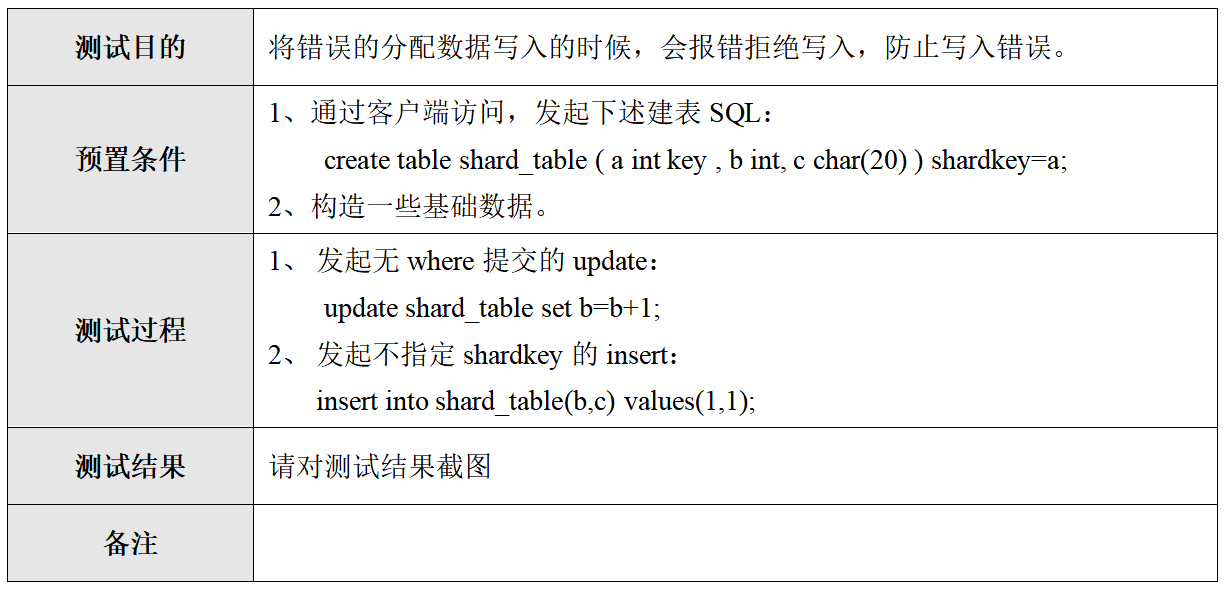
mysql -utest22 -h192.168.1.160 -P15002 -p'123456'

create table shard_table1(a int key,b int,c char(20)) shardkey=a;

1. 发起无where提交的update;

MySQL [test1]>  update shard_table1 set b=b+1;

ERROR 664 (HY000): Proxy ERROR:SQL is too complex, only applicable to noshard table: Shard table delete/update must have a where clause

2. 发起不指定shardkey的insert:

MySQL [test1]> insert into shard_table(b,c) values(1,1);

ERROR 693 (HY000): Proxy ERROR:Get shardkeys return error
- 分布式数据库特性测试:三种建表方案:支持广播表(5分)

MySQL [(none)]> use test1;

Reading table information for completion of table and column names

You can turn off this feature to get a quicker startup with -A

Database changed

MySQL [test1]> create table global_table(a int, b int key) shardkey=noshardkey_allset;

Query OK, 0 rows affected (0.01 sec)

MySQL [test1]> show create table shard_table;

+-------------+---------------------------------------------------------------------------------------------------------------------------------------------------------------------------------------------------------------------+

| Table       | Create Table                                                                                                                                                                                                        |

+-------------+---------------------------------------------------------------------------------------------------------------------------------------------------------------------------------------------------------------------+

| shard_table | CREATE TABLE `shard_table` (

  `a` int(11) NOT NULL,

  `b` int(11) DEFAULT NULL,

  `c` char(20) COLLATE utf8_bin DEFAULT NULL,

  PRIMARY KEY (`a`)

) ENGINE=InnoDB DEFAULT CHARSET=utf8 COLLATE=utf8_bin shardkey=a |

+-------------+---------------------------------------------------------------------------------------------------------------------------------------------------------------------------------------------------------------------+

1 row in set (0.00 sec)

#写入10条数据

INSERT INTO shard_table(a, b, c)  VALUES

(110, 1, "aaa"),

(111, 1, "ccc"),

(112, 1, "ddd"),

(113, 1, "eee"),

(114, 1, "fff"),

(115, 1, "ggg"),

(116, 1, "ggg"),

(117, 1, "ggg"),

(118, 1, "ggg"),

(119, 1, "ggg"),

(120, 1, "ggg");

#查询数据

MySQL [test1]> /*sets:set_1614079282_1*/ select count(*) from shard_table;

+----------+

| count(1) |

+----------+

|       23 |

+----------+

1 row in set (0.00 sec)
- 分布式数据库特性测试:三种建表方案:支持分表(5分)

 for i  in {1..10};do  mysql -utest22 -h192.168.1.160 -P15002 -p'123456'  -e "  use test1; INSERT INTO  global_table2(a, b) VALUES  (1,$i)";done;

CREATE TABLE  global_table2 ( a int, b int key ) shardkey=noshardkey_allset;

 /*proxy*/show status;

 /*sets:set_1611893952_1*/ select count(*) from global_table2;

 #多个查询

 /*sets:set_1611893952_1,set_1611894125_3*/ select count(*) from global_table;
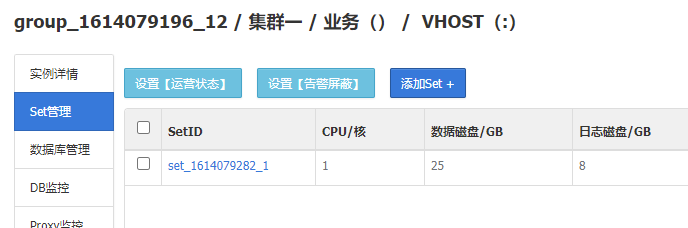
新建多个set
- 分布式数据库特性测试:三种建表方案:支持单表(5分)
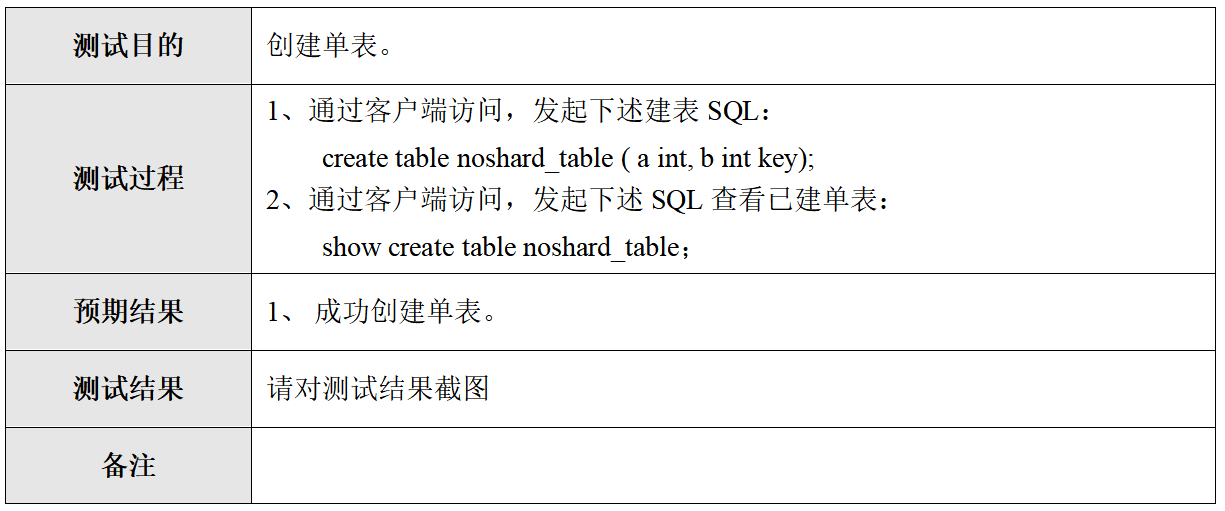
use test1;

create table no_shard_table(a int,b int key);

show create table no_shard_table;

结果:

MySQL [test1]> create table no_shard_table(a int,b int key);

Query OK, 0 rows affected (0.01 sec)

MySQL [test1]> show create table no_shard_table;

+----------------+---------------------------------------------------------------------------------------------------------------------------------------------------------------+

| Table          | Create Table                                                                                                                                                  |

+----------------+---------------------------------------------------------------------------------------------------------------------------------------------------------------+

| no_shard_table | CREATE TABLE `no_shard_table` (

  `a` int(11) DEFAULT NULL,

  `b` int(11) NOT NULL,

  PRIMARY KEY (`b`)

) ENGINE=InnoDB DEFAULT CHARSET=utf8 COLLATE=utf8_bin |

+----------------+---------------------------------------------------------------------------------------------------------------------------------------------------------------+

1 row in set (0.00 sec)
- 分布式数据库特性测试:字符集支持(5分)
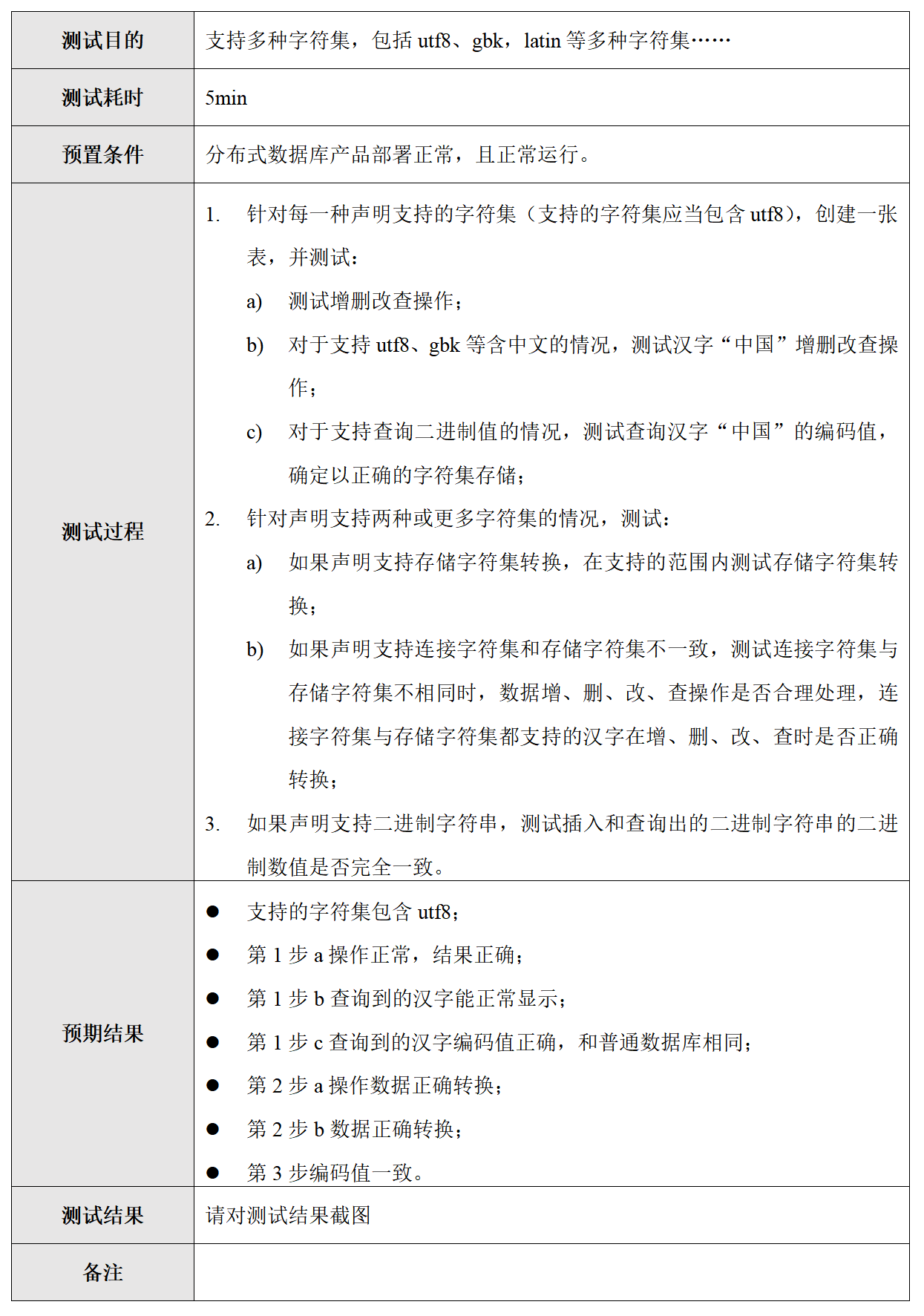
for i  in {1..10};do  mysql -utest12 -h172.27.0.110 -P15002 -ptest123  -e "  use test; INSERT INTO  global_table(a, b) VALUES  (1,$i)";done;

 use test1;

 /*proxy*/show status;

 /*sets:set_1611893952_1*/ select count(*) from global_table;

 /*sets:allsets*/ select count(*) from global_table;

 /*sets:set_1611893952_1,set_1611894125_3*/ select count(*) from global_table;

#测试中文字符集支持:

MySQL [test1]> create table test123(a int key,b int,c char(20)) shardkey=a;

Query OK, 0 rows affected (0.15 sec)

MySQL [test1]> INSERT INTO test12(a, b, c) VALUES (92, 1, b'111001001011100010101101111001011001101110111101');

Query OK, 1 row affected (0.00 sec)

MySQL [test1]> select * from test12;

+----+------+--------+

| a  | b    | c      |

+----+------+--------+

| 92 |    1 | 中国   |

+----+------+--------+

1 row in set (0.00 sec)

#中文转换二进制网站: https://www.qqxiuzi.cn/bianma/erjinzhi.php
- 分布式数据库特性测试:透明水平拆分(5分)
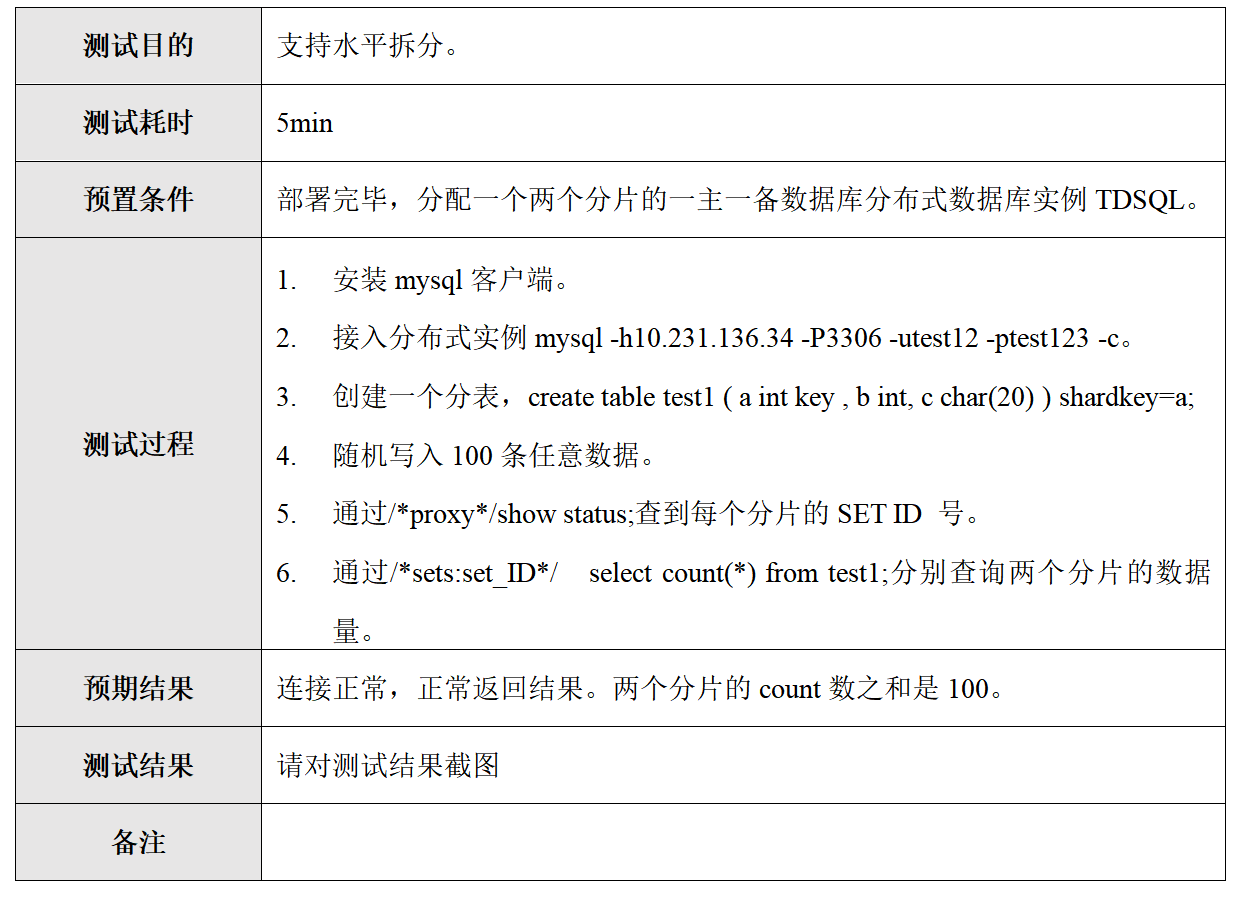
#1.数据库管理栏目创建用户test22:

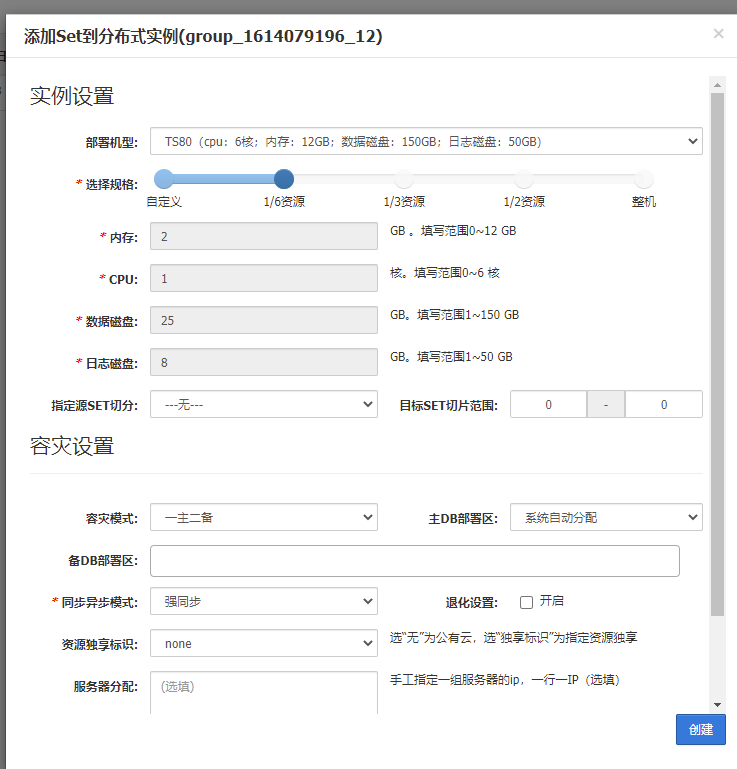
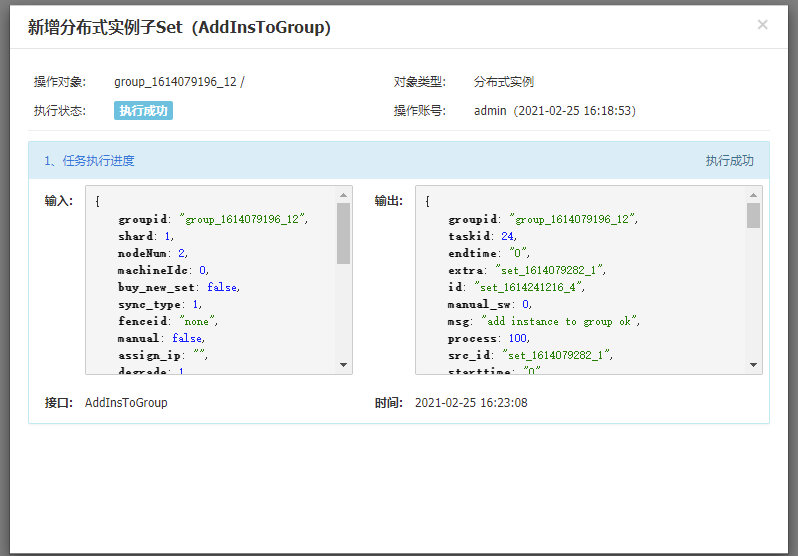
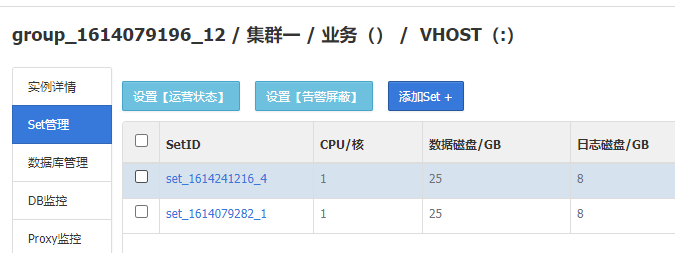
#2.图形tdsql界面创建两个sets: 下面有创建截图:

set管理--->创建set

图形界面出现两个set:

set_1614241216_4

set_1614079282_1

 #3. 连接proxy数据库,创建数据库:

 mysql -utest22 -h192.168.1.160 -P15002 -p'123456'

 create databasee test33;

 #4. 进入test33库

 mysql -utest22 -h192.168.1.160 -P15002 -p'123456' -D test33;

 #创建表:

 create table test123(a int key,b int,c char(20)) shardkey=a;

 exit

 for i  in {1..50};do  mysql -utest22 -h192.168.1.160 -P15002 -p'123456'  -e "  use test33; INSERT INTO  test123(a,b,c) VALUES  ($i,666,'ccl')";done;

 #创建一个set(下图)

 mysql -utest22 -h192.168.1.160 -P15002 -p'123456' -c

 create database test33;

 use test33;

 create table test(a int key,b int,c char(20)) shardkey=a;

 exit

 for i in {1..50};do  mysql -utest22 -h192.168.1.160 -P15002 -p123456 test33 -e "INSERT INTO  test(a, b, c) VALUES  ($i,1,2)";done;

 for i  in {1..50};do  mysql -utest22 -h192.168.1.160 -P15002 -p'123456'  -e "  use test33; INSERT INTO  test123(a,b,c) VALUES  ($i,666,'ccl')";done;

 #查询

 mysql -utest22 -h192.168.1.160 -P15002 -p'123456' test33;

 select * from test123;

 MySQL [test33]> select count(*) from test123;

+----------+

| count(1) |

+----------+

|       50 |

+----------+

1 row in set (0.00 sec)

#查询分片count之和为50.   set_1614079282_1 set_1614241216_4

#多个查询

MySQL [test33]>  /*sets:allsets*/ select count(*) from test123;

+----------+------------------+

| count(*) | info             |

+----------+------------------+

|       29 | set_1614241216_4 |

|       21 | set_1614079282_1 |

+----------+------------------+

2 rows in set (0.01 sec)

#单个查询

MySQL [test33]>  /*sets:set_1614079282_1*/ select count(*) from test123;

+----------+------------------+

| count(*) | info             |

+----------+------------------+

|       21 | set_1614079282_1 |

+----------+------------------+

1 row in set (0.00 sec)

MySQL [test33]>  /*sets:set_1614241216_4*/ select count(*) from test123;

+----------+------------------+

| count(*) | info             |

+----------+------------------+

|       29 | set_1614241216_4 |

+----------+------------------+

1 row in set (0.01 sec)

#查询分表分片信息:

MySQL [test33]> /*proxy*/show status;

+-----------------------------+-------------------------------------------------------------------+

| status_name                 | value                                                             |

+-----------------------------+-------------------------------------------------------------------+

| cluster                     | group_1614079196_12                                               |

| set_1614079282_1:ip         | 192.168.1.202:4002;192.168.1.160:4002@1@IDC_SH_TYYX_0101_000001@0 |

| set_1614079282_1:hash_range | 0---31                                                            |

| set_1614241216_4:ip         | 192.168.1.160:4003;192.168.1.202:4003@1@IDC_SH_TYYX_0101_000002@0 |

| set_1614241216_4:hash_range | 32---63                                                           |

| set                         | set_1614079282_1,set_1614241216_4                                 |

+-----------------------------+-------------------------------------------------------------------+

6 rows in set (0.00 sec)
创建一个set方法:
- 创建数据库实例:多租户方案(5分
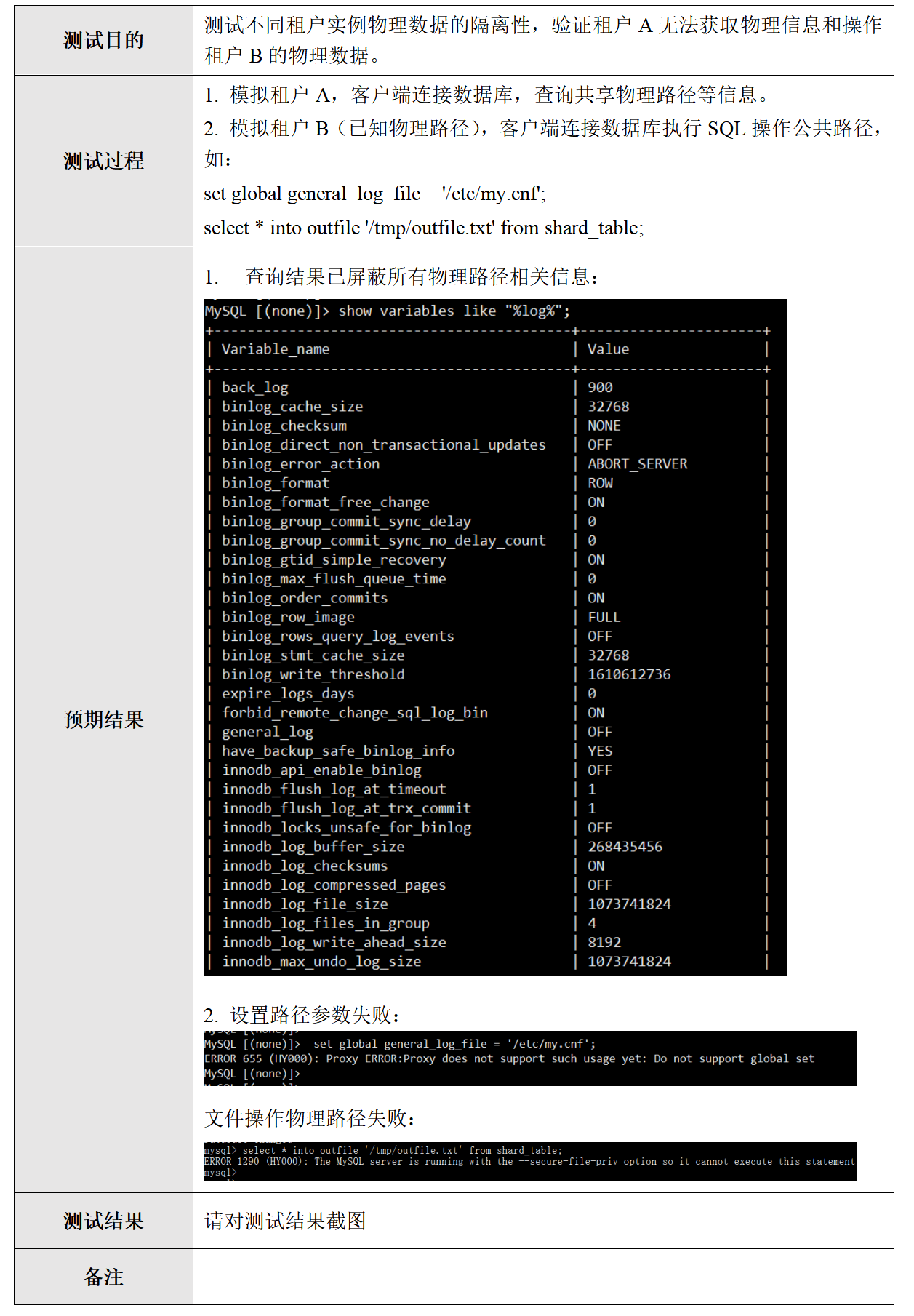
MySQL [(none)]> show variables like "%log%";

+-------------------------------------------+----------------------+

| Variable_name                             | Value                |

+-------------------------------------------+----------------------+

| back_log                                  | 900                  |

| binlog_cache_size                         | 32768                |

| binlog_checksum                           | NONE                 |

| binlog_direct_non_transactional_updates   | OFF                  |

| binlog_error_action                       | ABORT_SERVER         |

| binlog_format                             | ROW                  |

| binlog_format_free_change                 | ON                   |

| binlog_group_commit_sync_delay            | 0                    |

| binlog_group_commit_sync_no_delay_count   | 0                    |

| binlog_gtid_simple_recovery               | ON                   |

| binlog_max_flush_queue_time               | 0                    |

| binlog_order_commits                      | ON                   |

| binlog_row_image                          | FULL                 |

| binlog_rows_query_log_events              | OFF                  |

| binlog_stmt_cache_size                    | 32768                |

| binlog_write_threshold                    | 1610612736           |

| expire_logs_days                          | 0                    |

| forbid_remote_change_sql_log_bin          | ON                   |

| general_log                               | OFF                  |

| have_backup_safe_binlog_info              | YES                  |

| innodb_api_enable_binlog                  | OFF                  |

| innodb_flush_log_at_timeout               | 1                    |

| innodb_flush_log_at_trx_commit            | 1                    |

| innodb_locks_unsafe_for_binlog            | OFF                  |

| innodb_log_buffer_size                    | 268435456            |

| innodb_log_checksums                      | ON                   |

| innodb_log_compressed_pages               | OFF                  |

| innodb_log_file_size                      | 1073741824           |

| innodb_log_files_in_group                 | 4                    |

| innodb_log_write_ahead_size               | 8192                 |

| innodb_max_undo_log_size                  | 1073741824           |

| innodb_online_alter_log_max_size          | 134217728            |

| innodb_undo_log_truncate                  | OFF                  |

| innodb_undo_logs                          | 128                  |

| innodb_use_global_flush_log_at_trx_commit | ON                   |

| log_bin                                   | ON                   |

| log_bin_trust_function_creators           | ON                   |

| log_bin_use_v1_row_events                 | OFF                  |

| log_builtin_as_identified_by_password     | OFF                  |

| log_error_verbosity                       | 3                    |

| log_output                                | FILE                 |

| log_queries_not_using_indexes             | OFF                  |

| log_slave_updates                         | ON                   |

| log_slow_admin_statements                 | OFF                  |

| log_slow_filter                           |                      |

| log_slow_rate_limit                       | 1                    |

| log_slow_rate_type                        | session              |

| log_slow_slave_statements                 | OFF                  |

| log_slow_sp_statements                    | ON                   |

| log_slow_verbosity                        |                      |

| log_statements_unsafe_for_binlog          | OFF                  |

| log_syslog                                | OFF                  |

| log_syslog_facility                       | daemon               |

| log_syslog_include_pid                    | ON                   |

| log_syslog_tag                            |                      |

| log_throttle_queries_not_using_indexes    | 0                    |

| log_timestamps                            | SYSTEM               |

| log_warnings                              | 2                    |

| loglevel                                  | 1                    |

| max_binlog_cache_size                     | 18446744073709547520 |

| max_binlog_files                          | 0                    |

| max_binlog_size                           | 104857600            |

| max_binlog_stmt_cache_size                | 18446744073709547520 |

| max_relay_log_size                        | 104857600            |

| max_slowlog_files                         | 0                    |

| max_slowlog_size                          | 0                    |

| relay_log_info_file                       | relay-log.info       |

| relay_log_info_repository                 | TABLE                |

| relay_log_purge                           | ON                   |

| relay_log_recovery                        | OFF                  |

| relay_log_space_limit                     | 0                    |

| relay_log_sync_threshold                  | 20000                |

| relay_log_sync_timeout                    | 1000                 |

| relay_log_sync_txn_count                  | 10                   |

| slow_query_log                            | ON                   |

| slow_query_log_always_write_time          | 10.000000            |

| slow_query_log_use_global_control         |                      |

| sql_log_bin                               | ON                   |

| sql_log_off                               | OFF                  |

| sync_binlog                               | 1                    |

| sync_relay_log                            | 0                    |

| sync_relay_log_info                       | 0                    |

| tdsql_compute_query_time_for_slow_logging | 2                    |

| tdsql_relay_log_opt                       | OFF                  |

+-------------------------------------------+----------------------+

84 rows in set (0.01 sec)

2. 设置路径失败:

MySQL [(none)]> set global general_log_file = '/etc/my.cnf';

ERROR 655 (HY000): Proxy ERROR:Proxy does not support such usage yet: Do not support global set

- 创建数据库实例:创建非分布式实例(5分)
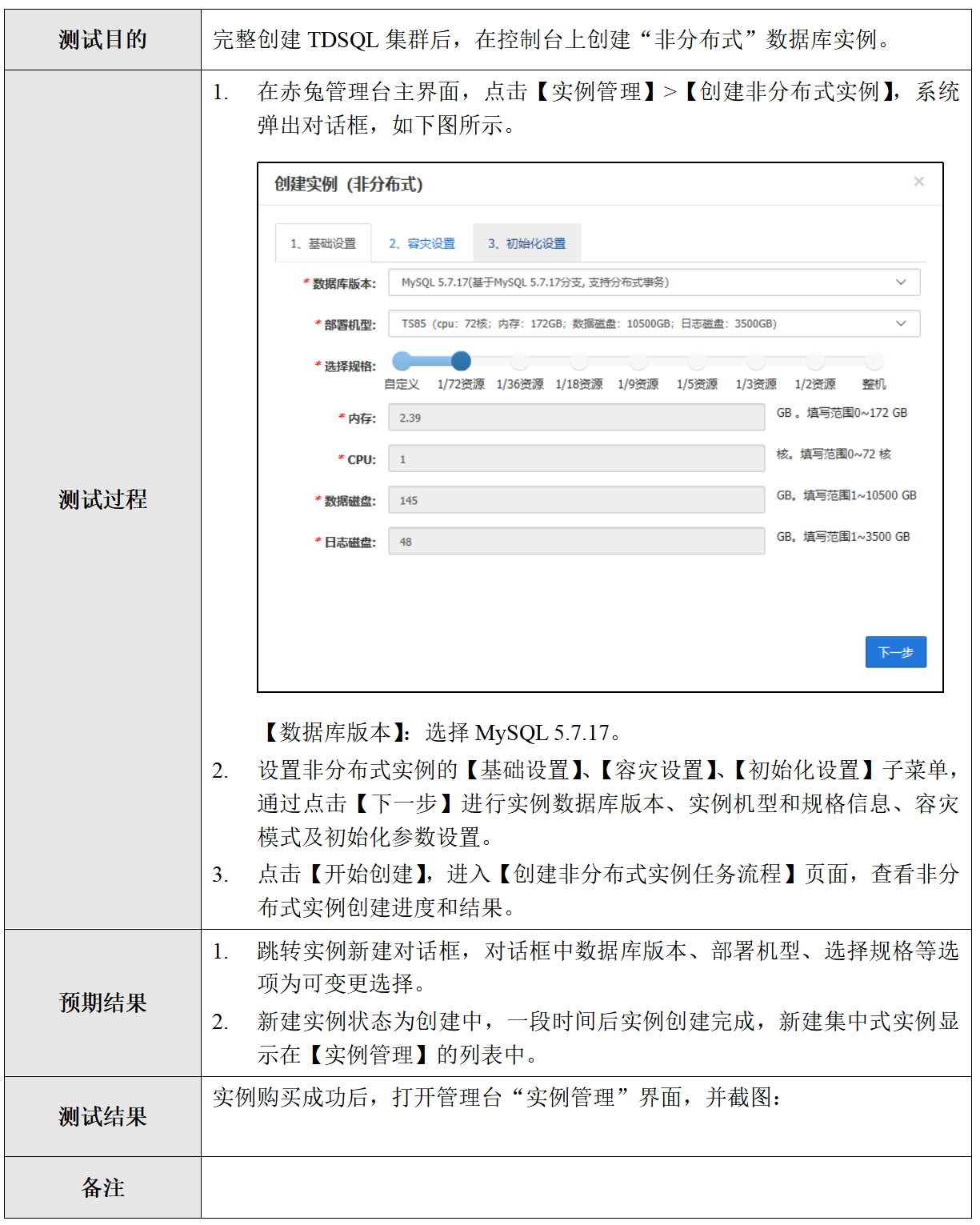
创建非分布式实例结果:
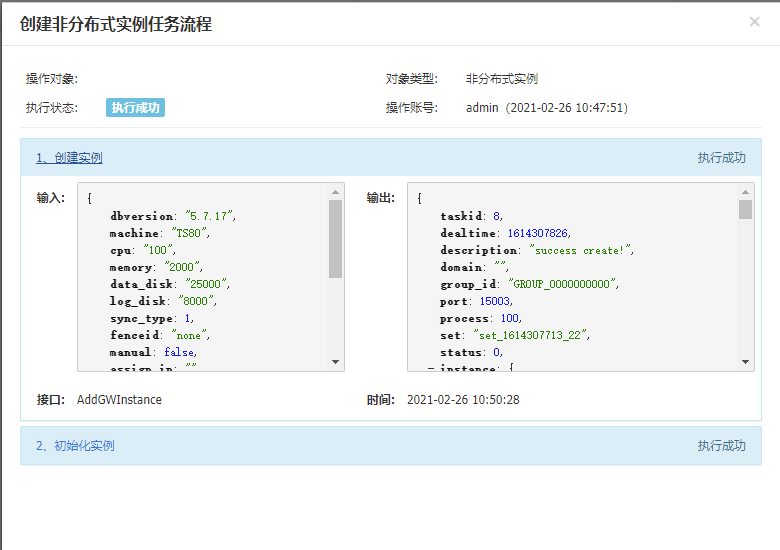

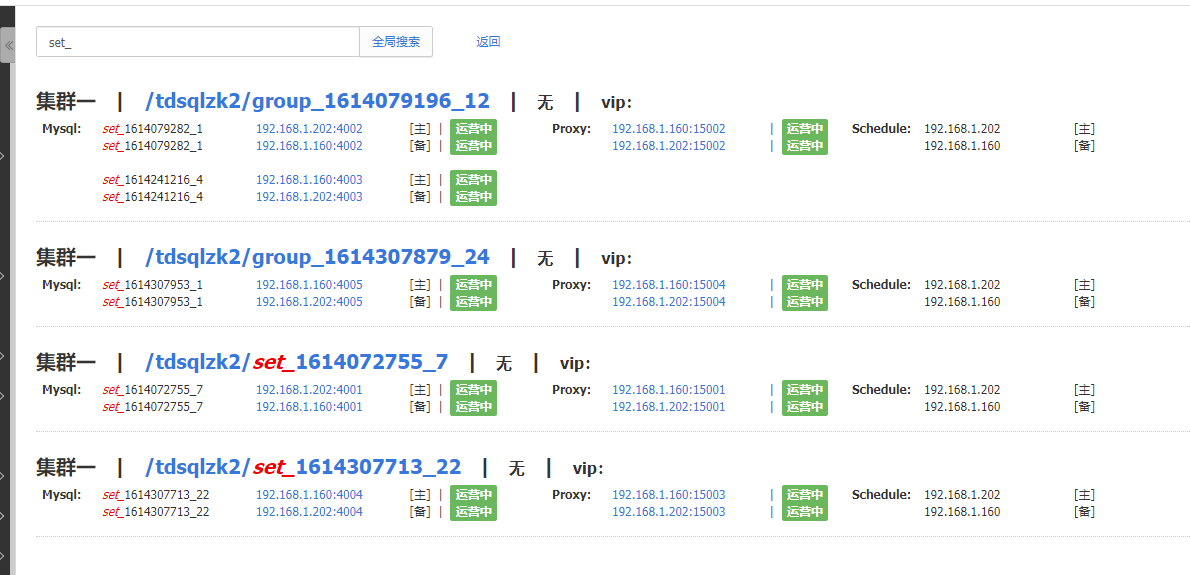
- 创建数据库实例:查询实例(5分)
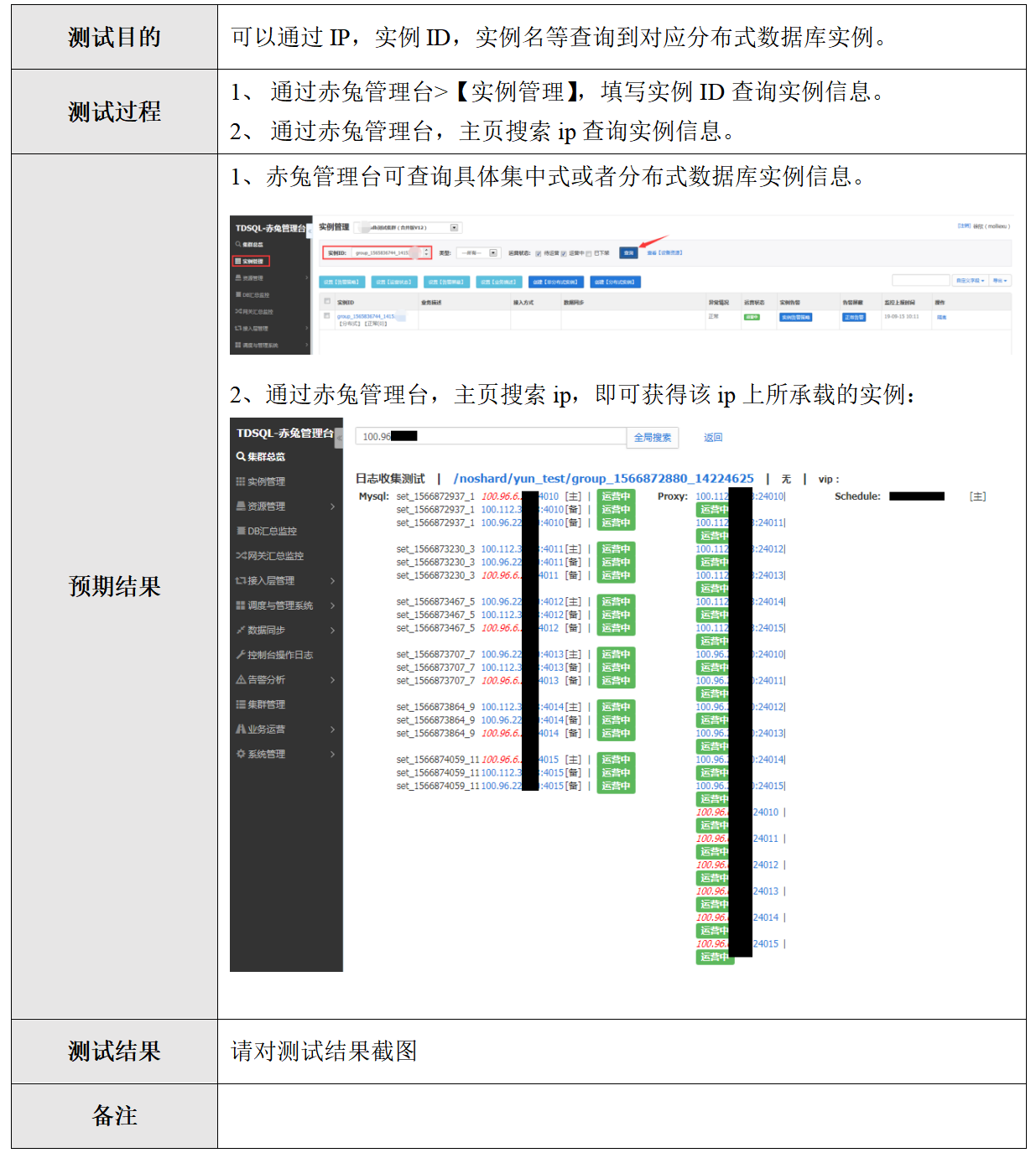
集群总览总搜索的结果:
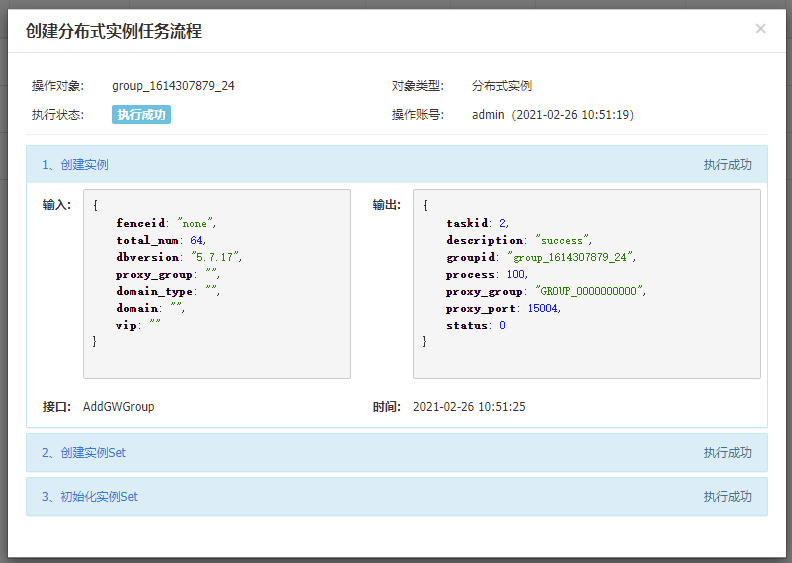
- 创建数据库实例:创建分布式实例(5分)
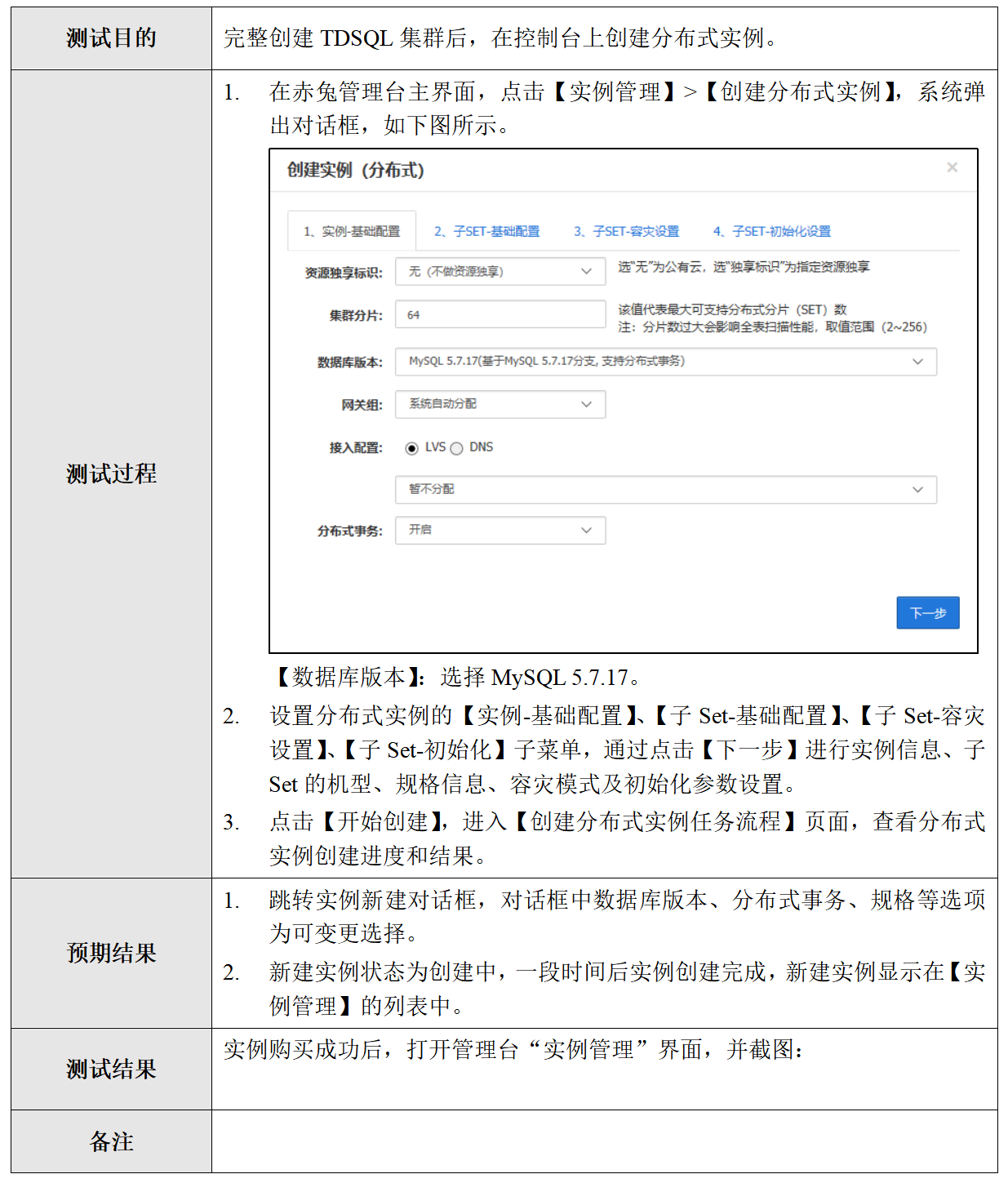
创建分布式实例结果:

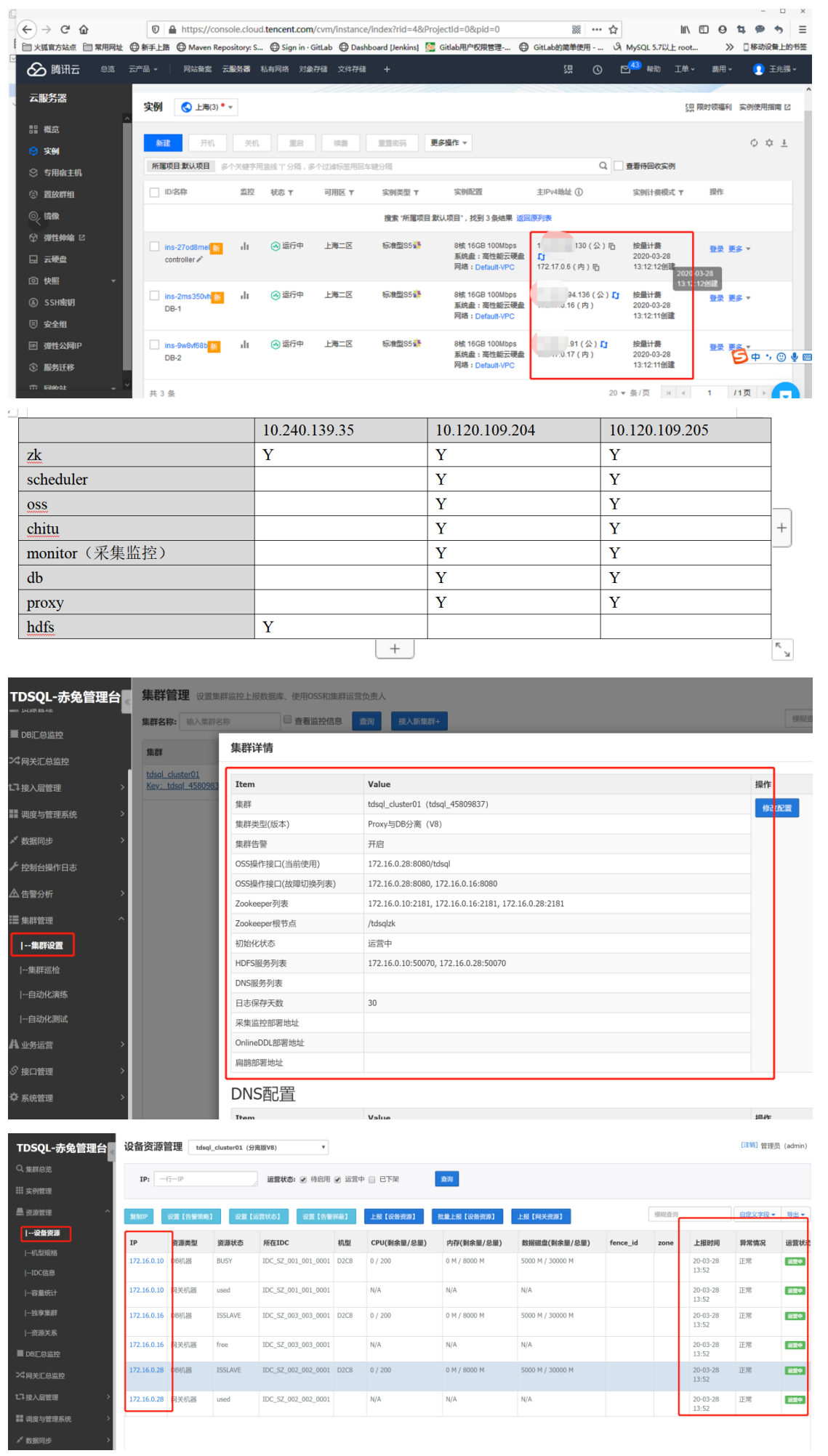
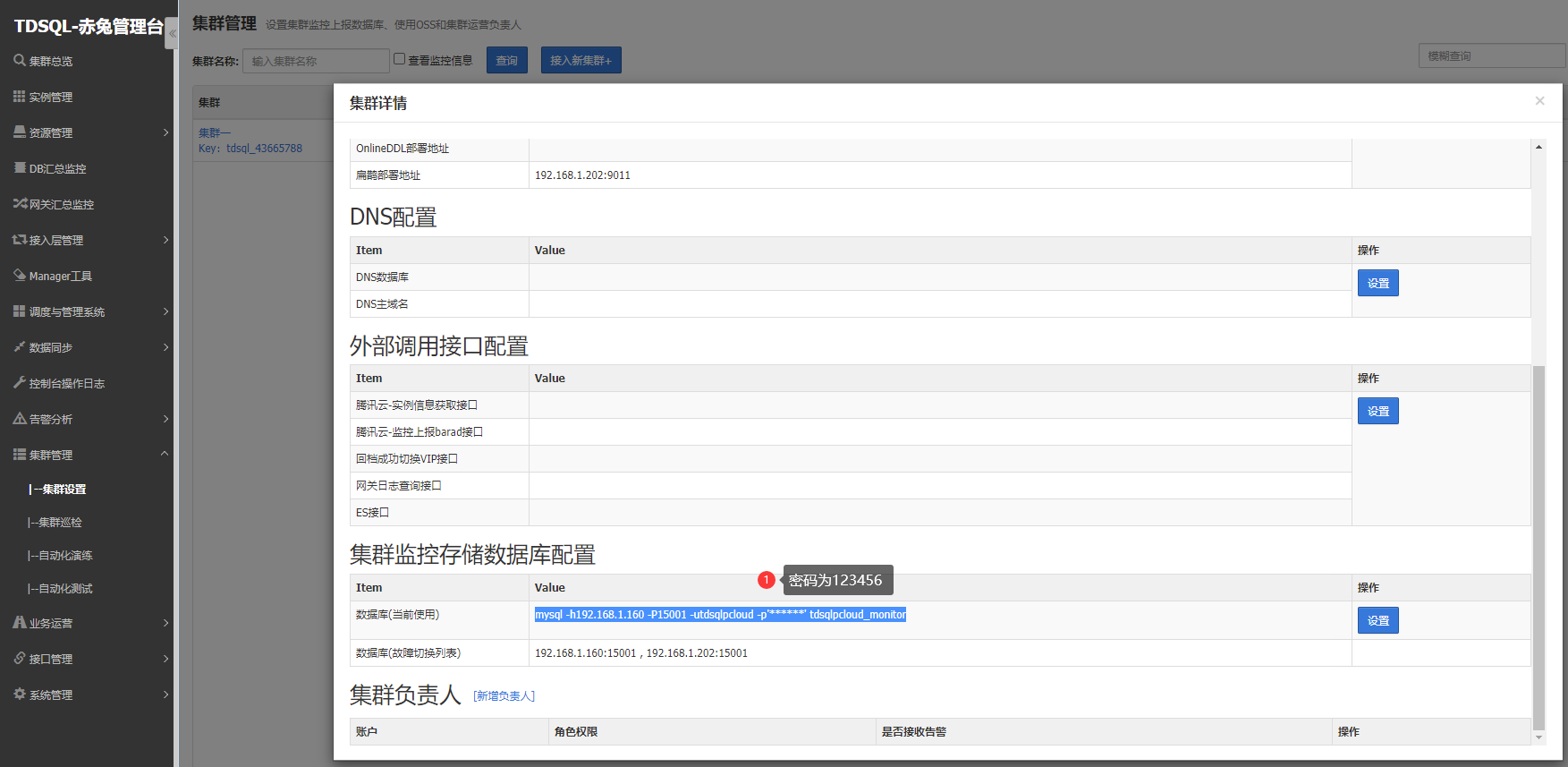
- 安装部署:写上自己姓名和机器IP(15分) (15分)
TDSQL数据库考试实操题的更多相关文章
- 南方IT学校期末PCB结课项目考试(实操)说明书
南方IT学校期末结课项目考试(实操)说明书(一) 课程:<印制电路板设计技术>(二) 项目:笔记本电脑电源适配器的印制电路板设计(三) 背景说明:如今笔记本已经进入千家万户,作为给电脑充电 ...
- [Django框架 - 静态文件配置、request对象方法初识、 pycharm链接数据库、ORM实操增删改查、django请求生命周期]
[Django框架 - 静态文件配置.request对象方法初识. pycharm链接数据库.ORM实操增删改查.django请求生命周期] 我们将html文件默认都放在templates文件夹下 将 ...
- 实时分布式低延迟OLAP数据库Apache Pinot探索实操
@ 目录 概述 定义 特性 何时使用 部署 Local安装 快速启动 手动设置集群 Docker安装 快速启动 手动启动集群 Docker Compose 实操 批导入数据 流式导入数据 概述 定义 ...
- Mysql MHA(GTID)配置(实操)
实现环境 centos6.7 MYSQL5.6.36 主:192.168.1.191 从1:192.168.1.145 从2:192.168.1.146 监测:放在从2上 192.168.1.146 ...
- QVM 实操记 - 18.12.28
视频回放地址:https://i.iamlj.com/mp4/QVM-IMC-12.27-1080P.mp4 目录 目录 常规开发部署流程 准备工作 开发准备 网站部署 操作步骤 重装系统 LANP环 ...
- MyBatis实操进阶版(一)
MyBatis实操进阶版(一) 目前而言,持久层框架中,在业务实现灵活性上,无可出MyBatis之右者.具体原因,后续将逐步展开 ResultMap元素的设置 配置文件中,ResultMap元素的作用 ...
- Linux基础实操三
实操一: 1) 将用户信息数据库文件和组信息数据库文件纵向合并为一个文件/1.txt(覆盖) cd /etc -->tar passwd * group * > 1.txt 2) 将用户信 ...
- HDFS集群PB级数据迁移方案-DistCp生产环境实操篇
HDFS集群PB级数据迁移方案-DistCp生产环境实操篇 作者:尹正杰 版权声明:原创作品,谢绝转载!否则将追究法律责任. 用了接近2个星期的时间,终于把公司的需要的大数据组建部署完毕了,当然,在部 ...
- 【Social listening实操】作为一个合格的“增长黑客”,你还得重视外部数据的分析!
本文转自知乎 作者:苏格兰折耳喵 ----------------------------------------------------- 在本文中,作者引出了"外部数据"这一概 ...
- 《5天学会卡西欧fx-5800p之实操视频教程(初级)》目录和我的工作室现场曝光
很多人给我讲,想让我录制一份卡西欧fx-5800p的视频教程,我也一直在准备,准备了半年,录制视频真的不是件容易的事,条件有限,而且工作也很忙,中途还会有想放弃的念头,真的是花费了我很多的心血,但不管 ...
随机推荐
- Kafka的实现细节
Kafka的实现细节 一.Topic和Partition 在Kafka中的每一条消息都有一个topic.一般来说在我们应用中产生不同类型的数据,都可以设置不同的主题.一个主题一般会有多个消息的订阅者, ...
- redis和memcached的区别和使用场景
Redis 和 Memcached 都是基于内存的数据存储系统.Memcached是高性能分布式内存缓存服务,其本质上就是一个内存key-value数据库.Redis是一个开源的key-value存储 ...
- 有用的JavaScript技巧
首次为变量赋值时务必使用var关键字 变量没有声明而直接赋值得话,默认会作为一个新的全局变量,要尽量避免使用全局变量. 使用===取代== ==和!=操作符会在需要的情况下自动转换数据类型.但===和 ...
- 力扣196(MySQL)-删除重复的电子邮箱(简单)
题目: 表: Person 编写一个 SQL 删除语句来 删除 所有重复的电子邮件,只保留一个id最小的唯一电子邮件. 以 任意顺序 返回结果表. (注意: 仅需要写删除语句,将自动对剩余结果进行查询 ...
- 欢迎 Llama 3:Meta 的新一代开源大语言模型
介绍 Meta 公司的 Llama 3 是开放获取的 Llama 系列的最新版本,现已在 Hugging Face 平台发布.看到 Meta 持续致力于开放 AI 领域的发展令人振奋,我们也非常高兴地 ...
- 浅谈分布式一致性:Raft 与 SOFAJRaft
简介: SOFAJRaft已开源 作者 | 家纯来源 | 阿里技术公众号 一 分布式共识算法 (Consensus Algorithm) 1 如何理解分布式共识? 多个参与者针对某一件事达成完全一致: ...
- 【ESSD技术解读-04】ESSD Auto PL规格,引领IO性能弹性新方向
简介: 阿里云 ESSD 为云服务器 ECS 提供低时延.持久性和高可靠的块存储服务,成为云厂商全闪块存储的业界标杆.存储团队推出了 ESSD Auto PL 新的云盘规格,把性能与容量解耦,提供 ...
- 干掉讨厌的 CPU 限流,让容器跑得更快
简介: 让人讨厌的 CPU 限流影响容器运行,有时人们不得不牺牲容器部署密度来避免 CPU 限流出现.本文介绍的 CPU Burst 技术可以帮助您既能保证容器运行服务质量,又不降低容器部署密度.文 ...
- [FAQ] pdf 无法导入 adobe AI, 分辨率 or 颜色缺失 or 字体缺失
属于Adoge软件不支持问题, 可能是分辨率.字体等多种原因. https://www.codebye.com/adobe-reader-or-acrobat-opens-pdf-file-drawi ...
- dotnet 6 命令行 cmd 设置输出英文解决中文乱码
我遇到在部署 CI 服务器,执行 cmd 命令构建,输出的中文是乱码.我期望让 dotnet 命令行输出使用英文解决乱码问题.通过设置 dotnet 命令行的语言文化,即可解决此问题 给 dotnet ...