
ElasticSearch入门安装与SpringBoot集成实战
介绍
Elasticsearch 是一个实时分布式搜索和分析引擎,一般用于全文搜索、结构化搜索,分析或者三者混用。
它的底层是基于Apache Lucene(TM)的开源搜索引擎,但是lucene只是一个库,需要java开发然后集成到应用。
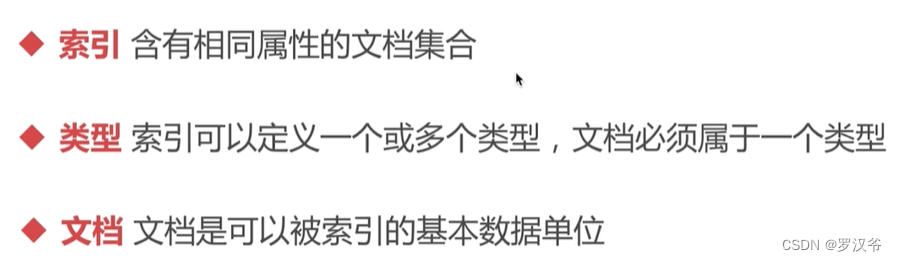
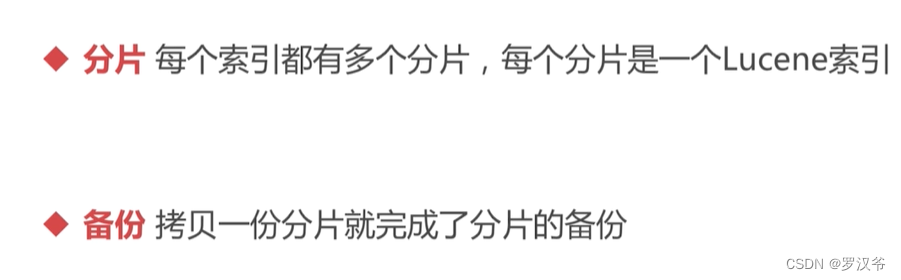
基础概念
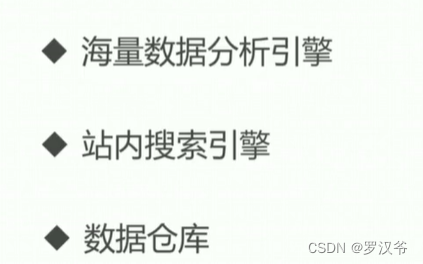
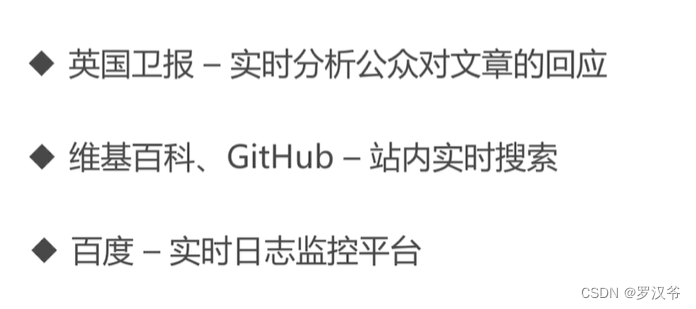
应用场景
ES安装
- centos7安装
https://blog.csdn.net/u012069313/article/details/121660147
https://www.likecs.com/show-308251870.html#sc=600
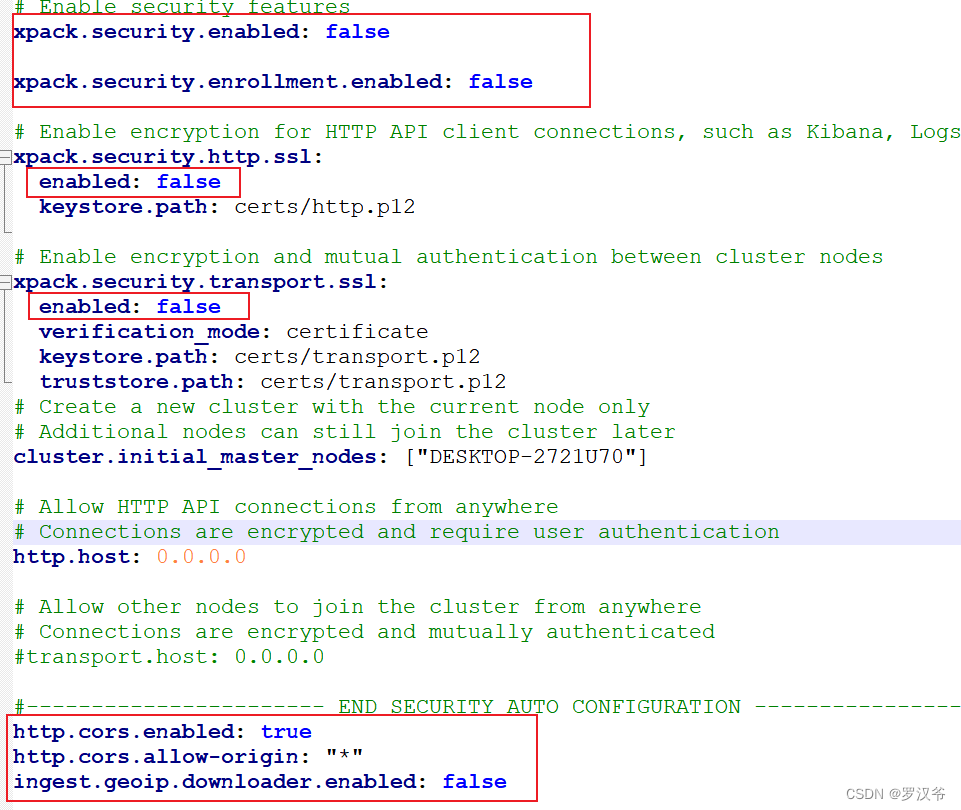
修改config/elasticsearch.yml

windows安装
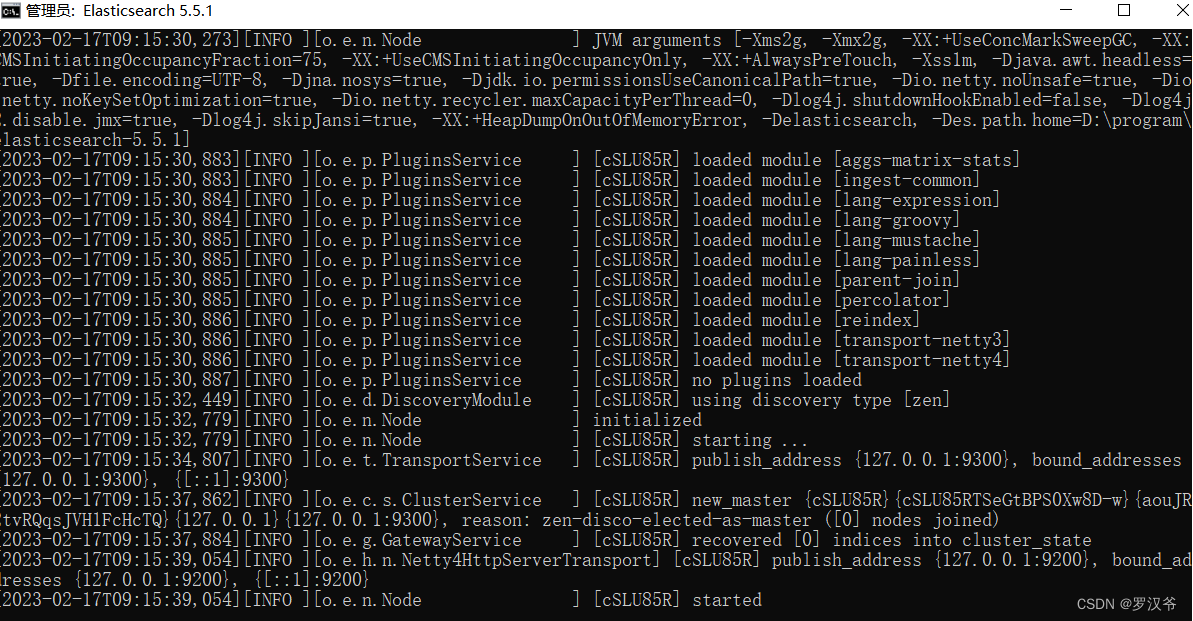
启动
# 后台启动

./bin/elasticsearch -d
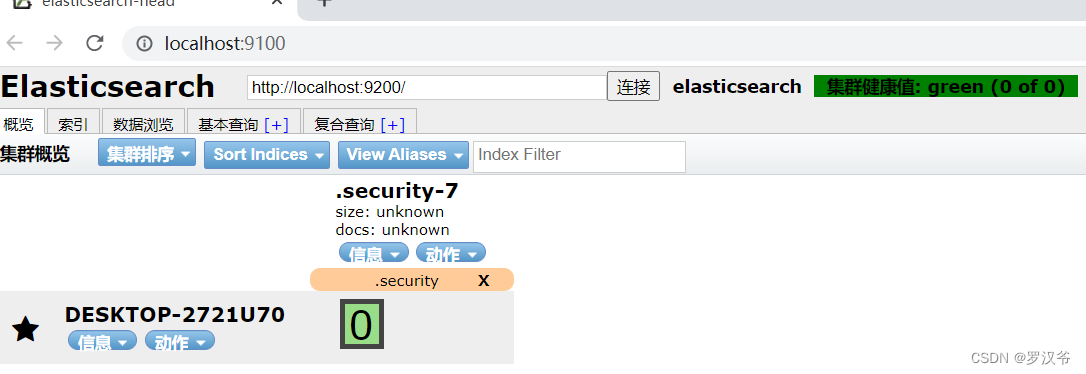
安装Head插件
https://github.com/mobz/elasticsearch-head
下载解压。
安装node8+
cd根目录,npm install解决:前端npm install 报错PhantomJS not found on PATH
https://blog.csdn.net/qq_34254090/article/details/120313282
npm run start
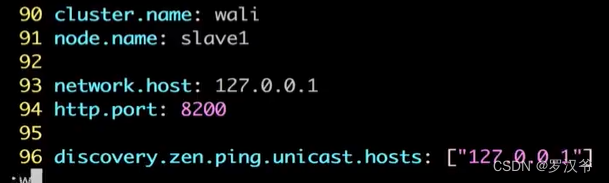
集群配置
- 主节点
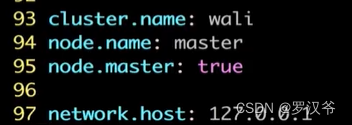
- 新建slave1, slave2 两个es
增删改查
https://www.bbsmax.com/A/kmzL44gGzG/
https://blog.csdn.net/weixin_47600880/article/details/119034733
- 创建索引

{

    "settings": {

    	"number_of_shards": 3,

    	"number_of_replicas": 1

    },

    "mappings": {

    	"properties": {

    		"name": {

    			"type": "text"

    		},

    		"age": {

    			"type": "integer"

    		}

    	}

    }

}
参数说明:
number_of_shards:索引分片数量
number_of_replicas:索引备份数量
mappings:索引结构化格式映射关键字
properties:设置索引的属性
插入文档
http://localhost:9200/people/_doc/1/更新文档
http://localhost:9200/people/_update/1查询文档
http://localhost:9200/people/_doc/1
http://localhost:9200/people/_search
{

	"query": {

		"match_all": {}

	}

}
- 条件查询
http://localhost:9200/people/_search
{

	"query": {

		"match": {

			"name": "治"

		}

	},

	"from": 1,

	"size": 1,

	"sort": [

		{

			"_id": {

				"order": "asc"

			}
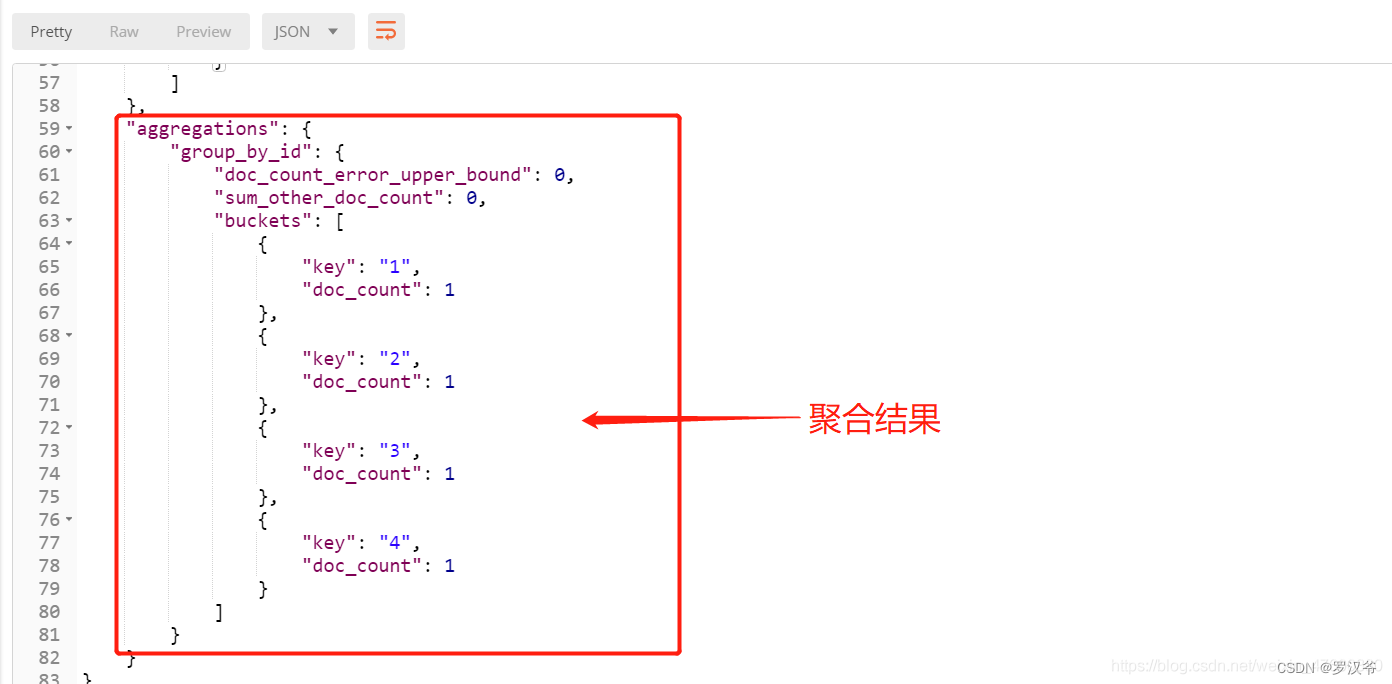
- 聚合查询
http://localhost:9200/people/_search
{

	"aggs": {

		"group_by_id": {

			"terms": {

				"field": "_id"

			}

		}

	}

}
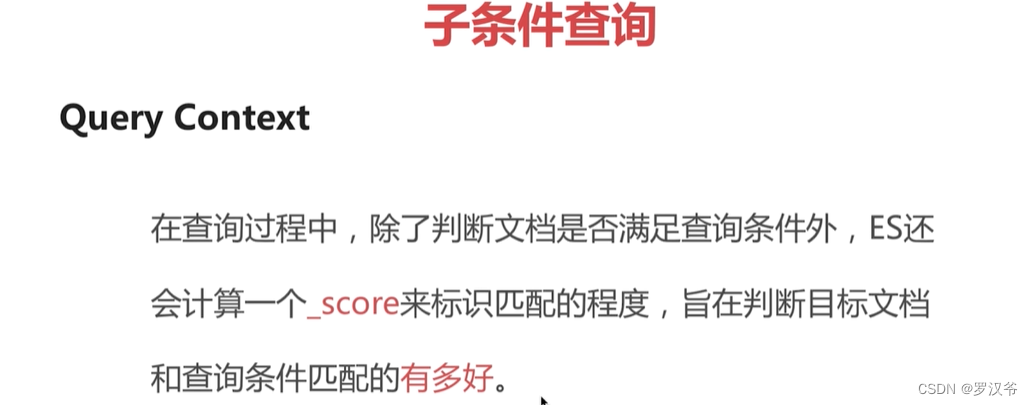
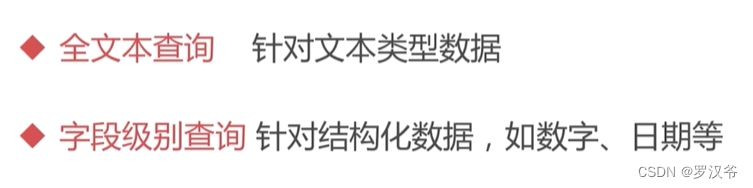
高级查询
- 习语查询
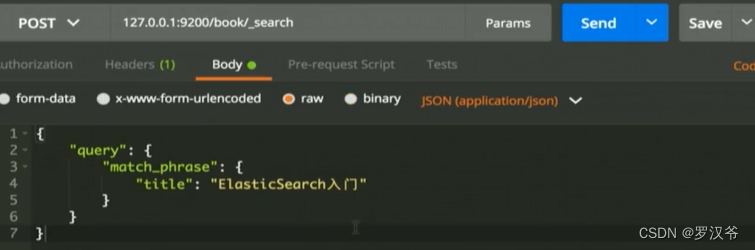
- 多字段查询
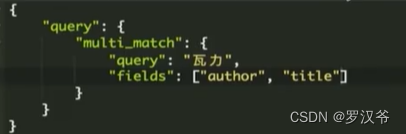
- query_string
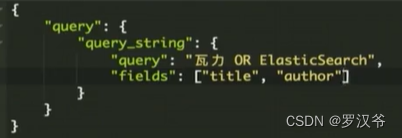
- 范围查询
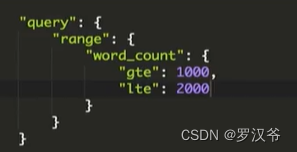
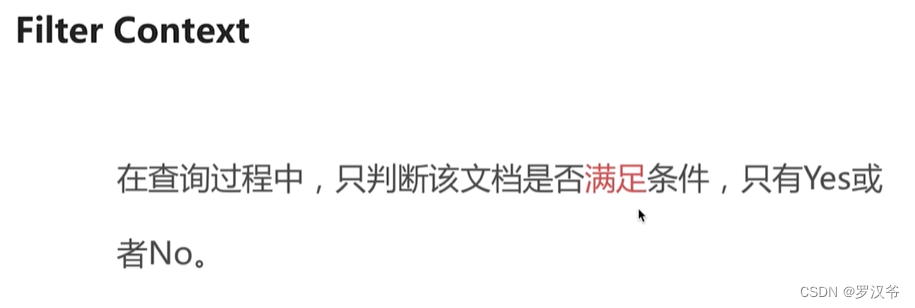
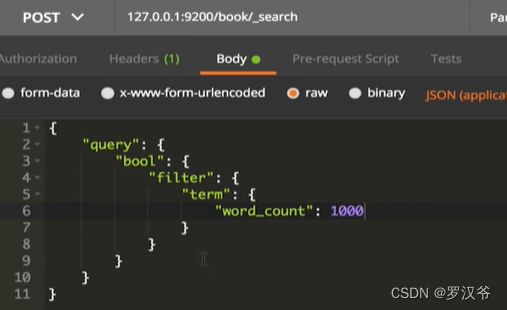
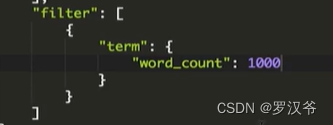
Springboot集成es实战
依赖:SpringBoot 2.3.7.RELEASE + ElasticSearch 8.1.1
pom.xml
<?xml version="1.0" encoding="UTF-8"?>

<project xmlns="http://maven.apache.org/POM/4.0.0"

         xmlns:xsi="http://www.w3.org/2001/XMLSchema-instance"

         xsi:schemaLocation="http://maven.apache.org/POM/4.0.0 http://maven.apache.org/xsd/maven-4.0.0.xsd">

    <modelVersion>4.0.0</modelVersion>

    <groupId>com.test.java</groupId>

    <artifactId>springboot_es_house</artifactId>

    <version>1.0-SNAPSHOT</version>

    <properties>

        <java.version>1.8</java.version>

        <project.build.sourceEncoding>UTF-8</project.build.sourceEncoding>

        <project.reporting.outputEncoding>UTF-8</project.reporting.outputEncoding>

        <spring-boot.version>2.3.7.RELEASE</spring-boot.version>

    </properties>

    <dependencyManagement>

        <dependencies>

            <dependency>

                <groupId>org.springframework.boot</groupId>

                <artifactId>spring-boot-dependencies</artifactId>

                <version>${spring-boot.version}</version>

                <type>pom</type>

                <scope>import</scope>

            </dependency>

        </dependencies>

    </dependencyManagement>

    <dependencies>

        <!--Spring Boot Web-->

        <dependency>

            <groupId>org.springframework.boot</groupId>

            <artifactId>spring-boot-starter-web</artifactId>

        </dependency>

        <!--<dependency>

            <groupId>org.springframework.boot</groupId>

            <artifactId>spring-boot-starter-data-elasticsearch</artifactId>

        </dependency>-->

        <dependency>

            <groupId>com.alibaba</groupId>

            <artifactId>fastjson</artifactId>

            <version>1.2.44</version>

        </dependency>

        <dependency>

            <groupId>org.projectlombok</groupId>

            <artifactId>lombok</artifactId>

            <version>1.18.12</version>

            <scope>provided</scope>

        </dependency>

        <dependency>

            <groupId>co.elastic.clients</groupId>

            <artifactId>elasticsearch-java</artifactId>

            <version>8.1.1</version>

        </dependency>

        <dependency>

            <groupId>jakarta.json</groupId>

            <artifactId>jakarta.json-api</artifactId>

            <version>2.0.1</version>

        </dependency>

        <dependency>

            <groupId>org.springframework.boot</groupId>

            <artifactId>spring-boot-starter-test</artifactId>

            <scope>test</scope>

        </dependency>

    </dependencies>

    <build>

        <plugins>

            <plugin>

                <groupId>org.apache.maven.plugins</groupId>

                <artifactId>maven-compiler-plugin</artifactId>

                <configuration>

                    <source>1.8</source>

                    <target>1.8</target>

                </configuration>

            </plugin>

        </plugins>

    </build>

</project>
esclient配置类
package com.test.java.config;

import co.elastic.clients.elasticsearch.ElasticsearchClient;

import co.elastic.clients.json.jackson.JacksonJsonpMapper;

import co.elastic.clients.transport.ElasticsearchTransport;

import co.elastic.clients.transport.rest_client.RestClientTransport;

import org.apache.http.HttpHost;

import org.elasticsearch.client.RestClient;

import org.springframework.context.annotation.Bean;

import org.springframework.context.annotation.Configuration;

/**

 * @Author laoxu

 * @Date 2023/2/17 15:06

 * @Desc 配置ES客户端

 */

@Configuration

public class ESConfig {

    @Bean

    public ElasticsearchClient elasticsearchClient(){

        RestClient client = RestClient.builder(new HttpHost("localhost", 9200,"http")).build();

        ElasticsearchTransport transport = new RestClientTransport(client,new JacksonJsonpMapper());

        return new ElasticsearchClient(transport);

    }

}
product实体类
package com.test.java.entity;

import com.fasterxml.jackson.annotation.JsonIgnoreProperties;

import lombok.AllArgsConstructor;

import lombok.Data;

import lombok.NoArgsConstructor;

import java.math.BigDecimal;

/**

 * @Author laoxu

 * @Date 2023/2/17 15:26

 * @Desc 商品实体类

 */

@Data

@NoArgsConstructor

@AllArgsConstructor

@JsonIgnoreProperties(ignoreUnknown = true)

public class Product {

    private String productName;

    private double price;

    private Integer stock;

    public String geIndexId() {

        int id = 1;

        id += id;

        String indexId = String.valueOf(id);

        return indexId;

    }

}
Junit测试类
package com.test.java;

import co.elastic.clients.elasticsearch.ElasticsearchClient;

import co.elastic.clients.elasticsearch._types.query_dsl.MatchQuery;

import co.elastic.clients.elasticsearch._types.query_dsl.Query;

import co.elastic.clients.elasticsearch._types.query_dsl.RangeQuery;

import co.elastic.clients.elasticsearch.core.*;

import co.elastic.clients.elasticsearch.core.bulk.BulkResponseItem;

import co.elastic.clients.elasticsearch.core.search.Hit;

import co.elastic.clients.elasticsearch.core.search.TotalHits;

import co.elastic.clients.elasticsearch.core.search.TotalHitsRelation;

import co.elastic.clients.elasticsearch.indices.*;

import co.elastic.clients.elasticsearch.indices.ExistsRequest;

import co.elastic.clients.json.JsonData;

import co.elastic.clients.transport.endpoints.BooleanResponse;

import com.test.java.entity.Product;

import org.junit.Test;

import org.junit.runner.RunWith;

import org.springframework.beans.factory.annotation.Autowired;

import org.springframework.boot.test.context.SpringBootTest;

import org.springframework.test.context.junit4.SpringRunner;

import java.io.IOException;

import java.util.ArrayList;

import java.util.List;

import java.util.UUID;

/**

 * @Author laoxu

 * @Date 2023/2/17 15:28

 * @Desc 测试ES增删改查API

 */

@RunWith(SpringRunner.class)

@SpringBootTest

public class ESApiTest {

    @Autowired

    private ElasticsearchClient esClient;

    /**

     * 判断索引是否存在

     * @throws IOException

     */

    @Test

    public void existsIndex() throws IOException {

        ExistsRequest existsRequest = new ExistsRequest.Builder().index("product").build();

        BooleanResponse existsResponse = esClient.indices().exists(existsRequest);

        System.out.println("是否存在:"+existsResponse.value());

    }

    /**

     * 创建索引

     * 创建索引时,必须是小写,否则创建报错

     * @throws IOException

     */

    @Test

    public void createIndex() throws IOException {

        CreateIndexRequest createIndexRequest = new CreateIndexRequest.Builder().index("product").build();

        CreateIndexResponse createIndexResponse = esClient.indices().create(createIndexRequest);

        System.out.println("是否成功:"+createIndexResponse.acknowledged());

    }

    /**

     * 删除索引

     * @throws IOException

     */

    @Test

    public void deleteIndex() throws IOException {

        DeleteIndexRequest deleteIndexRequest = new DeleteIndexRequest.Builder().index("product").build();

        DeleteIndexResponse deleteIndexResponse = esClient.indices().delete(deleteIndexRequest);

        System.out.println("是否成功:"+deleteIndexResponse.acknowledged());

    }

    /**

     * 同步方式

     * 向索引中添加信息,此操作不存在索引时会直接创建索引,使用时需要各种校验使逻辑更严谨

     * @throws IOException

     */

    @Test

    public void setIndex() throws IOException {

        Product product = new Product("帽子",44.5,9);

        IndexRequest<Product> indexRequest = new IndexRequest.Builder<Product>().index("product")

                .id(String.valueOf(product.getStock()))

                .document(product)

                .build();

        IndexResponse indexResponse = esClient.index(indexRequest);

        System.out.println(indexResponse);

    }

    /**

     * 批量写入数据

     * @throws IOException

     */

    @Test

    public void bulkIndex() throws IOException{

        List<Product> products = new ArrayList<Product>();

        products.add(new Product("香烟",135,1));

        products.add(new Product("瓜子",154,2));

        products.add(new Product("矿泉水",613,3));

        products.add(new Product("酱油",72,4));

        products.add(new Product("大米",771,5));

        BulkRequest.Builder bk = new BulkRequest.Builder();

        int indexId = 4;

        for (Product product:products) {

            bk.operations(op->op.index(i->i.index("product")

                    .id(UUID.randomUUID().toString())

                    .document(product)));

        }

        BulkResponse response = esClient.bulk(bk.build());

        if (response.errors()) {

            System.out.println("Bulk had errors");

            for (BulkResponseItem item: response.items()) {

                if (item.error() != null) {

                    System.out.println(item.error().reason());

                }

            }

        }

    }

    /**

     * 根据索引文档id获取文档信息

     * @throws IOException

     */

    @Test

    public void getIndexById() throws IOException {

        GetRequest getRequest = new GetRequest.Builder().index("product")

                .id("9")

                .build();

        GetResponse<Product> response = esClient.get(getRequest, Product.class);

        if (response.found()) {

            Product product = response.source();

            System.out.println("Product name " + product.getProductName());

            System.out.println("Product price " + product.getPrice());

        } else {

            System.out.println("Product not found");

        }

    }

    /**

     * 简单查询文档信息

     * @throws IOException

     */

    @Test

    public void getSearch() throws IOException{

        /*此处 .from(1).size(2) 表示分页查询,从第一页开始查询,大小为两条*/

        SearchRequest searchRequest = new SearchRequest.Builder().index("product")

                .query(q -> q.match(m -> m.field("productName").query("烟"))).from(1).size(2).build();

        SearchResponse<Product> response = esClient.search(searchRequest,Product.class);

        TotalHits total = response.hits().total();

        boolean isExactResult = total.relation() == TotalHitsRelation.Eq;

        if (isExactResult) {

            System.out.println("There are " + total.value() + " results");

        } else {

            System.out.println("There are more than " + total.value() + " results");

        }

        List<Hit<Product>> hits = response.hits().hits();

        for (Hit<Product> hit: hits) {

            Product product = hit.source();

            System.out.println("Found product " + product.getProductName() + ", score " + hit.score());

        }

    }

    /**

     * 多条件嵌套查询文档信息

     * @throws IOException

     */

    @Test

    public void getSearchs() throws IOException{

        String productName = "衣服";

        double price = 115;

        //按照产品名称搜索

        Query byname = MatchQuery.of(m -> m.field("productName")

                .query(productName))._toQuery();

        //按照产品价格搜索

        Query byprice = RangeQuery.of(r -> r

                .field("price")

                .gte(JsonData.of(price))

        )._toQuery();

        //结合名称和价格查询

        SearchResponse<Product> response = esClient.search(s -> s

                        .index("product")

                        .query(q -> q

                                .bool(b -> b

                                        .must(byname)

                                        .must(byprice)

                                )

                        )

                        .from(1)

                        .size(2),

                Product.class

        );

        List<Hit<Product>> hits = response.hits().hits();

        for (Hit<Product> hit : hits){

            Product product = hit.source();

            System.out.println(product.getProductName()+" "+product.getPrice());

        }

    }

}
效果展示
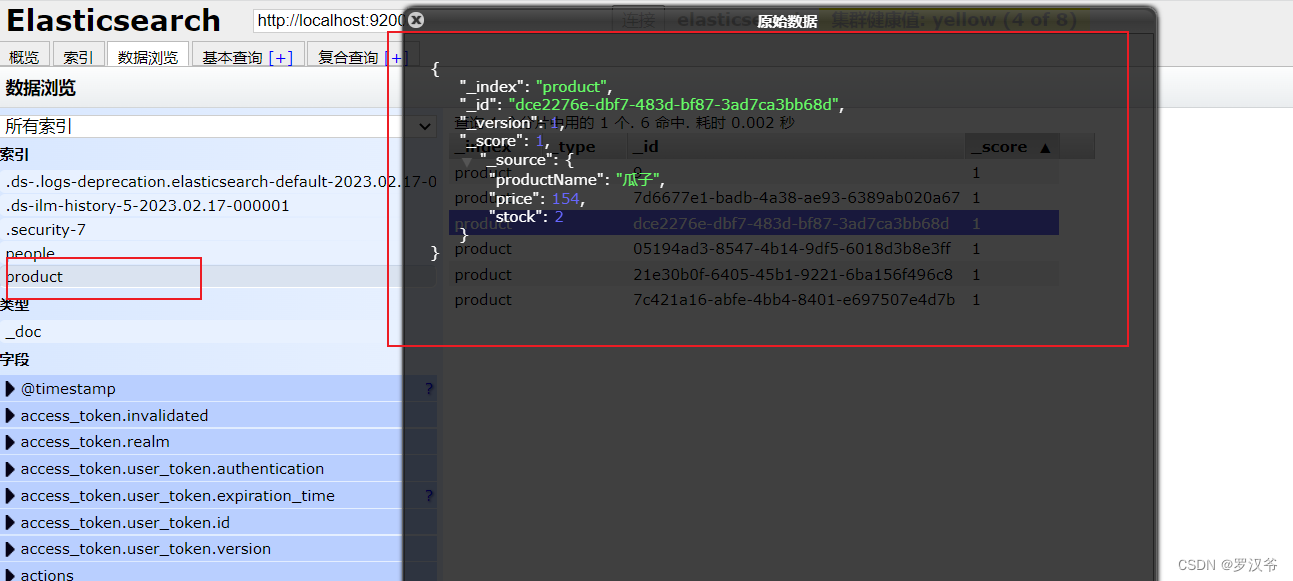
ElasticSearch入门安装与SpringBoot集成实战的更多相关文章
- RabbitMQ学习笔记(一):安装及Springboot集成
前言 MQ,即消息队列Message Queue的缩写. RabbitMQ 是MQ的一种,就像招商银行是银行的一种一样.主要是用来实现应用程序的异步和解耦,同时也能起到消息缓冲,消息分发的作用. 消息 ...
- ElasticSearch基础学习(SpringBoot集成ES)
一.概述 什么是ElasticSearch? ElasticSearch,简称为ES, ES是一个开源的高扩展的分布式全文搜索引擎. 它可以近乎实时的存储.检索数据:本身扩展性很好,可以扩展到上百台服 ...
- ELK入门使用-与springboot集成
前言 ELK官方的中文文档写的已经挺好了,为啥还要记录本文?因为我发现,我如果不写下来,过几天就忘记了,而再次捡起来必然还要经历资料查找筛选测试的过程.虽然这个过程很有意义,但并不总是有那么多时间去做 ...
- ElasticSearch入门3: Spring Boot集成ElasticSearch
第一步:创建项目elasticsearch 编写pom文件 <?xml version="1.0" encoding="UTF-8"?> <p ...
- Elasticsearch 入门 - 安装、启动和配置
安装 请参阅elastic官网 :Installing Elasticsearch 启动 使用 ./bin/elasticsearch 命令即可启动 使用 ./bin/elasticsearch -d ...
- ElasticSearch 实现分词全文检索 - SpringBoot 完整实现 Demo 附源码【完结篇】
可以先看下列文章 目录 ElasticSearch 实现分词全文检索 - 概述 ElasticSearch 实现分词全文检索 - ES.Kibana.IK安装 ElasticSearch 实现分词全文 ...
- SpringBoot | 集成Redis
Windows下安装: https://github.com/MicrosoftArchive/redis/releases zip下就解包到自定义目录下,msi就跟着步骤安装 进入安装目录下运行命令 ...
- springboot集成elasticsearch
在基础阶段学习ES一般是首先是 安装ES后借助 Kibana 来进行CURD 了解ES的使用: 在进阶阶段可以需要学习ES的底层原理,如何通过Version来实现乐观锁保证ES不出问题等核心原理: 第 ...
- springboot整合elasticsearch入门例子
springboot整合elasticsearch入门例子 https://blog.csdn.net/tianyaleixiaowu/article/details/72833940 Elastic ...
- springboot集成elk 一: springboot + Elasticsearch
1.ELK介绍 1> Elasticsearch是实时全文搜索和分析引擎, 提供搜集.分析.存储数据三大功能: 是一套开放REST和JAVA API等结构提供高效搜索功能,可扩展的分布式系统. ...
随机推荐
- 0xGame 2023【WEEK2】Crypto全解
中间的那个人 题目信息 from secret import flag from Crypto.Util.number import * from Crypto.Cipher import AES f ...
- Shell-全局变量-export
- [转帖]max_allowed_packet 与 SQL 长度的关系
https://www.oceanbase.com/knowledge-base/oceanbase-database-1000000000210013 适用版本:V2.1.x.V2.2.x.V3.1 ...
- [转帖]基于Fuse的用户态文件系统性能优化几点建议
https://zhuanlan.zhihu.com/p/68085075 目前很多文件系统基于Fuse( http://fuse.sourceforge.net/ )开发,在较为深入钻研Fuse实现 ...
- [转帖]linux内存挂载
1.主要功能 在linux中,为了提高读写速度,可以将内存挂载到目录,常见的文件格式有tmpfs和ramfs. 2.挂载步骤 $ sudo mkdir /mnt/tmp $ sudo mkdir /m ...
- [转帖]Docker、containerd的关系
Docker.containerd的关系 containerd囊括了单机运行一个容器时所需要的一切: 为了能够支持多种OCI Runtime,containerd 内部使用containerd-shi ...
- [转帖]Linux 中unzip解压时中文乱码的解决办法
https://www.yii666.com/blog/163883.html Linux 中unzip解压时中文乱码的解决办法 当我们在linux中解压一个含有中文名字的压缩包如"资料.z ...
- tortoisesvn中看到的版本号和svn info不一致
tortoisesvn中看到的版本号和svn info不一致 在svn命令行中通过svn info命令获得的版本号与tortoisesvn中show log看到的不一样,原因是在小乌龟中可以只更新具体 ...
- c和c++编译器之gcc和mingw
三大编译器:gcc,llvm,clang 什么是gcc? gcc 官方网站:https://gcc.gnu.org GCC(GNU Compiler Collection,GNU编译器套件),是由 G ...
- Unity2019及Unity2020打包android的环境配置
2019安卓打包只有gradle模式了,因为谷歌把adt删了 unity2019可以自定义gradle模板,国内请把repo地址改成阿里云的源 unity2019打apk配置 引擎版本:unity20 ...