
CSS background 之设置图片为背景技巧
首先先来看看background有那些值:
可以按顺序设置如下属性(可点击进入相应的css手册查看使用):
background-color 背景颜色
background-image 背景图片
background-repeat 背景重复
background-attachment 背景图片是固定还是滚动
background-position 背景图片的定位
接下来我们重点来讲解css background通常的使用方法
首先我们来看下面一段代码
background:url(bgimg.gif) no-repeat 5px 5px;
如下图解释:

background:
background为符合属性.属性如下:
background:background-color ||background-image || background-repeat || background-attachment || background-position
border-style: none; margin-top: 5px; margin-bottom: 5px; color: rgb(0, 0, 0); font-family: 'black Verdana', Arial, Helvetica, sans-serif;">
默认值:tansparent
| 取值 | 描述(背景颜色) | 例子 | 效果 |
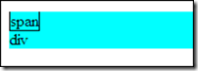
| transparent | 背景颜色透明 |
<div style="background-color:Aqua"> |
 |
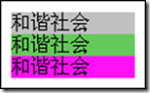
| color | 指定颜色 1.系统定义的颜色 2.rgb(100,100,100) 3.#FFEE11 |
<div style="background-color:Silver">和谐社会</div> |
 |
background-image:
默认值:none
| 取值 | 描述(背景图片) | 例子 | 效果 |
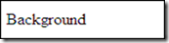
| none | 没有背景图片 |
<div style="background-image:none">Background</div> |
 |
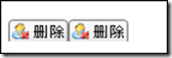
| url(url) |
使用绝对或相对的url指定背景图片 |
<div style="background-image:url('del.gif')"></div>
|
 |
background-repeat:
默认值:repeat
| 取值 | 描述(背景平铺) | 例子 | 效果 |
| repeat | 在横向和纵向上平铺 |
<div style="background-image:url('del.gif'); background-repeat:repeat">
|
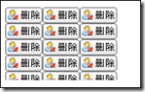 |
| no-repeat | 不平铺 |
<div style="background-image:url('del.gif'); background-repeat:no-repeat">
|
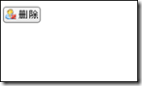 |
| repeat-x | 在横向上平铺 |
<div style="background-image:url('del.gif'); background-repeat:repeat-x">
|
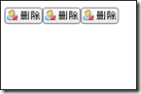 |
| repeat-y | 在纵向上平铺 |
<div style="background-image:url('del.gif'); background-repeat:repeat-y">
|
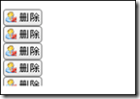 |
background-attachment:
默认值:scroll
| 取值 | 描述(背景滚动) | 例子 | 效果 |
| scroll | 跟随内容滚动 |
<body style="background-image:url('del.gif'); background-repeat:no-repeat;
|
随着滚动条的移动,可能就看不到了. |
| fixed | 不论怎样滚动,始终固定在页面上 |
<body style="background-image:url('del.gif'); background-repeat:no-repeat;
|
始终显示 |
background-position:
默认值:0% 0%
如果只指定了一个值,该值将用于横坐标。纵坐标将默认为 50% 。如果指定了两个值,第二个值将用于纵坐标。
| 表达 | 例子 | 效果 |
| background-position: length || length 百分数 | 由浮点数字和单位标识符组成的长度值 |
<div style="background-image:url('del.gif'); background-position:10px 10px;
|
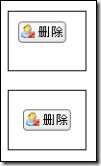 |
| background-position:position||position
第一个position: top center bottom |
<div style="background-image:url('del.gif'); background-position:left center;
|
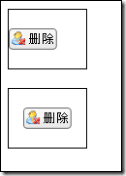 |
| 属性名 | 取值 | 默认值 |
| background-position-x | length/left/center/right | 0% |
| background-position-y | length/top/center/bottom | 0% |
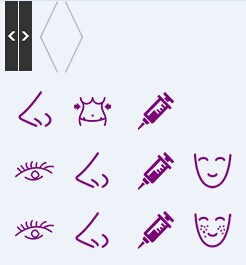
一个网站上的图片或图标都在一张图片上的css制作方法:
1.CSS样式
 .d1{width:13px;height:70px; border:#C00 1px solid;background:url(ex_icon.png) 0 0 no-repeat;}

 .d2{width:13px;height:70px; border:#C00 1px solid;background:url(ex_icon.png) -14px 0 no-repeat;}

 .e1{width:23px;height:70px; border:#C00 1px solid;background:url(ex_icon.png) -36px 0 no-repeat;}/*background:url(ex_icon.png) -36px(往右) 0(往下) */

 .e2{width:23px;height:70px; border:#C00 1px solid;background:url(ex_icon.png) -61px 0 no-repeat;}
2.html代码
 <div class="d1"></div>

 <div class="d2"></div>

 <div class="e1"></div>

 <div class="e2"></div>
3.图片
CSS background 之设置图片为背景技巧的更多相关文章
- css background之设置图片为背景技巧
css background之设置图片为背景技巧-css 背景 Background是什么意思,翻译过来有背景意思.同样在css里面作为css属性一成员同样是有背景意思,并且是设置背景图片.背景颜色. ...
- css background之设置图片为背景技巧
原文 Background是什么意思,翻译过来有背景意思.同样在css里面作为css属性一成员同样是有背景意思,并且是设置背景图片.背景颜色.背景图片截取等样式. 首先先来看看background有那 ...
- 在css中设置图片的背景图,怎么设置图片纵向拉伸
css中设置背景图拉伸填充,在css2.1之前这个背景的长宽值是不能被修改的. 实际的结果是只能重复显示,可以使用repeat,repeat-x,repeat-y,no-repeat这些属性来控制背景 ...
- css一个div设置多个背景图片
html:定义一个div <div class="item__content"></div> css:样式 .item__content { positio ...
- CSS 背景-CSS background
这里有个很好的样式学习网站:http://www.divcss5.com/rumen/r125.shtml 一.Css background背景语法 - TOP CSS背景基础知识 CSS 背 ...
- background 的一些 小的细节: 1, 背景色覆盖范围: border+ width+ padding ;背景图覆盖范围: width + padding ; 2设置多个背景图片 ; 3) background-position定位百分比的计算方式: 4)background-clip 和 background-origin 的区别
1. background (background-color, background-image) 背景色覆盖范围: border+ width+ padding ;背景图覆盖范围: width ...
- css网页中设置背景图片的方法详解
在css代码中设置背景图片的方法,包括背景图片.背景重复.背景固定.背景定位等 用css设置网页中的背景图片,主要有如下几个属性: 1,背景颜色 {">说明:参数取值和颜色属性一样 ...
- css background 背景知识详解
background 背景属性 我们知道元素有前景色color,与之对应的还有背景色,通过background我们可以为元素添加实色(background-color)和任意多个背景图片(backgr ...
- background 设置文本框背景图
background 属性的作用是给元素设置背景,它是一个复合属性,常用的子属性如下: background-color 指定元素的背景颜色. background-image 指定元素的背景图像. ...
随机推荐
- redis make test 报错
[root@ok redis-]# make test cd src && make test make[]: Entering directory `/usr/local/src/r ...
- javascript 触发器
<script type="text/javascript"> function time_logs() { var time = new Date(); var ho ...
- 【转】hadoop2.6 配置lzo压缩
[转自]http://my.oschina.net/u/1169079/blog/225070 经常用于处理大量的数据,如果期间的输出数据.中间数据能压缩存储,对系统的I/O性能会有提升.综合考虑压缩 ...
- 发布了listener报404
我刚才发布了这么一个listener package org.lxh.listenerdemo ; import javax.servlet.http.* ; public class HttpSes ...
- 在哪个web.xml中配置welcome页面
是在tomcat的web.xml中配置,而不是在你的%web-project-root%/WEB-INF/web.xml中! 示例 <welcome-file-list> <welc ...
- c++之——抽象基类
在一个虚函数的声明语句的分号前加上 =0:就可以将一个虚函数变成纯虚函数,其中,=0只能出现在类内部的虚函数声明语句处.纯虚函数只用声明,而不用定义,其存在就是为了提供接口,含有纯虚函数的类是抽象基类 ...
- iOS使用webView加载HTML网页链接简单展示
//网页视图 _webView = [[UIWebView alloc]initWithFrame:CGRectMake(0, 64, mWidth, mHeight-64)]; _webView.d ...
- dubbox2.8.4例子教程一
简介 Dubbo是一个来自阿里巴巴的开源分布式服务框架,当当根据自身的需求,为Dubbo实现了一些新的功能,包括REST风格远程调用.Kryo/FST序列化等等.并将其命名为Dubbox(即Dubbo ...
- 【WPF】TabControl禁用部分选项卡
需求:使用TabControl分页栏控件时,由于部分分页下的内容尚未开发完成,不希望用户能够点击切换到那些分页. 百度搜到的一些做法比较麻烦,或者说是直接把分页移除的,这些都不符合需求.需求要的是能看 ...
- Android——Handler 多线程
java 打开界面 实现图片轮播 //Handler final ImageView iv_2 = (ImageView)findViewById(R.id.iv_2); final int[] im ...