
【Python】百度贴吧-中国好声音评论爬爬【自练OK-csv提取格式及评论提取空格等问题待改进】
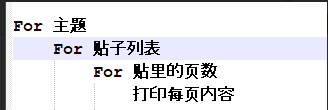
代码编写思路:
学习知识点:
1.class=a b(a假设是字体-宋体,b是颜色-蓝色;class中可以同时有两个参数a,b(宋体+蓝色),两者用空格隔开即可)
2.拓展1:想要soup到某个元素,且该元素对应class中含有多个值,我们可以根据class中元素出现的规律,找到共性出现的元素去编写soup中内容。
例如 想soup 中的class可以找到相关规律,发现想找的元素对应class中都含有“l_post_bright”那么写成以下形式即可找到相关的元素对应内容。
soup.find_all('div', class_="l_post_bright") 即可。
百度贴吧-中国好声音评论爬爬
 # coding=utf-8

 import csv

 import random

 import io

 from urllib import request,parse,error

 import http.cookiejar

 import urllib

 import re

 from bs4 import BeautifulSoup

 # 爬爬网址

 #homeUrl ="http://tieba.baidu.com" #贴吧首页

 subUrl = "http://tieba.baidu.com/f?kw=%E4%B8%AD%E5%9B%BD%E5%A5%BD%E5%A3%B0%E9%9F%B3&ie=utf-8&pn=0" #中国好声音贴吧页面

 #childUrl="http://tieba.baidu.com/p/5825125387" #中国好声音贴吧第一条

 #存储csv文件路径

 outputFilePath = "E:\script\python-script\laidutiebapapa\csvfile_output.csv"

 def GetWebPageSource(url):

     values = {}

     data = parse.urlencode(values).encode('utf-8')

     # header

     user_agent = ""

     headers = {'User-Agent':user_agent,'Connection':'keep-alive'}

     # 声明cookie 声明opener

     cookie_filename = 'cookie.txt'

     cookie = http.cookiejar.MozillaCookieJar(cookie_filename)

     handler = urllib.request.HTTPCookieProcessor(cookie)

     opener = urllib.request.build_opener(handler)

     # 声明request

     request=urllib.request.Request(url, data, headers)

     # 得到响应

     response = opener.open(request)

     html=response.read().decode('utf-8')

     # 保存cookie

     cookie.save(ignore_discard=True,ignore_expires=True)

     return  html

     # 将读取的内容写入一个新的csv文档

 # 主函数

 if __name__ == "__main__":

     #outputString = []

     maxSubPage=2 #中国好声音贴吧翻几页设置?

     m=0#起始页数

     with open("E:\script\python-script\laidutiebapapa\csvfile_output.csv", "w", newline="", encoding='utf-8') as datacsv:

         headers = ['title', 'url', 'comment']

         csvwriter = csv.writer(datacsv, headers)

         for n in range(1, int(maxSubPage)):

             subUrl = "http://tieba.baidu.com/f?kw=%E4%B8%AD%E5%9B%BD%E5%A5%BD%E5%A3%B0%E9%9F%B3&ie=utf-8&pn=" + str(m) + ".html"

             print(subUrl)

             subhtml = GetWebPageSource(subUrl)

             #print(html)

             # 利用BeatifulSoup获取想要的元素

             subsoup = BeautifulSoup(subhtml, "lxml")

             #打印中国好声音贴吧页标题

             print(subsoup.title)

             #打印中国好声音第一页贴吧标题

             all_titles = subsoup.find_all('div', class_="threadlist_title pull_left j_th_tit ")  # 提取有关与标题

             for title in all_titles:

                 print('--------------------------------------------------')

                 print("贴吧标题:"+title.get_text())#贴吧各标题题目

                 commentUrl = str(title.a['href'])

                 #print(commitment)

                 #评论页循环需要改改,maxchildpage

                 childPage = 1#评论页翻页变量

                 maxChildPage = 6#【变量】几页就翻几页设置?

                 for n in range(1, int(maxChildPage)):

                     childUrl = "http://tieba.baidu.com" + commentUrl +"?pn=" + str(childPage)

                     print("贴吧Url:"+childUrl)

                     childhtml = GetWebPageSource(childUrl)

                     childsoup = BeautifulSoup(childhtml, "lxml")

                     all_comments = childsoup.find_all('div', class_="d_post_content_main")  # 提取有关与评论

                     for comment in all_comments:

                         print("用户评论:" + comment.get_text())  # 贴吧各标题题目

                         #outputString.append([title.get_text(), childUrl, comment.get_text()])

                         csvwriter.writerow([title.get_text(), childUrl, comment.get_text()])

                     print('--------------------------------------------------')

                     childPage = childPage + 1

                 m = m + 50  # 翻页控制,通过观察发现,每页相差50
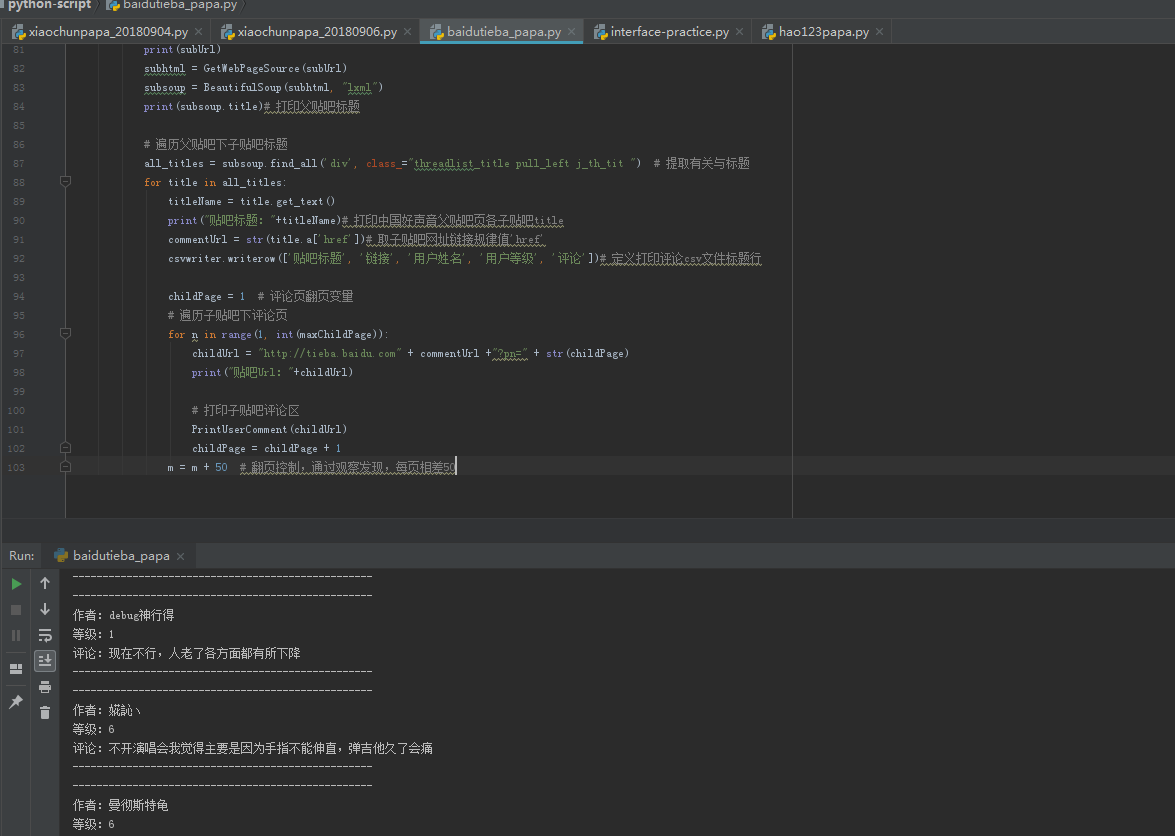
跑完了成果图

csv文档中效果

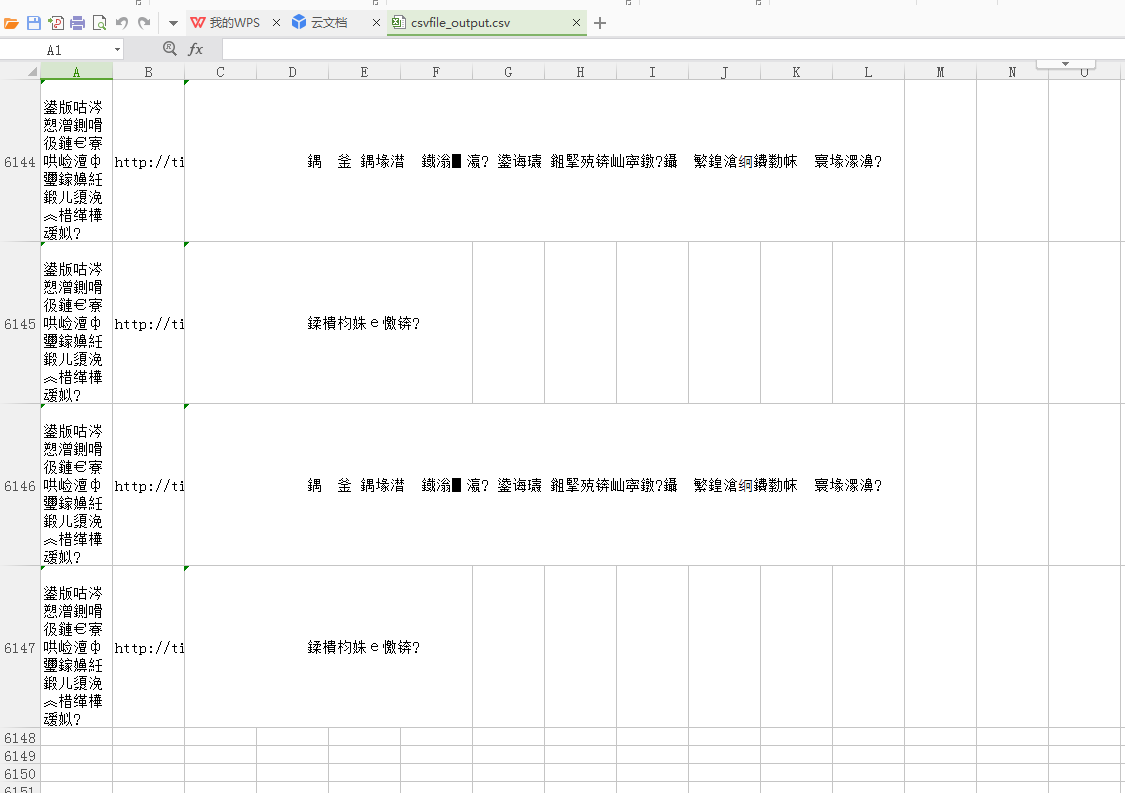
上方生成的csv文件通过txt记事本打开另存为ANIS编码方式,然后在通过csv打开就不会再乱码了,解决csv打开乱码问题相关可以参考博文:https://www.cnblogs.com/zhuzhubaoya/p/9675203.html
----------------------------------------------------------------------------------------
升级版-待完善代码:
# coding=utf-8

import csv

import random

import io

from urllib import request,parse,error

import http.cookiejar

import urllib

import re

from bs4 import BeautifulSoup

# 爬爬网址

#homeUrl ="http://tieba.baidu.com" #贴吧首页

subUrl = "http://tieba.baidu.com/f?kw=%E4%B8%AD%E5%9B%BD%E5%A5%BD%E5%A3%B0%E9%9F%B3&ie=utf-8&pn=0" #中国好声音贴吧页面

#childUrl="http://tieba.baidu.com/p/5825125387" #中国好声音贴吧第一条

#存储csv文件路径

outputFilePath = "F:\Python\scripts\pestpapa\csvfile_output.csv"

def GetWebPageSource(url):

    values = {}

    data = parse.urlencode(values).encode('utf-8')

    # header

    user_agent = ""

    headers = {'User-Agent':user_agent,'Connection':'keep-alive'}

    # 声明cookie 声明opener

    cookie_filename = 'cookie.txt'

    cookie = http.cookiejar.MozillaCookieJar(cookie_filename)

    handler = urllib.request.HTTPCookieProcessor(cookie)

    opener = urllib.request.build_opener(handler)

    # 声明request

    request=urllib.request.Request(url, data, headers)

    # 得到响应

    response = opener.open(request)

    html=response.read().decode('utf-8')

    # 保存cookie

    cookie.save(ignore_discard=True,ignore_expires=True)

    return  html

    # 将读取的内容写入一个新的csv文档

# 主函数

if __name__ == "__main__":

    #outputString = []

    maxSubPage=2 #中国好声音贴吧翻几页设置?

    m=0#起始页数

    with open("F:\Python\scripts\pestpapa\csvfile_output.csv", "w", newline="", encoding='utf-8') as datacsv:

        headers = ['title', 'url', 'comment']

        csvwriter = csv.writer(datacsv, headers)

        for n in range(1, int(maxSubPage)):

            subUrl = "http://tieba.baidu.com/f?kw=%E4%B8%AD%E5%9B%BD%E5%A5%BD%E5%A3%B0%E9%9F%B3&ie=utf-8&pn=" + str(m) + ".html"

            print(subUrl)

            subhtml = GetWebPageSource(subUrl)

            #print(html)

            # 利用BeatifulSoup获取想要的元素

            subsoup = BeautifulSoup(subhtml, "lxml")

            #打印中国好声音贴吧页标题

            print(subsoup.title)

            #打印中国好声音第一页贴吧标题

            all_titles = subsoup.find_all('div', class_="threadlist_title pull_left j_th_tit ")  # 提取有关与标题

            for title in all_titles:

                print('--------------------------------------------------')

                print("贴吧标题:"+title.get_text())#贴吧各标题题目

                commentUrl = str(title.a['href'])

                #print(commitment)

                #评论页循环需要改改,maxchildpage

                childPage = 1#评论页翻页变量

                maxChildPage = 6#【变量】几页就翻几页设置?

                csvwriter.writerow(['title', 'url', 'comment'])

                for n in range(1, int(maxChildPage)):

                    childUrl = "http://tieba.baidu.com" + commentUrl +"?pn=" + str(childPage)

                    print("贴吧Url:"+childUrl)

                    childhtml = GetWebPageSource(childUrl)

                    childsoup = BeautifulSoup(childhtml, "lxml")

                    #all_comments = childsoup.find_all('div', class_="d_post_content_main")  # 提取有关与评论

                    allCommentList = childsoup.find_all('div', class_="l_post_bright")

                    for n in allCommentList:

                        authorName = n.find_all('li', class_="d_name")

                        for i in authorName:#写成for循环可以规避报错,如果有,走0条,不会报错。

                            print("作者:" + i.get_text().strip())

                        authorLev = n.find_all('div', class_="d_badge_lv")

                        for i in authorLev:

                            print("等级:" + i.get_text().strip())

                        all_comments = n.find_all('div', class_="d_post_content_main")

                        for comment in all_comments:

                            print("评论:" + comment.get_text().strip())

                            csvwriter.writerow([title.get_text(), childUrl, comment.get_text()])

                        print('--------------------------------------------------')

                    childPage = childPage + 1

                m = m + 50  # 翻页控制,通过观察发现,每页相差50
————————————————————————————————————————————————————————————————————————————
完善后代码:
# coding=utf-8

import csv

from urllib import request,parse

import http.cookiejar

import urllib

from bs4 import BeautifulSoup

# 爬爬网址

#homeUrl ="http://tieba.baidu.com" #贴吧首页

subUrl = "http://tieba.baidu.com/f?kw=%E4%B8%AD%E5%9B%BD%E5%A5%BD%E5%A3%B0%E9%9F%B3&ie=utf-8&pn=0" #中国好声音贴吧页面

#childUrl="http://tieba.baidu.com/p/5825125387" #中国好声音贴吧第一条

#存储csv文件路径

outputFilePath = "E:\script\python-script\laidutiebapapa\csvfile_output.csv"

def GetWebPageSource(url):

    values = {}

    data = parse.urlencode(values).encode('utf-8')

    # header

    user_agent = ""

    headers = {'User-Agent':user_agent,'Connection':'keep-alive'}

    # 声明cookie 声明opener

    cookie_filename = 'cookie.txt'

    cookie = http.cookiejar.MozillaCookieJar(cookie_filename)

    handler = urllib.request.HTTPCookieProcessor(cookie)

    opener = urllib.request.build_opener(handler)

    # 声明request

    request=urllib.request.Request(url, data, headers)

    # 得到响应

    response = opener.open(request)

    html=response.read().decode('utf-8')

    # 保存cookie

    cookie.save(ignore_discard=True,ignore_expires=True)

    return  html

#打印子贴吧评论区

def PrintUserComment(childUrl):

    childhtml = GetWebPageSource(childUrl)

    childsoup = BeautifulSoup(childhtml, "lxml")

    allCommentList = childsoup.find_all('div', class_="l_post_bright")

    for n in allCommentList:

        print('--------------------------------------------------')

        authorName = n.find_all('li', class_="d_name")

        for i in authorName:  # 写成for循环可以规避报错,如果有,走0条,不会报错。

            authorName = i.get_text().strip()

            print("作者:" + authorName)

        authorLev = n.find_all('div', class_="d_badge_lv")

        for i in authorLev:

            authorLev = i.get_text().strip()

            print("等级:" + authorLev)

        all_comments = n.find_all('div', class_="d_post_content_main")

        for comment in all_comments:

            commentRes = comment.get_text()

            print("评论:" + comment.get_text().strip())

            csvwriter.writerow([titleName, childUrl, authorName, authorLev, commentRes])

        print('--------------------------------------------------')

# 主函数

if __name__ == "__main__":

    # 几个控制变量初值定义

    m = 0  # 起始页数

    maxSubPage = 2  # 中国好声音贴吧翻几页设置?

    maxChildPage = 6  # 【变量】几页就翻几页设置?

    # 开始遍历贴吧内容,顺序:父贴吧-子贴吧-评论区,并将以下子贴吧评论内容写入csv文件

    with open("E:\script\python-script\laidutiebapapa\csvfile_output.csv", "w", newline="", encoding='utf-8') as datacsv:

        headers = []

        csvwriter = csv.writer(datacsv, headers)

        # 父贴吧页面处理

        for n in range(1, int(maxSubPage)):

            subUrl = "http://tieba.baidu.com/f?kw=%E4%B8%AD%E5%9B%BD%E5%A5%BD%E5%A3%B0%E9%9F%B3&ie=utf-8&pn=" + str(m) + ".html"# 父贴吧链接

            print(subUrl)

            subhtml = GetWebPageSource(subUrl)

            subsoup = BeautifulSoup(subhtml, "lxml")

            print(subsoup.title)# 打印父贴吧标题

            # 遍历父贴吧下子贴吧标题

            all_titles = subsoup.find_all('div', class_="threadlist_title pull_left j_th_tit ")  # 提取有关与标题

            for title in all_titles:

                titleName = title.get_text()

                print("贴吧标题:"+titleName)# 打印中国好声音父贴吧页各子贴吧title

                commentUrl = str(title.a['href'])# 取子贴吧网址链接规律值'href'

                csvwriter.writerow(['贴吧标题', '链接', '用户姓名', '用户等级', '评论'])# 定义打印评论csv文件标题行

                childPage = 1  # 评论页翻页变量

                # 遍历子贴吧下评论页

                for n in range(1, int(maxChildPage)):

                    childUrl = "http://tieba.baidu.com" + commentUrl +"?pn=" + str(childPage)

                    print("贴吧Url:"+childUrl)

                    # 打印子贴吧评论区

                    PrintUserComment(childUrl)

                    childPage = childPage + 1

                m = m + 50  # 翻页控制,通过观察发现,每页相差50
运行后效果:
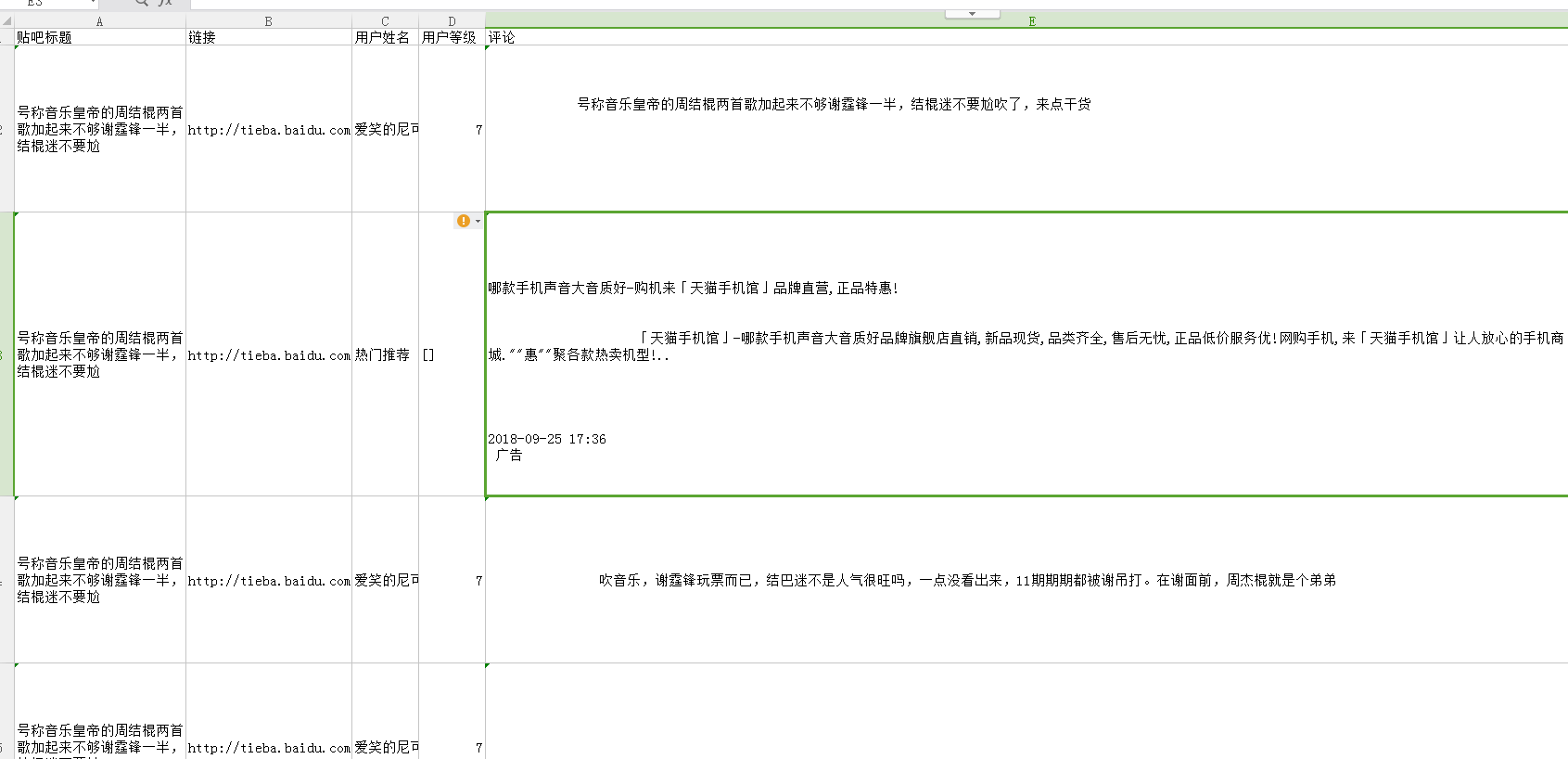
自动生成csv效果(如果乱码需要按照上面的方法进行转码后再打开就OK了):
【Python】百度贴吧-中国好声音评论爬爬【自练OK-csv提取格式及评论提取空格等问题待改进】的更多相关文章
- python读取与写入csv,txt格式文件
python读取与写入csv,txt格式文件 在数据分析中经常需要从csv格式的文件中存取数据以及将数据写书到csv文件中.将csv文件中的数据直接读取为dict类型和DataFrame是非常方便也很 ...
- python base64 编解码,转换成Opencv,PIL.Image图片格式
二进制打开图片文件,base64编解码,转成Opencv格式: # coding: utf-8 import base64 import numpy as np import cv2 img_file ...
- [python]百度语音rest api
百度语音识别提供的api范例只有java, c, php. 如果使用Python, 需要注意: 语音文件长度是指bytes大小 可以通过len(file.read())获得 使用requests.po ...
- Python开发爬虫之动态网页抓取篇:爬取博客评论数据——通过Selenium模拟浏览器抓取
区别于上篇动态网页抓取,这里介绍另一种方法,即使用浏览器渲染引擎.直接用浏览器在显示网页时解析 HTML.应用 CSS 样式并执行 JavaScript 的语句. 这个方法在爬虫过程中会打开一个浏览器 ...
- python +百度语音识别+图灵对话
https://github.com/Dongvdong/python_Smartvoice 上电后,只要周围声音超过 2000,开始录音5S 录音上传百度识别,并返回结果文字输出 继续等待,周围声音 ...
- Python 百度语音识别与合成REST API及ffmpeg使用
操作系统:Windows Python:3.5 欢迎加入学习交流QQ群:657341423 百度语音识别官方文档 百度语音合成官方文档 注意事项:接口支持 POST 和 GET两种方式,个人支持用po ...
- Python + 百度Api 通过地址关键字获得格式化的地址信息
由于用户输入是千奇百怪的,除了格式语法不合要求之外的,即便是所谓的合法数据也是五花八门.尤其是地址,所有才由此文. 百度Api注册一个账号,创建一个应用后就会有一个`ak`的参数,就够了. Pytho ...
- Python调用百度接口(情感倾向分析)和讯飞接口(语音识别、关键词提取)处理音频文件
本示例的过程是: 1. 音频转文本 2. 利用文本获取情感倾向分析结果 3. 利用文本获取关键词提取 首先是讯飞的语音识别模块.在这里可以找到非实时语音转写的相关文档以及 Python 示例.我略作了 ...
- Python之手把手教你用JS逆向爬取网易云40万+评论并用stylecloud炫酷词云进行情感分析
本文借鉴了@平胸小仙女的知乎回复 https://www.zhihu.com/question/36081767 写在前面: 文章有点长,操作有点复杂,需要代码的直接去文末即可.想要学习的需要有点耐心 ...
随机推荐
- 编译Android 必须安装的库
要安装的库: 正在卸载 build-essential ...正在卸载 g++-multilib ...正在卸载 g++ ...正在卸载 gcc-multilib ...正在卸载 gcc ...正在卸 ...
- VC调用DLL
VC调用DLL 调用DLL有两种方法:静态调用和动态调用. (一).静态调用其步骤如下: 1.把你的youApp.DLL拷到你目标工程(需调用youApp.DLL的工程)的Debug目录下; 2. ...
- Swift - 可选类型详解
可选类型详解 直接上代码解释 // 类中所有的属性在对象初始化时,必须有初始化值 class Person : NSObject { var name : String? var view : UIV ...
- 关于Android开发中使用的XML
1.布局 FrameLayout: 以堆叠方式显示一个或多个子视图. GridLayout: 将子视图按行和列排列. LinearLayout: 将所有子视图排列成一行或一列. RelativeLay ...
- read by other session 等待事件。
今天是2014-01-06,从今天开始,打算春节之前每天学习一个等待事件,今天就记录一下read by other session这个等待事件笔记. 什么是read by other session? ...
- activeMQ---->ActiveMQ的使用(一)
这里通过一个入门的案例来体会一下ActiveMQ的作用以及使用方法.你要做一个不动声色的大人了.不准情绪化,不准偷偷想念,不准回头看.去过自己另外的生活.你要听话,不是所有的鱼都会生活在同一片海里. ...
- linux 文件编码问题
iconv -f UTF- -t gb18030 file_input -o file_output 上述命令不一定有用. 大概了解下文件编码,和vim里面的编码情况. 1 字符编码基础知识 字符编码 ...
- 0R的电阻以及NC的意义
0欧电阻的作用: 0欧的电阻大概有以下几个功能:①做为跳线使用.这样既美观,安装也方便.②在数字和模拟等混合电路中,往往要求两个地分开,并且单点连接.我们可以用一个0欧的电阻来连接这两个地,而不是直接 ...
- imsdroid 学习(初认识)
转:http://www.cnblogs.com/milospooner/archive/2012/07/15/2591979.html idoubs是imsdroid的IOS版本. 从google以 ...
- CF510B Fox And Two Dots(搜索图形环)
B. Fox And Two Dots time limit per test 2 seconds memory limit per test 256 megabytes input standard ...