
springsecurity 配置swagger
最近在学习springsecurity 安全框架,具体是什么概念在这里不一一赘述了。下面呢,咱们一起搭建一下简单的springsecurity swagger 项目感受一下。
- 首先初始化spring initializer 项目。在项目中引入springsecurity starter。
- 编写测试类
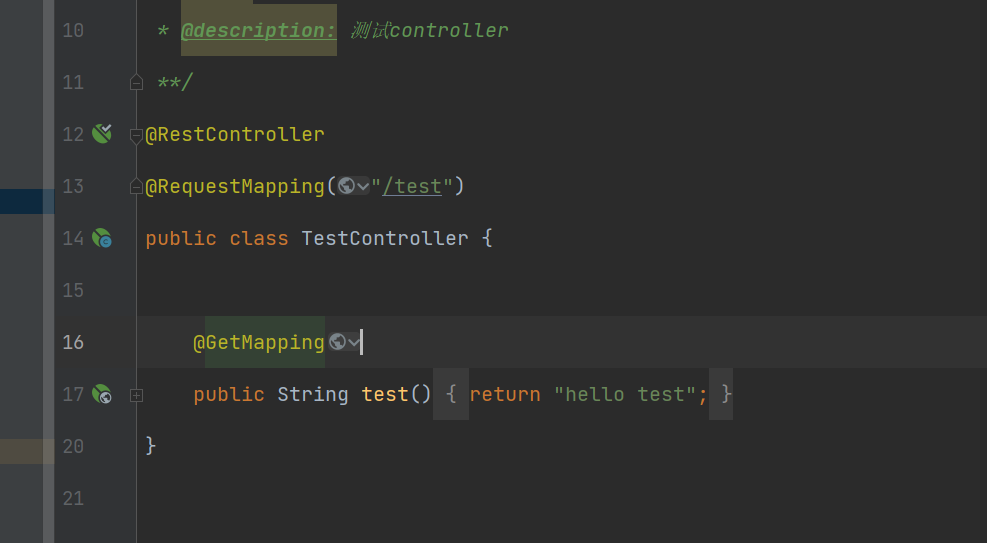
- 启动项目。访问项目地址 localhost:8080/test
- 接着浏览器中出现了一个登录页面 如下
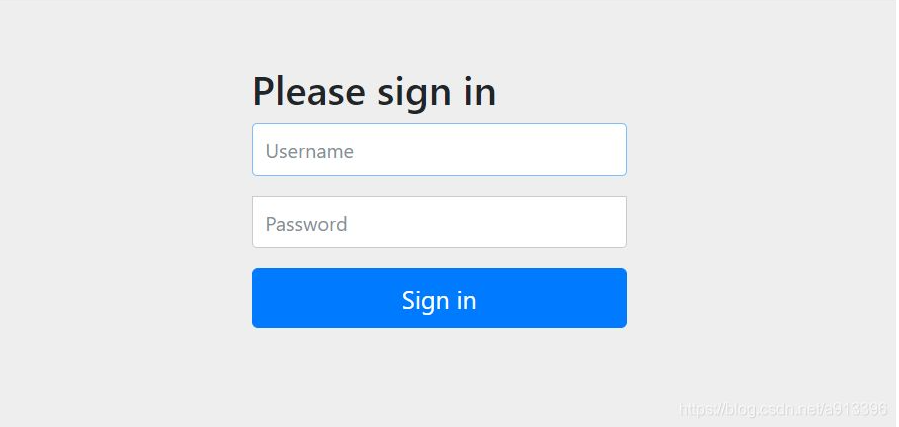
ps:这个登录页面默认是springsecurity自带的登录页面。 默认的登录账号是 ** user** 密码 是控制台 打印的 一串字符串 例子:Using generated security password: 5334856d-1259-42e2-947b-435bdaa9faf1 每次重启项目都会刷新这个密码。 - 登录后才能访问接口。
然后在来说一下在springsecurity 中如何配置swagger呢。
首先还是先引入 swagger的 pom配置。 如下
`
<io.springfox.version>2.9.2</io.springfox.version>
    <dependency>

        <groupId>io.springfox</groupId>

        <artifactId>springfox-swagger2</artifactId>

        <version>${io.springfox.version}</version>

        <exclusions>

            <exclusion>

                <groupId>org.mapstruct</groupId>   // 当然 这个东西可以去掉

                <artifactId>mapstruct</artifactId>

            </exclusion>

        </exclusions>

    </dependency>

    <!-- swagger -->

    <dependency>

        <groupId>io.springfox</groupId>

        <artifactId>springfox-swagger-ui</artifactId>

        <version>${io.springfox.version}</version>

    </dependency>

    <dependency>

        <groupId>io.springfox</groupId>

        <artifactId>springfox-bean-validators</artifactId>

        <version>${io.springfox.version}</version>

    </dependency>

    <dependency>

        <groupId>com.github.xiaoymin</groupId>

        <artifactId>knife4j-spring-ui</artifactId>

        <version>2.0.9</version>

    </dependency>

    <dependency>

        <groupId>com.github.xiaoymin</groupId>

        <artifactId>knife4j-spring-boot-starter</artifactId>

        <version>2.0.1</version>

        <exclusions>

            <exclusion>

                <artifactId>guava</artifactId>

                <groupId>com.google.guava</groupId>

            </exclusion>

        </exclusions>

    </dependency>
`
- 引入后开始编写Swagger2Config 代码如下
`
import org.springframework.context.annotation.Bean;
import org.springframework.context.annotation.Configuration;
import springfox.documentation.builders.ApiInfoBuilder;
import springfox.documentation.builders.PathSelectors;
import springfox.documentation.builders.RequestHandlerSelectors;
import springfox.documentation.service.ApiInfo;
import springfox.documentation.service.Contact;
import springfox.documentation.spi.DocumentationType;
import springfox.documentation.spring.web.plugins.Docket;
import springfox.documentation.swagger2.annotations.EnableSwagger2;
@Configuration
@EnableSwagger2
public class Swagger2Config {
@Bean
public Docket createRestApi() {
return new Docket(DocumentationType.SWAGGER_2)
.apiInfo(apiInfo())
.select()
//为当前包下的controller生成api文档
.apis(RequestHandlerSelectors.basePackage("com.cloud.service.xxx.controller"))
.paths(PathSelectors.any())
.build();
}
private ApiInfo apiInfo() {

    //设置文档信息

    return new ApiInfoBuilder()

            .title("XXX接口文档")

            .description("XXX接口文档")

            .contact(new Contact("xxxx", "http:localhost:8080/doc.html",

                    "xxxx@xxxx.com"))

            .version("1.0")

            .build();

}
}
`
- 特别说明
如果你的spring 的版本是最新版本,建议你把版本改成2.4.2以下或者是2.4.2 等等版本。启动类不要加什么 @EnableWebMvc 等等注解。 也不要升级guava,它是和springfox 版本同步的。
当然 你还要配置SpringSecurityConfig extends WebSecurityConfigurerAdapter
重写 WebSecurity 方法
`
@Override
public void configure(WebSecurity web) throws Exception {
//放行静态资源
web.ignoring().antMatchers(
"/login",
"/logout",
"/css/",
"/js/",
"/index.html",
"/favicon.ico",
"/doc.html",
"/swagger-ui.html",
"/webjars/",
"/swagger-resources/",
"/v2/api-docs/**");
}
`
springsecurity 配置swagger的更多相关文章
- .net core在网关中统一配置Swagger
最近在做微服务的时候,由于我们是采用前后端分离来开发的,提供给前端的直接是Swagger,如果Swagger分布在各个API中,前端查看Swagger的时候非常不便,因此,我们试着将Swagger集中 ...
- .net core在Ocelot网关中统一配置Swagger
最近在做微服务的时候,由于我们是采用前后端分离来开发的,提供给前端的直接是Swagger,如果Swagger分布在各个API中,前端查看Swagger的时候非常不便,因此,我们试着将Swagger集中 ...
- asp.net core Api配置swagger
这个很简单的一篇文章用来记录以下使用swagger的过程,以后有用. 1.nuget 下载install-package Swashbuckle.AspNetCore 2.startup里面confi ...
- .net core 配置swagger遇到的坑
Swagger能成为最受欢迎的REST APIs文档生成工具之一,有以下几个原因: Swagger 可以生成一个具有互动性的API控制台,开发者可以用来快速学习和尝试API. Swagger 可以生成 ...
- SpringSecurity02 表单登录、SpringSecurity配置类
1 功能需求 springSecuriy默认的登录窗口是一个弹出窗口,而且会默认对所有的请求都进行拦截:要求更改登录页面(使用表单登录).排除掉一些请求的拦截 2 编写一个springSecurity ...
- Swagger学习(二、配置swagger)
基于上一篇 其实只是在SwaggerConfig.class中配置docket,apiInfo @Configuration //变成配置文件 @EnableSwagger2 //开启swagger2 ...
- SpringSecurity配置,简单梳理
生活加油:摘一句子: “我希望自己能写这样的诗.我希望自己也是一颗星星.如果我会发光,就不必害怕黑暗.如果我自己是那么美好,那么一切恐惧就可以烟消云散.于是我开始存下了一点希望—如果我能做到,那么我就 ...
- MVC-WebApi配置 Swagger(Web Api可视化文档)
一.从创建MVC WebApi开始 第一步创建MVC WebApi就创建好了,接下来就进入正题,上干货 ================================================ ...
- 【Docker】 .Net Core 3.1 webapi 集成EF Code First,使用MySql进行业务操作 、配置swagger (三)
系列目录: [Docker] CentOS7 安装 Docker 及其使用方法 ( 一 ) [Docker] 使用Docker 在阿里云 Centos7 部署 MySQL 和 Redis (二) [D ...
- SpringMVC 中配置 Swagger 插件.
一.简介 Swagger的目标是为REST API定义一个与语言无关的标准接口,允许用户发现和理解计算机服务的功能,而无需访问源代码.当通过Swagger正确定义时,用户可以用最少量的实现逻辑理解远程 ...
随机推荐
- 4、Normal Equation 的向量投影解法与几何和直觉解释
参考:https://zhuanlan.zhihu.com/p/269232332 在线性回归的正交方程 ( Normal Equation )推导一文中提到使用 向量投影 的方法一步就能推导出 正交 ...
- flink sql任务出现java.lang.OutOfMemoryError: Metaspace
线上任务一直出现以下错误导致一直重启,然后一直因为这个错误挂掉 org.apache.flink.shaded.guava18.com.google.common.util.concurrent.Ex ...
- 错误 C2664 “int fputs(const char *,FILE *)”: 无法将参数 1 从“char”转换为“const char *”解决方法
遇到这个问题,请打开本项目的Properties(属性) -------> Configuration Properties(配置属性) -------->General(常规) ---- ...
- vue获取不到页面图片实际宽高
在某些情况下需要页面图片的宽高,使用Image获取加载图片获取图片宽高时为0,是因为图片未加载完返回宽高为0 如果未获取到宽高需要使用定时器定时获取图片,直到获取到后再清除定时器 示例代码: // n ...
- 使用 FreeSSL 申请免费证书
官网 https://freessl.cn/ 首先,注册一个账户 然后登录 输入自己的域名,选择第2个"亚洲诚信"(1年),然后点击"创建免费SSL证书"按钮 ...
- 浏览器是如何区分http和https协议的
浏览器的默认解析 我们在浏览器的地址栏中输入一个域名 taobao.com(不要按回车), 然后将地址栏进行复制,粘贴到文本文件后,发现是 http://taobao.com/. 这是浏览器的默认解析 ...
- 下载安装i5ting_toc
全部都是以管理员身份运行powershell 1.打开powershell之后输入命令npm i i5ting_toc -g 这样就全局安装了 2.set-ExecutionPolicy Remote ...
- Qt 按键添加图标
1.开发环境:Qt5.12.2,QtCreate4.8.2 2.直接上代码 /* 按键上背景 */ QPixmap pixmap(":/Resourses/images/easyicon_n ...
- SVN: E155004: THERE ARE UNFINISHED WORK ITEMS IN ''; RUN 'SVN CLEANUP' FIRST
eclipse的SVN更新或者还原都报错 使用clean up也不好用 解决办法 通过网址https://www.sqlite.org/download.html下载这个软件 解压放到.svn文件夹下 ...
- .Net的产品变迁
从开始接触.Net以来,转眼过了好几年.在这许多年里,不得不感慨.Net产品线也在不断发生着变化, 下面就简单的进行一下梳理. .Net能做桌面应用程序,也就是C/S,也能做网站开发,就是通常说的B/ ...