
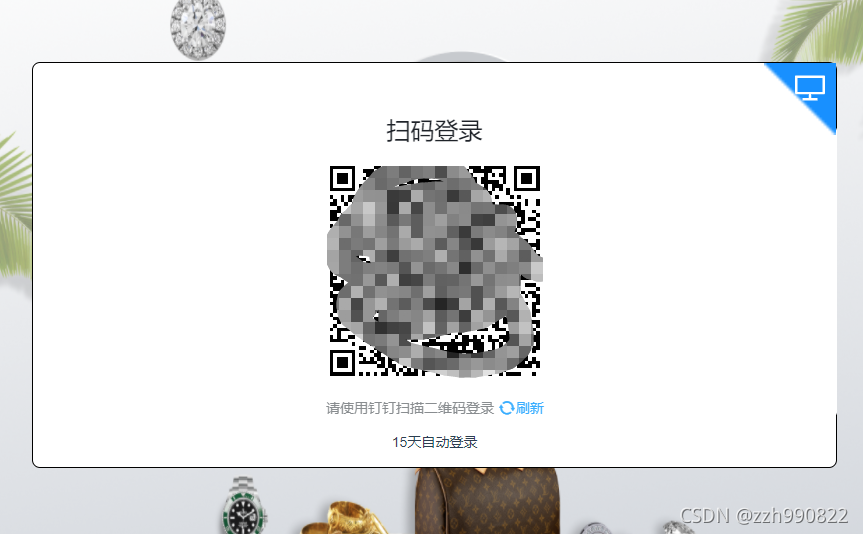
钉钉登录二维码嵌套在vue页面中
转自 https://www.csdn.net/tags/OtDacg3sMjQ2NTgtYmxvZwO0O0OO0O0O.html
<template>
<div id="app">
<div id="login_container"></div>
</div>
</template>
<script>
import axios from "axios"; export default {
name: "App",
components: {},
data() {
return {
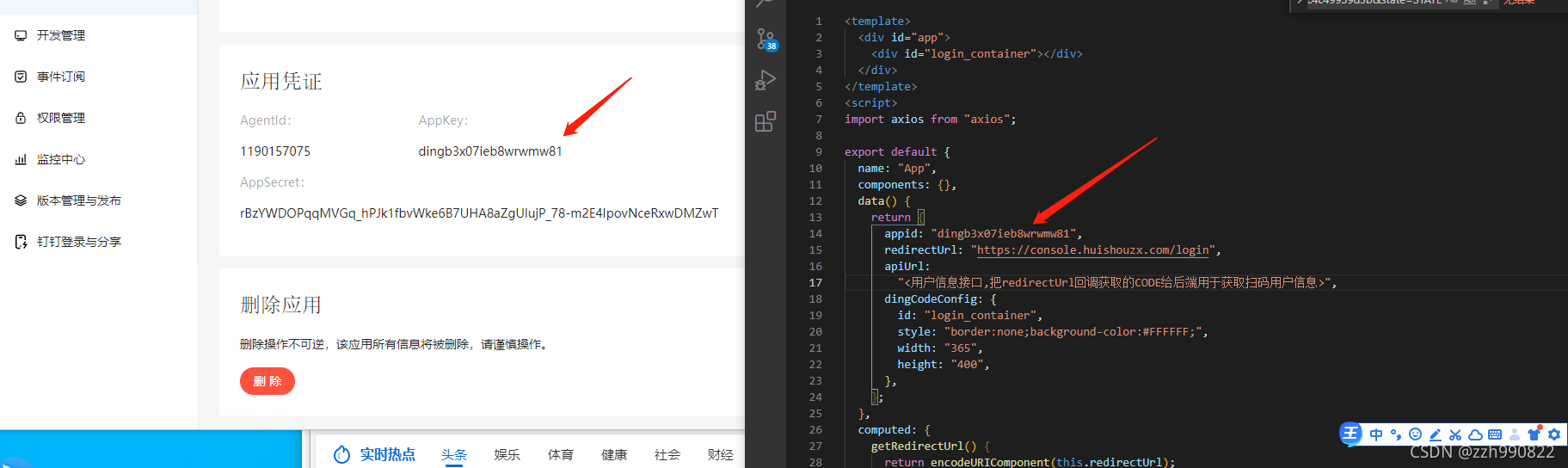
appid: "dingb3x07ieb8wrwmw81",
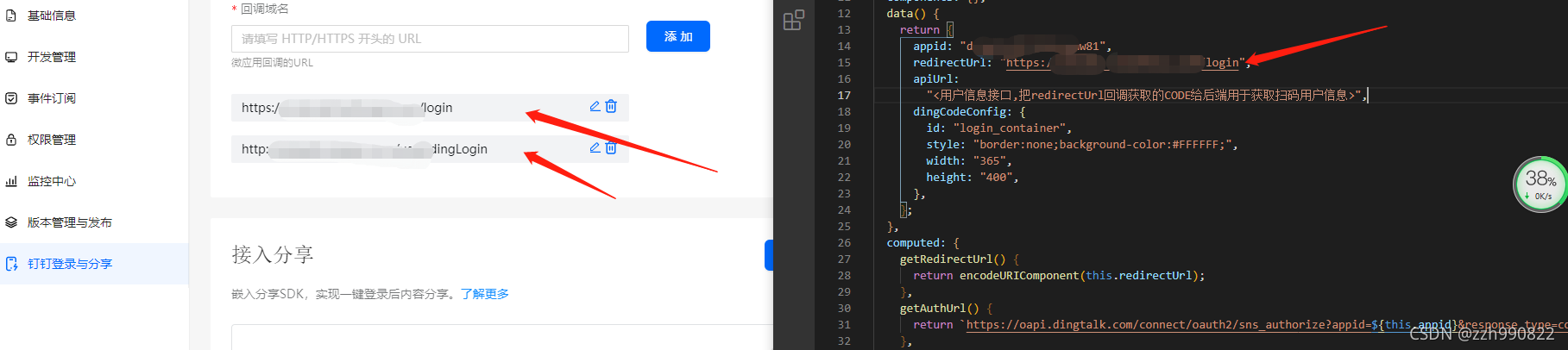
redirectUrl: "https://console.huishouzx.com/login",
apiUrl:
"<用户信息接口,把redirectUrl回调获取的CODE给后端用于获取扫码用户信息>",
dingCodeConfig: {
id: "login_container",
style: "border:none;background-color:#FFFFFF;",
width: "365",
height: "400",
},
};
},
computed: {
getRedirectUrl() {
return encodeURIComponent(this.redirectUrl);
},
getAuthUrl() {
returnhttps://oapi.dingtalk.com/connect/oauth2/sns_authorize?appid=${this.appid}&response_type=code&scope=snsapi_login&state=STATE&redirect_uri=${this.getRedirectUrl};
},
getGoto() {
return encodeURIComponent(this.getAuthUrl);
},
getDingCodeConfig() {
return { ...this.dingCodeConfig, goto: this.getGoto };
},
},
created() {
//调用
this.initDingJs();
},
mounted() {
this.addDingListener();
this.initDingLogin();
this.getUser();
},
methods: {
initDingJs() {
!(function (window, document) {
function d(a) {
var e,
c = document.createElement("iframe"),
d = "https://login.dingtalk.com/login/qrcode.htm?goto=" + a.goto;
(d += a.style ? "&style=" + encodeURIComponent(a.style) : ""),
(d += a.href ? "&href=" + a.href : ""),
(c.src = d),
(c.frameBorder = "0"),
(c.allowTransparency = "true"),
(c.scrolling = "no"),
(c.width = a.width ? a.width + "px" : "365px"),
(c.height = a.height ? a.height + "px" : "400px"),
(e = document.getElementById(a.id)),
(e.innerHTML = ""),
e.appendChild(c);
}window.DDLogin = d;
})(window, document);
},
addDingListener() {
let self = this; let handleLoginTmpCode = function (loginTmpCode) {
window.location.href =
self.getAuthUrl + `&loginTmpCode=${loginTmpCode}`;
}; let handleMessage = function (event) {
if (event.origin == "https://login.dingtalk.com") {
handleLoginTmpCode(event.data);
}
}; if (typeof window.addEventListener != "undefined") {
window.addEventListener("message", handleMessage, false);
} else if (typeof window.attachEvent != "undefined") {
window.attachEvent("onmessage", handleMessage);
}
},
initDingLogin() {
window.DDLogin(this.getDingCodeConfig);
},
getUser() {
let getQueryString = function (name) {
var reg = new RegExp("(^|&)" + name + "=([^&]*)(&|$)", "i");
var r = window.location.search.substr(1).match(reg);
if (r != null) {
return unescape(r[2]);
}
return null;
}; let code = getQueryString("code"); if (code !== null) {
axios
.get(`${this.apiUrl}?code=${code}`)
.then((response) => {
console.log(response);
})
.catch((error) => {
console.log(error);
});
}
},
},
};
</script><style>
app {
font-family: Avenir, Helvetica, Arial, sans-serif;
-webkit-font-smoothing: antialiased;
-moz-osx-font-smoothing: grayscale;
text-align: center;
color: #2c3e50;
margin-top: 60px;
}
</style>

钉钉登录二维码嵌套在vue页面中的更多相关文章
- 微信长按识别二维码,在 vue 项目中的实现
微信长按识别二维码是 QQ 浏览器的内置功能,该功能的基础一定要使用 img 标签引入图片,其他方式的二维码无法识别. 在 vue 中使用 QrcodeVue 插件 demo1 在 template ...
- C#生成二维码,把二维码图片放入Excel中
/// <summary> /// 把图片保存到excel中 /// </summary> /// <param name="excelFilePath&quo ...
- 基于SignalR的消息推送与二维码描登录实现
1 概要说明 使用微信扫描登录相信大家都不会陌生吧,二维码与手机结合产生了不同应用场景,基于二维码的应用更是比较广泛.为了满足ios.android客户端与web短信平台的结合,特开发了基于Singl ...
- 网站实现微信登录之嵌入二维码——基于yii2开发的描述
之前写了一篇yii2获取登录前的页面url地址的文章,然后发现自己对于网站实现微信扫码登录功能的实现不是很熟悉,所以,我会写2-3篇的文章来描述下一个站点如何实现微信扫码登录的功能,来复习下微信扫码登 ...
- spring boot高性能实现二维码扫码登录(上)——单服务器版
前言 目前网页的主流登录方式是通过手机扫码二维码登录.我看了网上很多关于扫码登录博客后,发现基本思路大致是:打开网页,生成uuid,然后长连接请求后端并等待登录认证相应结果,而后端每个几百毫秒会循环查 ...
- spring boot高性能实现二维码扫码登录(中)——Redis版
前言 本打算用CountDownLatch来实现,但有个问题我没有考虑,就是当用户APP没有扫二维码的时候,线程会阻塞5分钟,这反而造成性能的下降.好吧,现在回归传统方式:前端ajax每隔1秒或2秒发 ...
- spring boot高性能实现二维码扫码登录(下)——订阅与发布机制版
前言 基于之前两篇(<spring boot高性能实现二维码扫码登录(上)——单服务器版>和<spring boot高性能实现二维码扫码登录(中)——Redis版>)的基础, ...
- .net实现扫描二维码登录webqq群抓取qq群信息
一.流程 1. //获得二维码的qrsig,cookie标志 2. //登录二维码获得二维码的状态,及最新的url 3. //登录此网址,获得Cookies 4.//cookies,筛选出skey信息 ...
- PC 商城扫描二维码登录
需求分析: 扫码入口,在pc登录首页新增二维码登录入口 点击扫码入口显示二维码 二维码有效时间为一分钟 超时后显示二维码失效,点击刷新后生成新的二维码 在app端用户登录并扫码后,点击确认登录,进行跳 ...
随机推荐
- 跳转到下一页面时,必须先勾选阅读xx须知/协议才可跳转功能
当跳转到新的html页面时,先判断checkbox是否选中,选中-->跳转到新页面:未选中--弹出提示消息(请先同意须知) HTML: 1 <div class="choose& ...
- 深入理解计算机系统bomb炸弹实验
1. You can Russia from land here in Alaska. x /s 0x804a26c 0x804a26c: "You can Russia from la ...
- 解决stram++的host代理443端口被占用的问题(电脑有虚拟机进!!)
解决stram++的host代理443端口被占用的问题 一.steam++ 最近在用steam++这个开源且功能强大的加速器,过多就不介绍了 主页地址跳转:Steam++ - 主页 (steampp. ...
- eclipse 执行main方法 错误: 找不到或无法加载主类
检查环境变量是否正确 JAVA_HOME JAVA的实际安装目录 CLASSPATH .;%JAVA_HOME%\lib;%JAVA_HOME%\lib\dt.jar;%JAVA_HOME%\lib\ ...
- 线性表(python实现)
线性表 1 定义 线性表是由 \(n(n>=0)\)个数据元素(节点)\(a1.a2.a3.-.an\) 成的有限序列.该序列中的所有节点都具有相同的数据类型.其中,数据元素的个数 \(n\) ...
- LC-202
编写一个算法来判断一个数 n 是不是快乐数. 「快乐数」 定义为: 对于一个正整数,每一次将该数替换为它每个位置上的数字的平方和. 然后重复这个过程直到这个数变为 1,也可能是 无限循环 但始终变不到 ...
- Linux磁盘分区fdisk命令操作(简洁版)
实例(环境为: CentOS Linux release 7.2.1511 (Core), 3.10.0-327.el7.x86_64) 选择要具体操作的第二块磁盘(linux下一切是文件形式对应): ...
- C++五子棋(三)——判断鼠标有效点击
分析 在鼠标左键点击时,我们不能让新棋子在已有棋子的位置落下,同时我们还要让棋子在规定位置落下--棋盘线的交点处. 功能实现 创建数据类型 创建头文件chessData.h和源文件chessData. ...
- Vue 生产环境(production) 打开 调试工具的方法
总所周知,在production生产环境下,点击vue插件会显示, 并且按F12是没办法使用调试工具的,这样非常不方便 其实是有一个办法的,那就是复制下面的js,然后在控制台执行 代码中已经写清楚执行 ...
- 数据结构篇(1) ts实现栈的基本操作和解决相关问题
interface Stack { _items: any push(element: any): void pop(): any top(): any size(): any isEmpty(): ...