
sentos 上安装vnc图形界面
一、安装gnome图形化桌面
CentOS 6.3 64位
#yum groupinstall -y "X Window System"

#yum groupinstall -y "Desktop"

#yum groupinstall -y "Chinese Support"
二、安装vncserver并配置
1.安装vncserver
#yum install -y tigervnc-server
2.配置vncserver
1).配置为开机自启动
#chkconfig --level vncserver on
2).配置vnc密码
#vncserver

You will require a password to access your desktop.

Password:

Verify:
3).配置为使用gnome桌面
修改 /root/.vnc/xstartup文件,把最后的 twm & 删掉 加上 gnome-session &。
# vi /etc/sysconfig/vncservers
# The VNCSERVERS variable is a list of display:user pairs.

#

# Uncomment the lines below to start a VNC server on display :

# as my 'myusername' (adjust this to your own).  You will also

# need to set a VNC password; run 'man vncpasswd' to see how

# to do that.

#

# DO NOT RUN THIS SERVICE if your local area network is

# untrusted!  For a secure way of using VNC, see this URL:

# http://kbase.redhat.com/faq/docs/DOC-7028

# Use "-nolisten tcp" to prevent X connections to your VNC server via TCP.

# Use "-localhost" to prevent remote VNC clients connecting except when

# doing so through a secure tunnel.  See the "-via" option in the

# `man vncviewer' manual page.

VNCSERVERS="1:root"

VNCSERVERARGS[]="-geometry 1200x800"

# VNCSERVERS="2:myusername"

# VNCSERVERARGS[]="-geometry 800x600 -nolisten tcp -localhost"
4).配置vncserver启动后监听端口和环境参数
修改/etc/sysconfig/vncservers 文件添加以下内容
# vi /etc/sysconfig/vncservers
VNCSERVERS="1:root"
# 桌面号:用户 监听 590* 端口
VNCSERVERARGS[1]="-geometry 1200x800"
# The VNCSERVERS variable is a list of display:user pairs.

#

# Uncomment the lines below to start a VNC server on display :

# as my 'myusername' (adjust this to your own).  You will also

# need to set a VNC password; run 'man vncpasswd' to see how

# to do that.

#

# DO NOT RUN THIS SERVICE if your local area network is

# untrusted!  For a secure way of using VNC, see this URL:

# http://kbase.redhat.com/faq/docs/DOC-7028

# Use "-nolisten tcp" to prevent X connections to your VNC server via TCP.

# Use "-localhost" to prevent remote VNC clients connecting except when

# doing so through a secure tunnel.  See the "-via" option in the

# `man vncviewer' manual page.

VNCSERVERS="1:root"

VNCSERVERARGS[]="-geometry 1200x800"

# VNCSERVERS="2:myusername"

# VNCSERVERARGS[]="-geometry 800x600 -nolisten tcp -localhost"
5).重启vncserver服务
#service vncserver restart
三、允许root访问图形界面和生成新的machine-id
#sed -i 's/.*!= root.*/#&/' /etc/pam.d/gdm

#dbus-uuidgen >/var/lib/dbus/machine-id
四、关闭selinux和NetworkManager服务
1.检查selinux服务并关闭
#vi /etc/selinux/config
确认里面的SELINUX字段的值是disabled,如果不是则改为disabled。
[root@AY1404171530212980a0Z ~]# vi /etc/selinux/config

# This file controls the state of SELinux on the system.

# SELINUX= can take one of these three values:

#       enforcing - SELinux security policy is enforced.

#       permissive - SELinux prints warnings instead of enforcing.

#       disabled - SELinux is fully disabled.

SELINUX=disabled

# SELINUXTYPE= type of policy in use. Possible values are:

#       targeted - Only targeted network daemons are protected.

#       strict - Full SELinux protection.

SELINUXTYPE=targeted

~
2.关闭NetworkManager服务
#chkconfig --del NetworkManager
五、测试登录:
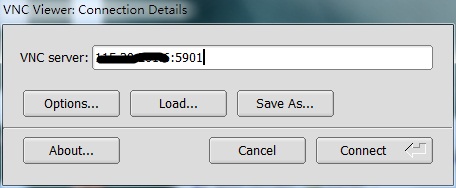
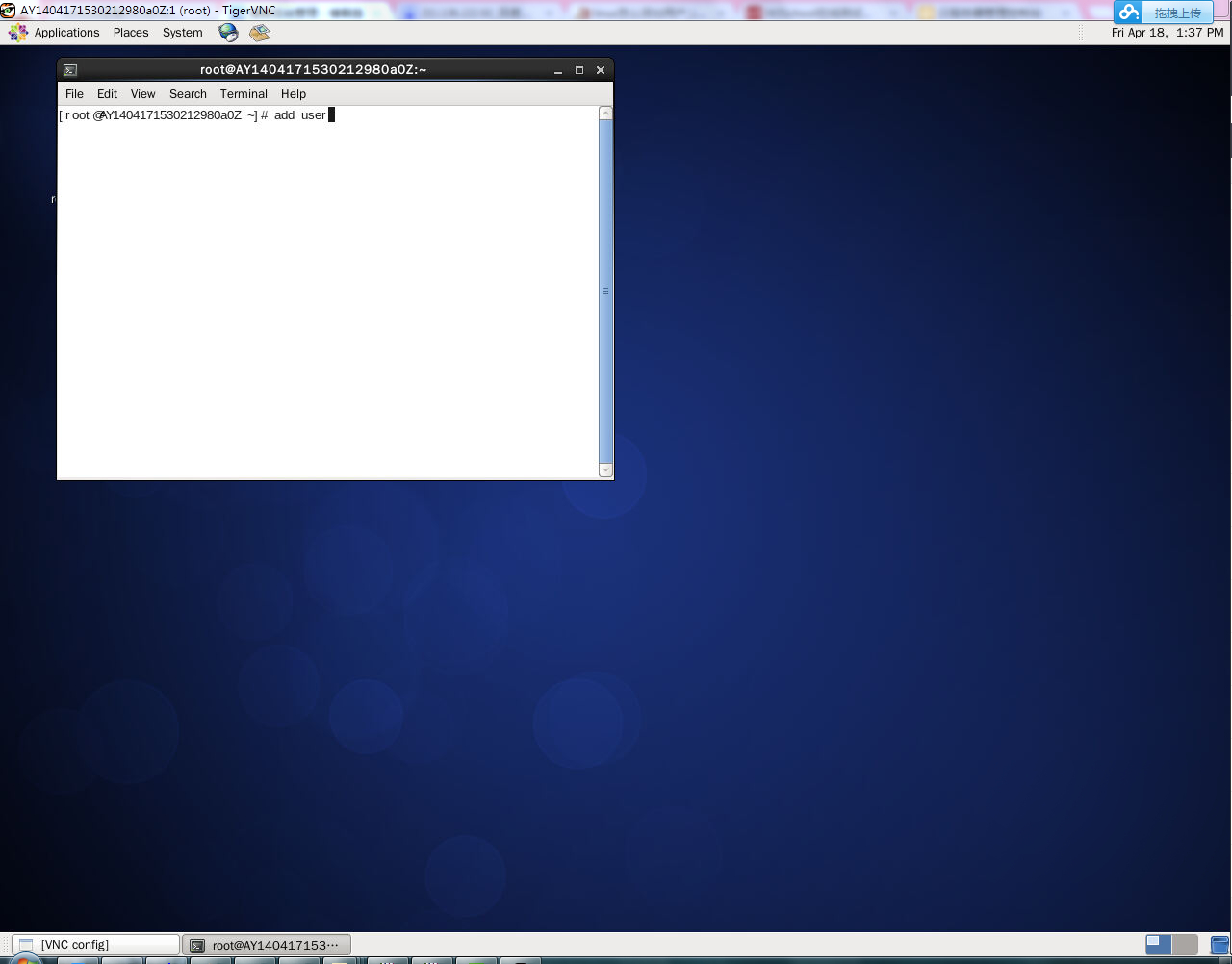
来自于:http://help.aliyun.com/view/11108189_13435402.html?spm=5176.7224473.1997282753.8.VYQqHa
sentos 上安装vnc图形界面的更多相关文章
- Oracle 12cR1 RAC 在VMware Workstation上安装(中)—图形界面安装
Oracle 12cR1 RAC 在VMware Workstation上安装(中)—图形界面安装 1.1 图形界面安装 1.1.1 安装GRID 安装日志:/u01/app/oraInvento ...
- 搭建KVM环境——07 带GUI的Linux上安装KVM图形界面管理工具
清空yum源缓存,并查看yun源 [root@CentOS2 ~]# yum clean all Loaded plugins: fastestmirror, langpacks Cleaning r ...
- CentOS7 下安装GUI图形界面GNOME
在安装Gnome包之前,需要检查一下网络是否有网络(使用ping www.baidu.com) 一.先装X windows,-y表示参数同意所有软件安装操,当出现 Complete!说明这里安装成功了 ...
- ubuntu16安装mysql图形界面
之前在windows用sqlyog当做图形界面连接mysql,现在在ubuntu上需要连接测试环境的数据库,需要安装mysql图形界面.安装只需要条命令: sudo apt-get update su ...
- centOS7下安装GUI图形界面
1.如何在centOS7下安装GUI图形界面 当你安装centOS7服务器版本的时候,系统默认是不会安装GUI的图形界面程序,这个需要手动安装CentOS7 Gnome GUI包. 2.在系统下使用命 ...
- CentOS7安装GUI图形界面
本文转自centOS7下安装GUI图形界面,侵权删. 1. 在命令行下 输入下面的命令来安装Gnome包. # yum groupinstall "GNOME Desktop" & ...
- 树莓派系列教程:安装系统与配置环境,使用PuTTy与VNC图形界面远程登录
本文所需物品清单: Raspberry Pi 3 Model B 主板.SD卡与读卡器(用于烧录系统) 资料整理来源在文尾 需要下载的资源与工具: 推荐系统-Raspbian 树莓派官方深度定制的硬件 ...
- Centos系统上安装VNC view
一.安装 VNC 默认情况下,CentOS 6.4 是没有安装的,检查是否安装,输入: [root@localhost ~]# rpm -q vnc vnc-server package vnc is ...
- Ubuntu Server 16.04安装xfce4图形界面远程控制
1.首先连接上你的服务器,然后安装vncserver,命令如下 apt-get install vnc4server 2.安装图形界面 apt-get install xfce4如果安装不上,就 ap ...
随机推荐
- 【TOMCAT】Tomcat gzip压缩传输数据
概述 由于我们项目的三维模型文件非常大,为了提高传输速度,在服务端对其做zip压缩处理非常有必要,能够极大的提高传输速度. 配置 首先需要修改web.xml中请求的数据文件的mime类型的mappin ...
- JS定位PDF页码。
由于项目中的PDF文章段落标题有些是英文,对其翻译后需要定位到具体的页码. 查询相关资料及进行尝试后发现可以用如下方法可以实现 function gotoPage(page) { ...
- Android平台使用SQLite数据库存储数据
创建一个DataBaseHelper的类,这个类是继承SQLiteOpenHelper类的,这个类中包含创建数据库.打开数据库.创建表.添加数据和查询数据的方法.代码如下: package com.e ...
- Android获取屏幕宽度的4种方法
方法一: WindowManager wm = (WindowManager) this.getSystemService(Context.WINDOW_SERVICE); int width = w ...
- VS2012报表(RDLC)系列应用之单据批量打印
一.前言 最近做的项目需要单据批量打印的功能,优先想到用RDLC来实现.经过Visual Studio几个版本的发展后,RDLC愈发成熟,操作方式也变得简洁,相比vs2005的版本,有质的提升,不过仍 ...
- struts2文件上传(保存为BLOB格式)
html文件:提供上传文件的入口 <input type="file" name="upload"><!-- name很重要,与后面actio ...
- PHP学习笔记 - 进阶篇(8)
PHP学习笔记 - 进阶篇(8) 日期与时间 取得当前的Unix时间戳 UNIX 时间戳(英文叫做:timestamp)是 PHP 中关于时间与日期的一个很重要的概念,它表示从 1970年1月1日 0 ...
- Visual Studio的MethMVVM
MethMVVM介绍: Visual Studio Gallery是微软针对VisualStudio扩展提供的一种解决方案,在Visual Studio Gallery你能够找到各种不同主题的解决方案 ...
- tinyMCE自定义添加图片插件
需求: 在富文本编辑器中插入图片,图片来自用户可以自己上传的图片库. 本来可以用比较恶心的方式,也就是直接用tinyMCE自带的插入图片插件来实现.恶心是因为这个图片插件需要用户填入图片的url. 想 ...
- 哈希表的C++实现(转)
哈希表的几个概念: 映像:由哈希函数得到的哈希表是一个映像. 冲突:如果两个关键字的哈希函数值相等,这种现象称为冲突. 处理冲突的几个方法: 1.开放地址法:用开放地址处理冲突就是当冲突发生时,形成一 ...