
sentos 上安装vnc图形界面
一、安装gnome图形化桌面
CentOS 6.3 64位
#yum groupinstall -y "X Window System"

#yum groupinstall -y "Desktop"

#yum groupinstall -y "Chinese Support"
二、安装vncserver并配置
1.安装vncserver
#yum install -y tigervnc-server
2.配置vncserver
1).配置为开机自启动
#chkconfig --level vncserver on
2).配置vnc密码
#vncserver

You will require a password to access your desktop.

Password:

Verify:
3).配置为使用gnome桌面
修改 /root/.vnc/xstartup文件,把最后的 twm & 删掉 加上 gnome-session &。
# vi /etc/sysconfig/vncservers
# The VNCSERVERS variable is a list of display:user pairs.

#

# Uncomment the lines below to start a VNC server on display :

# as my 'myusername' (adjust this to your own).  You will also

# need to set a VNC password; run 'man vncpasswd' to see how

# to do that.

#

# DO NOT RUN THIS SERVICE if your local area network is

# untrusted!  For a secure way of using VNC, see this URL:

# http://kbase.redhat.com/faq/docs/DOC-7028

# Use "-nolisten tcp" to prevent X connections to your VNC server via TCP.

# Use "-localhost" to prevent remote VNC clients connecting except when

# doing so through a secure tunnel.  See the "-via" option in the

# `man vncviewer' manual page.

VNCSERVERS="1:root"

VNCSERVERARGS[]="-geometry 1200x800"

# VNCSERVERS="2:myusername"

# VNCSERVERARGS[]="-geometry 800x600 -nolisten tcp -localhost"
4).配置vncserver启动后监听端口和环境参数
修改/etc/sysconfig/vncservers 文件添加以下内容
# vi /etc/sysconfig/vncservers
VNCSERVERS="1:root"
# 桌面号:用户 监听 590* 端口
VNCSERVERARGS[1]="-geometry 1200x800"
# The VNCSERVERS variable is a list of display:user pairs.

#

# Uncomment the lines below to start a VNC server on display :

# as my 'myusername' (adjust this to your own).  You will also

# need to set a VNC password; run 'man vncpasswd' to see how

# to do that.

#

# DO NOT RUN THIS SERVICE if your local area network is

# untrusted!  For a secure way of using VNC, see this URL:

# http://kbase.redhat.com/faq/docs/DOC-7028

# Use "-nolisten tcp" to prevent X connections to your VNC server via TCP.

# Use "-localhost" to prevent remote VNC clients connecting except when

# doing so through a secure tunnel.  See the "-via" option in the

# `man vncviewer' manual page.

VNCSERVERS="1:root"

VNCSERVERARGS[]="-geometry 1200x800"

# VNCSERVERS="2:myusername"

# VNCSERVERARGS[]="-geometry 800x600 -nolisten tcp -localhost"
5).重启vncserver服务
#service vncserver restart
三、允许root访问图形界面和生成新的machine-id
#sed -i 's/.*!= root.*/#&/' /etc/pam.d/gdm

#dbus-uuidgen >/var/lib/dbus/machine-id
四、关闭selinux和NetworkManager服务
1.检查selinux服务并关闭
#vi /etc/selinux/config
确认里面的SELINUX字段的值是disabled,如果不是则改为disabled。
[root@AY1404171530212980a0Z ~]# vi /etc/selinux/config

# This file controls the state of SELinux on the system.

# SELINUX= can take one of these three values:

#       enforcing - SELinux security policy is enforced.

#       permissive - SELinux prints warnings instead of enforcing.

#       disabled - SELinux is fully disabled.

SELINUX=disabled

# SELINUXTYPE= type of policy in use. Possible values are:

#       targeted - Only targeted network daemons are protected.

#       strict - Full SELinux protection.

SELINUXTYPE=targeted

~
2.关闭NetworkManager服务
#chkconfig --del NetworkManager
五、测试登录:
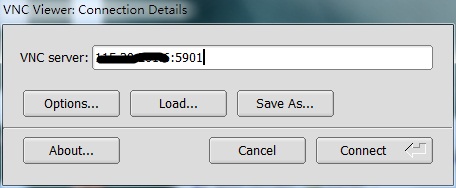
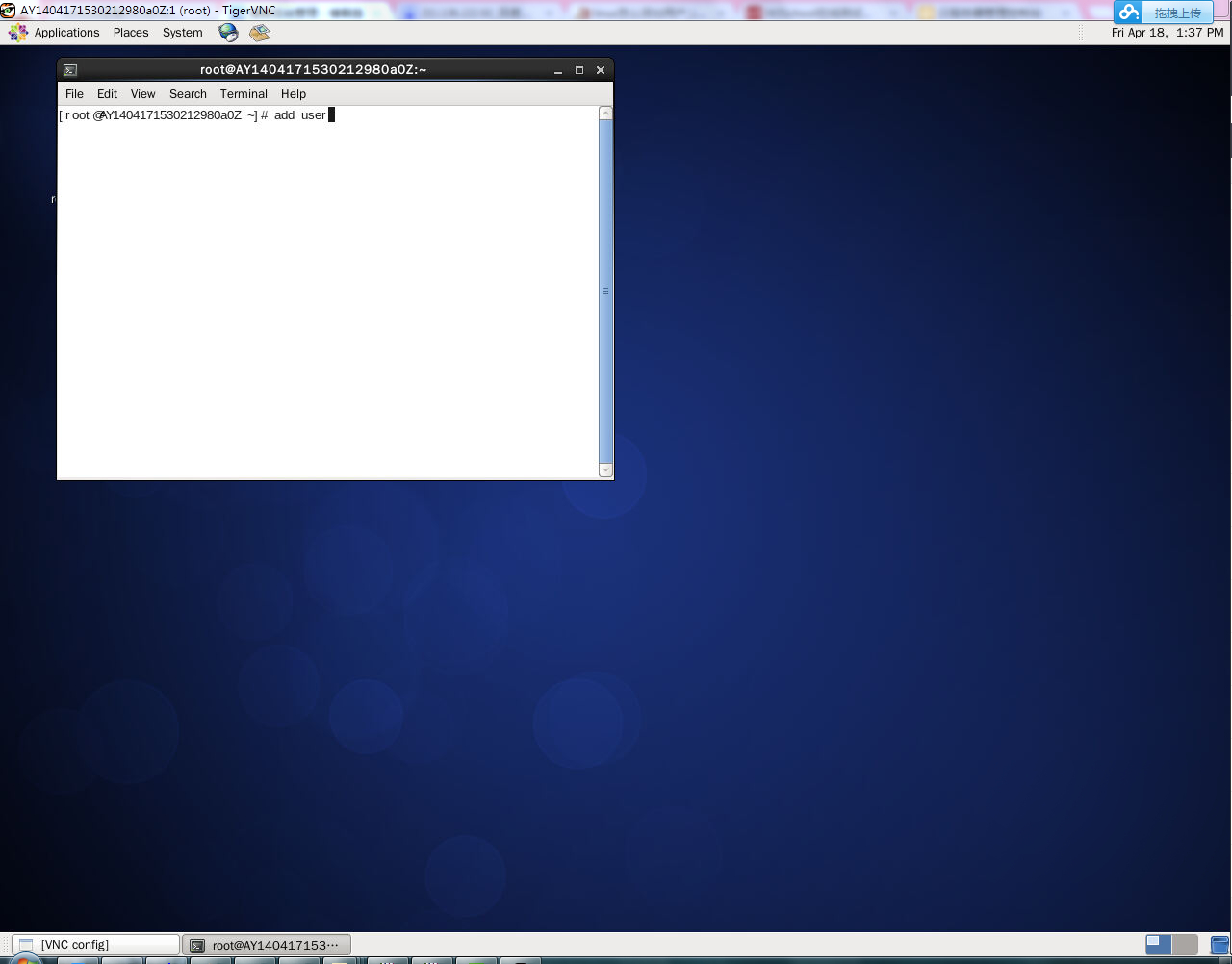
来自于:http://help.aliyun.com/view/11108189_13435402.html?spm=5176.7224473.1997282753.8.VYQqHa
sentos 上安装vnc图形界面的更多相关文章
- Oracle 12cR1 RAC 在VMware Workstation上安装(中)—图形界面安装
Oracle 12cR1 RAC 在VMware Workstation上安装(中)—图形界面安装 1.1 图形界面安装 1.1.1 安装GRID 安装日志:/u01/app/oraInvento ...
- 搭建KVM环境——07 带GUI的Linux上安装KVM图形界面管理工具
清空yum源缓存,并查看yun源 [root@CentOS2 ~]# yum clean all Loaded plugins: fastestmirror, langpacks Cleaning r ...
- CentOS7 下安装GUI图形界面GNOME
在安装Gnome包之前,需要检查一下网络是否有网络(使用ping www.baidu.com) 一.先装X windows,-y表示参数同意所有软件安装操,当出现 Complete!说明这里安装成功了 ...
- ubuntu16安装mysql图形界面
之前在windows用sqlyog当做图形界面连接mysql,现在在ubuntu上需要连接测试环境的数据库,需要安装mysql图形界面.安装只需要条命令: sudo apt-get update su ...
- centOS7下安装GUI图形界面
1.如何在centOS7下安装GUI图形界面 当你安装centOS7服务器版本的时候,系统默认是不会安装GUI的图形界面程序,这个需要手动安装CentOS7 Gnome GUI包. 2.在系统下使用命 ...
- CentOS7安装GUI图形界面
本文转自centOS7下安装GUI图形界面,侵权删. 1. 在命令行下 输入下面的命令来安装Gnome包. # yum groupinstall "GNOME Desktop" & ...
- 树莓派系列教程:安装系统与配置环境,使用PuTTy与VNC图形界面远程登录
本文所需物品清单: Raspberry Pi 3 Model B 主板.SD卡与读卡器(用于烧录系统) 资料整理来源在文尾 需要下载的资源与工具: 推荐系统-Raspbian 树莓派官方深度定制的硬件 ...
- Centos系统上安装VNC view
一.安装 VNC 默认情况下,CentOS 6.4 是没有安装的,检查是否安装,输入: [root@localhost ~]# rpm -q vnc vnc-server package vnc is ...
- Ubuntu Server 16.04安装xfce4图形界面远程控制
1.首先连接上你的服务器,然后安装vncserver,命令如下 apt-get install vnc4server 2.安装图形界面 apt-get install xfce4如果安装不上,就 ap ...
随机推荐
- Math.random获得随机数
function GetRandomNum(Min,Max){ var Range = Max - Min; var Rand = Math.random(); ...
- WM_NCCALCSIZE消息处理详解
[前言]指定应用程序的标题高度和边框的宽度的方法有很多种.其中最普遍的方法有下面的两种:第一种:创建没有标题栏应用程序,在客户区让出一部分空间用一幅图片画一个标题栏,让人“误认为”是标题栏.第二种:处 ...
- 在Ubuntu中USB连接手机调试
1.打开手机USB调试功能 显示“开发者选项”(开发者选项默认隐藏,一般需要进入到“设置”-->“关于手机”连续点击七次,可将“开发者选项显示出来”) 将“开发者选项”设置为“开启”状态 打开U ...
- JDBC之初识
JDBC(Java Data Base Connectivity,java数据库连接)是一种用于执行SQL语句的Java API,可以为多种关系数据库提供统一访问,它由一组用Java语言编写的类和接口 ...
- Win32非递归遍历和搜索文件以及目录算法
转载请注明来源:http://www.cnblogs.com/xuesongshu 要点: 1.搜索的顶层目录在进入循环之前进栈 2.栈元素存储字符串指针,出栈时释放资源 3.每次循环开始,栈顶元素出 ...
- C# 保存PictureBox中的图片到数据库,并从数据库读取图片显示到PictrueBox,解决报错 “无效参数”
下面是两段关键代码: /// <summary> /// 将一张图片转换为字节 /// </summary> /// <param name="img" ...
- VScript 函数调用的两种分类:Sub过程和Function过程
来源:http://soft.zdnet.com.cn/software_zone/2007/0925/523318.shtml 在 VBScript 中,过程被分为两类:Sub 过程和 Functi ...
- ios开发入门篇(一):创建工程
突然心血来潮,想写点技术方面的东西,做了ios也有好几年了,就简单的写个ios开发的技术博客,希望有人能用得到. 今天就先从创建一个Hellow World工程开始 一:首先打开xcode然后单击Cr ...
- VS2013 打开项目时出现 未定义标识符string的解决办法
---恢复内容开始--- 前两天从前辈那儿弄到一份源码,VC 6时期写出来的mfc程序. 打开之后直接编译编译成功,可以运行.但是看代码的时候却发现出现了好多错误,如 未定义标识符string,NUL ...
- 教您如何使用MySQL group_concat函数
MySQL group_concat函数是典型的字符串连接函数,下面就为您介绍MySQL group_concat的语法,希望对您学习MySQL group_concat函数有所帮助. MySQL g ...