
Nginx配置安装(Mac)
我用到的安装工具是:homebrew 真的很方便!
步骤1:
打开终端,输入
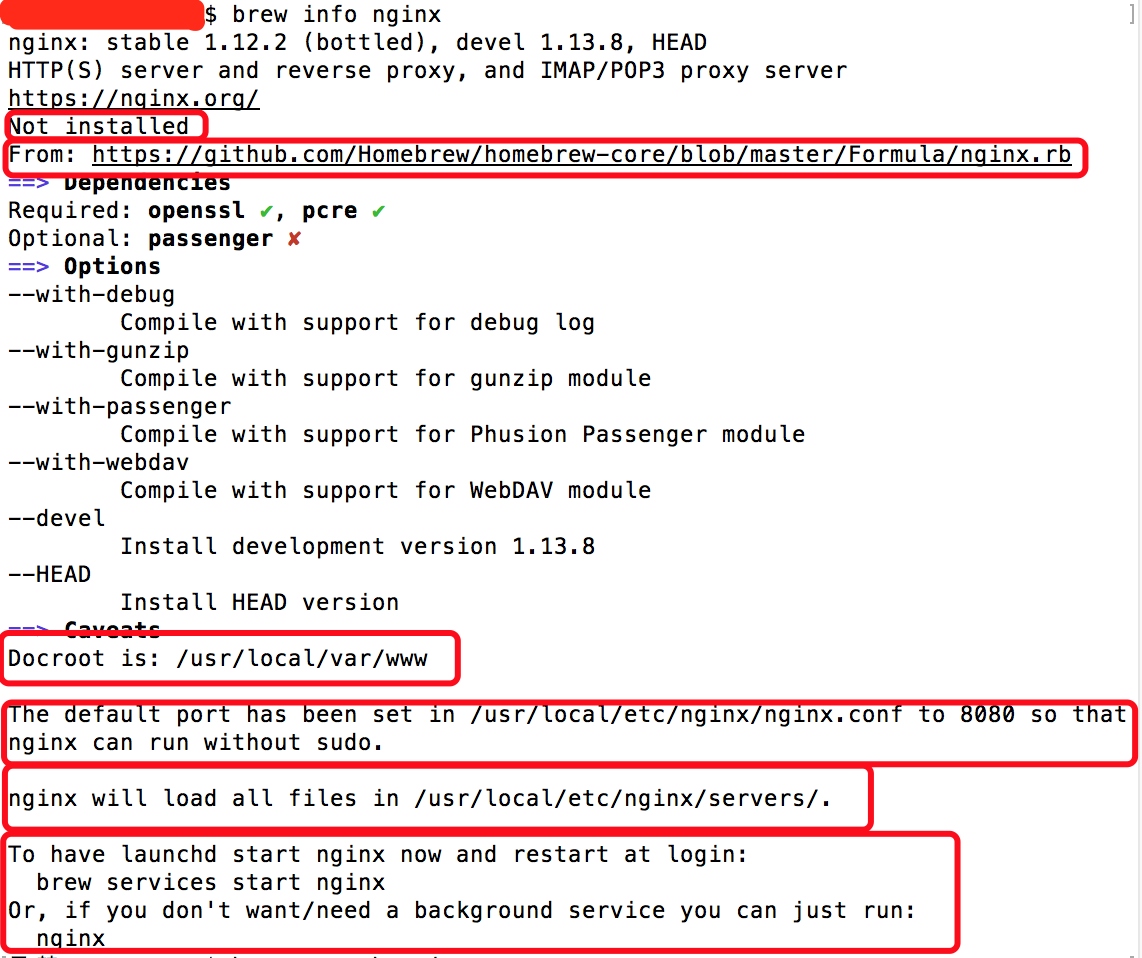
brew info nginx
结果:

我们可以看到,nginx在本地还未安装(Not installed),nginx的来源(From),Docroot默认为/usr/local/var/www,在/usr/local/etc/nginx/nginx.conf配置文件中默认端口被配置为8080从而使nginx运行时不需要加sudo,nginx将在/usr/local/etc/nginx/servers/目录中加载所有文件,以及我们可以通过最简单的命令 ‘nginx’ 来启动nginx。
步骤2:
开始安装 brew install nginx

安装完毕如图所示:

步骤3:
查看nginx安装目录  在finder中shift+command+g输入

/usr/local/etc/nginx/
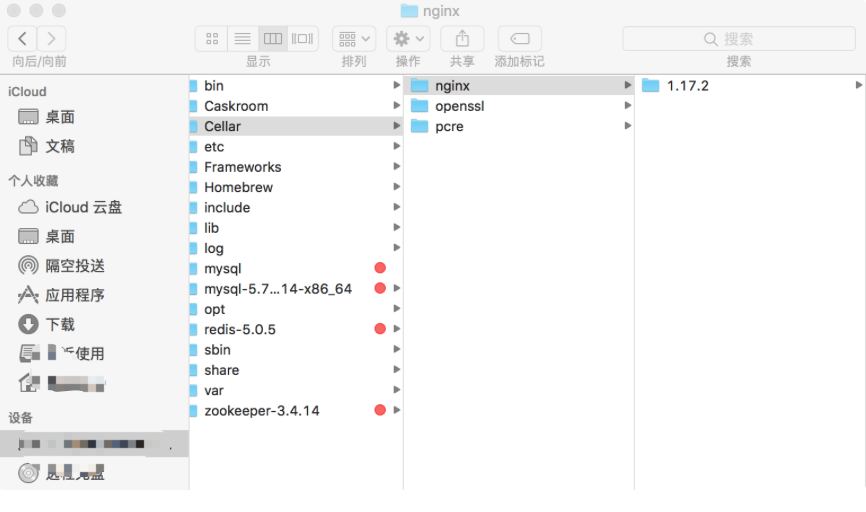
1.17.2就是我的版本啦

双击nginx启动nginx
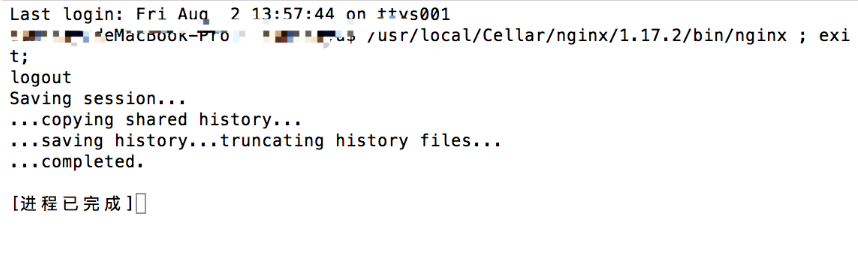
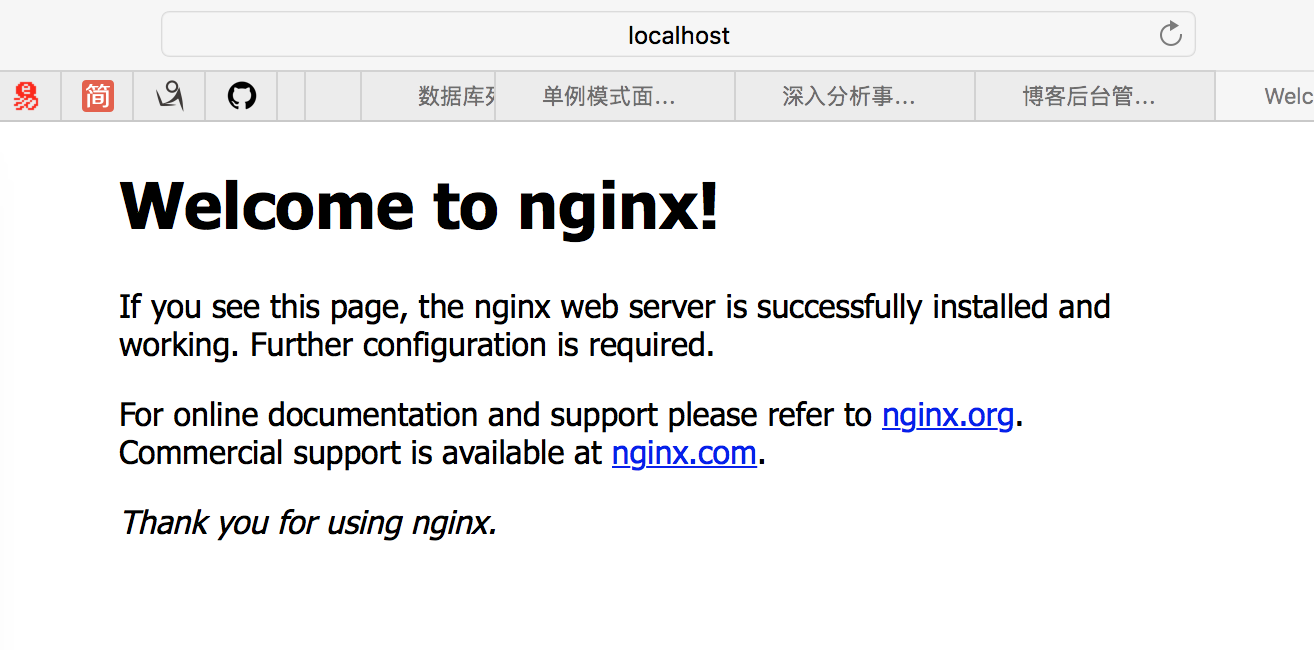
这样就开启nginx啦,在safari上输入http://localhost:8080 就可以看到
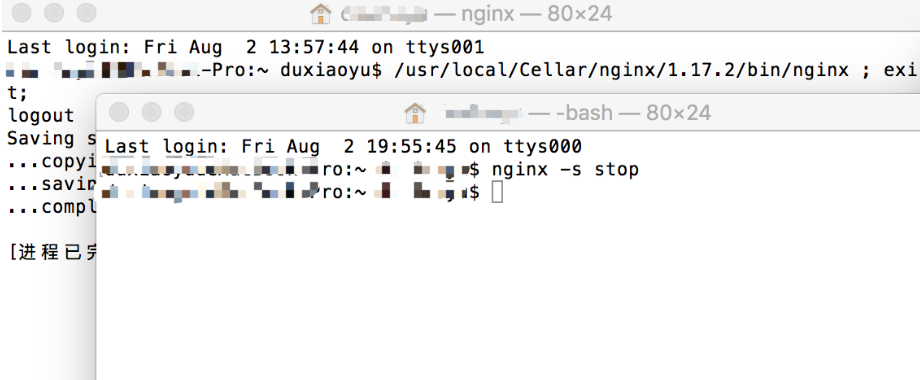
新建终端窗口输入
nginx -s stop进行快速关闭
nginx的一些常见命令
ps -ef | grep nginx 查看nginx进程
nginx -s quit 优雅关闭(先服务完已打开的连接)
nginx -s stop 快速关闭
了解一下nginx的配置文件吧(nginx.conf)
cat /usr/local/etc/nginx/nginx.conf
#user nobody;

worker_processes  1;

#error_log  logs/error.log;

#error_log  logs/error.log  notice;

#error_log  logs/error.log  info;

#pid        logs/nginx.pid;

events {

    worker_connections  1024;

}

http {

    include       mime.types;

    default_type  application/octet-stream;

    #log_format  main  '$remote_addr - $remote_user [$time_local] "$request" '

    #                  '$status $body_bytes_sent "$http_referer" '

    #                  '"$http_user_agent" "$http_x_forwarded_for"';

    #access_log  logs/access.log  main;

    sendfile        on;

    #tcp_nopush     on;

    #keepalive_timeout  0;

    keepalive_timeout  65;

    #gzip  on;

    server {

     #侦听8080端口

        listen       8080;

     #定义使用 localhost访问

        server_name  localhost;

        #charset koi8-r;

        #access_log  logs/host.access.log  main;

        location / {

       #定义服务器的默认网站根目录位置

            root   html;

        #定义首页索引文件的名称

            index  index.html index.htm;

        }

     ...

     ...

     ... (注释代码太多,就不全部贴出来了)

    include servers/*;

}
更多关于nginx配置的干货:
https://www.cnblogs.com/dududududududu/p/11290988.html
Nginx配置安装(Mac)的更多相关文章
- nginx配置安装
先安装pcrepcre作用是让Nginx支持Rewrite功能下载地址:https://sourceforge.net/projects/pcre/files/pcre/,选择最新版本进行下载下载之后 ...
- Linux环境下Nginx配置安装PHP
下边的安装配置方法,我试了一晚上没有成功,可能因为我的系统环境比较复杂,所以建议: 先安装PHP.使用yum命令安装,在安装配置MySQL,具体做法看博客中其他文章,至于Nginx服务器可以安装完这两 ...
- 宝塔面板nginx配置安装Discuz
Discuz!在Nginx下的Rewrite 需要说明的是,下网上以前一直流传的Rewrite都是有误的. 下面的Rewrite中百分号前面多了个转移字符"",这在Apache中是 ...
- centos7 - nginx配置安装phpmyadmin
原文 https://www.linuxidc.com/Linux/2017-10/147556.htm 使用Nginx搭建phpMyAdmin Nginx有什么用? Nginx可读作Engin ...
- Mac安装nginx配置过程
mac电脑系统重装了,记录一下安装nginx的过程: 1.打开终端 2.安装Command Line tools xcode-select --install 3.安装brew命令 ruby -e & ...
- Nginx 的安装配置入门(mac)
1.安装Nginx服务器: 执行命令 brew install nginx 安装完以后,可以在终端输出的信息里看到一些配置路径: /usr/local/etc/nginx/nginx.conf (配置 ...
- Mac直播服务器Nginx配置对HLS的支持
在上一篇中Mac上搭建直播服务器Nginx+rtmp,我们已经搭建了nginx+rtmp直播服务器.下面需要对Nginx服务器增加对HLS的支持.在Nginx增加对HLS种支持比较简单,只是简单的修改 ...
- mac上php+nginx配置
brew的安装: ruby -e "$(curl -fsSL https://raw.github.com/Homebrew/homebrew/go/install)”php安装和配置bre ...
- 超详细Nginx的安装和配置教程
一. 编译安装nginx 下载nginx安装包 wget http://nginx.org/download/nginx-1.8.0.tar.gz 也可以选择其他版本,官网:http://nginx. ...
随机推荐
- ABP开发框架前后端开发系列---(13)高级查询功能及界面的处理
在一般的检索界面中,基于界面易用和美观方便的考虑,我们往往只提供一些常用的条件查询进行列表数据的查询,但是有时候一些业务表字段很多,一些不常见的条件可能在某些场景下也需要用到.因此我们在通用的查询条件 ...
- Mint-ui全局引入
1.Mint-ui在全局引入之后,在组件中使用其中的js函数,如toast() this.$toast('在全局引入之后可以直接在this.$toast中使用')
- 了解selenium--(虫师的博客)
Selenium is a portable software-testing framework for web applications. Selenium is composed of seve ...
- docker相关使用
安装docker 在CentOS 7上安装docker-ce,首先检查系统中是否已经安装过docker及相关依赖: $ sudo yum remove docker docker-client doc ...
- php中\r \r\n \t的区别
\n 软回车: 在Windows 中表示换行且回到下一行的最开始位置.相当于Mac OS 里的 \r 的效果. 在Linux.unix 中只表示换行,但不会回到下一行的开始位置. ...
- 正确写网站title、keywords、description
一.title title,也就是标题,是在浏览器上面显示出来的,方便用户了解这个页面的内容;特别是搜索引擎判断你网页内容的主要根据.搜索引擎就很大部分是依靠网站title来判断你网站是关于什么内容的 ...
- spring springMVC Struts2 区别
Spring: Spring是IOC和AOP的容器框架,Spring是一个通用解决方案, 最大的用处就是通过Ioc/AOP解耦, 降低软件复杂性, 所以Spring可以结合SpringMVC等很多其他 ...
- Vue快速学习_第三节
过滤器 局部过滤器(组件内部使用的过滤器,跟django的很像, filters: {过滤器的名字: {function(val, a,b){}}} 全局过滤器(全局过滤器,只要过滤器一创建,在任何组 ...
- Docker笔记(四):Docker镜像管理
原文地址:http://blog.jboost.cn/2019/07/16/docker-4.html 在Docker中,应用是通过容器来运行的,而容器的运行是基于镜像的,类似面向对象设计中类与对象的 ...
- Bzoj1972: [Sdoi2010]猪国杀 题解(大模拟+耐心+细心)
猪国杀 - 可读版本 https://mubu.com/doc/2707815814591da4 题目可真长,读题都要一个小时. 这道题很多人都说不可做,耗时间,代码量大,于是,本着不做死就不会死的精 ...