
centos 7 安装 Git-2.23.0
Git是一个免费的开源 分布式版本控制系统,旨在快速高效地处理从小型到大型项目的所有内容。
Git 易于学习,占地面积小,具有闪电般的快速性能。
它具有诸如Subversion,CVS,Perforce和ClearCase之类的SCM工具,并且具有廉价的本地分支,方便的暂存区域和 多个工作流等功能。
Git官方网站:https://git-scm.com/
Linux/Unix 源代码地址:https://mirrors.edge.kernel.org/pub/software/scm/git/
稳定版 | git-2.23.0.tar.gz | https://mirrors.edge.kernel.org/pub/software/scm/git/git-2.23.0.tar.gz
1.下载源代码到目录 /usr/local/src/
[root@localhost ~]# wget https://mirrors.edge.kernel.org/pub/software/scm/git/git-2.23.0.tar.gz -nc -c -P /usr/local/src/
2.安装依赖包 {包含更多格式的文档(如 doc, html, info)}
--exclude=kernel*,centos-release*,httpd,nginx,php,mysql,mairadb,python-psutil,python2-psutil,cacti,git,svn //不会检查安装kernel*,centos-release*,httpd,nginx,php,mysql,mairadb,python-psutil,python2-psutil,cacti,git,svn如需添加,中间件,中间件,...,...
yum install -y --exclude=kernel*,centos-release*,httpd,nginx,php,mysql,mairadb,python-psutil,python2-psutil,cacti,git,svn yum-fastestmirror redhat-lsb compat* logrotate lsof net-tools lrzsz cmake wget gcc gcc-c++ make zlib-devel readline-devel automake ncurses-devel epel-release bash-completion sysstat mlocate kernel kernel-headers kernel-devel iptables-services apr* autoconf bison bzip2 bzip2* bzip2-devel cpp curl curl-devel fontconfig fontconfig-devel freetype* freetype-devel gd gettext gettext-libs gettext-devel gettext-common-devel glibc glibc-devel glibc-headers keyutils keyutils-libs-devel krb5-devel libcom_err-devel libpng-devel libjpeg* libsepol-devel libselinux-devel libstdc++-devel libtool libtool* libgomp libxml2 libxml2-devel libXpm* libxml* libXaw-devel libXmu-devel libtiff libtiff* mpfr ncurses* ntp ntpdate* openssl-devel patch pcre-devel php-common php-gd policycoreutils telnet t1lib t1lib* nasm nasm* libwebp libwebp-devel libjpeg-devel db4-devel libXpm-devel libc-client-devel openldap-devel mysql-devel libicu-devel libcurl libcurl-devel libzip cpan tcp_wrappers psmisc tree cyrus-sasl-md5 vim chrony rsync xinetd crontabs iptables-utils git dos2unix boost-devel boost-doc libxslt libxslt-devel libdb4* qpid* gnutls boost-system avahi-libs boost-thread dwz dyninst emacs-filesystem fipscheck fipscheck-lib gdb libdwarf libedit libgfortran unzip zip trousers pakchois nettle neon m4 mokutil libproxy libstdc++-devel libquadmath libquadmath-devel libmpc libmodman libgnome-keyring subversion-libs systemtap-devel systemtap-runtime openssh openssh-clients systemtap-client perl perl-Carp perl-Data-Dumper perl-Encode perl-Error perl-Exporter perl-File-Path perl-File-Temp perl-Filter perl-Getopt-Long perl-Git perl-HTTP-Tiny perl-PathTools perl-Pod-Escapes perl-Pod-Perldoc perl-Pod-Simple perl-Pod-Usage perl-Scalar-List-Utils perl-Socket perl-Storable perl-TermReadKey perl-Test-Harness perl-Text-ParseWords perl-Thread-Queue perl-Time-HiRes perl-Time-Local perl-XML-Parser perl-constant perl-libs perl-macros perl-parent perl-podlators perl-srpm-macros perl-threads perl-threads-shared screen tcpdump nc mtr nmap tcl policycoreutils-python policycoreutils-python.x86_64 httpd libjpeg gd php-mysql php-mbstring php-process php-snmp php-ldap php-xml net-snmp net-snmp-utils rrdtool rrdtool-devel rrdtool-php help2man net-snmp-devel binutils libffi-devel libtasn1-devel p11-kit-devel dh-autoreconf expat-devel perl-devel asciidoc xmlto docbook2X --skip-broken && yum clean all && sudo ln -s /usr/bin/db2x_docbook2texi /usr/bin/docbook2x-texi
3.解压源代码编译并安装
[root@localhost git-2.23.]# cd

[root@localhost ~]# cd /usr/local/src/

[root@localhost src]# tar -zxvf git-2.23..tar.gz

[root@localhost src]# cd git-2.23.

[root@localhost git-2.23.]# mkdir -p /usr/local/git

[root@localhost git-2.23.]# ./configure --prefix=/usr/local/git --with-gitconfig=/etc/gitconfig && make && make install //编译安装git

[root@localhost git-2.23.]# make man && make install-man //编译安装手册

[root@localhost git-2.23.]# make html && make htmldir=/usr/share/doc/git-2.23. install-html //编译安装htmldocs

[root@localhost git-2.23.]# git --version

git version 2.23.
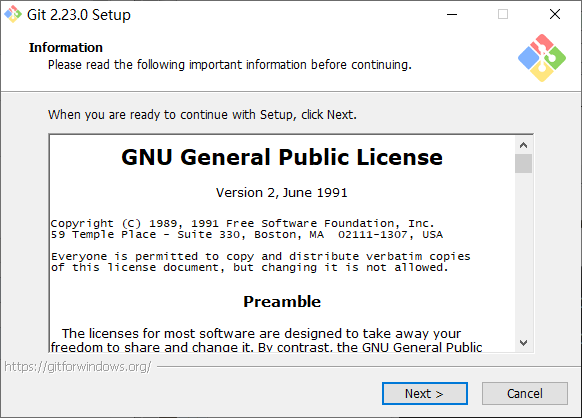
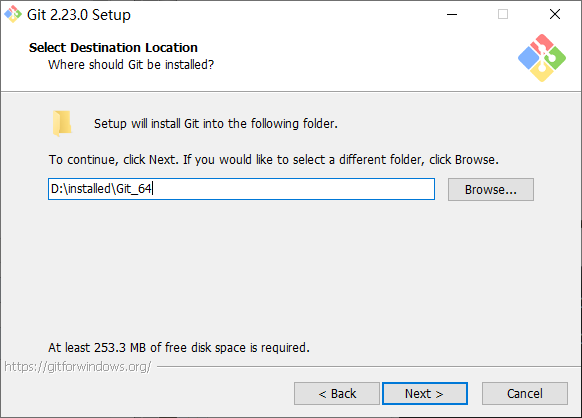
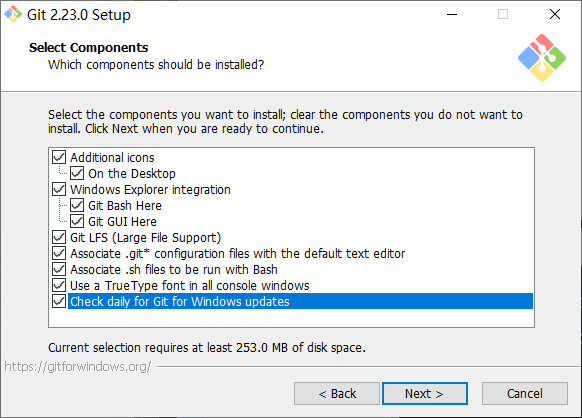
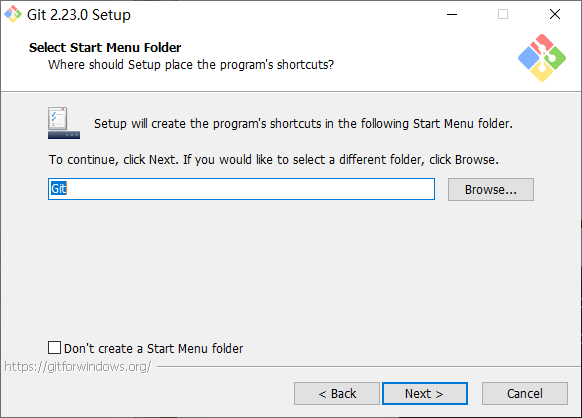
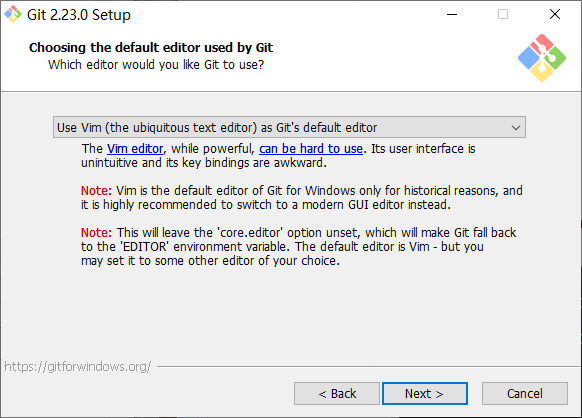
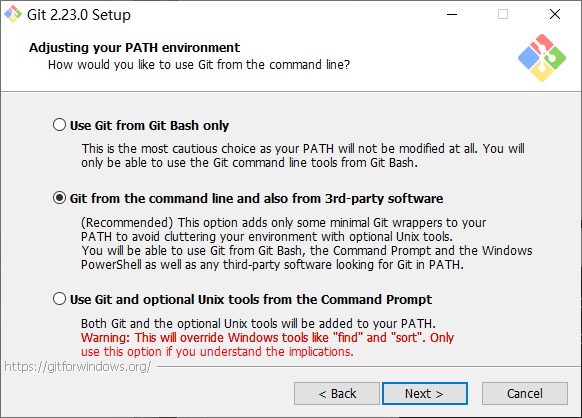
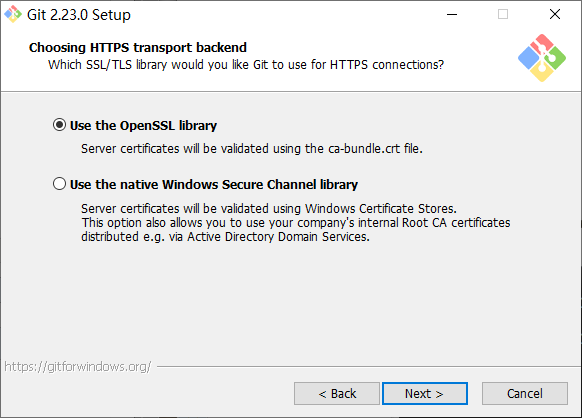
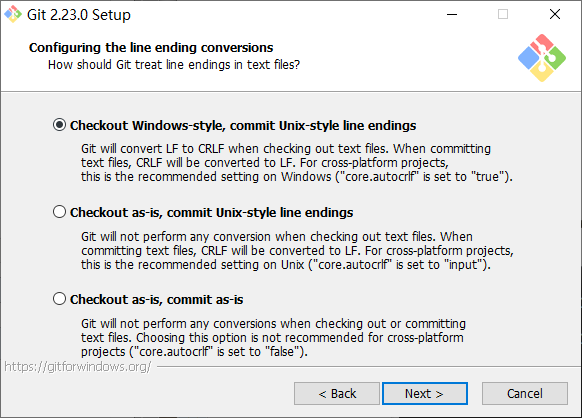
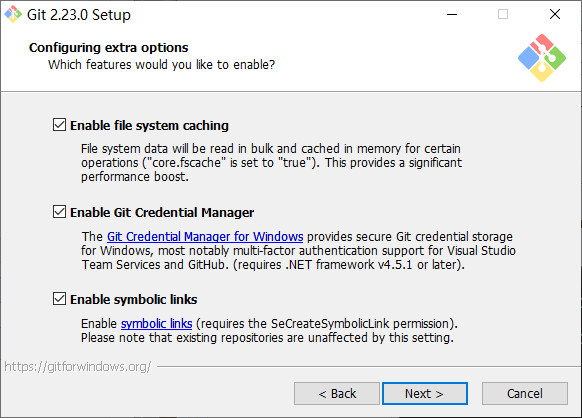
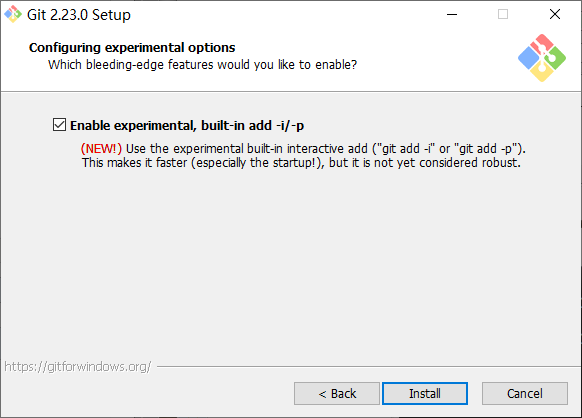
Git-2.23.- windows客户端下载:https://github.com/git-for-windows/git/releases/download/v2.23.0.windows.1/Git-2.23.0-64-bit.exe

https://gitforwindows.org/

https://tortoisegit.org/download/

2.8.0.0- windows客户端中文包4M下载:https://download.tortoisegit.org/tgit/2.8.0.0/TortoiseGit-LanguagePack-2.8.0.0-64bit-zh_CN.msi

2.8.0.0-64 windows客户端安装包19M下载:https://download.tortoisegit.org/tgit/2.8.0.0/TortoiseGit-2.8.0.0-64bit.msi
配置Git
[root@localhost git2.23]# git config --global user.name "Kings-dev"
[root@localhost git2.23]# git config --global user.email huixst@163.com
[root@localhost git2.23]# git config --global core.editor emacs
[root@localhost git2.23]# git config --list
user.name=Kings-dev
user.email=huixst@163.com
core.editor=emacs
core.repositoryformatversion=0
core.filemode=true
core.bare=false
core.logallrefupdates=true
[root@localhost git2.23]# git config user.name
Kings-dev
创建用户授权仓库
[root@localhost git2.23]# useradd wwweee000
[root@localhost git2.23]# passwd wwweee000
Changing password for user wwweee000.
New password:
BAD PASSWORD: The password is a palindrome
Retype new password:
passwd: all authentication tokens updated successfully.
创建 Git 仓库指定kings-dev_repo目录
[root@localhost git2.23]# mkdir kings-dev_repo
[root@localhost kings-dev_repo]# mkdir .ssh
[root@localhost git2.23]# chmod 700 .ssh
[root@localhost kings-dev_repo]# touch .ssh/authorized_keys
[root@localhost kings-dev_repo]# cat > .ssh/authorized_keys
ssh-rsa AAAAB3NzaC1yc2EAAAABJQAAAQEAs7YscwONfkidwuMU6HwwvibnjOQnPNJzg5CrPfMvoQ07n8iXZdmL+R2hmRUtOB3WwkMzbPg3+bLcCFg4tQFNmk4k1SzxK3YBiHEJrNpnb7+wuztmuuqflU9APtsnQHpT7yOQdXhdpORgg7dtvfChrK6W3aLXJEpjVgfdOCHvyHPt5GVMYav1mS93c4YqzYO1ZC43Duq5e2ihptR1U9zkBDYEf73ioAEtN3o00WlBUwUj5nuYzHkYhVWm/8lCFC1a4hIRB0/62BdphSoYfCXx60hrKfcysSEjx4kWT7DsWkX6bE3cxaRzZsjEYPSfC09bWKpDHE6K++BMvMZwSMd5zw== rsa-key-20191015
[root@localhost kings-dev_repo]# chmod 644 .ssh/authorized_keys
[root@localhost kings-dev_repo]# vim /etc/ssh/sshd_config
PubkeyAuthentication yes
AuthorizedKeysFile .ssh/authorized_keys
[root@localhost git2.23]# mkdir database
[root@localhost git2.23]# cd database/kings.git
[root@localhost database]# git init --bare --bare --shared
Initialized empty Git repository in /data/git2.23/database/kings.git/
[root@localhost kings.git]# touch hhh.sh
[root@localhost kings.git]# git commit -m 'initial commit'
[master (root-commit) 72769b8] initial commit
1 file changed, 0 insertions(+), 0 deletions(-)
create mode 100644 hhh.sh
[root@localhost kings.git]# git remote add origin git@192.168.1.4:/data/git2.23/database/kings.git
[root@localhost kings.git]# git push origin master
#git@192.168.1.4's password:
#Everything up-to-date
[root@localhost kings.git]# chmod -R g+rws /data/git2.23/database/
[root@localhost database]# ls -Z
drwxrwsr-x wwweee000 git ? kings.git
[root@localhost kings.git]# ll
total 12
drwxrwsr-x 2 wwweee000 git 6 Oct 14 15:36 branches
-rw-rwSr-- 1 wwweee000 git 126 Oct 14 15:39 config
-rw-rwSr-- 1 wwweee000 git 73 Oct 14 15:36 description
-rw-rwSr-- 1 wwweee000 git 23 Oct 14 15:36 HEAD
-rw-rwSr-- 1 wwweee000 git 0 Oct 14 15:39 hhh.sh
drwxrwsr-x 2 wwweee000 git 301 Oct 14 15:36 hooks
drwxrwsr-x 2 wwweee000 git 21 Oct 14 15:36 info
drwxrwsr-x 4 wwweee000 git 30 Oct 14 15:36 objects
drwxrwsr-x 4 wwweee000 git 31 Oct 14 15:36 refs

centos 7 安装 Git-2.23.0的更多相关文章
- centos 7 安装 git 2.22.0
1.安装所需软件包 yum install curl-devel expat-devel gettext-devel openssl-devel zlib-devel yum install gcc ...
- linux(centos)下安装git并上传代码些许步骤(亲自验证过的步骤)
曾经听说了好多次github,但直到近期才第一次学习使用github来托管自己在linux下的代码! 说实话.我自己在使用的时候从网上查了好多教程.但总认为难以掌握(步骤过于繁琐),自己操作的时候还 ...
- 使用自建Git服务器管理私有项目 Centos 7.3 + Git 2.11.0 + gitosis (实测 笔记)
环境: 系统硬件:vmware vsphere (CPU:2*4核,内存2G,双网卡) 系统版本:CentOS-7-x86_64-Minimal-1611.iso GIT服务器IP:192.168.1 ...
- CentOS 7 安装 Oracle 11.2.0.4
一.安装环境 CentOS Linux release 7.2.1511 (Core) Oracle Database 11g Release 2 (11.2.0.4) 二.安装前准备 2.1 修改主 ...
- Linux(CentOS)下安装git
上个月把VPS迁到budgetVM,终于不用再受digitalOcean的气了,入手很方便,重点是支持支付宝付款——paypal的界面真是不习惯,开通速度挺快的,1G的内存够我折腾一段时间了~,额外送 ...
- 如何在Ubuntu/CentOS上安装Linux内核4.0
大家好,今天我们学习一下如何从Elrepo或者源代码来安装最新的Linux内核4.0.代号为‘Hurr durr I'm a sheep’的Linux内核4.0是目前为止最新的主干内核.它是稳定版3. ...
- linux(centos)下安装git并上传代码
cat /etc/redhat-release 查看系统版本信息 >>CentOS Linux release 7.4.1708 (Core) 背景:我已经注册了github账号,之前 ...
- CentOS 7 安装Git
服务器端 1.先从yum安装git yum –y install git 2.在需要的位置创建一个裸仓库(最后以.git结尾) cd /usr/local mkdir git cd git git i ...
- Git学习系列之CentOS上安装Git详细步骤(图文详解)
前言 最早Git是在Linux上开发的,很长一段时间内,Git也只能在Linux和Unix系统上跑.不过,慢慢地有人把它移植到了Windows上.现在,Git可以在Linux.Unix.Mac和Win ...
- babun编译安装git(2.12.0)遇到的问题及解决办法
1. 下载git wget https://www.kernel.org/pub/software/scm/git/git-2.12.0.tar.xz 你或许需要加上选项: --no-check-ce ...
随机推荐
- java+web文件的上传和下载代码
一般10M以下的文件上传通过设置Web.Config,再用VS自带的FileUpload控件就可以了,但是如果要上传100M甚至1G的文件就不能这样上传了.我这里分享一下我自己开发的一套大文件上传控件 ...
- Python3 循环_break和continue语句及循环中的else子句
break和continue语句及循环中的else子句break语句可以跳出for和while的循环体.如果你从for或while循环中终止,任何对应的循环else块将不执行. continue语句被 ...
- 转载:深入理解Spring MVC 思想
原文作者:赵磊 原文地址:http://elf8848.iteye.com/blog/875830 目录 一.前言二.spring mvc 核心类与接口三.spring mvc 核心流程图 四.sp ...
- redis报错解决
1.Connecting to node 127.0.0.17000 [ERR] Sorry, can't connect to node 192.168.1.917000 redis集群:Conne ...
- LCTF (easy-100)
先安装跑一下,不知道为啥我这里模拟器打不开,传到手机上就可以.如下图. 一个输入框,一个按钮,随便输入提示no. 放入JEB反编译. 可以看到有6个Class.大体看一遍,b和e应该和解题无关,在类a ...
- python3速查参考- python基础 3 -> -> while循环实例 + Continue && break的应用 + 列表的初步学习
while语句的应用 实例如下: """ 述求:用户登录系统,最多只能登录三次 第三次失败后,程序终止 """ user_table = { ...
- phpstudy批量getshell工具
phpstudy批量getshell工具,最新phpstudygetshell,配合精确采集实现每天轻松上万! 详情可加QQ:1743685523
- hdoj4812 D Tree(点分治)
题目链接:https://vjudge.net/problem/HDU-4812 题意:给定一颗带点权的树,求是否存在一条路经的上点的权值积取模后等于k,如果存在多组点对,输出字典序最小的. 思路: ...
- [转帖]LINUX网络配置---nmtui&nmcli
LINUX网络配置---nmtui&nmcli https://blog.51cto.com/13625527/2151853?source=dra 两年前曾经打打印过 几页命令 里面就有 n ...
- Response.write()弹出窗口的问题!
今天偶然发现在.NET中使用Javascript语句弹出窗口时发现一个小小的问题! 例子如下: 1: Response.Write ("<script languge=javascri ...