
springboot整合最新版dubbo以及dubbo-admin的安装
一、安装前准备
由于dubbo被阿里捐献给了apache,这次安装admin时,参考网上的资料,地址还是停留在之前的链接,踩了不少坑,这里记录下。
dubbo-admin下载地址:
地址一:https://github.com/apache/incubator-dubbo/releases
该地址2.6版本以上的包中没有dubbo-admin ,2.5x版本的有
地址二:https://github.com/apache/incubator-dubbo-ops
该地址中的dubbo-admin模块被单独拎出来了,springboot方式启动,可以直接运行main方法,或者使用 java -jar 方式启动,很方便,有github账号的可以fork一下,推荐使用这个版本,本文介绍的就是该版本 。
二、dubbo-spring-boot-starter的使用
github地址:https://github.com/alibaba/dubbo-spring-boot-starter 最新版本为2.0 ,本文也是使用的该版本。
2.1、添加依赖
    <dependency>

        <groupId>com.alibaba.spring.boot</groupId>

        <artifactId>dubbo-spring-boot-starter</artifactId>

        <version>2.0.0</version>

    </dependency>
2.2、新建接口模块
目录结构
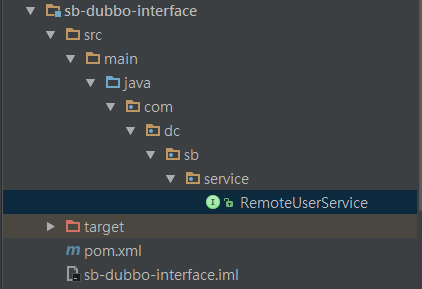
接口类
package com.dc.sb.service;

public interface RemoteUserService {

    String sayHello(String name);

}
2.3、新建provider模块
目录结构
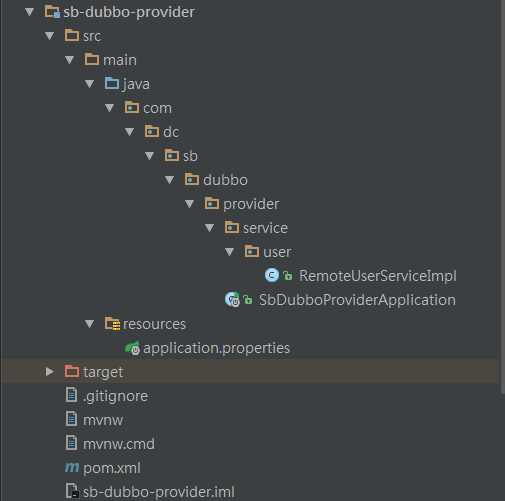
接口实现类
package com.dc.sb.dubbo.provider.service.user;

import com.alibaba.dubbo.config.annotation.Service;

import com.dc.sb.service.RemoteUserService;

import org.slf4j.Logger;

import org.slf4j.LoggerFactory;

import org.springframework.stereotype.Component;

/**

 * dubbo 服务service

 *

 * @author DUCHONG

 * @since 2018-07-03 18:29

 **/

@Component

@Service(version = "1.0.0",timeout = 10000,interfaceClass = RemoteUserService.class)

public class RemoteUserServiceImpl implements RemoteUserService {

    private static final Logger logger = LoggerFactory.getLogger(RemoteUserServiceImpl.class);

    @Override

    public String sayHello(String name) {

        return "Hello "+name;

    }

}
配置文件
server.port=8081

server.context-path=/

spring.application.name=dubbo-spring-boot-starter

spring.dubbo.server=true

spring.dubbo.registry=zookeeper://127.0.0.1:2181
启动类
package com.dc.sb.dubbo.provider;

import com.alibaba.dubbo.spring.boot.annotation.EnableDubboConfiguration;

import org.springframework.boot.SpringApplication;

import org.springframework.boot.autoconfigure.SpringBootApplication;

@SpringBootApplication

@EnableDubboConfiguration

public class SbDubboProviderApplication {

	public static void main(String[] args) {

		SpringApplication.run(SbDubboProviderApplication.class, args);

	}

}
2.4、 消费者模块
目录结构
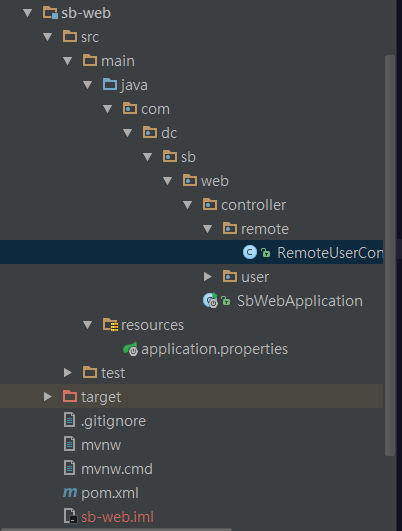
启动类
package com.dc.sb.web;

import com.alibaba.dubbo.spring.boot.annotation.EnableDubboConfiguration;

import com.dc.sb.config.DruidProperties;

import org.mybatis.spring.annotation.MapperScan;

import org.springframework.boot.SpringApplication;

import org.springframework.boot.autoconfigure.SpringBootApplication;

import org.springframework.boot.context.properties.EnableConfigurationProperties;

import org.springframework.context.annotation.ComponentScan;

@SpringBootApplication

@EnableConfigurationProperties({DruidProperties.class})

@MapperScan(basePackages = "com.dc.sb.dao")

@ComponentScan("com.dc.sb.*")

@EnableDubboConfiguration

public class SbWebApplication {

	public static void main(String[] args) {

		SpringApplication.run(SbWebApplication.class, args);

	}

}
配置文件
#server

server.port=8080

server.context-path=/

#mybatis

mybatis.type-aliases-package= com.dc.sb.dao.dataobject

mybatis.mapper-locations= classpath*:META-INF/mybatis/mapper/*.xml

#druid

druid.initialSize= 5

druid.minIdle= 0

druid.maxActive= 20

druid.maxWait= 6000

druid.timeBetweenEvictionRunsMillis= 60000

druid.minEvictableIdleTimeMillis= 300000

druid.validationQuery= SELECT 1 FROM DUAL

druid.testWhileIdle= false

druid.testOnBorrow= false

druid.testOnReturn= false

druid.poolPreparedStatements= true

druid.maxPoolPreparedStatementPerConnectionSize= 20

druid.filters= stat,log4j

#mysql

spring.datasource.driver-class-name= com.mysql.jdbc.Driver

spring.datasource.url= jdbc:mysql://127.0.0.1:3306/test?useUnicode=true&characterEncoding=utf-8&autoReconnect=true&useSSL=false&allowMultiQueries=true

spring.datasource.username= root

spring.datasource.password=root

#redis

spring.redis.host=127.0.0.1

spring.redis.port=6379

spring.redis.password=redis

#dubbo

spring.application.name=dubbo-spring-boot-starter

spring.dubbo.registry=zookeeper://127.0.0.1:2181
引用端
package com.dc.sb.web.controller.remote;

import com.alibaba.dubbo.config.annotation.Reference;

import com.dc.sb.service.RemoteUserService;

import org.springframework.web.bind.annotation.PathVariable;

import org.springframework.web.bind.annotation.RequestMapping;

import org.springframework.web.bind.annotation.RestController;

/**

 * dubbo消费者controller

 * @author DUCHONG

 * @since 2018-07-03 18:44

 **/

@RestController

public class RemoteUserController {

    //timeout 可以不指定,但是version一定要指定 不然会找不到服务 直连需要加url="dubbo://localhost:20880"

    @Reference(version = "1.0.0")

    private RemoteUserService remoteUserService;

    @RequestMapping(value="/dubbo/say/{name}")

    public String sayHello(@PathVariable("name") String name){

        String result=remoteUserService.sayHello(name);

        return result;

    }

}
三、dubbo-admin的启动
下载地址二的包,直接在idea中打开,结构如下:
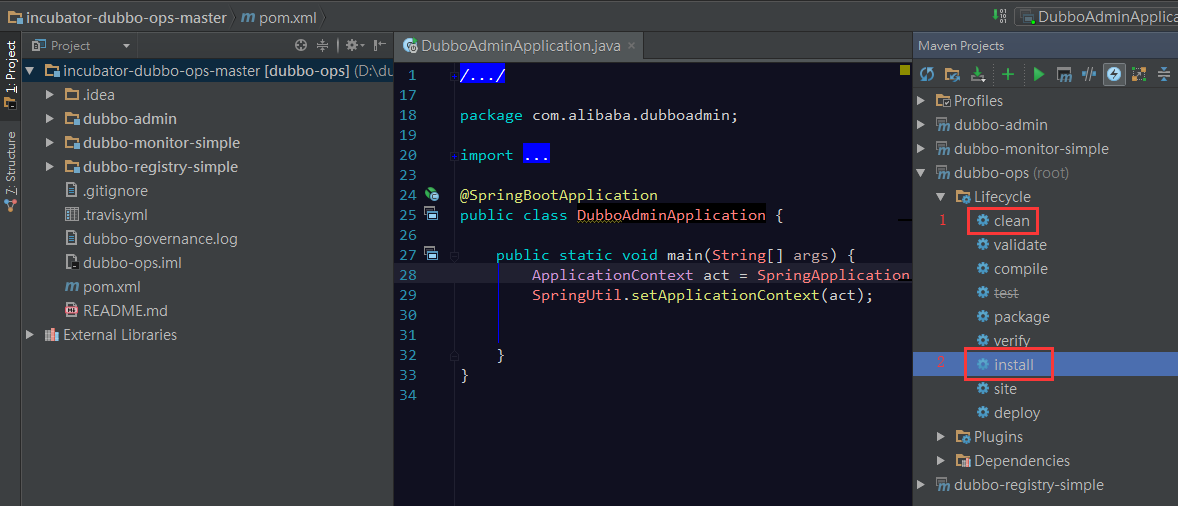
install完成之后,直接右键DubboAdminApplication Run
修改配置文件,位置在 dubbo-admin /src/main/resource下面
#

# Licensed to the Apache Software Foundation (ASF) under one or more

# contributor license agreements.  See the NOTICE file distributed with

# this work for additional information regarding copyright ownership.

# The ASF licenses this file to You under the Apache License, Version 2.0

# (the "License"); you may not use this file except in compliance with

# the License.  You may obtain a copy of the License at

#

#     http://www.apache.org/licenses/LICENSE-2.0

#

# Unless required by applicable law or agreed to in writing, software

# distributed under the License is distributed on an "AS IS" BASIS,

# WITHOUT WARRANTIES OR CONDITIONS OF ANY KIND, either express or implied.

# See the License for the specific language governing permissions and

# limitations under the License.

#

server.port=7001

spring.velocity.cache=false

spring.velocity.charset=UTF-8

spring.velocity.layout-url=/templates/default.vm

spring.messages.fallback-to-system-locale=false

spring.messages.basename=i18n/message

spring.root.password=root

spring.guest.password=guest

dubbo.registry.address=zookeeper://127.0.0.1:2181
根据自己的需要修改,包括dubbo-admin用户名密码,当然zk的配置也是少不了的,具体怎么安装zk,启动以及配置,这里就不多说了,
默认的的用户名和密码为:
root

root

guest

guest
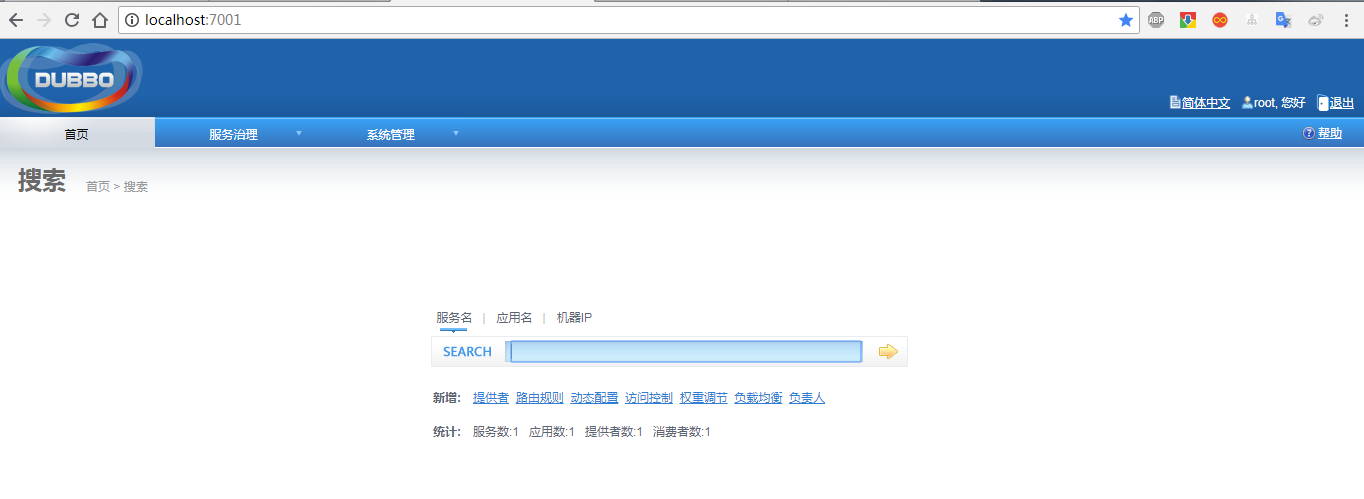
3.1、访问
localhost:7001
首页
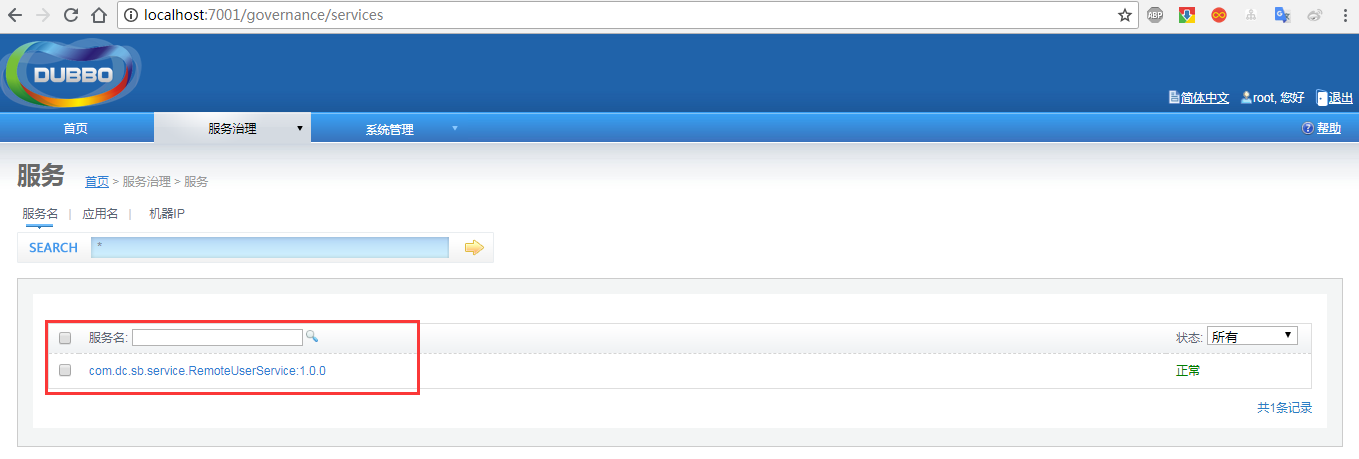
service
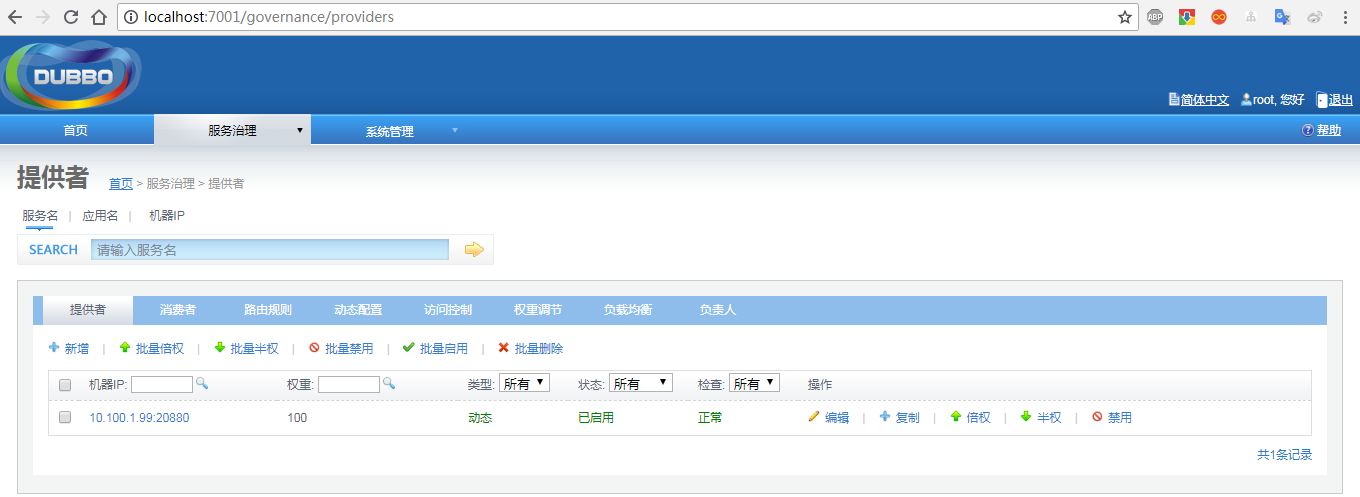
provider
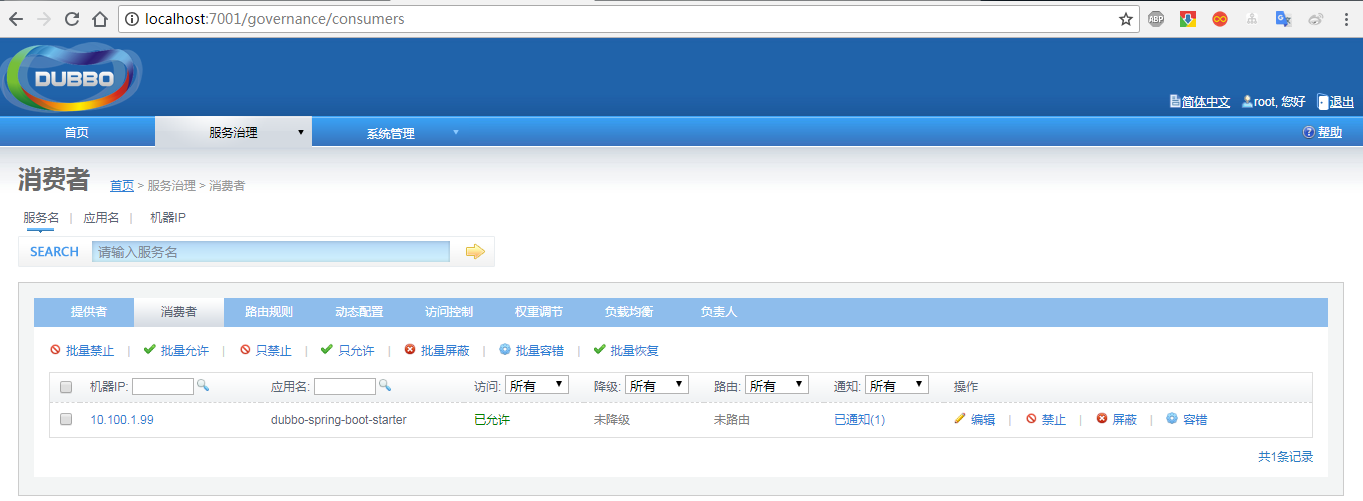
consumer
完整代码已上传github 欢迎fork 传送门
springboot整合最新版dubbo以及dubbo-admin的安装的更多相关文章
- SpringBoot整合RabbitMQ-整合演示
本系列是学习SpringBoot整合RabbitMQ的练手,包含服务安装,RabbitMQ整合SpringBoot2.x,消息可靠性投递实现等三篇博客. 学习路径:https://www.imooc. ...
- SpringBoot整合RabbitMQ-消息可靠性投递
本系列是学习SpringBoot整合RabbitMQ的练手,包含服务安装,RabbitMQ整合SpringBoot2.x,消息可靠性投递实现等三篇博客. 学习路径:https://www.imooc. ...
- SpringBoot整合RabbitMQ-服务安装
本系列是学习SpringBoot整合RabbitMQ的练手,包含服务安装,RabbitMQ整合SpringBoot2.x,消息可靠性投递实现等三篇博客. 学习路径:https://www.imooc. ...
- springboot整合dubbo+zookeeper最新详细
引入 最近和小伙伴做一个比赛,处于开发阶段,因为涉及的服务比较多,且服务需要分开部署在不同的服务器上,讨论之后,打算采用分布式来做,之前学习springboot的时候,部分章节涉及到了springbo ...
- Springboot 整合 Dubbo/ZooKeeper 详解 SOA 案例
摘要: 原创出处:www.bysocket.com 泥瓦匠BYSocket 希望转载,保留摘要,谢谢! “看看星空,会觉得自己很渺小,可能我们在宇宙中从来就是一个偶然.所以,无论什么事情,仔细想一 ...
- springboot整合dubbo\zookeeper做注册中心
springboot整合dubbo发布服务,zookeeper做注册中心.前期的安装zookeeper以及启动zookeeper集群就不说了. dubbo-admin-2.5.4.war:dubbo服 ...
- SpringBoot整合dubbo
Dubbo是阿里巴巴公司开源的一个高性能优秀的服务框架,使得应用可通过高性能的 RPC 实现服务的输出和输入功能,可以和Spring框架无缝集成. 以上介绍来源于百度百科,具体dubbo相关可以自行查 ...
- SpringBoot 整合使用dubbo
这里主要是按照teaey作者的spring-boot-starter-dubbo框架进行一些变化的使用 依赖包: <dependency> <groupId>com.aliba ...
- 【转】SpringBoot学习笔记(7) SpringBoot整合Dubbo(使用yml配置)
http://blog.csdn.net/a67474506/article/details/61640548 Dubbo是什么东西我这里就不详细介绍了,自己可以去谷歌 SpringBoot整合Dub ...
随机推荐
- SQL之 UNION ALL 和UNION
有时候复杂的逻辑处理可以交给SQL来处理,自认为是比java处理要快点. 举个例子:如何统计每个品牌的的偏好用户数? 当时我做的处理是在java中处理这些品牌,若是品牌相同,就加一,但是这种方法很慢, ...
- 【angularJS】启动(bootstrap)机制
Angular的启动分为手动和自动两种. 自动启动 定义模块的例子中,采用的就是自动的方式:通过内置的指令ngApp 来指定启动时加载的模块.<html ng-app="myApp&q ...
- 开启opcache提高性能
在开启opcache之前,我们先介绍一下编译与解释: 编译器是把源程序的每一条语句都编译成机器语言,并保存成二进制文件,这样运行时计算机可以直接以机器语言来运行此程序,速度很快:而解释器则是只在执行程 ...
- matplotlib ----- 清空图片
关闭单个图: fig = plt.figure(0) # 新图 0 plt.savefig() # 保存 plt. close(0) # 关闭图 0 关闭所有图不用管 fig 号码 fig = p ...
- Discuz! X2.5RC 全新安装图文教程
http://www.discuz.net/thread-2660015-1-1.html 一步步教你利用Discuz X2.5建设论坛视频教程(174集) http://down.51cto.com ...
- Python学习总结之一 -- 基础篇
Python学习第一篇 一:写在前面 啊,最近我的新博客一直都没有更新学习内容了,只是最近一直都在忙着寻找实习机会(或许这只是一个借口,真实原因是我太懒惰了,改改改!).终于今天又投递了几个新的实习职 ...
- 面向对象(PHP学习)
在对超大型项目的开发过程中,如果使用面向过程地开发,代码量是非常的庞大,这将大量的用到判断和循环嵌套, 和很多很相似的代码,不仅使项目代码量更加的庞大,还不利于开发,重用及维护. 面向对象就能很好的解 ...
- 数据结构与算法JavaScript描述——使用队列
1.使用队列:方块舞的舞伴分配问题 前面我们提到过,经常用队列模拟排队的人.下面我们使用队列来模拟跳方块舞的人.当 男男女女来到舞池,他们按照自己的性别排成两队.当舞池中有地方空出来时,选两个队 列中 ...
- 操作系统-百科:Linux
ylbtech-操作系统-百科:Linux Linux是一套免费使用和自由传播的类Unix操作系统,是一个基于POSIX和UNIX的多用户.多任务.支持多线程和多CPU的操作系统.它能运行主要的UNI ...
- python学习(二十四) 字符串格式化
1: Test 1 a = 'city' b = 'country' print(" aaa %s bbb %s " % (a, b)) result: aaa city bbb ...