
CSharpGL(29)初步封装Texture和Framebuffer
CSharpGL(29)初步封装Texture和Framebuffer
Texture和Framebuffer
Texture和Framebuffer是OpenGL进行3D渲染高级效果必不可少的利器。有了Texture和Framebuffer就可以实现体渲染(Volume Rendering)等效果。现在到了对Texture和Framebuffer的创建、修改、使用进行封装的时候。
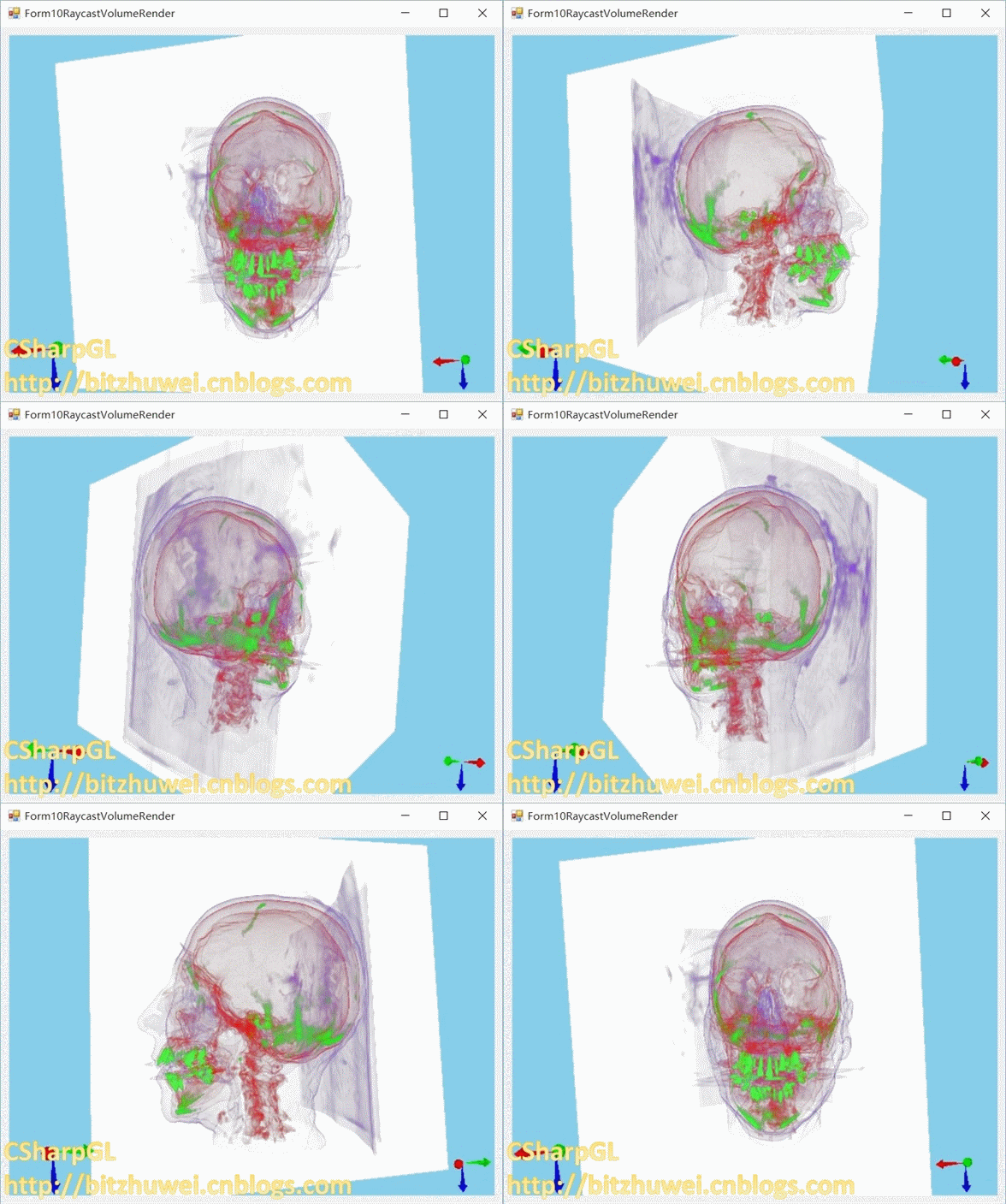
下载
CSharpGL已在GitHub开源,欢迎对OpenGL有兴趣的同学加入(https://github.com/bitzhuwei/CSharpGL)
封装Texture
过程式的Texture
首先观察一下平时是如何创建和使用Texture对象的。
创建Texture
以创建2D Texture为例。
 uint CreateTexture(Bitmap bitmap)

 {

     glActiveTexture(OpenGL.GL_TEXTURE0);

     var id = new uint[];

     OpenGL.GenTextures(, id);

     OpenGL.BindTexture(target, id[]);

     OpenGL.TexParameteri(OpenGL.GL_TEXTURE_2D, OpenGL.GL_TEXTURE_WRAP_R, (int)OpenGL.GL_CLAMP_TO_EDGE);

     OpenGL.TexParameteri(OpenGL.GL_TEXTURE_2D, OpenGL.GL_TEXTURE_WRAP_S, (int)OpenGL.GL_CLAMP_TO_EDGE);

     OpenGL.TexParameteri(OpenGL.GL_TEXTURE_2D, OpenGL.GL_TEXTURE_WRAP_T, (int)OpenGL.GL_CLAMP_TO_EDGE);

     OpenGL.TexParameteri(OpenGL.GL_TEXTURE_2D, OpenGL.GL_TEXTURE_MIN_FILTER, (int)OpenGL.GL_REPEAT);

     OpenGL.TexParameteri(OpenGL.GL_TEXTURE_2D, OpenGL.GL_TEXTURE_MAG_FILTER, (int)OpenGL.GL_REPEAT);

     BitmapData bitmapData = bitmap.LockBits(new Rectangle(, , bitmap.Width, bitmap.Height),

         ImageLockMode.ReadOnly, PixelFormat.Format32bppArgb);

     OpenGL.TexImage2D(OpenGL.GL_TEXTURE_2D, , OpenGL.GL_RGBA, bitmap.Width, bitmap.Height, , OpenGL.GL_BGRA, OpenGL.GL_UNSIGNED_BYTE, bitmapData.Scan0);

     bitmap.UnlockBits(bitmapData);

     return id[];

 }
CreateTexture
使用Texture
使用上述Texture的方式:
 void UseTexture(string textureNameInShader, uint textureId)

 {

     uint target = OpenGL.GL_TEXTURE0;

     glActiveTexture(target);

     OpenGL.BindTexture(OpenGL.GL_TEXTURE_2D, textureId);

     SetUniform("textureNameInShader", target - OpenGL.GL_TEXTURE0);

 }

 int SetUniform(string uniformName, uint v0)

 {

     int location = GetUniformLocation(uniformName);

     if (location >= )

     {

         glUniform1ui(GetUniformLocation(uniformName), v0);

     }

     return location;

 }
封装的Texture
从上述创建Texture的过程可知,创建Texture主要有2个步骤:设置Sampler和填充Texture数据。Sampler就是各个滤波选项。填充数据就是用glTexImage2D()一类的命令指定Texture的内容。
 void Initialize()

 {

     glActiveTexture(this.ActiveTexture);

     OpenGL.GenTextures(, id);

     BindTextureTarget target = this.Target;

     OpenGL.BindTexture(target, id[]);

     this.Sampler.Bind(this.ActiveTexture - OpenGL.GL_TEXTURE0, target);

     this.ImageFiller.Fill(target);

     OpenGL.GenerateMipmap((MipmapTarget)((uint)target));// TODO: does this work?

     //this.SamplerBuilder.Unbind(OpenGL.GL_TEXTURE0 - OpenGL.GL_TEXTURE0, this.Target);

     OpenGL.BindTexture(this.Target, );

 }
Sampler
Sampler中主要就是那几个滤波选项。
     /// <summary>

     /// texture's settings.

     /// </summary>

     public class SamplerParameters

     {

         public TextureWrapping wrapS = TextureWrapping.ClampToEdge;

         public TextureWrapping wrapT = TextureWrapping.ClampToEdge;

         public TextureWrapping wrapR = TextureWrapping.ClampToEdge;

         public TextureFilter minFilter = TextureFilter.Linear;

         public TextureFilter magFilter = TextureFilter.Linear;

         public SamplerParameters() { }

     }
Sampler的唯一任务就是在创建Texture时指定某些滤波。
     /// <summary>

     /// texture's settings.

     /// </summary>

     public abstract class SamplerBase

     {

         protected MipmapFilter mipmapFilter;

         public SamplerParameters Parameters { get; protected set; }

         /// <summary>

         /// texture's settings.

         /// </summary>

         /// <param name="parameters"></param>

         /// <param name="mipmapFilter"></param>

         public SamplerBase(SamplerParameters parameters, MipmapFilter mipmapFilter)

         {

             if (parameters == null)

             {

                 this.Parameters = new SamplerParameters();

             }

             else

             {

                 this.Parameters = parameters;

             }

             this.mipmapFilter = mipmapFilter;

         }

         /// <summary>

         ///

         /// </summary>

         /// <param name="unit">OpenGL.GL_TEXTURE0 etc.</param>

         /// <param name="target"></param>

         public abstract void Bind(uint unit, BindTextureTarget target);

     }
实际上为了简化指定Sampler的操作,OpenGL提供了一个Sampler对象。这里顺便也把它封装了。
     /// <summary>

     /// texture's settings.

     /// </summary>

     public partial class Sampler : SamplerBase, IDisposable

     {

         /// <summary>

         /// sampler's Id.

         /// </summary>

         public uint Id { get; private set; }

         /// <summary>

         /// texture's settings.

         /// </summary>

         /// <param name="parameters"></param>

         /// <param name="mipmapFiltering"></param>

         public Sampler(

             SamplerParameters parameters = null,

             MipmapFilter mipmapFiltering = MipmapFilter.LinearMipmapLinear)

             : base(parameters, mipmapFiltering)

         {

         }

         private bool initialized = false;

         /// <summary>

         ///

         /// </summary>

         public void Initialize(uint unit, BindTextureTarget target)

         {

             if (!this.initialized)

             {

                 this.DoInitialize(unit, target);

                 this.initialized = true;

             }

         }

         private void DoInitialize(uint unit, BindTextureTarget target)

         {

             var ids = new uint[];

             OpenGL.GenSamplers(, ids);

             this.Id = ids[];

             //OpenGL.BindSampler(unit, ids[0]);

             OpenGL.BindSampler(unit, ids[]);

             /* Clamping to edges is important to prevent artifacts when scaling */

             OpenGL.SamplerParameteri(ids[], OpenGL.GL_TEXTURE_WRAP_R, (int)this.parameters.wrapR);

             OpenGL.SamplerParameteri(ids[], OpenGL.GL_TEXTURE_WRAP_S, (int)this.parameters.wrapS);

             OpenGL.SamplerParameteri(ids[], OpenGL.GL_TEXTURE_WRAP_T, (int)this.parameters.wrapT);

             /* Linear filtering usually looks best for text */

             OpenGL.SamplerParameteri(ids[], OpenGL.GL_TEXTURE_MIN_FILTER, (int)this.parameters.minFilter);

             OpenGL.SamplerParameteri(ids[], OpenGL.GL_TEXTURE_MAG_FILTER, (int)this.parameters.magFilter);

             // TODO: mipmap not used yet.

             OpenGL.BindSampler(unit, );

         }

         /// <summary>

         /// texture's settings.

         /// </summary>

         /// <param name="unit">OpenGL.GL_TEXTURE0 etc.</param>

         /// <param name="target"></param>

         public override void Bind(uint unit, BindTextureTarget target)

         {

             if (!this.initialized) { this.Initialize(unit, target); }

             OpenGL.BindSampler(unit, this.Id);

         }

     }
Sampler
当然也可以不用这个OpenGL的Sampler对象,直接用glTexParameteri()等指令。这就像是一个假的Sampler对象在工作。
     /// <summary>

     /// texture's settings.

     /// </summary>

     public class FakeSampler : SamplerBase

     {

         /// <summary>

         /// texture's settings.

         /// </summary>

         /// <param name="parameters"></param>

         /// <param name="mipmapFiltering"></param>

         public FakeSampler(SamplerParameters parameters, MipmapFilter mipmapFiltering)

             : base(parameters, mipmapFiltering)

         {

         }

         /// <summary>

         /// texture's settings.

         /// </summary>

         /// <param name="unit">OpenGL.GL_TEXTURE0 etc.</param>

         /// <param name="target"></param>

         public override void Bind(uint unit, BindTextureTarget target)

         {

             /* Clamping to edges is important to prevent artifacts when scaling */

             OpenGL.TexParameteri((uint)target, OpenGL.GL_TEXTURE_WRAP_R, (int)this.parameters.wrapR);

             OpenGL.TexParameteri((uint)target, OpenGL.GL_TEXTURE_WRAP_S, (int)this.parameters.wrapS);

             OpenGL.TexParameteri((uint)target, OpenGL.GL_TEXTURE_WRAP_T, (int)this.parameters.wrapT);

             /* Linear filtering usually looks best for text */

             OpenGL.TexParameteri((uint)target, OpenGL.GL_TEXTURE_MIN_FILTER, (int)this.parameters.minFilter);

             OpenGL.TexParameteri((uint)target, OpenGL.GL_TEXTURE_MAG_FILTER, (int)this.parameters.magFilter);

             // TODO: mipmap filter not working yet.

         }

     }
FakeSampler
当然,有的时候根本不需要指定任何滤波选项。这可以用一个空的Sampler类型实现。
     /// <summary>

     /// do nothing about sampling in building texture.

     /// </summary>

     public class NullSampler : SamplerBase

     {

         /// <summary>

         /// do nothing about sampling in building texture.

         /// </summary>

         public NullSampler() : base(null, MipmapFilter.LinearMipmapLinear) { }

         /// <summary>

         /// do nothing.

         /// </summary>

         /// <param name="unit">OpenGL.GL_TEXTURE0 etc.</param>

         /// <param name="target"></param>

         public override void Bind(uint unit, BindTextureTarget target)

         {

             // nothing to do.

         }

     }
ImageFiller
填充数据就是用 glTexImage2D() 、 glTexStorage2D() 等指令设置Texture的内容。ImageFiller就是封装这一操作的。
     /// <summary>

     /// build texture's content.

     /// </summary>

     public abstract class ImageFiller

     {

         /// <summary>

         /// build texture's content.

         /// </summary>

         /// <param name="target"></param>

         public abstract void Fill(BindTextureTarget target);

     }
对于常见的以 System.Drawing.Bitmap 为数据源填充Texture的情形,可以用下面的BitmapFiller。它可以作为1D/2D的Texture对象的填充器。
     /// <summary>

     /// build texture's content with Bitmap.

     /// </summary>

     public class BitmapFiller : ImageFiller

     {

         private System.Drawing.Bitmap bitmap;

         private int level;

         private uint internalformat;

         private int border;

         private uint format;

         private uint type;

         /// <summary>

         /// build texture's content with Bitmap.

         /// </summary>

         /// <param name="bitmap"></param>

         /// <param name="level"></param>

         /// <param name="internalformat">OpenGL.GL_RGBA etc.</param>

         /// <param name="border"></param>

         /// <param name="format">OpenGL.GL_BGRA etc.</param>

         /// <param name="type">OpenGL.GL_UNSIGNED_BYTE etc.</param>

         public BitmapFiller(System.Drawing.Bitmap bitmap,

             int level, uint internalformat, int border, uint format, uint type)

         {

             this.bitmap = bitmap;

             this.level = level;

             this.internalformat = internalformat;

             this.border = border;

             this.format = format;

             this.type = type;

         }

         /// <summary>

         /// build texture's content with Bitmap.

         /// </summary>

         /// <param name="target"></param>

         public override void Fill(BindTextureTarget target)

         {

             // generate texture.

             //  Lock the image bits (so that we can pass them to OGL).

             BitmapData bitmapData = bitmap.LockBits(new Rectangle(, , bitmap.Width, bitmap.Height),

                 ImageLockMode.ReadOnly, PixelFormat.Format32bppArgb);

             if (target == BindTextureTarget.Texture1D)

             {

                 OpenGL.TexImage1D((uint)target, , this.internalformat, bitmap.Width, , this.format, this.type, bitmapData.Scan0);

             }

             else if (target == BindTextureTarget.Texture2D)

             {

                 OpenGL.TexImage2D((uint)target, , this.internalformat, bitmap.Width, bitmap.Height, , this.format, this.type, bitmapData.Scan0);

             }

             else

             { throw new NotImplementedException(); }

             //  Unlock the image.

             bitmap.UnlockBits(bitmapData);

         }

     }
BitmapFiller
还有一个常见的填充方式 glTexStorage2D() ,可以用下面的TexStorageImageFiller实现。
     /// <summary>

     ///

     /// </summary>

     public class TexStorageImageFiller : ImageFiller

     {

         private int levels;

         private uint internalFormat;

         private int width;

         private int height;

         /// <summary>

         ///

         /// </summary>

         /// <param name="levels"></param>

         /// <param name="internalFormat"></param>

         /// <param name="width"></param>

         /// <param name="height"></param>

         public TexStorageImageFiller(int levels, uint internalFormat, int width, int height)

         {

             // TODO: Complete member initialization

             this.levels = levels;

             this.internalFormat = internalFormat;

             this.width = width;

             this.height = height;

         }

         /// <summary>

         ///

         /// </summary>

         /// <param name="target"></param>

         public override void Fill(BindTextureTarget target)

         {

             switch (target)

             {

                 case BindTextureTarget.Unknown:

                     break;

                 case BindTextureTarget.Texture1D:

                     break;

                 case BindTextureTarget.Texture2D:

                     OpenGL.TexStorage2D(TexStorage2DTarget.Texture2D, levels, internalFormat, width, height);

                     break;

                 case BindTextureTarget.Texture3D:

                     break;

                 case BindTextureTarget.TextureCubeMap:

                     break;

                 case BindTextureTarget.TextureBuffer:

                     break;

                 default:

                     break;

             }

         }

     }
TexStorageImageFiller
创建Texture
用封装的类型创建Texture的方式如下:
 Texture Create(Bitmap bitmap)

 {

     var texture = new Texture(BindTextureTarget.Texture2D,

         new BitmapFiller(bitmap, , OpenGL.GL_RGBA32F, , OpenGL.GL_BGRA, OpenGL.GL_UNSIGNED_BYTE),

         new SamplerParameters(

             TextureWrapping.ClampToEdge,

             TextureWrapping.ClampToEdge,

             TextureWrapping.ClampToEdge,

             TextureFilter.Linear,

             TextureFilter.Linear));

     texture.Initialize();

     return texture;

 }
使用Texture
Texutre.Id就是用 glGenTextures() 获得的id。Texture中记录了此Texture的ActiveTexture、Target等属性。配合CSharpGL中的 samplerValue ,我们有:
         /// <summary>

         /// get <see cref="samplerValue"/> from this texture.

         /// </summary>

         /// <param name="texture"></param>

         /// <returns></returns>

         public static samplerValue ToSamplerValue(this Texture texture)

         {

             return new samplerValue(

                 texture.Target,

                 texture.Id,

                 texture.ActiveTexture);

         }
这就可以用到设置shader中需要的Texture上:
this.SetUniform("tex", texture.ToSamplerValue());
封装Framebuffer
过程式的Framebuffer
首先观察一下平时是如何创建和使用Framebuffer对象的。
创建Framebuffer
为关注重点,这里直接传入Texture的Id。
 uint Create(int width, int height, uint textureId)

 {

     // create framebuffer.

     var frameBufferId = new uint[];

     glGenFramebuffers(, frameBufferId);

     glBindFramebuffer(OpenGL.GL_FRAMEBUFFER, frameBufferId);

     // attach texture as a color buffer.

     glFramebufferTexture2D(OpenGL.GL_FRAMEBUFFER, OpenGL.GL_COLOR_ATTACHMENT0, OpenGL.GL_TEXTURE_2D, textureId, );

     // create a depth buffer.

     var renderbufferId = new uint[];

     glGenRenderbuffers(, renderbufferId);

     glBindRenderbuffer(OpenGL.GL_RENDERBUFFER, renderbufferId[]);

     glRenderbufferStorage(OpenGL.GL_RENDERBUFFER, OpenGL.GL_DEPTH_COMPONENT, width, height);

     // attach depth buffer.

     glFramebufferRenderbuffer(OpenGL.GL_RENDERBUFFER, OpenGL.GL_DEPTH_ATTACHMENT, OpenGL.GL_RENDERBUFFER, renderbufferId);

     glBindFramebuffer(OpenGL.GL_RENDERBUFFER, );

     return frameBufferId;

 }
使用Framebuffer
使用方式与Texture类似,只要绑定就可以了。
glBindFramebuffer(OpenGL.GL_FRAMEBUFFER, frameBufferId);
用完再解绑。
glBindFramebuffer(OpenGL.GL_FRAMEBUFFER, );
封装的Framebuffer
Framebuffer就是一个盒子,单独创建一个Framebuffer基本上是没什么用的。必须Attach一些colorbuffer/depthbuffer/texture才能发挥作用。
一个Framebuffer能够绑定多个texture和colorbuffer,只能绑定一个depthbuffer。
Renderbuffer
colorbuffer和depthbuffer都属于Renderbuffer的一种,其创建方式相同,只不过有一个标识其为colorbuffer还是depthbuffer的标志不同。
创建Renderbuffer很简单。
     /// <summary>

     /// Create, update, use and delete a renderbuffer object.

     /// </summary>

     public partial class Renderbuffer

     {

         uint[] renderbuffer = new uint[];

         /// <summary>

         /// Framebuffer Id.

         /// </summary>

         public uint Id { get { return renderbuffer[]; } }

         /// <summary>

         /// Create, update, use and delete a renderbuffer object.

         /// </summary>

         /// <param name="width"></param>

         /// <param name="height"></param>

         /// <param name="internalformat">GL_DEPTH_COMPONENT, GL_RGBA etc.</param>

         /// <param name="bufferType"></param>

         public Renderbuffer(int width, int height, uint internalformat, RenderbufferType bufferType)

         {

             this.Width = width;

             this.Height = height;

             this.BufferType = bufferType;

             glGenRenderbuffers(, renderbuffer);

             glBindRenderbuffer(OpenGL.GL_RENDERBUFFER, renderbuffer[]);

             glRenderbufferStorage(OpenGL.GL_RENDERBUFFER,

                 internalformat, width, height);

         }

         public int Width { get; set; }

         public int Height { get; set; }

         public RenderbufferType BufferType { get; private set; }

     }

     public enum RenderbufferType

     {

         DepthBuffer,

         ColorBuffer,

     }
创建Framebuffer
创建Framebuffer也很简单,实际上只是调用了一个 glGenFramebuffers(, frameBuffer); 命令。
     /// <summary>

     /// Create, update, use and delete a framebuffer object.

     /// </summary>

     public partial class Framebuffer : IDisposable

     {

         uint[] frameBuffer = new uint[];

         /// <summary>

         /// Framebuffer Id.

         /// </summary>

         public uint Id { get { return frameBuffer[]; } }

         /// <summary>

         /// Create an empty framebuffer object.

         /// </summary>

         public Framebuffer()

         {

             glGenFramebuffers(, frameBuffer);

         }

     }

     /// <summary>

     ///

     /// </summary>

     public enum FramebufferTarget : uint

     {

         /// <summary>

         /// used to draw(write only) something.

         /// </summary>

         DrawFramebuffer = OpenGL.GL_DRAW_FRAMEBUFFER,

         /// <summary>

         /// used to read from(read only).

         /// </summary>

         ReadFramebuffer = OpenGL.GL_READ_FRAMEBUFFER,

         /// <summary>

         /// both read/write.

         /// </summary>

         Framebuffer = OpenGL.GL_FRAMEBUFFER,

     }
使用Framebuffer
使用方式与Texture类似,只要绑定就可以了。
framebuffer.Bind();// glBindFramebuffer(OpenGL.GL_FRAMEBUFFER, framebufferId);
用完再解绑。
framebuffer.Unbind();// glBindFramebuffer(OpenGL.GL_FRAMEBUFFER, 0);
这与未封装的使用方式没什么区别。
总结
基于目前我对Texture和Framebuffer的了解,现在只能封装到这个地步。
CSharpGL(29)初步封装Texture和Framebuffer的更多相关文章
- httpclient初步封装
Http通信方式:HttpURLConnection和HttpClient HttpURLConnection是java的标准类,什么都没封装,用起来太原始,不方便HttpClient就是一个增强版的 ...
- 接口自动化:HttpClient + TestNG + Java(三) - 初步封装和testng断言
在上一篇中,我们写了第一个get请求的测试类,这一篇我们来对他进行初步优化和封装 3.1 分离请求发送类 首先想到的问题是,以后我们的接口自动化测试框架会大量用到发送http请求的功能. 那么这一部分 ...
- selenium2.0的初步封装(java版本)
我们都知道, 在本地创建java项目后,引入selenium-java-2.35.0.jar selenium-support-2.35.0.jar junit-4.8.1.jar等等jar包之后 ...
- 【NET】Winform用户控件的初步封装之编辑控件
编辑控件 public abstract partial class TEditorBase <TEntity, TRepository, TSqlStrConstruct> : User ...
- AFN的初步封装(post、GET、有无参数)
#import <Foundation/Foundation.h> #import <UIKit/UIKit.h> @interface MyURLPost : NSObjec ...
- 小记:对Android网络下载工具的初步封装!(包括json,字符串下载(volley),和图片下载(glide))
import android.content.Context; import android.net.ConnectivityManager; import android.net.NetworkIn ...
- 【NET】Winform用户控件的初步封装之列表页控件
public abstract partial class TListPager<TEntity, TRepository, TSqlStrConstruct> : UserControl ...
- BIT祝威博客汇总(Blog Index)
+BIT祝威+悄悄在此留下版了个权的信息说: 关于硬件(Hardware) <穿越计算机的迷雾>笔记 继电器是如何成为CPU的(1) 继电器是如何成为CPU的(2) 关于操作系统(Oper ...
- CSharpGL(1)从最简单的例子开始使用CSharpGL
CSharpGL(1)从最简单的例子开始使用CSharpGL 2016-08-13 由于CSharpGL一直在更新,现在这个教程已经不适用最新的代码了.CSharpGL源码中包含10多个独立的Demo ...
随机推荐
- 十分钟介绍mobx与react
原文地址:https://mobxjs.github.io/mobx/getting-started.html 写在前面:本人英语水平有限,主要是写给自己看的,若有哪位同学看到了有问题的地方,请为我指 ...
- js学习笔记:操作iframe
iframe可以说是比较老得话题了,而且网上也基本上在说少用iframe,其原因大致为:堵塞页面加载.安全问题.兼容性问题.搜索引擎抓取不到等等,不过相对于这些缺点,iframe的优点更牛,跨域请求. ...
- 【腾讯bugly干货分享】HTML 5 视频直播一站式扫盲
本文来自于腾讯bugly开发者社区,非经作者同意,请勿转载,原文地址:http://bugly.qq.com/bbs/forum.php?mod=viewthread&tid=1277 视频直 ...
- iframe用法
<iframe src="http://caiyanli.top/" height="500" width="500" frameb ...
- InnoDB体系结构学习笔记
后台线程 Master Thread 核心的后台线程,主要负责将缓冲池的数据异步刷新到磁盘,保证数据的一致性,包括(脏页的刷新).合并插入缓冲.(UNDO页的回收)等 IO Thread 4个writ ...
- Python应用03 使用PyQT制作视频播放器
作者:Vamei 出处:http://www.cnblogs.com/vamei 严禁任何形式转载. 最近研究了Python的两个GUI包,Tkinter和PyQT.这两个GUI包的底层分别是Tcl/ ...
- C#多线程之线程同步篇3
在上一篇C#多线程之线程同步篇2中,我们主要学习了AutoResetEvent构造.ManualResetEventSlim构造和CountdownEvent构造,在这一篇中,我们将学习Barrier ...
- Linux基础介绍【第九篇】
服务器添加3块磁盘的体系结构 [root@oldboylinux test]# free -m total used free shared buffers cached M ...
- Linux网卡驱动安装、防火墙原理
安装网卡驱动程序: 需要检查是否安装kernel依赖包: rpm –q kernel-devel #检查kernel依赖包是否安装 yum –y install kernel-devel 检查gcc和 ...
- linux之查看系统命令
cpu信息 1.查看逻辑cpu核数 # cat /proc/cpuinfo| grep "processor"| wc -l 2.查看物理cpu个数 # cat /proc/cpu ...