
如何在Console下面生成一个WIN32窗口
一个小挑战?
VS2017里面,新建一个控制台工程,输入名字(你不需要也成,有默认的),得到一个控制台工程。
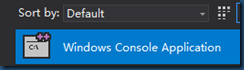
好了,生成的代码,如下:
// Win32InConsole.cpp : This file contains the 'main' function. Program execution begins and ends there.

//

#include "pch.h"

#include <iostream>

int main()

{

    std::cout << "Hello World!\n";

}

// Run program: Ctrl + F5 or Debug > Start Without Debugging menu

// Debug program: F5 or Debug > Start Debugging menu

// Tips for Getting Started:

//   1. Use the Solution Explorer window to add/manage files

//   2. Use the Team Explorer window to connect to source control

//   3. Use the Output window to see build output and other messages

//   4. Use the Error List window to view errors

//   5. Go to Project > Add New Item to create new code files, or Project > Add Existing Item to add existing code files to the project

//   6. In the future, to open this project again, go to File > Open > Project and select the .sln file
这里有一大堆的废代码,但是,我还是把它放上来了,忘了说,我的VS2017语言版本是英文版的,为什么弄英文版呢?因为我不想遇到太多的与中文与VS2017相关的麻烦,反正就是,设置为英文,好外多多,你不会动不动因为这VS的一些BUG而导致工作流中断,最后,你找来找去,才发现,原来是VS的问题。
现在上正题,代码如下:
// Win32InConsole.cpp : This file contains the 'main' function. Program execution begins and ends there.

//

#include "pch.h"

#include <iostream>

#include <windows.h>

#define CLASS_NAME TEXT("First")

int NewWindow();

int main()

{

    std::cout << "Hello World!\n";

    return NewWindow();

}

// Run program: Ctrl + F5 or Debug > Start Without Debugging menu

// Debug program: F5 or Debug > Start Debugging menu

// Tips for Getting Started:

//   1. Use the Solution Explorer window to add/manage files

//   2. Use the Team Explorer window to connect to source control

//   3. Use the Output window to see build output and other messages

//   4. Use the Error List window to view errors

//   5. Go to Project > Add New Item to create new code files, or Project > Add Existing Item to add existing code files to the project

//   6. In the future, to open this project again, go to File > Open > Project and select the .sln file

//我就不声明了,在这里直接上代码

LRESULT CALLBACK WndProc(HWND hWnd, UINT message, WPARAM wParam, LPARAM lParam)

{

    switch (message)

    {

    case WM_DESTROY:

        PostQuitMessage(0); //一定要加啊

        break;

    default:

        break;

    }

    return DefWindowProc(hWnd, message, wParam, lParam);

}

int NewWindow()

{

    WNDCLASS ws = { 0 };

    ws.cbClsExtra = sizeof(ws);

    ws.lpfnWndProc = WndProc;

    ws.lpszClassName = CLASS_NAME;

    if (!::RegisterClass(&ws)) return -1;

    HWND hWnd = CreateWindow(CLASS_NAME, CLASS_NAME, WS_OVERLAPPEDWINDOW

        , 100, 100, 800, 600, NULL, NULL, NULL, NULL);

    if (!hWnd) return -2;

    ShowWindow(hWnd, SW_SHOW);

    MSG msg;

    while (GetMessage(&msg, NULL, NULL, NULL))

    {

        TranslateMessage(&msg);

        DispatchMessage(&msg);

    }

    return msg.wParam;

}
好了,事情就是这么简单!!!
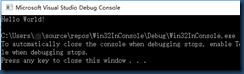
附上两个图:
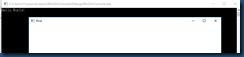
关闭WIN32窗口后
如何在Console下面生成一个WIN32窗口的更多相关文章
- cmake 如何生成一个win32工程
只需要加上下面一句连接选项就可以了. IF(WIN32) SET(CMAKE_EXE_LINKER_FLAGS "${CMAKE_EXE_LINKER_FLAGS} /SUBSYSTEM:W ...
- 要生成一个窗口,通常使用Window的子类Frame类进行实例化
要生成一个窗口,通常使用Window的子类Frame类进行实例化,而不是直接使用Window 类,框架的外观就像平常Windows系统下的窗口,有标题.边框. 菜单 和大小等. setSize()方法 ...
- Nehe OpenGL教程第一课-创建一个OpenGL窗口(Win32)
原文英文地址为:Creating an OpenGL Window (Win32),翻译的chm中文格式文档下载地址为:OpenGL教程电子书(chm格式)中文版,源代码在官网上也可以下载到,每 ...
- 如何在github上展示作品——为你的项目生成一个快速访问的网址如(DaisyWang88.github.io)
(这里值针对Windos系统的,因为本人用的是Window系统,暂时没有条件在其他平台上测试) 1.创建命名为 <userName>.github.io的仓库. 这里的u ...
- 第一个手写Win32窗口程序
第一个手写Win32窗口程序 一 Windows编程基础 1 Win32应用程序的基本类型 1.1 控制台程序 不需要完善的Windows窗口,可以使用DOS窗口 的方式显示. 1.2 Win32窗口 ...
- (7)nehe教程1 创建一个OpenGL窗口:
不要用那个nehe ndk了 误人子弟! 转自: 一个窗口,代码可真多啊 http://www.yakergong.net/nehe/ 在这个教程里,我将教你在Windows环境中创建OpenGL程序 ...
- 如何在pyqt中给无边框窗口添加DWM环绕阴影
前言 在之前的博客<如何在pyqt中通过调用SetWindowCompositionAttribute实现Win10亚克力效果>中,我们实现了窗口的亚克力效果,同时也用SetWindowC ...
- 让我们写一个 Win32 文本编辑器吧 - 2. 计划和显示
让我们写一个 Win32 文本编辑器吧 - 2. 计划和显示 如果你已经阅读了简介,相信你已经对我们接下来要做的事情有所了解. 本文,将会把简介中基础程序修改为一个窗体应用程序.并对编辑器接下来的编辑 ...
- Win32 - 窗口
Win32 - 窗口 目录 Win32 - 窗口 前言 流程图 创建项目 VS MinGW Win32API字符串 Unicode 和 ANSI 函数 TCHAR WinMain:Win32 Appl ...
随机推荐
- OpenvSwitch系列之五 网桥特性功能配置
Open vSwitch系列之一 Open vSwitch诞生 Open vSwitch系列之二 安装指定版本ovs Open vSwitch系列之三 ovs-vsctl命令使用 Open vSwit ...
- 反射(hasattr和getattr和setattr和delattr)
目录 一.反射在类中的使用 1.1 应用 二.反射在模块中的使用 2.1 前言 2.2 反射机制 2.2.1 getattr() 2.2.2 hasattr(object, name) 2.2.3 s ...
- Appium+java --连接模拟器画面倒过来的问题
引用文章:https://blog.csdn.net/testerYu/article/details/90024049 工具 夜神模拟器 appium 现象 通过代码运行截图操作,结果全是倒着的如下 ...
- 不知道怎么向女神表白?Python三大神技分分钟带你成功逆袭!
一行python的表白 首先祭出绝招,用1行python表白: print(' '.join([''.join([('I LOVE U'[(x-y) % 8] if ( (x*0.05)**2 + ( ...
- Python3---爬虫Post传参
前言 Python3 Post 传参主要用到的是urllib.request.urlopen(url,data)参数当中data.data参数主要是设置post的传参. 修改时间:20191218 天 ...
- Python【day 15-3】函数部分
'''''' ''' 一.函数 1.函数定义 对功能或者动作的封装 在类中定义,就是方法 在类之外定义,就是函数 2.函数写法 1.定义或者申明函数 def 函数名(形参列表): 函数体(return ...
- xml解析-jaxp遍历结点
jaxp遍历结点 把xml中所有的结点都打印出来 // 遍历结点把所有元素名称打印出来 / 1.创建解析器工厂 * 2.根据解析器工厂创建解析器 * 3.解析xml返回document * * 4.得 ...
- 从高版本的 SQL Server 向低版本的 SQL Server 转移数据
1.在源数据库上右键任务,选择生成脚本- 2.在生成脚本的高级选项中,根据数据库的内容,选择相应的选项,主要是红框圈出的部分,最后选择仅架构(若数据库的数据量不大,可以直接导出 架构和数据,在新数据库 ...
- 【LeetCode】1056-易混淆数
易混淆数 给定一个数字 N,当它满足以下条件的时候返回 true:把原数字旋转180°以后得到新的数字.如 0, 1, 6, 8, 9 旋转 180° 以后,得到了新的数字 0, 1, 9, 8, 6 ...
- nRF24L01+启用自动应答ACK及自动重发的实战分享
ACK模式(自动应答)功能的官方说明 当用W_TX_PAYLOAD命令对发送端TX FIFO写数据时,将数据打包后,数据包中包控制字段NO_ACK 标志位复位.接收端接收到一帧有效数据后, 产生RX_ ...