
Flutter 1.17 新 Material motion 规范的预构建动画

老孟导读:在 Flutter 1.17 发布大会上,Flutter 团队还发布了新的 Animations 软件包,该软件包提供了实现新的 Material motion 规范的预构建动画。
软件包 pub 地址:https://pub.dev/packages/animations
Material motion 规范:https://material.io/design/motion/the-motion-system.html
引入插件,版本号请到 pub 上查看最新版本号:
animations: ^1.1.1
Container transform
容器转换模式设计用于包含容器的UI元素之间的转换。此模式在两个UI元素之间创建可见连接。
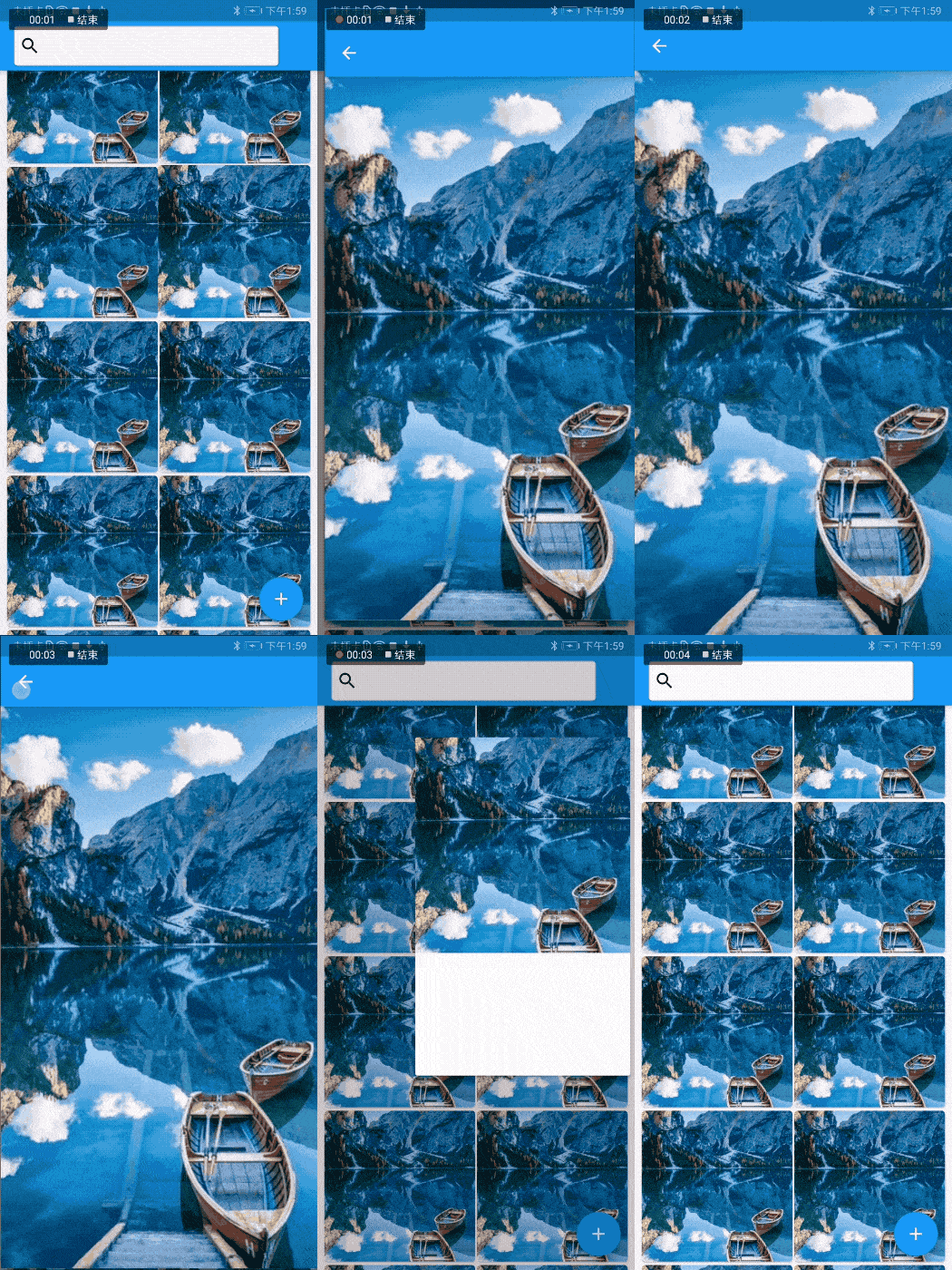
案例:构建GridView,点击其中一项时跳转到期详情页面:
GridView.builder(

  padding: EdgeInsets.all(8),

  gridDelegate: SliverGridDelegateWithFixedCrossAxisCount(

      crossAxisCount: 2, crossAxisSpacing: 2, mainAxisSpacing: 4),

  itemBuilder: (context, index) {

    return OpenContainer(

      transitionDuration: _duration,

      closedBuilder: (BuildContext _, VoidCallback openContainer) {

        return Container(

          child: Image.asset(

            'assets/images/b.jpg',

            fit: BoxFit.fitWidth,

          ),

        );

      },

      openBuilder: (BuildContext context, VoidCallback _) {

        return _DetailPage();

      },

    );

  },

  itemCount: 50,

)
使用 OpenContainer 组件,closedBuilder 表示关闭状态时到组件,在这里表示 GridView Item,openBuilder 表示点击要跳转的页面,这里表示详情页面。
详情页面代码如下:
class _DetailPage extends StatelessWidget {

  @override

  Widget build(BuildContext context) {

    return Scaffold(

      appBar: AppBar(),

      body: Container(

        width: double.infinity,

        height: double.infinity,

        child: Image.asset(

          'assets/images/b.jpg',

          fit: BoxFit.cover,

        ),

      ),

    );

  }

}
构建ListView
ListView.builder(

  itemBuilder: (context, index) {

    return OpenContainer(

      transitionDuration: _duration,

      closedBuilder: (BuildContext _, VoidCallback openContainer) {

        return Card(

          child: Container(

            height: 45,

            alignment: Alignment.center,

            child: Text('$index'),

          ),

        );

      },

      openBuilder: (BuildContext context, VoidCallback _) {

        return _DetailPage();

      },

    );

  },

  itemCount: 50,

)

也可以是一个按钮,比如 floatingActionButton
Scaffold(

  body: _buildListView(),

  floatingActionButton: OpenContainer(

    openBuilder: (BuildContext context, VoidCallback _) {

      return _DetailPage();

    },

    transitionDuration: _duration,

    closedElevation: 6.0,

    closedShape: const RoundedRectangleBorder(

      borderRadius: BorderRadius.all(

        Radius.circular(50),

      ),

    ),

    closedColor: Theme.of(context).colorScheme.secondary,

    closedBuilder: (BuildContext context, VoidCallback openContainer) {

      return SizedBox(

        height: 50,

        width: 50,

        child: Center(

          child: Icon(

            Icons.add,

            color: Theme.of(context).colorScheme.onSecondary,

          ),

        ),

      );

    },

  ),

)

顶部输入框
Scaffold(

  appBar: AppBar(

    title: OpenContainer(

      transitionDuration: _duration,

      closedBuilder: (BuildContext _, VoidCallback openContainer) {

        return Container(

          width: 300,

          height: 45,

          padding: EdgeInsets.only(left: 5),

          decoration: BoxDecoration(

              border: Border.all(color: Colors.grey.withOpacity(.5))),

          alignment: Alignment.centerLeft,

          child: Icon(Icons.search,color: Colors.black,),

        );

      },

      openBuilder: (BuildContext context, VoidCallback _) {

        return _DetailPage();

      },

    ),

  ),

)

Shared axis
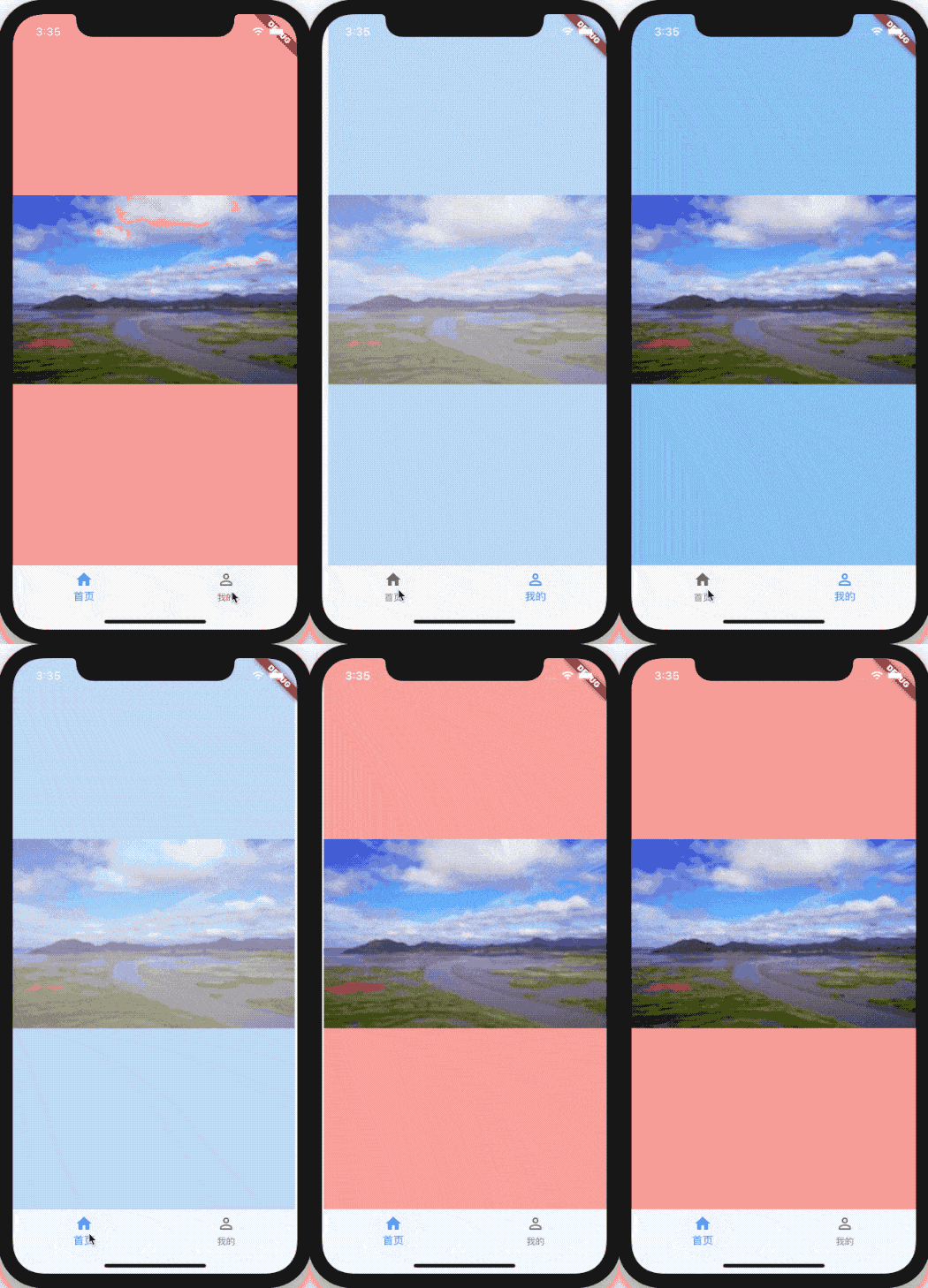
共享轴模式用于具有空间或导航关系的UI元素之间的过渡。此模式在x,y或z轴上使用共享的变换来加强元素之间的关系。
底部导航案例:
@override

Widget build(BuildContext context) {

  Widget _child = _OnePage();

  switch (_currentIndex) {

    case 1:

      _child = _TwoPage();

      break;

  }

  return Scaffold(

    body: PageTransitionSwitcher(

      duration: const Duration(milliseconds: 1500),

      reverse: false,

      transitionBuilder: (

        Widget child,

        Animation<double> animation,

        Animation<double> secondaryAnimation,

      ) {

        return SharedAxisTransition(

          child: child,

          animation: animation,

          transitionType: SharedAxisTransitionType.horizontal,

          secondaryAnimation: secondaryAnimation,

        );

      },

      child: _child,

    ),

    bottomNavigationBar: BottomNavigationBar(

      onTap: (int index) {

        setState(() {

          _currentIndex = index;

        });

      },

      currentIndex: _currentIndex,

      items: <BottomNavigationBarItem>[

        BottomNavigationBarItem(title: Text('首页'), icon: Icon(Icons.home)),

        BottomNavigationBarItem(

            title: Text('我的'), icon: Icon(Icons.perm_identity)),

      ],

    ),

  );

}
类型为 y 轴:
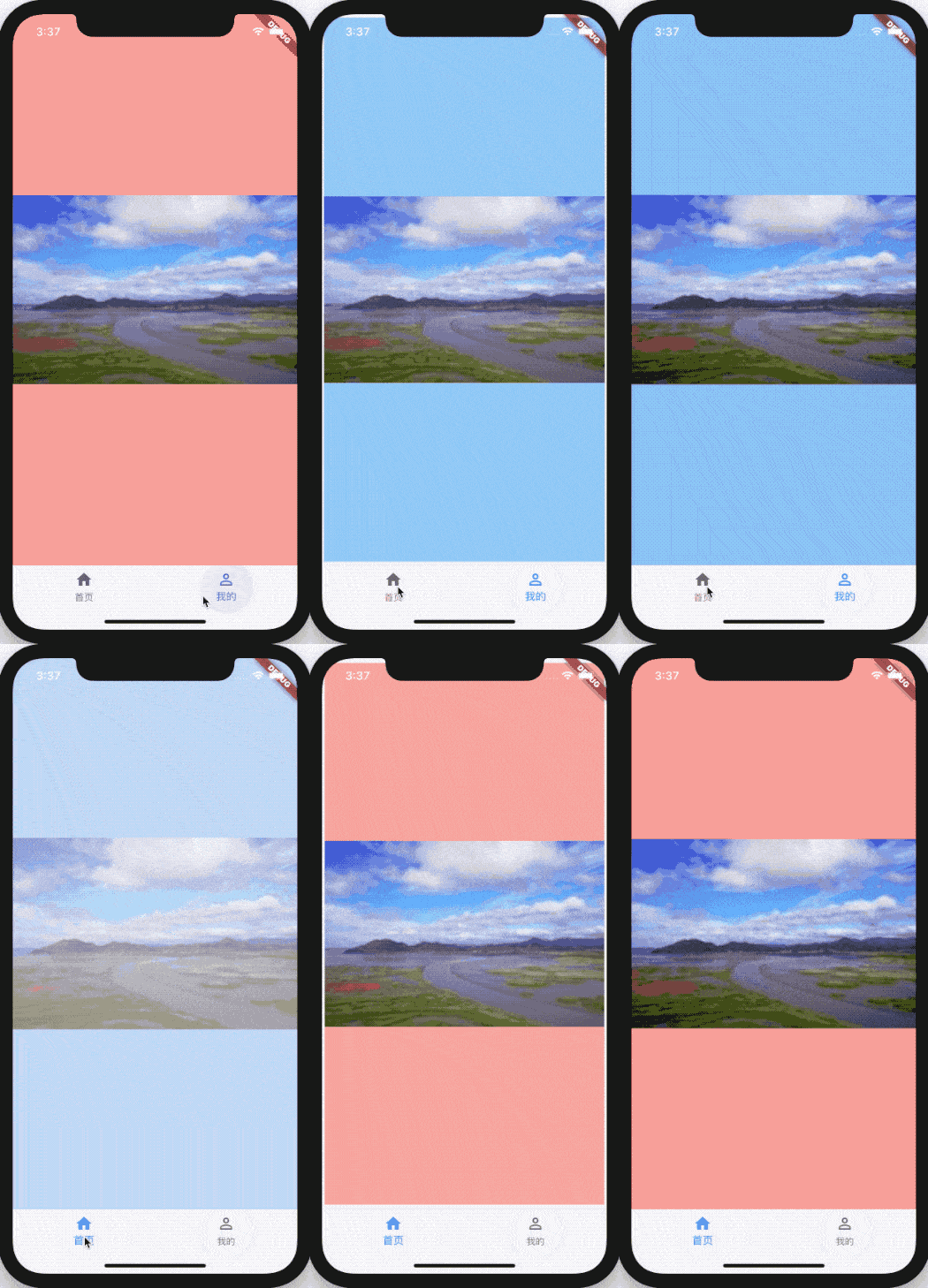
transitionType: SharedAxisTransitionType.vertical,

类型为 z 轴:
transitionType: SharedAxisTransitionType.scaled,
Fade through
淡入模式用于彼此之间没有密切关系的UI元素之间的过渡。
下面案例来源于官方Demo:
@override

Widget build(BuildContext context) {

  return Scaffold(

    appBar: AppBar(title: const Text('Fade through')),

    body: PageTransitionSwitcher(

      transitionBuilder: (

          Widget child,

          Animation<double> animation,

          Animation<double> secondaryAnimation,

          ) {

        return FadeThroughTransition(

          animation: animation,

          secondaryAnimation: secondaryAnimation,

          child: child,

        );

      },

      child: pageList[pageIndex],

    ),

    bottomNavigationBar: BottomNavigationBar(

      currentIndex: pageIndex,

      onTap: (int newValue) {

        setState(() {

          pageIndex = newValue;

        });

      },

      items: const <BottomNavigationBarItem>[

        BottomNavigationBarItem(

          icon: Icon(Icons.photo_library),

          title: Text('Albums'),

        ),

        BottomNavigationBarItem(

          icon: Icon(Icons.photo),

          title: Text('Photos'),

        ),

        BottomNavigationBarItem(

          icon: Icon(Icons.search),

          title: Text('Search'),

        ),

      ],

    ),

  );

}

效果适用于:
- 底部导航切换。
- 刷新列表。
- 切换器。
Fade
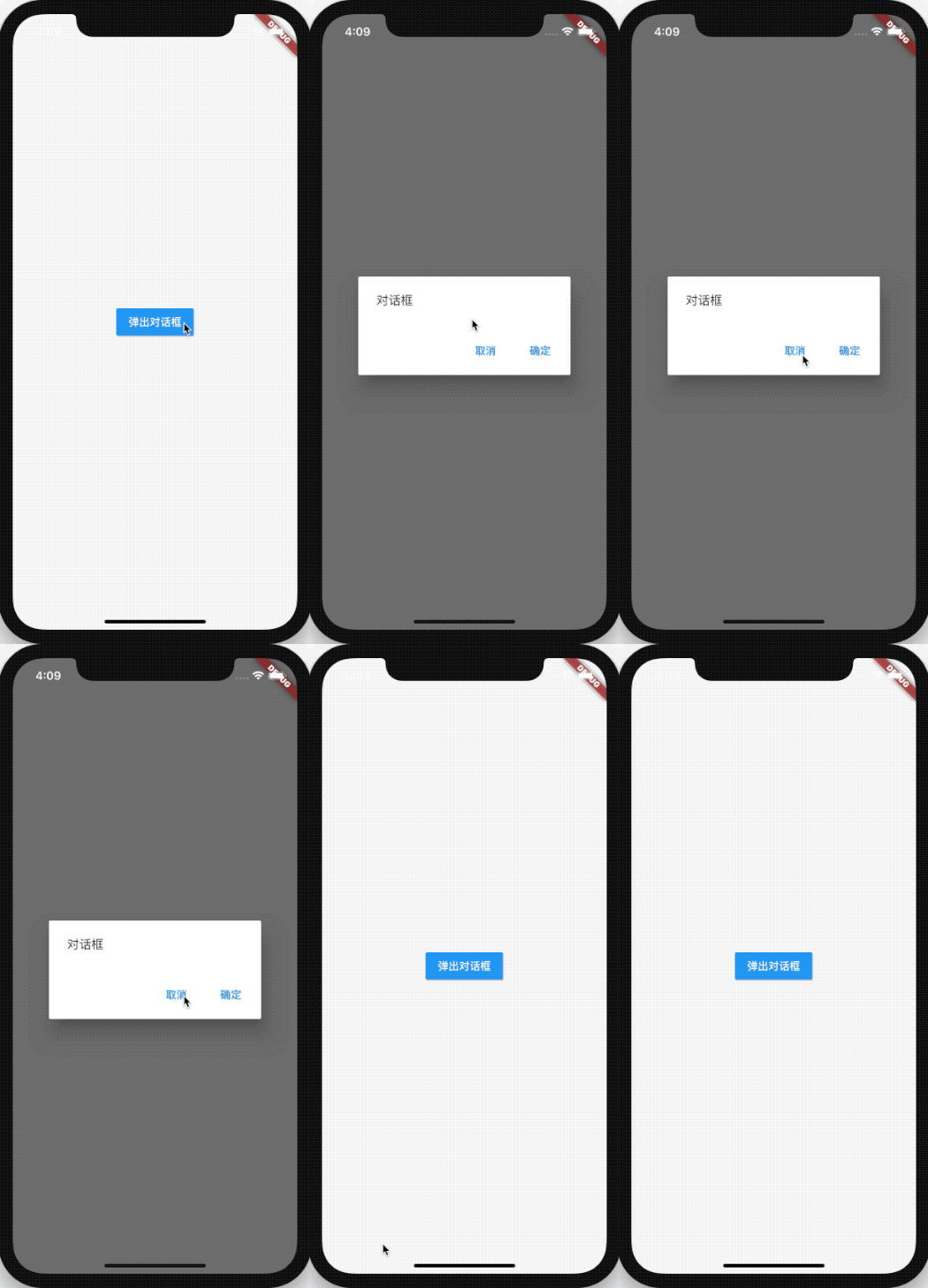
淡入淡出模式用于在屏幕范围内进入或退出的UI元素,例如在屏幕中央淡入淡出的对话框。
弹出对话框案例:
Scaffold(

  body: Center(

    child: RaisedButton(

      onPressed: () {

        showModal<void>(

          context: context,

          builder: (BuildContext context) {

            return AlertDialog(

              content: const Text('对话框'),

              actions: <Widget>[

                FlatButton(

                  onPressed: () {

                    Navigator.of(context).pop();

                  },

                  child: const Text('取消'),

                ),

                FlatButton(

                  onPressed: () {

                    Navigator.of(context).pop();

                  },

                  child: const Text('确定'),

                ),

              ],

            );

          },

        );

      },

      color: Theme.of(context).colorScheme.primary,

      textColor: Theme.of(context).colorScheme.onPrimary,

      child: const Text('弹出对话框'),

    ),

  ),

)
适用场景:
- dialog
- menu
- snackbar
- FloatingActionButton
交流
老孟Flutter博客地址(330个控件用法):http://laomengit.com
欢迎加入Flutter交流群(微信:laomengit)、关注公众号【老孟Flutter】:
 |
 |
Flutter 1.17 新 Material motion 规范的预构建动画的更多相关文章
- Flutter 1.17版本重磅发布
Flutter 1.17 是2020年的第一个稳定版本,此版本包括iOS平台Metal支持(性能更快),新的Material组件,新的Network跟踪工具等等! 对所有人来说,今年是充满挑战的一年. ...
- flutter学习之二Material Design设计规范
前言: 最近在自学flutter跨平台开发,从学习的过程来看真心感觉不是那么一件特别容易的事.不但要了解语法规则, 还要知晓常用控件,和一些扩展性的外延知识,所以套一句古人的话“路漫漫其修远矣,无将上 ...
- 【老孟Flutter】Flutter 2的新功能
老孟导读:昨天期待已久的 Flutter 2.0 终于发布了, Flutter Web和Null安全性趋于稳定,Flutter桌面安全性逐渐转向Beta版! 原文链接:https://medium.c ...
- Flutter 1.17.x
Flutter 1.17.x Flutter (Channel stable, v1.17.3, on Mac OS X 10.15.5 19F101, locale en-CN) https://f ...
- c++17 新特性
编译环境说明:gcc 8.1 + eclipse +windows 10 eclipse cpp默认支持c++14,做c++17开发时,需要手动进行配置. 1.关键字 1)constexpr c++1 ...
- Java 17 新特性:switch的模式匹配(Preview)
还记得Java 16中的instanceof增强吗? 通过下面这个例子再回忆一下: Map<String, Object> data = new HashMap<>(); da ...
- 支持 MBTiles 规范的预缓存
SuperMap iServer 支持生成符合MBTiles规范的预缓存(MBTiles是由MapBox制定的一种将瓦片地图数据存储到SQLite数据库中并可快速使用,管理和分享的规范. 该规范由Ma ...
- 重新想象 Windows 8.1 Store Apps (91) - 后台任务的新特性: 下载和上传的新特性, 程序启动前预下载网络资源, 后台任务的其它新特性
[源码下载] 重新想象 Windows 8.1 Store Apps (91) - 后台任务的新特性: 下载和上传的新特性, 程序启动前预下载网络资源, 后台任务的其它新特性 作者:webabcd 介 ...
- 技术胖Flutter第三季-17布局PositionedWidget层叠定位组件
博客地址: https://jspang.com/post/flutter3.html#toc-d7a 把我们上节的 Container的部分代码去掉. 使用:Positioned 有点像css里面的 ...
随机推荐
- 全网最全95道MongoDB面试题1万字详细解析
1.mongodb是什么? MongoDB 是由 C++语言编写的,是一个基于分布式文件存储的开源数据库系统. 在高负载的情况下,添加更多的节点,可以保证服务器性能. MongoDB 旨在给 WEB ...
- workbench中如何导入.sql文件
在做电商管理系统的时候,需要使用 mysql 中的数据,在执行 app.js 文件时出现错误 于是将 mydb.sql 导入到workbench中,步骤如下: 1. 打开 workbench 软件,选 ...
- php 常用的redis操作语法
String 类型操作 string是redis最基本的类型,而且string类型是二进制安全的.意思是redis的string可以包含任何数据.比如jpg图片或者序列化的对象 $redis-> ...
- git-bash用法详解
目录 1. 开启Windows的 sshd 服务 1.1. ssh 高级配置 1.1.1. 生成秘钥 1.1.2. 添加或更改密码 1.1.3. 分发公钥 1.1.4. 允许以root身份ssh连接 ...
- C#构造函数 -0028
默认构造函数 声明基本构造函数的语法就是声明一个与类同名的方法,但该方法没有返回类型: public class MyClass { public MyClass() { } // rest of c ...
- 一个老牌程序员说:做Java开发,怎么可以不会这 20 种类库和 API
- Linux Systemd 详细介绍: Unit、Unit File、Systemctl、Target
Systemd 简介 CentOS 7 使用 Systemd 替换了SysV Ubuntu 从 15.04 开始使用 Systemd Systemd 是 Linux 系统工具,用来启动守护进程,已成为 ...
- 02.Scrapy-Demo
Scrapy入门实战 采集目标:采集西祠网的IP代理 包括 IP PORT 1. 新建项目 scrapy startproject xicidailiSpider # scrapy 新建项目 项目名 ...
- Mongodb 批量更新
>db.col.update({查询条件},{修改条件},{multi:true})
- vue+iview多条联动,for循环data是函数
问题:多条for循环出的数据二级联动for循环出多条数据,每条数据都有一个二级联动,每次下拉一级联动,二级的选项都是变化的. 思考刚开始一直想不出如何实现二级联动下拉的数据动态变化,因为之前一直都是v ...