
Windows里正确安装Zookeeper以服务运行
不多说,直接上干货!
为什么要在Win下来安装Zookeeper呢?
其实玩过大数据的人很清楚,在Linux下我更不说了。在win下,如Disconf 、Dubbo等应用。
所以,它的应用是非常广的。
ZooKeeper是一个分布式的,开放源码的分布式应用程序协调服务,是Google的Chubby一个开源的实现,是Hadoop和Hbase的重要组件。它是一个为分布式应用提供一致性服务的软件,提供的功能包括:配置维护、域名服务、分布式同步、组服务等。
ZooKeeper的目标就是封装好复杂易出错的关键服务,将简单易用的接口和性能高效、功能稳定的系统提供给用户。
ZooKeeper包含一个简单的原语集,提供Java和C的接口。
ZooKeeper代码版本中,提供了分布式独享锁、选举、队列的接口,代码在zookeeper-3.4.8\src\recipes。其中分布锁和队列有Java和C两个版本,选举只有Java版本。
zookeeper下载地址:
http://archive.apache.org/dist/zookeeper/zookeeper-3.4.8/
(可自行在官网下载自己需要的版本)
我这里以zookeeper-3.4.8为例。

我的是解压到指定目录下 D:\SoftWare\zookeeper-3.4.8

本博文,只关心其bin目录和conf目录。
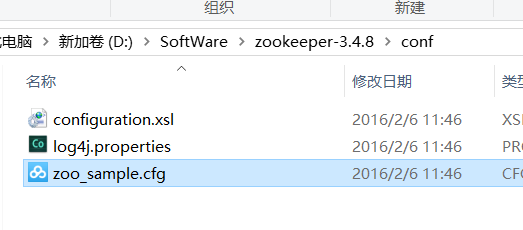
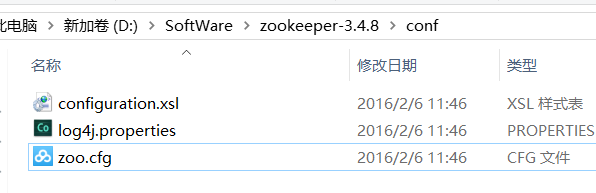
以下是默认的内容
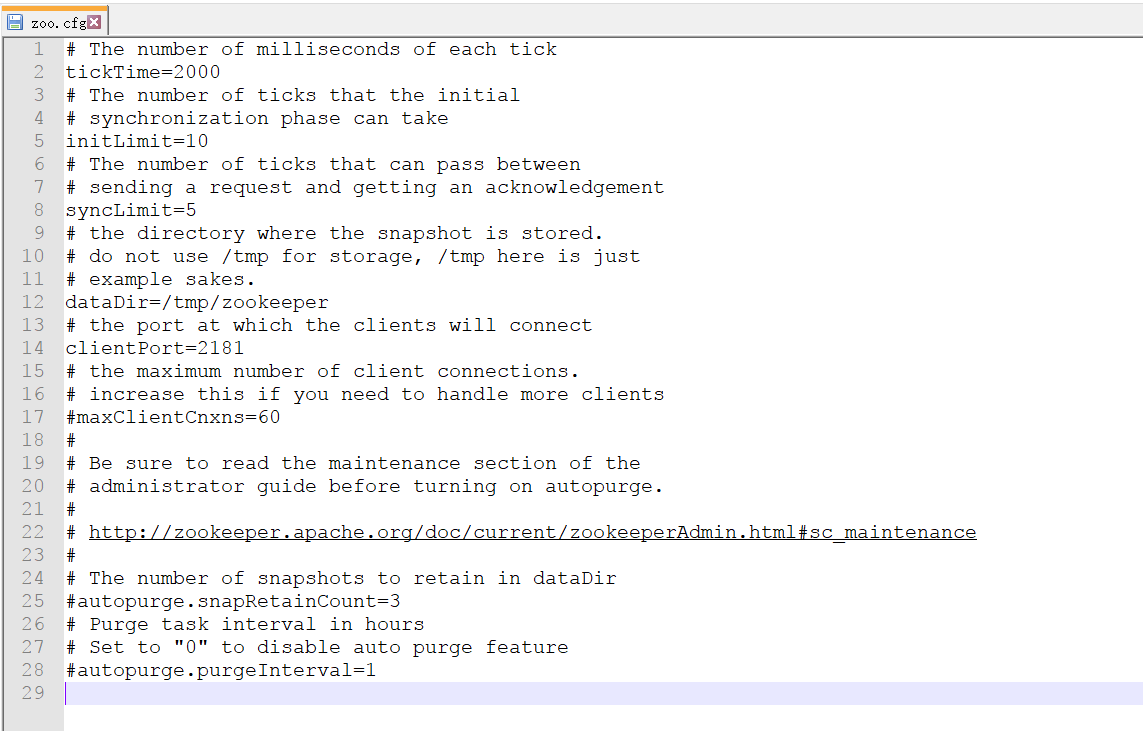

# The number of milliseconds of each tick

tickTime=

# The number of ticks that the initial

# synchronization phase can take

initLimit=

# The number of ticks that can pass between

# sending a request and getting an acknowledgement

syncLimit=

# the directory where the snapshot is stored.

# do not use /tmp for storage, /tmp here is just

# example sakes.

dataDir=/tmp/zookeeper

# the port at which the clients will connect

clientPort=

# the maximum number of client connections.

# increase this if you need to handle more clients

#maxClientCnxns=

#

# Be sure to read the maintenance section of the

# administrator guide before turning on autopurge.

#

# http://zookeeper.apache.org/doc/current/zookeeperAdmin.html#sc_maintenance

#

# The number of snapshots to retain in dataDir

#autopurge.snapRetainCount=

# Purge task interval in hours

# Set to "" to disable auto purge feature

#autopurge.purgeInterval=
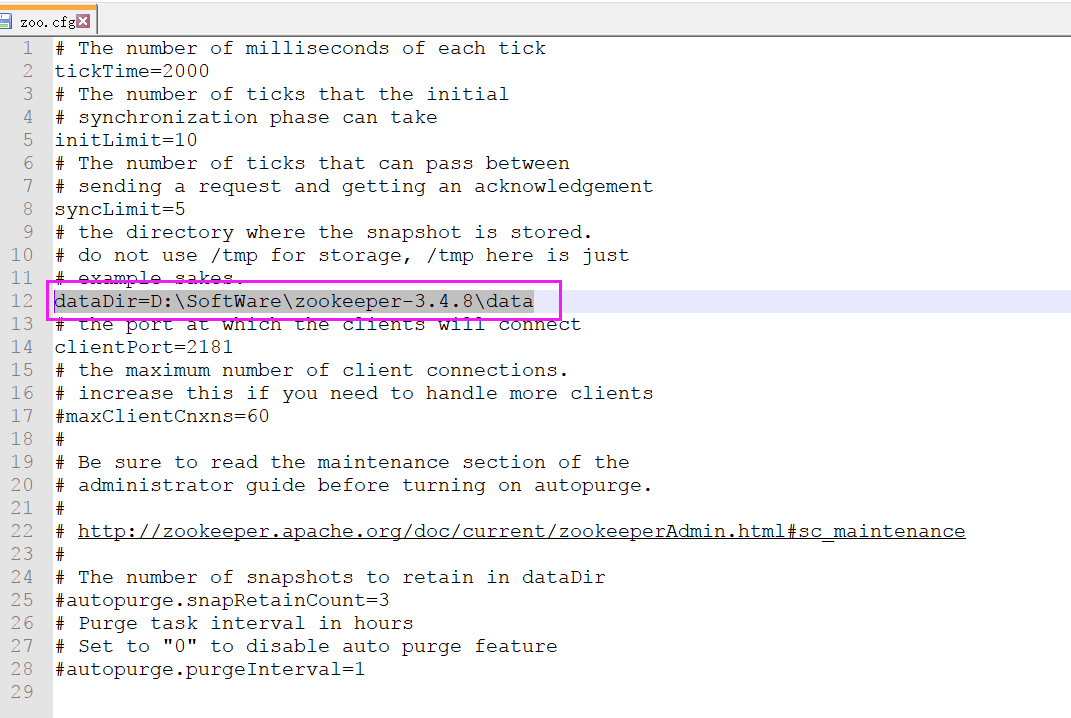
主要修改配置中的 dataDir ,根据自己实际修改即可,如下
比如我这里是
dataDir=D:\SoftWare\zookeeper-3.4.8\data
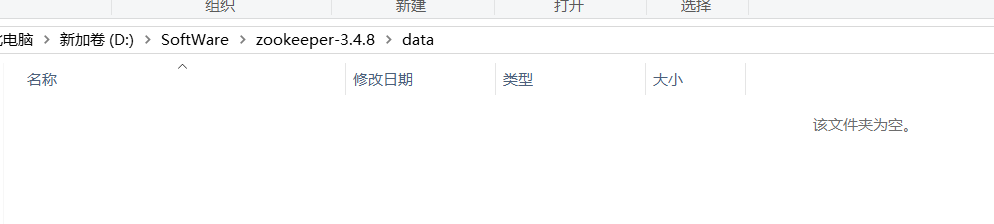
所以,我的为
# The number of milliseconds of each tick

tickTime=

# The number of ticks that the initial

# synchronization phase can take

initLimit=

# The number of ticks that can pass between

# sending a request and getting an acknowledgement

syncLimit=

# the directory where the snapshot is stored.

# do not use /tmp for storage, /tmp here is just

# example sakes.

dataDir=D:\SoftWare\zookeeper-3.4.\data

# the port at which the clients will connect

clientPort=

# the maximum number of client connections.

# increase this if you need to handle more clients

#maxClientCnxns=

#

# Be sure to read the maintenance section of the

# administrator guide before turning on autopurge.

#

# http://zookeeper.apache.org/doc/current/zookeeperAdmin.html#sc_maintenance

#

# The number of snapshots to retain in dataDir

#autopurge.snapRetainCount=

# Purge task interval in hours

# Set to "" to disable auto purge feature

#autopurge.purgeInterval=
进入cmd下进bin目录,执行 zkserver.cmd 即可启动
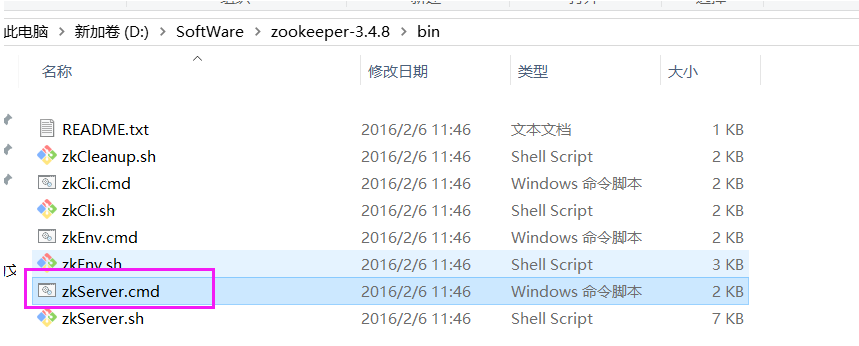
至此,完成!
下载的Zookeeper是.cmd的批处理命令运行的,默认没有提供以windows服务的方式运行的方案!!!
为此,本文下载prunsrv 来作为zookeeper的服务管理。
将zookeeper做成 windows 服务,避免每次关闭后,再启动还需要使用cmd。
下载prunsrv
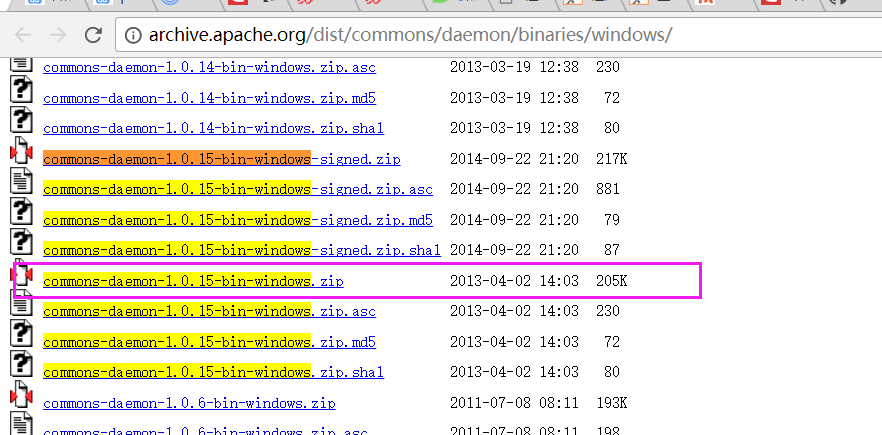
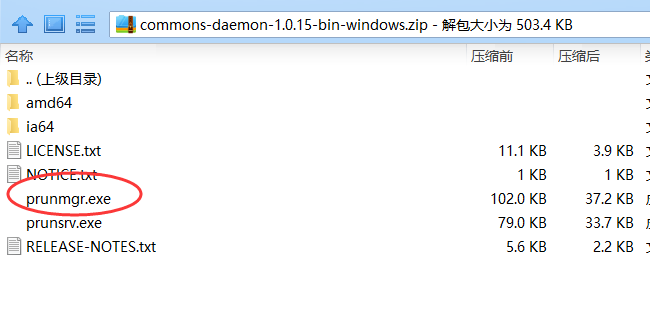
下载地址:http://archive.apache.org/dist/commons/daemon/binaries/windows/ ,找到commons-daemon-1.0.15-bin-windows

解压后复制以下文件
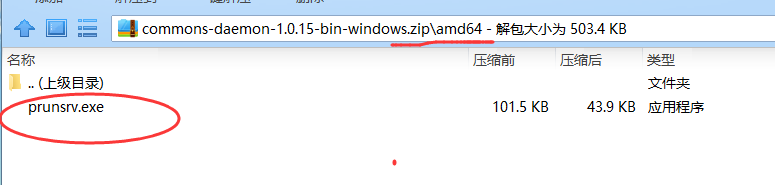
注意:64位系统的机器用amd64/prunsrv.exe
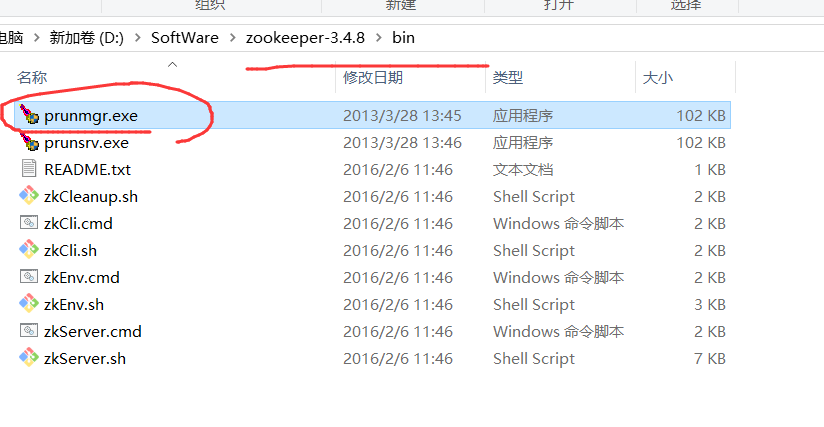
(1)复制 commons-daemon-1.0.15-bin-windows/amd64/prunsrv.exe 至 zookeeper-3.4.8\bin目录下
这是做服务的执行程序

(2)复制 commons-daemon-1.0.15-bin-windows/prunmgr.exe 至 zookeeper-3.4.8\bin目录下
监控服务配置及运行的程序
为Zookeeper配置环境变量
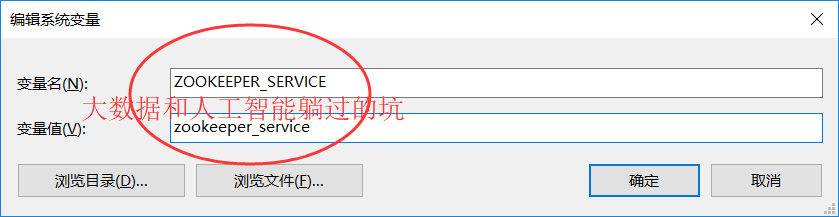
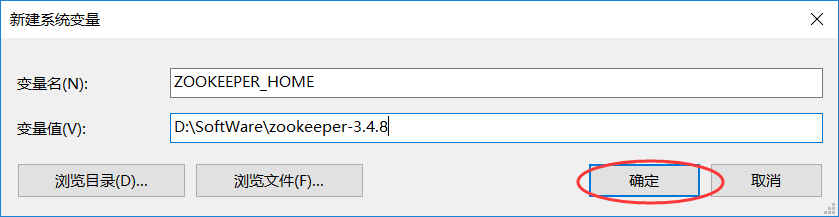
添加ZOOKEEPER_SERVICE, ZOOKEEPER_HOME两个环境变量
ZOOKEEPER_SERVICE:服务名称(不要有中文),我这里取的是,命名为zookeeper_service
ZOOKEEPER_HOME:设置到zookeeper-3.4.8目录下
新建 zkServerStop.cmd 文件
在zookeeper-3.4.8\bin目录下添加一个 zkServerStop.cmd 文件.
(注:cmd文件或者下面的bat文件,我们都可以先创建一个文本文件,然后把下面的内容copy进去,然后修改文本文件的后缀名即可)
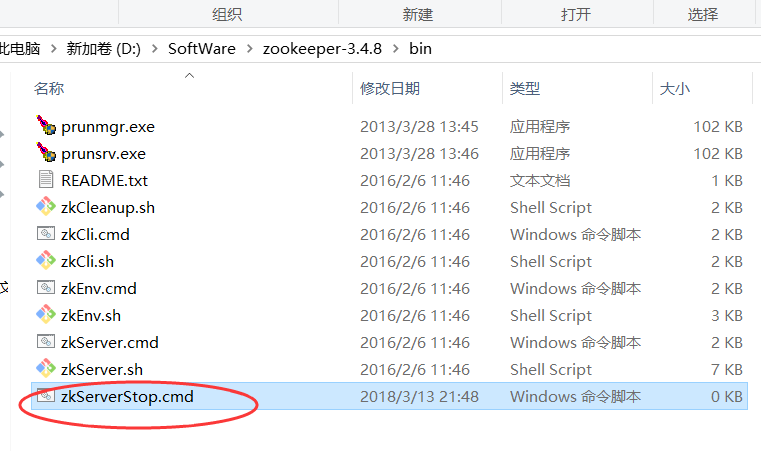
内容如下:
@echo off

 setlocal

 TASKLIST /svc | findstr /c:"%ZOOKEEPER_SERVICE%" > %ZOOKEEPER_HOME%\zookeeper_svc.pid

 FOR /F "tokens=2 delims= " %%G IN (%ZOOKEEPER_HOME%\zookeeper_svc.pid) DO (

    @set zkPID=%%G

 )

 taskkill /PID %zkPID% /T /F

 del %ZOOKEEPER_HOME%/zookeeper_svc.pid

 endlocal
新建一个批处理安装文件install.bat
(注: install.bat 文件也需要放在zookeeper-3.4.8\bin 目录下才可以)
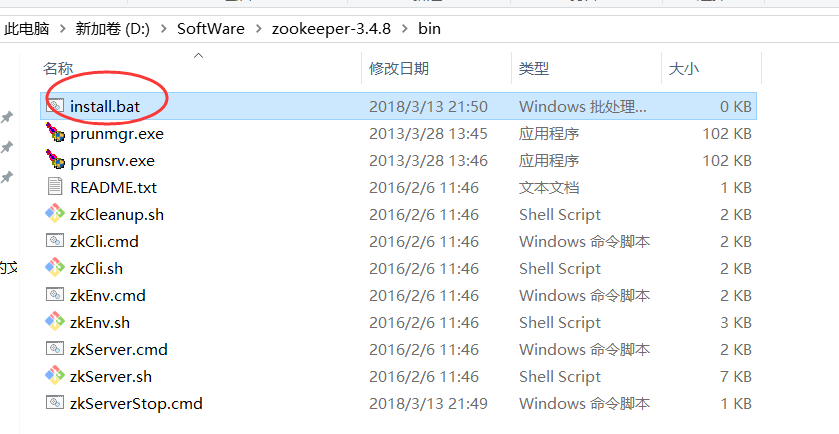
prunsrv.exe "//IS//%ZOOKEEPER_SERVICE%" ^

        --DisplayName="Zookeeper (%ZOOKEEPER_SERVICE%)" ^

        --Description="Zookeeper (%ZOOKEEPER_SERVICE%)" ^

        --Startup=auto --StartMode=exe ^

        --StartPath=%ZOOKEEPER_HOME% ^

        --StartImage=%ZOOKEEPER_HOME%\bin\zkServer.cmd ^

        --StopPath=%ZOOKEEPER_HOME%\ ^

        --StopImage=%ZOOKEEPER_HOME%\bin\zkServerStop.cmd ^

        --StopMode=exe --StopTimeout= ^

        --LogPath=%ZOOKEEPER_HOME% --LogPrefix=zookeeper-wrapper ^

        --PidFile=zookeeper.pid --LogLevel=Info --StdOutput=auto --StdError=auto
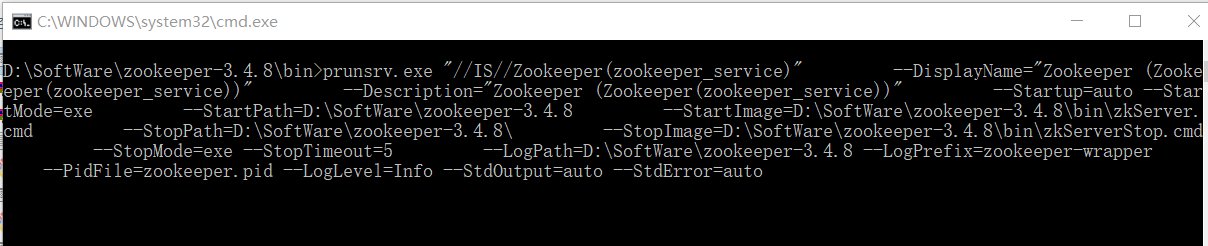
最后在cmd中以管理员身份运行install.bat
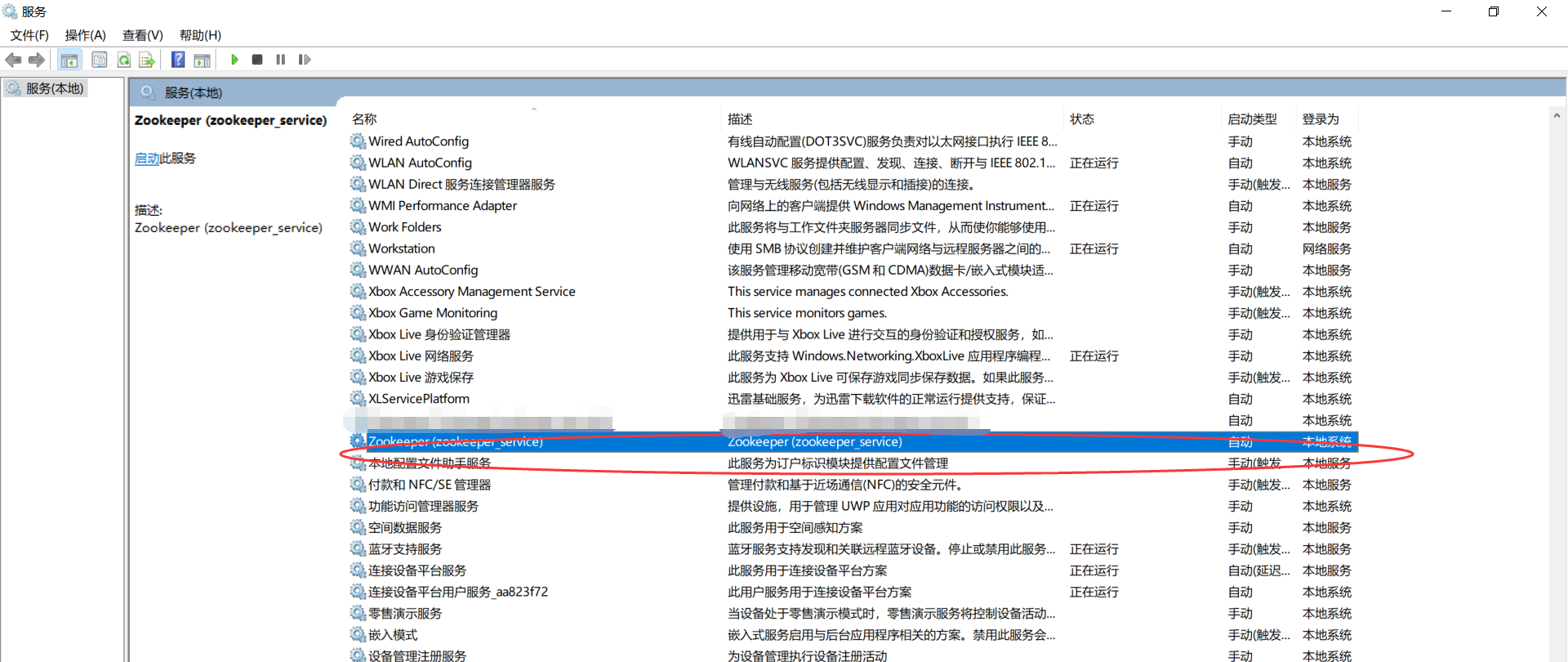
(注:其实我想说在zookeeper-3.4.8\bin目录下,双击install.bat文件就可以了,然后进入服务管理,就可以看到相应的服务了,不过这时候还没启动,右击启动即可。)
查看: 开始→运行(Windows+R快捷键也能调出运行) 输入:services.msc确定
如果你想彻底删除这个服务,则
开始”——“运行”——“regedit”)然后依次打开HKEY_LOCAL_MACHINE\SYSTEM\ControlSet001\Services

Windows里正确安装Zookeeper以服务运行的更多相关文章
- Windows里如何正确安装Zookeeper以服务运行(博主推荐)(图文详解)
不多说,直接上干货! 为什么要在Win下来安装Zookeeper呢? 其实玩过大数据的人很清楚,在Linux下我更不说了.在win下,如Disconf .Dubbo等应用. 所以,它的应用是非常广的. ...
- Windows里如何正确安装Redis以服务运行(博主推荐)(图文详解)
不多说,直接上干货! 注意 : Redis官方并没有提供Redis的windows安装包,但在github上, 有相关的下载地址. 一.Redis的下载地址 相关的下载地址,如下: ...
- 无法定位 Local Database Runtime 安装。请验证 SQL Server Express 是否正确安装以及本地数据库运行时功能是否已启用。
错误描述: 在与 SQL Server 建立连接时出现与网络相关的或特定于实例的错误.未找到或无法访问服务器.请验证实例名称是否正确并且 SQL Server 已配置为允许远程连接. (provide ...
- Lua在Windows下的安装、配置、运行
Lua在Windows下的安装.配置.运行 本文链接:https://blog.csdn.net/ChinarCSDN/article/details/78667262 展开 # Windows下安装 ...
- windows环境下安装 zookeeper
我们下载下来的zookeeper的安装包是.tar.gz格式的,但是还是可以在windows下运行. 下载地址 http://mirrors.hust.edu.cn/apache/zookeeper/ ...
- Windows环境下安装配置Mosquitto服务及入门操作介绍
关键字:在windows安装mosquitto,在mosquitto中配置日志,在mosquitto中配置用户账号密码 关于Mosquitto配置的资料网上还是有几篇的,但是看来看去,基本上都是基于L ...
- windows环境下安装ZooKeeper
$.说明 ZooKeeper: ZooKeeper是一个分布式的,开放源码的分布式应用程序协调服务,是Google的Chubby一个开源的实现,是Hadoop和Hbase的重要组件. 它是一个为分布式 ...
- windows下离线安装mysql8.0服务(支持多个安装,端口不同就可以)
1.官网下载 mysql文件.官网下载链接:https://dev.mysql.com/downloads/mysql/ 选择mysql下载的系统版本. 此处可以下载MSI安装包,图简单的朋友可以 ...
- Windows下Go安装&环境配置&编译运行
Go下载安装 官方Go下载站点:https://golang.google.cn/ 也可以选择:https://studygolang.com/dl 配置环境变量 常用环境变量 GOROOT GORO ...
随机推荐
- mac 隐藏文件显示
显示:defaults write com.apple.finder AppleShowAllFiles -bool true隐藏:defaults write com.apple.finder Ap ...
- CF870A Search for Pretty Integers
CF870A Search for Pretty Integers 题意翻译 给出两个整数n,m,a数组有n个数,b数组有m个数.求一个数,这个数的每一位必须在a数组和b数组中至少出现过一次,求符合条 ...
- [Design]Adobe CS6 2%错误问题
错误描述:FATAL: Payload '{3F023875-4A52-4605-9DB6-A88D4A813E8D} Camera Profiles Installer 6.0.98.0' info ...
- HDU 4893 线段树裸题
Wow! Such Sequence! Time Limit: 10000/5000 MS (Java/Others) Memory Limit: 65536/65536 K (Java/Oth ...
- Oozie4.2.0配置安装实战
软件版本号: Oozie4.2.0.Hadoop2.6.0,Spark1.4.1.Hive0.14.Pig0.15.0.Maven3.2.JDK1.7,zookeeper3.4.6.HBase1.1. ...
- linux虚拟机网络设置(本机使用wiff,自己的网)
一.linux虚拟机网络设置(https://jingyan.baidu.com/album/4e5b3e1957979d91901e24f1.html?picindex=16) 选中虚拟机,点击 ...
- Android学习笔记(十二)——使用意图传递数据的几种方式
使用意图传递数据的几种方式 点此获取完整代码 我们除了要从活动返回数据,也经常要传递数据给活动.对此我们能够使用Intent对象将这些数据传递给目标活动. 1.创建一个名为PassingData的项目 ...
- 机器学习 数据量不足问题----1 做好特征工程 2 不要用太多的特征 3 做好交叉验证 使用线性svm
来自:https://www.zhihu.com/question/35649122 其实这里所说的数据量不足,可以换一种方式去理解:在维度高的情况下,数据相对少.举一个特例,比如只有一维,和1万个数 ...
- BZOJ 2120 带修莫队
思路: 暴力能过的 嘿嘿嘿 我是来练带修莫队的嗯 复杂度 O(n^5/3) //By SiriusRen #include <cmath> #include <cstdio> ...
- mac下安装postgreSql
在 mac 下,可以利用 homebrew 直接安装 PostgreSQL: 1 brew install postgresql -v 稍等片刻,PostgreSQL 就安装完成.接下来就是初始数据库 ...