
Apache Ambari安装过程(CentOS 6.5)
一.准备环境
1.host
本人准备了三台服务器,
vim /etc/hosts
192.168.1.131 dk11

192.168.1.132 dk21

192.168.1.133 dk31
2.免密 SSH
cd ~

ssh-keygen
一直按回车
配置本地的免登录
cat ~/.ssh/id_rsa.pub >> ~/.ssh/authorized_keys
配置其他节点
scp ~/.ssh/authorized_keys dk11:/root/.ssh/

scp ~/.ssh/authorized_keys dk21:/root/.ssh/

scp ~/.ssh/authorized_keys dk31:/root/.ssh/
OK .测试一下是否成功: ssh dk21, ssh dk31
出现
Last login: Tue Mar :: from dk11
说明成功
3. 关闭防火墙
4.同步集群的时间(ntp)
5. 关闭 selinux ,需要重启
vim /etc/selinux/config
SELINUX=disabled
重启.
二、安装Ambari Server
2.1添加 yum 源
wget http://public-repo-1.hortonworks.com/ambari/centos6/2.x/updates/2.0.1/ambari.repo

cp ambari.repo /etc/yum.repos.d

yum install epel-release
检查是否成功 :yum repolist
[root@dk11 run]# yum repolist

Loaded plugins: fastestmirror, refresh-packagekit, security

Loading mirror speeds from cached hostfile

 * base: mirrors.zju.edu.cn

 * epel: mirror.premi.st

 * extras: mirrors.btte.net

 * updates: mirrors.cn99.com

repo id                repo name                                         status

HDP-UTILS-1.1.0.15     Hortonworks Data Platform Utils Version - HDP-UTI

Updates-ambari-1.2.4.9 ambari-1.2.4.9 - Updates

ambari-.x             Ambari .x

base                   CentOS- - Base                                    ,

epel                   Extra Packages for Enterprise Linux  - x86_64    ,

extras                 CentOS- - Extras

updates                CentOS- - Updates

repolist: ,
出现 epel 则成功
2.2 安装
yum install ambari-server
2.3 设置
ambari-server setup
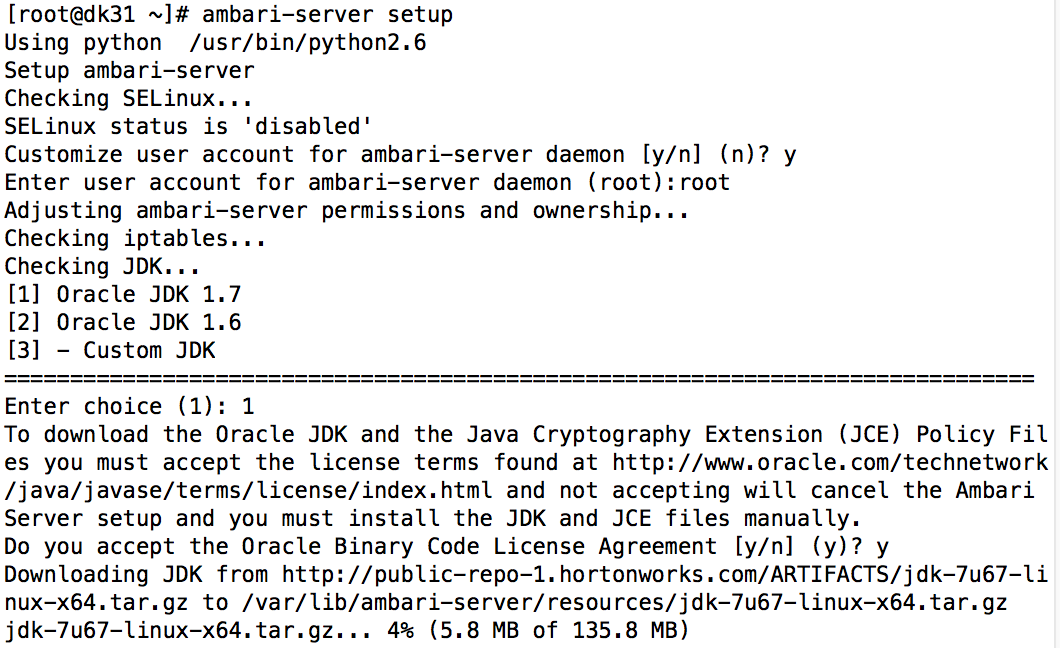
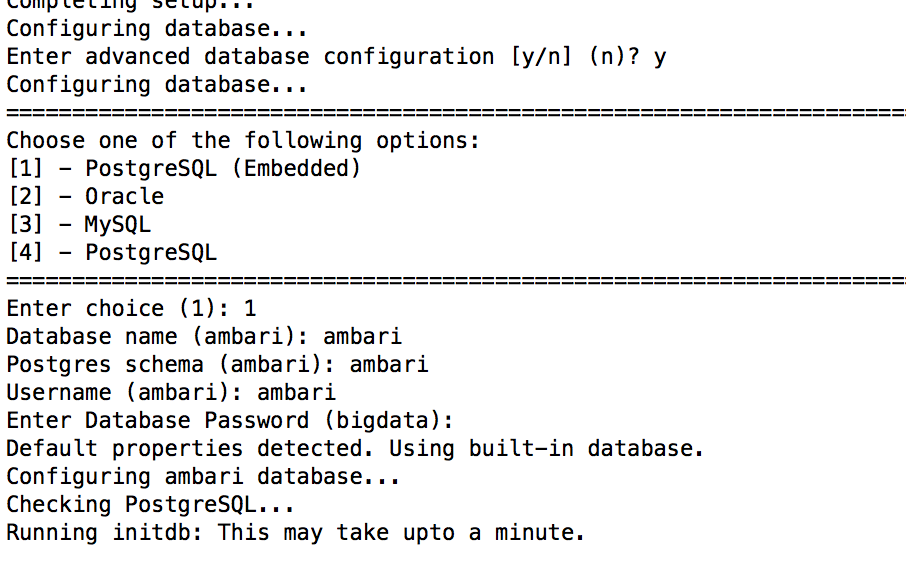
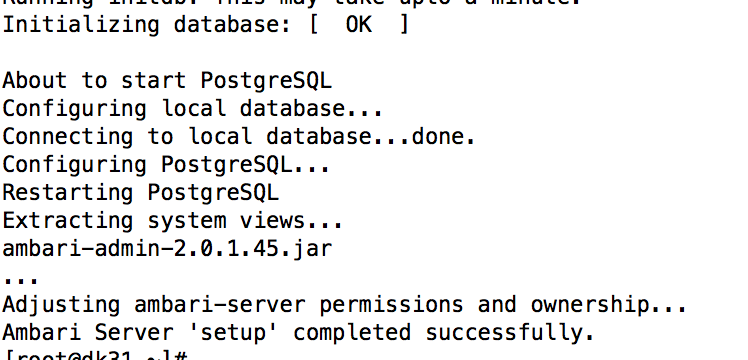
会提示安装jdk,网速好的可以确定,否则可以下载jdk-6u31-linux-x64.bin,放到/var/lib/ambari-server/resources/下面
接着会提示配置用的数据库,可以选择Oracle或postgresql,选择n会按默认配置
数据库类型:postgresql
数据库:ambari
用户名:ambari
密码:bigdata
如果提示Oracle JDK license,yes
等待安装完成
三、配置Ambari
启动 Ambari-server
ambari-server start
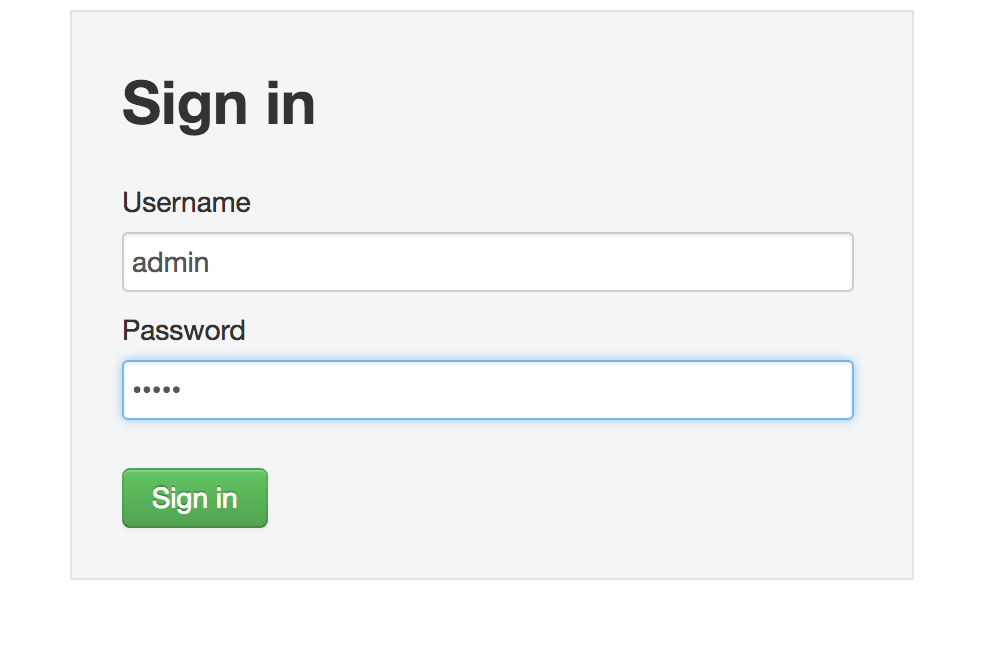
用户名密码: admin,admin
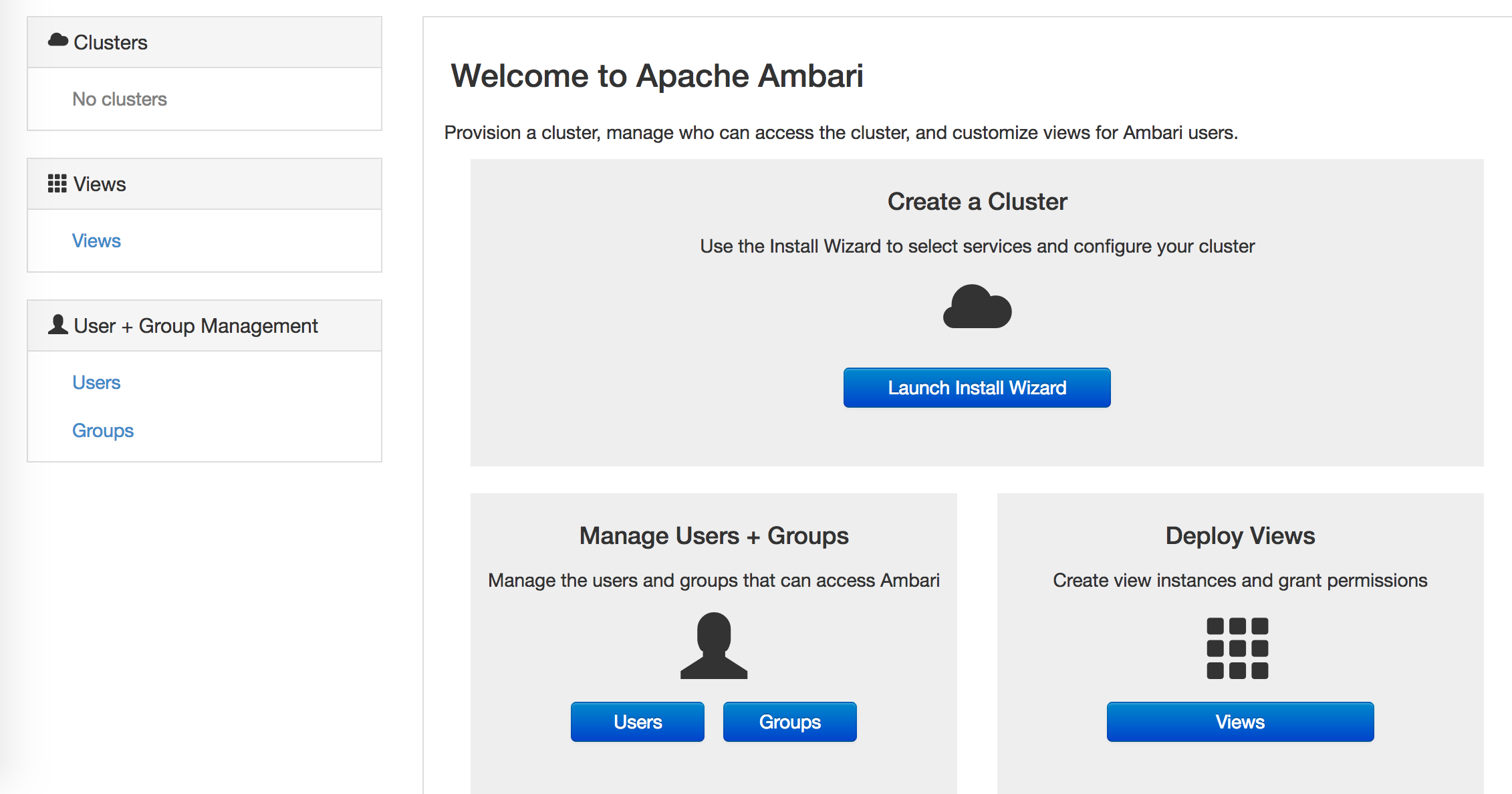
开始配置
点击
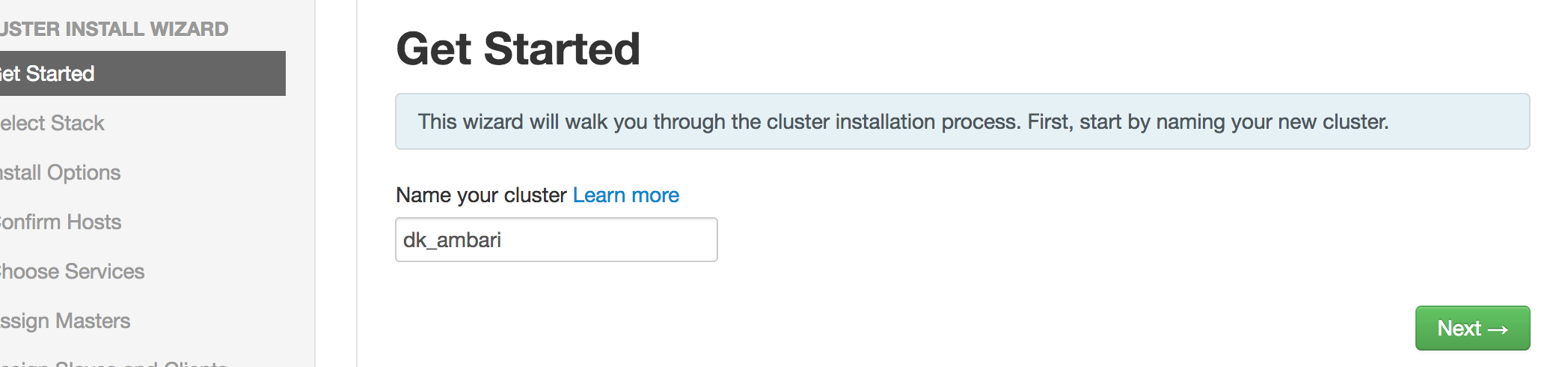
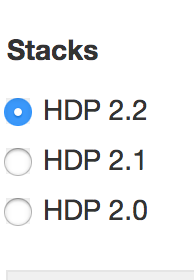
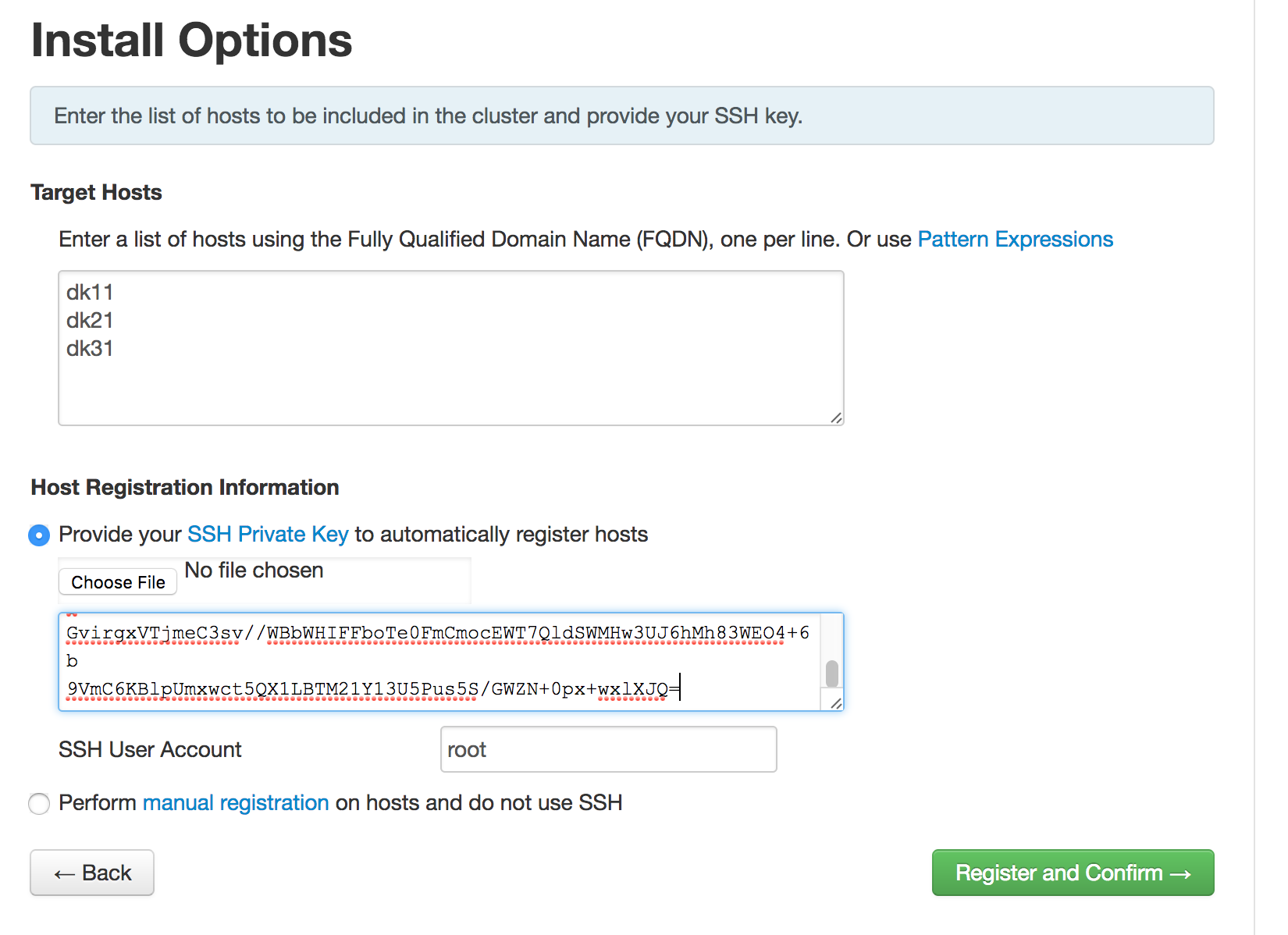
注意,秘钥 在 /root/.ssh/id_rsa 中
四.遇到的错误
4.1 Permission denied (publickey,gssapi-keyex,gssapi-with-mic,password).
4.2 ambari 版本太低
Cluster primary OS type is redhat6 and local OS type is centos5 Local OS is not compatible with cluster primary OS. Please perform manual bootstrap on this host.
检查是不是你下载的
wget http://public-repo-1.hortonworks.com/ambari/centos6/1.x/updates/1.2.4.9/ambari.repo
如果是,请改成 本文推荐的版本
wget http://public-repo-1.hortonworks.com/ambari/centos6/2.x/updates/2.0.1/ambari.repo
4.3 . error:100AE081:elliptic curve routines:EC_GROUP_new_by_curve_name:unknown group
解决方案: yum install openssl
Apache Ambari安装过程(CentOS 6.5)的更多相关文章
- apache/tomcat安装过程略
apache/tomcat安装过程略 一些变量 apache安装目录 APACHE_PREFIX=/Data/app/apache apache配置文件 APACHE_CONF=/etc/httpd/ ...
- hadoop集群监控工具Apache Ambari安装配置教程
ambari 1.2.4 下载地址:http://www.apache.org/dist/incubator/ambari/ambari-1.2.4/ambari-1.2.4-incubating.t ...
- ambari安装过程中的问题汇总
今天重新安装ambari过程中,遇到了几个问题,耗费了我很长时间,在此记录一下 ambari重新安装可参考我之前的一篇随笔 http://www.cnblogs.com/6tian/p/4097401 ...
- Ubuntu下Apache的安装
Ubuntu下可快速安装LAMP server(Apache+MySQL+PHP5),参见<Ubuntu下快速安装LAMP server>一文. 也可以手动安装Apache.本文介绍如何手 ...
- 转: CentOS上安装LAMP之第一步:Apache环境及安装过程报错解决方案(纯净系统环境)
传送门:http://blog.csdn.net/zhangatle/article/details/77416996 小心坑!填完就懂怎么安装了 Note:要从零开始搭建,就不要嫌中间遇到各种问题 ...
- CentOS 7下Cloudera Manager及CDH 6.0.1安装过程详解
目录 一.概念介绍 1.CDH 概览 2.Cloudera Manager 概览 二.环境准备 1.软件版本选择 2.节点准备(四个节点) 3.配置主机名和hosts解析(所有节点) 4.关闭防火墙 ...
- Centos 7 安装LAMP以及在Apache上安装positiveSSL。
简介 LAMP(linux , Apache, mysql , php)是集成动态网站经常使用的一套开源软件,实际包含linux操作系统,Apache web服务器,mysql(mariadb 分支) ...
- CentOS 6.5(6.4)安装过程图文教程
CentOS 6.4是最新的出的系统,这里分享下安装教程,有些设置大部分教程没出现过,特分享下,方便需要的朋友 1.首先,要有一张CentOS 6.4的安装介质,使用介质启动电脑出现如下界面 界面说明 ...
- linux安装apache的纠结过程
本以为linux下安装apache是件很简单的过程.三命令就可以搞定,jxvf解压,make 编译,make install 安装就OK了.没想到这个过程还颇费周折.可能和环境有关吧.先说一下我的环境 ...
随机推荐
- consul 搭建
windows 1. 下载consul https://www.consul.io/downloads.html 2. 解压至consul_1.4.2 3.配置环境变量 path下新增D:\work\ ...
- 【转】从源码分析Handler的postDelayed为什么可以延时?
版权声明:本文为博主原创文章,未经博主允许不得转载. https://blog.csdn.net/aliankg/article/details/70842494Thread/Hander/Loope ...
- php7 的yum源
yum源默认的版本太低了,手动安装有一些麻烦,想采用Yum更新安装的可以使用下面的方案: 1.检查当前安装的PHP包 yum list installed | grep php 如果有安装的PHP包, ...
- HyperLedger Fabric ChainCode开发——shim.ChaincodeStubInterface用法
深蓝前几篇博客讲了Fabric的环境搭建,在环境搭建好后,我们就可以进行Fabric的开发工作了.Fabric的开发主要分成2部分,ChainCode链上代码开发和基于SDK的Application开 ...
- vue脚手架搭建移动端项目--flexible.js
通过命令行 node -v 查看是否安装node环境 在 nodejs 和 webpack已安装的前提下,随便一个文件夹下,输入命令行 npm install vue-cli -g 安装完成后,通过 ...
- REST命令控制Player
本文用Postman工具演示通过REST控制Cnario Playr 注意:Player的REST通信默认关闭,使用前需要从Setting>>Remote devices打开Use RES ...
- Bean的自动装配
再说自动装配之前,我们先聊一聊什么是手动装配. 手动装配就是我们在先前讲的那些,要自己给定属性,然后赋值 Spring IOC容器可以自动装配Bean,需要做的仅仅实在<bean>的aut ...
- Linux 学习 (四) 帮助命令
Linux达人养成计划 I 学习笔记 man 命令 获取指定命令的帮助 man的级别 1:查看命令的帮助 2:查看可被内核调用的函数的帮助 3:查看函数和函数库的帮助 4:查看特殊文件的帮助(主要是/ ...
- HTML div 盒子 添加/删除——浮层
1.clear语法:clear : none | left|right| both 2.clear参数值说明:none : 允许两边都可以有浮动对象both : 不允许有浮动对象left : 不允许左 ...
- 【LOJ6074】【2017 山东一轮集训 Day6】子序列 DP
题目描述 有一个由前 \(m\) 个小写字母组成的串 \(S\),有 \(q\) 个询问,每次给你 \(l,r\),问你 \(S_{l\ldots r}\) 有多少个非空子序列. \(m=9,n=\l ...