
Hadoop: 在Azure Cluster上使用MapReduce
Azure对于学生账户有260刀的免费试用,火急火燎地创建Hadoop Cluster!本例子是使用Hadoop MapReduce来统计一本电子书中各个单词的出现个数.
Let's get hands dirty!
首先,我们在Azure中创建了一个Cluster,并且使用putty Ssh访问了该集群,ls一下:
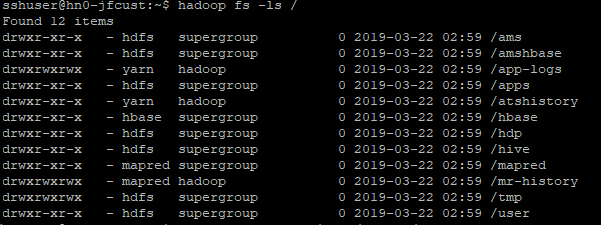
在cluster上创建一个/home/hduser/文件夹

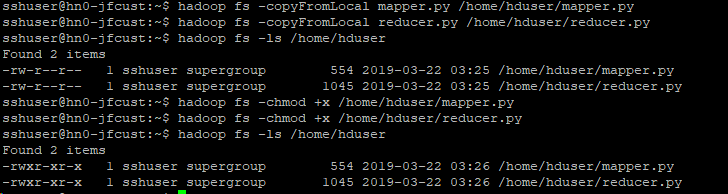
OK,接下来在本地创建一个mapper.py文件和reducer.py文件,注意权限:chmod +x reducer.py(mapper.py)
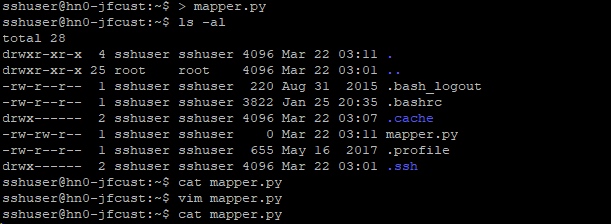
mapper.py代码
#!/usr/bin/env python

"""mapper.py"""

import sys

# input comes from STDIN (standard input)

for line in sys.stdin:

    # remove leading and trailing whitespace

    line = line.strip()

    # split the line into words

    words = line.split()

    # increase counters

    for word in words:

        # write the results to STDOUT (standard output);

        # what we output here will be the input for the

        # Reduce step, i.e. the input for reducer.py

        #

        # tab-delimited; the trivial word count is 1

        print '%s\t%s' % (word, 1)
reducer.py代码
#!/usr/bin/env python

"""reducer.py"""

from operator import itemgetter

import sys

current_word = None

current_count = 0

word = None

# input comes from STDIN

for line in sys.stdin:

    # remove leading and trailing whitespace

    line = line.strip()

    # parse the input we got from mapper.py

    word, count = line.split('\t', 1)

    # convert count (currently a string) to int

    try:

        count = int(count)

    except ValueError:

        # count was not a number, so silently

        # ignore/discard this line

        continue

    # this IF-switch only works because Hadoop sorts map output

    # by key (here: word) before it is passed to the reducer

    if current_word == word:

        current_count += count

    else:

        if current_word:

            # write result to STDOUT

            print '%s\t%s' % (current_word, current_count)

        current_count = count

        current_word = word

# do not forget to output the last word if needed!

if current_word == word:

    print '%s\t%s' % (current_word, current_count)
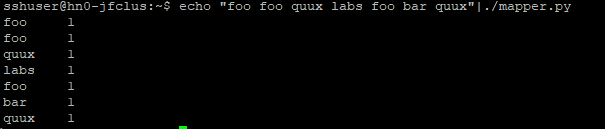
本地mapper.py测试: echo "foo foo quux labs foo bar quux" | ./mapper.py
并复制到Cluster上:
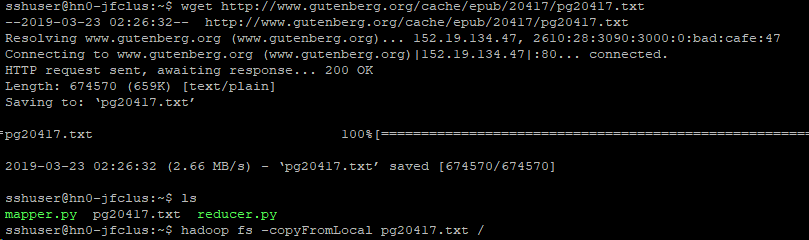
本例中,我们使用一本电子书,地址是http://www.gutenberg.org/cache/epub/20417/pg20417.txt,直接在linux客户端下载后,上传到cluster中
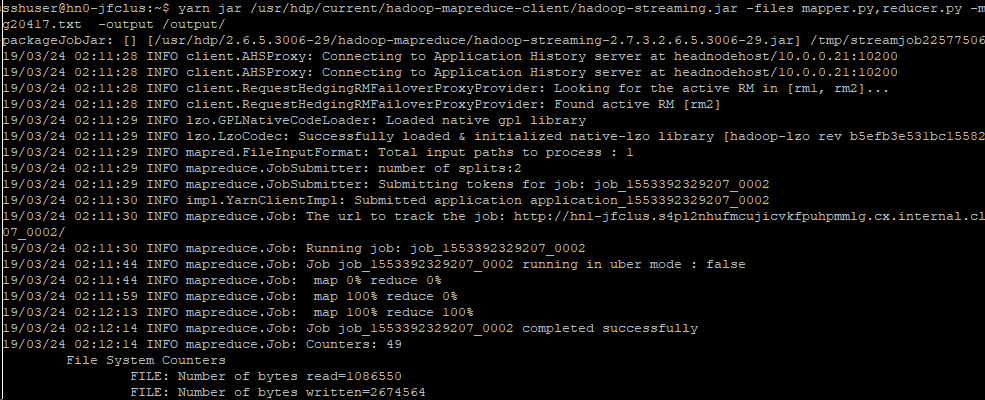
OK,万事俱备,运行MapReduce
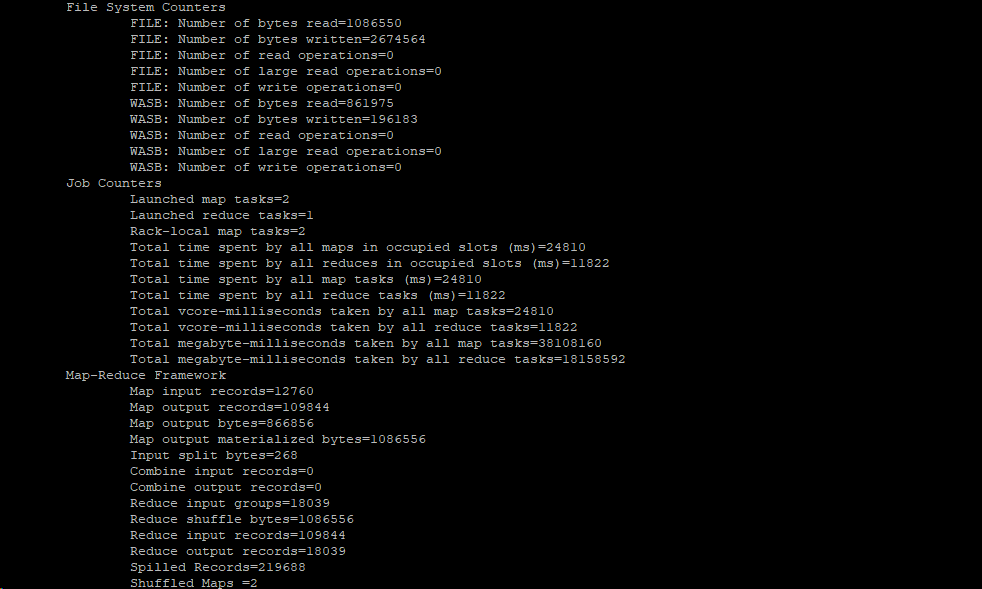

查看输出文件前20行

相关参考文章:
http://www.michael-noll.com/tutorials/writing-an-hadoop-mapreduce-program-in-python/
https://docs.microsoft.com/en-us/azure/hdinsight/hadoop/apache-hadoop-streaming-python
http://hadooptutorial.info/hdfs-file-system-commands/
Hadoop: 在Azure Cluster上使用MapReduce的更多相关文章
- Hadoop 系列文章(三) 配置部署启动YARN及在YARN上运行MapReduce程序
这篇文章里我们将用配置 YARN,在 YARN 上运行 MapReduce. 1.修改 yarn-env.sh 环境变量里的 JAVA_HOME 路径 [bamboo@hadoop-senior ha ...
- 【Cloud Computing】Hadoop环境安装、基本命令及MapReduce字数统计程序
[Cloud Computing]Hadoop环境安装.基本命令及MapReduce字数统计程序 1.虚拟机准备 1.1 模板机器配置 1.1.1 主机配置 IP地址:在学校校园网Wifi下连接下 V ...
- 如何在cluster上跑R脚本
R 是一个比较不错但是有时候操蛋的语言,不错是因为用着爽的时候真的很爽,操蛋是因为这种爽不是什么时候都可以的,比如说在cluster上批处理跑R脚本. 当然说这话有些在上面跑过的各种不服气,你丫傻逼吧 ...
- Hadoop:使用Mrjob框架编写MapReduce
Mrjob简介 Mrjob是一个编写MapReduce任务的开源Python框架,它实际上对Hadoop Streaming的命令行进行了封装,因此接粗不到Hadoop的数据流命令行,使我们可以更轻松 ...
- Azure 网站上的 Java
编辑人员注释:本文章由Windows Azure 网站团队的项目经理Chris Compy 撰写. Microsoft 已推出针对 Azure 网站上基于 Java 的网站的支持.此功能旨在通过 ...
- 在 Azure 网站上使用 Memcached 改进 WordPress
编辑人员注释:本文章由 Windows Azure 网站团队的项目经理 Sunitha Muthukrishna 和 Windows Azure 网站开发人员体验合作伙伴共同撰写. 您是否希望改善在 ...
- Windows Azure 网站上的 WebSocket 简介
编辑人员注释:本文章由 Windows Azure 网站团队的首席项目经理 Stefan Schackow 撰写. Windows Azure 网站最近新增了对 WebSocket 协议的支持..NE ...
- 删除 Windows Azure 网站上的标准服务器头
编辑人员注释: 本文章由 Windows Azure 网站团队的项目经理 Erez Benari 撰写. 请求和响应中包含的 HTTP 头是Web 服务器和浏览器之间的 HTTP 通信过程的一部分.例 ...
- 在 Windows Azure 网站上使用 Django、Python 和 MySQL:创建博客应用程序
编辑人员注释:本文章由 Windows Azure 网站团队的项目经理 Sunitha Muthukrishna 撰写. 根据您编写的应用程序,Windows Azure 网站上的基本Python 堆 ...
随机推荐
- websocket无法注入bean问题解决方案
websocket服务端往往需要和服务层打交道,因此需要将服务层的一些bean注入到websocket实现类中使用,但是呢,websocket实现类虽然顶部加上了@Component注解,依然无法通过 ...
- ASE Alpha Sprint - backend scrum 2
本次scrum于2019.11.5再sky garden进行,持续30分钟. 参与人: Zhikai Chen, Jia Ning, Haifeng Chen, Hao Wang 请假: Xin Ka ...
- sqli-5&6
第五关 Double Injection - Single Quotes - String (双注入GET单引号字符型注入) 1.发现前几关的方法都不能用了,要么报错(没有其他有关信息.要么什么也不出 ...
- spring data jpa和spring data redis同时配置时,出现Multiple Spring Data modules found, entering strict repository configuration mode错误
问题说明 data jpa和data redis同时配置时,出现Spring modules spring Spring Data Release Train <dependencyManage ...
- SQL SERVER将多行数据合并成一行
1)比如表中有三列数据: 2)执行如下查询: SELECT [USER_NAME], [USER_ACCOUNT] , [ROLE_NAME] = stuff(( SELECT ',' + [ROLE ...
- 日志处理--高效Linux命令整理
序 在学习使用python处理日志开始阶段,对我阻力最大的莫过于对linux的不熟悉了,有种寸步难行的感觉. 在之后乱学一通之后,发现有点对我颇有益处: 学<鸟哥linux私房菜基础学习篇> ...
- python基础-文件操作的其他方法
# f=open('code.txt','rb')#b的方式不能指定打开编码格式,以二进制的方式打开文件 # data=f.read() # print(data) # #encode 编码 deco ...
- [POI2007]POW-The Flood(并查集)
[POI2007]POW-The Flood Description AKD 市处在一个四面环山的谷地里.最近一场大暴雨引发了洪水,AKD 市全被水淹没了.Blue Mary,AKD 市的市长,召集了 ...
- rabbitma客户端
知道答案了,原因是重连的时候,每次重连都创建了一个新的线程,然后有信号的时候,每个线程都连接到rabbitMq服务器上去,导致了同一个IP通过不同端口链接上了服务器,出现了多个channel,而发多次 ...
- [php] phar
build.php打包www目录: <?php class A{ public $a = 1; } $p = new Phar('test.phar',0,'test.phar'); $p-&g ...