
React MobX 开始
MobX 用于状态管理,简单高效。本文将于 React 上介绍如何开始,包括了:
- 了解 MobX 概念
- 从零准备 React 应用
- MobX React.FC 写法
- MobX React.Component 写法
可以在线体验: https://ikuokuo.github.io/start-react ,代码见: https://github.com/ikuokuo/start-react 。
概念
首先,ui 是由 state 通过 fn 生成:
ui = fn(state)
在 React 里, fn 即组件,依照自己的 state 渲染。
如果 state 是共享的,一处状态更新,多处组件响应呢?这时就可以用 MobX 了。
MobX 数据流向如下:
      ui

action → state
ui 触发 action,更新 state,重绘 ui。注意是单向的。
了解更多,请阅读 MobX 主旨 。这里讲下实现时的主要步骤:
- 定义数据存储类
Data Store- 成员属性为
state,成员函数为action - 用
mobx标记为observable
- 成员属性为
- 定义
Stores Provider- 方式一
React.Context:createContext包装Store实例,uiuseContext使用 - 方式二
mobx-react.Provider:直接包装Store实例,提供给Provider,uiinject使用
- 方式一
- 实现
ui组件- 用
mobx标记为observer - 获取
stores,直接引用state - 若要更新
state,间接调用action
- 用
项目结构上就是多个 stores 目录,定义各类 store 的 state action,异步操作也很简单。了解更多,请阅读:
准备
React App
yarn create react-app start-react --template typescript

cd start-react
React Router
路由库,以便导航样例。
yarn add react-router-dom
Antd
组件库,以便布局 UI。
yarn add antd @ant-design/icons
高级配置,
yarn add @craco/craco -D

yarn add craco-less
craco.config.js 配置了深色主题:
const path = require('path');

const CracoLessPlugin = require('craco-less');

const { getThemeVariables } = require('antd/dist/theme');

module.exports = {

  plugins: [

    {

      plugin: CracoLessPlugin,

      options: {

        lessLoaderOptions: {

          lessOptions: {

            modifyVars: getThemeVariables({

              dark: true,

              // compact: true,

            }),

            javascriptEnabled: true,

          },

        },

      },

    },

  ],

  webpack: {

    alias: { '@': path.resolve(__dirname, './src') },

  },

};
ESLint
VSCode 安装 ESLint Prettier 扩展。初始化 eslint:
$ npx eslint --init

 How would you like to use ESLint? · style

 What type of modules does your project use? · esm

 Which framework does your project use? · react

 Does your project use TypeScript? · No / Yes

 Where does your code run? · browser

 How would you like to define a style for your project? · guide

 Which style guide do you want to follow? · airbnb

 What format do you want your config file to be in? · JavaScript
配置 .eslintrc.js .eslintignore .vscode/settings.json,详见代码。并于 package.json 添加:
"scripts": {

  "lint": "eslint . --ext .js,.jsx,.ts,.tsx --ignore-pattern node_modules/"

},
执行 yarn lint 通过, yarn start 运行。
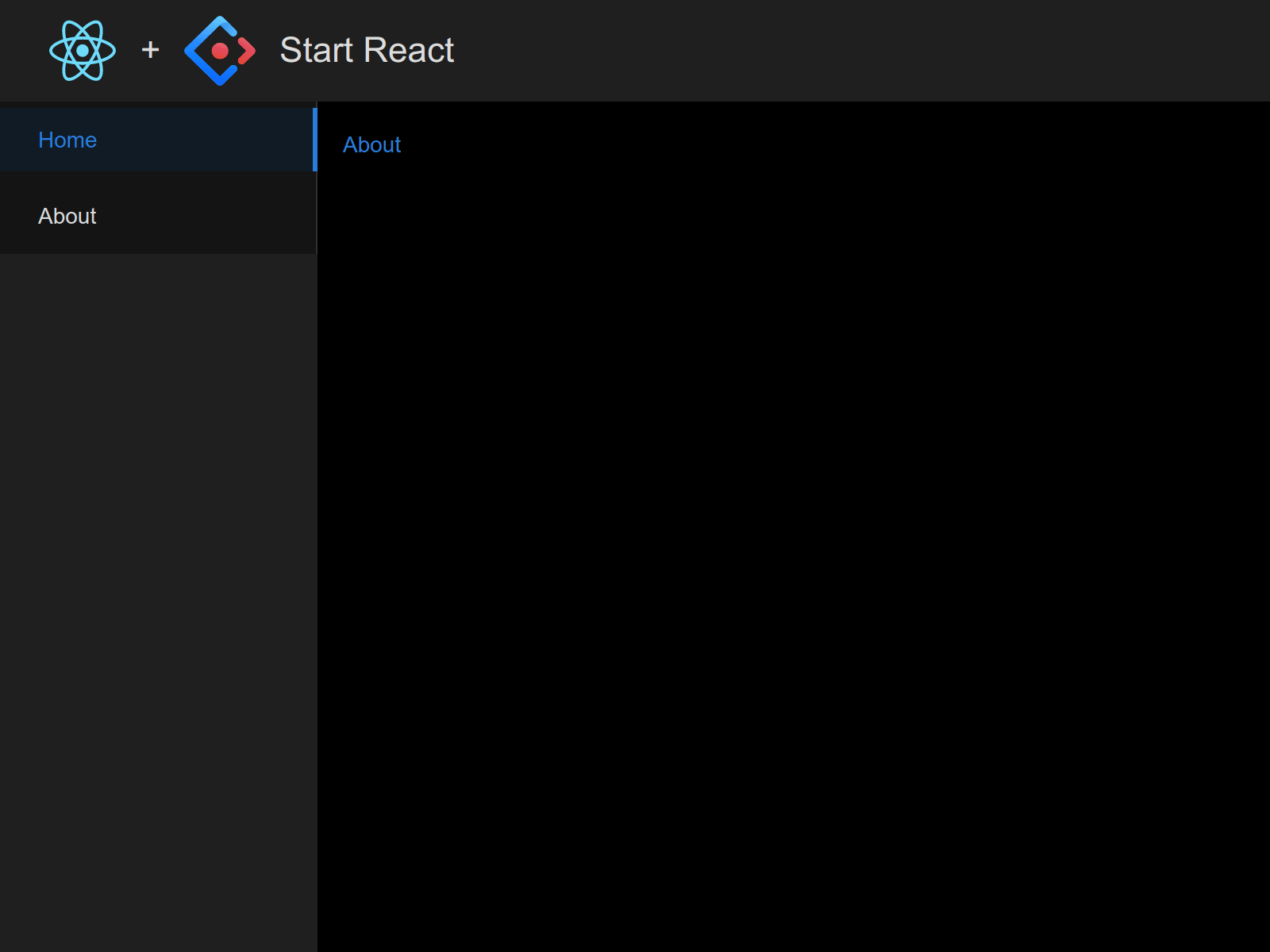
到此, React Antd 应用就准备好了。初始模板如下,可见首个提交:
MobX
yarn add mobx mobx-react
mobx-react 包含了 mobx-react-lite,所以不必安装了。
- 如果只用 React.FC (HOOK) 时,用
mobx-react-lite即可。 - 如果要用 React.Component (Class) 时,用
mobx-react才行。
mobx-react-lite 与 React.FC
定义 Data Stores
makeAutoObservable
定义数据存储模型后,于构造函数里调用 makeAutoObservable(this) 即可。
stores/Counter.ts:
import { makeAutoObservable } from 'mobx';

class Counter {

  count = 0;

  constructor() {

    makeAutoObservable(this);

  }

  increase() {

    this.count += 1;

  }

  decrease() {

    this.count -= 1;

  }

}

export default Counter;
React.Context Stores
React.Context 可以很简单的传递 Stores。
stores/index.ts:
import React from 'react';

import Counter from './Counter';

import Themes from './Themes';

const stores = React.createContext({

  counter: new Counter(),

  themes: new Themes(),

});

export default stores;
创建一个 useStores 的 Hook,简化调用。
hooks/useStores.ts:
import React from 'react';

import stores from '../stores';

const useStores = () => React.useContext(stores);

export default useStores;
Pane 组件,使用 Stores
组件用 observer 包装,useStores 引用 stores。
Pane.tsx:
import React from 'react';

import { Row, Col, Button, Select } from 'antd';

import { PlusOutlined, MinusOutlined } from '@ant-design/icons';

import { observer } from 'mobx-react-lite';

import useStores from './hooks/useStores';

type PaneProps = React.HTMLProps<HTMLDivElement> & {

  name?: string;

}

const Pane: React.FC<PaneProps> = ({ name, ...props }) => {

  const stores = useStores();

  return (

    <div {...props}>

      {name && <h2>{name}</h2>}

      <Row align="middle">

        <Col span="4">Count</Col>

        <Col span="4">{stores.counter.count}</Col>

        <Col>

          <Button

            type="text"

            icon={<PlusOutlined />}

            onClick={() => stores.counter.increase()}

          />

          <Button

            type="text"

            icon={<MinusOutlined />}

            onClick={() => stores.counter.decrease()}

          />

        </Col>

      </Row>

      {/* ... */}

    </div>

  );

};

Pane.defaultProps = { name: undefined };

export default observer(Pane);
mobx-react 与 React.Component
定义 Data Stores
makeObservable + decorators
装饰器在 MobX 6 中放弃了,但还可使用。
首先,启用装饰器语法。TypeScript 于 tsconfig.json 里启用:
"experimentalDecorators": true,

"useDefineForClassFields": true,
定义数据存储模型后,于构造函数里调用 makeObservable(this)。在 MobX 6 前不需要,但现在为了装饰器的兼容性必须调用。
stores/Counter.ts:
import { makeObservable, observable, action } from 'mobx';

class Counter {

  @observable count = 0;

  constructor() {

    makeObservable(this);

  }

  @action

  increase() {

    this.count += 1;

  }

  @action

  decrease() {

    this.count -= 1;

  }

}

export default Counter;
Root Stores
组合多个 Stores。
stores/index.ts:
import Counter from './Counter';

import Themes from './Themes';

export interface Stores {

  counter: Counter;

  themes: Themes;

}

const stores : Stores = {

  counter: new Counter(),

  themes: new Themes(),

};

export default stores;
父组件,提供 Stores
父组件添加 mobx-react.Provider,并且属性扩展 stores 。
index.tsx:
import React from 'react';

import { Provider } from 'mobx-react';

import stores from './stores';

import Pane from './Pane';

const MobXCLS: React.FC = () => (

  <div>

    <Provider {...stores}>

      <h1>MobX with React.Component</h1>

      <div style={{ display: 'flex' }}>

        <Pane name="Pane 1" style={{ flex: 'auto' }} />

        <Pane name="Pane 2" style={{ flex: 'auto' }} />

      </div>

    </Provider>

  </div>

);

export default MobXCLS;
Pane 组件,注入 Stores
组件用 observer 装饰,同时 inject 注入 stores。
Pane.tsx:
import React from 'react';

import { Row, Col, Button, Select } from 'antd';

import { PlusOutlined, MinusOutlined } from '@ant-design/icons';

import { observer, inject } from 'mobx-react';

import { Stores } from './stores';

type PaneProps = React.HTMLProps<HTMLDivElement> & {

  name?: string;

};

@inject('counter', 'themes')

@observer

class Pane extends React.Component<PaneProps, unknown> {

  get injected() {

    return this.props as (PaneProps & Stores);

  }

  render() {

    const { name, ...props } = this.props;

    const { counter, themes } = this.injected;

    return (

      <div {...props}>

        {name && <h2>{name}</h2>}

        <Row align="middle">

          <Col span="4">Count</Col>

          <Col span="4">{counter.count}</Col>

          <Col>

            <Button

              type="text"

              icon={<PlusOutlined />}

              onClick={() => counter.increase()}

            />

            <Button

              type="text"

              icon={<MinusOutlined />}

              onClick={() => counter.decrease()}

            />

          </Col>

        </Row>

        <Row align="middle">

          <Col span="4">Theme</Col>

          <Col span="4">{themes.currentTheme}</Col>

          <Col>

            <Select

              style={{ width: '60px' }}

              value={themes.currentTheme}

              showArrow={false}

              onSelect={(v) => themes.setTheme(v)}

            >

              {themes.themes.map((t) => (

                <Select.Option key={t} value={t}>

                  {t}

                </Select.Option>

              ))}

            </Select>

          </Col>

        </Row>

      </div>

    );

  }

}

export default Pane;
最后
MobX 文档可以浏览一遍,了解有哪些内容。未涉及的核心概念还有 Computeds, Reactions。
其中 MobX and React 一节,详解了于 React 中的用法及注意点,见:React 集成,React 优化。
GoCoding 个人实践的经验分享,可关注公众号!
React MobX 开始的更多相关文章
- [Web 前端] 如何构建React+Mobx+Superagent的完整框架
ReactJS并不像angular一样是一个完整的前端框架,严格的说它只是一个UI框架,负责UI页面的展示,如果用通用的框架MVC来说,ReactJs只负责View了,而Angular则是一个完整的前 ...
- 前端003/【React + Mobx + NornJ】开发模式
1.React + Mobx + NornJ 开发模式快速上手教程 github网址:https://github.com/joe-sky/nornj-cli/blob/master/docs/gui ...
- [React + Mobx] Mobx and React intro: syncing the UI with the app state using observable and observer
Applications are driven by state. Many things, like the user interface, should always be consistent ...
- react mobx 装饰器语法配置
1.弹出项目配置 npm run eject 此处注意,若弹出项目配置失败,请先执行以下两行代码(我的项目执行上一句都会报错,所以都会执行) 1.git add . 2.git commit -m & ...
- react mobx webpack 使用案例
1.package.json: { "name": "wtest", "version": "1.0.0", " ...
- React + MobX 状态管理入门及实例
前言 现在最热门的前端框架,毫无疑问是React. React是一个状态机,由开始的初始状态,通过与用户的互动,导致状态变化,从而重新渲染UI. 对于小型应用,引入状态管理库是"奢侈的&qu ...
- react+mobx 编写 Async装饰器
使用 // indexStore.js import axios from "axios"; import { from } from "rxjs"; impo ...
- react+mobx 编写 withStoreHistory 装饰器
主要作用是向store里面注入一个history对象,方便story里面的函数调用 function withStoreHistory(storeName) { if (!storeName) ret ...
- Vue.js 2.0 和 React、Augular等其他框架的全方位对比
引言 这个页面无疑是最难编写的,但也是非常重要的.或许你遇到了一些问题并且先前用其他的框架解决了.来这里的目的是看看Vue是否有更好的解决方案.那么你就来对了. 客观来说,作为核心团队成员,显然我们会 ...
随机推荐
- ssm框架整合 — 更新完毕
1.spring整合mybatis 数据表自行搭建 ,我的结构如下: 1).导入依赖 <!-- spring整合mybatis的依赖 --> <!-- 1.spring需要的依赖 - ...
- File类及常用操作方法
import java.io.File; import java.io.IOException; public class file { public static void main(String[ ...
- request获取请求参数通用方式
package com.hopetesting.web.request;import javax.servlet.ServletException;import javax.servlet.annot ...
- scrapy爬取招聘网站,items转换成dict遇到的问题
pipelines代码 1 import json 2 3 class TencentJsonPipeline(object): 4 def __init__(self): 5 self.file = ...
- HDC2021技术分论坛:如何高效完成HarmonyOS分布式应用测试?
作者:liuxun,HarmonyOS测试架构师 HarmonyOS是新一代的智能终端操作系统,给开发者提供了设备发现.设备连接.跨设备调用等丰富的分布式API.随着越来越多的开发者投入到Harmon ...
- IM即时通讯设计 高并发聊天服务:服务器 + qt客户端(附源码)
来源:微信公众号「编程学习基地」 目录 IM即时通信程序设计 IM即时通讯 设计一款高并发聊天服务需要注意什么 如何设计可靠的消息处理服务 什么是粘包 什么是半包 解决粘包和半包 IM通信协议 应用层 ...
- 在React中使用 react-router-dom 编程式路由导航的正确姿势【含V5.x、V6.x】
## react-router-dom 编程式路由导航 (v5) ###### 1.push跳转+携带params参数 ```jsx props.history.push(`/b/child1/${i ...
- Jaeger的客户端采样配置(Java版)
欢迎访问我的GitHub https://github.com/zq2599/blog_demos 内容:所有原创文章分类汇总及配套源码,涉及Java.Docker.Kubernetes.DevOPS ...
- LuoguP1619 解一元二次方程的烦恼 题解
Content 模拟一个系统,给出一个数 \(n\),让你判断是否是素数,如果是合数的话就要质因数分解. 需要注意的几点: 数字超过 \(4\times 10^7\),输出溢出提示. 数字小于 \(2 ...
- CF34A Reconnaissance 2 题解
Content 有 \(n\) 士兵站成一个环,第 \(i\) 个士兵的身高为 \(h_i\),试求两个士兵身高差最小的两个人的编号,如果有多组解,输出任意一组即可. 数据范围:\(2\leqslan ...